2017 TOYOTA RAV4 air condition
[x] Cancel search: air conditionPage 132 of 741

132
RAV4_OM_OM0R005U_(U)
3-2. Opening, closing and locking the doors
■Conditions affecting operation
The smart key system uses weak radio waves. In the following situations, the
communication between the electronic key and the vehicle may be affected,
preventing the smart key system, wireless remote control and engine immobi-
lizer system from operating properly. (Ways of coping: →P. 656)
● When the electronic key battery is depleted
● Near a TV tower, electric power plant, gas station, radio station, large dis-
play, airport or other facility that generates strong radio waves or electrical
noise
● When carrying a portable radio, cellular phone, cordless phone or other
wireless communication device
● When the electronic key is in contact with, or is covered by the following
metallic objects
• Cards to which aluminum foil is attached
• Cigarette boxes that have aluminum foil inside
• Metallic wallets or bags
• Coins
• Hand warmers made of metal
• Media such as CDs and DVDs
● When other wireless keys (that emit radio waves) are being used nearby
● When carrying the electronic key together with the following devices that
emit radio waves
• Another vehicle’s electronic key or a wireless key that emits radio waves
• Personal computers or personal digital assistants (PDAs)
• Digital audio players
• Portable game systems
● If window tint with a metallic content or metallic objects are attached to the
rear window
● When the electronic key is placed near a battery charger or electronic
devices
Page 181 of 741
181
RAV4_OM_OM0R005U_(U)
4-1. Before driving
4
Driving
Trailer towing
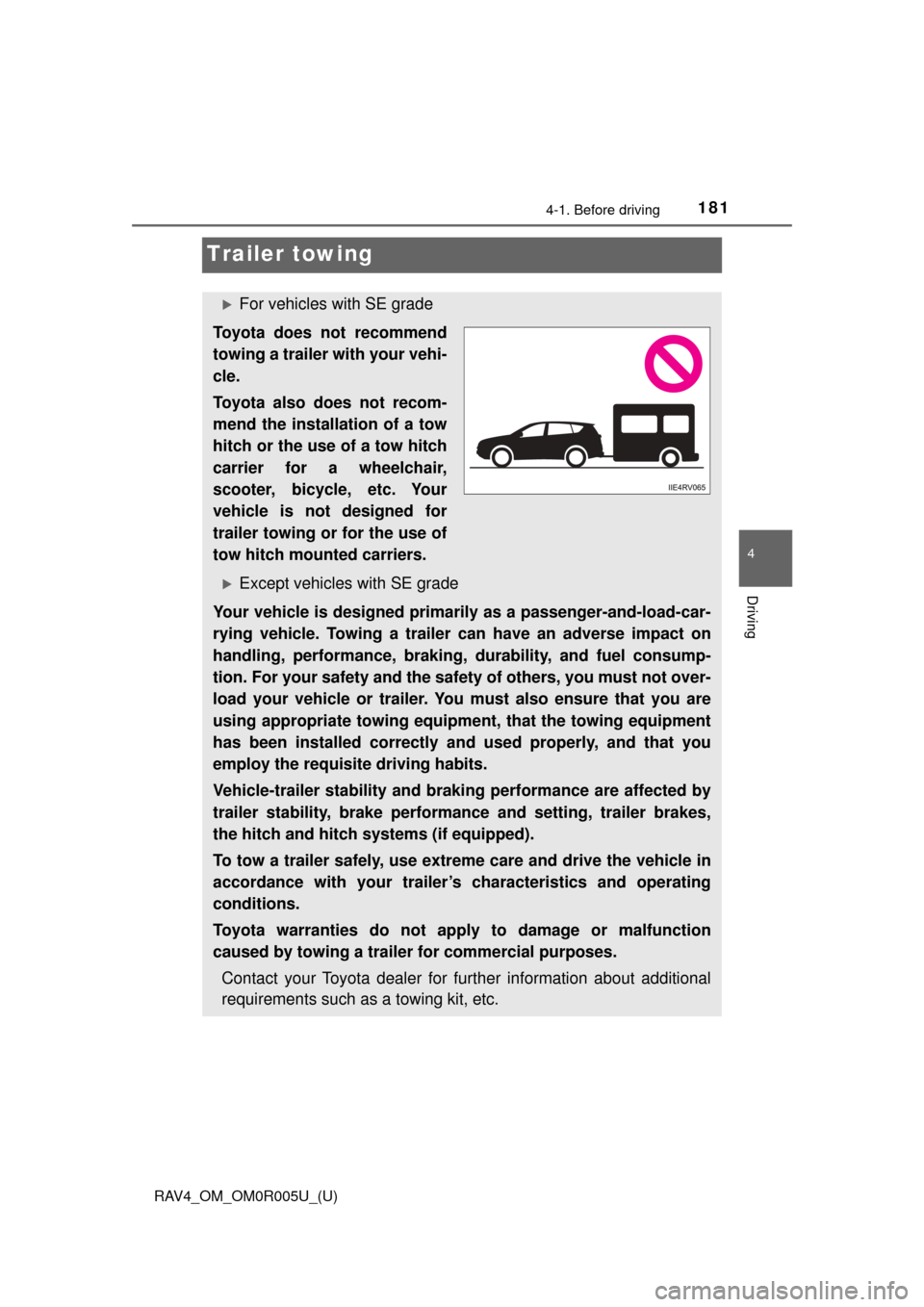
For vehicles with SE grade
Toyota does not recommend
towing a trailer with your vehi-
cle.
Toyota also does not recom-
mend the installation of a tow
hitch or the use of a tow hitch
carrier for a wheelchair,
scooter, bicycle, etc. Your
vehicle is not designed for
trailer towing or for the use of
tow hitch mounted carriers.
Except vehicles with SE grade
Your vehicle is designed primarily as a passenger-and-load-car-
rying vehicle. Towing a trailer can have an adverse impact on
handling, performance, braking, durability, and fuel consump-
tion. For your safety and the safe ty of others, you must not over-
load your vehicle or trailer. You must also ensure that you are
using appropriate towing equipmen t, that the towing equipment
has been installed correctly an d used properly, and that you
employ the requisite driving habits.
Vehicle-trailer stability and braking performance are affected by
trailer stability, brake performance and setting, trailer brakes,
the hitch and hitch systems (if equipped).
To tow a trailer safely, use extreme care and drive the vehicle in
accordance with your trailer’s characteristics and operating
conditions.
Toyota warranties do not appl y to damage or malfunction
caused by towing a trailer for commercial purposes.
Contact your Toyota dealer for further information about additional
requirements such as a towing kit, etc.
Page 190 of 741
![TOYOTA RAV4 2017 XA40 / 4.G Owners Manual 190
RAV4_OM_OM0R005U_(U)
4-1. Before driving
●Due to the added load of the trailer, your vehicle’s engine may over-
heat on hot days (at temperatures over 85 °F [30°C]) when driving
up a long or](/manual-img/14/6717/w960_6717-189.png "TOYOTA RAV4 2017 XA40 / 4.G Owners Manual 190
RAV4_OM_OM0R005U_(U)
4-1. Before driving
●Due to the added load of the trailer, your vehicle’s engine may over-
heat on hot days (at temperatures over 85 °F [30°C]) when driving
up a long or")
190
RAV4_OM_OM0R005U_(U)
4-1. Before driving
●Due to the added load of the trailer, your vehicle’s engine may over-
heat on hot days (at temperatures over 85 °F [30°C]) when driving
up a long or steep grade. If t he engine coolant temperature gauge
indicates overheating, immediately turn off the air conditioning (if in
use), pull your vehicle off the road and stop in a safe spot.
( → P. 662)
● Always place wheel blocks under both the vehicle’s and the trailer’s
wheels when parking. Apply the parking brake firmly, and put the
transmission in P. Avoid parking on a slope, but if unavoidable, do
so only after performing the following:
Apply the brakes and keep them applied.
Have someone place wheel blocks under both the vehicle’s and
trailer’s wheels.
When the wheel blocks are in pl ace, release the brakes slowly
until the blocks absorb the load.
Apply the parking brake firmly.
Shift into P and turn off the engine.
● When restarting after parking on a slope:
With the transmission in P, start the engine. Be sure to keep the
brake pedal pressed.
Shift into a forward gear. If reversing, shift into R.
Release the parking brake and brake pedal, and slowly pull or
back away from the wheel bloc ks. Stop and apply the brakes.
Have someone retrieve the blocks.
1
2
3
4
5
1
2
3
4
Page 208 of 741

208
RAV4_OM_OM0R005U_(U)
4-2. Driving procedures
■S mode
●When the shift range is 4 or lower, holding the shift lever toward “+” sets the
shift range to 6.
● To prevent the engine from over-revving, upshifting may automatically
occur.
● To protect the automatic transmission, a higher shift range may automati-
cally selected when the fluid temperature is high.
■ Downshifting restrictions warning buzzer
To help ensure safety and driving performance, downshifting operation may
sometimes be restricted. In some circumstances, downshifting may not be
possible even when the shift lever or paddle shift switch (if equipped) is oper-
ated. (A buzzer will sound twice.)
■ Operation of the air conditio ning system in Eco drive mode
Eco drive mode controls the heating/cooling operations and fan speed
* of the
air conditioning system to enhance fuel efficiency ( →P. 488, 495). To improve
air conditioning performance, adjust the fan speed
* or turn off Eco drive
mode.
*: Vehicles with automatic air conditioning system only
■ Deactivation of the driving mode
●Eco drive mode will not be canceled until the “ECO MODE” button is
pressed, even if the engine is turned off after driving in Eco drive mode.
● Sport mode will be canceled if the engine is turned off after driving in sport
mode.
■ When driving with cruise control or dynamic radar cruise control acti-
vated (if equipped)
Even when performing the following actions with the intent of enabling engine
braking, engine braking will not activate because cruise control or dynamic
radar cruise control will not be canceled.
● While driving in S mode, downshifting to 5 or 4. ( →P. 207)
● While driving in the D position, downshifting to 5 or 4.
(Vehicles with paddle shift switches only: → P. 206)
● When switching the driving mode to sport mode while driving in D.
(→P. 205)
■ Shift lock system
The shift lock system is a system to prevent accidental operation of the shift
lever in starting.
The shift lever can be shifted from P only when the engine switch is in the
“ON” position (vehicles without smar t key system) or IGNITION ON mode
(vehicles with smart key system) and the brake pedal is being depressed.
Page 255 of 741
RAV4_OM_OM0R005U_(U)
2554-5. Using the driving support systems
4
Driving
WARNING
■Before using LDA system
Do not rely solely upon the LDA system. The LDA system does not auto-
matically drive the vehicle or reduce the amount of attention that must be
paid to the area in front of the vehicle. The driver must always assume full
responsibility for driving safely by paying careful attention to the surround-
ing conditions and operating the steering wheel to correct the path of the
vehicle. Also, the driver must take adequate breaks when fatigued, such as
from driving for a long period of time.
Failure to perform appropriate driving operations and pay careful attention
may lead to an accident, resulting in death or serious injury.
■ To avoid operating LDA system by mistake
When not using the LDA system, use the LDA switch to turn the system off.
■ Situations unsuitable for LDA system
Do not use the LDA system in the following situations.
The system may not operate properly and lead to an accident, resulting in
death or serious injury.
● A spare tire, tire chains, etc. are equipped.
● When the tires have been excessively worn, or when the tire inflation pres-
sure is low.
● Tires which differ by structure, manufacturer, brand or tread pattern are
used.
● Objects or patterns that could be mistaken for white (yellow) lines are
present on the side of the road (guardrails, curbs, reflective poles, etc.).
● Vehicle is driven on a snow-covered road.
● White (yellow) lines are difficult to see due to rain, snow, fog, dust, etc.
● Asphalt repair marks, white (yellow) line marks, etc., are present due to
road repair.
● Vehicle is driven in a temporary lane or restricted lane due to construction
work.
● Vehicle is driven on a road surface which is slippery due to rainy weather,
fallen snow, freezing, etc.
● Vehicle is driven in traffic lanes other than on highways and freeways.
● Vehicle is driven in a construction zone.
● Vehicle is towing a trailer or another vehicle.
Page 256 of 741
256
RAV4_OM_OM0R005U_(U)
4-5. Using the driving support systems
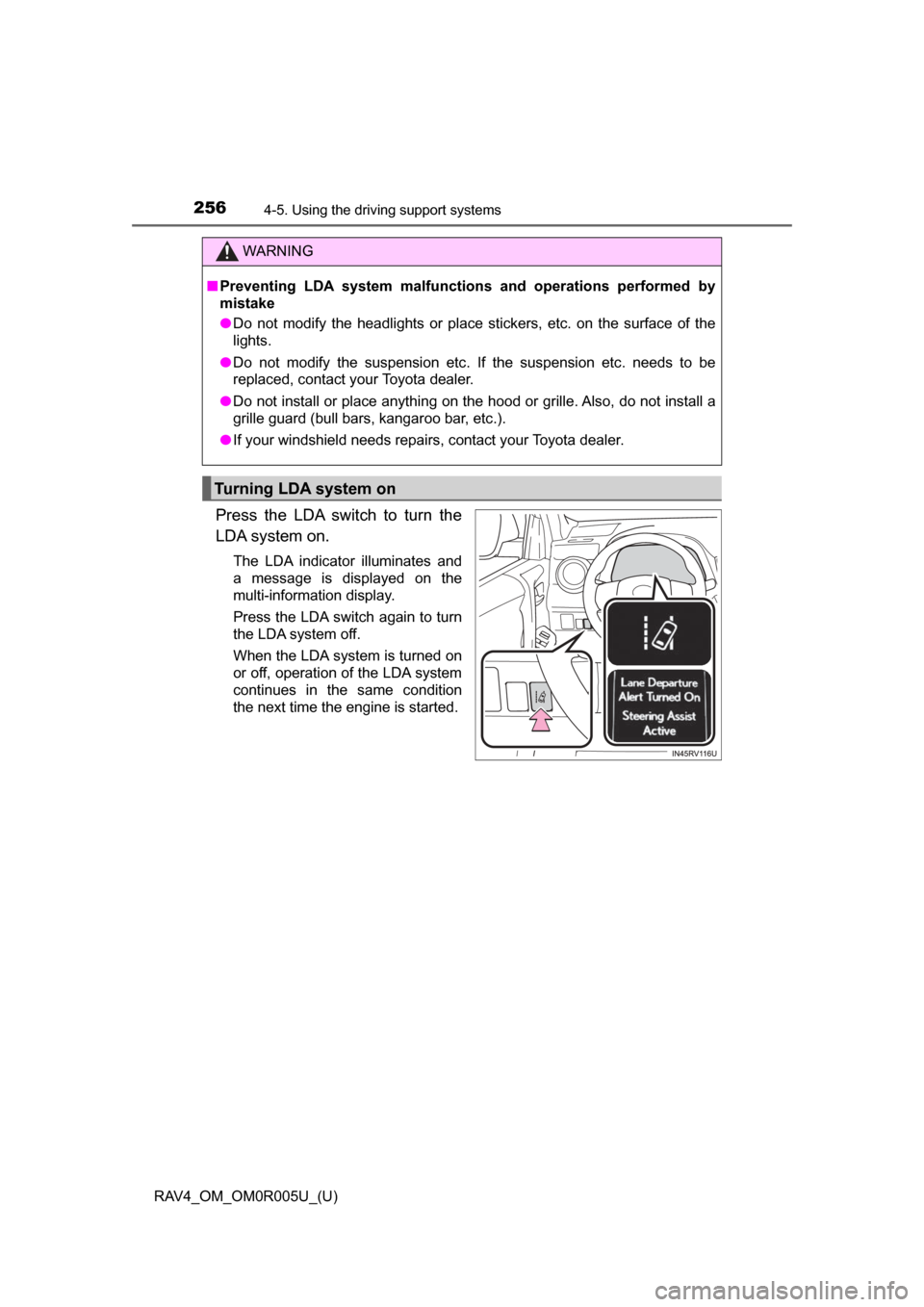
Press the LDA switch to turn the
LDA system on.
The LDA indicator illuminates and
a message is displayed on the
multi-information display.
Press the LDA switch again to turn
the LDA system off.
When the LDA system is turned on
or off, operation of the LDA system
continues in the same condition
the next time the engine is started.
WARNING
■Preventing LDA system malfunctions and operations performed by
mistake
● Do not modify the headlights or place stickers, etc. on the surface of the
lights.
● Do not modify the suspension etc. If the suspension etc. needs to be
replaced, contact your Toyota dealer.
● Do not install or place anything on the hood or grille. Also, do not install a
grille guard (bull bars, kangaroo bar, etc.).
● If your windshield needs repairs, contact your Toyota dealer.
Turning LDA system on
Page 283 of 741

RAV4_OM_OM0R005U_(U)
2834-5. Using the driving support systems
4
Driving
■Intuitive parking assist display
When an obstacle is detected while the Toyota parking assist monitor is in
use, the warning indicator will appear in the top right or left of the screen even
if the display setting has been set to off.
■ Sensor detection information
●The sensor’s detection areas are limited to the areas around the vehicle’s
bumper.
● Certain vehicle conditions and the surrounding environment may affect the
ability of a sensor to correctly detect an obstacle. Particular instances where
this may occur are listed below.
• There is dirt, snow or ice on the sensor. (Wiping the sensors will resolve
this problem.)
• The sensor is frozen. (Thawing the area will resolve this problem.) In especially cold weather, if a sensor is frozen the screen may show an
abnormal display, or obstacles may not be detected.
• The sensor is covered in any way.
• The vehicle is leaning considerably to one side.
• On an extremely bumpy road, on an incline, on gravel, or on grass.
• The vicinity of the vehicle is noisy due to vehicle horns, motorcycle engines, air brakes of large vehicles, or other loud noises producing ultra-
sonic waves.
• There is another vehicle equipped with parking assist sensors in the vicinity.
• The sensor is coated with a sheet of spray or heavy rain.
• The vehicle is equipped with a fender pole or wireless antenna.
• Towing eyelets are installed.
• The bumper or sensor receives a strong impact.
• The vehicle is approaching a tall or curved curb.
• In harsh sunlight or intense cold weather.
• The area directly under the bumpers is not detected.
• If obstacles draw too close to the sensor.
• A non-genuine Toyota suspension (lowered suspension etc.) is installed.
• People may not be detected if they are wearing certain types of clothing.
In addition to the examples above, there are instances in which, because of
their shape, signs and other objects may be judged by a sensor to be closer
than they are.
● The shape of the obstacle may prevent a sensor from detecting it. Pay par-
ticular attention to the following obstacles:
• Wires, fences, ropes, etc.
• Cotton, snow and other materials that absorb sound waves
• Sharply-angled objects
• Low obstacles
• Tall obstacles with upper sections projecting outwards in the direction of
your vehicle
Page 284 of 741

284
RAV4_OM_OM0R005U_(U)
4-5. Using the driving support systems
●The following situations may occur during use:
• Depending on the shape of the obstacle and other factors, the detection
distance may shorten, or detection may be impossible.
• Obstacles may not be detected if they are too close to the sensor.
• There will be a short delay between obstacle detection and indicator. Even at slow speeds, there is a possibility that the obstacle will come
within the sensor’s detection areas before the indicator comes on and the
warning beep sounds.
• Thin posts or objects lower than the sensor may not be detected when approached, even if they have been detected once.
• It might be difficult to hear beeps due to the volume of audio system or air flow noise of the air conditioning system.
■ When the system malfunctions
4 sensor type
● If the vehicle indicator remains on while the rear corner and rear center indi-
cators flash and the malfunction beep sounds for approximately 7 seconds,
have the vehicle inspected by your Toyota dealer.
● If the vehicle indicator and the rear corner and rear center indicators flash
and the malfunction beep sounds for approximately 7 seconds, clean the
sensors with soft cloth.
8 sensor type
A message is displayed on the multi-information display: →P. 627
■ Customization
Setting of buzzer volume can be changed.
(Customizable features
→P. 700)
■ Certification (Canada only)
This ISM device complies with Canadian ICES-001.