Page 398 of 741
397
RAV4_OM_OM0R005U_(U)
5-13. Setup
5
Audio system
General settings
Press the “SETUP” button.
Select “General” on the “Setup”
screen.Select to adjust the clock.
“English”, “Français” or
“Español” can be selected.
Select to change the unit of
measure for distance/fuel
consumption.
On/off can be selected to
sound beeps.
Select to change the screen
color.
Select to change the keyboard layout.
The animation effect for the screen can be set to on/off.
Select to delete personal data ( →P. 398)
Select to update program versions. For details, contact your
Toyota dealer.
Select to display the software info rmation. Notices related to third
party software used in this produc t are enlisted. (This includes
instructions for obta ining such software, where applicable.)
■To return to the default settings
Select “Default”, and then “Yes”.
Settings are available for adjusting the operation sounds,
screen animation, etc.
Screen for general settings
1
2
1
2
3
4
5
6
7
8
9
10
Page 399 of 741
398
RAV4_OM_OM0R005U_(U)
5-13. Setup
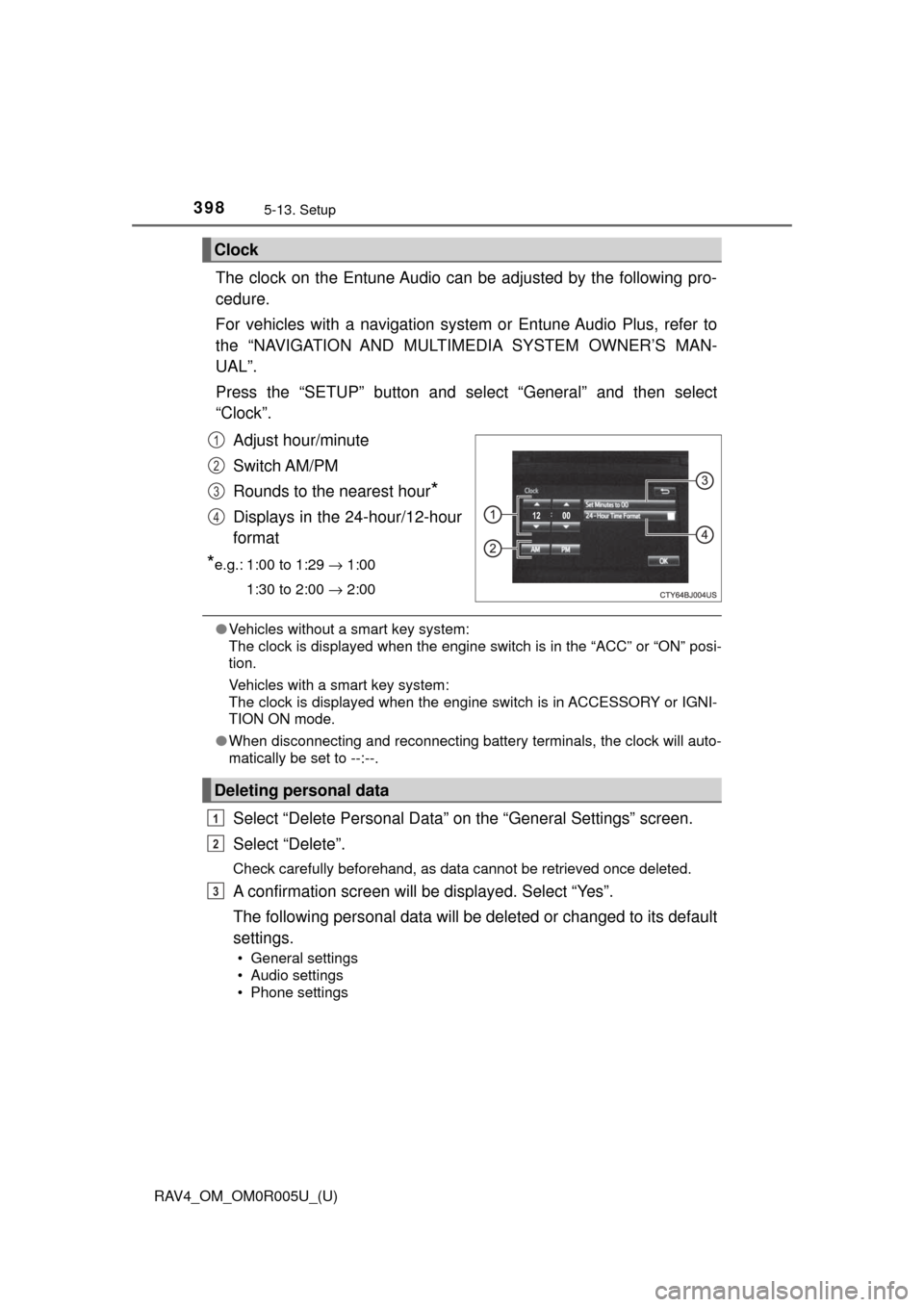
The clock on the Entune Audio can be adjusted by the following pro-
cedure.
For vehicles with a navigation system or Entune Audio Plus, refer to
the “NAVIGATION AND MULTIMEDIA SYSTEM OWNER’S MAN-
UAL”.
Press the “SETUP” button and select “General” and then select
“Clock”.
Adjust hour/minute
Switch AM/PM
Rounds to the nearest hour
*
Displays in the 24-hour/12-hour
format
*e.g.: 1:00 to 1:29 → 1:00
1:30 to 2:00 → 2:00
●Vehicles without a smart key system:
The clock is displayed when the engine switch is in the “ACC” or “ON” posi-
tion.
Vehicles with a smart key system:
The clock is displayed when the engine switch is in ACCESSORY or IGNI-
TION ON mode.
● When disconnecting and reconnecting battery terminals, the clock will auto-
matically be set to --:--.
Select “Delete Personal Data” on the “General Settings” screen.
Select “Delete”.
Check carefully beforehand, as data cannot be retrieved once deleted.
A confirmation screen will be displayed. Select “Yes”.
The following personal data will be deleted or changed to its default
settings.
• General settings
• Audio settings
• Phone settings
Clock
1
2
3
4
Deleting personal data
1
2
3
Page 485 of 741
484
RAV4_OM_OM0R005U_(U)
6-1. Using the air conditioning system and defogger
Manual air conditioning system∗
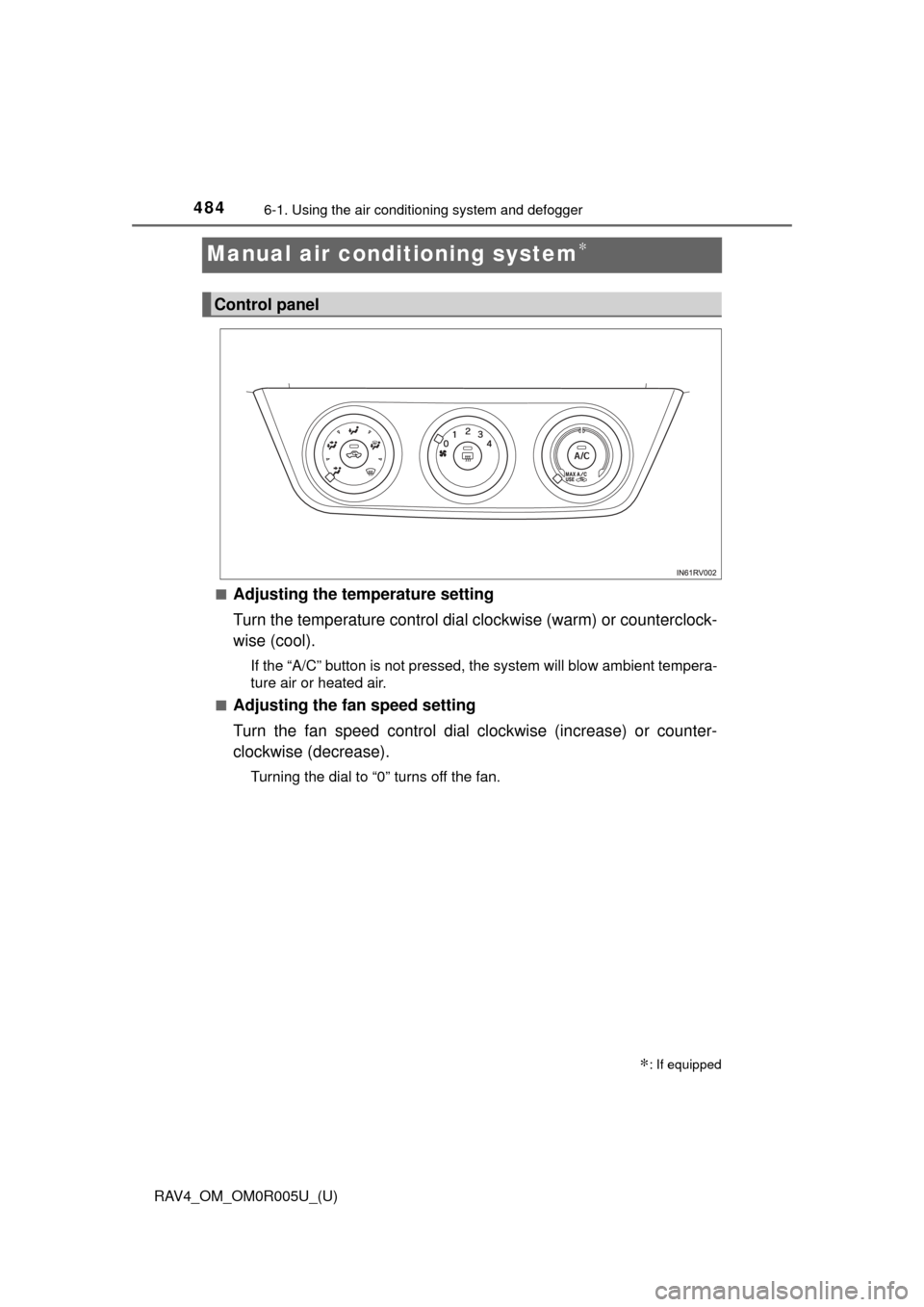
■Adjusting the temperature setting
Turn the temperature control dial clockwise (warm) or counterclock-
wise (cool).
If the “A/C” button is not pressed, the system will blow ambient tempera-
ture air or heated air.
■
Adjusting the fan speed setting
Turn the fan speed control dial clockwise (increase) or counter-
clockwise (decrease).
Turning the dial to “0” turns off the fan.
∗: If equipped
Control panel
Page 490 of 741
RAV4_OM_OM0R005U_(U)
4896-1. Using the air conditioning system and defogger
6
Interior features
WARNING
■To prevent the windshield from fogging up
● Do not set the air outlet selection dial to during cool air operation in
extremely humid weather. The difference between the temperature of the
outside air and that of the windshield can cause the outer surface of the
windshield to fog up, blocking your vision.
■ To prevent burns
● Vehicles with outside rear view mirror defoggers: Do not touch the rear
view mirror surfaces when the outsi de rear view mirror defoggers are on.
● Vehicles with windshield wiper de-icer: Do not touch the glass at lower part
of the windshield or to the side of the front pillars when the windshield
wiper de-icer is on.
NOTICE
■To prevent battery discharge
Do not leave the air conditioning system on longer than necessary when the
engine is off.
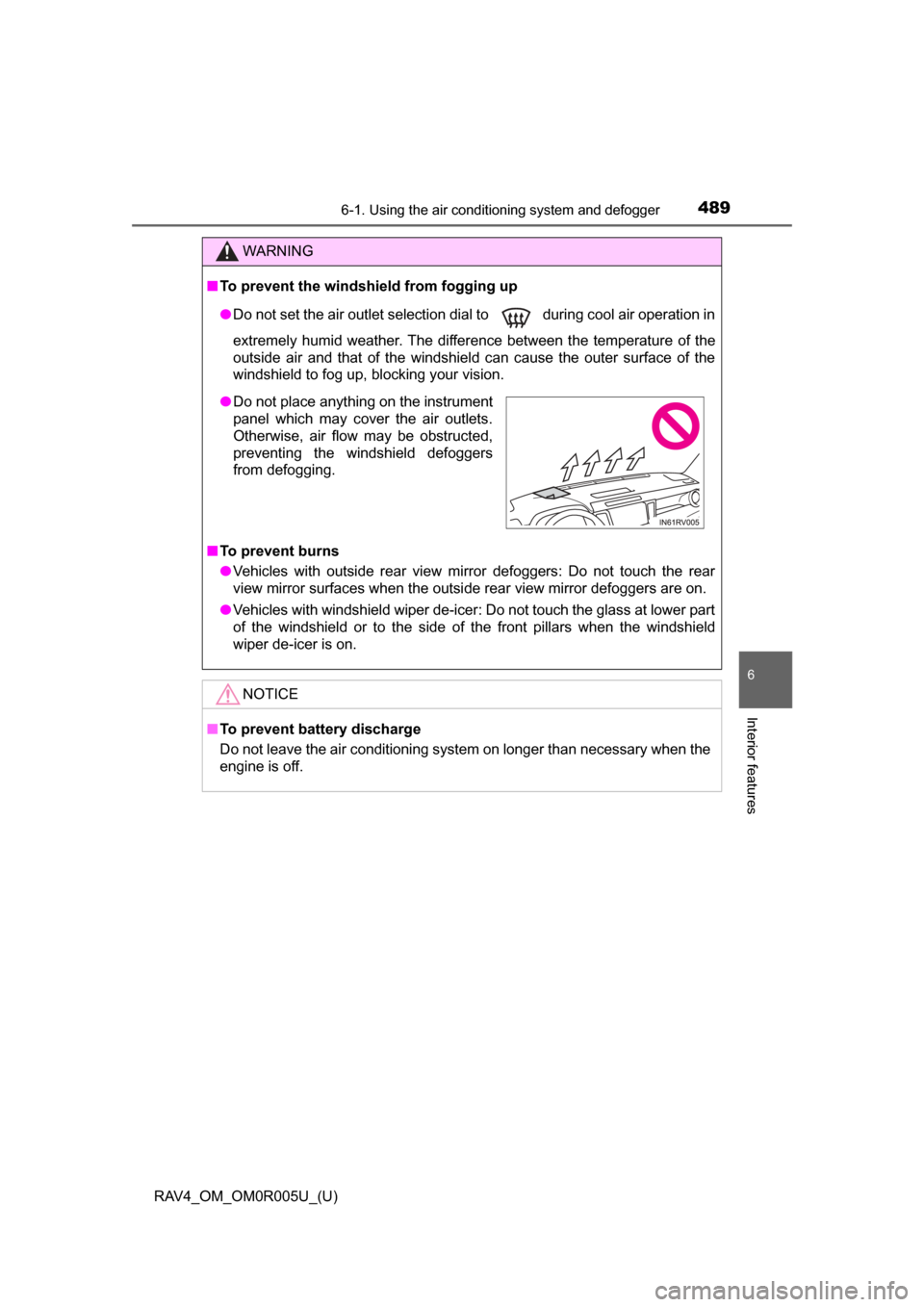
● Do not place anything on the instrument
panel which may cover the air outlets.
Otherwise, air flow may be obstructed,
preventing the windshield defoggers
from defogging.
Page 491 of 741
490
RAV4_OM_OM0R005U_(U)
6-1. Using the air conditioning system and defogger
Automatic air conditioning system∗
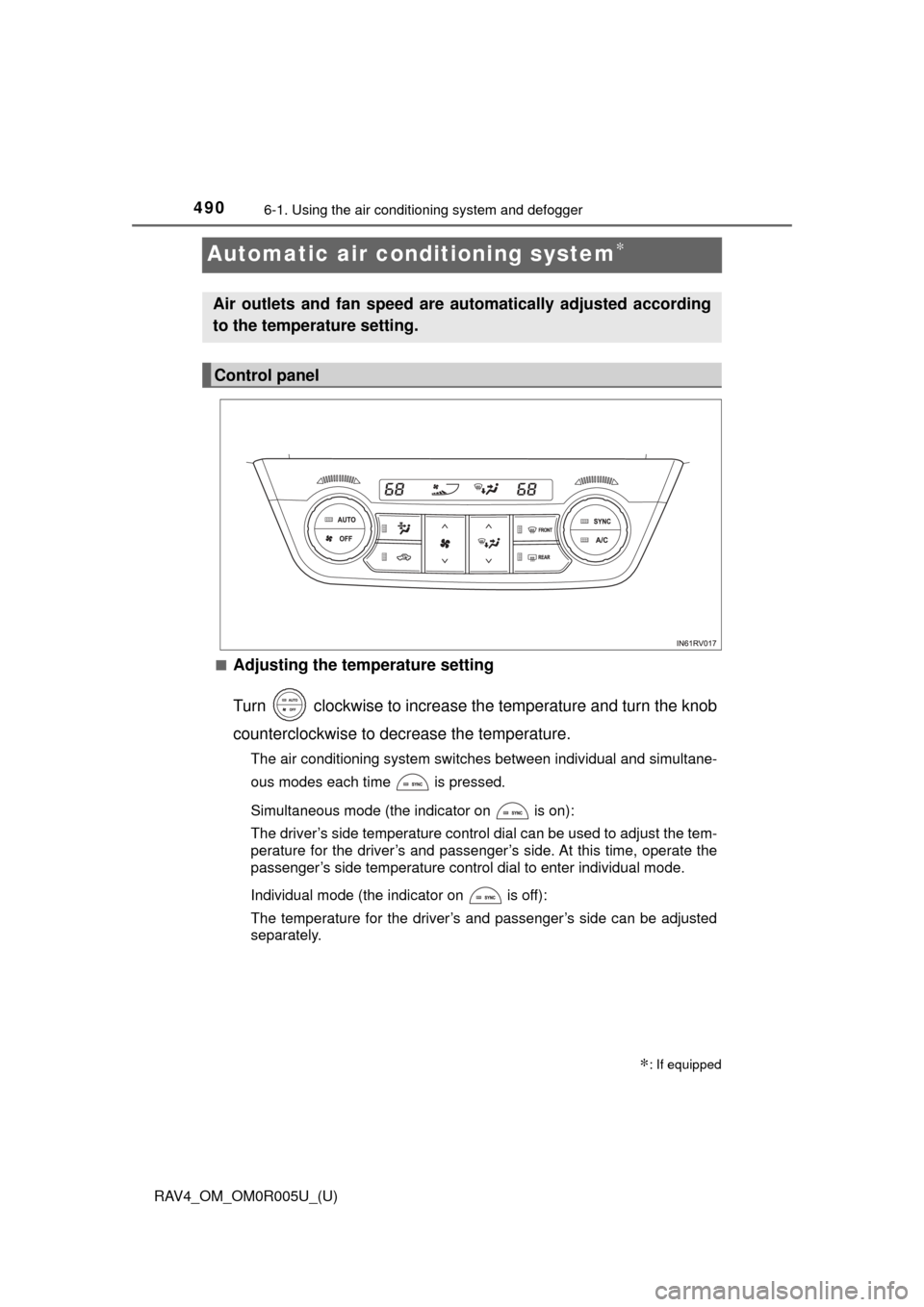
■Adjusting the temperature setting
Turn clockwise to increase the temperature and turn the knob
counterclockwise to decrease the temperature.
The air conditioning system switches between individual and simultane-
ous modes each time is pressed.
Simultaneous mode (the indicator on is on):
The driver’s side temperature control dial can be used to adjust the tem-
perature for the driver’s and passenger’s side. At this time, operate the
passenger’s side temperature control dial to enter individual mode.
Individual mode (the indicator on is off):
The temperature for the driver’s and passenger’s side can be adjusted
separately.
∗: If equipped
Air outlets and fan speed are automatically adjusted according
to the temperature setting.
Control panel
Page 498 of 741
RAV4_OM_OM0R005U_(U)
4976-1. Using the air conditioning system and defogger
6
Interior features
■Ventilation and air conditioning odors
●To let fresh air in, set the air conditioning system to the outside air mo\
de.
● During use, various odors from inside and outside the vehicle may enter into
and accumulate in the air conditioning system. This may then cause odor to
be emitted from the vents.
● To reduce potential odors from occurring:
• It is recommended that the air conditioning system be set to outside air
mode prior to turning the vehicle off.
• The start timing of the blower may be delayed for a short period of time
immediately after the air conditioning system is started in automatic
mode.
■ Air conditioning filter
→P. 583
■ Customization
Settings (e.g. outside/recirculated air mode) can be changed.
(Customizable features →P. 701)
WARNING
■To prevent the windshield from fogging up
● Do not use during cool air operation in extremely humid weather.
The difference between the temperature of the outside air and that of the
windshield can cause the outer surface of the windshield to fog up, block-
ing your vision.
■ To prevent burns
● Vehicles with outside rear view mirror defoggers: Do not touch the rear
view mirror surfaces when the outsi de rear view mirror defoggers are on.
● Vehicles with windshield wiper de-icer: Do not touch the glass at lower part
of the windshield or to the side of the front pillars when the windshield
wiper de-icer is on.
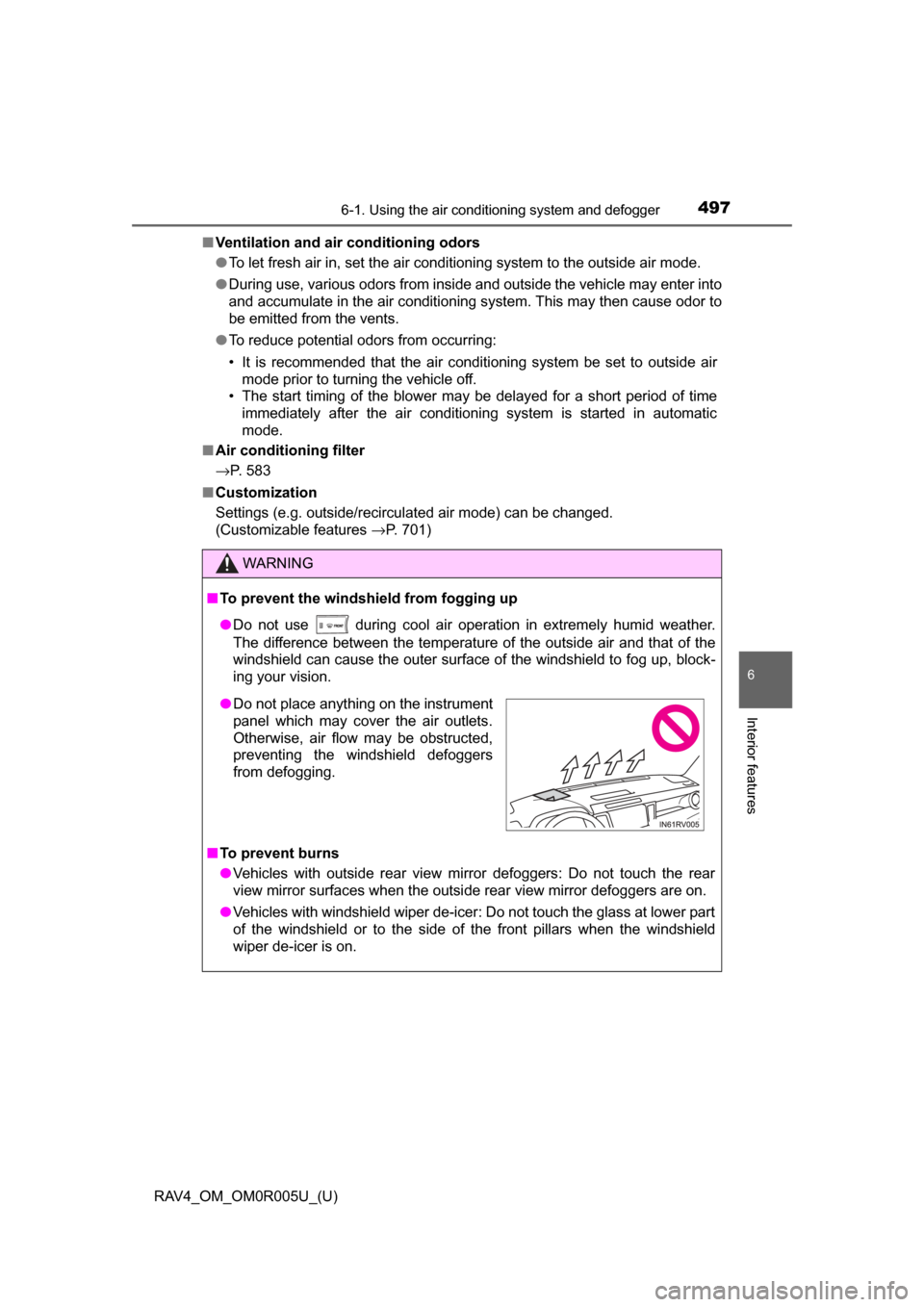
●Do not place anything on the instrument
panel which may cover the air outlets.
Otherwise, air flow may be obstructed,
preventing the windshield defoggers
from defogging.
Page 504 of 741
RAV4_OM_OM0R005U_(U)
5036-2. Using the interior lights
6
Interior features
●Illuminated entry system: The lights automatically turn on/off according to
the engine switch position (vehicles without smart key system), engine
switch mode or presence of the electronic key (vehicles with smart key sys-
tem), whether the doors are locked/unlocked, and whether the doors are
opened/closed.
Footwell lights (if equipped): When shifting the shift lever to any position
other than P, the brightness of the footwell lights will be reduced.
● If the following lights remain on when the door is not fully closed and the
interior light main switch is in the door position, the lights will go off automat-
ically after 20 minutes:
• Interior light
• Engine switch light (if equipped)
● Setting (e.g. the time elapsed before lights turn off) can be changed.
(Customizable features: →P. 702)
Page 506 of 741
RAV4_OM_OM0R005U_(U)
5056-3. Using the storage features
6
Interior features
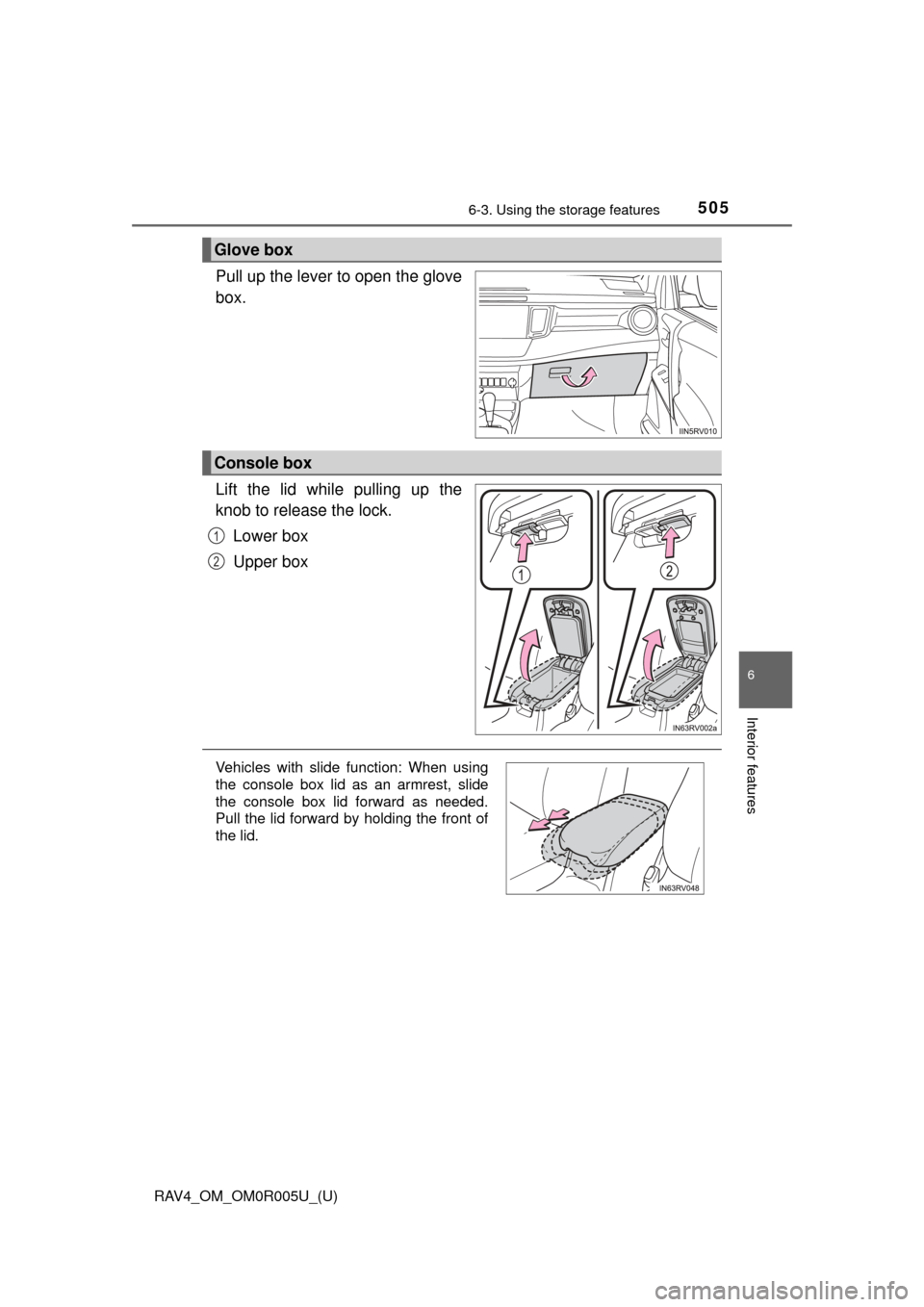
Pull up the lever to open the glove
box.
Lift the lid while pulling up the
knob to release the lock.Lower box
Upper box
Glove box
Console box
1
2
Vehicles with slide function: When using
the console box lid as an armrest, slide
the console box lid forward as needed.
Pull the lid forward by holding the front of
the lid.