Page 45 of 784
451-1. For safe use
PRIUS PRIME_OM_OM47A88U_(U)
1
For safety and security
■SRS airbag deployment conditions (S RS side and curtain shield airbags)
● The SRS side and curtain shield airbags will deploy in the event of an
impact that exceeds the set threshold level (the level of force corresponding
to the impact force produced by an approximately 3300 lb. [1500 kg] vehi\
cle
colliding with the vehicle cabin from a direction perpendicular to the vehicle
orientation at an approximate speed of 12 - 18 mph [20 - 30 km/h]).
● The SRS curtain shield airbags will deploy in the event of vehicle rollover.
● The SRS side and curtain shield airbags will deploy in the event of a severe
frontal collision.
■ Conditions under which the SRS airbags may deploy (inflate), other than
a collision
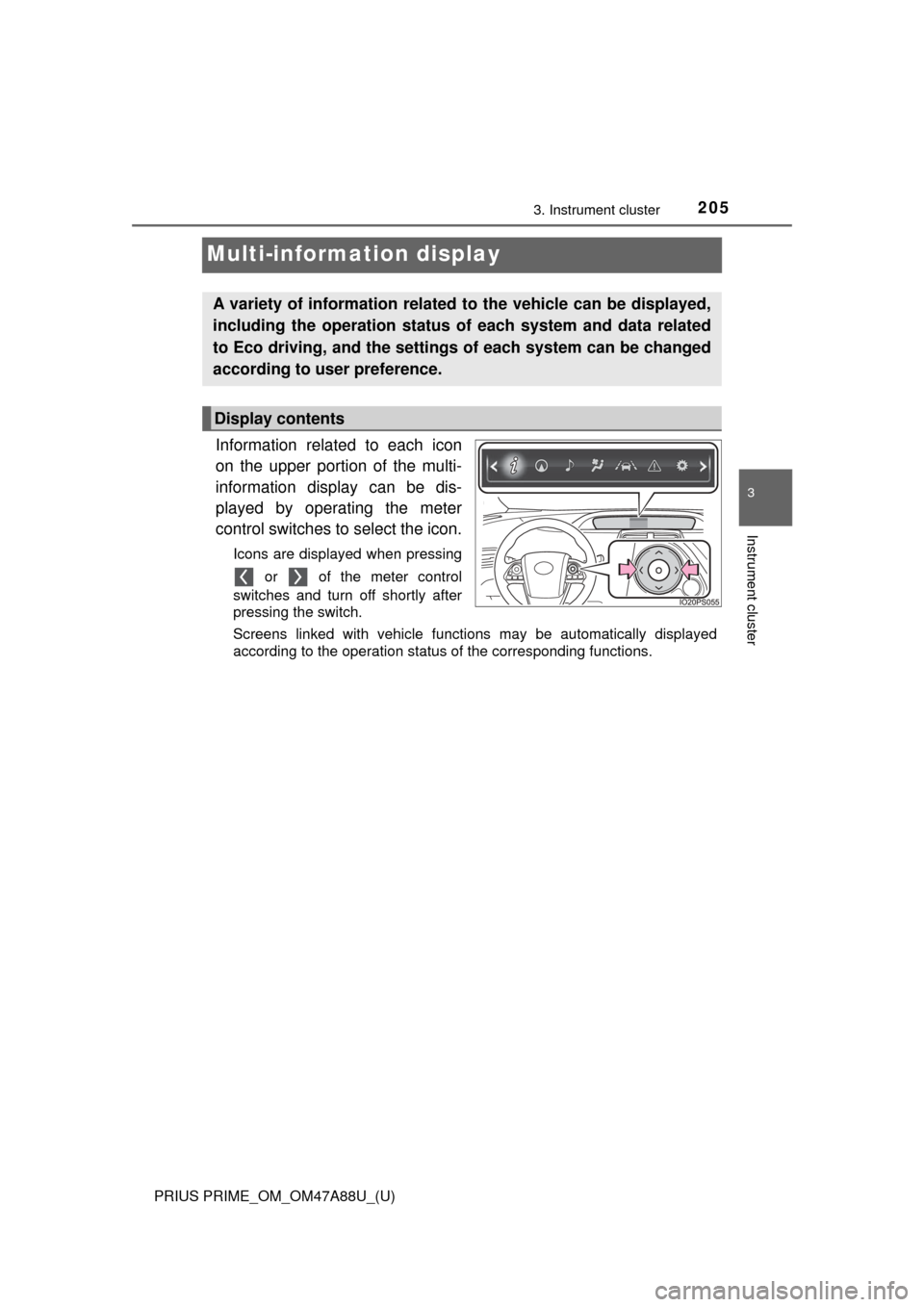
The SRS front airbags and SRS side and curtain shield airbags may also
deploy if a serious impact occurs to the underside of your vehicle. Some
examples are shown in the illustration.
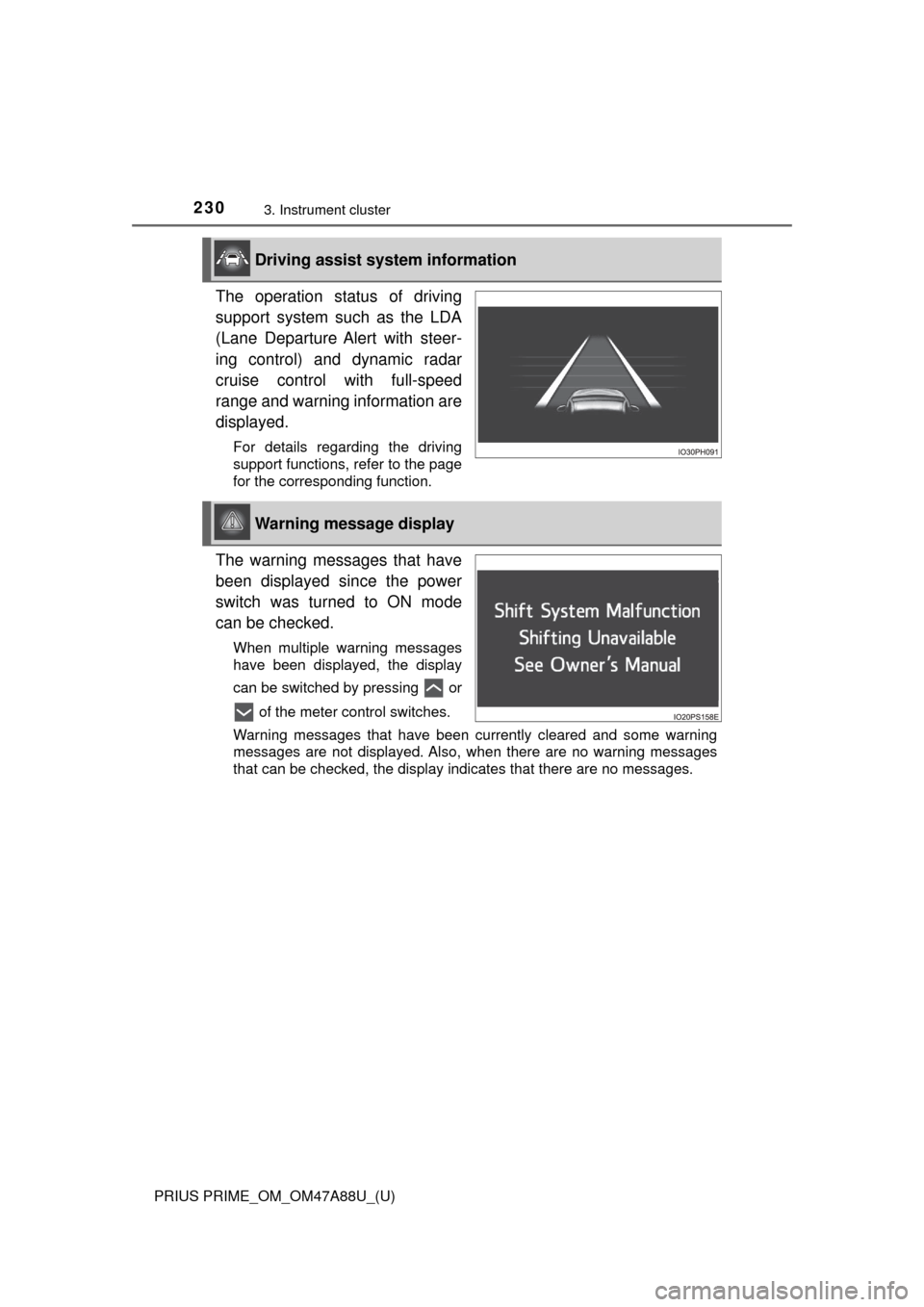
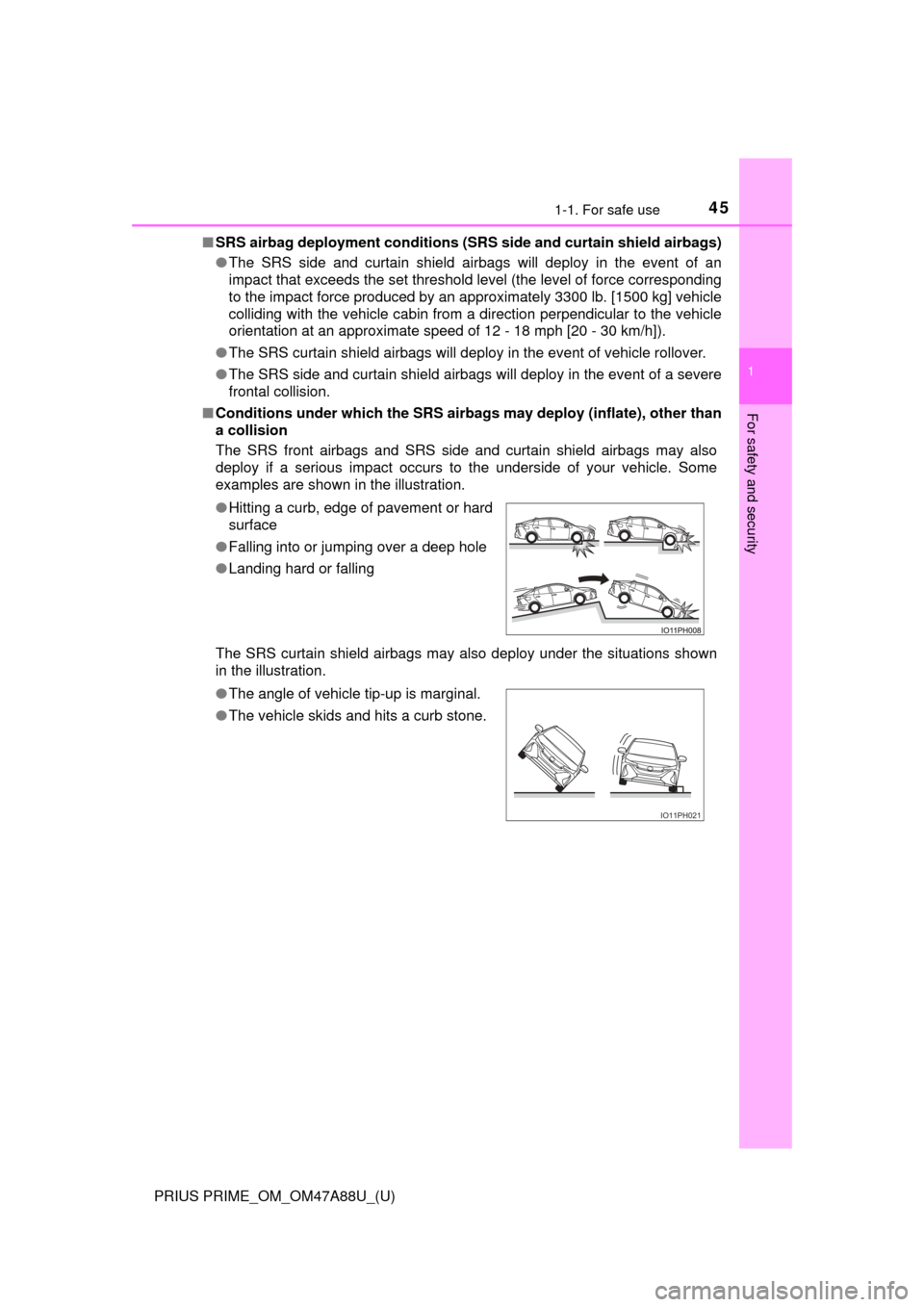
The SRS curtain shield airbags may also deploy under the situations shown
in the illustration. ●Hitting a curb, edge of pavement or hard
surface
● Falling into or jumping over a deep hole
● Landing hard or falling
● The angle of vehicle tip-up is marginal.
● The vehicle skids and hits a curb stone.
IO11PH021
Page 97 of 784

97
PRIUS PRIME_OM_OM47A88U_(U)
2-1. Plug-in hybrid system
2
Plug-in hybrid system
Plug-in hybrid vehicle driving tips
◆Using EV mode and HV mode effectively
Primarily using EV mode when driving in cities and using HV mode
when driving on highways (or freeways) can help conserve fuel and
electricity. ( →P. 8 2 )
◆Using Eco drive mode
When using Eco drive mode, the torque corresponding to the accel-
erator pedal depression amount can be generated more smoothly
than it is in normal conditions. In addition, the operation of the air
conditioning system (h eating/cooling) will be minimized, improving
fuel and electricity economy. ( →P. 406)
◆Use of Hybrid System Indicator
Eco-friendly driving is possible by keeping the Hybrid System Indi-
cator within Eco area. ( →P. 210)
◆Shift position operation
Shift the shift position to D when st opped at a traffic light, or driving
in heavy traffic etc. Shift the sh ift position to P when parking. When
using the N, there is no positive effect on fuel consumption. In the
N, the gasoline engine operates but electricity cannot be gener-
ated. Also, when using the air cond itioning system, etc., the hybrid
battery (traction batter y) power is consumed.
For economical and ecological driv ing, pay attention to the fol-
lowing points:
Page 162 of 784
162
PRIUS PRIME_OM_OM47A88U_(U)
2-2. Charging
“ON”/“OFF” button
The charge schedule switches between “ON” and “OFF” each time this
button is pressed. (→P. 164)
Scroll bar
When the number of registered charge schedules exceeds 3, the dis-
played contents can be changed by operating the button.
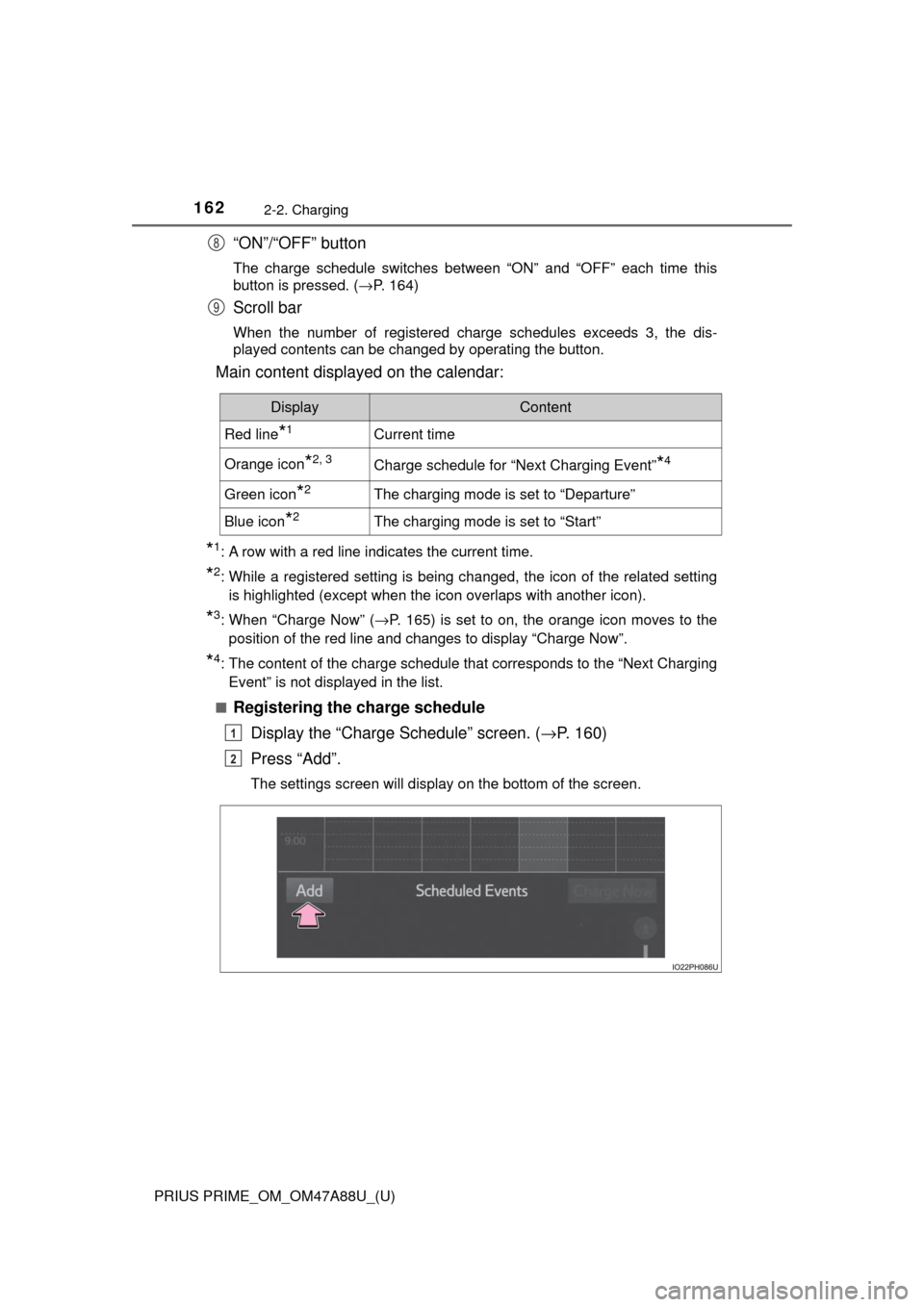
Main content displayed on the calendar:
*1: A row with a red line indicates the current time.
*2: While a registered setting is being changed, the icon of the related setting
is highlighted (except when the icon overlaps with another icon).
*3: When “Charge Now” ( →P. 165) is set to on, the orange icon moves to the
position of the red line and changes to display “Charge Now”.
*4: The content of the charge schedule that corresponds to the “Next Charging
Event” is not displayed in the list.
■
Registering the charge schedule Display the “Charge Schedule” screen. ( →P. 160)
Press “Add”.
The settings screen will display on the bottom of the screen.
8
9
DisplayContent
Red line*1Current time
Orange icon*2, 3Charge schedule for “Next Charging Event”*4
Green icon*2The charging mode is set to “Departure”
Blue icon*2The charging mode is set to “Start”
1
2
Page 187 of 784

PRIUS PRIME_OM_OM47A88U_(U)
1873. Instrument cluster
3
Instrument cluster
■When the menu screen on the naviga tion system is operated (vehicles
with 11.6-inch display)
■ Liquid crystal display
Small spots or light spots may appear on the display. This phenomenon is
characteristic of liquid crystal displays, and there is no problem continuing to
use the display.
■ Pop-up display
Some functions, such as the driving mode select switch and air conditioning
system, are operation-linked and display pop-up screens on the multi-infor-
mation display. If the pop-up screens of these functions are not desired, they
can be turned off in the “Meter Customize” settings. ( →P. 233)
A pop-up display of the menu screen icon
is displayed on the multi-information dis-
play.
*
*
: The pop-up display on the navigation
system can be turned off in the “Meter
Customize” settings. ( →P. 234)
WARNING
■To prevent an accident
■ Caution for use while driving
For safety, avoid operating the meter control switch while driving as much
as possible, and do not look continuously at the multi-information display
while driving. Stop the vehicle and operate the meter control switch. Failure
to do so may cause a steering wheel operation error, resulting in an unex-
pected accident.
NOTICE
■The information display at low temperatures
Allow the interior of the vehicle to warm up before using the liquid crystal
information display. At extremely low temperatures, the information display
monitor may respond slowly, and display changes may be delayed.
Do not place anything or attach a sticker
in front of the instrument cluster. The item
may obscure or obstruct the display, or
could reflect off the display, possibly
causing an accident.
Page 205 of 784
205
PRIUS PRIME_OM_OM47A88U_(U)
3. Instrument cluster
3
Instrument cluster
Multi-information display
Information related to each icon
on the upper portion of the multi-
information display can be dis-
played by operating the meter
control switches to select the icon.
Icons are displayed when pressing or of the meter control
switches and turn off shortly after
pressing the switch.
Screens linked with vehicle functions may be automatically displayed
according to the operation status of the corresponding functions.
A variety of information related to the vehicle can be displayed,
including the operation status of each system and data related
to Eco driving, and the settings of each system can be changed
according to user preference.
Display contents
Page 230 of 784
230
PRIUS PRIME_OM_OM47A88U_(U)
3. Instrument cluster
The operation status of driving
support system such as the LDA
(Lane Departure Alert with steer-
ing control) and dynamic radar
cruise control with full-speed
range and warning information are
displayed.
For details regarding the driving
support functions, refer to the page
for the corresponding function.
The warning messages that have
been displayed since the power
switch was turned to ON mode
can be checked.
When multiple warning messages
have been displayed, the display
can be switched by pressing or of the meter control switches.
Warning messages that have been currently cleared and some warning
messages are not displayed. Also, when there are no warning messages
that can be checked, the display indicates that there are no messages.
Driving assist system information
Warning message display
Page 234 of 784
234
PRIUS PRIME_OM_OM47A88U_(U)
3. Instrument cluster
“Pop-up Display
On/Off”
“Navigation”*2“On”
Turns the pop-up display of the
selected item on the multi-
information display on and off.
“Off”
“Instrument
Panel Light”“On”
“Off”
“Climate
Settings”“On”
“Off”
“Cruise
Control
Operation
Display”“On”
“Off”
“HUD
Settings”
*2
“On”
“Off”
“Driving Mode
Select”
“On”
“Off”
“Multimedia
Menu”
*2
“On”
“Off”
“Traction
Battery
Cooler”“On”
“Off”
“Speed
Limit”
*2, 3
(
→ P. 243)
“Off”Switches the operation con-
tents of the speed limit func-
tion.
“Only Display”
“With Caution”
“Language”
“English” (English)
Switches the language dis-
played on the screen.“Français” (French)
“Español” (Spanish)
“Calendar”
Month/Day/Year*4Changes the date used to
record electricity and fuel con-
sumption data.
Day/Month/Year*5
ItemSettingsSetting result
Page 242 of 784
242
PRIUS PRIME_OM_OM47A88U_(U)
3. Instrument cluster
■Insert displays of the driving support systems
Insert displays are linked with the operation of the following sys-
tems and used to show some of the information shown on the multi-
information display on the head-up display.
*: If equipped
■
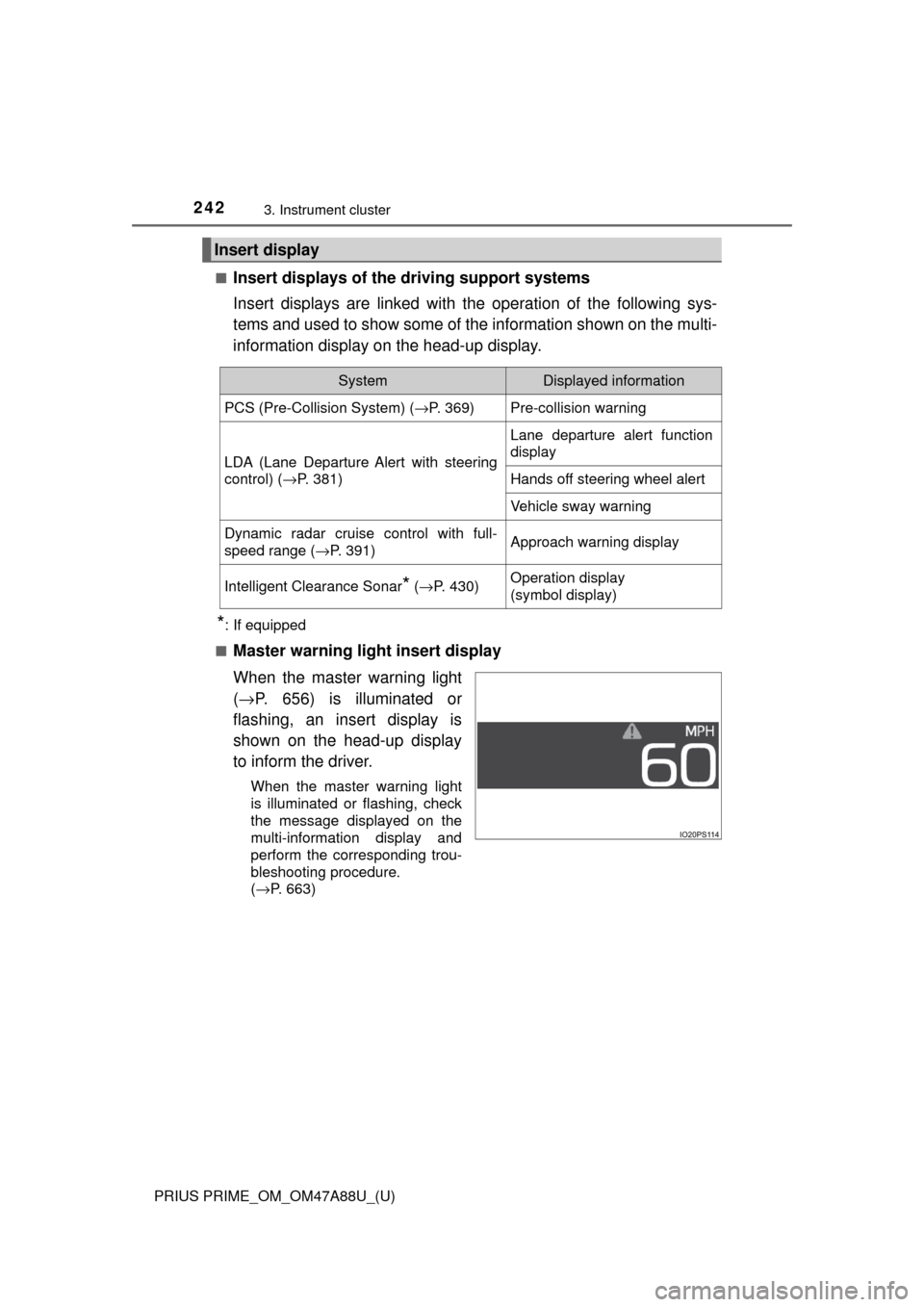
Master warning light insert display
When the master warning light
( → P. 656) is illuminated or
flashing, an insert display is
shown on the head-up display
to inform the driver.
When the master warning light
is illuminated or flashing, check
the message displayed on the
multi-information display and
perform the corresponding trou-
bleshooting procedure.
( →P. 663)
Insert display
SystemDisplayed information
PCS (Pre-Collision System) ( →P. 369)Pre-collision warning
LDA (Lane Departure Alert with steering
control) (→P. 381)
Lane departure alert function
display
Hands off steering wheel alert
Vehicle sway warning
Dynamic radar cruise control with full-
speed range ( →P. 391)Approach warning display
Intelligent Clearance Sonar* (→ P. 430)Operation display
(symbol display)