2017 TOYOTA PRIUS wire
[x] Cancel search: wirePage 203 of 796

PRIUS_OM_OM47B54U_(U)
2033-5. Opening and closing the windows and moon roof
3
Operation of each component
■The moon roof can be operated when
The power switch is in ON mode.
■ Operating the moon roof after turning the hybrid system off
The moon roof can be operated for approximately 45 seconds even after the
power switch is turned to ACCESSORY mode or turned off. It cannot, how-
ever, be operated once either front door is opened.
■ Jam protection function
If an object is detected between the moon roof and the frame while the moon
roof is closing or tilting down, travel is stopped and the moon roof opens
slightly.
■ Sunshade
The sunshade can be opened and closed manually. However, the sunshade
will open automatically to slightly before the fully open position when the
moon roof is opened.
■ Door lock linked mo on roof operation
● The moon roof can be opened and closed using the mechanical key.
*
( →P. 705)
● The moon roof can be opened using the wireless remote control.
*
( →P. 166)
*: These settings must be customized at your Toyota dealer.
Page 205 of 796
PRIUS_OM_OM47B54U_(U)
2053-5. Opening and closing the windows and moon roof
3
Operation of each component
WARNING
Observe the following precautions.
Failing to do so may cause death or serious injury.
■Opening the moon roof
● Do not allow any passengers to put their hands or heads outside the vehi-
cle while it is moving.
● Do not sit on top of the moon roof.
■ Closing the moon roof
● The driver is responsible for moon roof opening and closing operations. In
order to prevent accidental operation, especially by a child, do not let a
child operate the moon roof. It is possible for children and other passen-
gers to have body parts caught in the moon roof.
● When exiting the vehicle, turn the power switch off, carry the key and exit
the vehicle along with the child. There may be accidental operation, due to
mischief, etc., that may possibly lead to an accident.
■ Jam protection function
● Never use any part of your body to intentionally activate the jam protection
function.
● The jam protection function may not work if something gets caught just
before the moon roof fully closes.
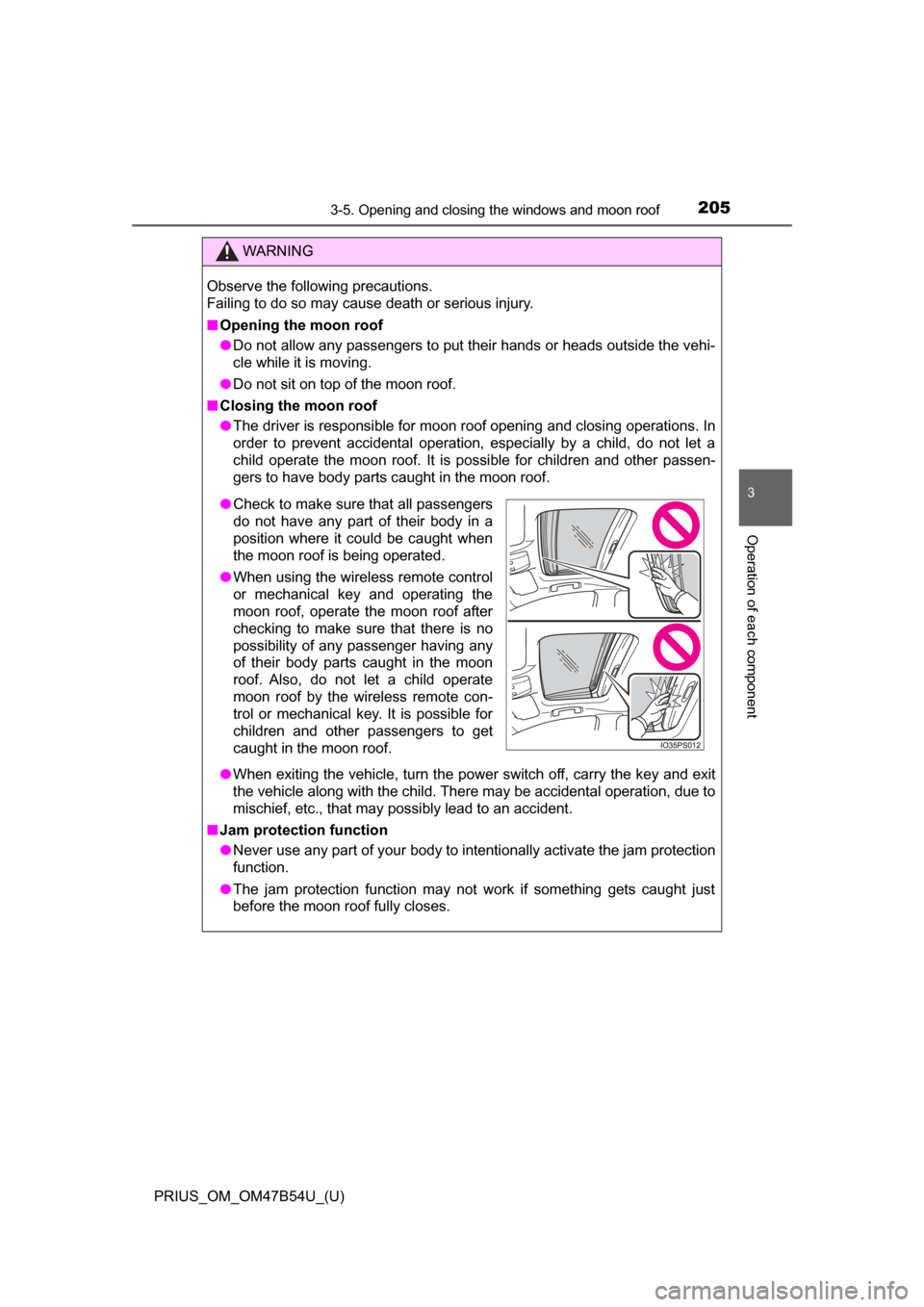
●Check to make sure that all passengers
do not have any part of their body in a
position where it could be caught when
the moon roof is being operated.
● When using the wireless remote control
or mechanical key and operating the
moon roof, operate the moon roof after
checking to make sure that there is no
possibility of any passenger having any
of their body parts caught in the moon
roof. Also, do not let a child operate
moon roof by the wireless remote con-
trol or mechanical key. It is possible for
children and other passengers to get
caught in the moon roof.
Page 341 of 796
PRIUS_OM_OM47B54U_(U)
3414-5. Using the driving support systems
4
Driving
WARNING
■Sensors
Certain vehicle conditions and the surrounding environment may affect the
ability of the sensor to correctly detect obstacles. Particular instances where
this may occur are listed below.
● There is dirt, snow or ice on the sensor. (Wiping the sensors will resolve
this problem.)
● The sensor is frozen. (Thawing the area will resolve this problem.)
In especially cold weather, if a sensor is frozen, the screen may show an
abnormal display, or obstacles may not be detected.
● The sensor is covered in any way.
● In harsh sunlight or intense cold weather
● On an extremely bumpy road, on an incline, on gravel, or on grass
● The vicinity of the vehicle is noisy due to vehicle horns, motorcycle
engines, air brakes of large vehicles, or other loud noises producing ultra-
sonic waves.
● The sensor is splashed with water or drenched with heavy rain.
● The sensor is drenched with water on a flooded road.
● The vehicle is leaning considerably to one side.
● The vehicle is equipped with a fender pole or wireless antenna.
● The vehicle is approaching a tall or curved curb.
● The detection range is reduced due to an object such as a sign.
● The area directly under the bumpers is not detected.
● If obstacles draw too close to the sensor.
● The bumper or sensor receives a strong impact.
● A non-genuine Toyota suspension (lowered suspension etc.) is installed.
● There is another vehicle equipped with parking assist sensors in the vicin-
ity.
● Towing eyelets are installed.
● A backlit license plate is installed.
In addition to the examples above, depending on the shape and condition of
obstacles, detection may not be possible, or the detection range may be
shortened.
Page 342 of 796

342
PRIUS_OM_OM47B54U_(U)
4-5. Using the driving support systems
WARNING
■Side sensors
In the following situations, the clearance sonar may not operate normally
and may result in an unexpected accident. Drive carefully.
● Obstacles may not be detected in the side areas until the vehicle is driven
for a short time and a scan of the side areas is completed. ( →P. 339)
● Even after the scan of the side areas is completed, obstacles such as
other vehicles, people or animals that approach from the sides cannot be
detected.
● Even after the scan of the side areas is completed, obstacles may not be
detected depending on the surrounding situation of the vehicle.
At that time, the side sensor operation displays (→P. 334) temporary turn
off.
■ Obstacles which may not be properly detected
● The shape of the obstacle may prevent the sensor from detecting it. Pay
particular attention to the following obstacles:
• Wires, fences, ropes, etc.
• Cotton, snow and other materials that absorb sound waves
• Sharply-angled objects
• Low obstacles
• Tall obstacles with upper sections projecting outwards in the direction of
your vehicle
• People may not be detected if they are wearing certain types of cloth- ing.
• Moving objects such as people or animals
Page 351 of 796
PRIUS_OM_OM47B54U_(U)
3514-5. Using the driving support systems
4
Driving
■Sensor detection range
The detection range of the Intelligent Clearance Sonar function differs from
the detection range of the clearance sonar ( →P. 337).
Therefore, even if the clearance sonar detects an obstacle and provides a
warning, the Intelligent Clearance Sonar may not start operating.
■ System operation
When the vehicle is stopped by system operation, the Intelligent Clearance
Sonar function stops and the ICS OFF indicator illuminates.
■ System recovery
When the Intelligent Clearance Sonar function is stopped by system opera-
tion and you would like to resume operation, either turn the Intelligent Clear-
ance Sonar ON again ( →P. 333), or turn the power switch off and then back
on. Furthermore, when the vehicle moves with an obstacle no longer in the
traveling direction of the vehicle, or when the traveling direction of the vehicle
changes (such as when switching from moving forward to backing up, and
vice versa), system operation automatically resumes.
■ Obstacles not detected by the sensors
The following obstacles may not be detected by the sensors.
●Objects such as people, cloth and snow, that are difficult for sonic waves to
reflect off of. (In particular, people may also not be detected depending on
the type of clothing they are wearing.)
● Objects not perpendicular with the ground, objects not at a right angle to the
traveling direction of the vehicle, uneven objects or waving objects
● Low objects
● Thin objects such as wires, fences, ropes and signposts
● Objects that are extremely close to the bumper
■ Clearance sonar buzzer
Regardless of whether the clearance sonar is on or off ( →P. 333), if the Intel-
ligent Clearance Sonar function is not stopped ( →P. 346), when the front or
rear sensors detect an obstacle and brake control is performed, the clearance
sonar buzzer also sounds and a notification of the approximate distance to
the obstacle is provided.
Page 352 of 796
352
PRIUS_OM_OM47B54U_(U)
4-5. Using the driving support systems
■Situations when the system may opera te even though there is no possi-
bility of a collision
In the following situations, the system may operate even though there is no
possibility of a collision.
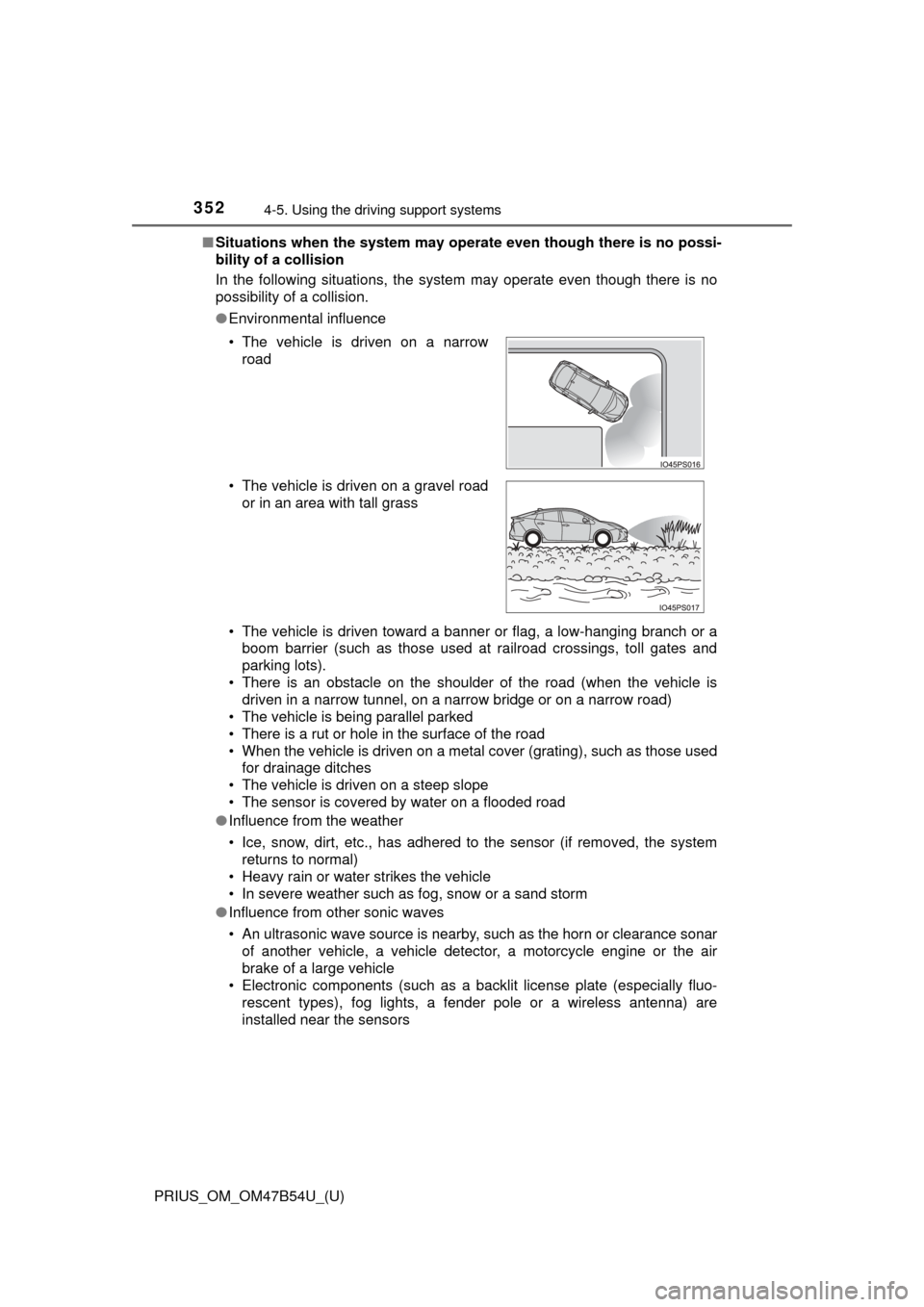
● Environmental influence
• The vehicle is driven toward a banner or flag, a low-hanging branch or a
boom barrier (such as those used at railroad crossings, toll gates and
parking lots).
• There is an obstacle on the shoulder of the road (when the vehicle is driven in a narrow tunnel, on a narrow bridge or on a narrow road)
• The vehicle is being parallel parked
• There is a rut or hole in the surface of the road
• When the vehicle is driven on a metal cover (grating), such as those used for drainage ditches
• The vehicle is driven on a steep slope
• The sensor is covered by water on a flooded road
● Influence from the weather
• Ice, snow, dirt, etc., has adhered to the sensor (if removed, the system
returns to normal)
• Heavy rain or water strikes the vehicle
• In severe weather such as fog, snow or a sand storm
● Influence from other sonic waves
• An ultrasonic wave source is nearby, such as the horn or clearance sonar
of another vehicle, a vehicle detector, a motorcycle engine or the air
brake of a large vehicle
• Electronic components (such as a backlit license plate (especially fluo-
rescent types), fog lights, a fender pole or a wireless antenna) are
installed near the sensors
• The vehicle is driven on a narrow
road
• The vehicle is driven on a gravel road or in an area with tall grass
Page 354 of 796

354
PRIUS_OM_OM47B54U_(U)
4-5. Using the driving support systems
●Influence from other sonic waves
• An ultrasonic wave source is nearby, such as the horn or clearance sonar
of another vehicle, a vehicle detector, a motorcycle engine or the air
brake of a large vehicle
• Electronic components (such as a backlit license plate (especially fluo- rescent types), fog lights, a fender pole or a wireless antenna) are
installed near the sensors
● Changes in the vehicle
• The vehicle is tilted a large amount
• The height of the vehicle has drastically changed due to the carried load
(the nose tilts up or down)
• The direction of the sensor has deviated due to a collision or other impact
■ Intelligent Clearance Sonar function while the Simple Advanced Parking
Guidance System is operating
→P. 359
■ When removing and installi ng the 12-volt battery
The system needs to be initialized.
The system can be initialized by driving the vehicle straight ahead for 5 sec-
onds or more at a speed of approximately 22 mph (35 km/h) or higher.
■ When “ICS Unavailable” is displayed on the multi-information display
and the ICS OFF indicator flashes
● Ice, snow, dirt, etc., may have adhered to the sensor. If this occurs, remove
the ice, snow, dirt, etc., from the sensor to return the system to normal.
Also, a warning message may be displayed at low temperatures due to ice
forming on the sensor, and the sensor may not detect obstacles. Once the
ice melts, the system will return to normal.
● If this message is shown even after removing dirt from the sensor, or shown
when the sensor was not dirty to begin with, have the vehicle inspected at
your Toyota dealer.
● System initialization may not have been performed after removal and instal-
lation of the 12-volt battery. Perform system initialization.
■ When “ICS Malfunction Visit Your Deal er” is displayed on the multi-infor-
mation display, the ICS OFF indi cator flashes and the buzzer sounds
The system may not be operating properly. Have the vehicle inspected at
your Toyota dealer.
Page 417 of 796
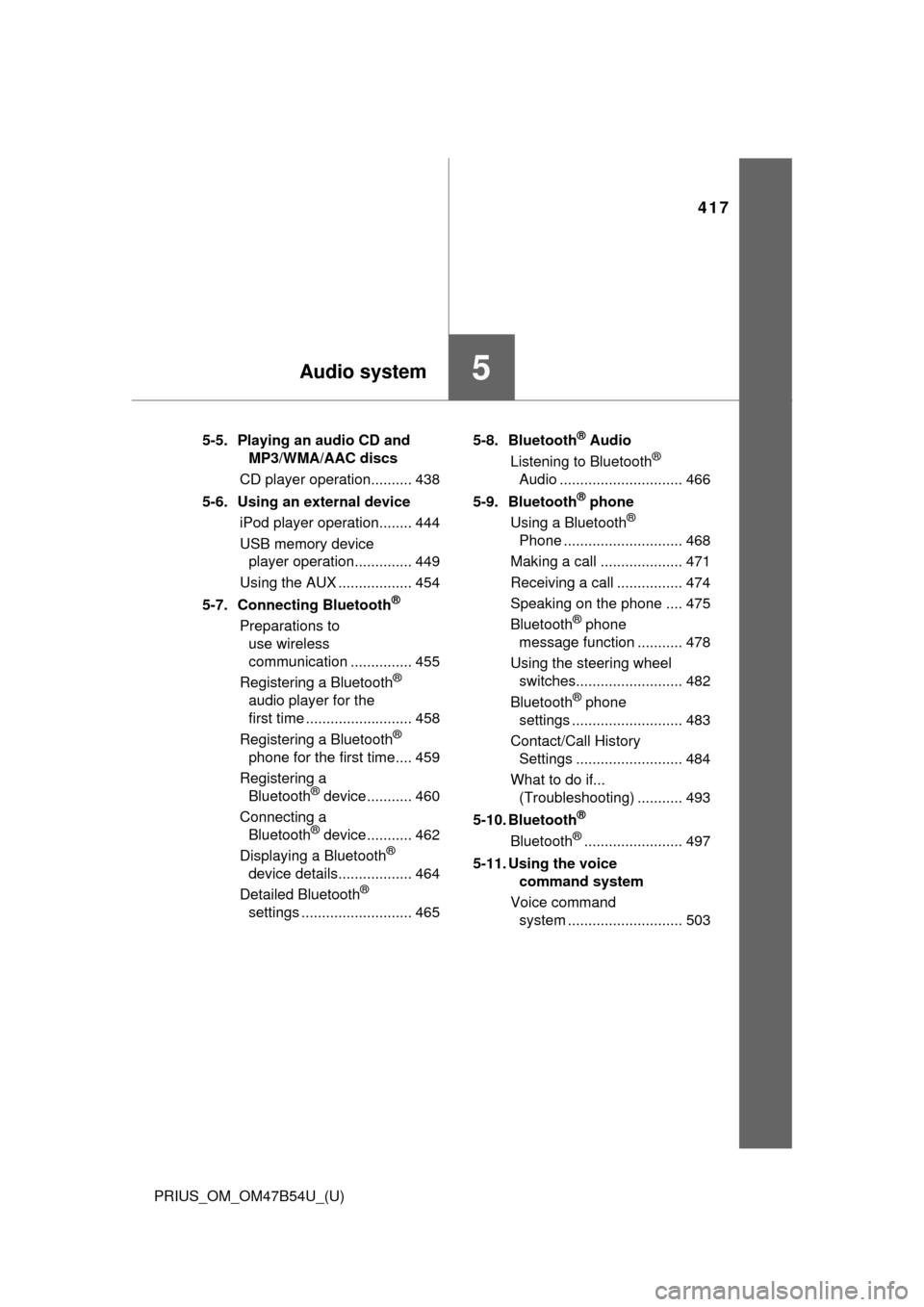
417
PRIUS_OM_OM47B54U_(U)
5Audio system
5-5. Playing an audio CD and MP3/WMA/AAC discs
CD player operation.......... 438
5-6. Using an external device iPod player operation........ 444
USB memory device player operation.............. 449
Using the AUX .................. 454
5-7. Connecting Bluetooth
®
Preparations to use wireless
communication ............... 455
Registering a Bluetooth
®
audio player for the
first time .......................... 458
Registering a Bluetooth
®
phone for the first time.... 459
Registering a Bluetooth
® device ........... 460
Connecting a Bluetooth
® device ........... 462
Displaying a Bluetooth®
device details.................. 464
Detailed Bluetooth
®
settings ........................... 465 5-8. Bluetooth
® Audio
Listening to Bluetooth®
Audio .............................. 466
5-9. Bluetooth
® phone
Using a Bluetooth®
Phone ............................. 468
Making a call .................... 471
Receiving a call ................ 474
Speaking on the phone .... 475
Bluetooth
® phone
message function ........... 478
Using the steering wheel switches.......................... 482
Bluetooth
® phone
settings ........................... 483
Contact/Call History Settings .......................... 484
What to do if... (Troubleshooting) ........... 493
5-10. Bluetooth
®
Bluetooth®........................ 497
5-11. Using the voice command system
Voice command system ............................ 503