Page 211 of 464

2115-5. Using the driving support systems
5
Driving
MIRAI_OM_USA_OM62023U■
Radar sensor and grille cover
Always keep the sensor and grille cover clean to ensure that the vehicle-to-
vehicle distance control mode operates properly. (Some obstructions, such
as snow, ice and plastic objects, cannot be detected by the obstruction sen-
sor.)
Dynamic radar cruise control is canceled if an obstruction is detected.
■ Warning messages and buzzers for dynamic radar cruise control
Warning messages and buzzers are used to indicate a system malfunction or
to inform the driver of the need for caution while driving. If a warning message
is shown on the multi-information display, read the message and follow the
instructions.
■ Certification for the radar sensor
FCC ID: HYQDNMWR007
This device complies with part 15 of the FCC Rules. Operation is subject to
the following two conditions: (1) This device may not cause harmful interfer-
ence, and (2) this device must accept any interference received, including
interference that may cause undesired operation.
FCC WARNING
Changes or modifications not expressly approved by the party responsible for
compliance could void the user’s authority to operate the equipment.
Radiofrequency radiation exposure Information:
This equipment complies with FCC radiation exposure limits set forth for an
uncontrolled environment.
This equipment should be installed and operated with minimum distance of
20 cm between the radiator (antenna) and your body. This transmitter must
not be co-located or operating in conjunction with any other antenna or trans-
mitter. Grille cover
Radar sensor
Page 212 of 464

2125-5. Using the driving support systems
MIRAI_OM_USA_OM62023U
WARNING
■Before using dynamic radar cruise control
Do not overly rely on vehicle-to-vehicle distance control mode.
Be aware of the set speed. If automatic deceleration/acceleration is not
appropriate, adjust the vehicle speed, as well as the distance between your
vehicle and vehicles ahead by applying the brakes, etc.
■ Cautions regarding the driving assist systems
Observe the following precautions.
Failure to do so may cause an accident resulting in death or serious injury.
● Assisting the driver to measure following distance
The dynamic radar cruise control is only intended to help the driver in
determining the following distance between the driver’s own vehicle and a
designated vehicle traveling ahead. It is not a mechanism that allows care-
less or inattentive driving, and it is not a system that can assist the driver in
low-visibility conditions. It is still necessary for driver to pay close attention
to the vehicle’s surroundings.
● Assisting the driver to judge proper following distance
The dynamic radar cruise control determines whether the following dis-
tance between the driver’s own vehicle and a designated vehicle traveling
ahead is appropriate or not. It is not capable of making any other type of
judgement. Therefore, it is absolutely necessary for the driver to remain
vigilant and to determine whether or not there is a possibility of danger in
any given situation.
● Assisting the driver to operate the vehicle
The dynamic radar cruise control has no capability to prevent or avoid a
collision with a vehicle traveling ahead. Therefore, if there is ever any dan-
ger, the driver must take immediate and direct control of the vehicle and
act appropriately in order to ensure the safety of all involved.
■ To avoid inadvertent dynamic radar cruise control activation
Switch the dynamic radar cruise control off using the “ON/OFF” button when
not in use.
Page 213 of 464

2135-5. Using the driving support systems
5
Driving
MIRAI_OM_USA_OM62023U
WARNING
■Situations unsuitable for dynamic radar cruise control
Do not use dynamic radar cruise control in any of the following situations.
Doing so may result in inappropriate speed control and could cause an acci-
dent resulting in death or serious injury.
● Roads where there are pedestrians, cyclers, etc.
● In heavy traffic
● On roads with sharp bends
● On winding roads
● On slippery roads, such as those covered with rain, ice or snow
● On sharp inclines or declines
Vehicle speed may exceed the set speed when driving down a steep hill.
● Roads with continuous inclines and declines
● At entrances to freeways and highways
● When weather conditions are bad enough that they may prevent the sen-
sors from detecting correctly (fog, snow, sandstorm, heavy rain, etc.)
● When an approach warning buzzer is heard often
● During emergency towing
■ When the sensor may not be correctly detecting the vehicle ahead
In the case of the following and depending on the conditions, operate the
brake pedal when deceleration of the system is insufficient or operate the
accelerator pedal when acceleration is required.
As the sensor may not be able to correctly detect these types of vehicles,
the approach warning ( →P. 208) will not be activated, which may lead to an
accident resulting in death or serious injury.
● Vehicles that cut in suddenly
● Vehicles traveling at low speeds
● Vehicles that are not moving in the same lane
● Vehicles with small rear ends (trailers with no load on board, etc.)
Page 214 of 464
2145-5. Using the driving support systems
MIRAI_OM_USA_OM62023U
WARNING
●Motorcycles traveling in the same lane
● When water or snow thrown up by the surrounding vehicles hinders the
detecting of the sensor
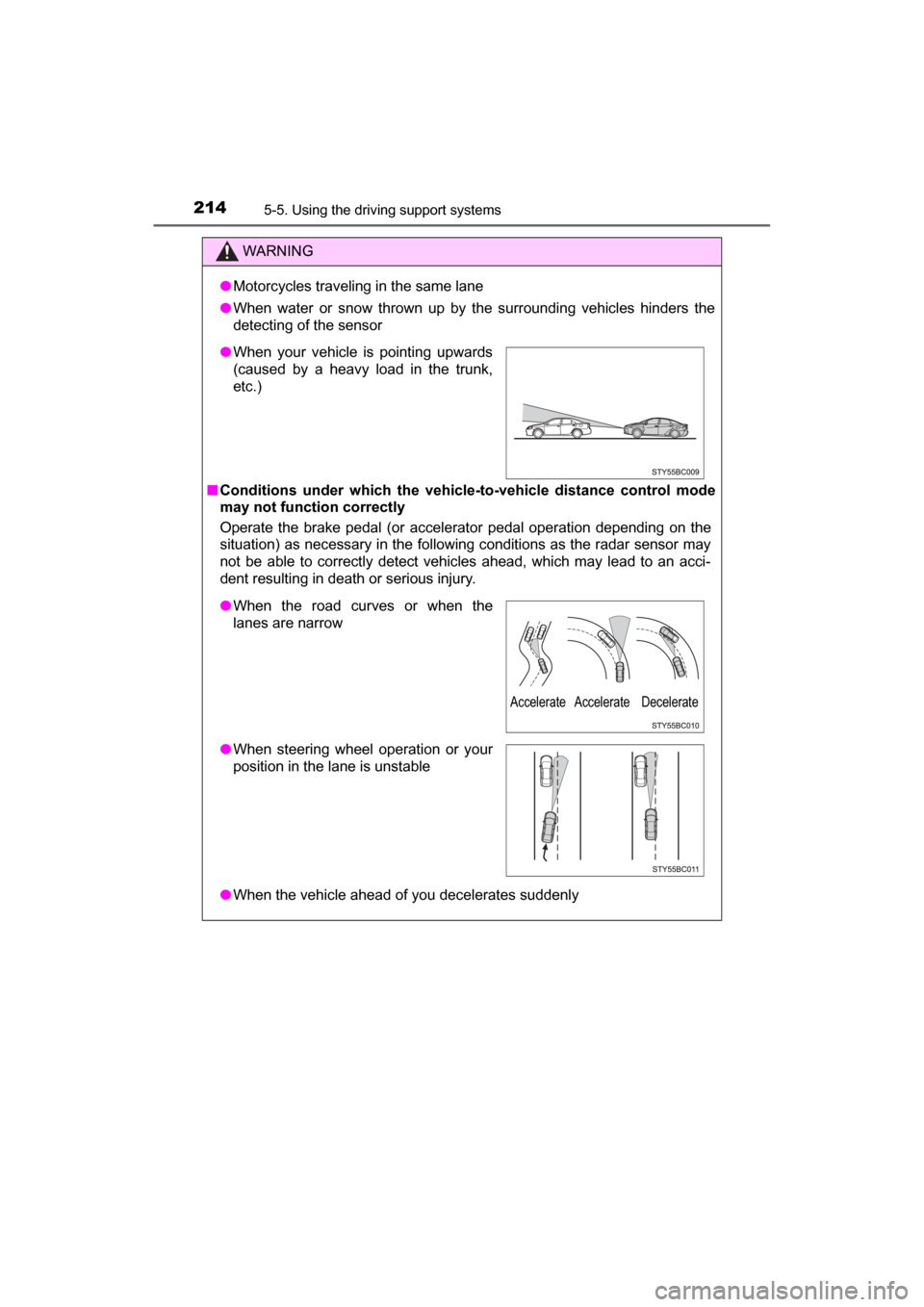
■ Conditions under which the vehicle- to-vehicle distance control mode
may not function correctly
Operate the brake pedal (or accelerator pedal operation depending on the
situation) as necessary in the follow ing conditions as the radar sensor may
not be able to correctly detect vehicles ahead, which may lead to an acci-
dent resulting in death or serious injury.
● When the vehicle ahead of you decelerates suddenly
●When your vehicle is pointing upwards
(caused by a heavy load in the trunk,
etc.)
●When the road curves or when the
lanes are narrow
● When steering wheel operation or your
position in the lane is unstable
Accelerate Accelerate Decelerate
Page 215 of 464
2155-5. Using the driving support systems
5
Driving
MIRAI_OM_USA_OM62023U
WARNING
■Handling the radar sensor
Observe the following to ensure the dynamic radar cruise control can func-
tion effectively.
Otherwise, the radar sensor may not detect correctly and could result in an
accident.
● Keep the sensor and grille cover clean at all times.
Clean the sensor and grille cover with a soft cloth so you do not mark or
damage them.
● Do not subject the sensor or surrounding area to a strong impact.
If the sensor moves even slightly off position, the system may malfunction.
If the sensor or surrounding area is subject to a strong impact, always
have the area inspected and adjusted by your Toyota dealer.
● Do not disassemble the sensor.
● Do not attach accessories or stickers to the sensor, grille cover or sur-
rounding area.
● Do not modify or paint the sensor and grille cover.
● If the radar sensor needs to be replaced, contact your Toyota dealer.
Page 216 of 464
2165-5. Using the driving support systems
MIRAI_OM_USA_OM62023U
LDA (Lane Depa rture Alert)
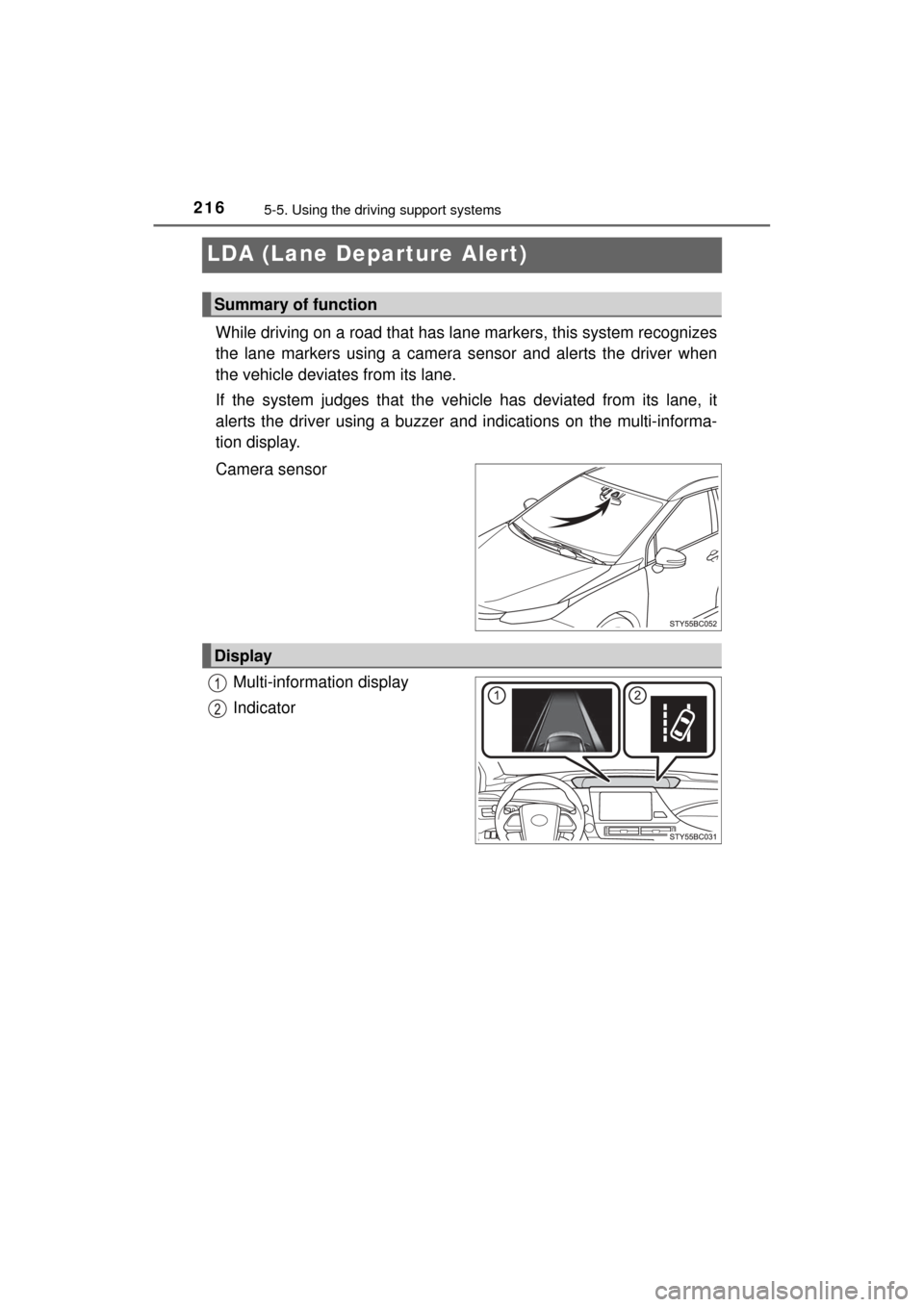
While driving on a road that has la ne markers, this system recognizes
the lane markers using a camera sensor and alerts the driver when
the vehicle deviat es from its lane.
If the system judges that the ve hicle has deviated from its lane, it
alerts the driver using a buzzer an d indications on the multi-informa-
tion display.
Camera sensor
Multi-information display
Indicator
Summary of function
Display
Page 217 of 464
2175-5. Using the driving support systems
5
Driving
MIRAI_OM_USA_OM62023U
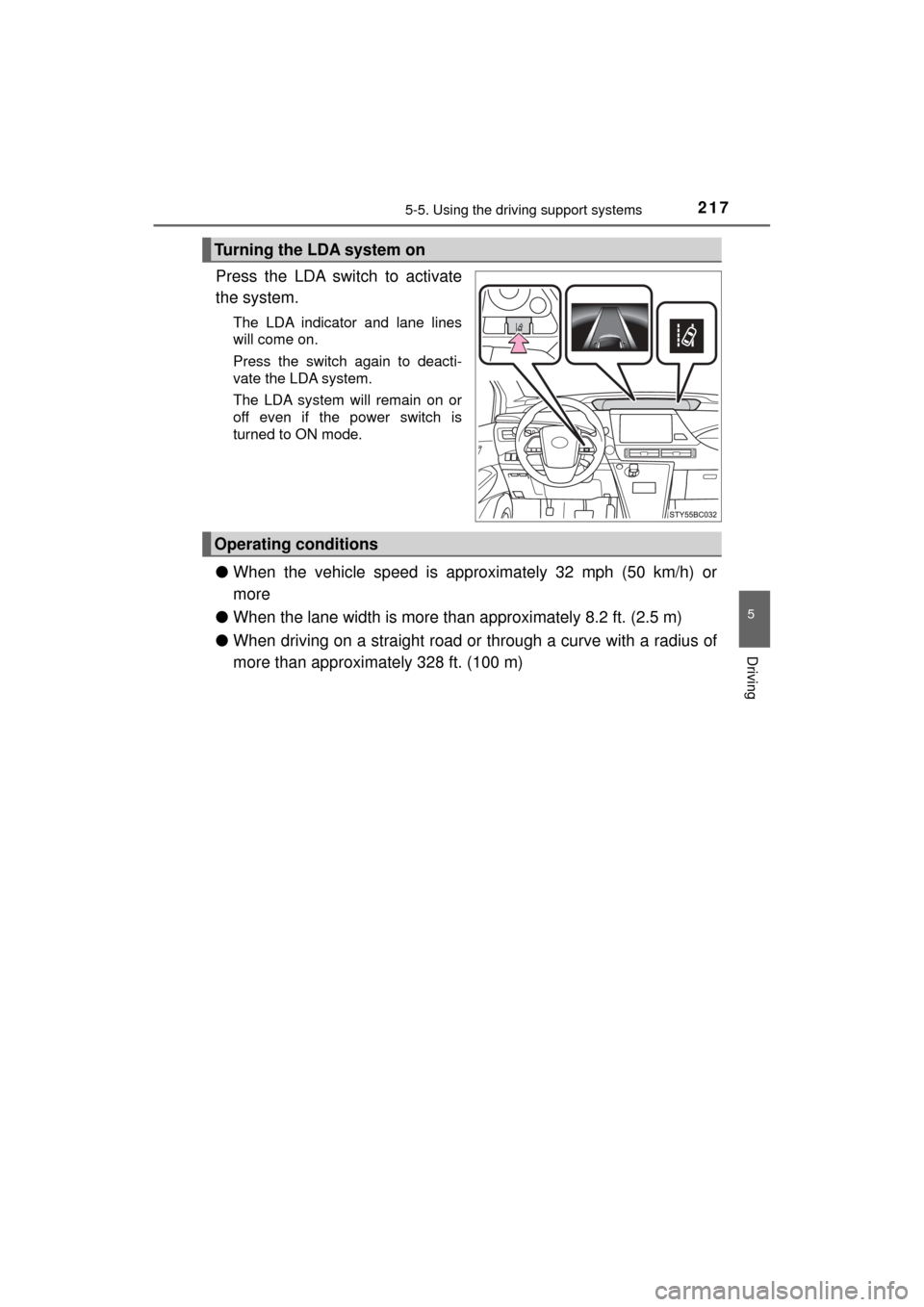
Press the LDA switch to activate
the system.
The LDA indicator and lane lines
will come on.
Press the switch again to deacti-
vate the LDA system.
The LDA system will remain on or
off even if the power switch is
turned to ON mode.
●When the vehicle speed is approximately 32 mph (50 km/h) or
more
● When the lane width is more than approximately 8.2 ft. (2.5 m)
● When driving on a straight road or through a curve with a radius of
more than approximately 328 ft. (100 m)
Turning the LDA system on
Operating conditions
Page 218 of 464
2185-5. Using the driving support systems
MIRAI_OM_USA_OM62023U
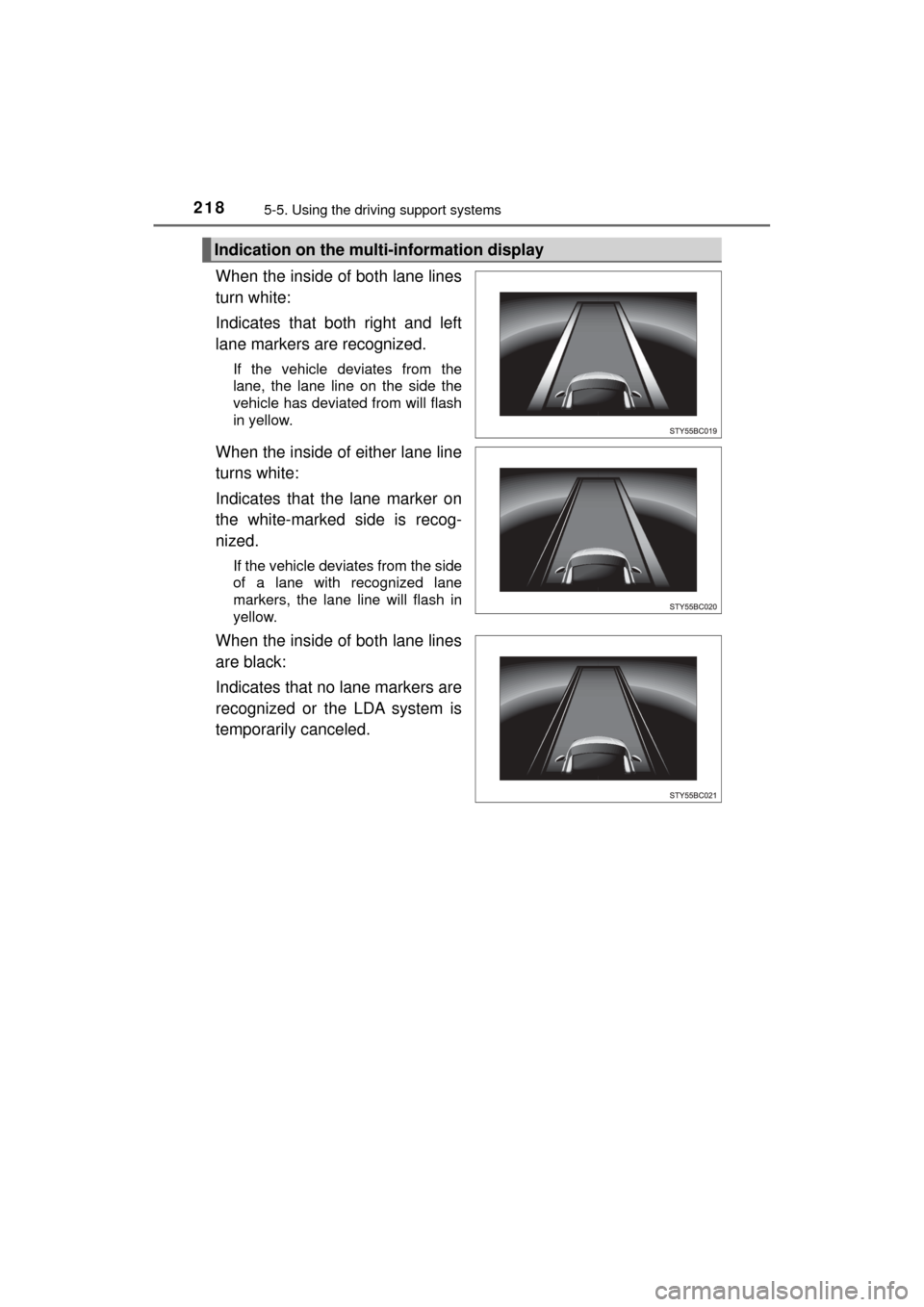
When the inside of both lane lines
turn white:
Indicates that both right and left
lane markers are recognized.
If the vehicle deviates from the
lane, the lane line on the side the
vehicle has deviated from will flash
in yellow.
When the inside of either lane line
turns white:
Indicates that the lane marker on
the white-marked side is recog-
nized.
If the vehicle deviates from the side
of a lane with recognized lane
markers, the lane line will flash in
yellow.
When the inside of both lane lines
are black:
Indicates that no lane markers are
recognized or the LDA system is
temporarily canceled.
Indication on the multi-information display