Page 291 of 732
2914-5. Using the driving support systems
4
Driving
HIGHLANDER_U (OM0E017U)
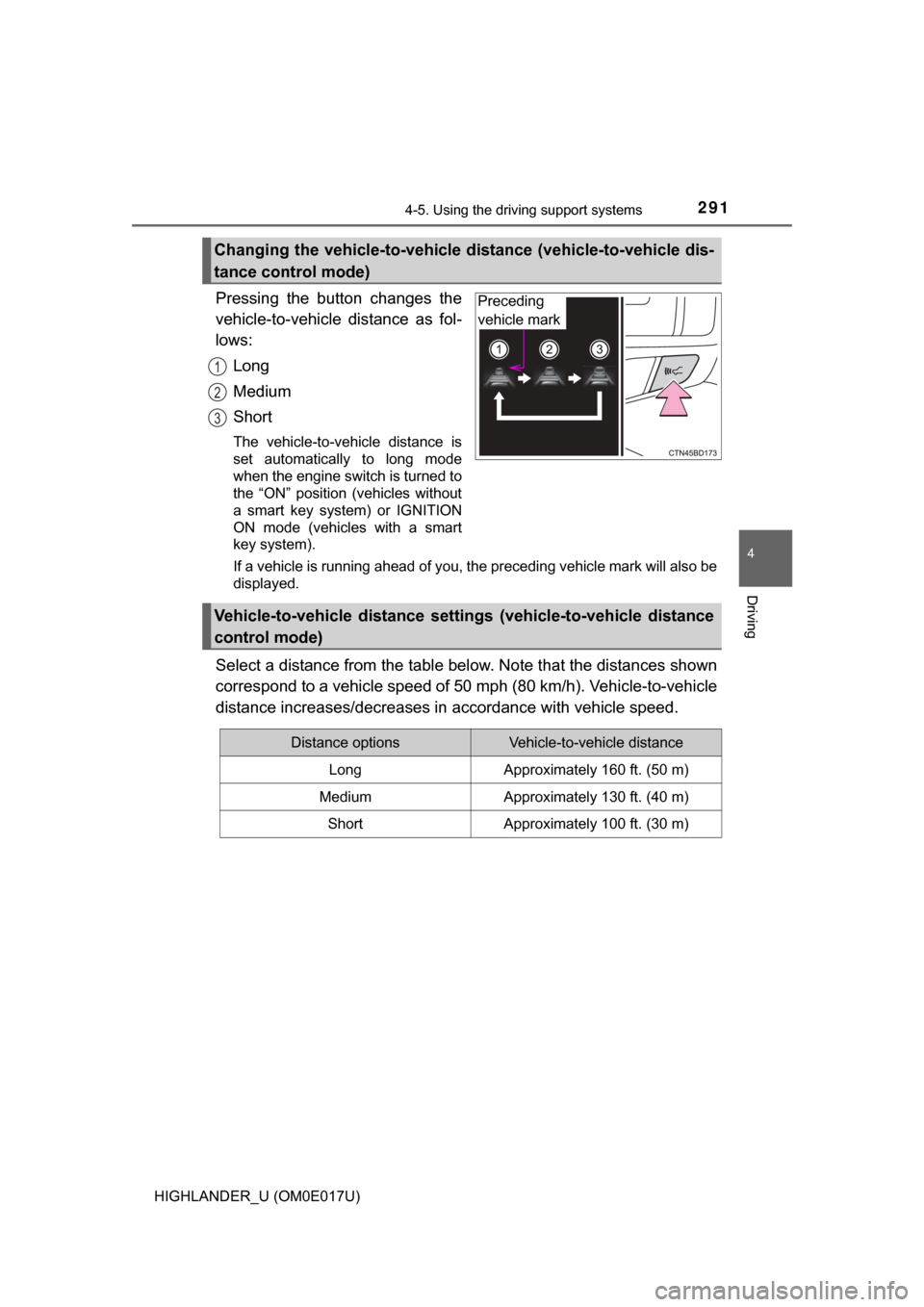
Pressing the button changes the
vehicle-to-vehicle distance as fol-
lows:Long
Medium
Short
The vehicle-to-vehicle distance is
set automatically to long mode
when the engine switch is turned to
the “ON” position (vehicles without
a smart key system) or IGNITION
ON mode (vehicles with a smart
key system).
If a vehicle is running ahead of you, the preceding vehicle mark will also be
displayed.
Select a distance from the table bel ow. Note that the distances shown
correspond to a vehicle speed of 50 mph (80 km/h). Vehicle-to-vehicle
distance increases/decreases in accordance with vehicle speed.
Changing the vehicle-to-vehicle di stance (vehicle-to-vehicle dis-
tance control mode)
Preceding
vehicle mark
1
2
3
Vehicle-to-vehicle distance settings (vehicle-to-vehicle distance
control mode)
Distance optionsVehicle-to-vehicle distance
LongApproximately 160 ft. (50 m)
MediumApproximately 130 ft. (40 m)
ShortApproximately 100 ft. (30 m)
Page 292 of 732
2924-5. Using the driving support systems
HIGHLANDER_U (OM0E017U)
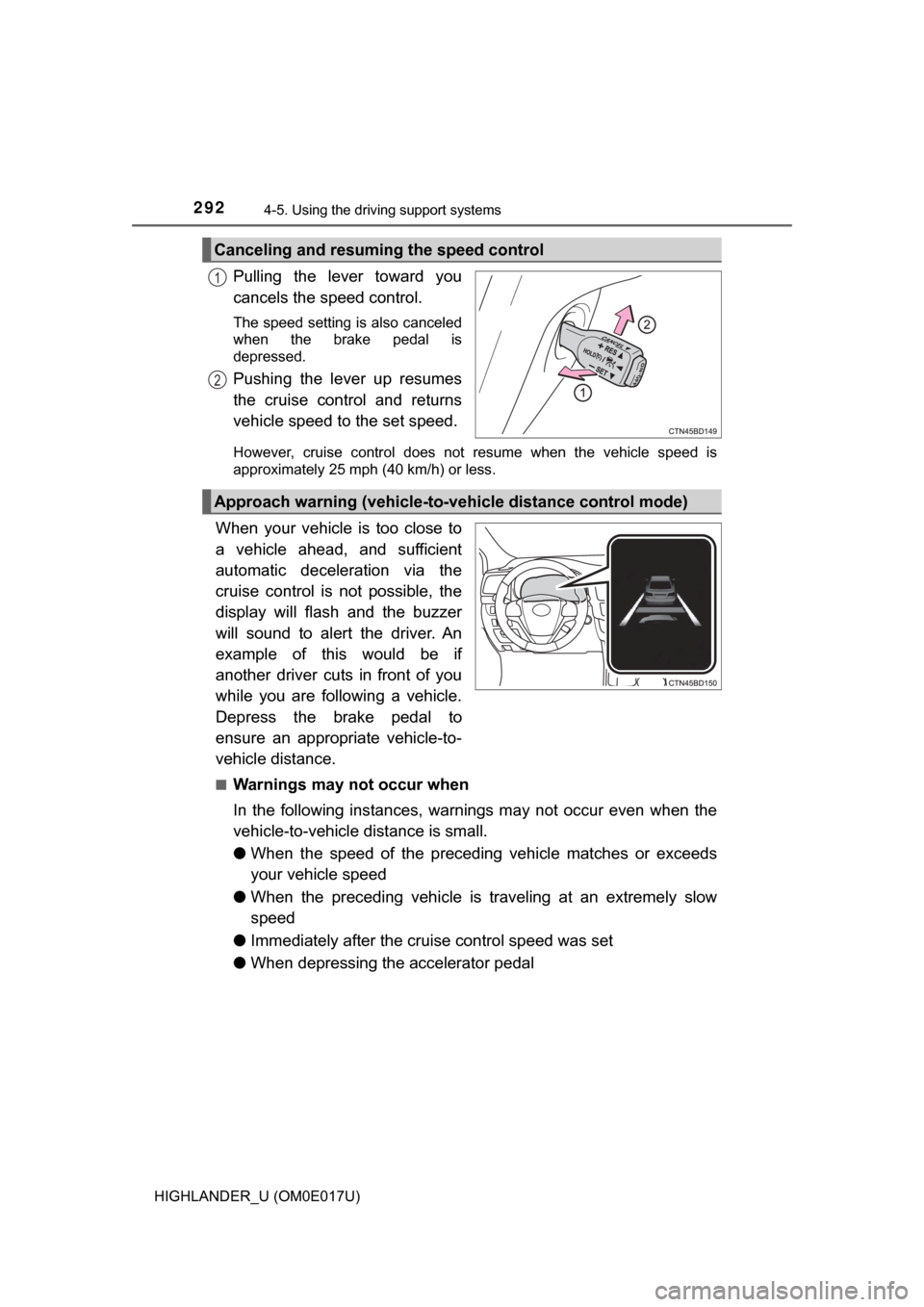
Pulling the lever toward you
cancels the speed control.
The speed setting is also canceled
when the brake pedal is
depressed.
Pushing the lever up resumes
the cruise control and returns
vehicle speed to the set speed.
However, cruise control does not resume when the vehicle speed is
approximately 25 mph (40 km/h) or less.
When your vehicle is too close to
a vehicle ahead, and sufficient
automatic deceleration via the
cruise control is not possible, the
display will flash and the buzzer
will sound to alert the driver. An
example of this would be if
another driver cuts in front of you
while you are following a vehicle.
Depress the brake pedal to
ensure an appropriate vehicle-to-
vehicle distance.
■Warnings may not occur when
In the following instances, warnings may not occur even when the
vehicle-to-vehicle distance is small.
●When the speed of the preceding vehicle matches or exceeds
your vehicle speed
● When the preceding vehicle is traveling at an extremely slow
speed
● Immediately after the cruise control speed was set
● When depressing the accelerator pedal
Canceling and resuming the speed control
1
2
Approach warning (vehicle-to-vehicle distance control mode)
Page 295 of 732

2954-5. Using the driving support systems
4
Driving
HIGHLANDER_U (OM0E017U)■
Automatic cancelation of co nstant speed control mode
Constant speed control mode is automatically canceled in the following situa-
tions:
● Actual vehicle speed is more than approximately 10 mph (16 km/h) below
the set vehicle speed.
● Actual vehicle speed falls below approximately 25 mph (40 km/h).
● VSC is activated.
● TRAC is activated for a period of time.
● When the VSC or TRAC system is turned off.
● Pre-collision braking is activated.
If constant speed control mode is automatically canceled for any other rea-
son, there may be a malfunction in the system. Contact your Toyota dealer.
■ Warning messages and buzzers for dynamic radar cruise control
Warning messages and buzzers are used to indicate a system malfunction or
to inform the driver of the need for caution while driving. If a warning message
is shown on the multi-information display, read the message and follow the
instructions. ( →P. 591)
■ When the sensor may not be correctly detecting the vehicle ahead
In the case of the following and depending on the conditions, operate the
brake pedal when deceleration of the system is insufficient or operate the
accelerator pedal when acceleration is required.
As the sensor may not be able to correctly detect these types of vehicles, the
approach warning ( →P. 292) may not be activated.
● Vehicles that cut in suddenly
● Vehicles traveling at low speeds
● Vehicles that are not moving in the same lane
● Vehicles with small rear ends (trailers with no load on board, etc.)
Page 302 of 732

3024-5. Using the driving support systems
HIGHLANDER_U (OM0E017U)■
The Stop & Start system protection function
●Vehicles without a smart key system: When an excessively loud sound is
being projected by the audio system, the audio system may be automati-
cally cut off in order to reduce battery consumption. If this occurs, turn the
engine switch off, wait for 3 seconds or longer and then turn it to the “ACC”
or “ON” position to re-enable the audio system.
Vehicles with a smart key system: When an excessively loud sound is being
projected by the audio system, the audio system may be automatically cut
off in order to reduce battery consumption. If this occurs, turn the engine
switch off, wait for 3 seconds or longer and then turn it to ACCESSORY
mode or IGNITION ON mode to re-enable the audio system.
● The audio system may not be activated when the battery terminals are dis-
connected and then reconnected. If this occurs, turn the engine switch off
and then repeat the following operation twice to activate the audio system
normally.
• Vehicles without a smart key system: Turn the engine switch to the “ON”
position and then to the “Lock” position.
• Vehicles with a smart key system: Turn the engine switch to IGNITION
ON mode and then to OFF.
■ Replacing the battery
→P. 642
■ Displaying the Stop & Start system status
→P. 9 8
Page 303 of 732
3034-5. Using the driving support systems
4
Driving
HIGHLANDER_U (OM0E017U)■
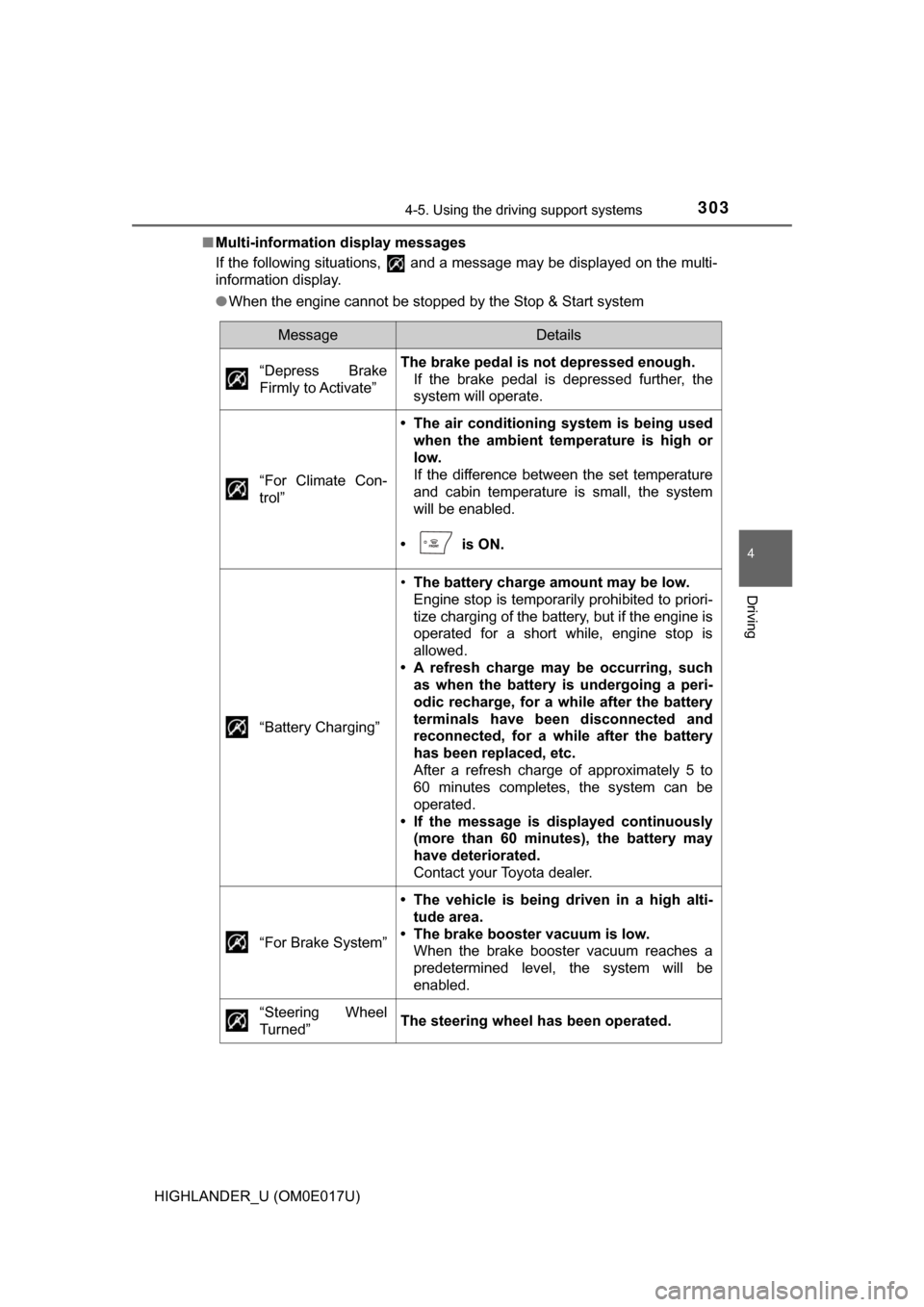
Multi-information display messages
If the following situations, and a message may be displayed on the multi-
information display.
●When the engine cannot be stopped by the Stop & Start system
MessageDetails
“Depress Brake
Firmly to Activate”
The brake pedal is not depressed enough. If the brake pedal is depressed further, the
system will operate.
“For Climate Con-
trol”
• The air conditioning system is being used when the ambient te mperature is high or
low.
If the difference between the set temperature
and cabin temperature is small, the system
will be enabled.
• is ON.
“Battery Charging”
• The battery charge amount may be low.
Engine stop is temporarily prohibited to priori-
tize charging of the battery, but if the engine is
operated for a short while, engine stop is
allowed.
• A refresh charge may be occurring, such as when the battery is undergoing a peri-
odic recharge, for a while after the battery
terminals have been disconnected and
reconnected, for a while after the battery
has been replaced, etc.
After a refresh charge of approximately 5 to
60 minutes completes, the system can be
operated.
• If the message is displayed continuously (more than 60 minutes), the battery may
have deteriorated.
Contact your Toyota dealer.
“For Brake System”
• The vehicle is being driven in a high alti- tude area.
• The brake booster vacuum is low. When the brake booster vacuum reaches a
predetermined level, the system will be
enabled.
“Steering Wheel
Turned”
The steering wheel has been operated.
Page 305 of 732
3054-5. Using the driving support systems
4
Driving
HIGHLANDER_U (OM0E017U)●
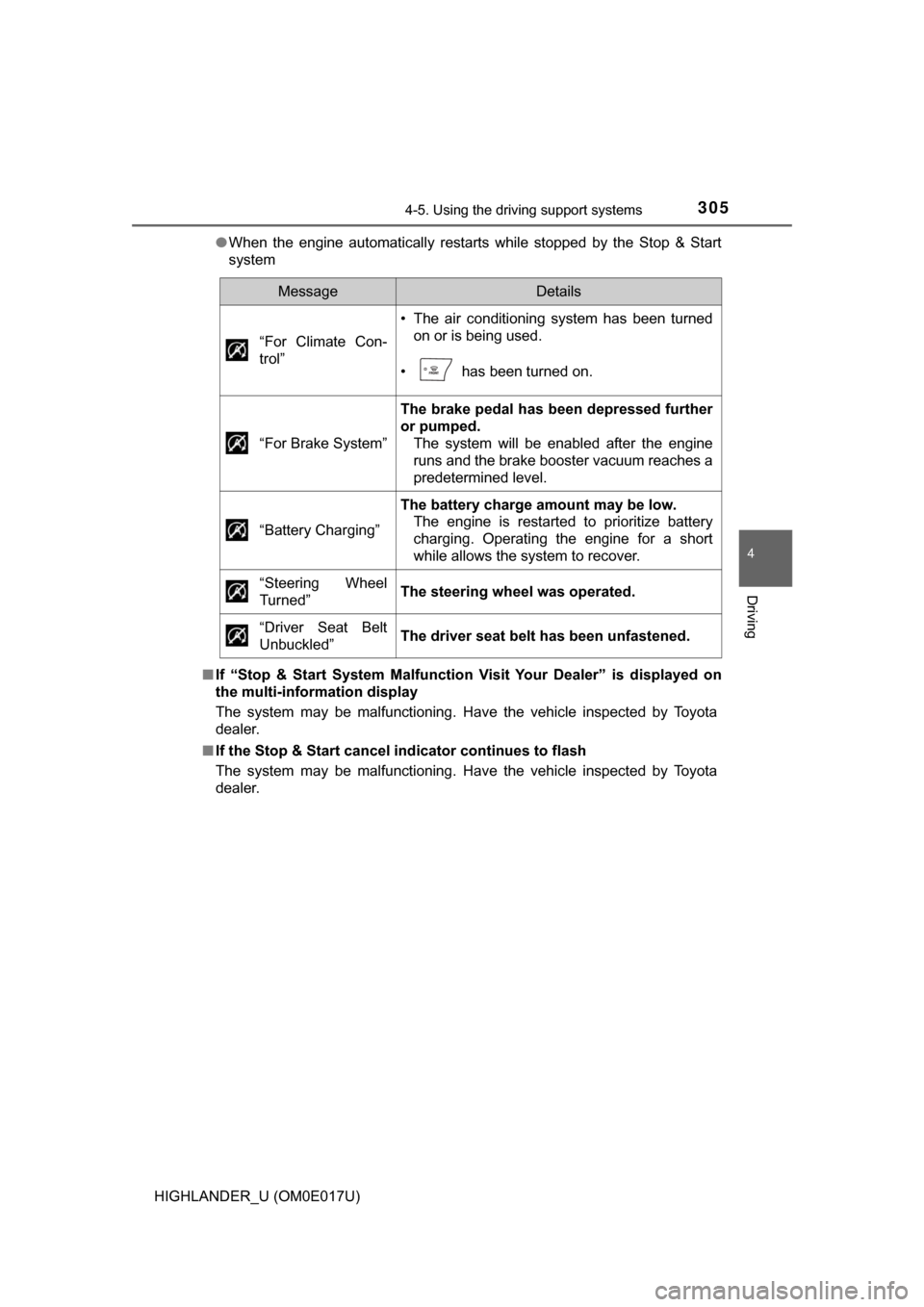
When the engine automatically restarts while stopped by the Stop & Start
system
■ If “Stop & Start System Malfunction Visit Your Dealer” is displayed on
the multi-information display
The system may be malfunctioning. Have the vehicle inspected by Toyota
dealer.
■ If the Stop & Start cancel i ndicator continues to flash
The system may be malfunctioning. Have the vehicle inspected by Toyota
dealer.
MessageDetails
“For Climate Con-
trol”
• The air conditioning system has been turned on or is being used.
• has been turned on.
“For Brake System”
The brake pedal has been depressed further
or pumped. The system will be enabled after the engine
runs and the brake booster vacuum reaches a
predetermined level.
“Battery Charging”
The battery charge amount may be low. The engine is restarted to prioritize battery
charging. Operating the engine for a short
while allows the system to recover.
“Steering Wheel
Turned”
The steering wheel was operated.
“Driver Seat Belt
Unbuckled”
The driver seat belt has been unfastened.
Page 306 of 732
3064-5. Using the driving support systems
HIGHLANDER_U (OM0E017U)
WARNING
■When the Stop & Start system is operating
● Depress the brake pedal and apply the parking brake when necessary
while the engine is stopped by the Stop & Start system (while the Stop &
Start indicator is on).
● Do not allow anyone to leave the vehicle while the engine is stopped by
the Stop & Start system (while the Stop & Start indicator is on).
An accident may occur due to the automatic engine start function.
● Ensure that the engine is not stopped by the Stop & Start system while t\
he
vehicle is in a poorly ventilated area. The engine may restart due to the
automatic engine start function, causing exhaust gases to collect and
enter the vehicle, possibly resulting in death or a serious health hazar\
d.
NOTICE
■To ensure the system operates correctly
If any of the following situations occur, the Stop & Start system may not
operate correctly. Have your vehicle inspected by Toyota dealer.
● While the driver's seat belt is fa stened, the driver's and front passenger's
seat belt reminder light flashes.
● Even though the driver's seat belt is not fastened, the driver's and front
passenger's seat belt reminder light does not illuminate.
● Even though the driver's door is closed, the open door warning is dis-
played on the multi-information display or the interior light is illuminated
when door linked illumination is enabled ( →P. 458).
● Even though the driver's door is open, the open door warning is not dis-
played on the multi-information display or the interior light does not illumi-
nate when door linked illumination is enabled ( →P. 458).
Page 307 of 732
3074-5. Using the driving support systems
4
Driving
HIGHLANDER_U (OM0E017U)
The rear view image is displayed
when the shift position is in R and
the engine switch is in “ON” posi-
tion.
The rear view monitor system will
be deactivated when the shift lever
is in any position other than R.
Rear view monitor system∗
∗: If equipped
Entune Audio Plus or Entune Premium Audio
Refer to the “NAVIGATION AND MULTIMEDIA SYSTEM
OWNER’S MANUAL”.
Entune Audio
The rear view monitor system a ssists the driver by displaying
guide lines and an image of the view behind the vehicle while
backing up, for example while parking.
The screen illustrations used in this text are intended as examples,
and may differ from the image that is actually displayed on the
screen.
