2017 TOYOTA HIGHLANDER trailer
[x] Cancel search: trailerPage 287 of 732

2874-5. Using the driving support systems
4
Driving
HIGHLANDER_U (OM0E017U)
WARNING
■Situations unsuitable for dynamic radar cruise control
Do not use dynamic radar cruise control in any of the following situations.
Doing so may result in inappropriate speed control and could cause an acci-
dent resulting in death or serious injury.
● Roads where there are pedestrians, cyclers, etc.
● In heavy traffic
● On roads with sharp bends
● On winding roads
● On slippery roads, such as those covered with rain, ice or snow
● On steep downhills, or where there are sudden changes between sharp up
and down gradients
Vehicle speed may exceed the set speed when driving down a steep hill.
● At entrances to freeways and highways
● When weather conditions are bad enough that they may prevent the sen-
sors from detecting correctly (fog, snow, sandstorm, heavy rain, etc.)
● When there is rain, snow, etc. on the front surface of the radar sensor or
camera sensor
● In traffic conditions that require frequent repeated acceleration and decel-
eration
● When your vehicle is towing a trailer or during emergency towing
● When an approach warning buzzer is heard often
Page 295 of 732

2954-5. Using the driving support systems
4
Driving
HIGHLANDER_U (OM0E017U)■
Automatic cancelation of co nstant speed control mode
Constant speed control mode is automatically canceled in the following situa-
tions:
● Actual vehicle speed is more than approximately 10 mph (16 km/h) below
the set vehicle speed.
● Actual vehicle speed falls below approximately 25 mph (40 km/h).
● VSC is activated.
● TRAC is activated for a period of time.
● When the VSC or TRAC system is turned off.
● Pre-collision braking is activated.
If constant speed control mode is automatically canceled for any other rea-
son, there may be a malfunction in the system. Contact your Toyota dealer.
■ Warning messages and buzzers for dynamic radar cruise control
Warning messages and buzzers are used to indicate a system malfunction or
to inform the driver of the need for caution while driving. If a warning message
is shown on the multi-information display, read the message and follow the
instructions. ( →P. 591)
■ When the sensor may not be correctly detecting the vehicle ahead
In the case of the following and depending on the conditions, operate the
brake pedal when deceleration of the system is insufficient or operate the
accelerator pedal when acceleration is required.
As the sensor may not be able to correctly detect these types of vehicles, the
approach warning ( →P. 292) may not be activated.
● Vehicles that cut in suddenly
● Vehicles traveling at low speeds
● Vehicles that are not moving in the same lane
● Vehicles with small rear ends (trailers with no load on board, etc.)
Page 323 of 732

3234-5. Using the driving support systems
4
Driving
HIGHLANDER_U (OM0E017U)• When vehicle lanes are wide, or when driving on the edge of a lane, and
the vehicle in an adjacent lane is far away from your vehicle
• When towing a trailer
• When items such as a bicycle carrier are installed on the rear of the vehi-
cle
• When there is a significant difference in height between your vehicle and the vehicle that enters the detection area
• Immediately after the BSM function is turned on
● Instances of the BSM function unnecessarily detecting a vehicle and/or
object may increase in the following situations:
• When the sensor is misaligned due to a strong impact to the sensor or its
surrounding area
• When the distance between your vehicle and a guardrail, wall, etc. that enters the detection area is short
• When driving up and down consecutive steep inclines, such as hills, dips in the road, etc.
• When vehicle lanes are narrow, or when driving on the edge of a lane,
and a vehicle traveling in a lane other than the adjacent lanes enters the
detection area
• When driving on roads with sharp bends, consecutive curves, or uneven
surfaces
• When the tires are slipping or spinning
• When the distance between your vehicle and a following vehicle is short
• When a bicycle carrier or other accessory is installed to the rear of the vehicle
• When towing a trailer
Page 327 of 732

3274-5. Using the driving support systems
4
Driving
HIGHLANDER_U (OM0E017U)■
Conditions under which the RCTA fu nction will not detect a vehicle
The RCTA function is not designed to detect the following types of vehicles
and/or objects:
● Vehicles approaching from directly behind
● Vehicles backing up in a parking space next to your vehicle
● Guardrails, walls, signs, parked vehi cles and similar stationary objects
*
●Small motorcycles, bicycles, pedestrians, etc.*
●Vehicles moving away from your vehicle
● Vehicles approaching from the parking spaces next to your vehicle
*
*
: Depending on the conditions, detection of a vehicle and/or object may
occur.
■ Conditions under which the RCTA function may not function correctly
●The RCTA function may not detect vehicles correctly in the following situa-
tions:
• When the sensor is misaligned due to a strong impact to the sensor or its
surrounding area
• When mud, snow, ice, a sticker, etc. is covering the sensor or surround- ing area on the rear bumper
• When driving on a road surface that is wet with standing water during bad weather, such as heavy rain, snow, or fog
• When multiple vehicles are approaching with only a small gap between
each vehicle
• When a vehicle is approaching at high speed
• When towing a trailer
●
Vehicles that the sensors cannot detect
due to obstructions
Page 331 of 732
3314-5. Using the driving support systems
4
Driving
HIGHLANDER_U (OM0E017U)
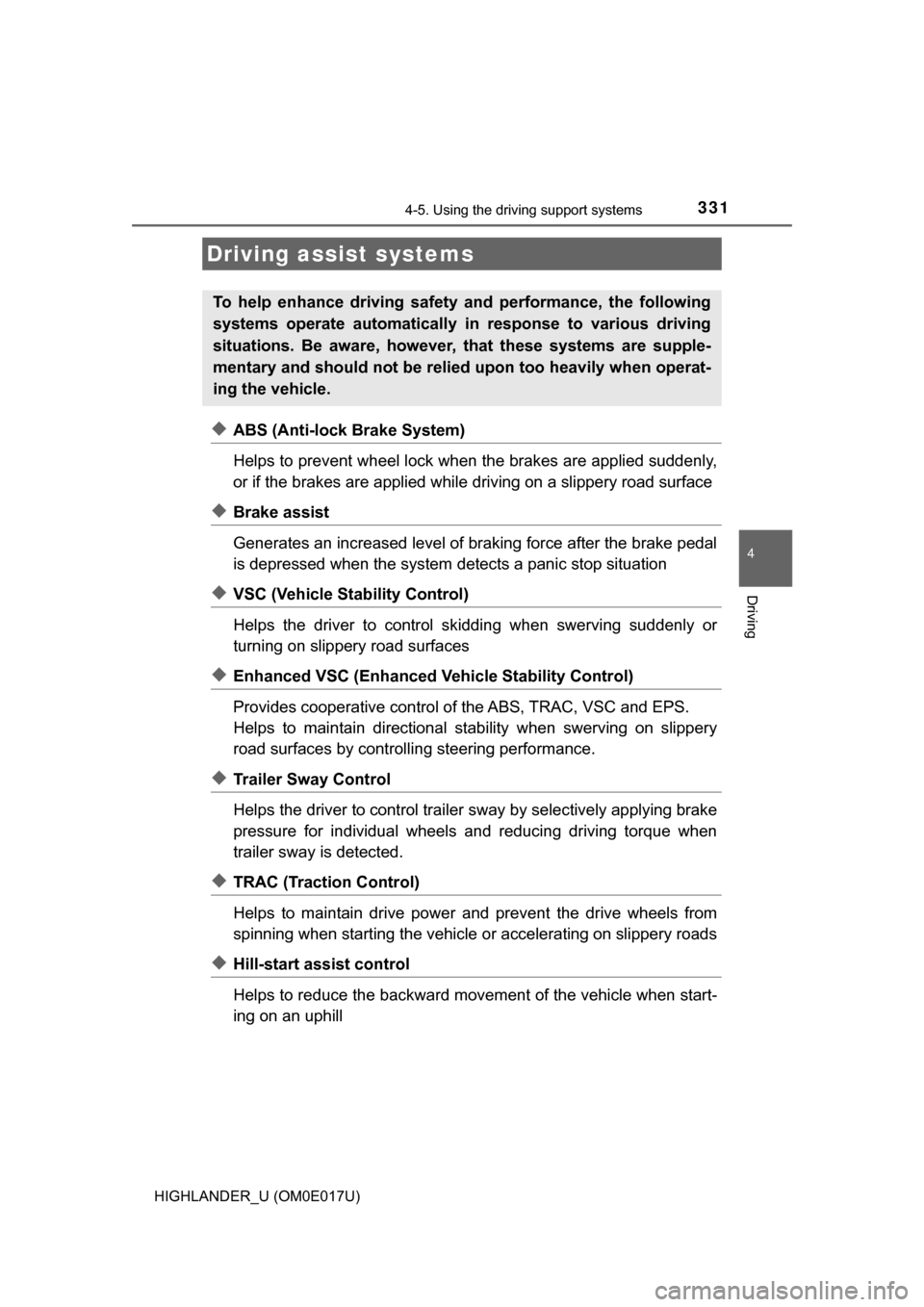
◆ABS (Anti-lock Brake System)
Helps to prevent wheel lock when the brakes are applied suddenly,
or if the brakes are applied while driving on a slippery road surface
◆Brake assist
Generates an increased level of braking force after the brake pedal
is depressed when the system detects a panic stop situation
◆VSC (Vehicle Stability Control)
Helps the driver to control skidding when swerving suddenly or
turning on slippery road surfaces
◆Enhanced VSC (Enhanced Ve hicle Stability Control)
Provides cooperative control of the ABS, TRAC, VSC and EPS.
Helps to maintain directional stability when swerving on slippery
road surfaces by controllin g steering performance.
◆Trailer Sway Control
Helps the driver to control trailer sway by selectively applying brake
pressure for individual wheels and reducing driving torque when
trailer sway is detected.
◆TRAC (Traction Control)
Helps to maintain drive power and prevent the drive wheels from
spinning when starting the vehicle or accelerating on slippery roads
◆Hill-start assist control
Helps to reduce the backward move ment of the vehicle when start-
ing on an uphill
Driving assist systems
To help enhance driving safety and performance, the following
systems operate automatically in response to various driving
situations. Be aware, however, that these systems are supple-
mentary and should not be relied upon too heavily when operat-
ing the vehicle.
Page 336 of 732
3364-5. Using the driving support systems
HIGHLANDER_U (OM0E017U)
WARNING
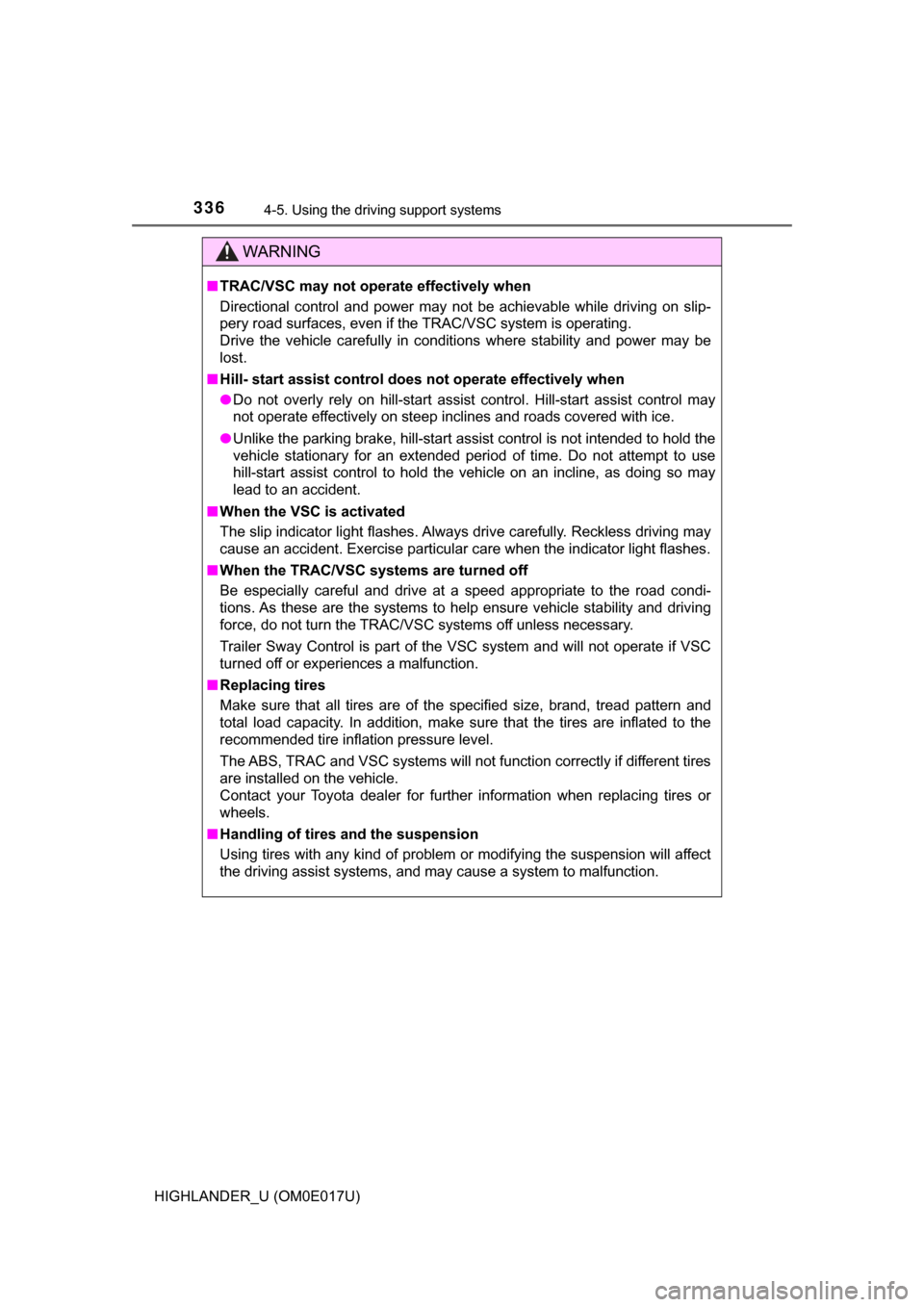
■TRAC/VSC may not operate effectively when
Directional control and power may not be achievable while driving on slip-
pery road surfaces, even if the TRAC/VSC system is operating.
Drive the vehicle carefully in conditions where stability and power may be
lost.
■ Hill- start assist control does not operate effectively when
● Do not overly rely on hill-start assist control. Hill-start assist control may
not operate effectively on steep inclines and roads covered with ice.
● Unlike the parking brake, hill-start assist control is not intended to hold the
vehicle stationary for an extended period of time. Do not attempt to use
hill-start assist control to hold the vehicle on an incline, as doing so may
lead to an accident.
■ When the VSC is activated
The slip indicator light flashes. Always drive carefully. Reckless driving may
cause an accident. Exercise particular care when the indicator light flashes.
■ When the TRAC/VSC syst ems are turned off
Be especially careful and drive at a speed appropriate to the road condi-
tions. As these are the systems to help ensure vehicle stability and driving
force, do not turn the TRAC/VSC systems off unless necessary.
Trailer Sway Control is part of the VSC system and will not operate if VSC
turned off or experiences a malfunction.
■ Replacing tires
Make sure that all tires are of the specified size, brand, tread pattern and
total load capacity. In addition, make sure that the tires are inflated to the
recommended tire inflation pressure level.
The ABS, TRAC and VSC systems will not function correctly if different tires
are installed on the vehicle.
Contact your Toyota dealer for further information when replacing tires or
wheels.
■ Handling of tires and the suspension
Using tires with any kind of problem or modifying the suspension will affect
the driving assist systems, and may cause a system to malfunction.
Page 582 of 732
5828-2. Steps to take in an emergency
HIGHLANDER_U (OM0E017U)
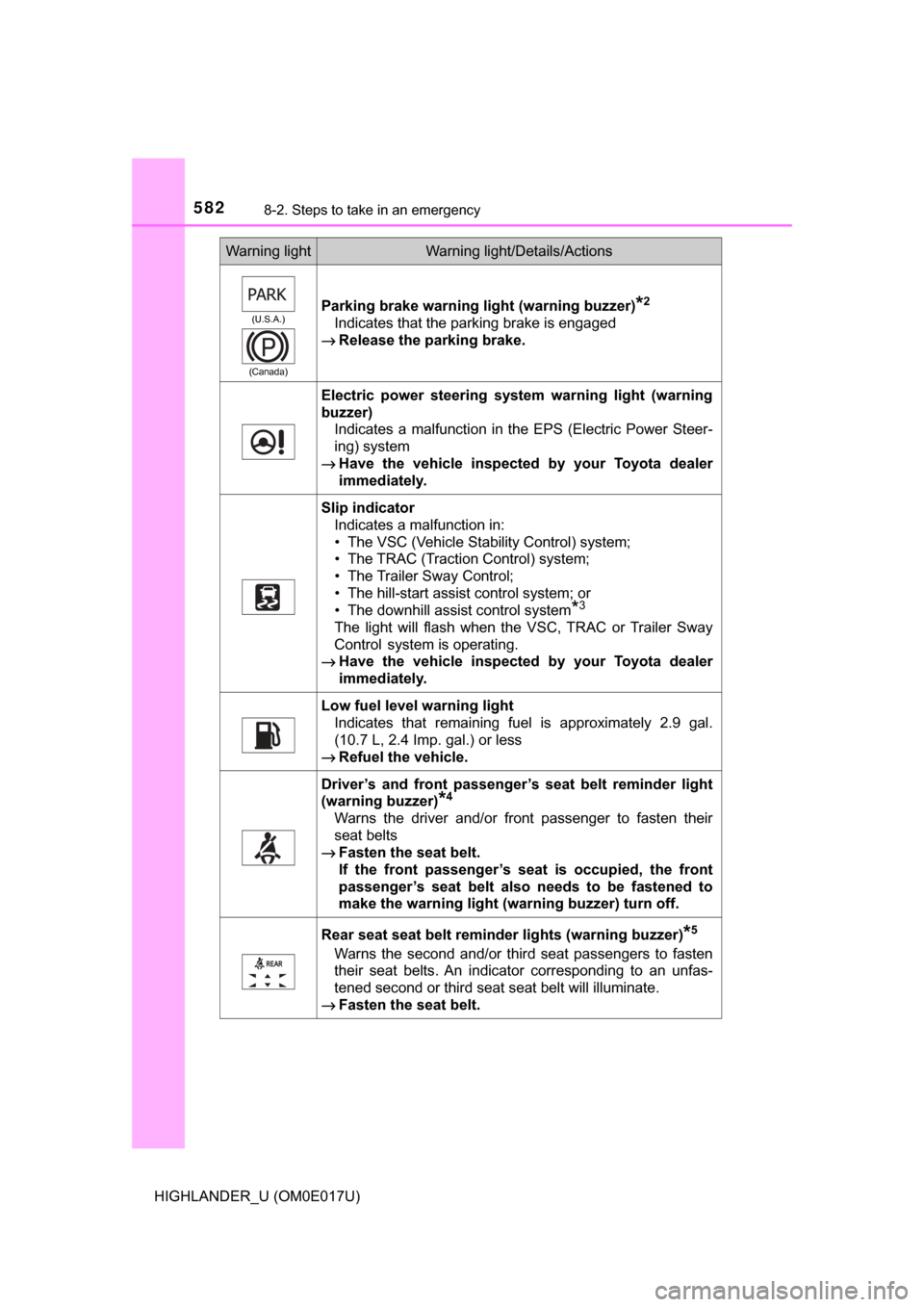
(U.S.A.)
(Canada)Parking brake warning light (warning buzzer)*2
Indicates that the parking brake is engaged
→ Release the parking brake.
Electric power steering system warning light (warning
buzzer)
Indicates a malfunction in the EPS (Electric Power Steer-
ing) system
→ Have the vehicle inspected by your Toyota dealer
immediately.
Slip indicator
Indicates a malfunction in:
• The VSC (Vehicle Stability Control) system;
• The TRAC (Traction Control) system;
• The Trailer Sway Control;
• The hill-start assist control system; or
• The downhill assist control system
*3
The light will flash when the VSC, TRAC or Trailer Sway
Control
system is operating.
→ Have the vehicle inspected by your Toyota dealer
immediately.
Low fuel level warning light
Indicates that remaining fuel is approximately 2.9 gal.
(10.7 L, 2.4 Imp. gal.) or less
→ Refuel the vehicle.
Driver’s and front passenger’ s seat belt reminder light
(warning buzzer)
*4
Warns the driver and/or front passenger to fasten their
seat belts
→ Fasten the seat belt.
If the front passenger’s seat is occupied, the front
passenger’s seat belt also needs to be fastened to
make the warning light (war ning buzzer) turn off.
Rear seat seat belt reminder lights (warning buzzer)*5
Warns the second and/or third seat passengers to fasten
their seat belts. An indicator corresponding to an unfas-
tened second or third seat seat belt will illuminate.
→ Fasten the seat belt.
Warning lightWarning light/Details/Actions
Page 650 of 732

650
HIGHLANDER_U (OM0E017U)
9-1. Specifications
*1: Unladen vehicles
*2: The model code is indicated on the Certification Label. (→P. 651)
*3: With a seating capacity of 7 occupants
*4: With a seating capacity of 8 occupants
Maintenance data (fuel, oil level, etc.)
Dimensions
Overall length 192.5 in. (4890 mm)
Overall width 75.8 in. (1925 mm)
Overall height*1
Without roof antenna
68.1 in. (1730 mm)
With roof antenna
70.1 in. (1780 mm)
Wheelbase 109.8 in. (2790 mm)
Front tread64.4 in. (1635 mm)
Rear tread 64.2 in. (1630 mm)
Weights
Model code *2
Vehicle capacity
weight
(Occupant + lug-
gage)Trailer Weight Rating
(Trailer weight + cargo
weight)
ASU50L-ARTNKA 1460 lb. (660 kg) 1500 lb. (680 kg)
GSU50L-ARZNHA 1370 lb. (620 kg)
5000 lb. (2200 kg)
GSU50L-ARZMHA
1300 lb. (590 kg)
*3
1370 lb. (620 kg)*4
GSU50L-ARZGHA
1300 lb. (590 kg)*3
1370 lb. (620 kg)*4
GSU55L-ARZNHA 1370 lb. (620 kg)
GSU55L-ARZMHA1300 lb. (590 kg)
*3
1340 lb. (610 kg)*4
GSU55L-ARZGHA 1280 lb. (580 kg)