Page 458 of 732
458
HIGHLANDER_U (OM0E017U)
6-2. Using the interior lights
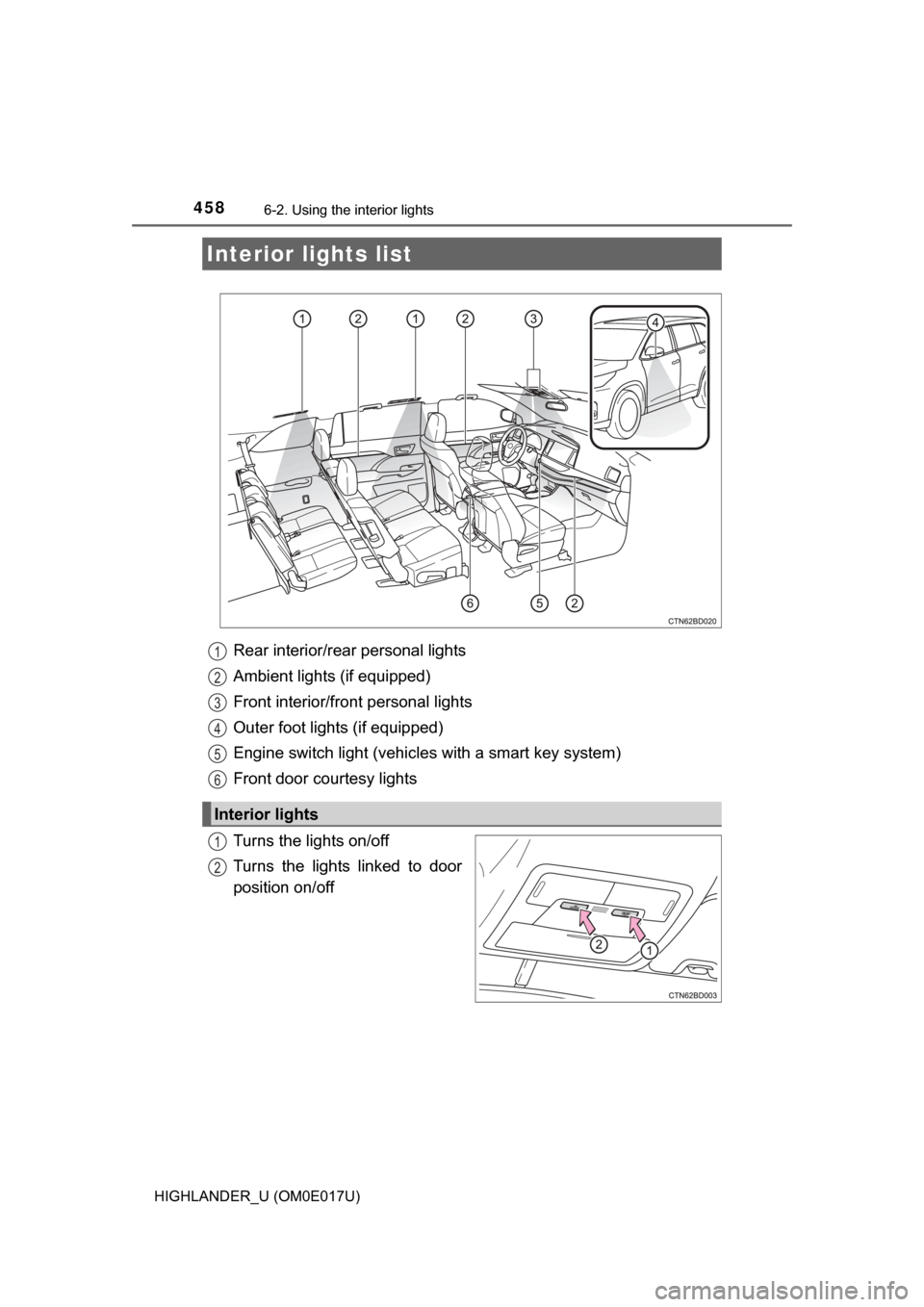
Rear interior/rear personal lights
Ambient lights (if equipped)
Front interior/front personal lights
Outer foot lights (if equipped)
Engine switch light (vehicles with a smart key system)
Front door courtesy lights
Turns the lights on/off
Turns the lights linked to door
position on/off
Interior lights list
Interior lights
1
2
3
4
5
6
1
2
Page 459 of 732
4596-2. Using the interior lights
6
Interior features
HIGHLANDER_U (OM0E017U)
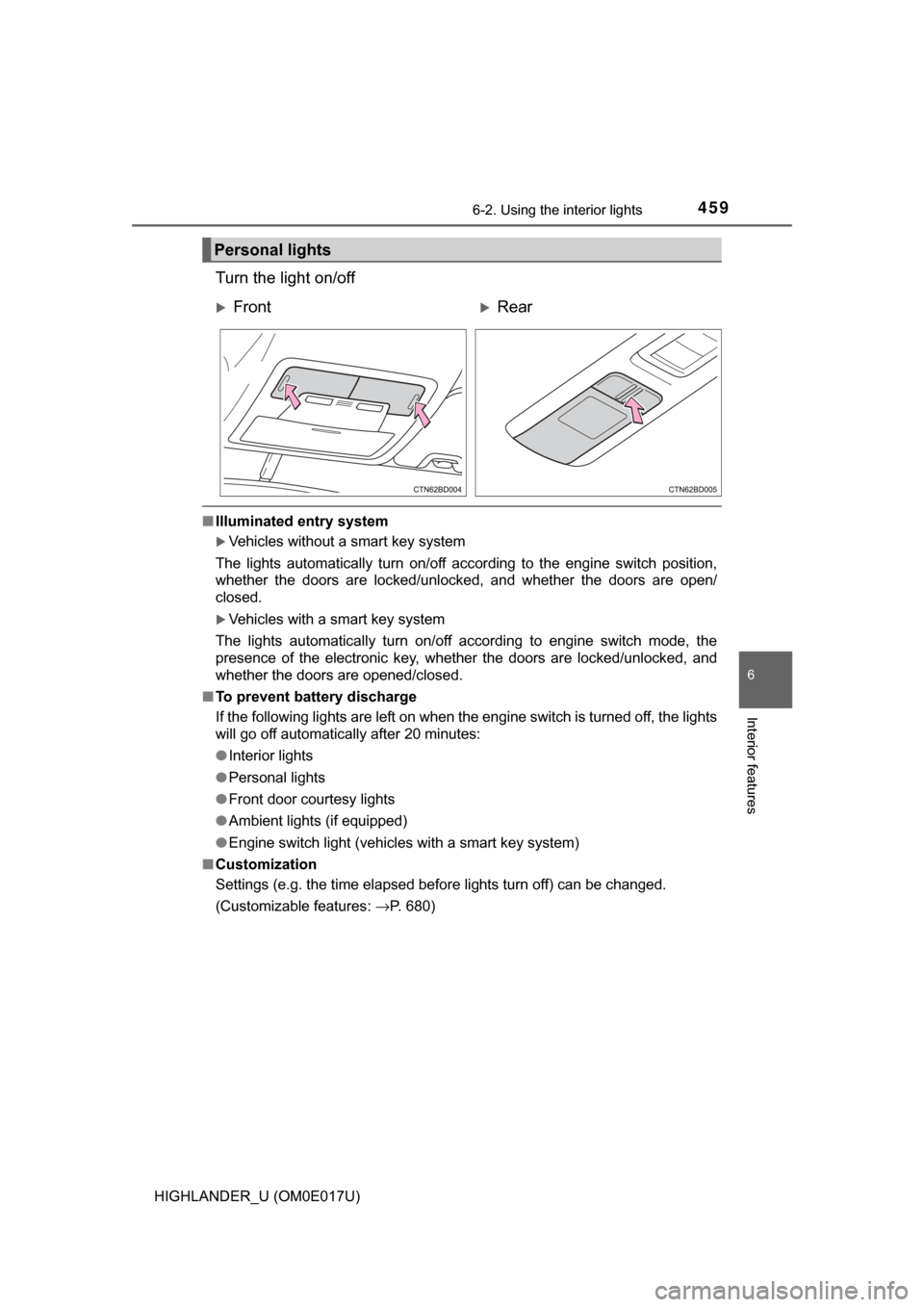
Turn the light on/off
■Illuminated entry system
Vehicles without a smart key system
The lights automatically turn on/off according to the engine switch position,
whether the doors are locked/unlocked, and whether the doors are open/
closed.
Vehicles with a smart key system
The lights automatically turn on/off according to engine switch mode, the
presence of the electronic key, whether the doors are locked/unlocked, and
whether the doors are opened/closed.
■ To prevent battery discharge
If the following lights are left on when the engine switch is turned off, the lights
will go off automatically after 20 minutes:
●Interior lights
● Personal lights
● Front door courtesy lights
● Ambient lights (if equipped)
● Engine switch light (vehicles with a smart key system)
■ Customization
Settings (e.g. the time elapsed before lights turn off) can be changed.
(Customizable features: →P. 680)
Personal lights
FrontRear
Page 460 of 732
460
HIGHLANDER_U (OM0E017U)
6-3. Using the storage features
List of storage features
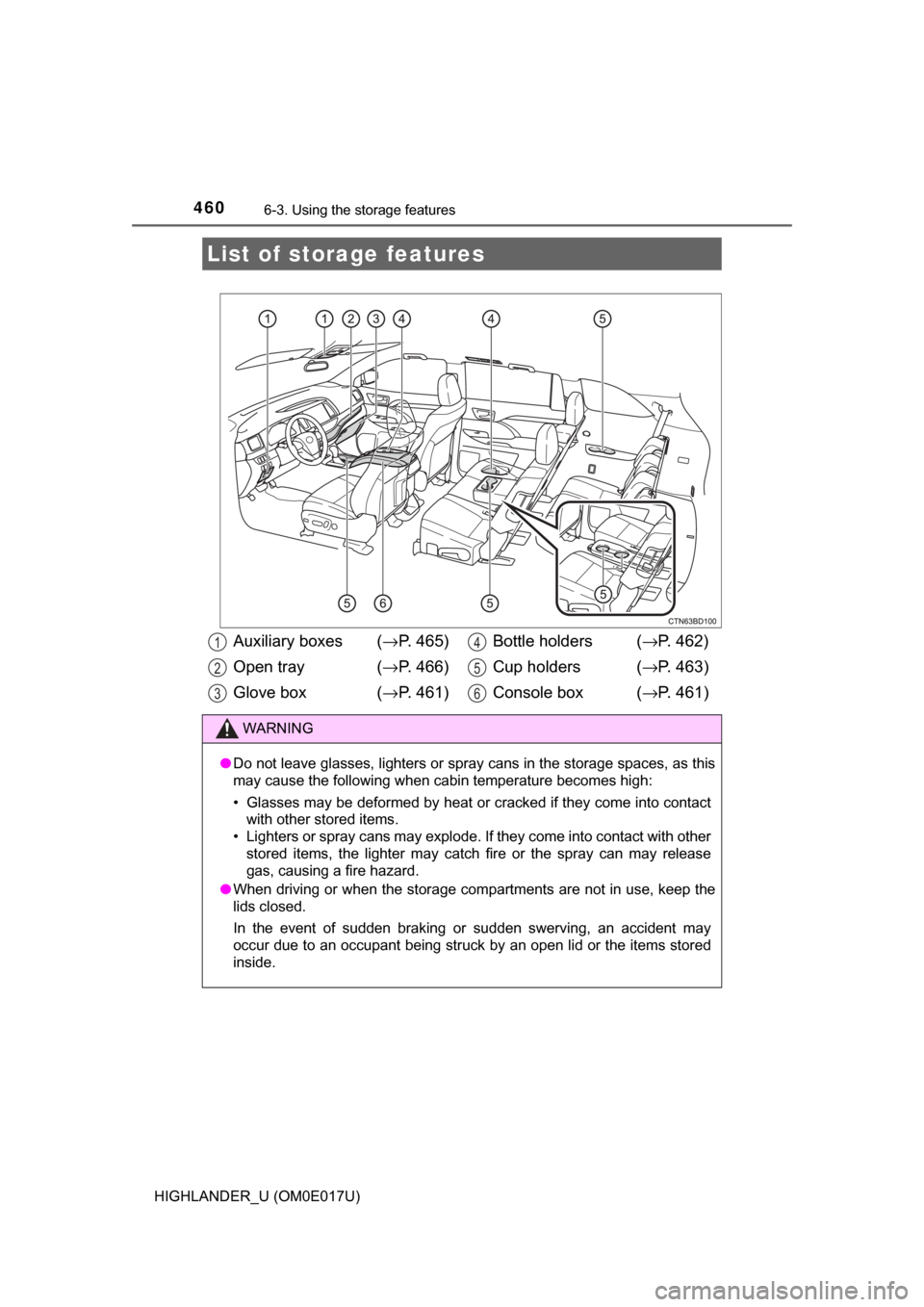
Auxiliary boxes ( →P. 465)
Open tray ( →P. 466)
Glove box ( →P. 461) Bottle holders (
→P. 462)
Cup holders ( →P. 463)
Console box ( →P. 461)
WARNING
●Do not leave glasses, lighters or spray cans in the storage spaces, as t\
his
may cause the following when cabin temperature becomes high:
• Glasses may be deformed by heat or cracked if they come into contact
with other stored items.
• Lighters or spray cans may explode. If they come into contact with other
stored items, the lighter may catch fire or the spray can may release
gas, causing a fire hazard.
● When driving or when the storage com partments are not in use, keep the
lids closed.
In the event of sudden braking or sudden swerving, an accident may
occur due to an occupant being struck by an open lid or the items stored
inside.
1
2
3
4
5
6
Page 469 of 732
469
6
Interior features
HIGHLANDER_U (OM0E017U)
6-4. Using the other interior features
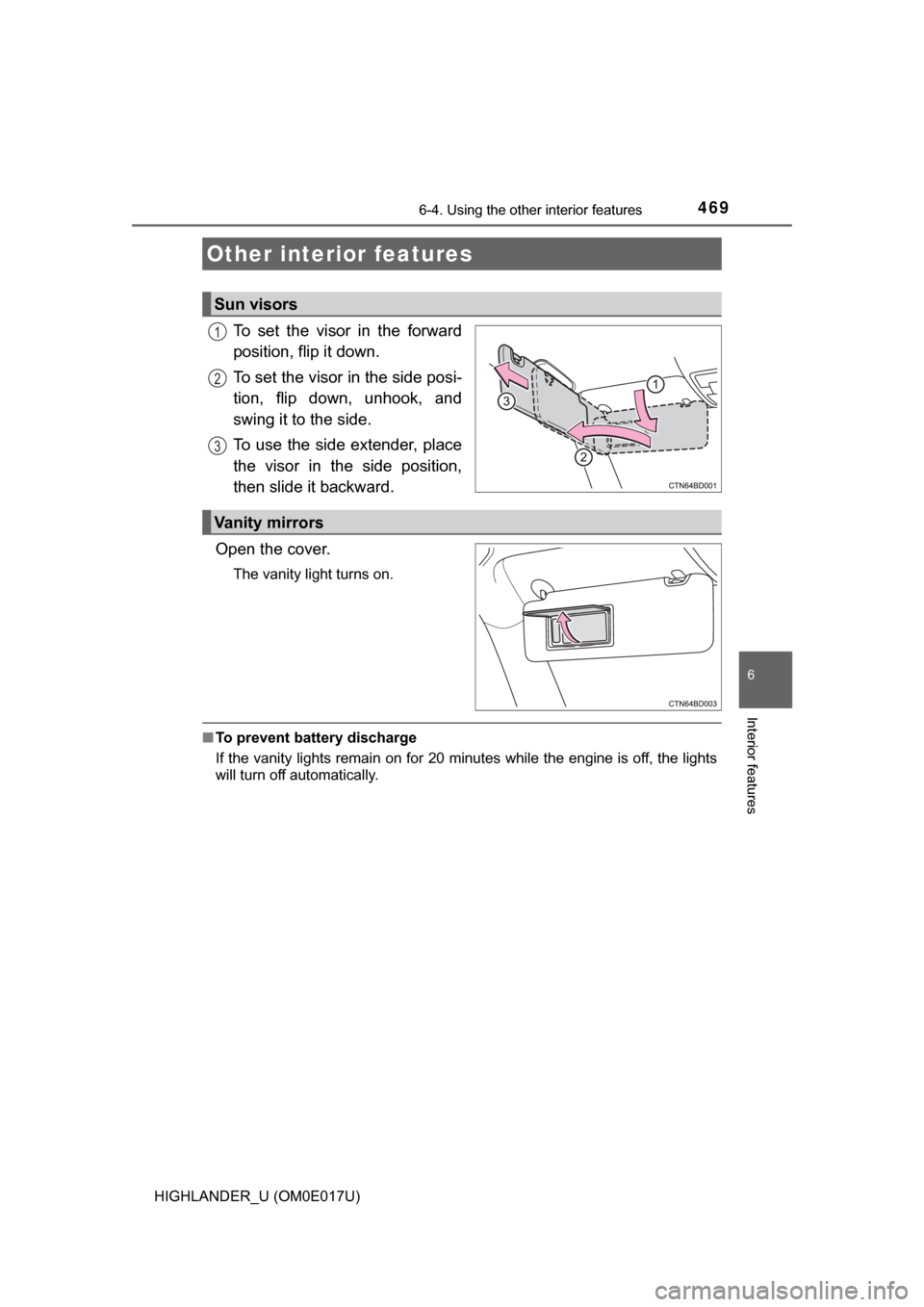
To set the visor in the forward
position, flip it down.
To set the visor in the side posi-
tion, flip down, unhook, and
swing it to the side.
To use the side extender, place
the visor in the side position,
then slide it backward.
Open the cover.
The vanity light turns on.
■ To prevent battery discharge
If the vanity lights remain on for 20 minutes while the engine is off, the lights
will turn off automatically.
Other interior features
Sun visors
1
2
3
Vanity mirrors
Page 477 of 732
4776-4. Using the other interior features
6
Interior features
HIGHLANDER_U (OM0E017U)
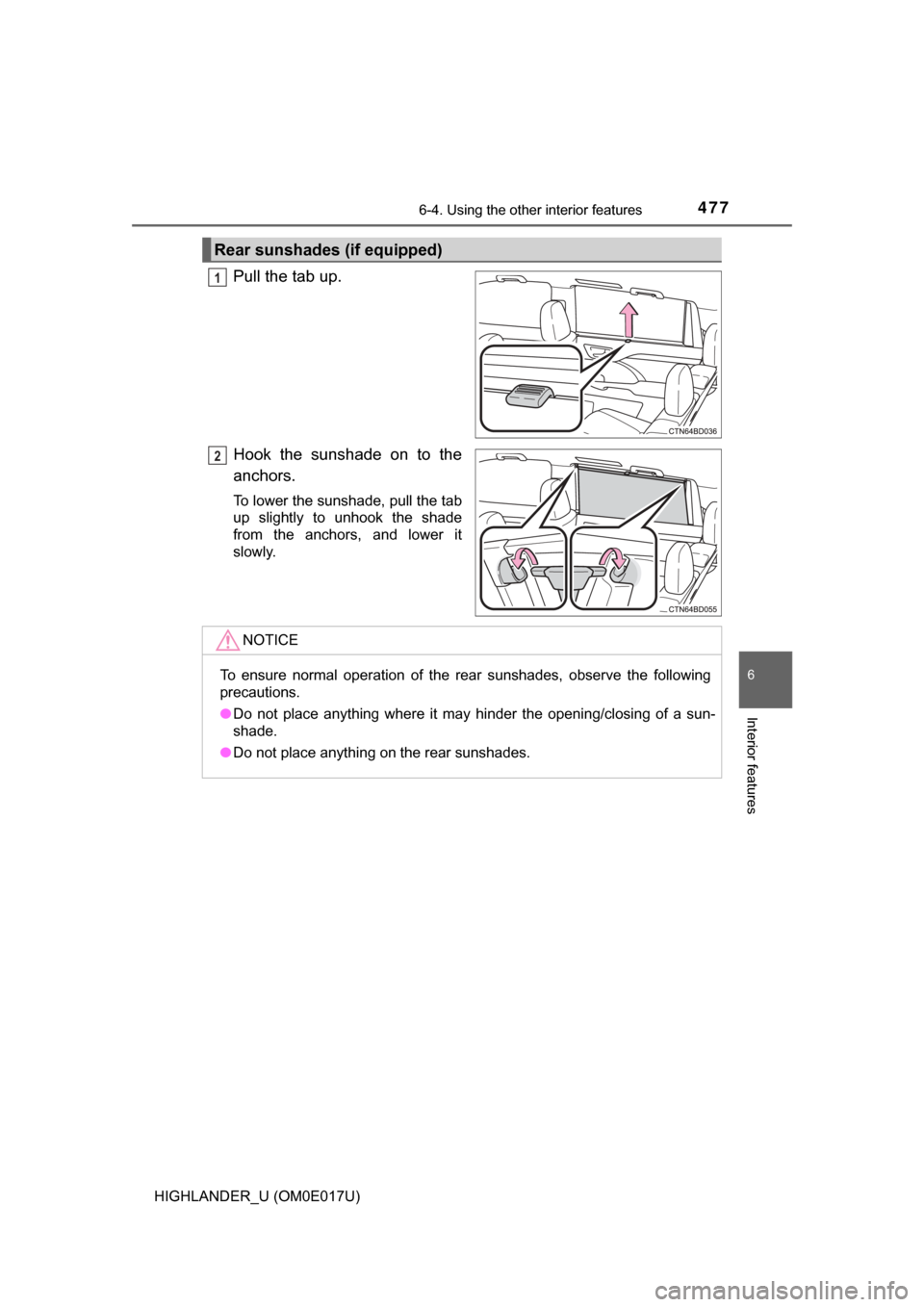
Pull the tab up.
Hook the sunshade on to the
anchors.
To lower the sunshade, pull the tab
up slightly to unhook the shade
from the anchors, and lower it
slowly.
Rear sunshades (if equipped)
1
2
NOTICE
To ensure normal operation of the rear sunshades, observe the following
precautions.
●Do not place anything where it may hinder the opening/closing of a sun-
shade.
● Do not place anything on the rear sunshades.
Page 481 of 732
4816-4. Using the other interior features
6
Interior features
HIGHLANDER_U (OM0E017U)
The garage door opener (HomeLink Universal Transceiver) is manu-
factured under license from HomeLink.
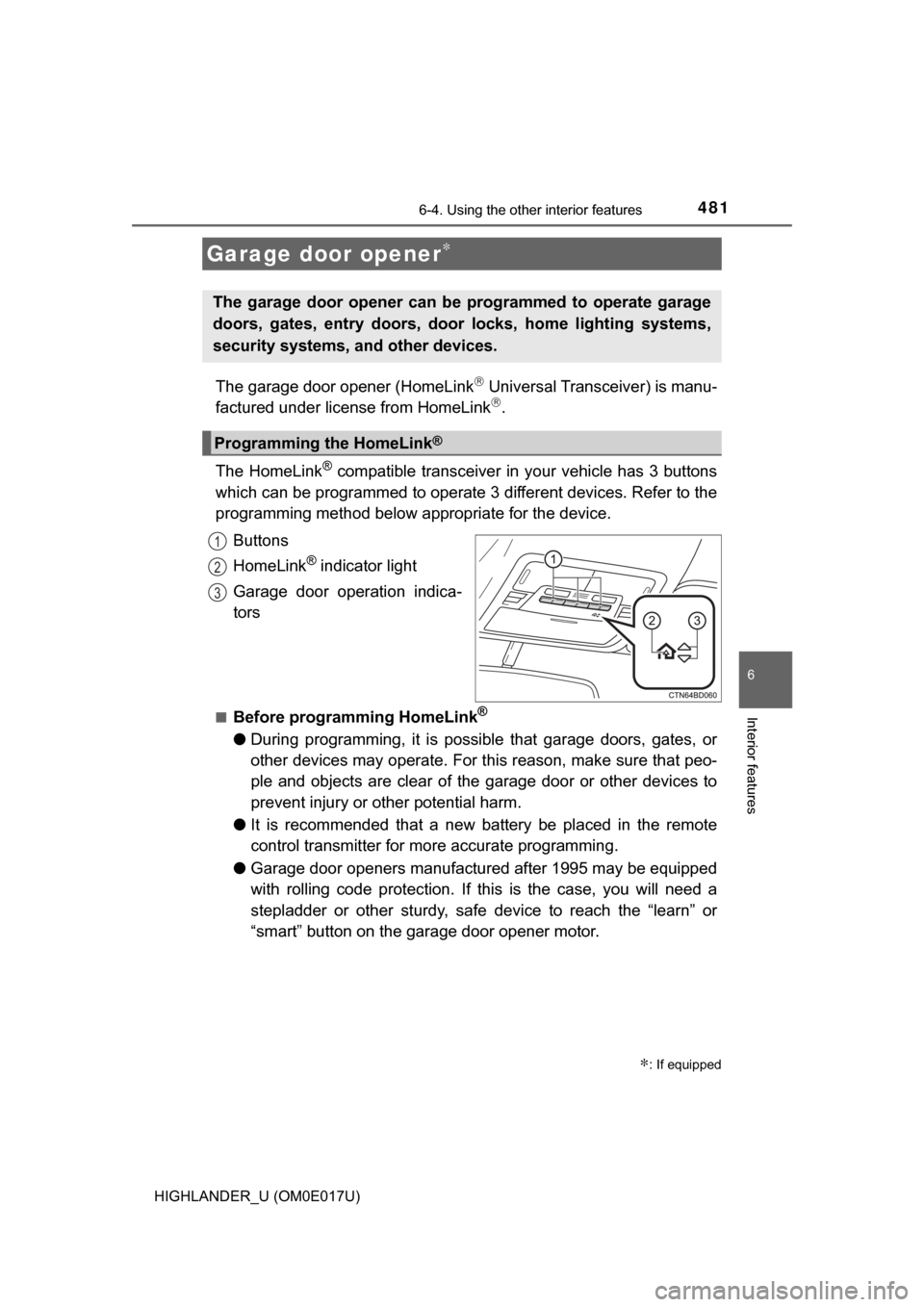
The HomeLink
® compatible transceiver in your vehicle has 3 buttons
which can be programmed to operate 3 different devices. Refer to the
programming method below appropriate for the device.
Buttons
HomeLink
® indicator light
Garage door operation indica-
tors
■Before programming HomeLink®
● During programming, it is possible that garage doors, gates, or
other devices may operate. For this reason, make sure that peo-
ple and objects are clear of the garage door or other devices to
prevent injury or other potential harm.
● It is recommended that a new battery be placed in the remote
control transmitter for more accurate programming.
● Garage door openers manufactured after 1995 may be equipped
with rolling code protection. If this is the case, you will need a
stepladder or other sturdy, safe device to reach the “learn” or
“smart” button on the garage door opener motor.
Garage door opener∗
∗: If equipped
The garage door opener can be programmed to operate garage
doors, gates, entry doors, door locks, home lighting systems,
security systems, and other devices.
Programming the HomeLink®
1
2
3
Page 482 of 732
4826-4. Using the other interior features
HIGHLANDER_U (OM0E017U)■
Programming HomeLink®
Point the remote control
transmitter for the device 1 to
3 in. (25 to 75 mm) from the
HomeLink
® buttons.
Keep the HomeLink® indicator
light in view while programming.
For U.S.A. owner’s
Press and hold the Home-
Link
® button you want to pro-
gram and the handheld
transmitter button simultane-
ously. When the HomeLink
®
indicator light changes from
slowly flashing orange to rap-
idly flashing green (rolling
code) or continuously lit
green (fixed code), release
both buttons.
Programming an entry gate (for U.S.A. owners)/Programming a
device in the Canadian market
With one hand, press and hold the HomeLink
® button you want
to program. With your other h and, press and release the remote
control transmitter every 2 seconds and repeat this cycle until the
HomeLink
® indicator light starts to flash rapidly. Then, release
the buttons.
1
2
2
Page 483 of 732
4836-4. Using the other interior features
6
Interior features
HIGHLANDER_U (OM0E017U)
Test the HomeLink® operation by pressing the newly pro-
grammed button and observing the indicator light:
● If the indicator light is solid/continuous, programming has been
completed and your device should activate when the Home-
Link
® button is pressed and released.
● If the indicator light blinks rapidly for 2 seconds and then turns
into a solid/continuous light, proceed to the heading “Program-
ming a rolling code system”.
Repeat the steps above to program another device for any of the
remaining HomeLink
® buttons.
■Programming a rolling code system
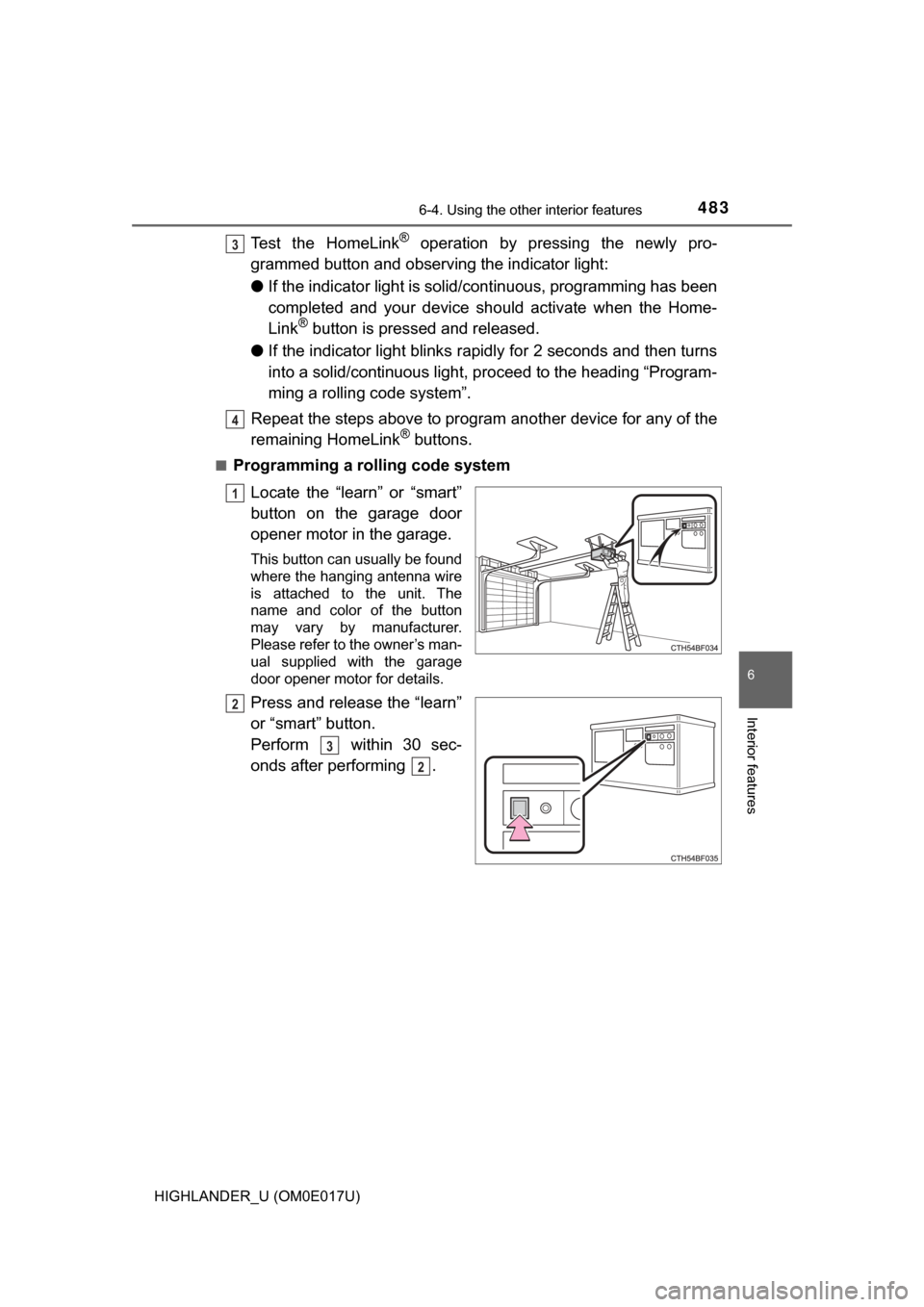
Locate the “learn” or “smart”
button on the garage door
opener motor in the garage.
This button can usually be found
where the hanging antenna wire
is attached to the unit. The
name and color of the button
may vary by manufacturer.
Please refer to the owner’s man-
ual supplied with the garage
door opener motor for details.
Press and release the “learn”
or “smart” button.
Perform within 30 sec-
onds after performing .
3
4
1
2
3
2