Page 26 of 186
Installing ISOFIX Child Seats
Lower ISOFIX anchors are provided in the second row outboard seats. The anchors are
located between the seat
Page 27 of 186
Once installed, test the security of theinstallation before seating a child. Attempt to twist the child safety seat from side to side
and try to pull it away from the seat, then
check that the anchors are still securely in
place.
Attaching Upper Tether Straps
If an upper tether strap is provided, attach its
hook to the anchor point located on the back
of the rear seats.
Always position single-strap tethers to run
over the top of the head support. For dual- strap tethers, position a strap on each side of
the head support.
Tighten upper tether straps according to the instructions provided by the manufacturer of
the child safety seat.
Note: To prevent the single-strap tether from
moving side to side, the top of the head
support deforms.
Note: The location of anchor points may not
be readily visible but can be found by
identifying a slice in the seat
Page 29 of 186
Usage RestrictionsThe optional Tesla built-in rear facing childseats are child restraint systems and are
approved to United Nations ECE Regulation
R44.04 standards for use by children in Mass
Groups II and III, weighing 15 to 36 kg. These
seats must only be used for children who are
between 3 and 12 years old, and
98 to 135 cm tall.
Always ensure the top of the child
Page 30 of 186

5. Raise the seat back to the upright positionand push until it locks into position.Visually check to ensure that the retaining
catches are engaged.
6. Check that the seat back and seat base are securely retained in the upright
position by trying to pull the seat back
toward you.
Folding
Caution: Before folding the seats, fasten
the seat belts to prevent them from
getting trapped in the seat mechanism
and being damaged.
1. Pull the handle to release the seat back and pull the seat back fully forward.
2. Push the lever to release the head
supports from the seat back, then fold
back onto the seat.
3. Secure the Velcro strap.
4. Pull the strap at the rear of the seat to fold the seat assembly into the trunk floor.
5. Replace the cover on the trunk floor.
Seating a Child
The Tesla built-in rear facing child seats are
child restraint systems and are approved to
United Nations ECE Regulation R44.04
standards for use by children in Mass Groups II
and III, weighing 15 - 36 kg. These seats must
only be used for children who are between 3
and 12 years old, and 98 - 135 cm tall.
Tesla Built-In Rear Facing Child Seats
30Model S Owner
Page 32 of 186
Warnings - Tesla Child SeatsWarning: The Tesla built-in rear facing
seats are child restraint systems and are
approved to United Nations ECE
Regulation R44.04 standards for use by
children in Mass Groups II and III,
weighing 15 to 36 kg. These seats must
only be used for children who are
between 3 and 12 years old, and
98 to 135 cm tall, provided the top of the
child
Page 35 of 186

Disabling the Passenger Front
Airbags
When a child is seated in the front passenger
seat (even when the child is seated in a child safety seat or booster seat), you must disable
the passenger front airbags to prevent them
from injuring the child if a collision occurs.
Note: Rear seats are the preferred location for
seating children in child safety seats.
To turn
off the front and side airbags on the
passenger side of the vehicle, touch Controls
> Settings > Safety & Security > Passenger
Front Airbag .
The OFF status of the front passenger airbag
displays in the upper right corner of the
touchscreen. (When the airbag is ON, no status is displayed on the touchscreen.)
If the airbag is on, even if you have turned itoff (or vice versa), contact Tesla immediately.
Note: Model S has a capacitive touchscreen and may not respond to your touch if you are
wearing standard gloves. If the touchscreen is
not responding, remove gloves or wear gloves
with conductive
fingertips for use with
capacitive touchscreens.
Warning: Never seat a child in a child
safety seat or a booster seat on the front
passenger seat when the airbag is
activated. Doing so can cause serious injury or death.Warning: If the passenger airbag control
does not appear to be functioning, do not
seat a passenger in the front seat.
Contact Tesla immediately to have the
vehicle inspected and if necessary,
repaired.Warning: Do not use seat covers on
Model S. Doing so could restrict
deployment of the side air bags if an
accident occurs.
Inflation Effects
When airbags inflate, a fine powder is
released. This powder can irritate the skin and
should be thoroughly
flushed from the eyes
and from any cuts or abrasions.
After
inflation, the airbags deflate to provide a
gradual cushioning effect for the occupants
and to ensure the driver
Page 53 of 186
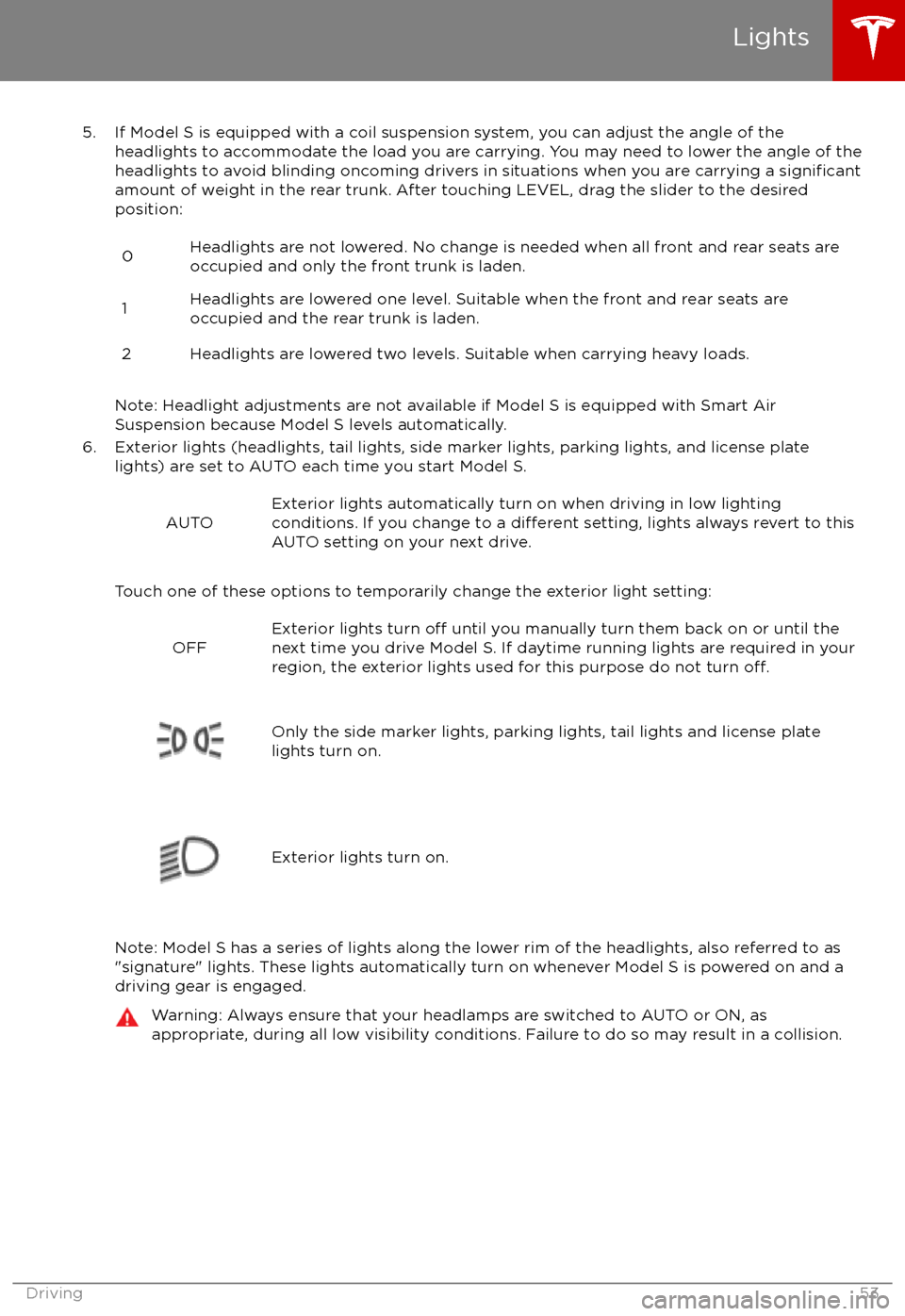
5. If Model S is equipped with a coil suspension system, you can adjust the angle of theheadlights to accommodate the load you are carrying. You may need to lower the angle of theheadlights to avoid blinding oncoming drivers in situations when you are carrying a
significantamount of weight in the rear trunk. After touching LEVEL, drag the slider to the desiredposition:
0Headlights are not lowered. No change is needed when all front and rear seats are
occupied and only the front trunk is laden.1Headlights are lowered one level. Suitable when the front and rear seats are occupied and the rear trunk is laden.2Headlights are lowered two levels. Suitable when carrying heavy loads.
Note: Headlight adjustments are not available if Model S is equipped with Smart Air
Suspension because Model S levels automatically.
6. Exterior lights (headlights, tail lights, side marker lights, parking lights, and license plate lights) are set to AUTO each time you start Model S.
AUTOExterior lights automatically turn on when driving in low lighting
conditions. If you change to a different setting, lights always revert to this
AUTO setting on your next drive.
Touch one of these options to temporarily change the exterior light setting:
OFFExterior lights turn off until you manually turn them back on or until the
next time you drive Model S. If daytime running lights are required in your
region, the exterior lights used for this purpose do not turn
off.Only the side marker lights, parking lights, tail lights and license plate
lights turn on.Exterior lights turn on.
Note: Model S has a series of lights along the lower rim of the headlights, also referred to as
"signature" lights. These lights automatically turn on whenever Model S is powered on and a driving gear is engaged.
Warning: Always ensure that your headlamps are switched to AUTO or ON, as
appropriate, during all low visibility conditions. Failure to do so may result in a collision.
Lights
Driving53
Page 105 of 186

Overview of Climate Controls
The climate controls are always available at the bottom of the touchscreen. By default, climate control is set to Auto, which maintains optimum comfort in all but the most severe weather conditions. When you adjust the temperature, the system automatically adjusts the heating, air
conditioning, air distribution, air circulation, and fan speed to maintain your selected temperature. To override these settings, touch Auto (see Customizing Climate Control on page 106).
The fan, heating, and air conditioning systems are powered by the Battery. Therefore, prolonged
use decreases driving range.
Note: The following illustration is provided for demonstration purposes only. Depending on vehicle
options, software version, market region, and settings, the information displayed may be slightly
different.
1. The front seats are equipped with heating pads that operate at three levels from 3 (highest) to
1 (lowest).
When operating, the indicator turns red and displays the setting number.
Note: If Model S is equipped with the optional cold weather package, you can also control seat heaters in the rear seats, heated wipers, and heated steering wheel by touching Controls > Cold Weather (see Controls on page 98). When equipped with the optional executive rear
seats, you can control the seat and the backrest separately in each second row passenger
seat.
2. Touch the up or down arrow to set the cabin temperature. To apply a temperature setting to both the driver and passenger side at the same time, touch SYNC TEMP on the temperaturepopup that appears when you touch an arrow.
3. Automatic/Manual climate control (see Customizing Climate Control on page 106).
4. The windshield defroster distributes air
flow to the windshield. Touch once to turn on, touch a
second time to operate the heating and fan at their maximum level, and touch a third time to
turn
off and restore the air distribution, heating, and fan to their previous settings.
5. Turn climate control system on/off.6. The rear window defroster warms up the rear window for 15 minutes, then automatically shutsoff. Exterior side mirrors are also heated.
Note: Depending on date of manufacture and options selected at time of purchase, some vehicles are not equipped with a heaters in the exterior side mirrors.
Warning: To avoid burns resulting from prolonged use, individuals who have peripheral neuropathy, or whose capacity to feel pain is limited because of diabetes, age, neurologicalinjury, or some other condition, should exercise caution when using the climate control
system and seat heaters.
Climate Controls
Using the Touchscreen105


