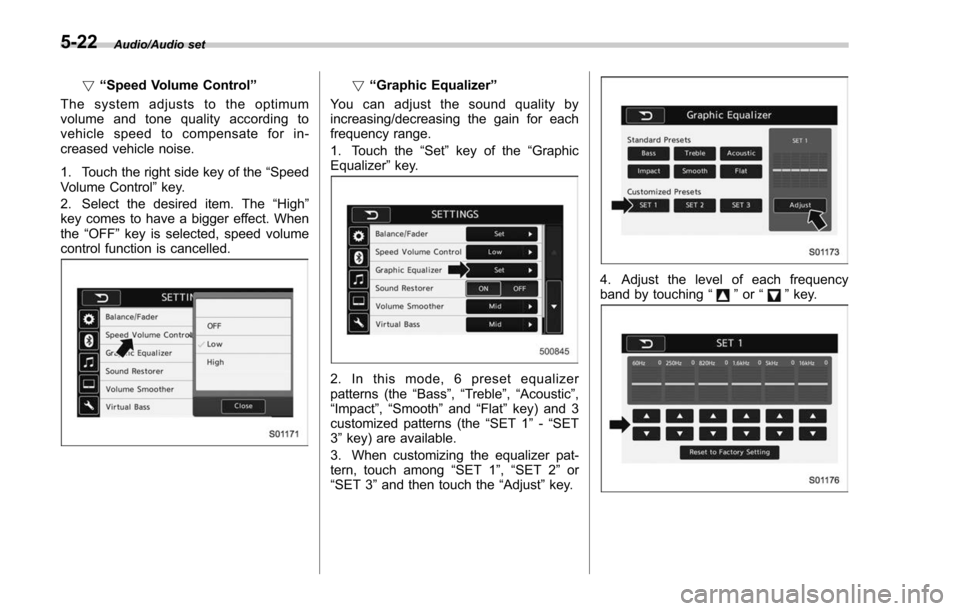
Page 205 of 634
Instruments and controls/Multi function display
ItemDetails
Average vehicle speed (Average
vehicle speed for the entire driving
time from when the trip meter was
reset)
Lifetime fuel consumption
Engine oil temperature
Accelerator opening ratio
Boost pressure (turbo models
only)
Journey time (the time that has
elapsed since the ignition switch
was turned to the“ON ”position)
Journey distance (the distance
that has been driven since the
ignition switch was turned to the
“ON ”position)
Average fuel consumption for the
entire driving distance from when
the ignition switch was turned to
the “ON ”position
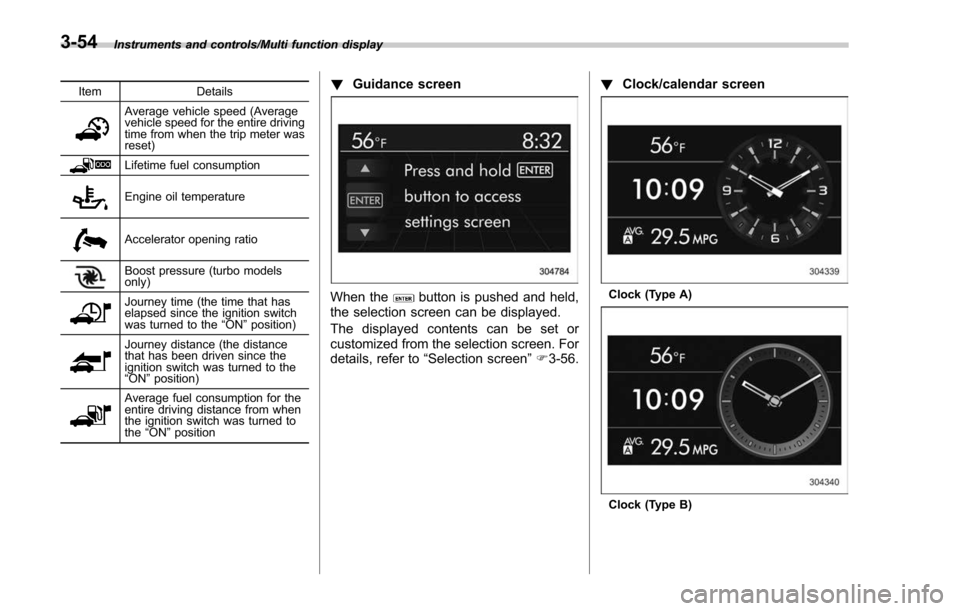
! Guidance screen
When thebutton is pushed and held,
the selection screen can be displayed.
The displayed contents can be set or
customized from the selection screen. For
details, refer to “Selection screen” F3-56. !
Clock/calendar screenClock (Type A)
Clock (Type B)
3-54
Page 209 of 634
Instruments and controls/Multi function display
Top menuMenu option DescriptionPage
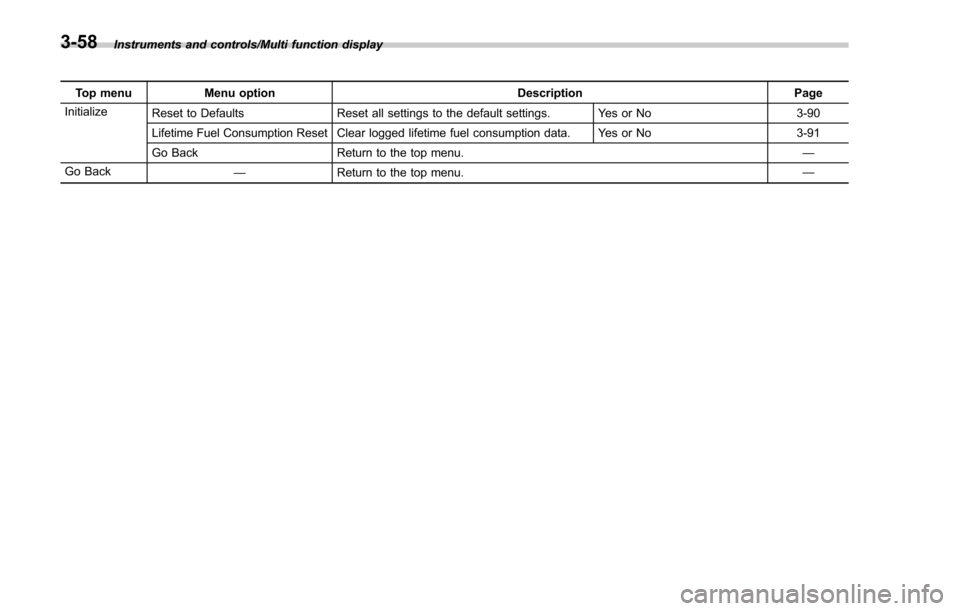
Initialize Reset to Defaults Reset all settings to the default settings. Yes or No 3-90
Lifetime Fuel Consumption Reset Clear logged lifetime fuel consumption data. Yes or No 3-91
Go Back Return to the top menu. —
Go Back —Return to the top menu. —
3-58
Page 241 of 634
Instruments and controls/Multi function display
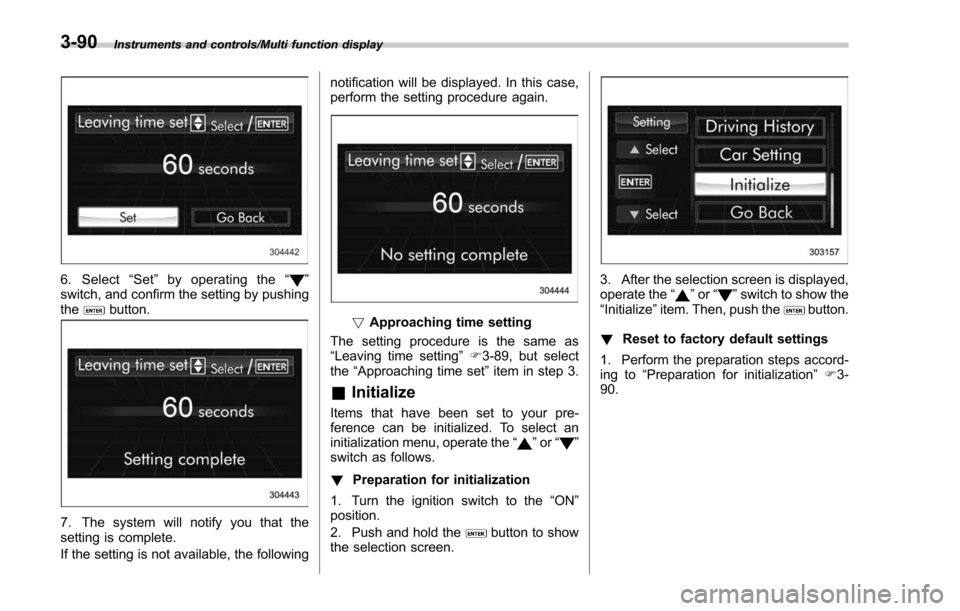
6. Select“Set ”by operating the “”
switch, and confirm the setting by pushing
the
button.
7. The system will notify you that the
setting is complete.
If the setting is not available, the following notification will be displayed. In this case,
perform the setting procedure again.
!
Approaching time setting
The setting procedure is the same as
“Leaving time setting ”F 3-89, but select
the “Approaching time set ”item in step 3.
& Initialize
Items that have been set to your pre-
ference can be initialized. To select an
initialization menu, operate the “
”or “”
switch as follows.
! Preparation for initialization
1. Turn the ignition switch to the “ON ”
position.
2. Push and hold the
button to show
the selection screen.
3. After the selection screen is displayed,
operate the “”or “”switch to show the
“ Initialize ”item. Then, push thebutton.
! Reset to factory default settings
1. Perform the preparation steps accord-
ing to “Preparation for initialization ”F 3-
90.
3-90
Page 242 of 634
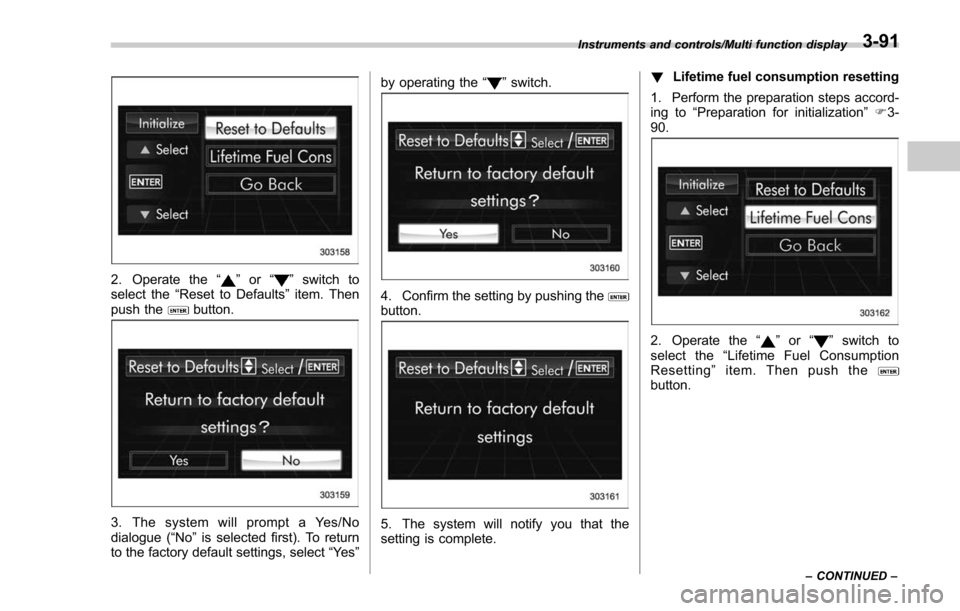
2. Operate the“”or “”switch to
select the “Reset to Defaults ”item. Then
push the
button.
3. The system will prompt a Yes/No
dialogue (“No ”is selected first). To return
to the factory default settings, select “Ye s”by operating the
“
”switch.
4. Confirm the setting by pushing thebutton.
5. The system will notify you that the
setting is complete. !
Lifetime fuel consumption resetting
1. Perform the preparation steps accord-
ing to “Preparation for initialization ”F 3-
90.
2. Operate the “”or “”switch to
select the “Lifetime Fuel Consumption
Resetting ”item. Then push the
button.
Instruments and controls/Multi function display
–CONTINUED –3-91
Page 243 of 634
Instruments and controls/Multi function display
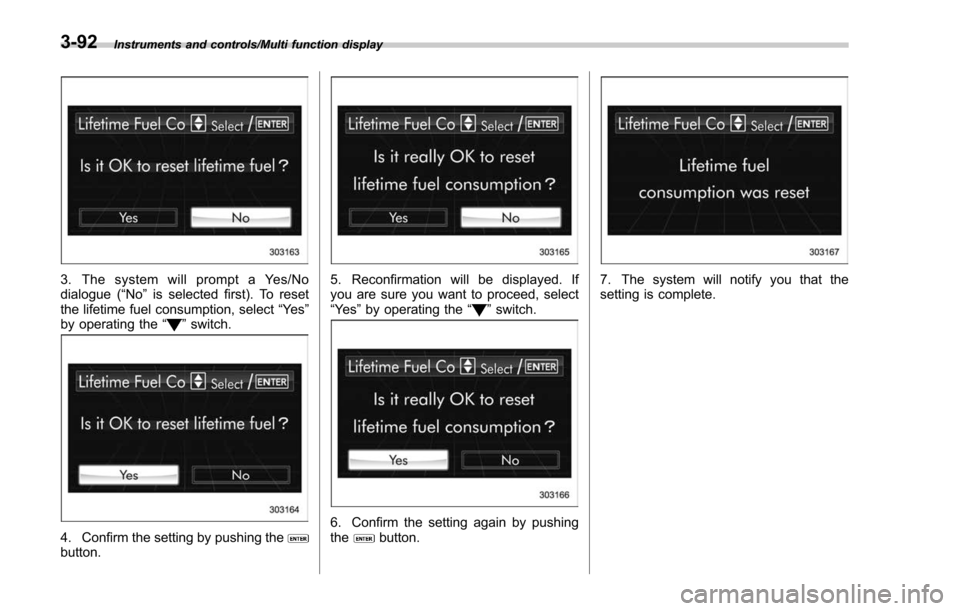
3. The system will prompt a Yes/No
dialogue (“No”is selected first). To reset
the lifetime fuel consumption, select “Ye s”
by operating the “
”switch.
4. Confirm the setting by pushing thebutton.
5. Reconfirmation will be displayed. If
you are sure you want to proceed, select
“Ye s ”by operating the “
”switch.
6. Confirm the setting again by pushing
thebutton.
7. The system will notify you that the
setting is complete.
3-92
Page 255 of 634
Instruments and controls/Wiper and washer
Wiper and washer
WARNING
In freezing weather, do not use the
windshield washer until the wind-
shield is sufficiently warmed by the
defroster.
Otherwise the washer fluid can
freeze on the windshield, blocking
your view.
CAUTION
.Do not operate the washer con-
tinuously for more than 10 sec-
onds, or when the washer fluid
tank is empty. This may cause
overheating of the washer motor.
Check the washer fluid level
frequently, such as at fuel stops.
. Do not operate the wipers when
the windshield or rear window is
dry. This may scratch the glass,
damage the wiper blades and
might cause the wiper motor to
fail. Before operating the wiper
on a dry windshield or rear
window, always use the wind-
shield washer. .
In freezing weather, be sure that
the wiper blades are not frozen to
the windshield or rear window
before switching on the wipers.
Attempting to operate the wiper
with the blades frozen to the
window glass could cause not
only the wiper blades to be
damaged but also might cause
the wiper motor to fail. If the
wiper blades are frozen to the
window glass, be sure to operate
the defroster, windshield wiper
deicer (if equipped) or rear win-
dow defogger before turning on
the wiper.
. If the wipers stop during opera-
tion because of ice or some other
obstruction on the window, this
might cause the wiper motor to
fail even if the wiper switch is
turned off. If this occurs,
promptly stop the vehicle in a
safe place, turn the ignition
switch to the “LOCK ”/“ OFF ”po-
sition and clean the window
glass to allow proper wiper op-
eration.
. Use clean water if windshield
washer fluid is unavailable. In
areas where water freezes in
winter, use SUBARU Windshield Washer Fluid or the equivalent.
Refer to
“Windshield washer
fluid ”F 11-30.
Also, when driving the vehicle
when there are freezing tempera-
tures, use non-freezing type wi-
per blades.
. Do not clean the wiper blades
with gasoline or a solvent, such
as paint thinner or benzine. This
will cause deterioration of the
wiper blades.
NOTE
. The windshield wiper motor is pro-
tected against overloads by a circuit
breaker. If the motor operates continu-
ously under an unusually heavy load,
the circuit breaker may trip to stop the
motor temporarily. If this happens, park
your vehicle in a safe place, turn off the
wiper switch, and wait for approxi-
mately 10 minutes. The circuit breaker
will reset itself, and the wipers will
again operate normally.
. Clean your wiper blades and win-
dow glass periodically with a washer
solution to prevent streaking, and to
remove accumulations of road salt or
road film. Operate the windshield
washer for at least 1 second so that
3-104
Page 306 of 634
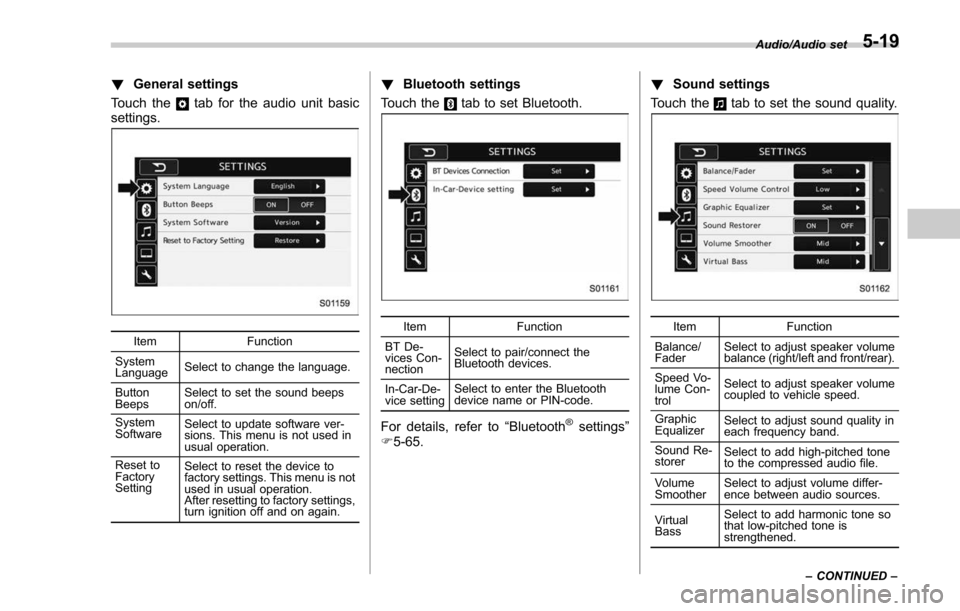
!General settings
Touch the
tab for the audio unit basic
settings.
Item Function
System
Language Select to change the language.
Button
Beeps Select to set the sound beeps
on/off.
System
Software Select to update software ver-
sions. This menu is not used in
usual operation.
Reset to
Factory
Setting Select to reset the device to
factory settings. This menu is not
used in usual operation.
After resetting to factory settings,
turn ignition off and on again.
!
Bluetooth settings
Touch the
tab to set Bluetooth.
Item Function
BT De-
vices Con-
nection Select to pair/connect the
Bluetooth devices.
In-Car-De-
vice setting Select to enter the Bluetooth
device name or PIN-code.
For details, refer to
“Bluetooth®settings”
F 5-65. !
Sound settings
Touch the
tab to set the sound quality.
Item Function
Balance/
Fader Select to adjust speaker volume
balance (right/left and front/rear).
Speed Vo-
lume Con-
trol Select to adjust speaker volume
coupled to vehicle speed.
Graphic
Equalizer Select to adjust sound quality in
each frequency band.
Sound Re-
storer Select to add high-pitched tone
to the compressed audio file.
Volume
Smoother Select to adjust volume differ-
ence between audio sources.
Virtual
Bass Select to add harmonic tone so
that low-pitched tone is
strengthened.Audio/Audio set
–CONTINUED –
5-19
Page 309 of 634
Audio/Audio set
!“Speed Volume Control ”
The system adjusts to the optimum
volume and tone quality according to
vehicle speed to compensate for in-
creased vehicle noise.
1. Touch the right side key of the “Speed
Volume Control ”key.
2. Select the desired item. The “High ”
key comes to have a bigger effect. When
the “OFF ”key is selected, speed volume
control function is cancelled.! “Graphic Equalizer ”
You can adjust the sound quality by
increasing/decreasing the gain for each
frequency range.
1. Touch the “Set ”key of the “Graphic
Equalizer ”key.
2. In this mode, 6 preset equalizer
patterns (the “Bass ”,“Treble ”,“Acoustic ”,
“Impact ”,“Smooth” and“Flat”key) and 3
customized patterns (the “SET 1”-“SET
3 ” key) are available.
3. When customizing the equalizer pat-
tern, touch among “SET 1”,“SET 2 ”or
“SET 3 ”and then touch the “Adjust”key.
4. Adjust the level of each frequency
band by touching “”or “”key.
5-22