Page 47 of 106
Adaptive Cruise Control
44
■Increasing the set vehicle target speed
●
Using the RES/SET switch
While driving with Adaptive Cruise Control on, operate the RES/SET switch as follows.
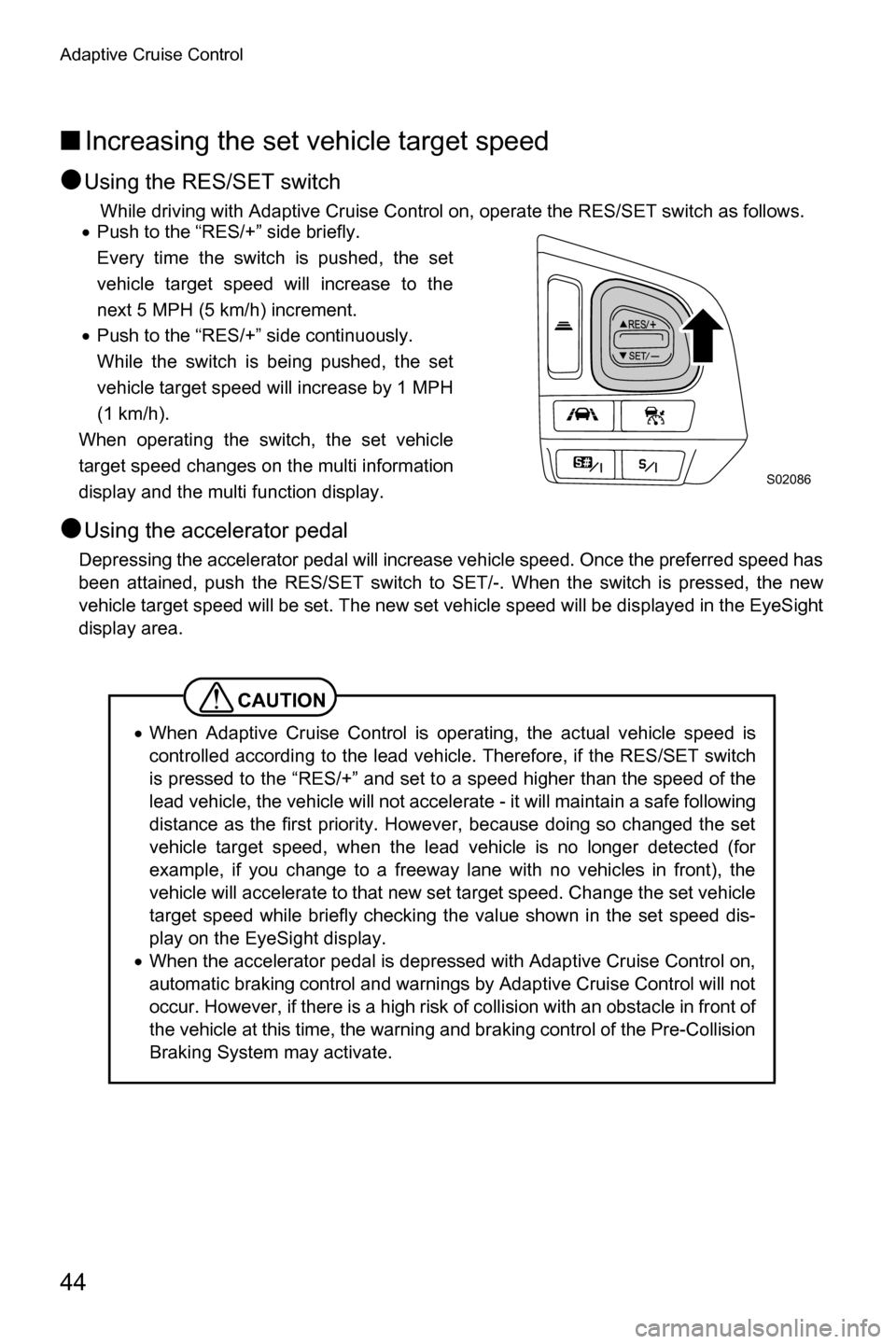
x Push to the “RES/+” side briefly.
Every time the switch is pushed, the set
vehicle target speed will increase to the
next 5 MPH (5 km/h) increment.
x Push to the “RES/+” side continuously.
While the switch is being pushed, the set
vehicle target speed will increase by 1 MPH
(1 km/h).
When operating the switch, the set vehicle
target speed changes on the multi information
display and the multi function display.
●Using the accelerator pedal
Depressing the accelerator pedal will increase vehicle speed. Once the preferred speed has
been attained, push the RES/SET switch to SET/-. When the switch is pressed, the new
vehicle target speed will be set. The new set vehicle speed will be displayed in the EyeSight
display area.
CAUTION
x When Adaptive Cruise Control is operating, the actual vehicle speed is
controlled according to the lead vehicl e. Therefore, if the RES/SET switch
is pressed to the “RES/+” and set to a speed higher than the speed of the
lead vehicle, the vehicle will not accelerate - it will maintain a safe following
distance as the first priority. However, because doing so changed the set
vehicle target speed, when the lead vehicle is no longer detected (for
example, if you change to a freeway lane with no vehicles in front), the
vehicle will accelerate to that new set target speed. Change the set vehicle
target speed while briefly checking the value shown in the set speed dis-
play on the EyeSight display.
x When the accelerator pedal is depressed with Adaptive Cruise Control on,
automatic braking control and warnings by Adaptive Cruise Control will not
occur. However, if there is a high risk of collision with an obstacle in front of
the vehicle at this time, the warning and braking control of the Pre-Collision
Braking System may activate.
S02086
Page 48 of 106
Adaptive Cruise Control
45
■Decreasing the set vehicle target speed
●
Using the RES/SET switch
While driving with Adaptive Cruise Control on, operate the RES/SET switch as follows.
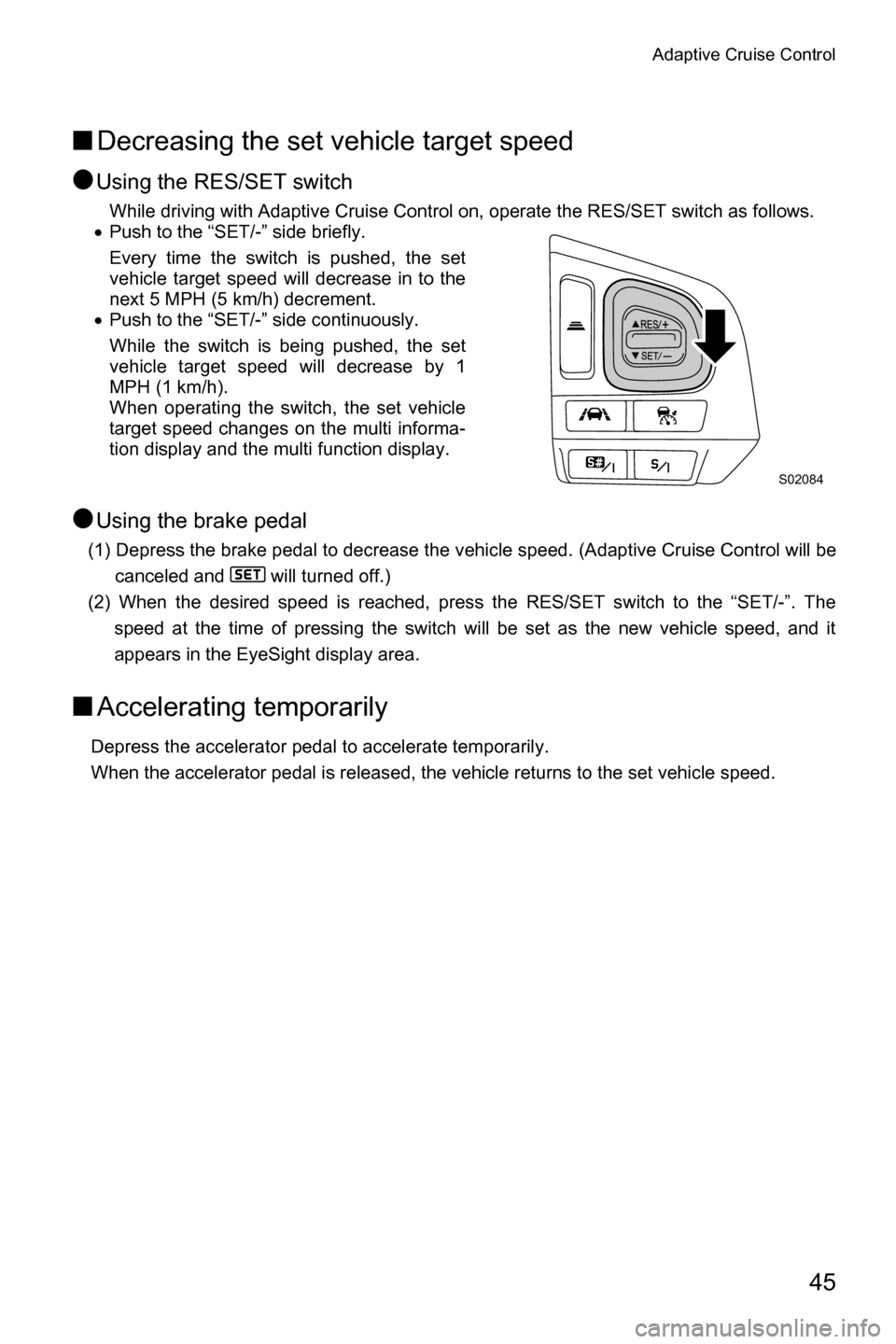
x Push to the “SET/-” side briefly.
Every time the switch is pushed, the set
vehicle target speed will decrease in to the
next 5 MPH (5 km/h) decrement.
x Push to the “SET/-” side continuously.
While the switch is being pushed, the set
vehicle target speed will decrease by 1
MPH (1 km/h).
When operating the switch, the set vehicle
target speed changes on the multi informa-
tion display and the multi function display.
●Using the brake pedal
(1) Depress the brake pedal to decrease the vehicle speed. (Adaptive Cruise Control will be
canceled and will turned off.)
(2) When the desired speed is reached, press the RES/SET switch to the “SET/-”. The speed at the time of pressing the switch will be set as the new vehicle speed, and it
appears in the EyeSight display area.
■Accelerating temporarily
Depress the accelerator pedal to accelerate temporarily.
When the accelerator pedal is released, the vehicle returns to the set vehicle speed.
S02084
Page 49 of 106
Adaptive Cruise Control
46
■Decelerating temporarily
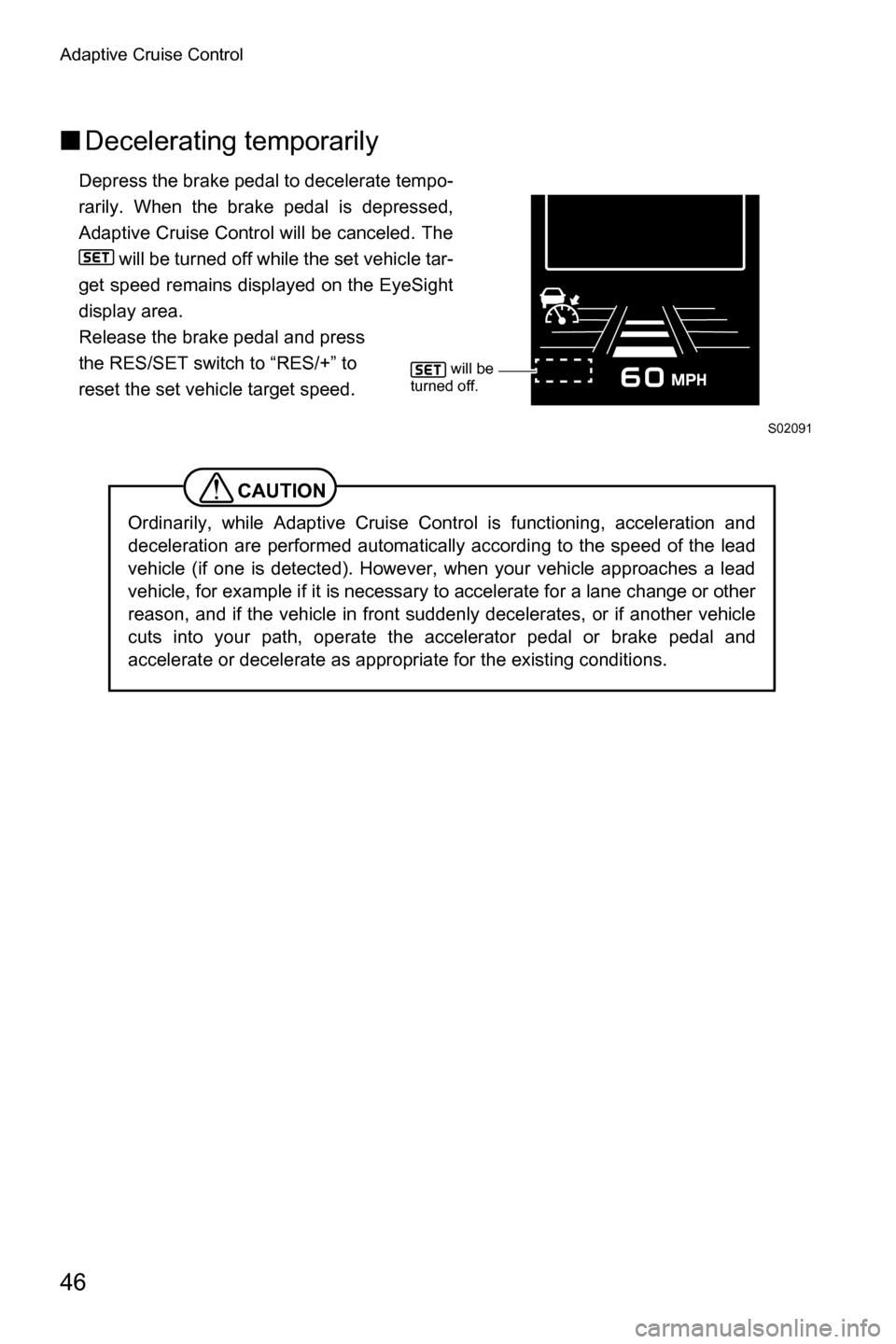
Depress the brake pedal to decelerate tempo-
rarily. When the brake pedal is depressed,
Adaptive Cruise Control will be canceled. The
will be turned off while the set vehicle tar-
get speed remains displayed on the EyeSight
display area.
Release the brake pedal and press
the RES/SET switch to “RES/+” to
reset the set vehicle target speed.
CAUTION
Ordinarily, while Adaptive Cruise Control is functioning, acceleration and
deceleration are performed automatically according to the speed of the lead
vehicle (if one is detected). However, when your vehicle approaches a lead
vehicle, for example if it is necessary to accelerate for a lane change or other
reason, and if the vehicle in front suddenly decelerates, or if another vehicle
cuts into your path, operate the accelerator pedal or brake pedal and
accelerate or decelerate as appropriate for the existing conditions.
S02091
will be
turned off.
Page 50 of 106
Adaptive Cruise Control
47
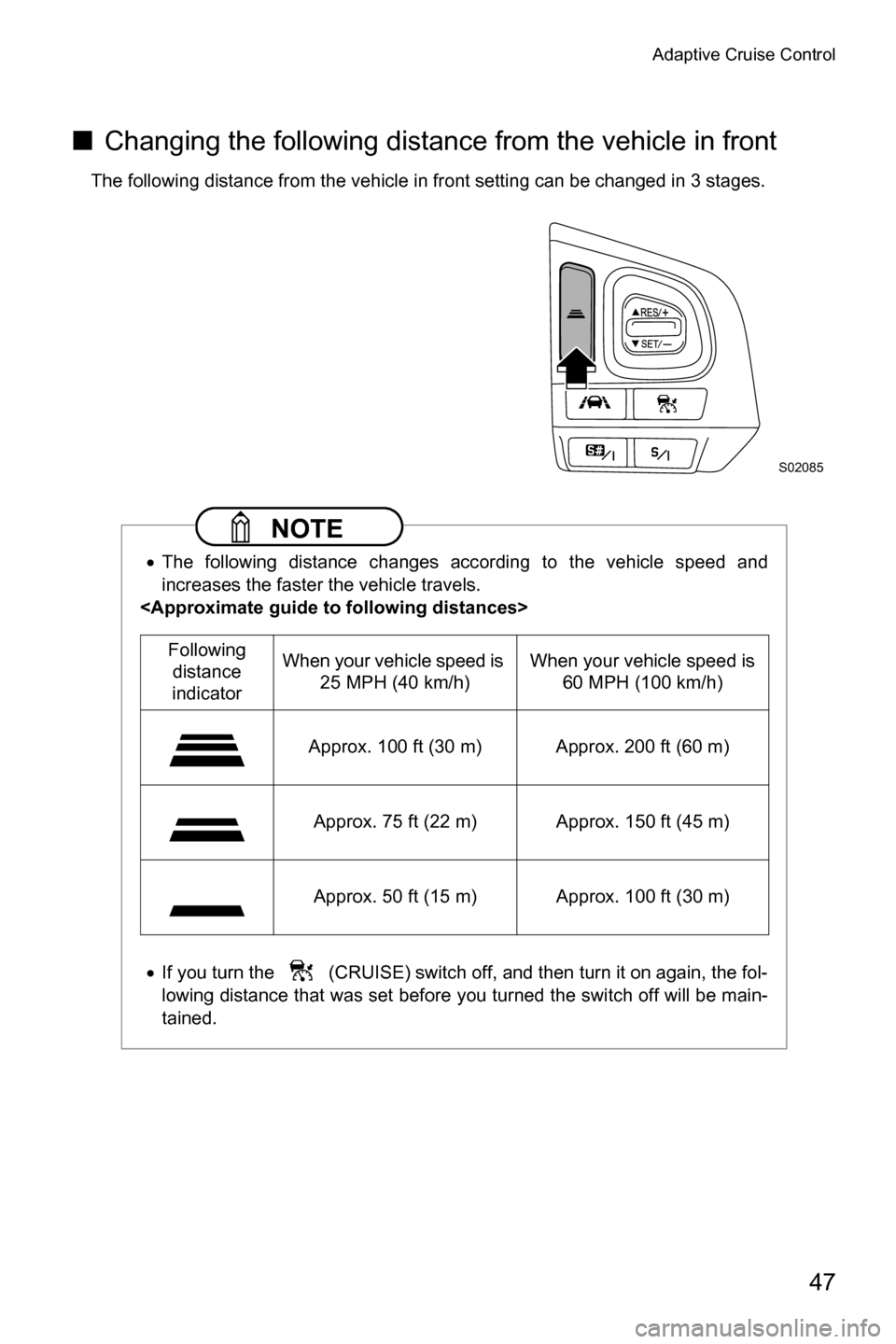
■ Changing the following distance from the vehicle in front
The following distance from the vehicle in front setting can be changed in 3 stages.
NOTE
xThe following distance changes according to the vehicle speed and
increases the faster the vehicle travels.
x If you turn the (CRUISE) switch off, and then turn it on again, the fol-
lowing distance that was set before you turned the switch off will be main-
tained.
S02085
Following distance
indicator When your vehicle speed is
25 MPH (40 km/h) When your vehicle speed is
60 MPH (100 km/h)
Approx. 100 ft (30 m) Approx. 200 ft (60 m)
Approx. 75 ft (22 m) Approx. 150 ft (45 m)
Approx. 50 ft (15 m) Approx. 100 ft (30 m)
Page 51 of 106
Adaptive Cruise Control
48
■Canceling Adaptive Cruise Control
●
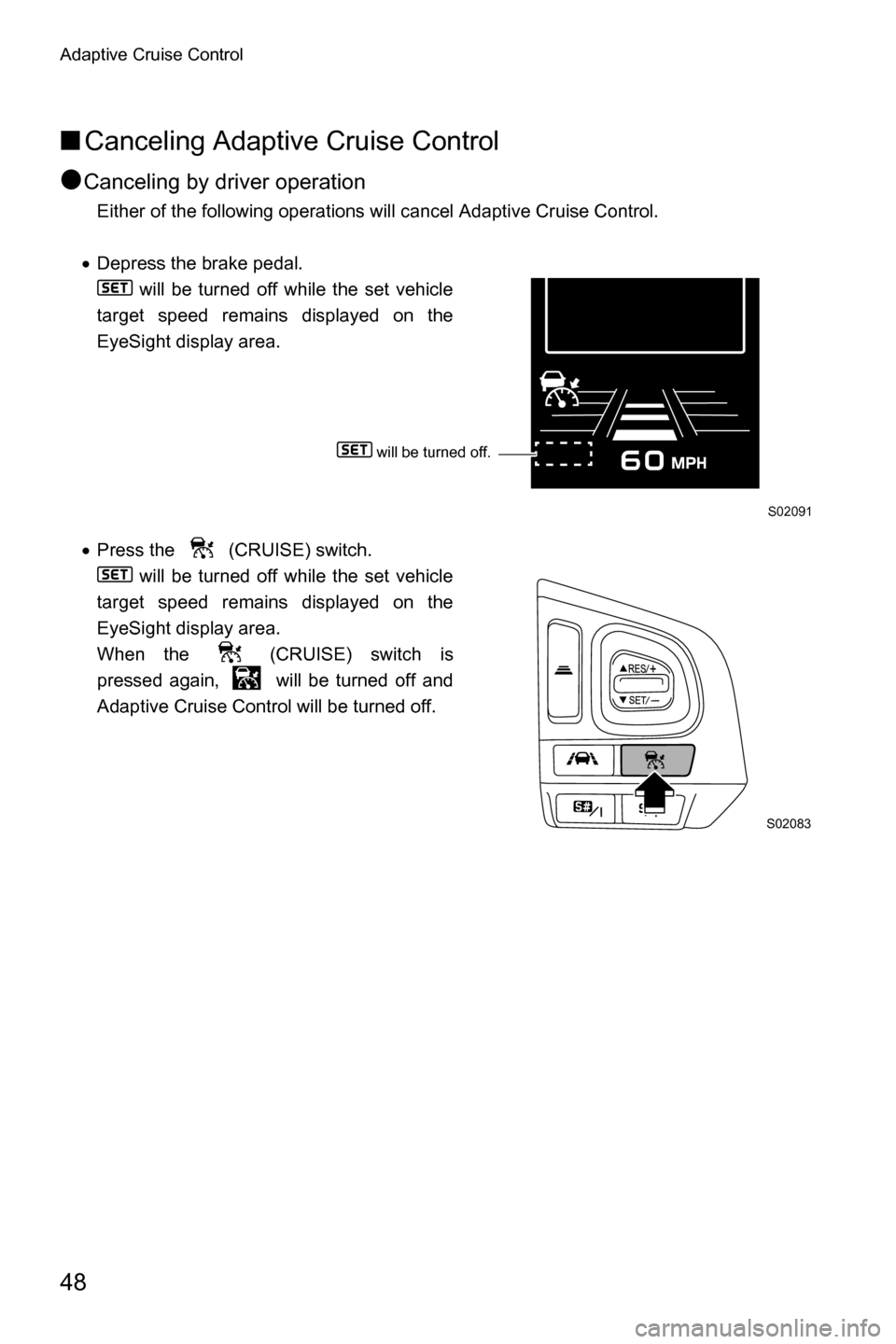
Canceling by driver operation
Either of the following operations will cancel Adaptive Cruise Control.
x Depress the brake pedal.
will be turned off while the set vehicle
target speed remains displayed on the
EyeSight display area.
x Press the (CRUISE) switch.
will be turned off while the set vehicle
target speed remains displayed on the
EyeSight display area.
When the (CRUISE) switch is
pressed again, will be turned off and
Adaptive Cruise Control will be turned off.
S02091
S02083
will be turned off.
Page 52 of 106
Adaptive Cruise Control
49
●Automatic cancellation by the system
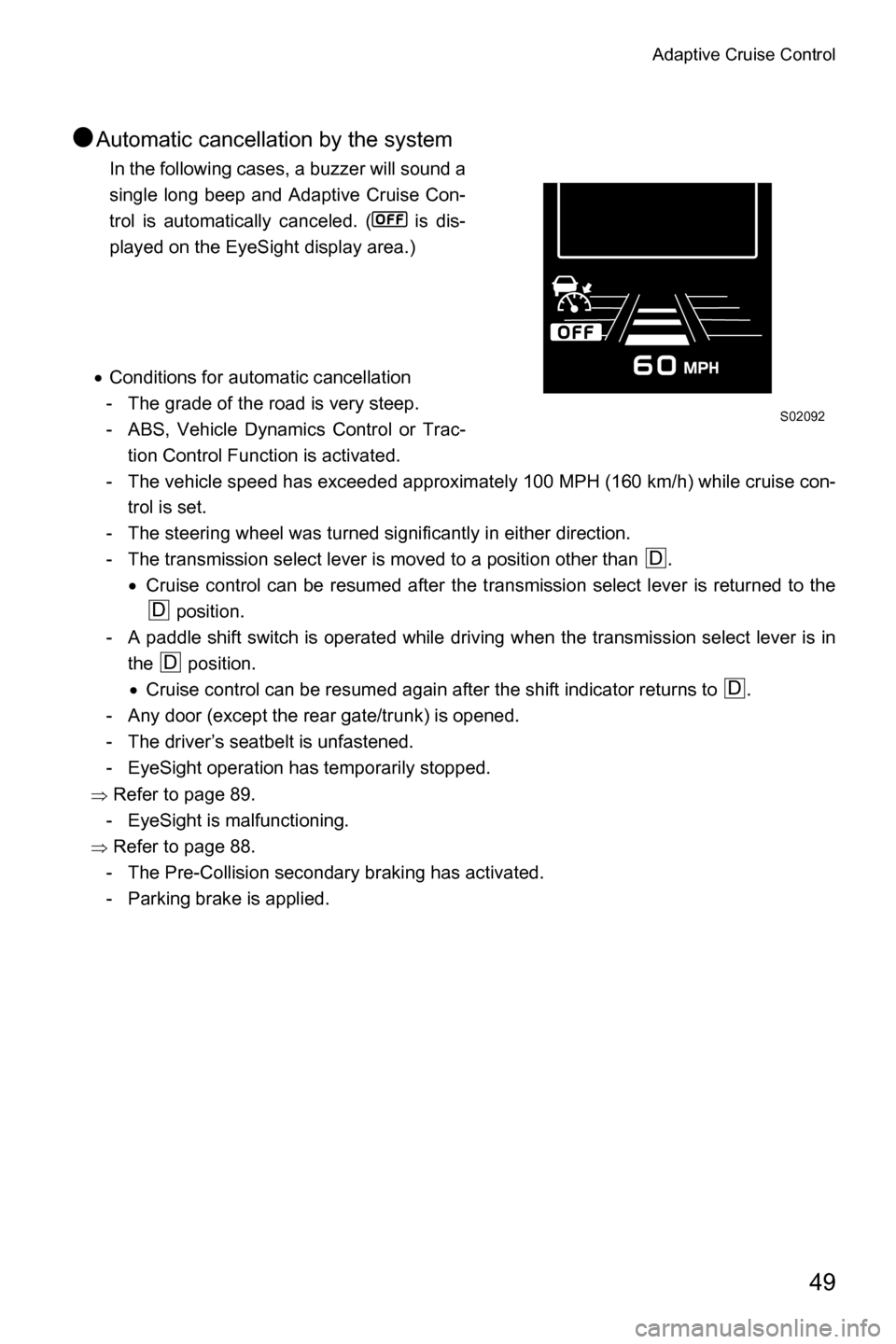
In the following cases, a buzzer will sound a
single long beep and Adaptive Cruise Con-
trol is automatically canceled. ( is dis-
played on the EyeSight display area.)
x Conditions for automatic cancellation
- The grade of the road is very steep.
- ABS, Vehicle Dynamics Control or Trac- tion Control Function is activated.
- The vehicle speed has exceeded approximately 100 MPH (160 km/h) while cruise con- trol is set.
- The steering wheel was turned significantly in either direction.
- The transmission select lever is moved to a position other than . xCruise control can be resumed after the transmission select lever is returned to the
position.
- A paddle shift switch is operated while driving when the transmission select lever is in the position.x Cruise control can be resumed again after the shift indicator returns to .
- Any door (except the rear gate/trunk) is opened.
- The driver’s seatbelt is unfastened.
- EyeSight operation has temporarily stopped.
Ÿ Refer to page 89.
- EyeSight is malfunctioning.
Ÿ Refer to page 88.
- The Pre-Collision secondary braking has activated.
- Parking brake is applied.
S02092
D
D
D
D
Page 53 of 106
Adaptive Cruise Control
50
WARNING
Do not use Adaptive Cruise Control on slippery roads. Doing so may result in
an accident.
CAUTION
When shifting the select lever to the position, Adaptive Cruise Control will
be automatically canceled. Do not shift the lever to the position unless it is
an emergency. Otherwise the engine brake may not operate, which could
cause an accident.
NOTE
xIf EyeSight operation has temporarily stopped, the Pre-Collision Braking
System OFF indicator light and Lane Departure Warning OFF indicator
light illuminate, and the EyeSight temporary stop indicator is displayed on
the multi information display.
Ÿ Refer to page 89.
xIf EyeSight is malfunctioning, the EyeSight warning indicator is displayed
on the multi information display, and the Pre-Collision Braking System OFF
indicator light and Lane Departure Warning OFF indicator light will also
illuminate. If this occurs, stop the vehicle in a safe location and then turn off
the engine and restart it. If the indicators remain illuminated after restarting
the engine, Adaptive Cruise Control cannot be used. This will not interfere
with ordinary driving; however the system should be inspected by a
SUBARU dealer as soon as possible.
Ÿ Refer to page 88.
x When the operation of Adaptive Cruise Control has been automatically
canceled, perform the set cruise control operation again after the condition
that caused the cancellation has been corrected. If the cruise control func-
tion cannot be set even after the condition has been corrected, EyeSight
may be malfunctioning. This will not interfere with ordinary driving; how-
ever contact a SUBARU dealer and have the system inspected.
N
N
Page 54 of 106
Adaptive Cruise Control
51
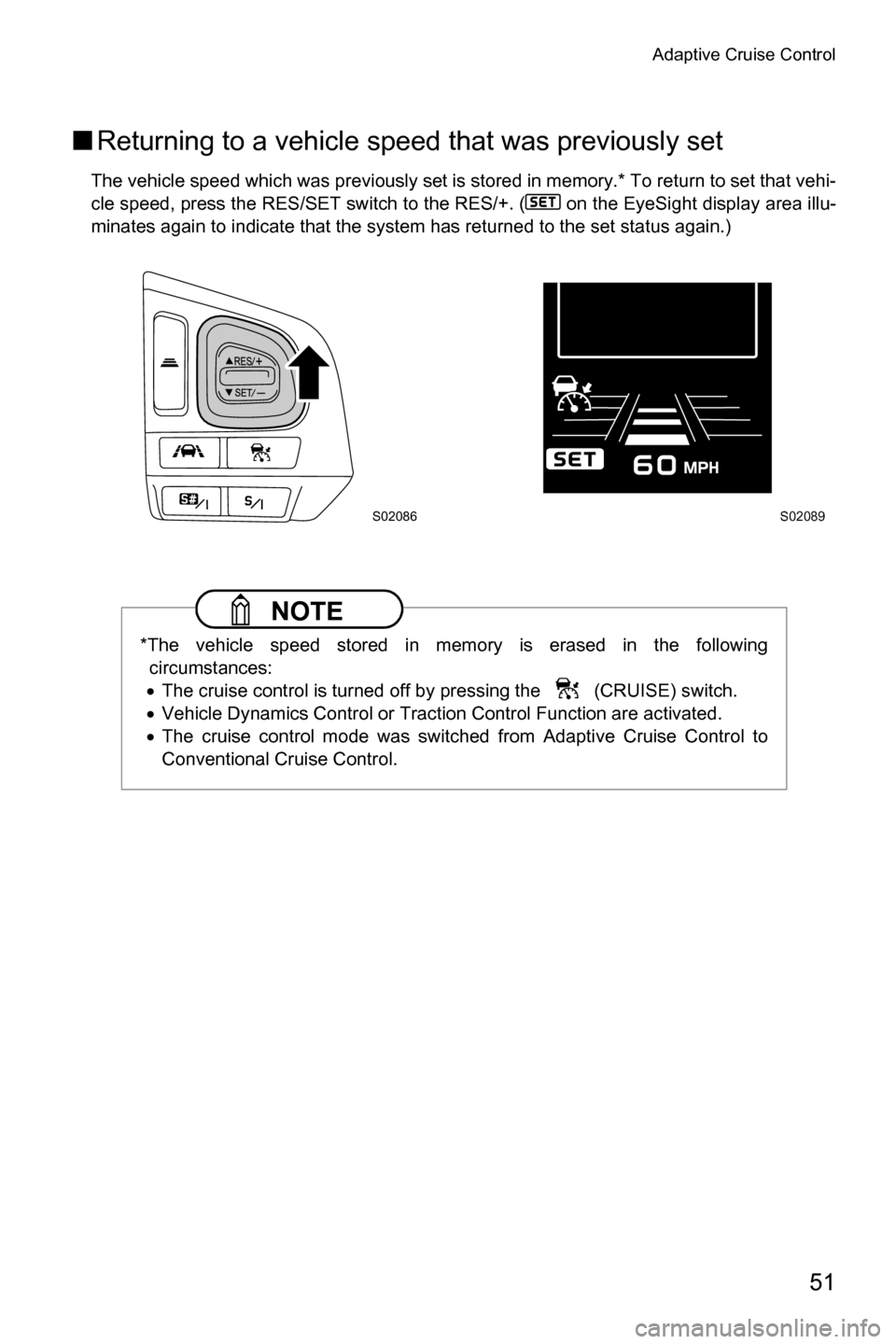
■Returning to a vehicle speed that was previously set
The vehicle speed which was previously set is stored in memory.* To return to set that vehi-
cle speed, press the RES/SET switch to the RES/+. ( on the EyeSight display area illu-
minates again to indicate that the system has returned to the set status again.)
NOTE
*The vehicle speed stored in memory is erased in the following
circumstances:
x The cruise control is turned off by pressing the (CRUISE) switch.
x Vehicle Dynamics Control or Traction Control Function are activated.
x The cruise control mode was switched from Adaptive Cruise Control to
Conventional Cruise Control.
S02086S02089