Page 155 of 540

When driving2
153
2-1. Driving procedures
Driving the vehicle............ 154
Push-button ignition
switch ............................. 169
Engine (ignition)
switch ............................. 178
Automatic
transmission................... 181
Manual Transmission ....... 188
Turn signal lever .............. 191
Parking brake ................... 192
Horn ................................. 193
2-2. Instrument cluster
Gauges and meters ......... 194
Indicators and warning
lights .............................. 198
Multi-information display
(monochrome
display) .......................... 205
Multi-information display
(color display) ................ 213
2-3. Operating the lights and
windshield wipers
Headlight switch ............... 228
Fog light switch ................ 233Windshield wipers
and washer .................... 234
2-4. Using other driving
systems
Cruise control ................... 237
Rear view camera ............ 242
Driving assist systems ..... 251
Hill start assist .................. 258
2-5. Driving information
Cargo and luggage .......... 263
Vehicle load limits ............ 267
Winter driving tips ............ 268
Trailer towing ................... 273
Dinghy towing .................. 274
Page 193 of 540
191
2-1. Driving procedures
2
When driving
Tur n signal lever
■Turn signals can be operated when
Vehicles without a keyless access with push button start system
The engine switch is in the “ON” position.
Vehicles with a keyless access with push button start system
The push-button ignition switch is in “ON” mode.
■If the indicators flash faster than usual
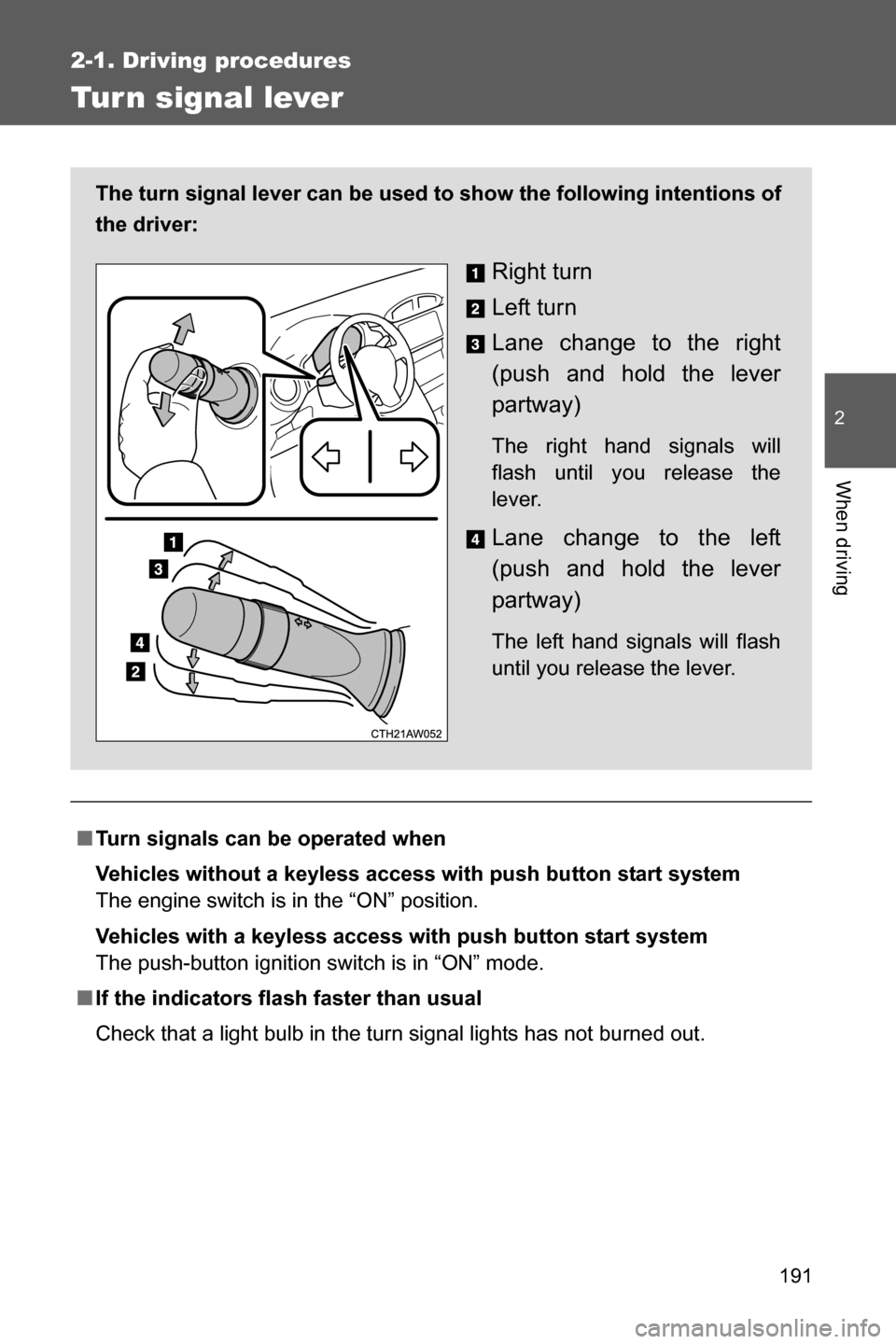
Check that a light bulb in the turn signal lights has not burned out. The turn signal lever can be used to show the following intentions of
the driver:
Right turn
Left turn
Lane change to the right
(push and hold the lever
partway)
The right hand signals will
flash until you release the
lever.
Lane change to the left
(push and hold the lever
partway)
The left hand signals will flash
until you release the lever.
Page 198 of 540
196 2-2. Instrument cluster
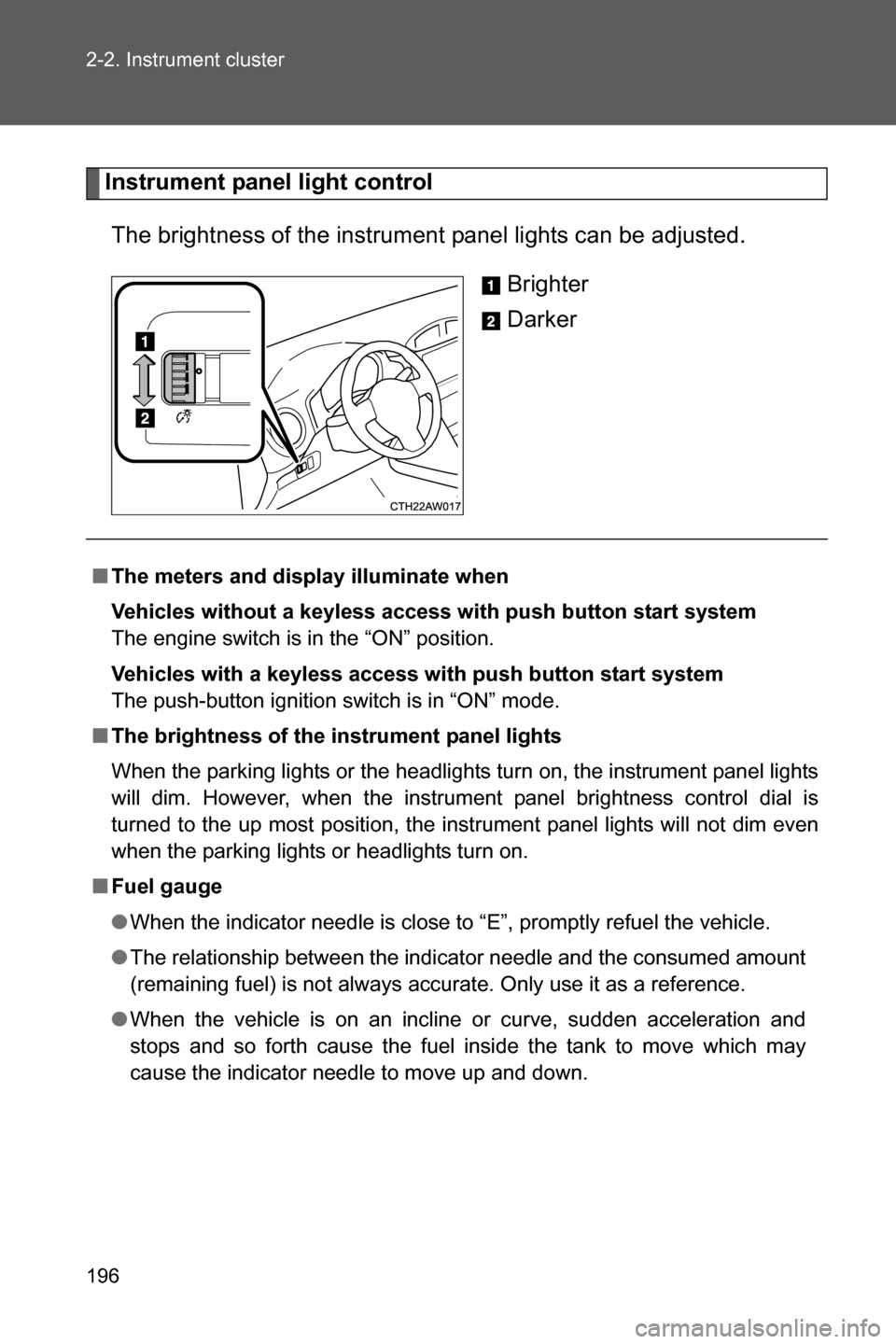
Instrument panel light control
The brightness of the instrument panel lights can be adjusted.
Brighter
Darker
■The meters and display illuminate when
Vehicles without a keyless access with push button start system
The engine switch is in the “ON” position.
Vehicles with a keyless access with push button start system
The push-button ignition switch is in “ON” mode.
■The brightness of the instrument panel lights
When the parking lights or the headlights turn on, the instrument panel lights
will dim. However, when the instrument panel brightness control dial is
turned to the up most position, the instrument panel lights will not dim even
when the parking lights or headlights turn on.
■Fuel gauge
●When the indicator needle is close to “E”, promptly refuel the vehicle.
●The relationship between the indicator needle and the consumed amount
(remaining fuel) is not always accurate. Only use it as a reference.
●When the vehicle is on an incline or curve, sudden acceleration and
stops and so forth cause the fuel inside the tank to move which may
cause the indicator needle to move up and down.
Page 200 of 540
198
2-2. Instrument cluster
Indicators and war ning lights
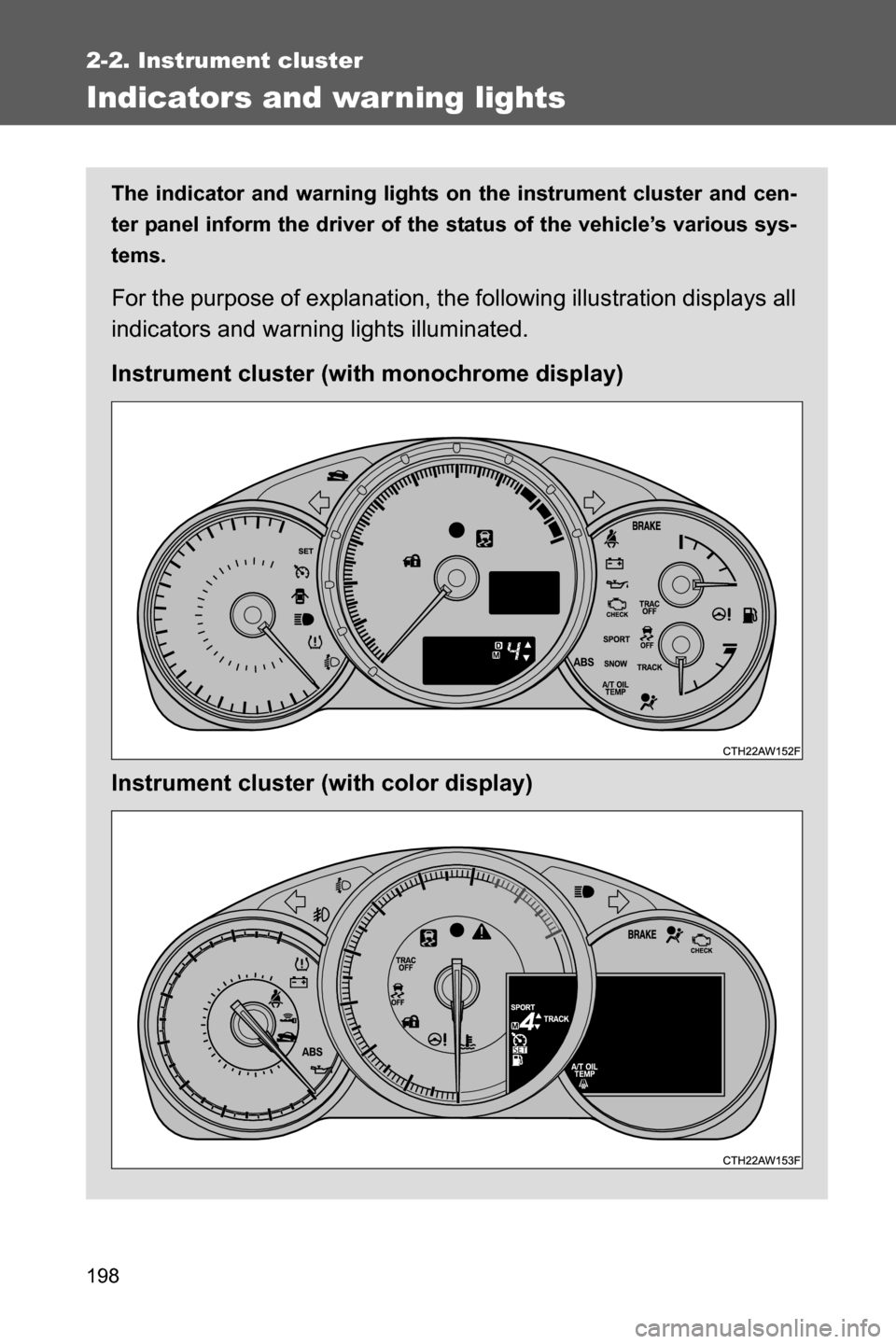
The indicator and warning lights on the instrument cluster and cen-
ter panel inform the driver of the status of the vehicle’s various sys-
tems.
For the purpose of explanation, the following illustration displays all
indicators and warning lights illuminated.
Instrument cluster (with monochrome display)
Instrument cluster (with color display)
Page 203 of 540

201 2-2. Instrument cluster
2
When driving*1:Vehicles without a keyless access with push button start system
These lights turn on when the engine switch is turned to the “ON”
position to indicate that a system check is being performed. They
will turn off after the engine is started, or after a few seconds. There
may be a malfunction in a system if a light does not come on, or if
the lights do not turn off. Have the vehicle inspected by your
SUBARU dealer.
Vehicles with a keyless access with push button start system
These lights turn on when the push-button ignition switch is turned
to “ON” mode to indicate that a system check is being performed.
They will turn off after the engine is started, or after a few seconds.
There may be a malfunction in a system if a light does not come on,
or if the lights do not turn off. Have the vehicle inspected by your
SUBARU dealer.
*2: This indicator turns on when the engine coolant temperature is low.
*3: The light flashes to indicate that the system is operating.
*4: When the outside temperature is approximately 37°F (3°C) or lower,
the indicator will illuminate.
(Green)
Cruise control indicator
(oP. 237)
(If equipped)
Low outside tempera-
ture indicator (oP. 225)
“SET” indicator
(oP. 237)
Airbag on-off indicator (oP. 129)
*4
*5
Page 205 of 540
203 2-2. Instrument cluster
2
When driving
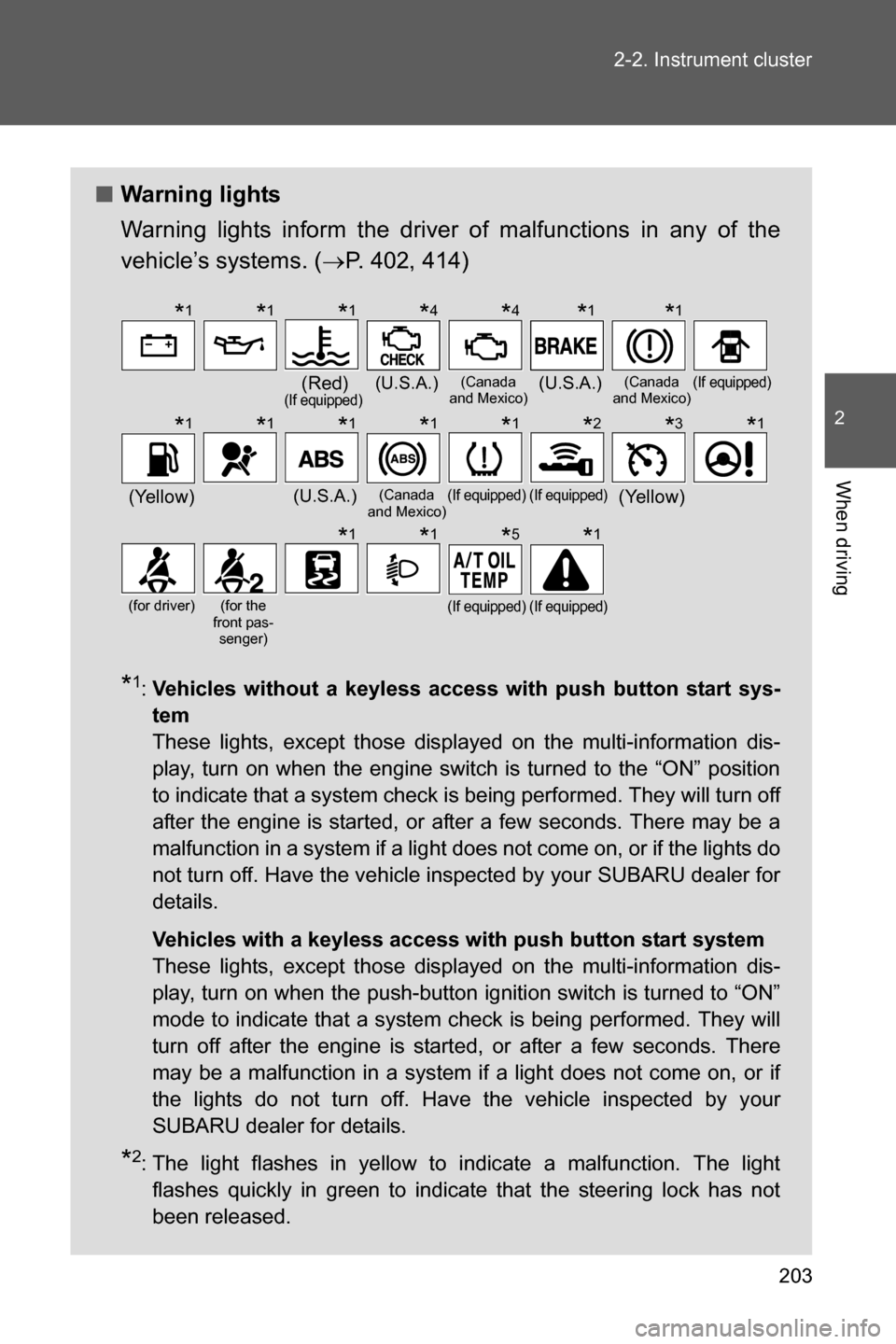
■Warning lights
Warning lights inform the driver of malfunctions in any of the
vehicle’s systems. (oP. 402, 414)
*1:Vehicles without a keyless access with push button start sys-
tem
These lights, except those displayed on the multi-information dis-
play, turn on when the engine switch is turned to the “ON” position
to indicate that a system check is being performed. They will turn off
after the engine is started, or after a few seconds. There may be a
malfunction in a system if a light does not come on, or if the lights do
not turn off. Have the vehicle inspected by your SUBARU dealer for
details.
Vehicles with a keyless access with push button start system
These lights, except those displayed on the multi-information dis-
play, turn on when the push-button ignition switch is turned to “ON”
mode to indicate that a system check is being performed. They will
turn off after the engine is started, or after a few seconds. There
may be a malfunction in a system if a light does not come on, or if
the lights do not turn off. Have the vehicle inspected by your
SUBARU dealer for details.
*2: The light flashes in yellow to indicate a malfunction. The light
flashes quickly in green to indicate that the steering lock has not
been released.
(Red)(If equipped)(U.S.A.)(Canada
and Mexico)(U.S.A.)(Canada
and Mexico)(If equipped)
(Yellow)(U.S.A.)(Canada
and Mexico)(If equipped)(If equipped)(Yellow)
(for driver)(for the
front pas-
senger)(If equipped)(If equipped)
*1*1*1*4*4*1*1
*1*1*1*1*1*2*3*1
*1*1*5*1
Page 206 of 540
204 2-2. Instrument cluster
WARNING
■If a safety system warning light does not come on
Should a safety system light such as the ABS and SRS airbag system warn-
ing light not come on when you start the engine, this could mean that these
systems are not available to help protect you in an accident, which could
result in death or serious injury. Have the vehicle inspected by your
SUBARU dealer immediately if this occurs.
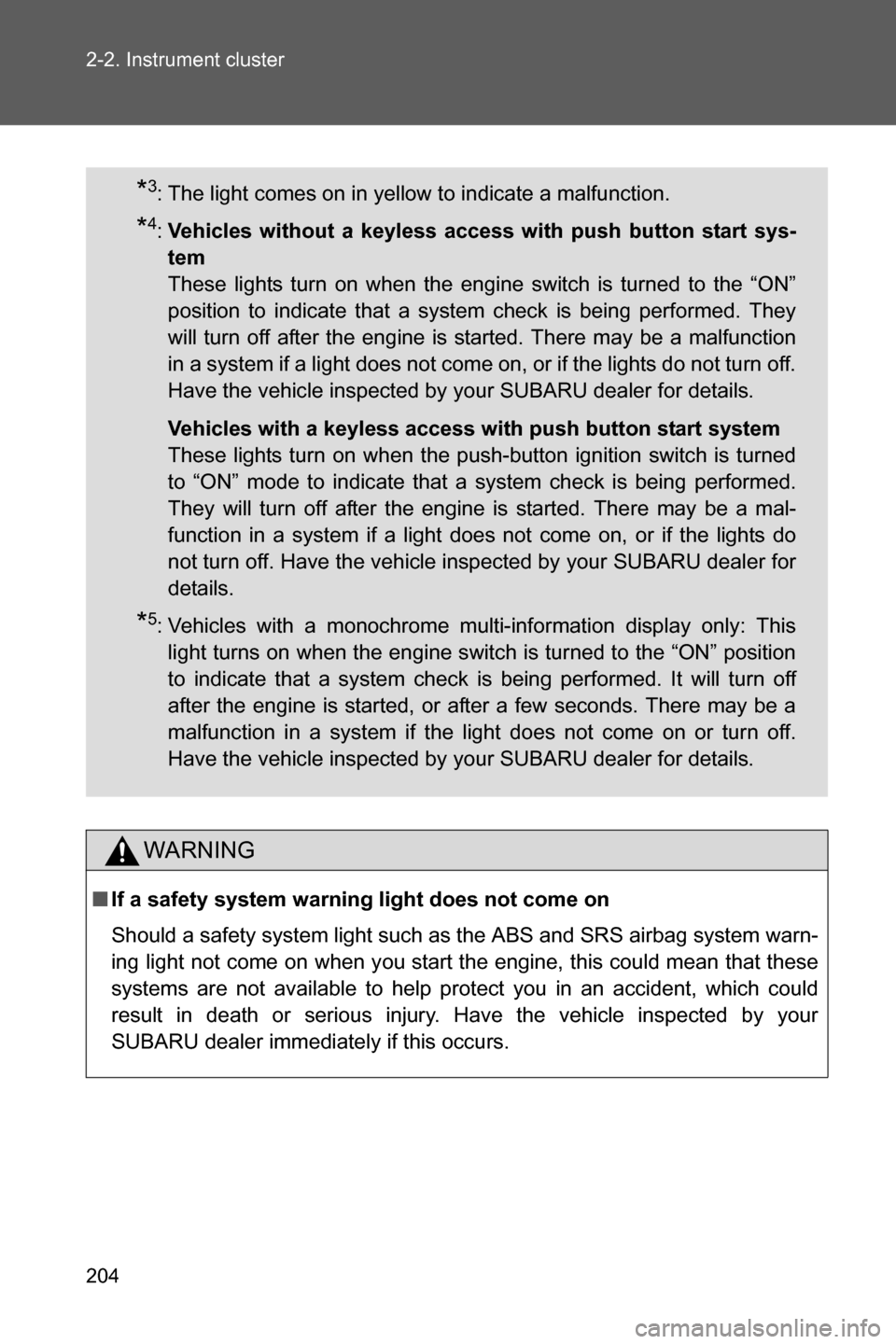
*3: The light comes on in yellow to indicate a malfunction.
*4:Vehicles without a keyless access with push button start sys-
tem
These lights turn on when the engine switch is turned to the “ON”
position to indicate that a system check is being performed. They
will turn off after the engine is started. There may be a malfunction
in a system if a light does not come on, or if the lights do not turn off.
Have the vehicle inspected by your SUBARU dealer for details.
Vehicles with a keyless access with push button start system
These lights turn on when the push-button ignition switch is turned
to “ON” mode to indicate that a system check is being performed.
They will turn off after the engine is started. There may be a mal-
function in a system if a light does not come on, or if the lights do
not turn off. Have the vehicle inspected by your SUBARU dealer for
details.
*5: Vehicles with a monochrome multi-information display only: This
light turns on when the engine switch is turned to the “ON” position
to indicate that a system check is being performed. It will turn off
after the engine is started, or after a few seconds. There may be a
malfunction in a system if the light does not come on or turn off.
Have the vehicle inspected by your SUBARU dealer for details.
Page 230 of 540
228
2-3. Operating the lights and windshield wipers
Headlight switch
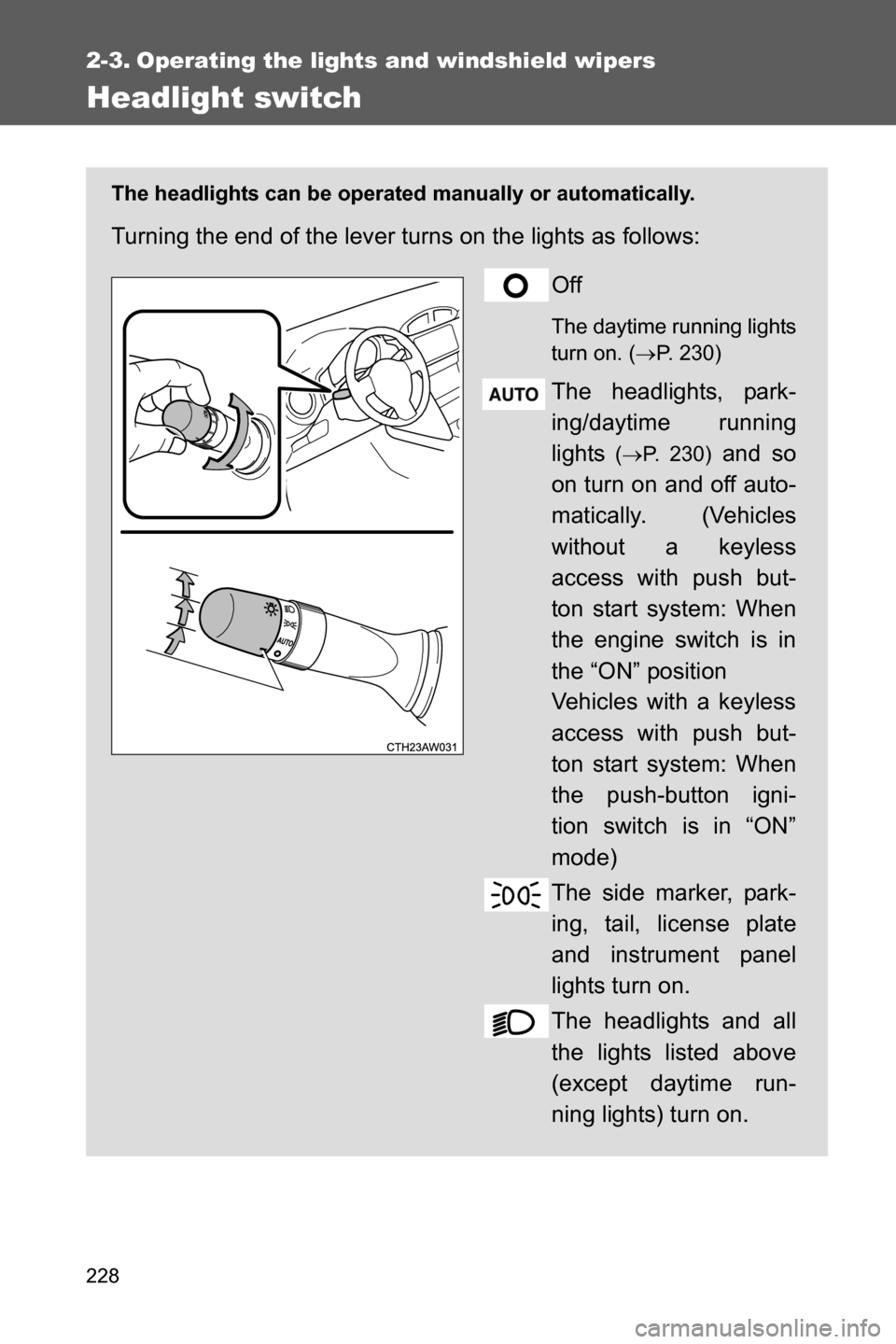
The headlights can be operated manually or automatically.
Turning the end of the lever turns on the lights as follows:
Off
The daytime running lights
turn on. (oP. 230)
The headlights, park-
ing/daytime running
lights
(oP. 230) and so
on turn on and off auto-
matically. (Vehicles
without a keyless
access with push but-
ton start system: When
the engine switch is in
the “ON” position
Vehicles with a keyless
access with push but-
ton start system: When
the push-button igni-
tion switch is in “ON”
mode)
The side marker, park-
ing, tail, license plate
and instrument panel
lights turn on.
The headlights and all
the lights listed above
(except daytime run-
ning lights) turn on.