Page 177 of 540

175 2-1. Driving procedures
2
When driving
■When the steering lock cannot be released
■Steering lock motor overheating prevention
To prevent the steering lock motor from overheating, the motor may be sus-
pended if the engine is turned on and off repeatedly in a short period of time.
In this case, refrain from operating the engine. After about 10 seconds, the
steering lock motor will resume functioning.
■If the keyless access with push button start indicator flashes in yellow
and a message is displayed on the multi-information display
The system may be malfunctioning. Have the vehicle inspected by your
SUBARU dealer immediately.
■If the access key battery is depleted
oP. 367
■If the keyless access with push button start system has been deacti-
vated in a customized setting
oP. 450The keyless access with push button start
system indicator light (green) will flash
quickly and a message will be shown on
the multi-information display. (oP. 420)
Vehicles with an automatic transmis-
sion
Check that the select lever is set in P.
Press the push-button ignition switch
while turning the steering wheel left and
right.
Vehicles with a manual transmission
Press the push-button ignition switch
while turning the steering wheel left and
right.
Page 184 of 540
182 2-1. Driving procedures
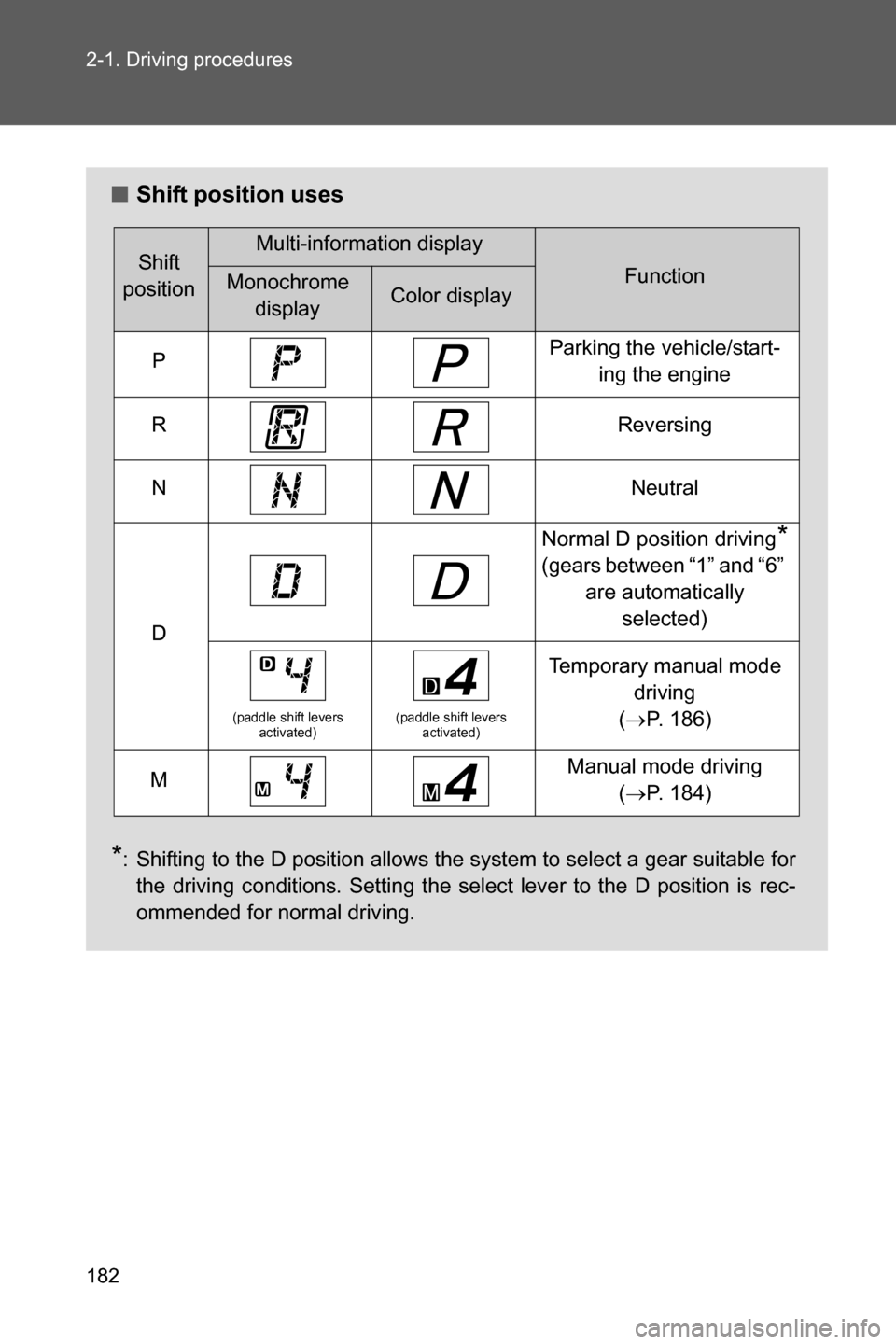
■Shift position uses
*: Shifting to the D position allows the system to select a gear suitable for
the driving conditions. Setting the select lever to the D position is rec-
ommended for normal driving.
Shift
positionMulti-information display
FunctionMonochrome
displayColor display
PParking the vehicle/start-
ing the engine
RReversing
NNeutral
D
Normal D position driving*
(gears between “1” and “6”
are automatically
selected)
(paddle shift levers
activated)(paddle shift levers
activated)
Temporary manual mode
driving
(oP. 186)
MManual mode driving
(oP. 184)
Page 186 of 540
184 2-1. Driving procedures
Manual mode driving
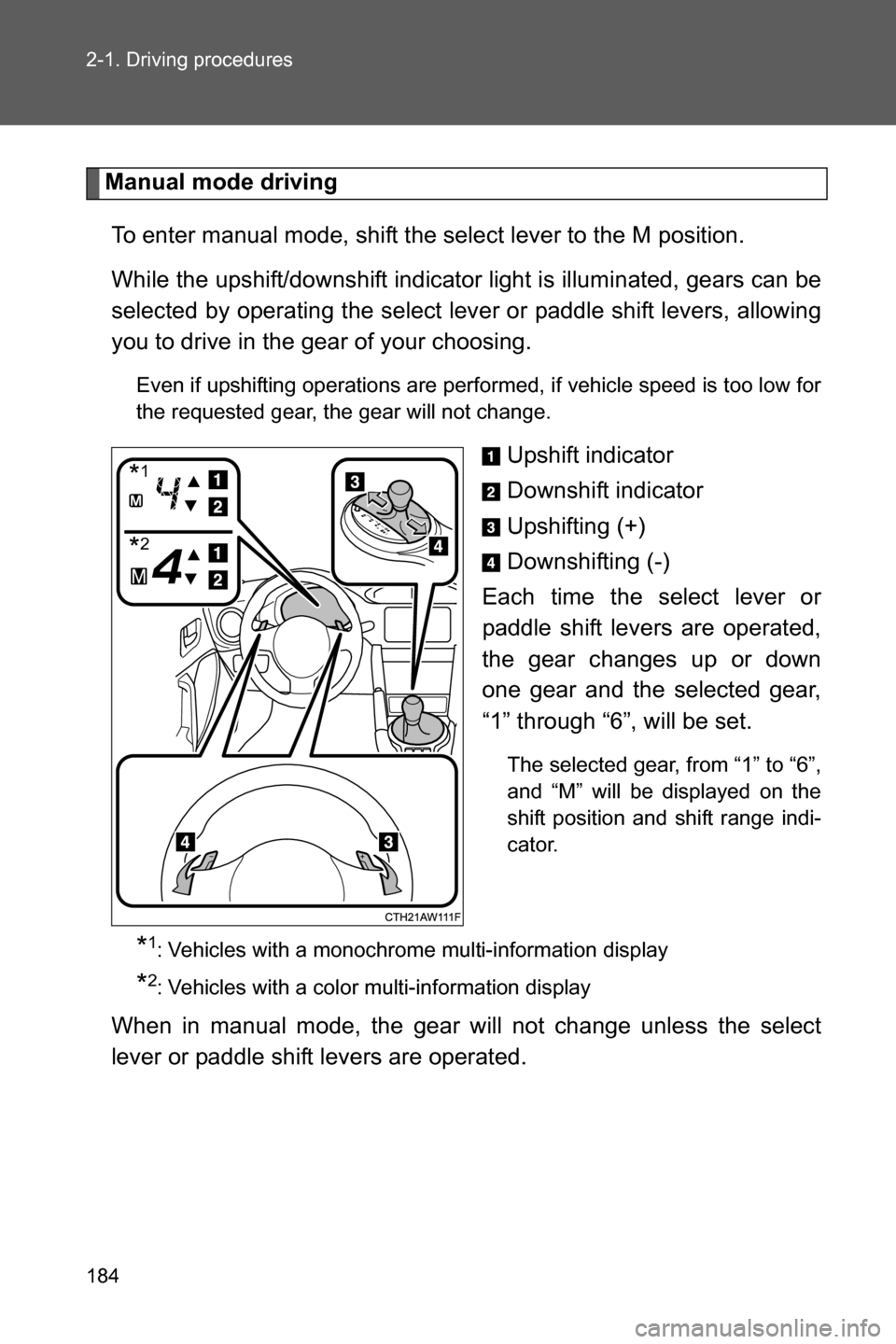
To enter manual mode, shift the select lever to the M position.
While the upshift/downshift indicator light is illuminated, gears can be
selected by operating the select lever or paddle shift levers, allowing
you to drive in the gear of your choosing.
Even if upshifting operations are performed, if vehicle speed is too low for
the requested gear, the gear will not change.
Upshift indicator
Downshift indicator
Upshifting (+)
Downshifting (-)
Each time the select lever or
paddle shift levers are operated,
the gear changes up or down
one gear and the selected gear,
“1” through “6”, will be set.
The selected gear, from “1” to “6”,
and “M” will be displayed on the
shift position and shift range indi-
cator.
*1: Vehicles with a monochrome multi-information display
*2: Vehicles with a color multi-information display
When in manual mode, the gear will not change unless the select
lever or paddle shift levers are operated.
*1
*2
Page 188 of 540
186 2-1. Driving procedures
■If the select lever cannot be shifted from P
oP. 447
■Automatic gear selection when the vehicle is stopped
When the vehicle is idling at high rpm in order to warm up, and the vehicle is
on a slippery road, the transmission may automatically shift to 2
nd gear for
stopping and starting off.
■
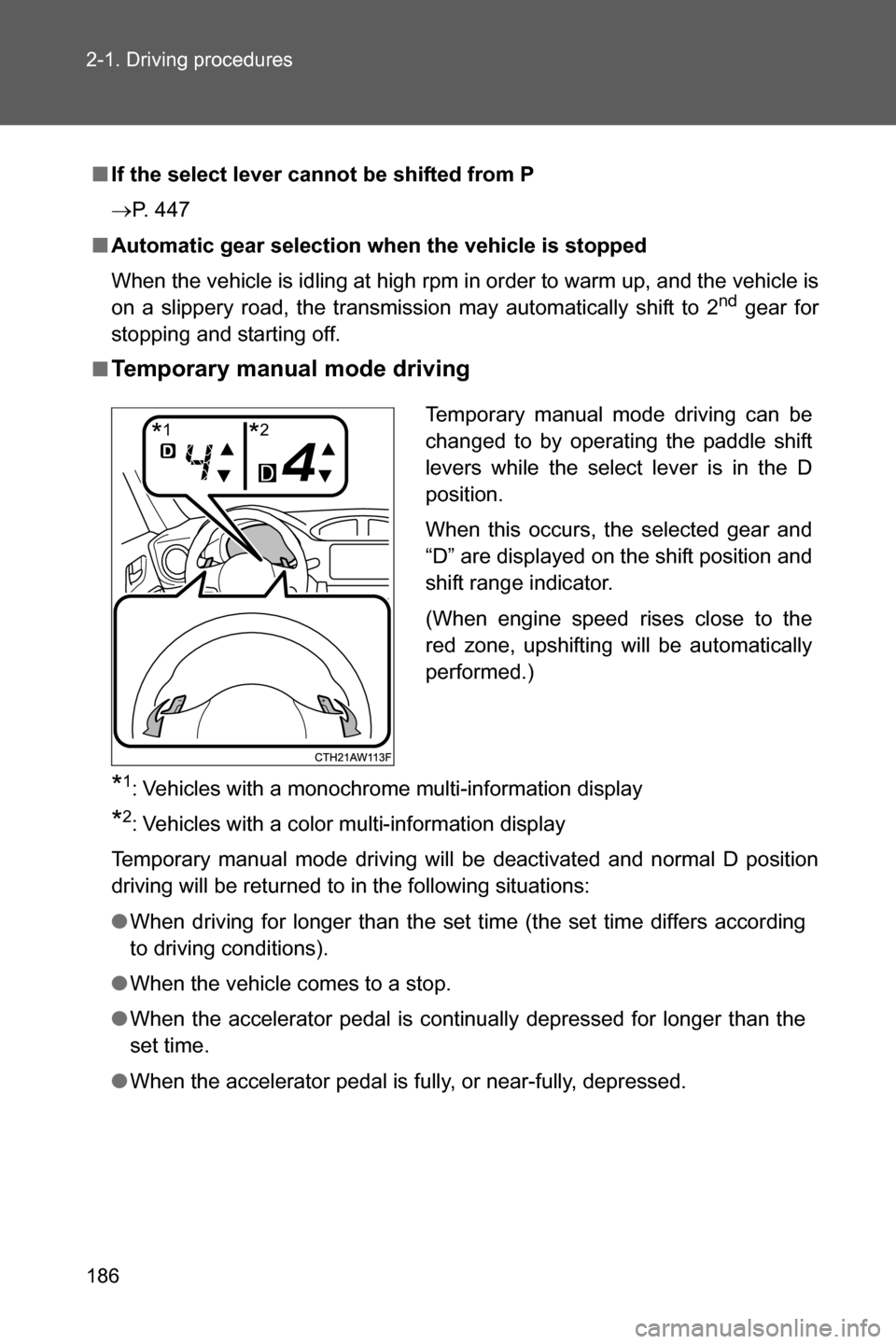
Temporary manual mode driving
*1: Vehicles with a monochrome multi-information display
*2: Vehicles with a color multi-information display
Temporary manual mode driving will be deactivated and normal D position
driving will be returned to in the following situations:
●When driving for longer than the set time (the set time differs according
to driving conditions).
●When the vehicle comes to a stop.
●When the accelerator pedal is continually depressed for longer than the
set time.
●When the accelerator pedal is fully, or near-fully, depressed.Temporary manual mode driving can be
changed to by operating the paddle shift
levers while the select lever is in the D
position.
When this occurs, the selected gear and
“D” are displayed on the shift position and
shift range indicator.
(When engine speed rises close to the
red zone, upshifting will be automatically
performed.)
*1*2
Page 191 of 540
189 2-1. Driving procedures
2
When driving
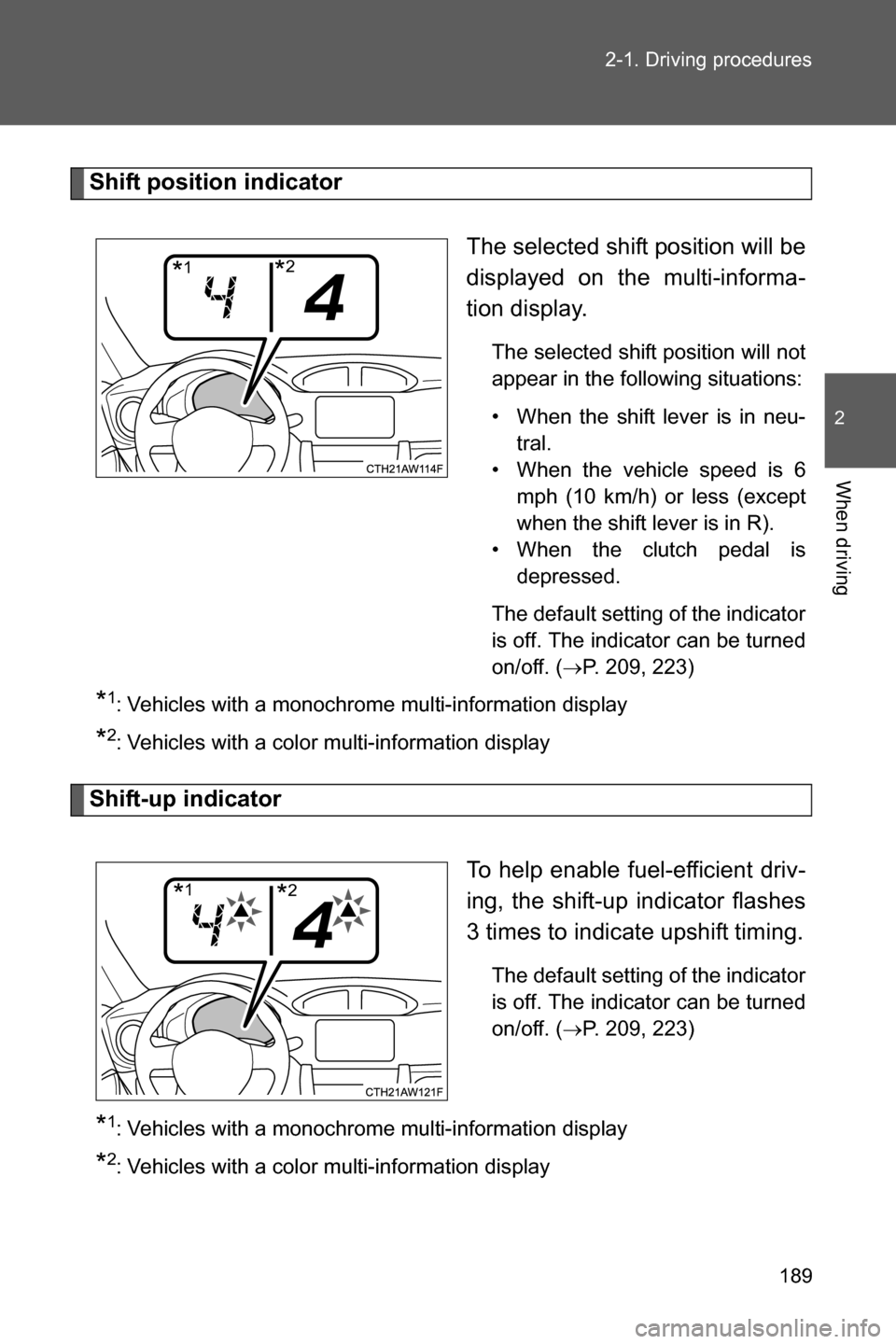
Shift position indicator
The selected shift position will be
displayed on the multi-informa-
tion display.
The selected shift position will not
appear in the following situations:
• When the shift lever is in neu-
tral.
• When the vehicle speed is 6
mph (10 km/h) or less (except
when the shift lever is in R).
• When the clutch pedal is
depressed.
The default setting of the indicator
is off. The indicator can be turned
on/off. (
oP. 209, 223)
*1: Vehicles with a monochrome multi-information display
*2: Vehicles with a color multi-information display
Shift-up indicator
To help enable fuel-efficient driv-
ing, the shift-up indicator flashes
3 times to indicate upshift timing.
The default setting of the indicator
is off. The indicator can be turned
on/off. (
oP. 209, 223)
*1: Vehicles with a monochrome multi-information display
*2: Vehicles with a color multi-information display
*1*2
*1*2
Page 196 of 540
194
2-2. Instrument cluster
Gauges and meters
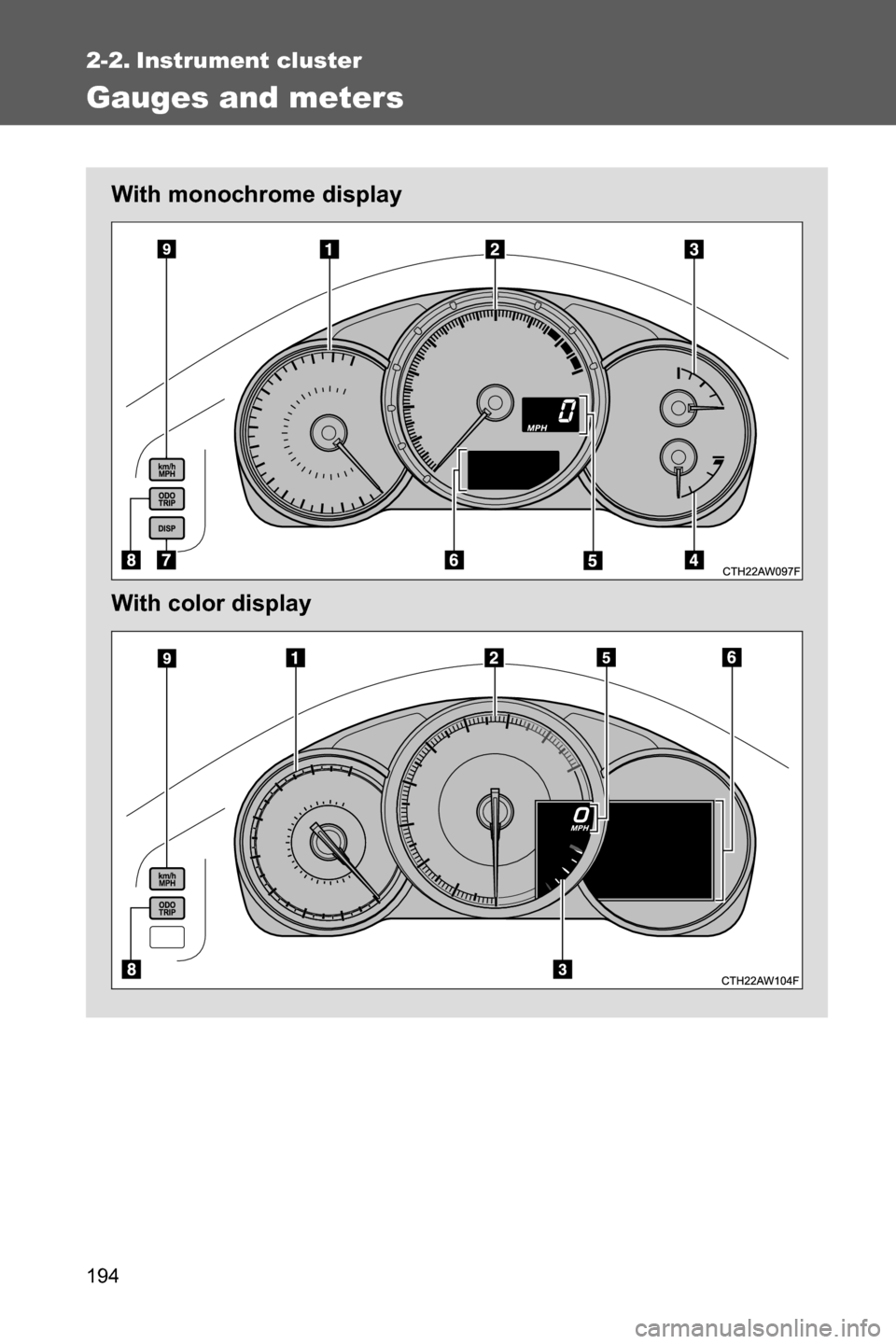
With monochrome display
With color display
Page 197 of 540
195 2-2. Instrument cluster
2
When driving
Analog Speedometer
Displays the vehicle speed.
Tachometer
Displays the engine speed in revolutions per minute.
Fuel gauge
Displays the quantity of fuel remaining in the tank.
Engine coolant temperature gauge (if equipped)
Displays the engine coolant temperature.
Digital Speedometer
Displays the vehicle speed.
Multi-information display, odometer and trip meter
oP. 205, 213
“DISP” switch (if equipped)
oP. 208
“ODO/TRIP” switch
oP. 207, 214
“km/h MPH” switch
Each time the switch is pressed, the display inside the meter changes
between km/h and MPH.
Page 198 of 540
196 2-2. Instrument cluster
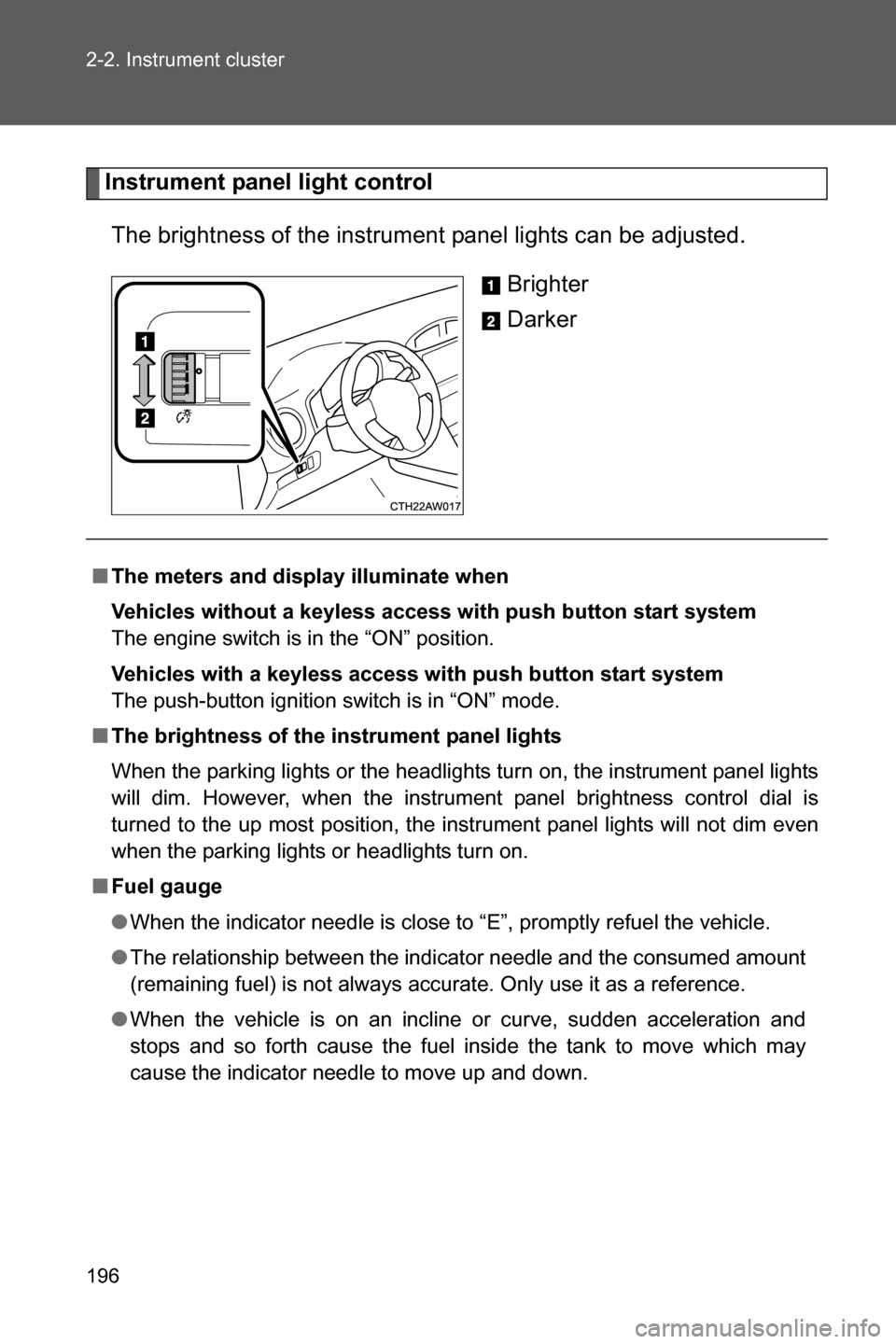
Instrument panel light control
The brightness of the instrument panel lights can be adjusted.
Brighter
Darker
■The meters and display illuminate when
Vehicles without a keyless access with push button start system
The engine switch is in the “ON” position.
Vehicles with a keyless access with push button start system
The push-button ignition switch is in “ON” mode.
■The brightness of the instrument panel lights
When the parking lights or the headlights turn on, the instrument panel lights
will dim. However, when the instrument panel brightness control dial is
turned to the up most position, the instrument panel lights will not dim even
when the parking lights or headlights turn on.
■Fuel gauge
●When the indicator needle is close to “E”, promptly refuel the vehicle.
●The relationship between the indicator needle and the consumed amount
(remaining fuel) is not always accurate. Only use it as a reference.
●When the vehicle is on an incline or curve, sudden acceleration and
stops and so forth cause the fuel inside the tank to move which may
cause the indicator needle to move up and down.