Page 26 of 96
GB.24
Controlling navigation with
your multimedia system's
voice recognition
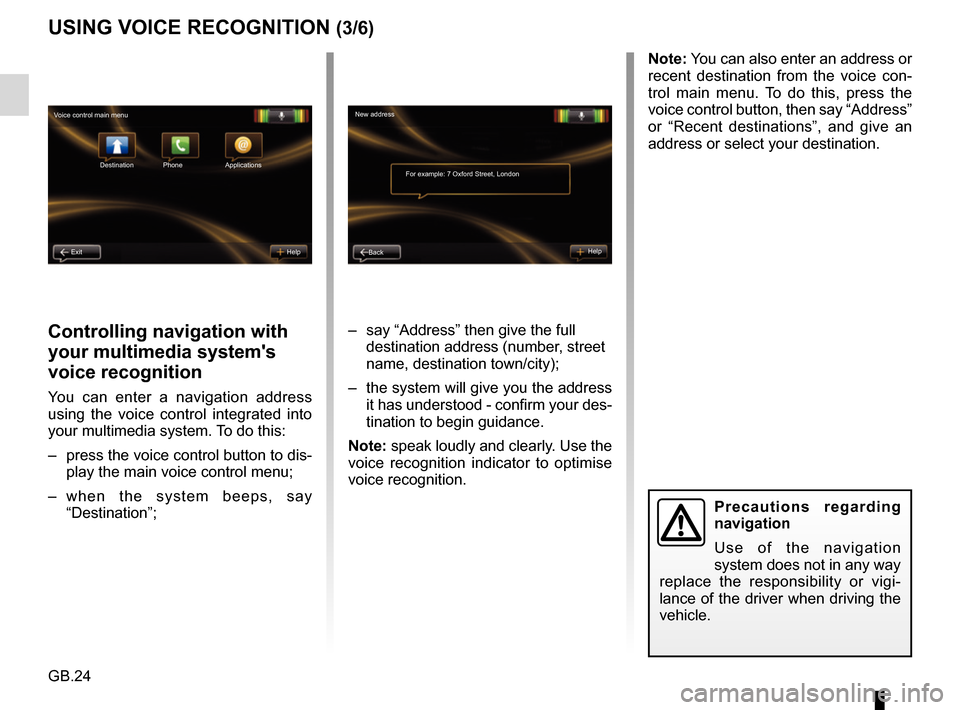
You can enter a navigation address
using the voice control integrated into
your multimedia system. To do this:
– press the voice control button to dis-play the main voice control menu;
– when the system beeps, say “Destination”; – say “Address” then give the full
destination address (number, street
name, destination town/city);
– the system will give you the address it has understood - confirm your des-
tination to begin guidance.
Note: speak loudly and clearly. Use the
voice recognition indicator to optimise
voice recognition.
USING VOICE RECOGNITION (3/6)
Precautions regarding
navigation
Use of the navigation
system does not in any way
replace the responsibility or vigi-
lance of the driver when driving the
vehicle.
Note: You can also enter an address or
recent destination from the voice con-
trol main menu. To do this, press the
voice control button, then say “Address”
or “Recent destinations”, and give an
address or select your destination.
New address
For example: 7 Oxford Street, London
Back Help
Voice control main menu
Destination
Exit Help Phone Applications
Page 27 of 96
GB.25
USING VOICE RECOGNITION (4/6)
Dialling a contact/number
using voice recognition
You can call a contact in your phone-
book or call a number using the voice
control integrated into your multimedia
system. To do this:
– check that your phone is connected to the multimedia system (refer to
the section on “Connecting, discon-
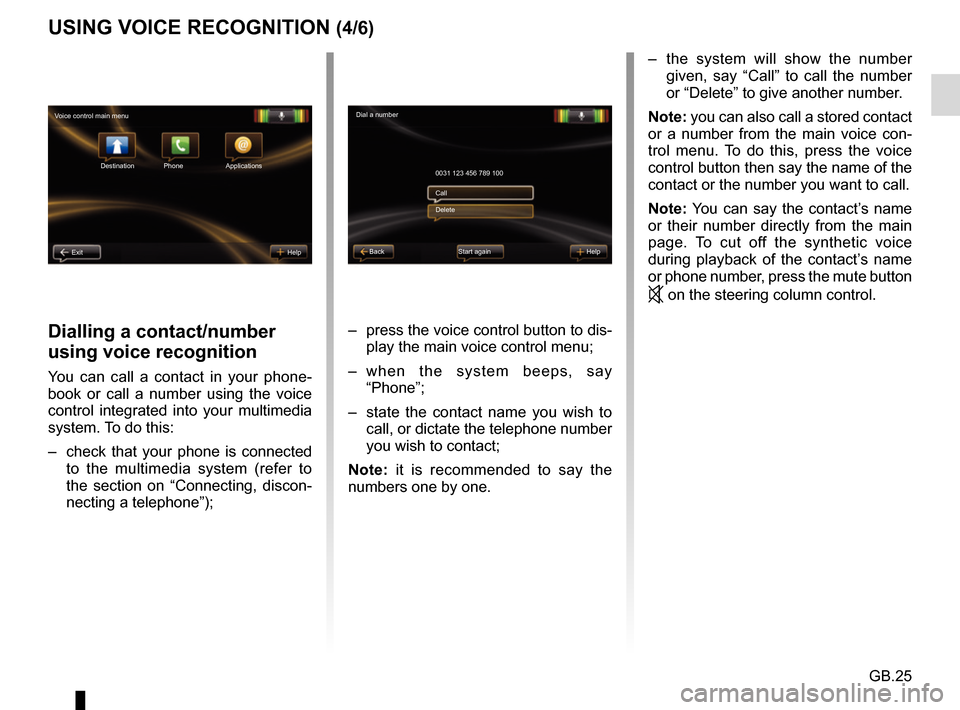
necting a telephone”); – press the voice control button to dis-
play the main voice control menu;
– when the system beeps, say “Phone”;
– state the contact name you wish to call, or dictate the telephone number
you wish to contact;
Note: it is recommended to say the
numbers one by one.
Dial a number
0031 123 456 789 100
Start again Help
Call
Delete
Voice control main menu
Destination
Exit Help Phone Applications
Back
– the system will show the number given, say “Call” to call the number
or “Delete” to give another number.
Note: you can also call a stored contact
or a number from the main voice con-
trol menu. To do this, press the voice
control button then say the name of the
contact or the number you want to call.
Note: You can say the contact’s name
or their number directly from the main
page. To cut off the synthetic voice
during playback of the contact’s name
or phone number, press the mute button
on the steering column control.
Page 28 of 96
GB.26
USING VOICE RECOGNITION (5/6)
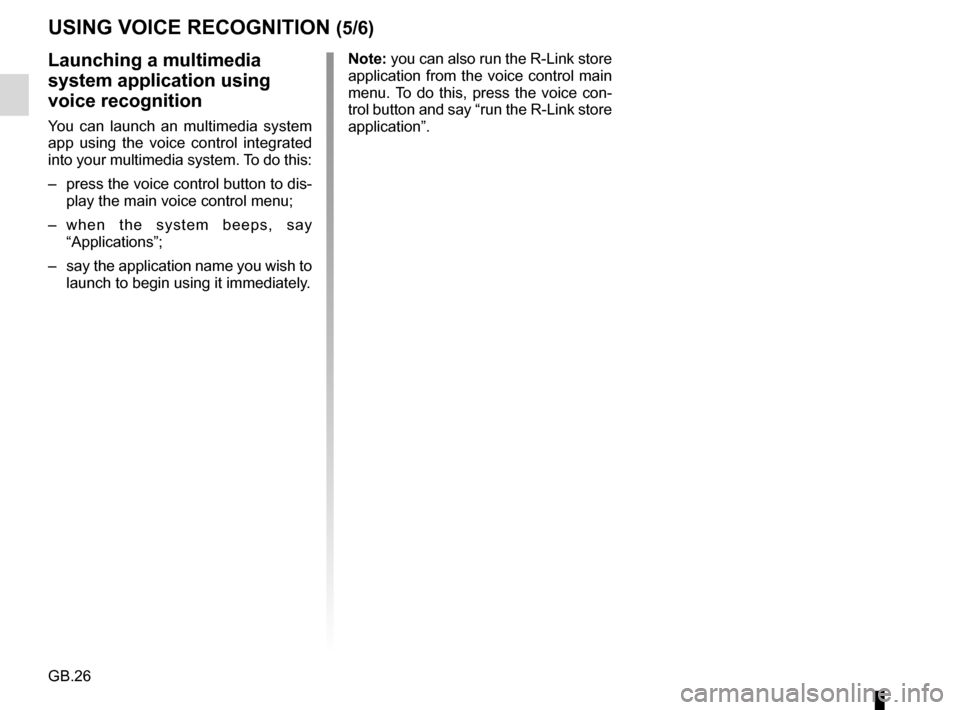
Launching a multimedia
system application using
voice recognition
You can launch an multimedia system
app using the voice control integrated
into your multimedia system. To do this:
– press the voice control button to dis-play the main voice control menu;
– when the system beeps, say “Applications”;
– say the application name you wish to launch to begin using it immediately. Note: you can also run the R-Link store
application from the voice control main
menu. To do this, press the voice con-
trol button and say “run the R-Link store
application”.
Page 29 of 96
GB.27
USING VOICE RECOGNITION (6/6)
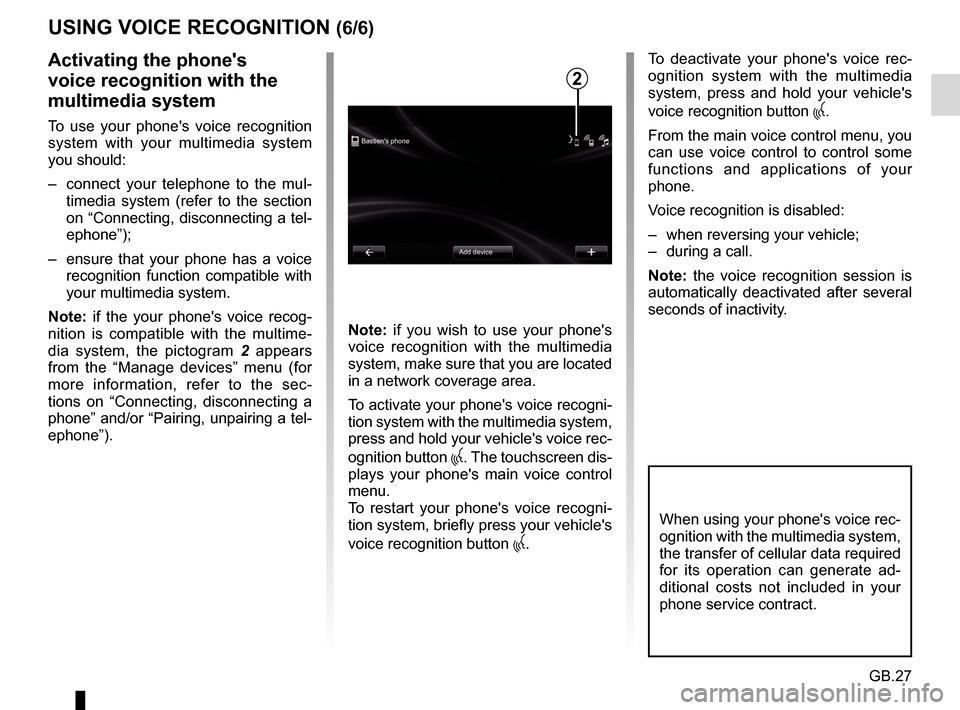
Bastien's phoneAdd device
Activating the phone's
voice recognition with the
multimedia system
To use your phone's voice recognition
system with your multimedia system
you should:
– connect your telephone to the mul-timedia system (refer to the section
on “Connecting, disconnecting a tel-
ephone”);
– ensure that your phone has a voice recognition function compatible with
your multimedia system.
Note: if the your phone's voice recog-
nition is compatible with the multime-
dia system, the pictogram 2 appears
from the “Manage devices” menu (for
more information, refer to the sec-
tions on “Connecting, disconnecting a
phone” and/or “Pairing, unpairing a tel-
ephone”). Note: if you wish to use your phone's
voice recognition with the multimedia
system, make sure that you are located
in a network coverage area.
To activate your phone's voice recogni-
tion system with the multimedia system,
press and hold your vehicle's voice rec-
ognition button
. The touchscreen dis-
plays your phone's main voice control
menu.
To restart your phone's voice recogni-
tion system, briefly press your vehicle's
voice recognition button
.
To deactivate your phone's voice rec-
ognition system with the multimedia
system, press and hold your vehicle's
voice recognition button
.
From the main voice control menu, you
can use voice control to control some
functions and applications of your
phone.
Voice recognition is disabled:
– when reversing your vehicle;
– during a call.
Note: the voice recognition session is
automatically deactivated after several
seconds of inactivity.
2
When using your phone's voice rec-
ognition with the multimedia system,
the transfer of cellular data required
for its operation can generate ad-
ditional costs not included in your
phone service contract.
Page 34 of 96
GB.32
ENTERING A DESTINATION (5/5)
Note: if you do not confirm, this page
will close after ten seconds and guid-
ance will start automatically.
Note: depending on the vehicle charge
level, if you can reach your destination,
guidance is launched – if the charge
level is too low, the system offers to
search for a recharging terminal on the
way.
Note: “ IQ Routes™” is a function which
optimises the journey time using statis-
tical data and calculates routes based
on the average traffic levels on that day
and time. To activate or deactivate this
function, refer to the “Navigation set-
tings” section.
Latest map guarantee
After delivery of your new vehicle you
have about 60 days in which to update
the map free of charge.
Once this time has elapsed, you will
need to pay for updates.
For more information, please see an
Authorised Dealer.54
Go to...ConfirmLIVE
Magny-les-hameaux 0:15 h
8.5 km
The quickest way IQ Routes
1 Janvier, 0:32
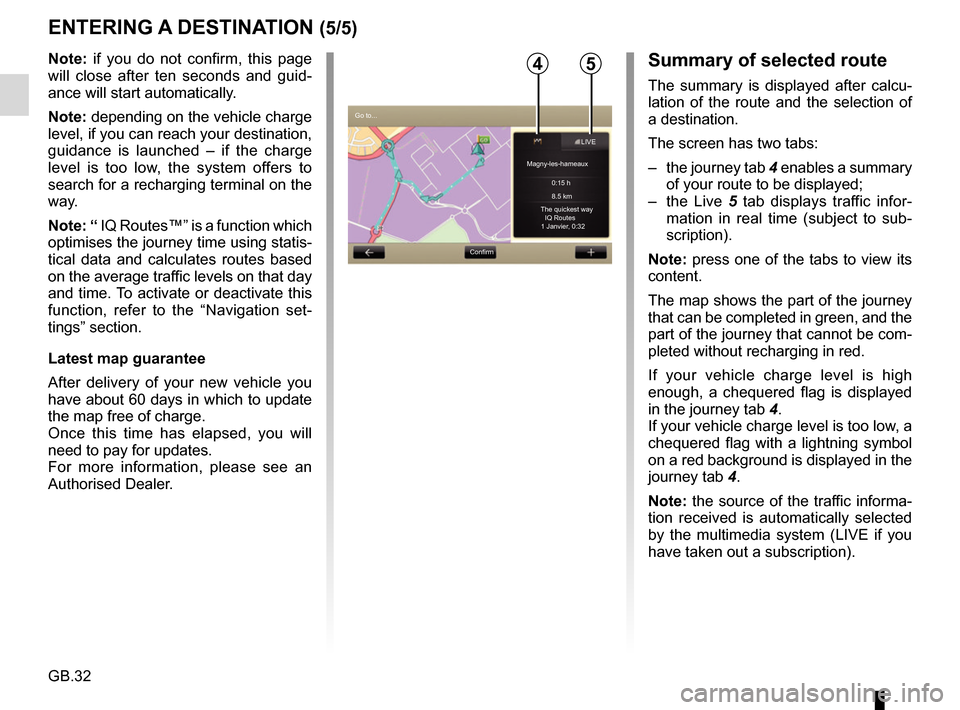
Summary of selected route
The summary is displayed after calcu-
lation of the route and the selection of
a destination.
The screen has two tabs:
– the journey tab 4 enables a summary
of your route to be displayed;
– the Live 5 tab displays traffic infor-
mation in real time (subject to sub-
scription).
Note: press one of the tabs to view its
content.
The map shows the part of the journey
that can be completed in green, and the
part of the journey that cannot be com-
pleted without recharging in red.
If your vehicle charge level is high
enough, a chequered flag is displayed
in the journey tab 4.
If your vehicle charge level is too low, a
chequered flag with a lightning symbol
on a red background is displayed in the
journey tab 4.
Note: the source of the traffic informa-
tion received is automatically selected
by the multimedia system (LIVE if you
have taken out a subscription).
Page 35 of 96
GB.33
VOLUME AND VOICE
Volume
Changing the volume
To change the audio volume, use the
audio system volume control during a
voice instruction or the “System” menu,
“Sound settings” then “Sound levels”
and adjust the following audio volumes:
– main volume;
– navigation instructions;
– hands-free telephone;
– telephone ringtone;
– voice message;
– application sounds;
– traffic announcements.
Press “Done” to save the audio vol-
umes.
Selecting a voice
Your system allows you to select either
a synthesised or a recorded human
voice.
This voice is used to give the voice in-
structions.
To change the voice used on your navi-
gation system, go to the main menu
and select “Navigation”, “Settings” and
“Voice”.
Select a voice from the list.
Playback
Playback is generated by your nav-
igation system. It gives verbal in-
structions while you are driving. It
can give road directions (e.g. turn
right) and traffic sign information.
Note: Voice recognition only oper-
ates with playback. Recorded human voices
Recorded human voices are voices
recorded by an actor (male or
female).
Note: human voices only give you
simplified guidance instructions.
Page 43 of 96
GB.41
TRAFFIC INFORMATION (2/3)
Traffic display
The navigation system indicates traffic
incidents:
– by displaying symbols on the map (list of icons at the end of the sec-
tion);
– with voice messages if the route is recalculated.
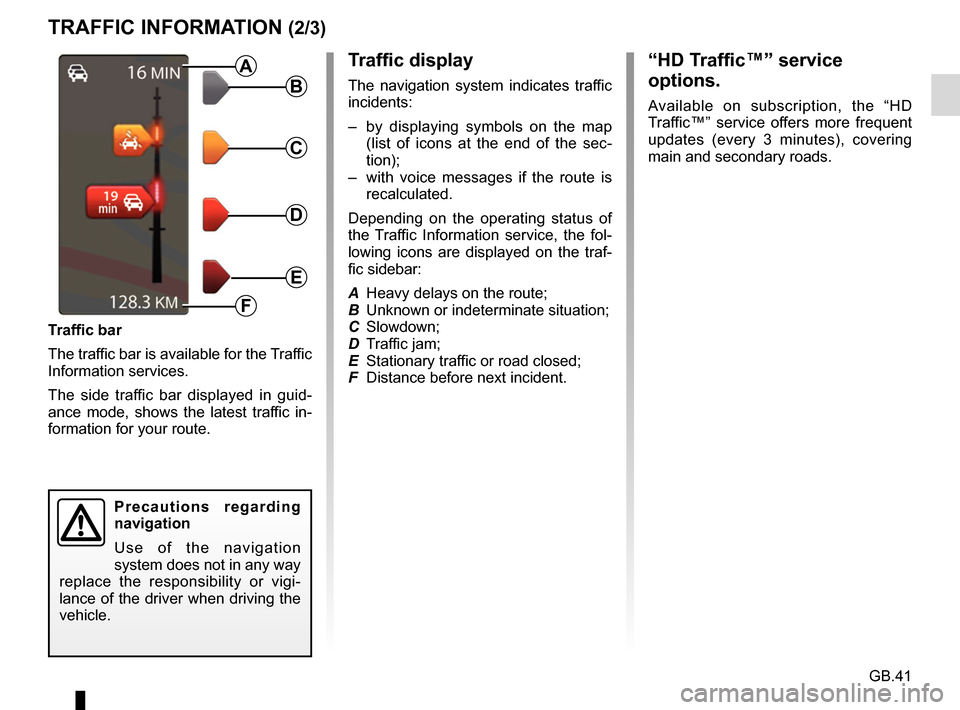
Depending on the operating status of
the Traffic Information service, the fol-
lowing icons are displayed on the traf-
fic sidebar:
A Heavy delays on the route;
B Unknown or indeterminate situation;
C Slowdown;
D Traffic jam;
E Stationary traffic or road closed;
F Distance before next incident.
Traffic bar
The traffic bar is available for the Traffic
Information services.
The side traffic bar displayed in guid-
ance mode, shows the latest traffic in-
formation for your route.B
C
D
E
F
A
Precautions regarding
navigation
Use of the navigation
system does not in any way
replace the responsibility or vigi-
lance of the driver when driving the
vehicle.
“HD Traffic™” service
options.
Available on subscription, the “HD
Traffic™” service offers more frequent
updates (every 3 minutes), covering
main and secondary roads.
Page 52 of 96
GB.50
NAVIGATION SETTINGS (1/2)
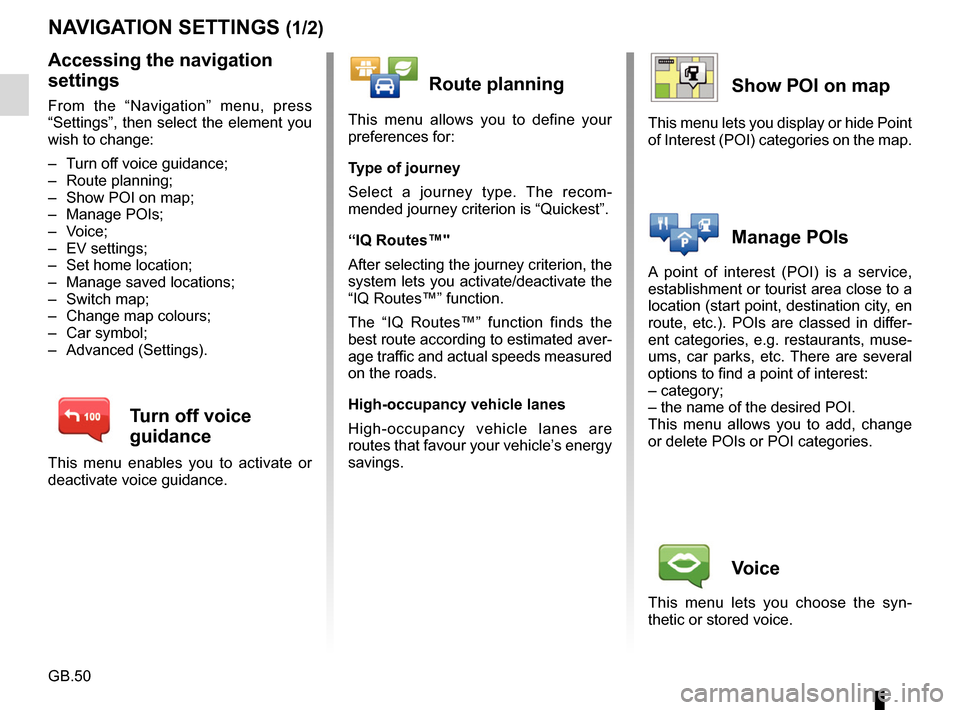
Accessing the navigation
settings
From the “Navigation” menu, press
“Settings”, then select the element you
wish to change:
– Turn off voice guidance;
– Route planning;
– Show POI on map;
– Manage POIs;
– Voice;
– EV settings;
– Set home location;
– Manage saved locations;
– Switch map;
– Change map colours;
– Car symbol;
– Advanced (Settings).
Turn off voice
guidance
This menu enables you to activate or
deactivate voice guidance.
Route planning
This menu allows you to define your
preferences for:
Type of journey
Select a journey type. The recom-
mended journey criterion is “Quickest”.
“IQ Routes™"
After selecting the journey criterion, the
system lets you activate/deactivate the
“IQ Routes™” function.
The “IQ Routes™” function finds the
best route according to estimated aver-
age traffic and actual speeds measured
on the roads.
High-occupancy vehicle lanes
High-occupancy vehicle lanes are
routes that favour your vehicle’s energy
savings.
Show POI on map
This menu lets you display or hide Point
of Interest (POI) categories on the map.
Manage POIs
A point of interest (POI) is a service,
establishment or tourist area close to a
location (start point, destination city, en
route, etc.). POIs are classed in differ-
ent categories, e.g. restaurants, muse-
ums, car parks, etc. There are several
options to find a point of interest:
– category;
– the name of the desired POI.
This menu allows you to add, change
or delete POIs or POI categories.
Voice
This menu lets you choose the syn-
thetic or stored voice.