2017 PEUGEOT PARTNER TEPEE ELECTRIC stop start
[x] Cancel search: stop startPage 180 of 252
142
Procedure
Before topping up, ensure that the vehicle is
parked on a flat and level sur face.
In wintry conditions, ensure that the
temperature of the vehicle is above -11°C.
Otherwise the AdBlue
® may be frozen and
so cannot be poured into its tank. Park your
vehicle in a warmer area for a few hours to
allow the top-up to be carried out. F
O
btain an AdBlue
® container or bottle. After
first checking the use-by date, read the
instructions on the label carefully before
pouring the contents of the container or
bottle into your vehicle's AdBlue tank.
Or
F
I
nsert the AdBlue
® pump nozzle and refill
the tank until the nozzle stops automatically.
Important:
-
T
o avoid over flowing the AdBlue
® tank,
i
t is recommended:
•
T
o top up between 10 and 13
litres
using AdBlue
® containers or bottles.
Or
•
T
hat you stop after the nozzle’s first
automatic cut-out if you are refilling
at a ser vice station.
-
I
f your vehicle's AdBlue
® tank is
completely empty – which is confirmed
by the alert messages and the
impossibility of starting the engine –
you must add at least 5
litres. Impor tant: when topping up after
a breakdown due to running out
of AdBlue,
you must wait for at least
5 minutes before switching on the
ignition, opening the driver's door,
unlocking the vehicle or inser ting the
key in the switch.
Switch on the ignition, then after a
minimum of 10 seconds, start the engine.
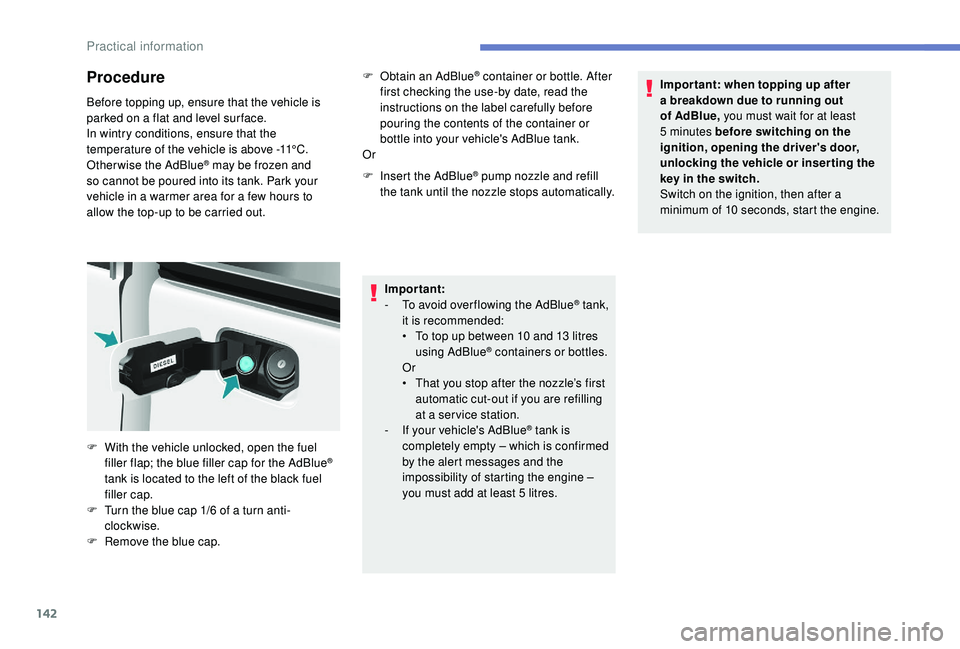
F
W
ith the vehicle unlocked, open the fuel
filler flap; the blue filler cap for the AdBlue
®
tank is located to the left of the black fuel
filler cap.
F
T
urn the blue cap 1/6 of a turn anti-
clockwise.
F
R
emove the blue cap.
Practical information
Page 196 of 252
158
Battery
Procedure for starting the engine using another
battery or charging a discharged battery.After refitting the battery, the Stop & Start
will only be active after a continuous
period of immobilisation of the vehicle, the
duration of which depends on the climatic
conditions and the state of charge of the
battery (up to about 8
hours).
The Stop & Start battery does not have to
be disconnected for charging.
Charging the battery using
a battery charger
F Disconnect the battery.
F F ollow the instructions for use provided by
the manufacturer of the charger.
F
R
econnect starting with the negative (-)
terminal.
F
C
heck the condition of the terminals and
clamps. If they are covered with sulphate
(whitish or greenish deposits), disconnect
them and clean them all.
Starting using another
battery
F Connect the other end of the green or black cable to an earth point on the broken down
vehicle, as far away as possible from the
battery.
F
O
perate the starter, let the engine run.
F
W
ait for the engine to return to idle, then
disconnect the cables.
It is advisable to disconnect the battery if
the vehicle is to be left unused for more
than one month.
Wait 2
minutes after switching off the ignition
before disconnecting the battery.
Never disconnect a terminal when the engine
is running.
Never charge a battery without first
disconnecting the terminals.
After each time that the battery has been
reconnected, switch on the ignition and wait
1
minute before starting the engine, to allow
the electronic systems to initialise. However,
if minor problems persist after this procedure,
contact a PEUGEOT dealer or a qualified
workshop.
After changing a bulb, wait approximately
3
minutes before reconnecting the battery.
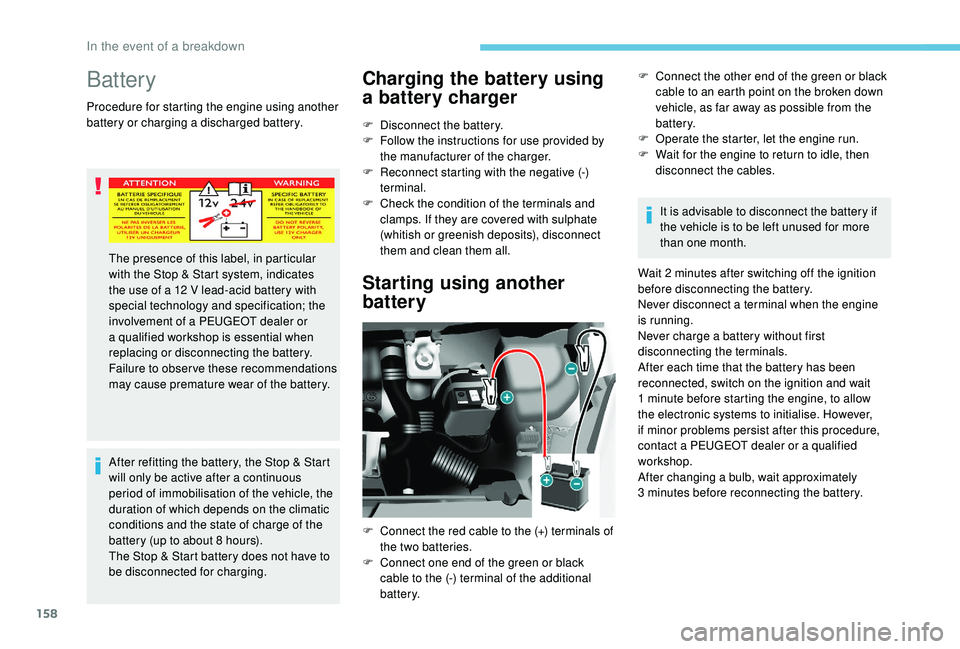
The presence of this label, in particular
with the Stop & Start system, indicates
the use of a 12
V lead-acid battery with
special technology and specification; the
involvement of a PEUGEOT dealer or
a qualified workshop is essential when
replacing or disconnecting the battery.
Failure to observe these recommendations
may cause premature wear of the battery.
F
C
onnect the red cable to the (+) terminals of
the two batteries.
F
C
onnect one end of the green or black
cable to the (-) terminal of the additional
battery.
In the event of a breakdown
Page 201 of 252

163
Diesel engines/weights
Five seats
EnginesGearboxEngine oil capacity with
filter replacement (litres) Unbraked trailer (kg)Recommended nose
weight (kg)
1.6 HDi 75 hp Manual 5-speed -600 70
1.6 HDi 75 hp PF Manual 5-speed -715 70
BlueHDi 75 hp Euro 6 Manual 5-speed -720 70
1.6 HDi 90 hp Manual 5-speed 3.75735 70
1.6 HDi 92 hp PF Manual 5-speed 3.75715 70
1.6 e- HDi 92 hp PF Manual 5-speed 3.75690 70
1.6 BlueHDi 100 hp Euro 6 Manual 5-speed 3.75600 70
1.6 BlueHDi 100 S&S Manual 5-speed
3.75600
70
Electronic 6-speed 60070
1.6 HDi 115 hp PF Manual 5-speed 3.75735 70
1.6 BlueHDi 120 hp Euro 6 Manual 6-speed 3.75600 70
PF: particle filter.
e-HDi: model fitted with Stop & Start.
9
Technical data
Page 202 of 252

164
Seven seats
EnginesGearboxEngine oil capacity with
filter replacement (litres) Unbraked trailer (kg)Recommended nose
weight (kg)
1.6 HDi 92 hp PF Manual 5-speed 3.75750 70
1.6 BlueHDi 100 hp Euro 6 Manual 5-speed 3.75600 70
1.6 BlueHDi 100 hp Euro
6 S&S Manual 5-speed
3.75600 70
1.6 HDi 115 hp PF Manual 5-speed 3.75750 70
1.6 BlueHDi 120 hp Euro 6 Manual 6-speed 3.75600 70
PF: particle filter.
e-HDi: model fitted with Stop & Start.
Technical data
Page 216 of 252
4
Driving
Access the trip computer.
Activate, deactivate or configure
certain vehicle functions.
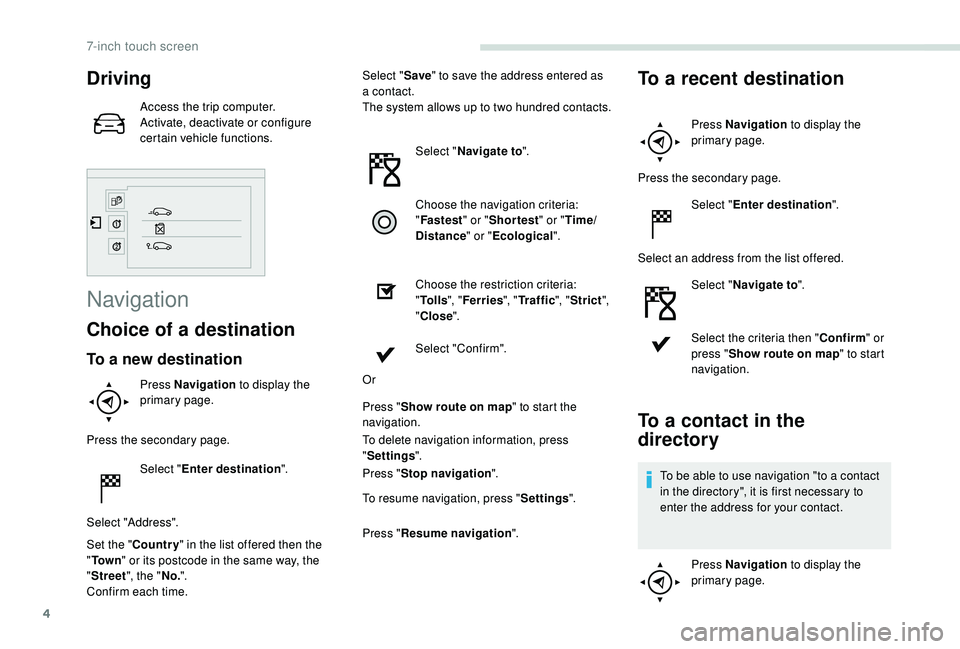
Navigation
Choice of a destination
To a new destination
Press Navigation to display the
primary page.
Press the secondary page. Select "Enter destination ".
Select "Address".
Set the " Country " in the list offered then the
" To w n " or its postcode in the same way, the
" Street ", the "No.".
Confirm each time. Select "
Save" to save the address entered as
a contact.
The system allows up to two hundred contacts.
Select "Navigate to ".
Choose the navigation criteria:
" Fastest " or "Shortest " or "Time/
Distance " or "Ecological".
Choose the restriction criteria:
" To l l s ", "Ferries ", "Traffic ", "Strict ",
" Close ".
Select "Confirm".
Or
Press " Show route on map " to start the
navigation.
To delete navigation information, press
" Settings ".
Press " Stop navigation ".
To resume navigation, press " Settings".
Press " Resume navigation ".
To a recent destination
Press Navigation to display the
primary page.
Press the secondary page. Select "Enter destination ".
Select an address from the list offered. Select "Navigate to ".
Select the criteria then " Confirm" or
press " Show route on map " to start
navigation.
To a contact in the
directory
To be able to use navigation "to a contact
in the directory", it is first necessary to
enter the address for your contact.
Press Navigation to display the
primary page.
7-inch touch screen
Page 242 of 252
8
Press this button for more than two
seconds for access to your directory,
then navigate using the thumbwheel.
Or
To dial a number, use your telephone's keypad,
with the vehicle stationary.
Ending a call
During a call, press this button for
more than two seconds.
Confirm with OK to end the call.
The system accesses the telephone's
contacts directory, depending on its
compatibility, and while it is connected by
Bluetooth.
With certain telephones connected by
Bluetooth you can send a contact to the
directory of the audio system.
Contacts imported in this way are saved
in a permanent directory visible to all,
whatever the telephone connected.
The menu for the directory is not
accessible if it is empty.
Frequently asked questions
The following information puts together the answers to the most frequently asked questions
concerning your audio system. QUESTION RESPONSESOLUTION
With the engine off, the audio
system switches off after a few
minutes of use. When the engine is switched
off, the audio system operating
time depends on the state of
charge of the battery.
The switch-off is normal: the
audio system switches to
economy mode and switches
off to prevent discharging the
vehicle's battery.Start the vehicle’s engine to
increase the battery charge.
The message "the audio
system is overheated" appears
on the display. In order to protect the
installation if the surrounding
temperature is too high, the
audio system switches to an
automatic thermal protection
mode leading to a reduction
in volume or the CD play
stopping.Switch the audio system off
for a few minutes to allow the
system to cool.
Peugeot Connect Sound (RD5)
Page 247 of 252
177
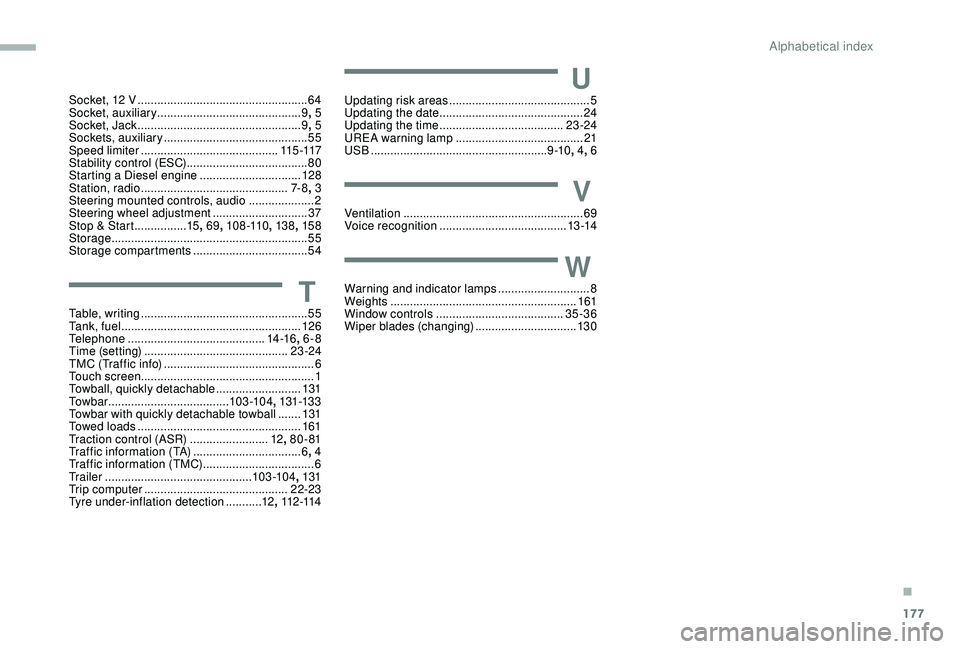
Socket, 12 V ....................................................64
S ocket, auxiliary ............................................ 9,
5
Socket, Jack
.................................................. 9, 5
Sockets, auxiliary
...............................
.............55
Speed limiter
.......................................... 11
5 -117
Stability control (ESC)..................................... 80
Starting a Diesel engine
............................... 12
8
Station, radio
...............................
..............7- 8, 3
Steering mounted controls, audio
.................... 2
S
teering wheel adjustment
.............................37
Stop & Start
................15, 69 , 108 -110 , 13 8, 15 8
Storage
............................................................ 55
Storage compartments
...................................54
TTable, writing ................................................... 55
Ta n k , f u e l ....................................................... 126
Telephone
..............................
............14 -16, 6-8
Time (setting)
............................................ 23 -24
TMC (Traffic info)
.............................................. 6
T
ouch screen ..................................................... 1
Towball, quickly detachable
..........................131
To w b a r
...............................
......103 -104 , 131-13 3
Towbar with quickly detachable towball
....... 13
1
Towed loads
.................................................. 161
Traction control (ASR)
........................12, 80 - 81
Traffic information (TA)
.................................6, 4
Traffic information (TMC)
..................................6
Tr a i l e r
...............
.............................. 103 -104, 131
Trip computer
............................................ 22-23
Tyre under-inflation detection
...........12, 112 -114
UUpdating risk areas ........................................... 5
Updating the date ............................................ 24
U
pdating the time
...............................
.......23 -24
UREA warning lamp
....................................... 21
USB
...................................................... 9 -10, 4, 6
VVentilation ....................................................... 69
Voice recognition ....................................... 13 -14
WWarning and indicator lamps ............................8
We ights ............... .......................................... 161
Window controls
....................................... 35-36
Wiper blades (changing)
...............................13 0
.
Alphabetical index