2017 PEUGEOT 5008 start stop button
[x] Cancel search: start stop buttonPage 6 of 404

4
Instruments and controls
1.Sunroof and blind controls
2. Front courtesy / map reading lamps
3. Warning lamp display for the seat belts
and passenger front airbag
Emergency and assistance call buttons
4. Rear view mirror
5. Head-up digital screen
6. Horn
Driver front airbag
7. Door mirror and electric window control
panel
8. Monochrome screen with Bluetooth audio
system
or
Touch screen with PEUGEOT Connect
Radio or PEUGEOT Connect Nav
9. Hazard warning lamps
10. Air conditioning system controls
11. 12
V socket / USB socket
Wireless charger
12 . Advanced Grip Control
Hill Assist Descent Control
13. Ignition switch
or
"START/STOP" button
14 . Gearbox control
"SPORT" button
15. Electric parking brake
16. Passenger's front airbag
17. Glove box
Deactivating the passenger front airbag
Over view
Page 24 of 404

22
Diesel engine
pre-heatingFixed.
When the ignition is switched
on with a key in the ignition
switch or a starting instruction is
made using the "START/STOP"
button, the engine temperature
makes engine pre-heating
necessary. The period of illumination of the indicator lamp is
determined by the ambient conditions (up to about
thirty seconds in severe winter conditions).
With an ignition switch and key, wait until the indicator
lamp goes off before starting.
With
K
eyless Entry and Starting, once it goes off,
starting is immediate, on the condition that the brake
pedal remains pressed with an automatic gearbox.
With
K
eyless Entry and Starting, once it goes off,
starting is immediate, on the condition that the clutch
pedal remains pressed with a manual gearbox.
If the engine does not start, switch the ignition off and
then on, wait until the indicator lamp goes off again,
then start the engine.
Warning / indicator lamp
StateCause Action / Observations
Stop & Star t Fixed, accompanied
by the display of a
message. The Stop & Start system is
deactivated.
The engine will not switch off at the next traffic stop.
Reactivate the system by pressing the button again.
For more information on Stop & Star t
, refer to the
corresponding section.
Stop & Star t Fixed.
When the vehicle stops (red lights, traffic
jams, etc.), the Stop & Start system puts
the engine into STOP mode.The warning lamp goes off and the engine restarts
automatically in START mode, as soon as you want
to move off.
Flashes for a few
seconds, then goes
of f.
STOP mode is temporarily
unavailable.
or
START mode is invoked automatically.For more information on Stop & Star t , refer to the
corresponding section.
Dashboard instruments
Page 38 of 404
36
Trip computer
Information displayed about the current journey
(range, fuel consumption, average speed, etc.).
Display of data on the
instrument panel
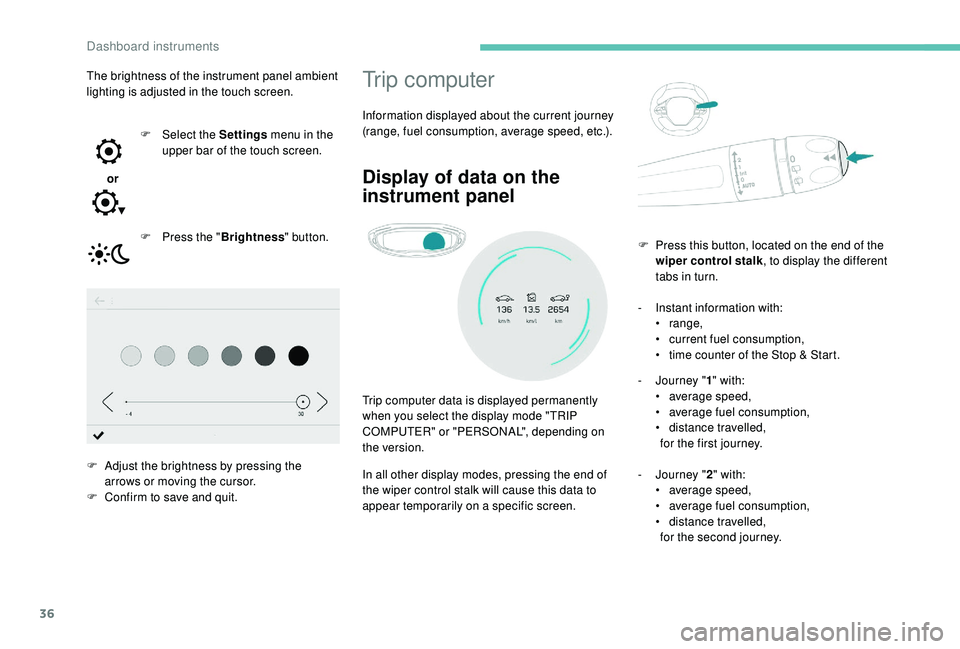
Trip computer data is displayed permanently
when you select the display mode "TRIP
COMPUTER" or "PERSONAL", depending on
the version.
In all other display modes, pressing the end of
the wiper control stalk will cause this data to
appear temporarily on a specific screen.-
I
nstant information with:
•
range,
•
c
urrent fuel consumption,
•
t
ime counter of the Stop & Start.
-
J
ourney "
1" with:
• a verage speed,
• a verage fuel consumption,
•
d
istance travelled,
for the first journey.
-
J
ourney "2" with:
•
a
verage speed,
•
a
verage fuel consumption,
•
d
istance travelled,
for the second journey.
F
P
ress this button, located on the end of the
wiper control stalk , to display the different
tabs in turn.
The brightness of the instrument panel ambient
lighting is adjusted in the touch screen.
or F
Sel
ect the Settings
menu in the
upper bar of the touch screen.
F
P
ress the "
Brightness " button.
F
A
djust the brightness by pressing the
arrows or moving the cursor.
F
C
onfirm to save and quit.
Dashboard instruments
Page 39 of 404
37
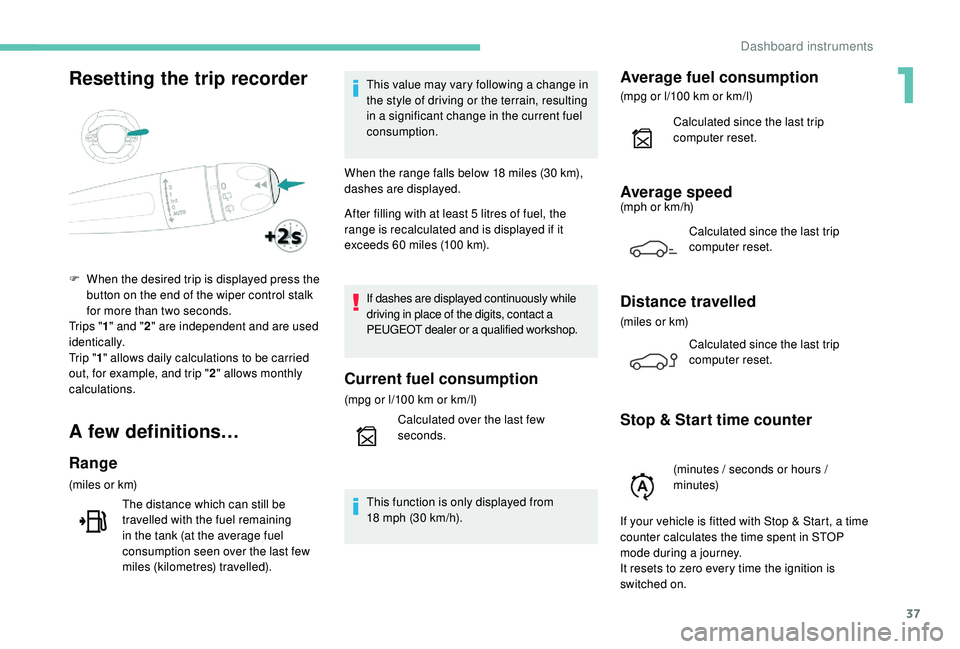
Resetting the trip recorder
A few definitions…
Range
(miles or km)The distance which can still be
travelled with the fuel remaining
in the tank (at the average fuel
consumption seen over the last few
miles (kilometres) travelled). This value may vary following a change in
the style of driving or the terrain, resulting
in a significant change in the current fuel
consumption.
When the range falls below 18 miles (30 km),
dashes are displayed.
After filling with at least 5 litres of fuel, the
range is recalculated and is displayed if it
exceeds 60 miles (100 km).
If dashes are displayed continuously while
driving in place of the digits, contact a
PEUGEOT dealer or a qualified workshop.
Current fuel consumption
(mpg or l/100 km or km/l)
C alculated over the last few
seconds.
This function is only displayed from
18
mph (30 km/h).
Average fuel consumption
(mpg or l/100 km or km/l)
C alculated since the last trip
computer reset.
Average speed(mph or km/h)
Calculated since the last trip
computer reset.
Distance travelled
(miles or km)Calculated since the last trip
computer reset.
Stop & Start time counter
F When the desired trip is displayed press the button on the end of the wiper control stalk
for more than two seconds.
Tr i p s " 1" and " 2" are independent and are used
identically.
Tr i p " 1" allows daily calculations to be carried
out, for example, and trip " 2" allows monthly
calculations.
(minutes / seconds or hours /
minutes)
If your vehicle is fitted with Stop & Start, a time
counter calculates the time spent in STOP
mode during a journey.
It resets to zero every time the ignition is
switched on.
1
Dashboard instruments
Page 61 of 404
59
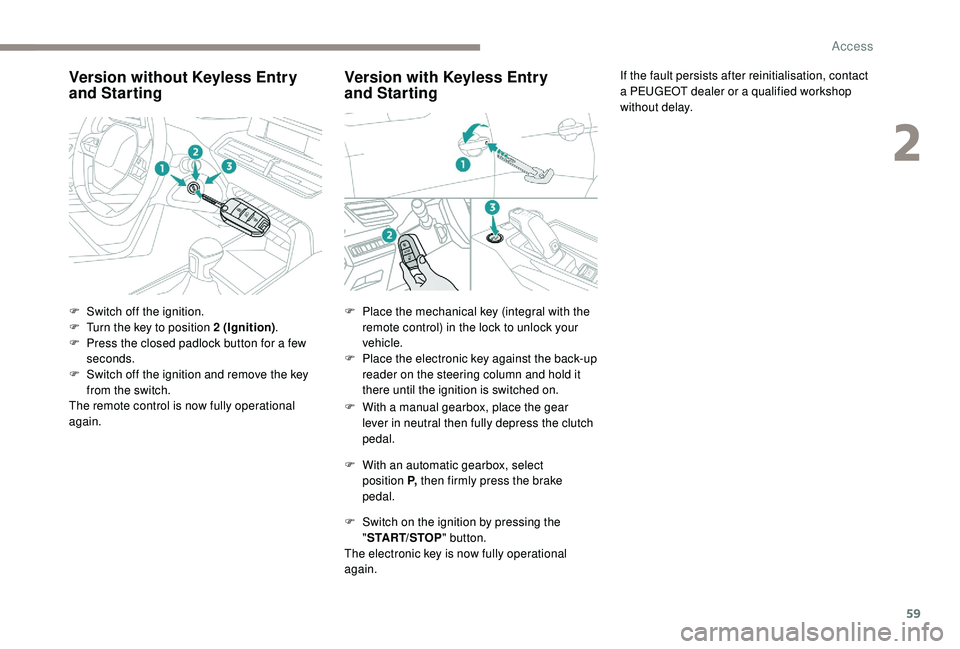
Version without Keyless Entry
and Starting
F Switch off the ignition.
F
T urn the key to position 2 (Ignition).
F
P
ress the closed padlock button for a few
seconds.
F
S
witch off the ignition and remove the key
from the switch.
The remote control is now fully operational
again.
Version with K eyless Entry
and Starting
F With a manual gearbox, place the gear
lever in neutral then fully depress the clutch
pedal.
F
W
ith an automatic gearbox, select
position P, then firmly press the brake
pedal.
F
S
witch on the ignition by pressing the
" START/STOP " button.
The electronic key is now fully operational
again. If the fault persists after reinitialisation, contact
a PEUGEOT dealer or a qualified workshop
without delay.
F
P
lace the mechanical key (integral with the
remote control) in the lock to unlock your
vehicle.
F
P
lace the electronic key against the back-up
reader on the steering column and hold it
there until the ignition is switched on.
2
Access
Page 65 of 404
63
Triggering of the alarm
This is indicated by sounding of the siren
and flashing of the direction indicators for
30
seconds.
The monitoring functions remain active until
the alarm has been triggered eleven times in
succession.
When the vehicle is unlocked using the remote
control or the "
K
eyless Entry and Starting"
system, rapid flashing of the indicator lamp
in the button informs you that the alarm was
triggered during your absence. When the
ignition is switched on, this flashing stops
immediately.
Failure of the remote
control
To deactivate the monitoring functions:
F u nlock the vehicle using the key (integral to
the remote control) in the driver's door lock,
F
o
pen the door; the alarm is triggered,
F
s
witch on the ignition; the alarm stops; the
indicator lamp in the button goes off.
Locking the vehicle without
activating the alarm
F Lock or deadlock the vehicle using the key (integral to the remote control) in the driver's
door lock.
Operating fault
When the ignition is switched on, fixed
illumination of the indicator lamp in the button
indicates a fault with the system.
Have it checked by a PEUGEOT dealer or a
qualified workshop.
Doors
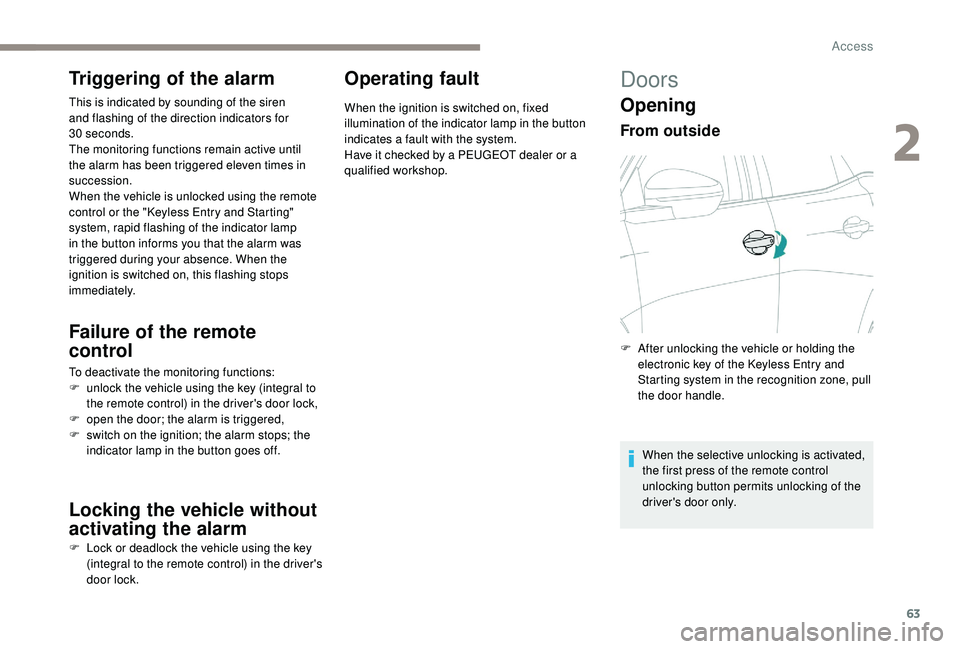
Opening
From outside
F After unlocking the vehicle or holding the electronic key of the K eyless Entry and
Starting system in the recognition zone, pull
the door handle.
When the selective unlocking is activated,
the first press of the remote control
unlocking button permits unlocking of the
driver's door only.
2
Access
Page 73 of 404
71
Principles
Complete opening of the sunroof involves partly
raising the mobile glass, then sliding it over the
fixed glass.
Any intermediate position is possible.
Opening the roof involves opening the blind. By
contrast, the blind can remain open when the
roof is closed.
The control buttons for the sunroof and blind
can be used:
-
w
ith the ignition on, if the state of charge of
the battery is adequate,
-
w
ith the engine running,
-
i
n STOP mode with Stop & Start,
-
d
uring the 45 seconds after switching off
the ignition,
-
d
uring the 45 seconds after locking the
vehicle.
Before operating the sunroof or blind
control buttons, ensure that no object or
person might prevent the movement.
Operating the sunroof
Opening
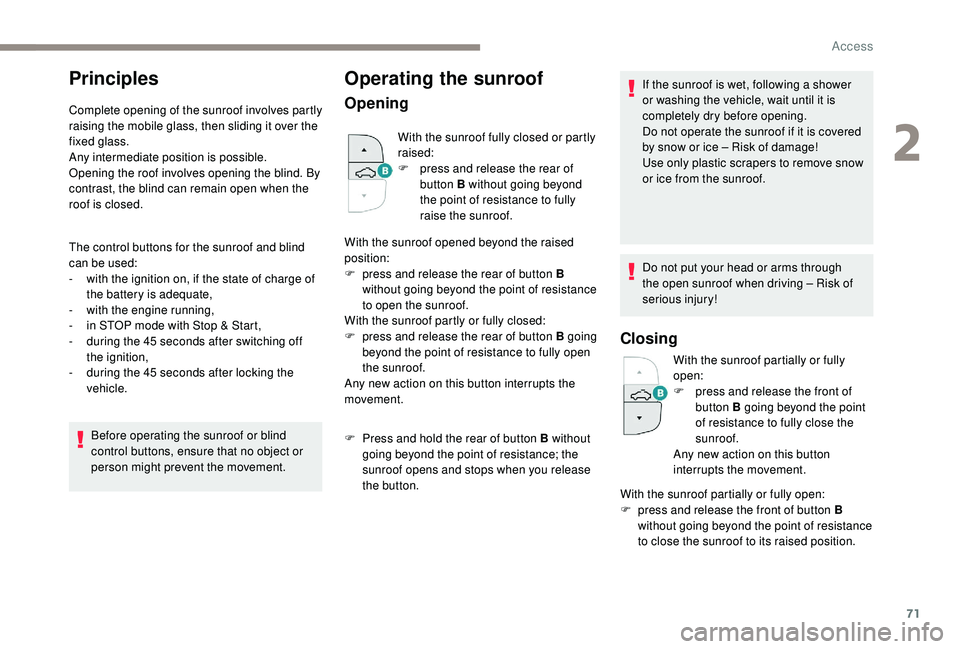
With the sunroof fully closed or partly
raised:
F
p
ress and release the rear of
button B without going beyond
the point of resistance to fully
raise the sunroof.
With the sunroof opened beyond the raised
position:
F
p
ress and release the rear of button B
without going beyond the point of resistance
to open the sunroof.
With the sunroof partly or fully closed:
F
p
ress and release the rear of button B going
beyond the point of resistance to fully open
the sunroof.
Any new action on this button interrupts the
movement.
F
P
ress and hold the rear of button B without
going beyond the point of resistance; the
sunroof opens and stops when you release
the button. If the sunroof is wet, following a shower
or washing the vehicle, wait until it is
completely dry before opening.
Do not operate the sunroof if it is covered
by snow or ice – Risk of damage!
Use only plastic scrapers to remove snow
or ice from the sunroof.
Do not put your head or arms through
the open sunroof when driving – Risk of
serious injury!
Closing
With the sunroof partially or fully
open:
F
p
ress and release the front of
button B going beyond the point
of resistance to fully close the
sunroof.
Any new action on this button
interrupts the movement.
With the sunroof partially or fully open:
F
p
ress and release the front of button B
without going beyond the point of resistance
to close the sunroof to its raised position.
2
Access
Page 84 of 404
82
Prolonged use is not recommended for
those with sensitive skin.
There is a risk of burns for people whose
perception of heat is impaired (illness,
taking medication, etc.).
There is a risk of overheating the system if
material with insulating properties is used,
such as cushions or seat covers.
Do not use the system:
-
i
f wearing damp clothing,
-
i
f child seats are fitted.
To avoid breaking the heating element in
the seat:
-
d
o not place heavy objects on the seat,
-
d
o not kneel or stand on the seat,
-
d
o not place sharp objects on the seat,
-
d
o not spill liquids onto the seat.
To avoid the risk of short-circuit:
-
d
o not use liquid products for cleaning
the seat,
-
n
ever use the heating function when
the seat is damp.Multipoint massage
System with a choice of type of massage and
adjustment of its intensity.
This system operates with the engine running,
as well as in STOP mode of Stop & Start.
Activation / Settings
The massage settings are adjusted in the touch
screen.
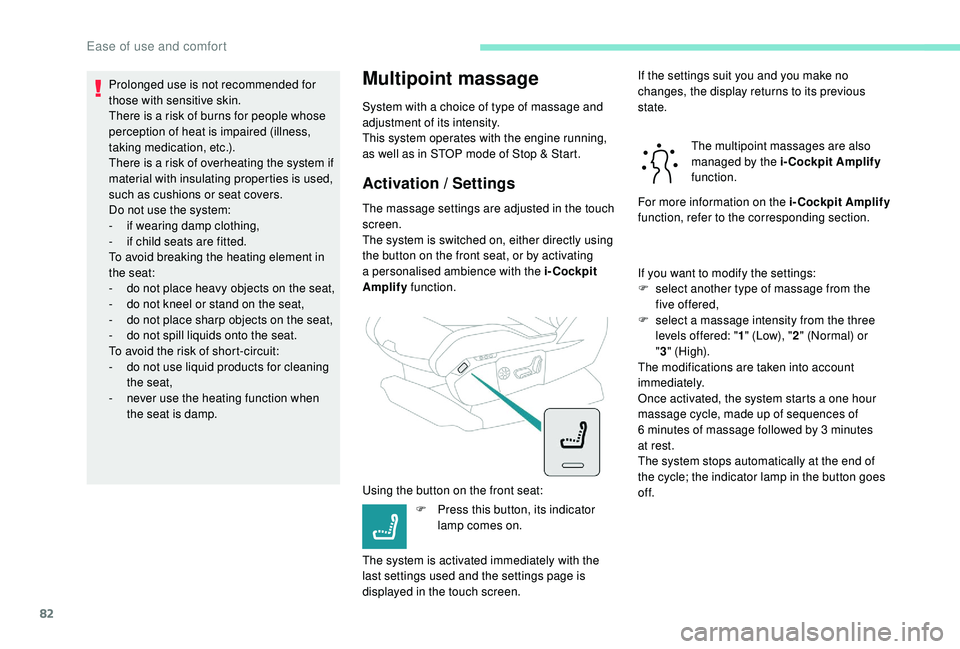
The system is switched on, either directly using
the button on the front seat, or by activating
a personalised ambience with the i-Cockpit
Amplify function.
Using the button on the front seat: F
P
ress this button, its indicator
lamp comes on.
The system is activated immediately with the
last settings used and the settings page is
displayed in the touch screen. If the settings suit you and you make no
changes, the display returns to its previous
state.
The multipoint massages are also
managed by the i-Cockpit Amplify
function.
For more information on the i-Cockpit Amplify
function, refer to the corresponding section.
If you want to modify the settings:
F
s
elect another type of massage from the
five offered,
F
s
elect a massage intensity from the three
levels offered: " 1" (Low), " 2" (Normal) or
" 3 " (High).
The modifications are taken into account
immediately.
Once activated, the system starts a one hour
massage cycle, made up of sequences of
6
minutes of massage followed by 3 minutes
at rest.
The system stops automatically at the end of
the cycle; the indicator lamp in the button goes
of f.
Ease of use and comfort