Page 291 of 404
289
The Stop & Start system may not be
operational during the trip following the
first engine start.
In this case, the system will only be
available again after a continuous
period of immobilisation of the vehicle,
a period which depends on the exterior
temperature and the state of charge of the
battery (up to about 8 hours).
For right-hand drive vehicles, when the
total distance recorder has reached
60
miles (100 km), it is necessary to wait
approx. 15 minutes before starting the
engine.
However, if minor problems persist following
this operation, contact a PEUGEOT dealer or a
qualified workshop.
Referring to the corresponding section, you
must yourself reinitialise or reset certain
systems, such as:
-
t
he key with remote control or electronic key
(depending on version),
-
t
he sunroof and its electric blind,
-
t
he electric windows,
-
t
he date and time,
-
t
he preset radio stations.
Towing the vehicle
Procedure for having your vehicle towed or
for towing another vehicle using a removable
towing eye.
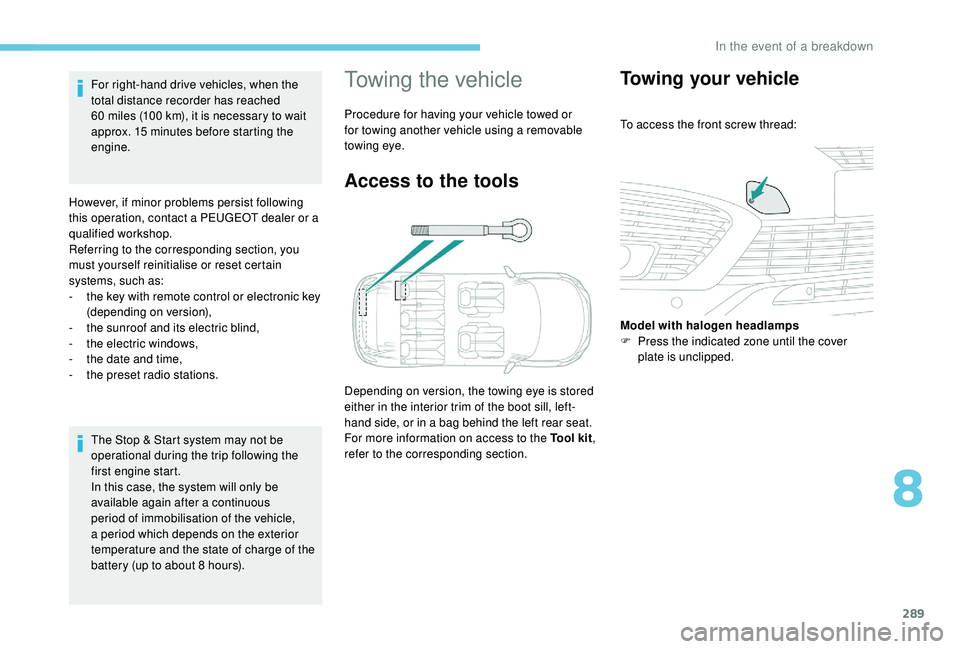
Access to the tools
Depending on version, the towing eye is stored
either in the interior trim of the boot sill, left-
hand side, or in a bag behind the left rear seat.
For more information on access to the Tool kit
,
refer to the corresponding section.
Towing your vehicle
To access the front screw thread:
Model with halogen headlamps
F
P
ress the indicated zone until the cover
plate is unclipped.
8
In the event of a breakdown
Page 299 of 404

1
PEUGEOT Connect Nav
GPS satellite navigation –
Applications – Multimedia
audio system – Bluetooth
®
telephone
Contents
First steps
2
S
teering mounted controls
3
M
enus
4
V
oice commands
5
N
avigation
1
1
Connected navigation
1
5
Applications
1
8
Radio
2
3
DAB radio (Digital Audio Broadcasting)
2
5
Media
26
T
elephone
2
8
Configuration
3
3
Frequently asked questions
3
7The different functions and settings
described vary according to the version
and configuration of your vehicle.
As a safety measure and because it
requires sustained attention by the
driver, the pairing of a Bluetooth mobile
telephone with the Bluetooth hands-free
system of your audio system must be
done with the vehicle stationary
and the
ignition on.
The system is protected in such a way that
it will only operate in your vehicle.
The display of the Energy Economy
Mode message signals that a change to
standby is imminent.
The link below gives access to OSS (Open
Source Software) codes for the system.
https://www.groupe-psa.com/fr/oss/
https://www.groupe-psa.com/en/oss/
PEUGEOT Connect Nav
.
PEUGEOT Connect Nav
Page 300 of 404

2
12:13
18,5 21,5
23 °CFirst steps
With the engine running, a press
mutes the sound.
With the ignition off, a press turns
the system on.
Adjustment of the volume.
Use the buttons either side of or below the
touch screen for access to the menus, then
press the virtual buttons in the touch screen.
Depending on the model, use the "Source" or
"Menu" buttons either side of the touch screen
for access to the menus, then press the virtual
buttons in the touch screen.
You can display the menu at any time by
pressing the screen briefly with three fingers.
All of the touch areas of the screen are white.
Press the cross to go back a level.
Press "OK" to confirm. The touch screen is of the "capacitive"
type.
To clean the screen, use a soft, non-
abrasive cloth (spectacles cloth) with no
additional product.
Do not use sharp objects on the screen.
Do not touch the screen with wet hands.
*
D
epending on equipment. Certain information is displayed permanently in
the upper band of the touch screen:
-
R
epeat of the air conditioning information
(depending on version), and direct access to
the corresponding menu.
-
G
o directly to the selection of the audio
source, to the list of radio stations (or list of
titles depending on the source).
-
G
o to the message notifications, emails,
map updates and, depending on the
services, the navigation notifications.
-
G
o to the settings for the touch screen and
the digital instrument panel. Selecting the audio source (depending on version):
-
F
M / DAB radio stations* / AM*.
-
K
ey USB.
-
C
D Player (depending on model).
-
M
edia player connected via the auxiliary socket
(depending on model).
-
T
elephone connected via Bluetooth and
Bluetooth multimedia broadcast* (streaming).
PEUGEOT Connect Nav
Page 301 of 404

3
In the "Settings" menu you can create
a profile for just one person or a group
of people with common points, with
the possibility of entering a multitude of
settings (radio presets, audio settings,
navigation history, contact favourites,
etc.); these settings are taken into account
automatically.
In very hot conditions, the volume may
be limited to protect the system. It may go
into standby (screen and sound off) for at
least 5 minutes
The return to normal takes place when
the temperature in the passenger
compartment has dropped.Steering mounted controls
Depending on model.
Voice commands :
This control is located on the
steering wheel or at the end of the
lighting control stalk (depending on
model).
Short press, system voice
commands.
Long press, smartphone voice
commands via the system.
or Increase volume.
or Mute / Restore the sound.
Or
Mute by pressing the volume
increase and decrease buttons
simultaneously.
Restore the sound by pressing one
of the two volume buttons.
or Decrease volume. or
Media
(short press): change the
multimedia source.
Telephone (short press): start
telephone call.
Call in progress (short press):
access telephone menu.
Telephone (long press): reject an
incoming call, end call; when no call
is in progress, access telephone
menu.
or Radio
(rotate): automatic search for
the previous / next station.
Media (rotate): previous / next track,
move in a list.
Short press : confirm a selection; if
nothing selected, access to presets.
Radio : display the list of stations.
Media : display the list of tracks.
Radio (press and hold): update the
list of stations received.
.
PEUGEOT Connect Nav
Page 302 of 404
4
FM/87.5 MHz
87.5MHz
12:13
18,5 21,5
23 °C
12:13
18,5 21,5
23 °C
12:13
18,5 21,5
23 °C
21,518,5
12:1323 °C
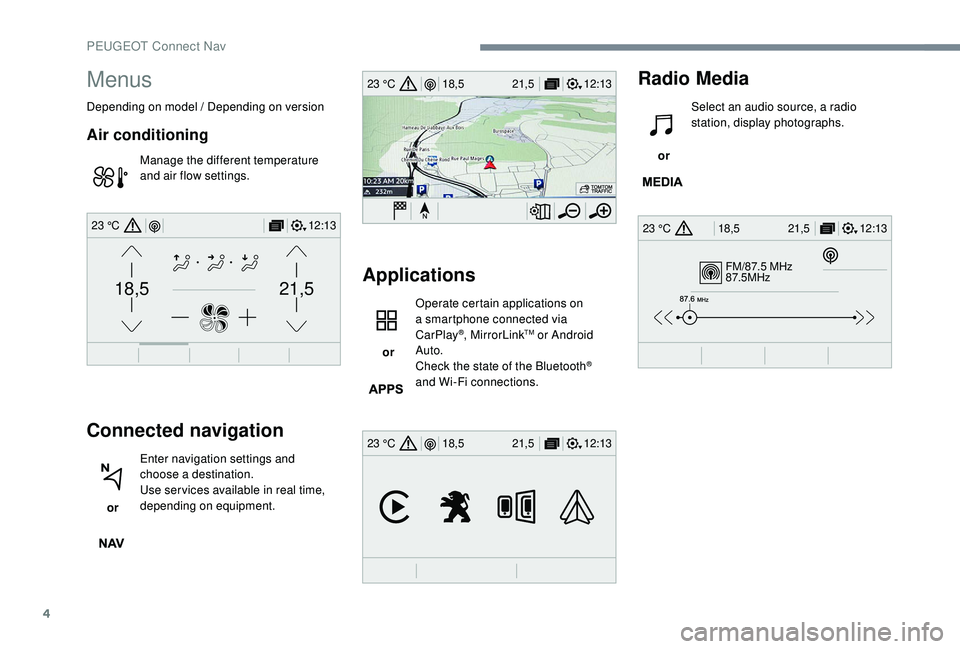
Menus
Depending on model / Depending on version
Air conditioning
Manage the different temperature
and air flow settings.
Connected navigation
or Enter navigation settings and
choose a destination.
Use ser vices available in real time,
depending on equipment.
Applications
or Operate certain applications on
a smartphone connected via
CarPlay
®, MirrorLinkTM or Android
Auto.
Check the state of the Bluetooth
®
and Wi-Fi connections.
Radio Media
or Select an audio source, a radio
station, display photographs.
PEUGEOT Connect Nav
Page 304 of 404

6
First steps
Example of a "voice command" for
navigation:
"Navigate to address 11 Regent
Street, London" .
Example of a "voice command" for
the radio and media: "Play ar tist
Madonna" .
Example of a "voice command" for
the telephone:
"Call David Miller" .
The voice commands, with a choice of
12
languages (English, French, Italian,
Spanish, German, Dutch, Portuguese,
Polish, Turkish, Russian, Arabic,
Brazilian), are made using the language
previously chosen and set in the system.
For some voice commands, there are
alternative synonyms.
Example: Guide to / Navigate to / Go to / ...
The voice commands in Arabic for
"Navigate to address" and "Display POI in
the city" are not available.
Information – Using the system
Press the Push To Talk voice
control button and tell me
what you'd like after the tone.
Remember you can interrupt
me at any time by pressing this
button. If you press it again
while I'm waiting for you to
speak, it'll end the conversation.
If you need to start over, say
"cancel". If you want to undo
something, say "undo". And to
get information and tips at any
time, just say "help". If you ask
to me do something and there's
some information missing
that I need, I'll give you some
examples or take you through
it step by step. There's more
information available in "novice"
mode. You can set the dialogue
mode to "expert" when you feel
comfortable.
Global voice commands
These commands can be made from any
screen page after pressing the " Voice
command" or "Telephone" button located
on the steering wheel, as long as there is
no telephone call in progress.
PEUGEOT Connect Nav
Page 305 of 404
7
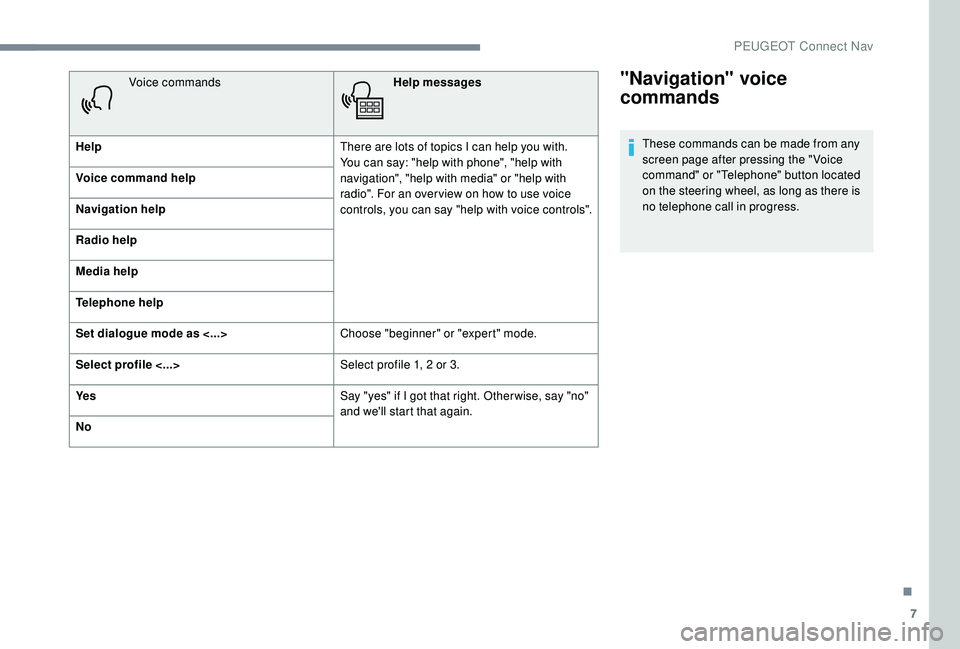
"Navigation" voice
commands
These commands can be made from any
screen page after pressing the " Voice
command" or "Telephone" button located
on the steering wheel, as long as there is
no telephone call in progress.
Voice commands
Help messages
Help There are lots of topics I can help you with.
You can say: "help with phone", "help with
navigation", "help with media" or "help with
radio". For an over view on how to use voice
controls, you can say "help with voice controls".
Voice command help
Navigation help
Radio help
Media help
Telephone help
Set dialogue mode as <...>
Choose "beginner" or "expert" mode.
Select profile <...> Select profile 1, 2
or 3.
Ye s Say "yes" if I got that right. Other wise, say "no"
and we'll start that again.
No
.
PEUGEOT Connect Nav
Page 306 of 404

8
Voice commandsHelp messages
Navigate home To start guidance or add a stopover, say
"navigate to" and then the address or contact
name. For example, "navigate to address
11
Regent Street, London", or "navigate to
contact, John Miller". You can specify if it's a
preferred or recent destination. For example,
"navigate to preferred address, Tennis club",
"navigate to recent destination, 11
Regent
Street, London". Other wise, just say, "navigate
home". To see points of interest on a map, you
can say things like "show hotels in Banbury"
or "show nearby petrol station". For more
information you can ask for "help with route
guidance".
Navigate to work
Navigate to preferred address <...>
Navigate to contact <...>
Navigate to address <...>
Show nearby POI <...>
Remaining distance
To get information about your current route,
you can say "tell me the remaining time",
"distance" or "arrival time". Try saying "help
with navigation" to learn more commands.
Remaining time
Arrival time
Stop route guidance
Depending on the country, give the
destination instructions (address) in the
language used by the system."Radio Media" voice
commands
These commands can be made from any
screen page after pressing the " Voice
command" or "Telephone" button located
on the steering wheel, as long as there is
no telephone call in progress.
PEUGEOT Connect Nav