Page 124 of 491
TURN SIGNAL SWITCH
Turn signal
�1Move the lever up or down to signal the
turning direction. When the turn is com-
pleted, the turn signal cancels automatically.
Lane change signal
�2Move the lever up or down until the turn
signal begins to flash, but the lever does not
latch, to signal a lane change. Hold the lever
until the lane change is completed. Move the lever up or down until the turn
signal begins to flash, but the lever does not
latch, and release the lever. The turn signal
will automatically flash three times.
Choose the appropriate method to signal a lane
change based on road and traffic conditions.
NOTE:
If the turn signal light bulb malfunctions,
the turn signal indicator will flash at a
higher frequency when the turn signal is
activated.
FOG LIGHT SWITCH (if so equipped)
To turn the fog lights on, turn the headlight switch
to the
position, then turn the fog light
switch to the
position.
To turn the fog lights on with the headlight switch
in the AUTO position, the headlights must be on,
then turn the fog light switch to the
posi-
tion.
To turn the fog lights off, turn the fog light switch
to the OFF position.
The headlights must be on and the low beams
selected for the fog lights to operate. The fog
lights automatically turn off when the high beam
headlights are selected.
LIC3252LIC3256
Instruments and controls2-45
Page 128 of 491
●Only certain power outlets are designed
for use with a cigarette lighter unit. Do
not use any other power outlet for an
accessory lighter. It is recommended
that you visit a NISSAN dealer for addi-
tional information.
● Do not use with accessories that exceed
a 12 volt, 120W (10A) power draw.
● Do not use double adapters or more
than one electrical accessory.
● Use power outlets with the engine run-
ning to avoid discharging the vehicle
battery.
● Avoid using power outlets when the air
conditioner, headlights or rear window
defroster is on.
● Before inserting or disconnecting a
plug, be sure the electrical accessory
being used is turned off.
● Push the plug in as far as it will go. If
good contact is not made, the plug may
overheat or the internal temperature
fuse may open.
● When not in use, be sure to close the
cap. Do not allow water or any other
liquid to contact the outlet.
FRONT-DOOR POCKETS CONSOLE SIDE POCKETS (if so
equipped)
LIC2426LIC2392
STORAGE
Instruments and controls2-49
Page 139 of 491
CONSOLE LIGHT (if so equipped)
The console light will turn on whenever the park-
ing lights or headlights are illuminated.
MAP LIGHTS
To turn the map lights on, push the switches. To
turn them off, push the switches again.
CAUTION
Do not use for extended periods of time
with the engine stopped. This could result
in a discharged battery.
DOME LIGHT
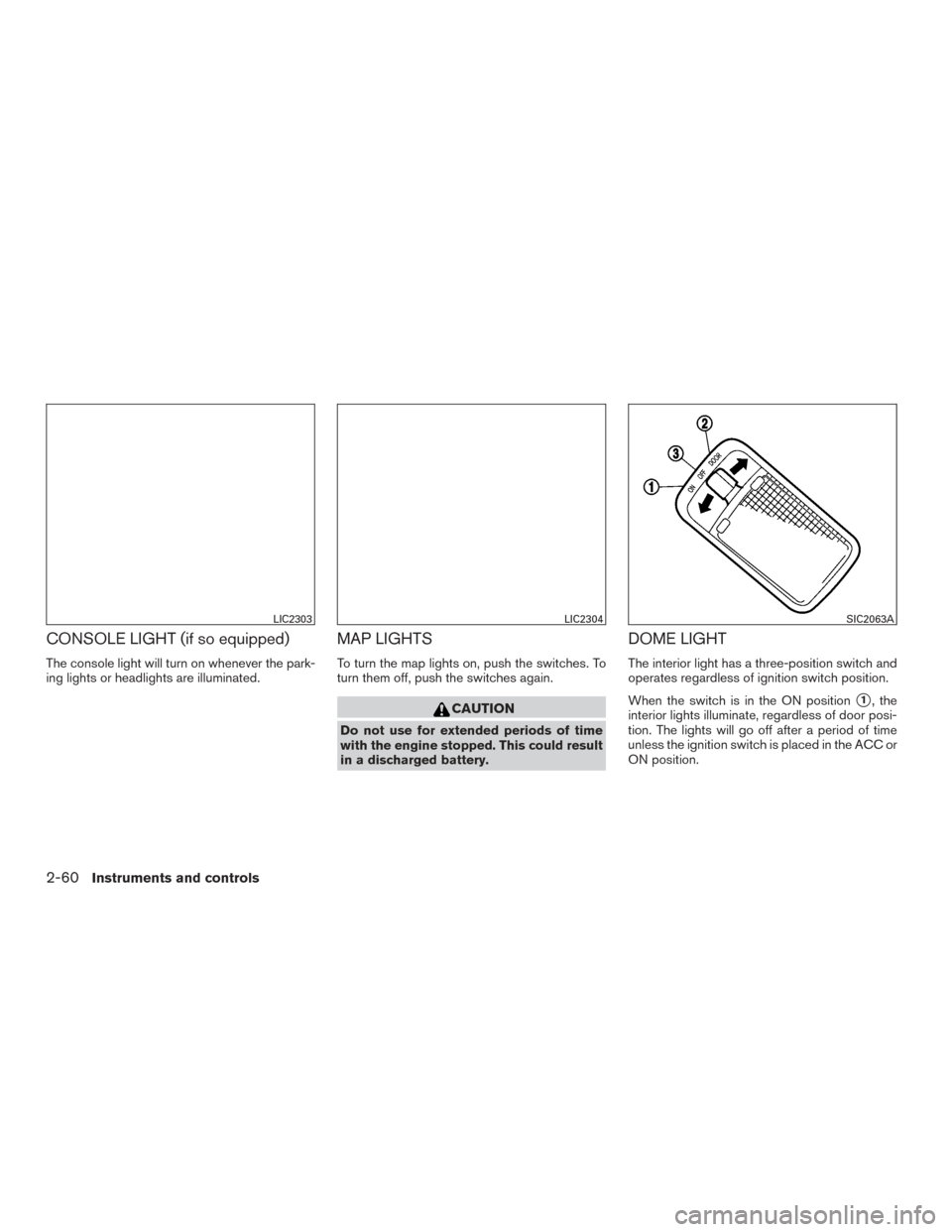
The interior light has a three-position switch and
operates regardless of ignition switch position.
When the switch is in the ON position
�1, the
interior lights illuminate, regardless of door posi-
tion. The lights will go off after a period of time
unless the ignition switch is placed in the ACC or
ON position.
LIC2303LIC2304SIC2063A
2-60Instruments and controls
Page 163 of 491
The interior light illuminates for a period of time
when a door is unlocked and the room light
switch is in the DOOR position.
The light can be turned off without waiting by
performing one of the following operations:● Placing the ignition switch in the ON posi-
tion.
● Locking the doors with the Intelligent Key.
● Switching the room light switch to the OFF
position.
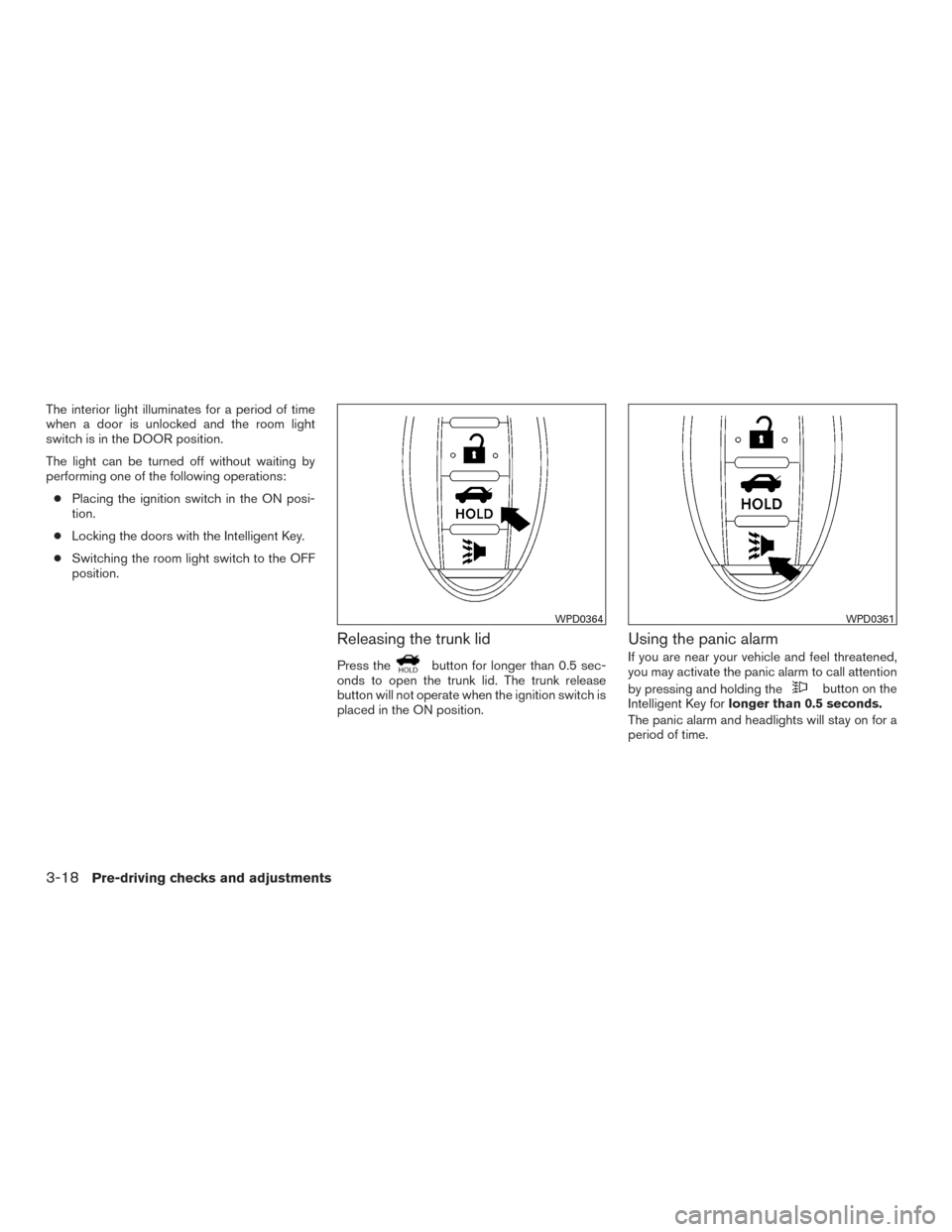
Releasing the trunk lid
Press thebutton for longer than 0.5 sec-
onds to open the trunk lid. The trunk release
button will not operate when the ignition switch is
placed in the ON position.
Using the panic alarm
If you are near your vehicle and feel threatened,
you may activate the panic alarm to call attention
by pressing and holding the
button on the
Intelligent Key for longer than 0.5 seconds.
The panic alarm and headlights will stay on for a
period of time.
WPD0364WPD0361
3-18Pre-driving checks and adjustments
Page 175 of 491
CARD HOLDER (driver’s side only)
To access the card holder, pull the sun visor
down and slide card in the card holder. Do not
view information while operating the vehicle.
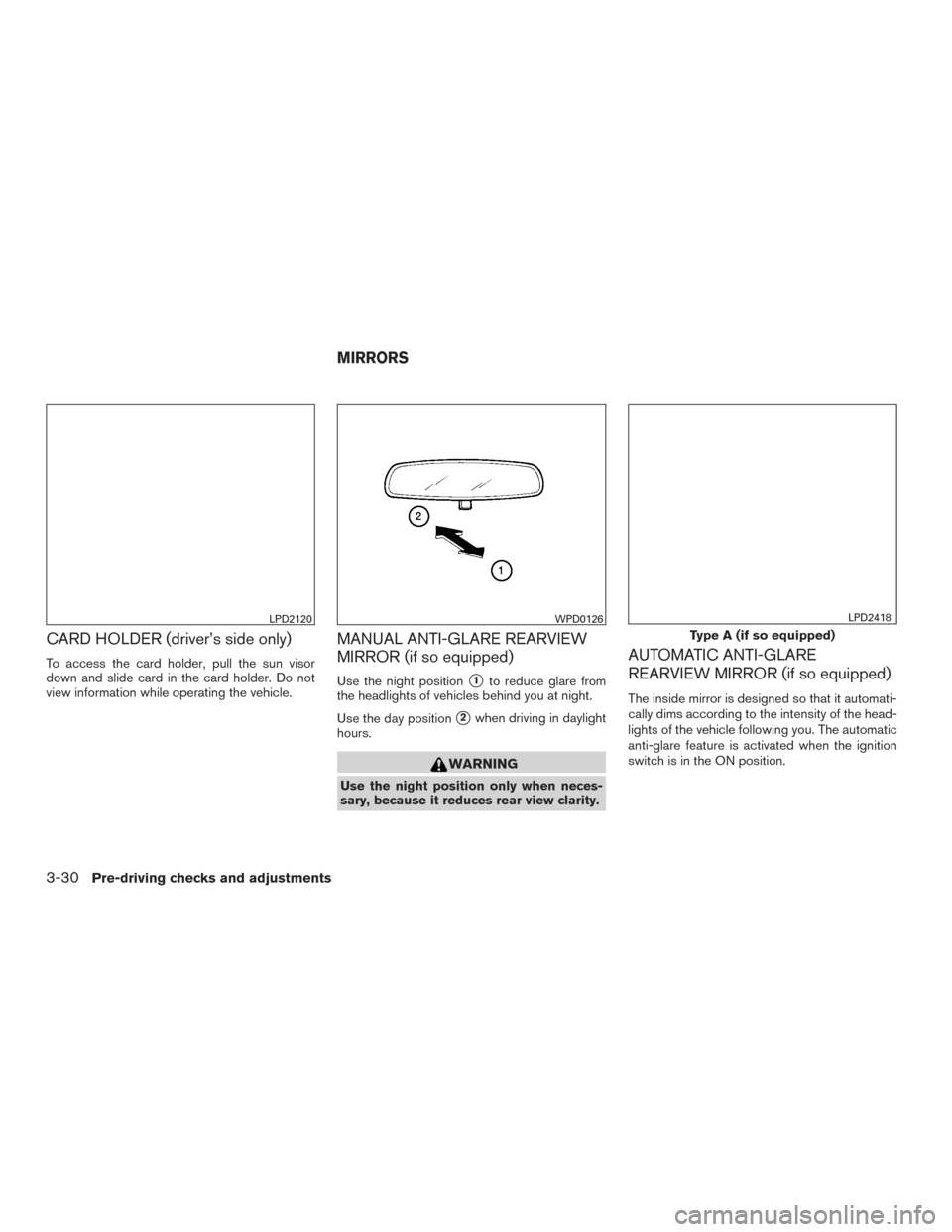
MANUAL ANTI-GLARE REARVIEW
MIRROR (if so equipped)
Use the night position�1to reduce glare from
the headlights of vehicles behind you at night.
Use the day position
�2when driving in daylight
hours.
WARNING
Use the night position only when neces-
sary, because it reduces rear view clarity.
AUTOMATIC ANTI-GLARE
REARVIEW MIRROR (if so equipped)
The inside mirror is designed so that it automati-
cally dims according to the intensity of the head-
lights of the vehicle following you. The automatic
anti-glare feature is activated when the ignition
switch is in the ON position.
LPD2120WPD0126
Type A (if so equipped)
LPD2418
MIRRORS
3-30Pre-driving checks and adjustments
Page 313 of 491
●Make sure the area around the vehicle is
clear.
● Check fluid levels such as engine oil, cool-
ant, brake and clutch fluid (if so equipped) ,
and windshield-washer fluid as frequently as
possible, or at least whenever you refuel.
● Check that all windows and lights are clean.
● Visually inspect tires for their appearance
and condition. Also check tires for proper
inflation.
● Lock all doors.
● Position seat and adjust head
restraints/headrests.
● Adjust inside and outside mirrors.
● Fasten seat belts and ask all passengers to
do likewise.
● Check the operation of warning lights when
the ignition switch is placed in the ON posi-
tion. For additional information, refer to
“Warning lights, indicator lights and audible
reminders” in the “Instruments and controls”
section of this manual. 1. Apply the parking brake.
2.
CVT model:
Move the shift lever to P (Park) or N (Neu-
tral) . P (Park) is recommended.
The shift lever cannot be moved out of
P (Park) and into any of the other gear
positions if the ignition switch is
turned to the OFF position or if the key
is removed from the ignition switch.
The starter is designed not to operate if
the shift lever is in any of the driving
positions.
Manual transmission model:
Move the shift lever to N (Neutral) . Depress
the clutch pedal to the floor while cranking
the engine.
The starter is designed not to operate
unless the clutch pedal is fully de-
pressed.
The Intelligent Key must be carried
when operating the ignition switch.
3. Crank the engine with your foot off the
accelerator pedal by turning the ignition
switch to START. Release the switch when
the engine starts. If the engine starts, but
fails to run, repeat the above procedure. ●
If the engine is very hard to start in ex-
tremely cold weather or when restarting,
depress the accelerator pedal a little (ap-
proximately 1/3 to the floor) and hold it
and then crank the engine. Release the
switch and the accelerator pedal when
the engine starts.
● If the engine is very hard to start because
it is flooded, depress the accelerator
pedal all the way to the floor and hold it.
Crank the engine for 5-6 seconds. After
cranking the engine, release the accel-
erator pedal. Crank the engine with your
foot off the accelerator pedal by turn-
ing the ignition switch to START. Release
the key when the engine starts. If the
engine starts, but fails to run, repeat the
above procedure.
CAUTION
Do not operate the starter for more than
15 seconds at a time. If the engine does
not start, turn the ignition switch to off and
wait 10 seconds before cranking again,
otherwise the starter could be damaged.
BEFORE STARTING THE ENGINE STARTING THE ENGINE (models without NISSAN Intelligent Key®
system)
5-14Starting and driving
Page 351 of 491
●When the shift lever is not in the D (Drive) or
L (Low) (if so equipped) mode
● When the parking brake is applied
● When the brakes are operated by the driver
When the COAST/SET switch is pushed under
the following conditions, the system cannot be
set.
A warning chime will sound and a message will
pop up: ● When the VDC system is off (To use the ICC
system, turn on the VDC system. Push the
CRUISE ON/OFF switch to turn off the ICC
system and reset the ICC switch by pushing
the CRUISE ON/OFF switch again.)
For additional information about the VDC
system, refer to “Vehicle Dynamic Control
(VDC) system” in this section.
● When ABS or VDC is operating
● When a wheel is slipping (To use the ICC
system, make sure the wheels are no longer
slipping. Push the CRUISE ON/OFF switch
to turn off the ICC system, and reset the ICC
system by pushing the CRUISE ON/OFF
switch again.)
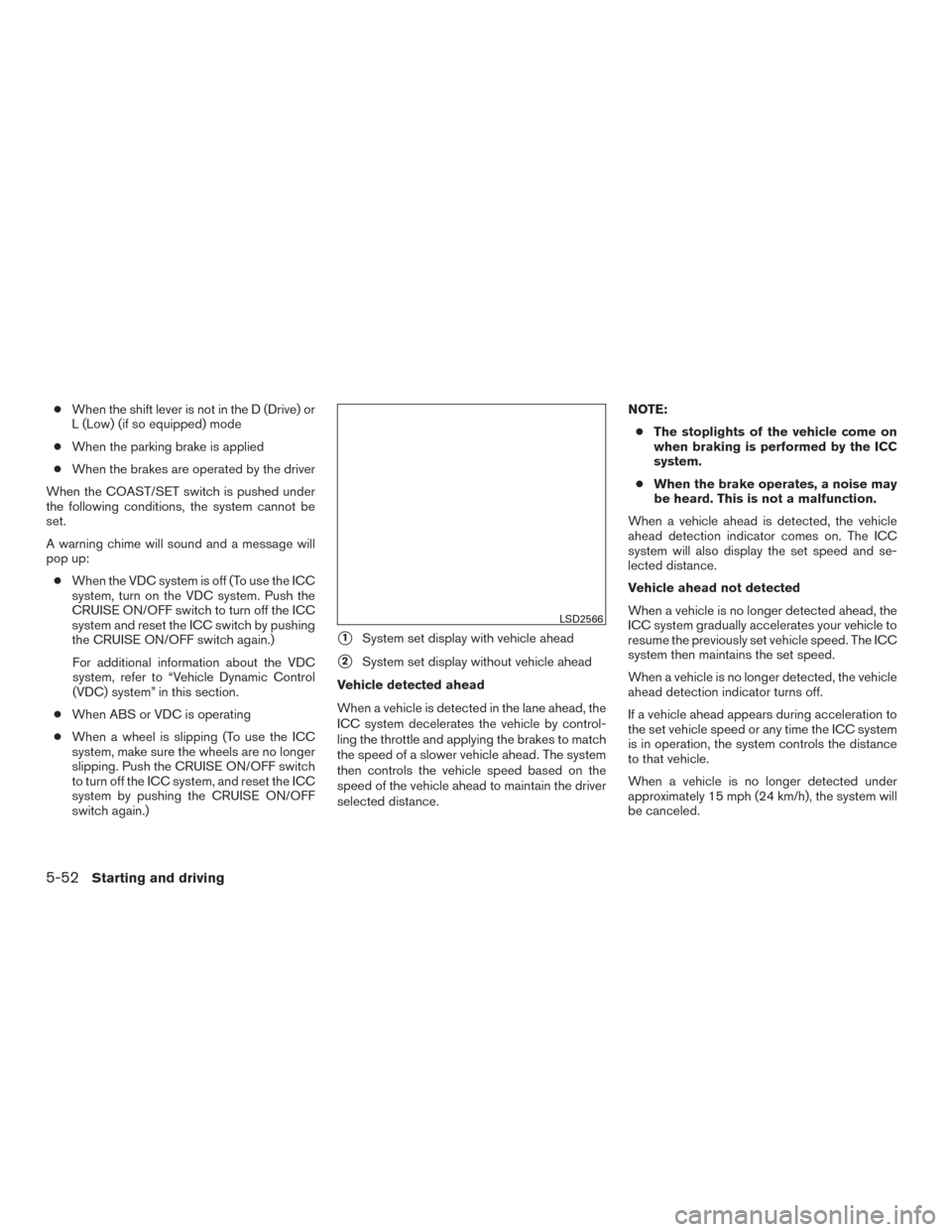
�1System set display with vehicle ahead
�2System set display without vehicle ahead
Vehicle detected ahead
When a vehicle is detected in the lane ahead, the
ICC system decelerates the vehicle by control-
ling the throttle and applying the brakes to match
the speed of a slower vehicle ahead. The system
then controls the vehicle speed based on the
speed of the vehicle ahead to maintain the driver
selected distance. NOTE:
● The stoplights of the vehicle come on
when braking is performed by the ICC
system.
● When the brake operates, a noise may
be heard. This is not a malfunction.
When a vehicle ahead is detected, the vehicle
ahead detection indicator comes on. The ICC
system will also display the set speed and se-
lected distance.
Vehicle ahead not detected
When a vehicle is no longer detected ahead, the
ICC system gradually accelerates your vehicle to
resume the previously set vehicle speed. The ICC
system then maintains the set speed.
When a vehicle is no longer detected, the vehicle
ahead detection indicator turns off.
If a vehicle ahead appears during acceleration to
the set vehicle speed or any time the ICC system
is in operation, the system controls the distance
to that vehicle.
When a vehicle is no longer detected under
approximately 15 mph (24 km/h), the system will
be canceled.
LSD2566
5-52Starting and driving
Page 362 of 491
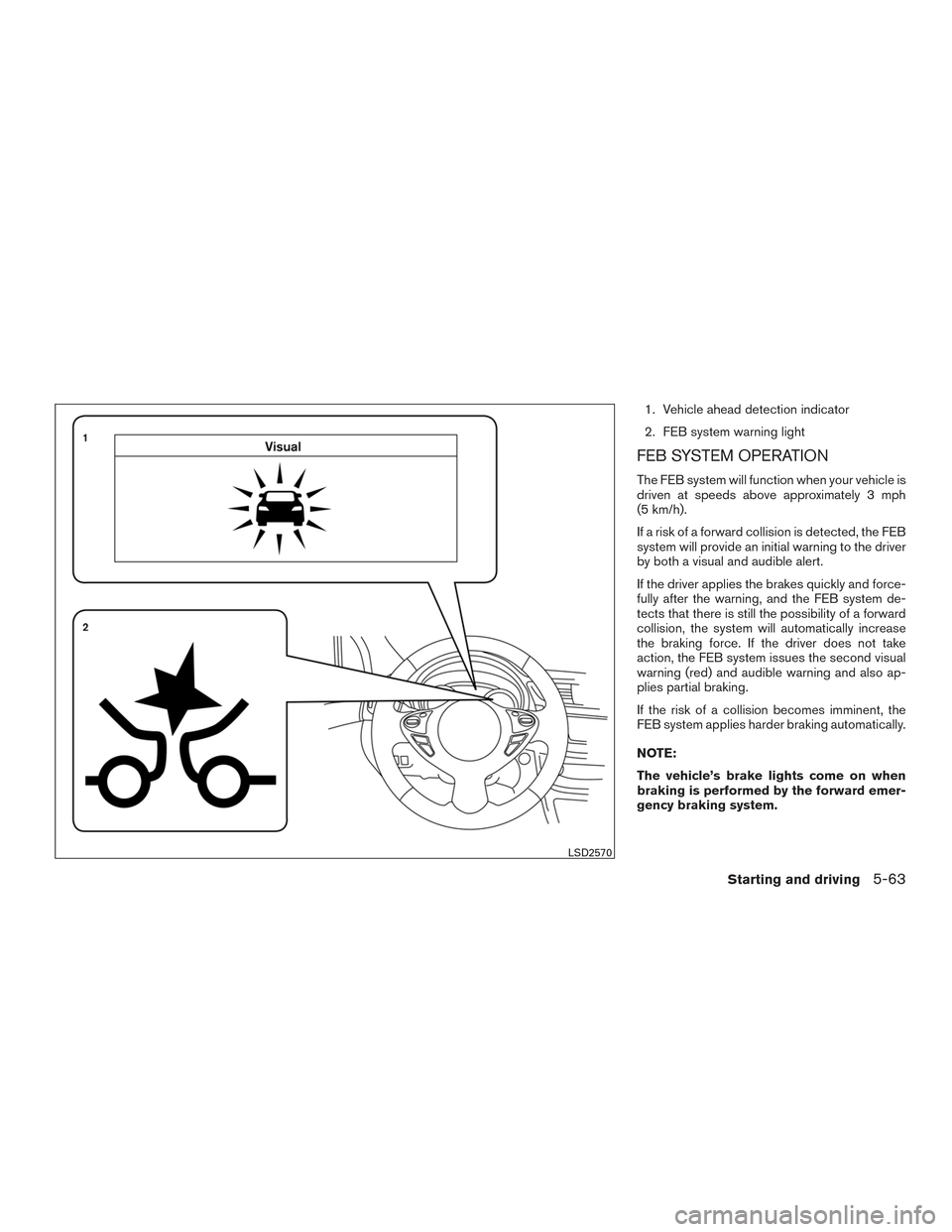
1. Vehicle ahead detection indicator
2. FEB system warning light
FEB SYSTEM OPERATION
The FEB system will function when your vehicle is
driven at speeds above approximately 3 mph
(5 km/h).
If a risk of a forward collision is detected, the FEB
system will provide an initial warning to the driver
by both a visual and audible alert.
If the driver applies the brakes quickly and force-
fully after the warning, and the FEB system de-
tects that there is still the possibility of a forward
collision, the system will automatically increase
the braking force. If the driver does not take
action, the FEB system issues the second visual
warning (red) and audible warning and also ap-
plies partial braking.
If the risk of a collision becomes imminent, the
FEB system applies harder braking automatically.
NOTE:
The vehicle’s brake lights come on when
braking is performed by the forward emer-
gency braking system.
LSD2570
Starting and driving5-63