2017 NISSAN QUEST parking brake
[x] Cancel search: parking brakePage 193 of 520
4-4Monitor, heater, air conditioner, audio, phone and voice recognition systems
WARNING
.Do not disassemble or modify this
system. If you do, it may result in
accidents, fire, or electric shock.
. Do not use this system if you notice
any abnormality, such as a frozen
screen or lack of sound. Continued
use of the system may result in
accident, fire or electric shock.
. In case you notice any foreign
object in the system hardware, spill
liquid on it, or notice smoke or smell
coming from it, stop using the
system immediately. It is recom-
mended you visit a NISSAN dealer
for servicing. Ignoring such condi-
tions may lead to accidents, fire, or
electric shock.
. Park the vehicle in a safe location
and apply the parking brake to view
the images on the front center dis-
play screen.
Do not attempt to operate the system in
extreme temperature conditions [below
í 48F( í208 C) and above 1588 F (708C)].
Operating this system under these condi- tions may result in system malfunctions.
SAFETY NOTE
Page 210 of 520
Slide Driver Seat Back on Exit (if so
equipped):
When this item is turned on, the driver’s seat
moves backward for easy exit if the ignition
switch is in the OFF position and the driver’s
door is opened. After getting into the vehicle and
pushing the ignition switch to the ACC position,
the driver’s seat moves to the previous position.
Selective Door Unlock:
When this item is turned on, only the driver’s
door is unlocked first after the door unlock
operation. When the door handle request switch
on the driver’s or front passenger’s side door is
pushed to be unlocked, only the corresponding
door is unlocked first. All the doors can be
unlocked if the door unlock operation is per-
formed again within 60 seconds.
When this item is turned off, all the doors will be
unlocked after the door unlock operation is
performed once.
Intelligent Key Lock/Unlock:
When this item is turned on, door lock/unlock
function by pushing the door handle request
switch will be activated.
Return All Settings to Default:
Select this item and then select “YES” to return
all settings to the default.
SAA2487
Models with navigation system
SAA3675Models without navigation system
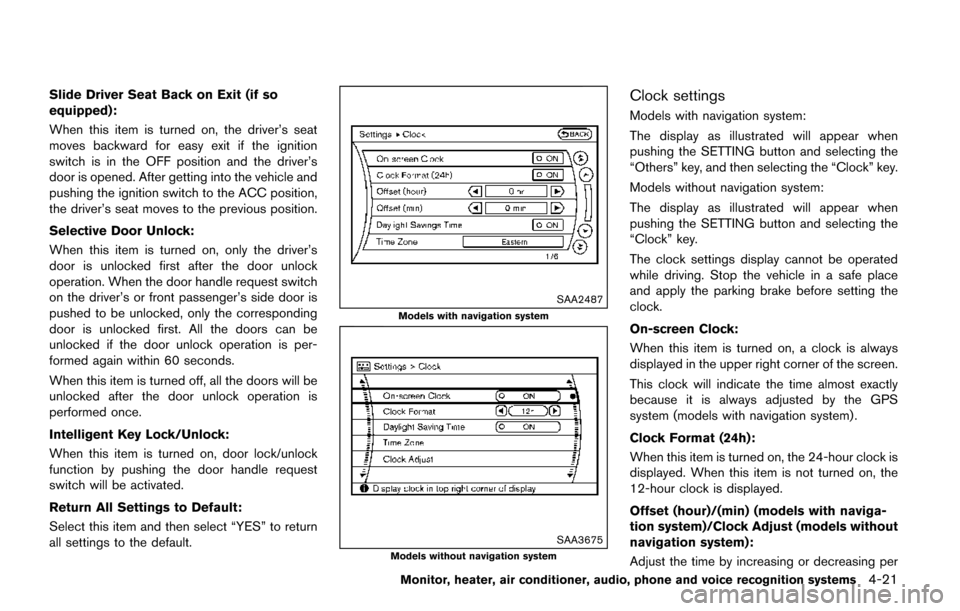
Clock settings
Models with navigation system:
The display as illustrated will appear when
pushing the SETTING button and selecting the
“Others” key, and then selecting the “Clock” key.
Models without navigation system:
The display as illustrated will appear when
pushing the SETTING button and selecting the
“Clock” key.
The clock settings display cannot be operated
while driving. Stop the vehicle in a safe place
and apply the parking brake before setting the
clock.
On-screen Clock:
When this item is turned on, a clock is always
displayed in the upper right corner of the screen.
This clock will indicate the time almost exactly
because it is always adjusted by the GPS
system (models with navigation system) .
Clock Format (24h):
When this item is turned on, the 24-hour clock is
displayed. When this item is not turned on, the
12-hour clock is displayed.
Offset (hour)/(min) (models with naviga-
tion system)/Clock Adjust (models without
navigation system):
Adjust the time by increasing or decreasing per
Monitor, heater, air conditioner, audio, phone and voice recognition systems4-21
Page 212 of 520
Voice Recognition settings (models with
navigation system)
For details about the “Voice Recognition”
settings, see “NISSAN Voice Recognition sys-
tem (models with navigation system)” (P.4-154) .
Camera settings (models without navi-
gation system)
For the details about the “Camera” settings, see
“RearView Monitor” (P.4-25) .
SAA2491
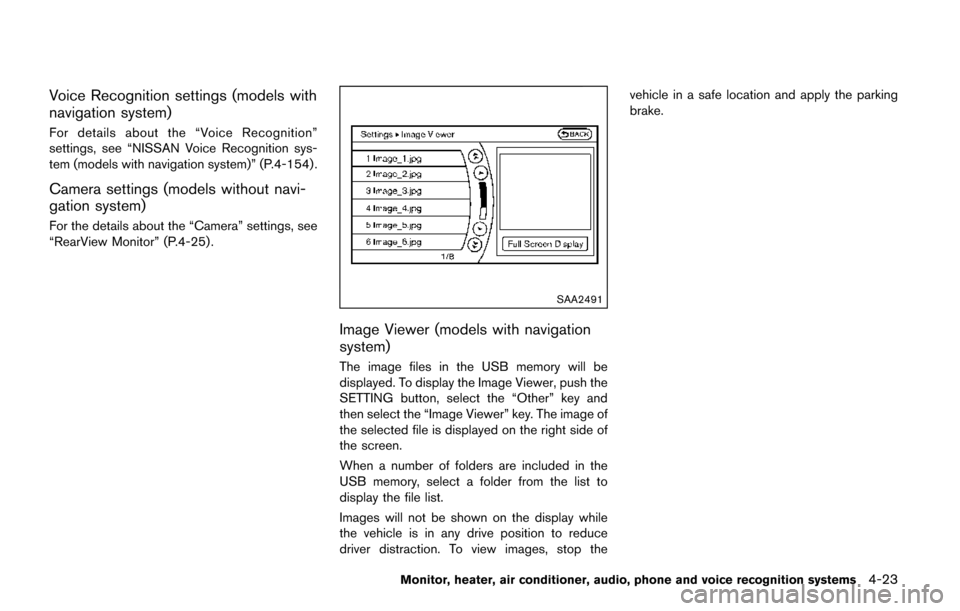
Image Viewer (models with navigation
system)
The image files in the USB memory will be
displayed. To display the Image Viewer, push the
SETTING button, select the “Other” key and
then select the “Image Viewer” key. The image of
the selected file is displayed on the right side of
the screen.
When a number of folders are included in the
USB memory, select a folder from the list to
display the file list.
Images will not be shown on the display while
the vehicle is in any drive position to reduce
driver distraction. To view images, stop thevehicle in a safe location and apply the parking
brake.
Monitor, heater, air conditioner, audio, phone and voice recognition systems4-23
Page 218 of 520
5. When the vehicle is parked in the spacecompletely, move the shift lever to the P
(Park) position and apply the parking brake.
ADJUSTING THE SCREEN
Models with Center Multi-function Control
Panel:
.To adjust the Display ON/OFF, Brightness,
Tint, Color, Contrast and Black Level of the
RearView Monitor, push the SETTING but-
ton with the RearView Monitor on, select the
item key and adjust the level using the
multifunction controller.
Do not adjust the Brightness, Tint, Color,
Contrast and Black Level of the RearView
Monitor while the vehicle is moving. Make
sure the parking brake is firmly applied.
The display of the predictive course lines
can be set to ON or OFF. For details, see
“Predictive course line settings” (P.4-29).
Models without Center Multi-function Control
Panel:
. To set up the RearView Monitor to your
preferred settings, push the ENTER/
SETTING button while the RearView Moni-
tor screen is displayed. Each time the
ENTER/SETTING button is pushed, the next
setting item is selected. Turn the TUNE
SCROLL control knob to adjust each item. Available setting items:
— Brightness
— Contrast
The setting items will disappear and the display
will return to the original screen if ENTER/
SETTING button is pushed when the last setting
item is selected or if the screen is left without
operation for some time. For details, see “FM-
AM-SAT radio with Compact Disc (CD) player
(Type A)” (P.4-77) .
NOTE:
Do not adjust any of the display settings of
the RearView Monitor while the vehicle is
moving. Make sure the parking brake is
firmly applied.
SAA2606
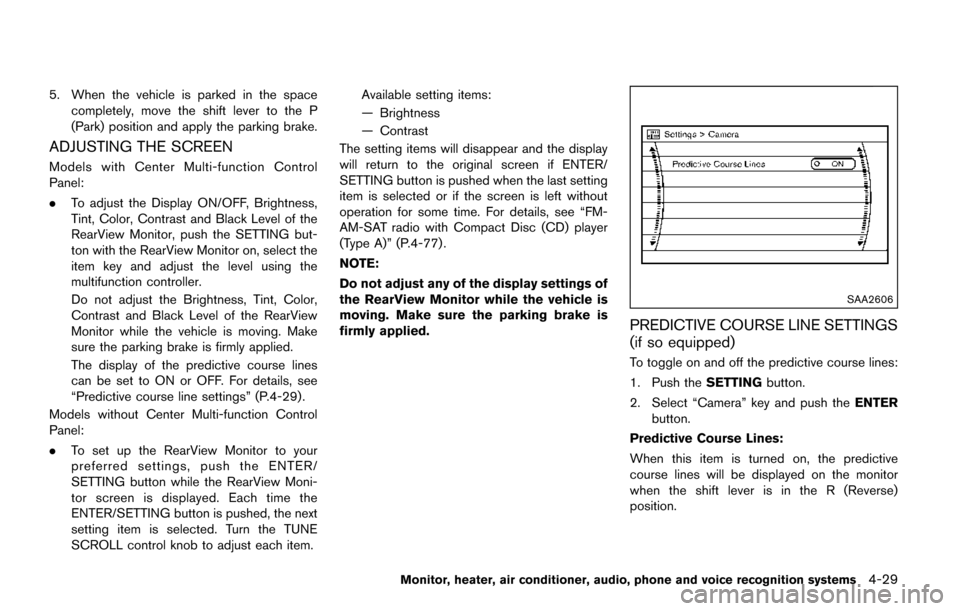
PREDICTIVE COURSE LINE SETTINGS
(if so equipped)
To toggle on and off the predictive course lines:
1. Push the SETTINGbutton.
2. Select “Camera” key and push the ENTER
button.
Predictive Course Lines:
When this item is turned on, the predictive
course lines will be displayed on the monitor
when the shift lever is in the R (Reverse)
position.
Monitor, heater, air conditioner, audio, phone and voice recognition systems4-29
Page 228 of 520
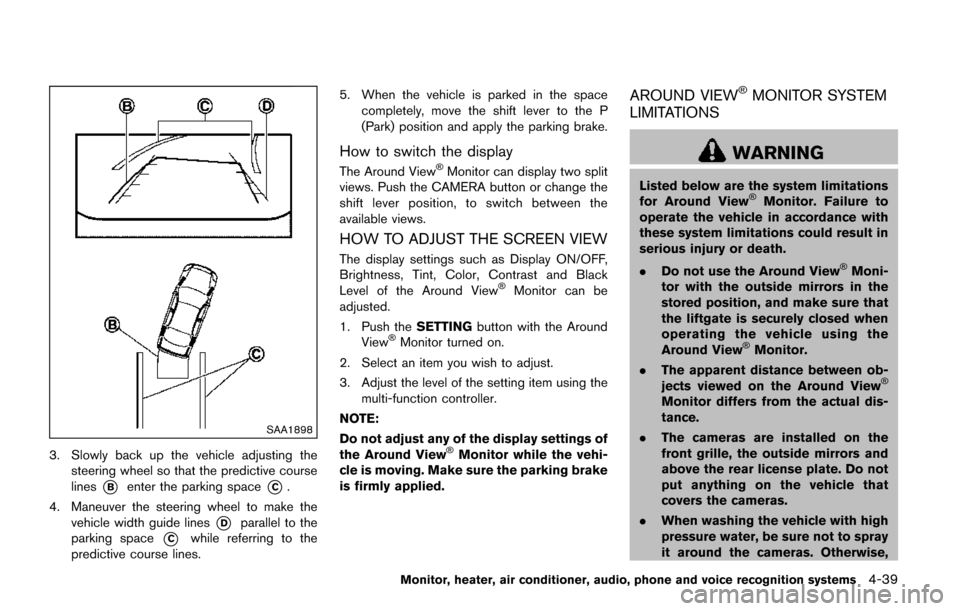
SAA1898
3. Slowly back up the vehicle adjusting thesteering wheel so that the predictive course
lines
*Benter the parking space*C.
4. Maneuver the steering wheel to make the vehicle width guide lines
*Dparallel to the
parking space
*Cwhile referring to the
predictive course lines. 5. When the vehicle is parked in the space
completely, move the shift lever to the P
(Park) position and apply the parking brake.
How to switch the display
The Around ViewŠMonitor can display two split
views. Push the CAMERA button or change the
shift lever position, to switch between the
available views.
HOW TO ADJUST THE SCREEN VIEW
The display settings such as Display ON/OFF,
Brightness, Tint, Color, Contrast and Black
Level of the Around View
ŠMonitor can be
adjusted.
1. Push the SETTINGbutton with the Around
View
ŠMonitor turned on.
2. Select an item you wish to adjust.
3. Adjust the level of the setting item using the multi-function controller.
NOTE:
Do not adjust any of the display settings of
the Around View
ŠMonitor while the vehi-
cle is moving. Make sure the parking brake
is firmly applied.
AROUND VIEWŠMONITOR SYSTEM
LIMITATIONS
WARNING
Listed below are the system limitations
for Around ViewŠMonitor. Failure to
operate the vehicle in accordance with
these system limitations could result in
serious injury or death.
. Do not use the Around View
ŠMoni-
tor with the outside mirrors in the
stored position, and make sure that
the liftgate is securely closed when
operating the vehicle using the
Around View
ŠMonitor.
. The apparent distance between ob-
jects viewed on the Around View
Š
Monitor differs from the actual dis-
tance.
. The cameras are installed on the
front grille, the outside mirrors and
above the rear license plate. Do not
put anything on the vehicle that
covers the cameras.
. When washing the vehicle with high
pressure water, be sure not to spray
it around the cameras. Otherwise,
Monitor, heater, air conditioner, audio, phone and voice recognition systems4-39
Page 280 of 520
When theorbutton is pushed for less
than 1.5 seconds while the CD is being played,
the next track or the beginning of the current
track on the CD will be played.
REPEAT (RPT) , RANDOM (RDM):
When the RPT button is pushed while the CD is
played, the play pattern can be changed as
follows:
(CD)
(CD with compressed audio files)
CD EJECT:
When the CD EJECT button is pushed with the
CD loaded, the CD will be ejected.
When this button is pushed while the CD is
being played, the CD will be ejected.
If the CD comes out and is not removed, it
will be pulled back into the slot to protect
it.
DVD (Digital Versatile Disc) PLAYER
OPERATION (if so equipped)
Precautions
Start the engine when using the DVD entertain-
ment system.
Movies will not be shown on the front display
while the vehicle is in any drive position to
reduce driver distraction. Audio is available
when a movie is played. To view movies in the
front display, stop the vehicle in a safe location,
move the shift lever to the P (Park) position and
apply the parking brake.
WARNING
. The driver must not attempt to
operate the DVD system or wear
the headphones while the vehicle is
in motion so that full attention may
be given to vehicle operation.
. Do not attempt to modify the system
to display a movie on the front
screen while the vehicle is being
driven. Doing so may distract the
driver and may cause a collision and
serious personal injury or death.
CAUTION
.Only operate the DVD while the
vehicle engine is running. Operating
the DVD for extended periods of
time with the engine OFF can dis-
charge the vehicle battery.
. Do not allow the system to get wet.
Excessive moisture such as spilled
liquids may cause the system to
malfunction.
. While playing VIDEO-CD media, this
DVD player does not guarantee
complete functionality of all VI-
DEO-CD formats.
Display settings
To adjust the front display mode, push the
SETTING button while the DVD is being played.
To adjust the display ON/OFF, brightness, tint,
color and contrast, select the “Display Adjust-
ment” key and then select each key.
Then you can adjust each item using the multi-
function controller. After changes have been
made push the BACK button to save the setting.
Monitor, heater, air conditioner, audio, phone and voice recognition systems4-91
Page 299 of 520
4-110Monitor, heater, air conditioner, audio, phone and voice recognition systems
SAA3602
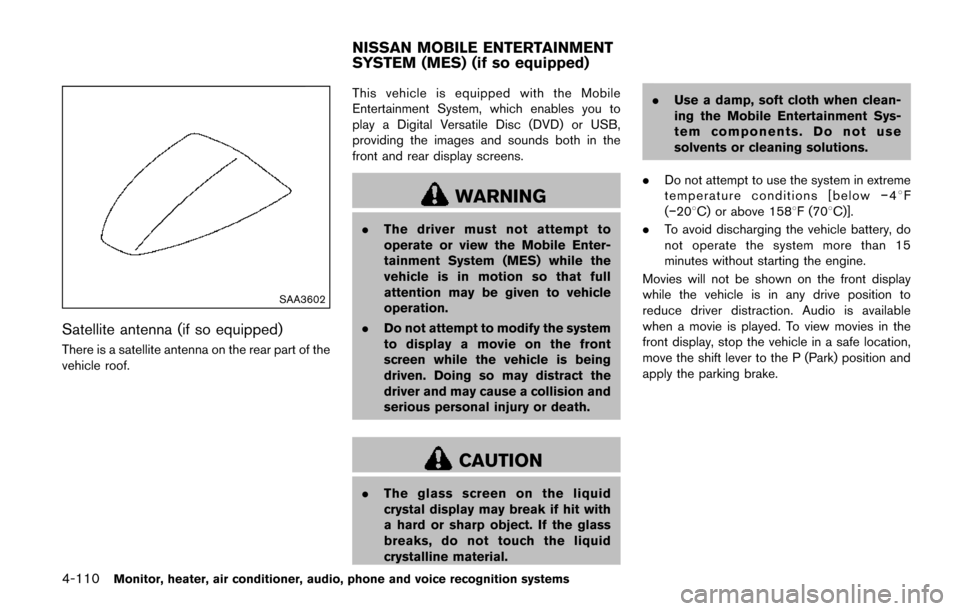
Satellite antenna (if so equipped)
There is a satellite antenna on the rear part of the
vehicle roof.This vehicle is equipped with the Mobile
Entertainment System, which enables you to
play a Digital Versatile Disc (DVD) or USB,
providing the images and sounds both in the
front and rear display screens.
WARNING
.
The driver must not attempt to
operate or view the Mobile Enter-
tainment System (MES) while the
vehicle is in motion so that full
attention may be given to vehicle
operation.
. Do not attempt to modify the system
to display a movie on the front
screen while the vehicle is being
driven. Doing so may distract the
driver and may cause a collision and
serious personal injury or death.
CAUTION
.The glass screen on the liquid
crystal display may break if hit with
a hard or sharp object. If the glass
breaks, do not touch the liquid
crystalline material. .
Use a damp, soft cloth when clean-
ing the Mobile Entertainment Sys-
tem components. Do not use
solvents or cleaning solutions.
. Do not attempt to use the system in extreme
temperature conditions [below í48F
(í208C) or above 1588F (708C)].
. To avoid discharging the vehicle battery, do
not operate the system more than 15
minutes without starting the engine.
Movies will not be shown on the front display
while the vehicle is in any drive position to
reduce driver distraction. Audio is available
when a movie is played. To view movies in the
front display, stop the vehicle in a safe location,
move the shift lever to the P (Park) position and
apply the parking brake.
NISSAN MOBILE ENTERTAINMENT
SYSTEM (MES) (if so equipped)
Page 300 of 520
SAA3607
DIGITAL VERSATILE DISC (DVD) SYS-
TEM COMPONENTS
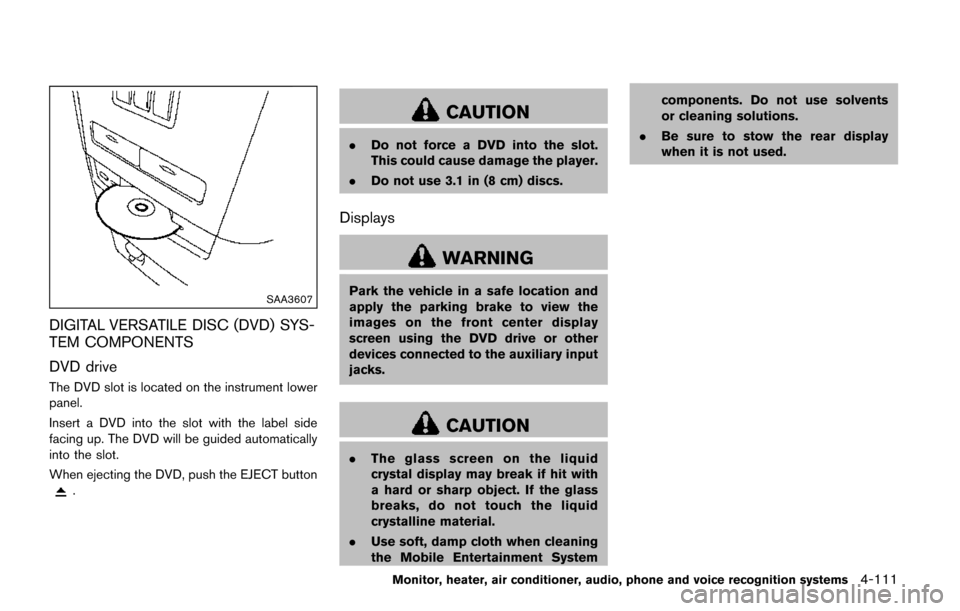
DVD drive
The DVD slot is located on the instrument lower
panel.
Insert a DVD into the slot with the label side
facing up. The DVD will be guided automatically
into the slot.
When ejecting the DVD, push the EJECT button
.
CAUTION
.Do not force a DVD into the slot.
This could cause damage the player.
. Do not use 3.1 in (8 cm) discs.
Displays
WARNING
Park the vehicle in a safe location and
apply the parking brake to view the
images on the front center display
screen using the DVD drive or other
devices connected to the auxiliary input
jacks.
CAUTION
.The glass screen on the liquid
crystal display may break if hit with
a hard or sharp object. If the glass
breaks, do not touch the liquid
crystalline material.
. Use soft, damp cloth when cleaning
the Mobile Entertainment System components. Do not use solvents
or cleaning solutions.
. Be sure to stow the rear display
when it is not used.
Monitor, heater, air conditioner, audio, phone and voice recognition systems4-111