Page 121 of 416

2-42Instruments and controls
Daytime running light system (for NISMO
models and Canada)
The daytime running lights automatically illumi-
nate when the engine is started with the parking
brake released. The daytime running lights
operate with the headlight switch in the OFF
position. Turn the headlight switch to the
position for full illumination when driving at night.
(The daytime running lights will turn off.)
If the parking brake is applied before the engine
is started, the daytime running lights do not
illuminate. The daytime running lights illuminate
once the parking brake is released. The daytime
running lights will remain on until the ignition
switch is placed in the OFF position.
WARNING
When the daytime running light system
is active, tail lights on your vehicle are
not on. It is necessary at dusk to turn on
your headlights. Failure to do so could
cause an accident injuring yourself and
others.
JVI1342X
Type A (if so equipped)
JVI1343XType A (if so equipped)
SIC4517
Type B (if so equipped)
SIC4129Type B (if so equipped)
Page 123 of 416
2-44Instruments and controls
SIC3672
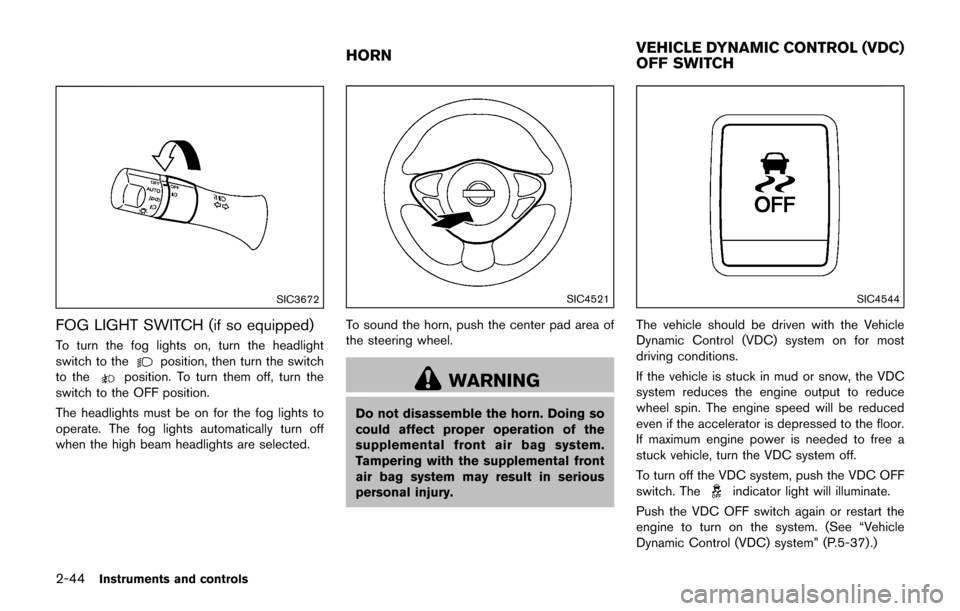
FOG LIGHT SWITCH (if so equipped)
To turn the fog lights on, turn the headlight
switch to theposition, then turn the switch
to theposition. To turn them off, turn the
switch to the OFF position.
The headlights must be on for the fog lights to
operate. The fog lights automatically turn off
when the high beam headlights are selected.
SIC4521
To sound the horn, push the center pad area of
the steering wheel.
WARNING
Do not disassemble the horn. Doing so
could affect proper operation of the
supplemental front air bag system.
Tampering with the supplemental front
air bag system may result in serious
personal injury.
SIC4544
The vehicle should be driven with the Vehicle
Dynamic Control (VDC) system on for most
driving conditions.
If the vehicle is stuck in mud or snow, the VDC
system reduces the engine output to reduce
wheel spin. The engine speed will be reduced
even if the accelerator is depressed to the floor.
If maximum engine power is needed to free a
stuck vehicle, turn the VDC system off.
To turn off the VDC system, push the VDC OFF
switch. The
indicator light will illuminate.
Push the VDC OFF switch again or restart the
engine to turn on the system. (See “Vehicle
Dynamic Control (VDC) system” (P.5-37) .)
HORN VEHICLE DYNAMIC CONTROL (VDC)
OFF SWITCH
Page 124 of 416

WARNING
Do not use or allow occupants to use
the seat heater if you or the occupants
cannot monitor elevated seat tempera-
tures or have an inability to feel pain in
body parts that contact the seat. Use of
the seat heater by such people could
result in serious injury.
CAUTION
.The battery could run down if the
seat heater is operated while the
engine is not running.
. Do not use the seat heater for
extended periods or when no one
is using the seat.
. Do not put anything on the seat
which insulates heat, such as a
blanket, cushion, seat cover, etc.
Otherwise, the seat may become
overheated.
. Do not place anything hard or heavy
on the seat or pierce it with a pin or
similar object. This may result in damage to the heater.
. Any liquid spilled on the heated seat
should be removed immediately
with a dry cloth.
. When cleaning the seat, never use
gasoline, thinner, or any similar
materials.
. If any malfunctions are found or the
heated seat does not operate, turn
the switch off and have the system
checked. It is recommended you
visit a NISSAN dealer for this ser-
vice.
SIC2770
The seats are warmed by built-in heaters. The
switches located on the center console can be
operated independently of each other.
1. Start the engine.
2. Select heat range.
*1For high heat, push the HI (High) side of
the switch.
*2For low heat, push the LO (Low) side of
the switch.
The indicator light in the switch
*3will
illuminate when the heater is on.
3. To turn off the heater, return the switch to the level position. Make sure the indicator
light goes off.
Instruments and controls2-45
HEATED SEATS (if so equipped)
Page 127 of 416
2-48Instruments and controls
SIC4529
CARGO FLOOR BOX
1. To open the cargo floor box, pull the board
*A.
SIC4526
GLOVE BOX
WARNING
Keep glove box lid closed while driving
to help prevent injury in an accident or a
sudden stop.
To open the glove box, pull the handle.
To close, push the lid in until the lock latches.
The glove box light illuminates when the head-
light switch is turned on.
SIC3505
COAT HOOK
The coat hook is located above the rear side
window.
CAUTION
Do not apply a total load of more than 2
kg (4 lb) to the hook.
Page 128 of 416

CARGO COVER (if so equipped)
WARNING
.Never put anything on the cargo
cover, no matter how small. Any
object on it could cause an injury
in an accident or sudden stop.
. Do not leave the cargo cover in the
vehicle with it disengaged from the
holder.
. The child restraint top tether strap
may be damaged by contact with
the cargo cover or items in the
luggage area. Remove the cargo
cover from the vehicle or secure it
and any luggage. Your child could
be seriously injured or killed in a
collision if the top tether strap is
damaged.
The cargo cover keeps the luggage compart-
ment contents hidden from the outside.
SIC4584
To install the cargo cover:
1. Open the liftgate.
2. Fix the clip
*Aon the liftgate lower garnish.
3. Fix the clip
*Bon the liftgate side garnish.
4. Hook the rope on the clip located on the liftgate side garnish. To remove the cargo cover:
1. Open the liftgate.
2. Remove the rope from the liftgate side
garnish.
3. Remove the clip
*Bfrom the liftgate side
garnish.
4. Remove the clip
*Afrom the liftgate lower
garnish.
Instruments and controls2-49
Page 129 of 416
2-50Instruments and controls
POWER WINDOWS
WARNING
.Make sure that all passengers have
their hands, etc. inside the vehicle
while it is in motion and before
closing the windows. Use the win-
dow lock switch to prevent unex-
pected use of the power windows.
. To help avoid risk of injury or death
through unintended operation of
the vehicle and or its systems,
including entrapment in windows
or inadvertent door lock activation,
do not leave children, people who
require the assistance of others or
pets unattended in your vehicle.
Additionally, the temperature inside
a closed vehicle on a warm day can
quickly become high enough to
cause a significant risk of injury or
death to people and pets.
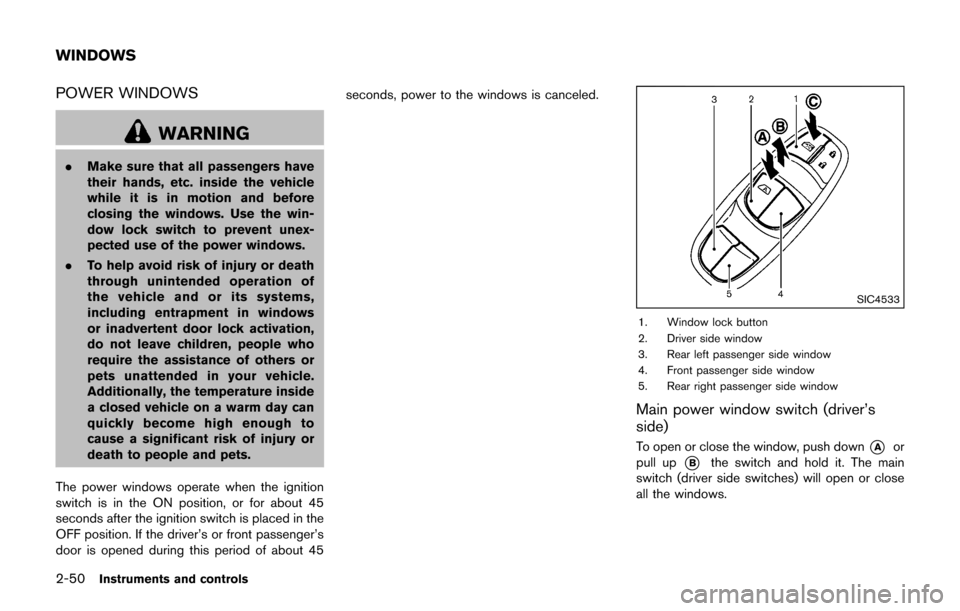
The power windows operate when the ignition
switch is in the ON position, or for about 45
seconds after the ignition switch is placed in the
OFF position. If the driver’s or front passenger’s
door is opened during this period of about 45 seconds, power to the windows is canceled.
SIC4533
1. Window lock button
2. Driver side window
3. Rear left passenger side window
4. Front passenger side window
5. Rear right passenger side window
Main power window switch (driver’s
side)
To open or close the window, push down*Aor
pull up
*Bthe switch and hold it. The main
switch (driver side switches) will open or close
all the windows.
WINDOWS
Page 131 of 416
2-52Instruments and controls
Auto-reverse function
WARNING
There are some small distances imme-
diately before the closed position which
cannot be detected. Make sure that all
passengers have their hands, etc., in-
side the vehicle before closing the
window.
If the control unit detects something caught in
the window as it is closing, the window will be
immediately lowered.
The auto reverse function can be activated when
the window is closed by automatic operation
when the ignition switch is in the ON position or
for 45 seconds after the ignition switch is placed
in the OFF position.
Depending on the environment or driving
conditions, the auto reverse function may
be activated if an impact or load similar to
something being caught in the window
occurs.
If the windows do not close automatically
If the power window automatic function (closing
only) does not operate properly, perform the
following procedure to initialize the power
window system.
1. Place the ignition switch in the ON position.
2. Close the door.
3. Open the window completely by operating the power window switch.
4. Pull the power window switch and hold it to close the window, and then hold the switch
more than 3 seconds after the window is
closed completely.
5. Release the power window switch. Operate the window by the automatic function to
confirm the initialization is complete.
If the power window automatic function does
not operate properly after performing the pro-
cedure above, it is recommended you have your
vehicle checked by a NISSAN dealer.WARNING
. In an accident you could be thrown
from the vehicle through an open
moonroof. Always use seat belts
and child restraints.
. Do not allow anyone to stand up or
extend any portion of their body out
of the moonroof opening while the
vehicle is in motion or while the
moonroof is closing.
CAUTION
.Remove water drops, snow, ice or
sand from the moonroof before
opening.
. Do not place any heavy object on
the moonroof or surrounding area.
POWER MOONROOF
The moonroof only operates when the ignition
switch is in the ON position.
The moonroof is operational for about 45
seconds, even if the ignition switch is pushed
to the OFF position. If the driver’s door or the
MOONROOF (if so equipped)
Page 132 of 416

passenger’s door is opened during this period of
about 45 seconds, power to the moonroof is
canceled.
Sunshade
The sunshade will open automatically when the
moonroof is opened. However, it must be closed
manually.
SIC4624
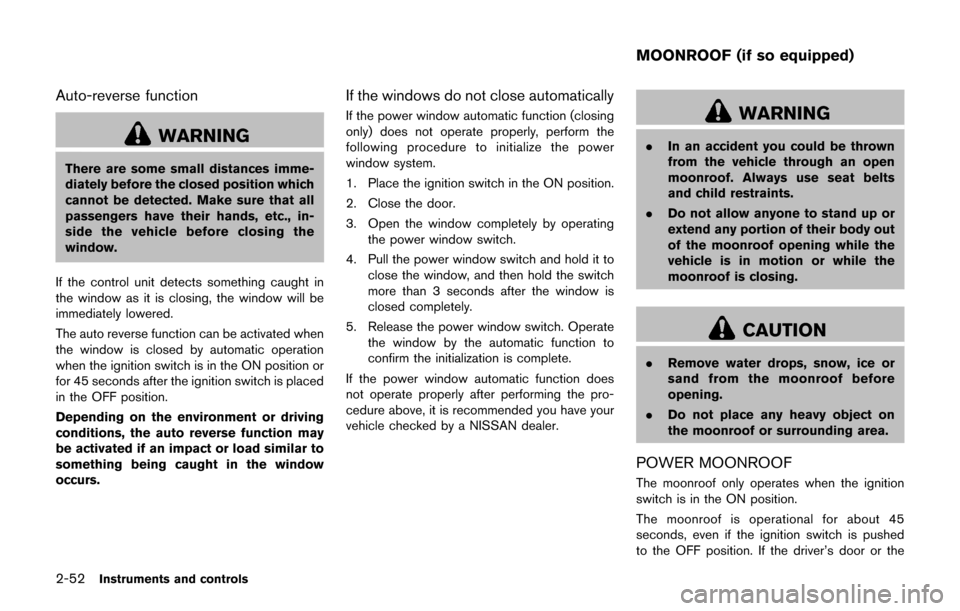
Sliding the moonroof
To fully open or close the moonroof, push the
switch toward
*1or*2and release
it; it need not be held. The roof will automatically
open or close all the way. To stop the roof, push
the switch in any direction while it is opening or
closing.
Tilting the moonroof
To tilt up, first close the moonroof by pushing the
switch toward
*2. Push the switch toward
*2again and release it; it need not be
held. To tilt down the moonroof, push the switch
toward
*1.
Auto reverse function
WARNING
There are some small distances imme-
diately before the closed position which
cannot be detected. Make sure that all
passengers have their hands, etc., in-
side the vehicle before closing the
moonroof.
If the control unit detects something caught in
the moonroof when it is closing, the moonroof
will be immediately opened.
The auto reverse function can be activated when
the moonroof is closed by automatic operation
when the ignition switch is in the ON position or
for about 45 seconds after the ignition switch is
pushed to the OFF position.
If the moonroof cannot be closed automatically
when the auto reverse function activates due to
a malfunction, push and hold the switch toward
*2.
Depending on the environment or driving
conditions, the auto reverse function may
be activated if an impact or load similar to
something being caught in the moonroof
occurs.
Instruments and controls2-53