2017 NISSAN ARMADA Ignition
[x] Cancel search: IgnitionPage 136 of 614
SSD0972
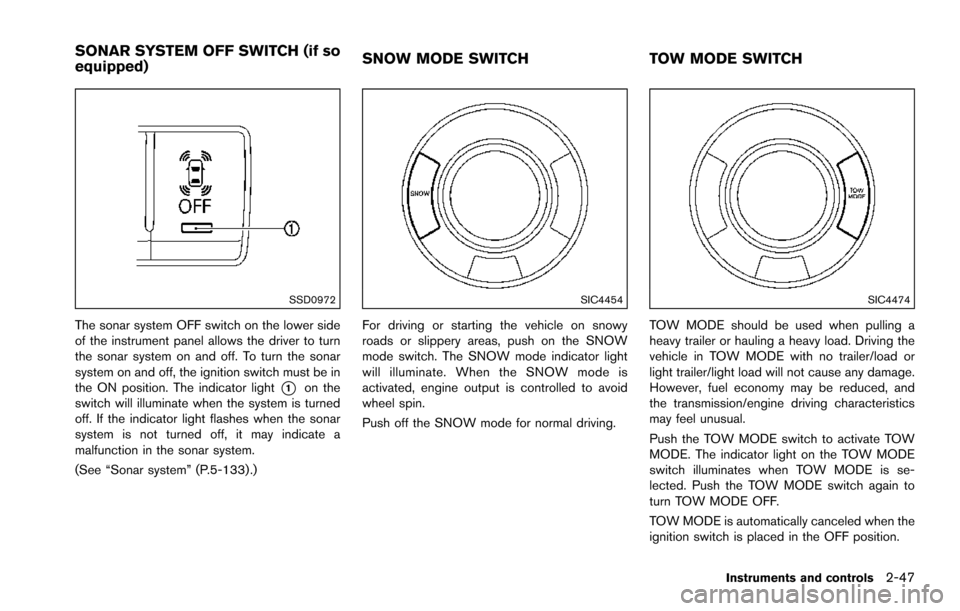
The sonar system OFF switch on the lower side
of the instrument panel allows the driver to turn
the sonar system on and off. To turn the sonar
system on and off, the ignition switch must be in
the ON position. The indicator light
*1on the
switch will illuminate when the system is turned
off. If the indicator light flashes when the sonar
system is not turned off, it may indicate a
malfunction in the sonar system.
(See “Sonar system” (P.5-133) .)
SIC4454
For driving or starting the vehicle on snowy
roads or slippery areas, push on the SNOW
mode switch. The SNOW mode indicator light
will illuminate. When the SNOW mode is
activated, engine output is controlled to avoid
wheel spin.
Push off the SNOW mode for normal driving.
SIC4474
TOW MODE should be used when pulling a
heavy trailer or hauling a heavy load. Driving the
vehicle in TOW MODE with no trailer/load or
light trailer/light load will not cause any damage.
However, fuel economy may be reduced, and
the transmission/engine driving characteristics
may feel unusual.
Push the TOW MODE switch to activate TOW
MODE. The indicator light on the TOW MODE
switch illuminates when TOW MODE is se-
lected. Push the TOW MODE switch again to
turn TOW MODE OFF.
TOW MODE is automatically canceled when the
ignition switch is placed in the OFF position.
Instruments and controls2-47
SONAR SYSTEM OFF SWITCH (if so
equipped) SNOW MODE SWITCH
TOW MODE SWITCH
Page 138 of 614
SIC4456Back side of front console
SIC4391Luggage room
Type A (if so equipped)
The power outlet is used for powering electrical
accessories such as cellular telephones.
CAUTION
.The outlet and plug may be hot
during or immediately after use.
. Do not use with accessories that
exceed a combined power draw of
12 volts, 120W (10A) for all the
power outlets. Do not use double
adapters or more than one electrical
accessory.
. This power outlet is not designed
for use with a cigarette lighter unit.
. Push the plug in as far as it will go.
If good contact is not made, the plug
may overheat or the internal tem-
perature fuse may blow.
SIC2648Main switch
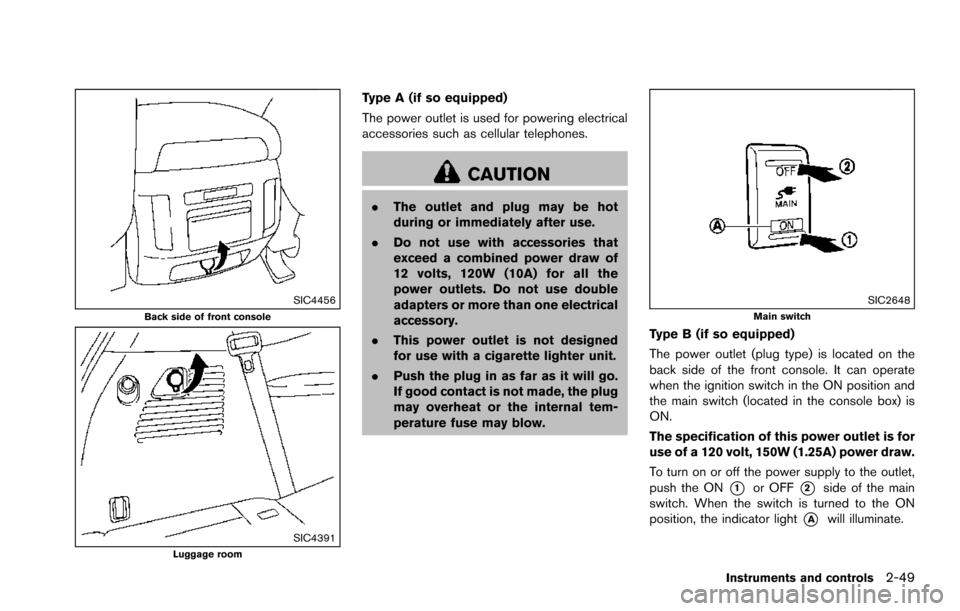
Type B (if so equipped)
The power outlet (plug type) is located on the
back side of the front console. It can operate
when the ignition switch in the ON position and
the main switch (located in the console box) is
ON.
The specification of this power outlet is for
use of a 120 volt, 150W (1.25A) power draw.
To turn on or off the power supply to the outlet,
push the ON
*1or OFF*2side of the main
switch. When the switch is turned to the ON
position, the indicator light
*Awill illuminate.
Instruments and controls2-49
Page 148 of 614
WARNING
.Never install the rear bumper cover
while the engine is running. The
exhaust gas could heat the rear
bumper cover and this may cause a
fire.
. Never drive with the rear bumper
cover left in place. There is a risk
that the liftgate will not close cor-
rectly, and that carbon monoxide
may enter the cabin causing serious
injury or death.
CAUTION
.Failure to follow the instructions
below could result in damage to
the rear bumper cover.
— Do not close the liftgate with the
rear bumper cover installed.
— Do not strike or apply excessive force to the rear bumper cover.
— Keep the rear bumper cover away from heat or fire. — To clean the rear bumper cover,
use a soft cloth, dampened with
a mild solution of neutral deter-
gent. Never use benzine, thinner
or any similar chemical.
— Remove any solvent such as oil or gasoline spilled on the sur-
face of the rear bumper cover as
soon as possible.
POWER WINDOWS
WARNING
. Make sure that all passengers have
their hands, etc. inside the vehicle
while it is in motion and before
closing the windows. Use the win-
dow lock switch to prevent unex-
pected use of the power windows.
. To help avoid risk of injury or death
through unintended operation of
the vehicle and or its systems,
including entrapment in windows
or inadvertent door lock activation,
do not leave children, people who
require the assistance of others or
pets unattended in your vehicle.
Additionally, the temperature inside
a closed vehicle on a warm day can
quickly become high enough to
cause a significant risk of injury or
death to people and pets.
The power windows operate when the ignition
switch is in the ON position or for about 45
seconds after the ignition switch is pushed to
the OFF position. If the driver’s or front
passenger’s door is opened during this period
Instruments and controls2-59
WINDOWS
Page 150 of 614
SIC4353
Passenger side power window switch
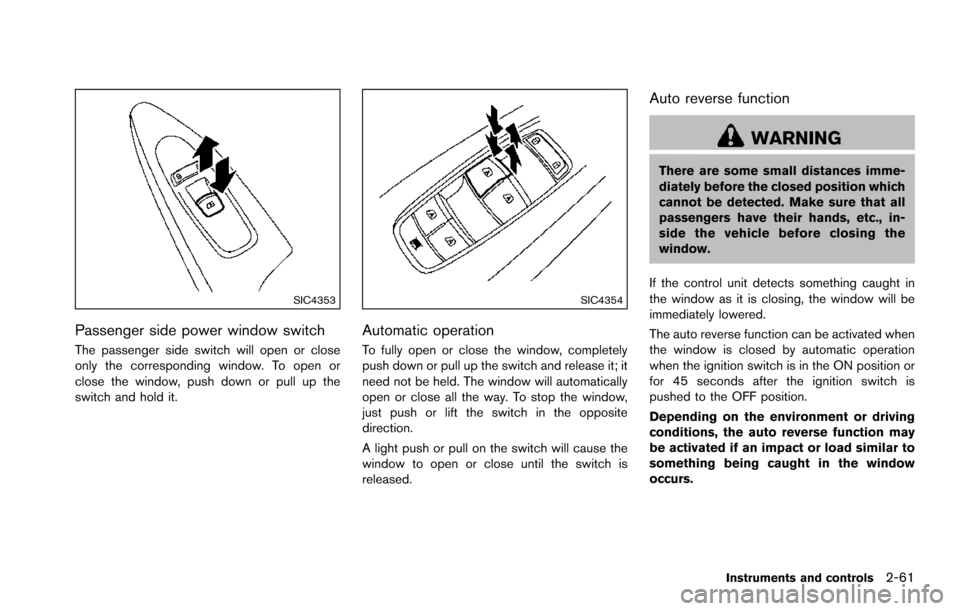
The passenger side switch will open or close
only the corresponding window. To open or
close the window, push down or pull up the
switch and hold it.
SIC4354
Automatic operation
To fully open or close the window, completely
push down or pull up the switch and release it; it
need not be held. The window will automatically
open or close all the way. To stop the window,
just push or lift the switch in the opposite
direction.
A light push or pull on the switch will cause the
window to open or close until the switch is
released.
Auto reverse function
WARNING
There are some small distances imme-
diately before the closed position which
cannot be detected. Make sure that all
passengers have their hands, etc., in-
side the vehicle before closing the
window.
If the control unit detects something caught in
the window as it is closing, the window will be
immediately lowered.
The auto reverse function can be activated when
the window is closed by automatic operation
when the ignition switch is in the ON position or
for 45 seconds after the ignition switch is
pushed to the OFF position.
Depending on the environment or driving
conditions, the auto reverse function may
be activated if an impact or load similar to
something being caught in the window
occurs.
Instruments and controls2-61
Page 151 of 614
2-62Instruments and controls
If the windows do not close automatically
If the power window automatic function (closing
only) does not operate properly, perform the
following procedure to initialize the power
window system.
1. Place the ignition switch in the ON position.
2. Close the door.
3. Open the window completely by operatingthe power window switch.
4. Pull the power window switch and hold it to close the window, and then hold the switch
more than 3 seconds after the window is
closed completely.
5. Release the power window switch. Operate the window by the automatic function to
confirm the initialization is complete.
6. Perform steps 2 through 5 above for other windows.
If the power window automatic function does
not operate properly after performing the pro-
cedure above, have your vehicle checked. It is
recommended you visit a NISSAN dealer for this
service.WARNING
. In an accident you could be thrown
from the vehicle through an open
moonroof. Always use seat belts
and child restraints.
. Do not allow anyone to stand up or
extend any portion of their body out
of the moonroof opening while the
vehicle is in motion or while the
moonroof is closing.
CAUTION
.Remove water drops, snow, ice or
sand from the moonroof before
opening.
. Do not place any heavy object on
the moonroof or surrounding area.
POWER MOONROOF
The moonroof only operates when the ignition
switch is in the ON position.
The moonroof is operational for about 45
seconds, even if the ignition switch is pushed
to the OFF position. If the driver’s door or the passenger’s door is opened during this period of
about 45 seconds, power to the moonroof is
canceled.
MOONROOF (if so equipped)
Page 152 of 614
SIC3243
Sunshade
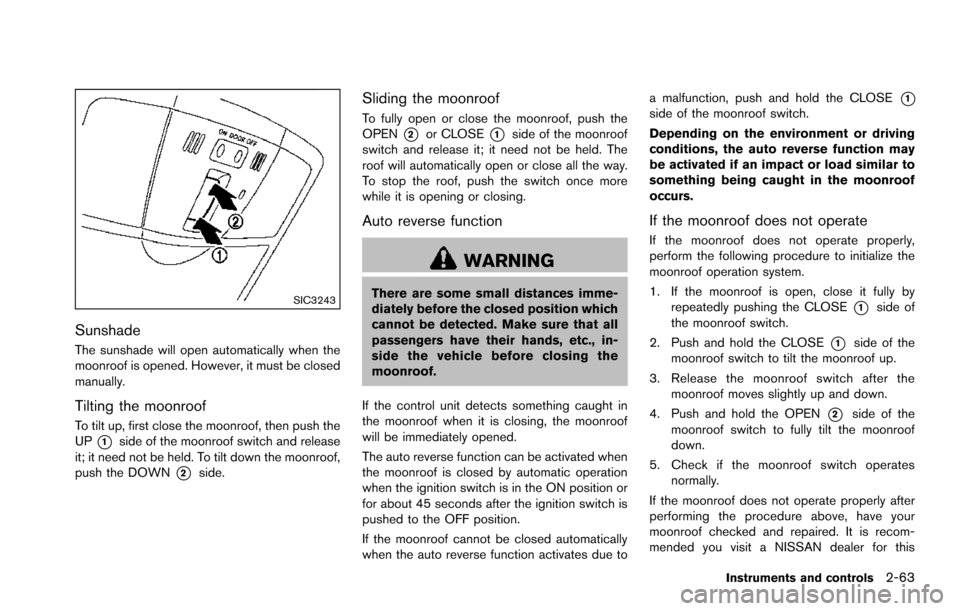
The sunshade will open automatically when the
moonroof is opened. However, it must be closed
manually.
Tilting the moonroof
To tilt up, first close the moonroof, then push the
UP
*1side of the moonroof switch and release
it; it need not be held. To tilt down the moonroof,
push the DOWN
*2side.
Sliding the moonroof
To fully open or close the moonroof, push the
OPEN
*2or CLOSE*1side of the moonroof
switch and release it; it need not be held. The
roof will automatically open or close all the way.
To stop the roof, push the switch once more
while it is opening or closing.
Auto reverse function
WARNING
There are some small distances imme-
diately before the closed position which
cannot be detected. Make sure that all
passengers have their hands, etc., in-
side the vehicle before closing the
moonroof.
If the control unit detects something caught in
the moonroof when it is closing, the moonroof
will be immediately opened.
The auto reverse function can be activated when
the moonroof is closed by automatic operation
when the ignition switch is in the ON position or
for about 45 seconds after the ignition switch is
pushed to the OFF position.
If the moonroof cannot be closed automatically
when the auto reverse function activates due to a malfunction, push and hold the CLOSE
*1side of the moonroof switch.
Depending on the environment or driving
conditions, the auto reverse function may
be activated if an impact or load similar to
something being caught in the moonroof
occurs.
If the moonroof does not operate
If the moonroof does not operate properly,
perform the following procedure to initialize the
moonroof operation system.
1. If the moonroof is open, close it fully by
repeatedly pushing the CLOSE
*1side of
the moonroof switch.
2. Push and hold the CLOSE
*1side of the
moonroof switch to tilt the moonroof up.
3. Release the moonroof switch after the moonroof moves slightly up and down.
4. Push and hold the OPEN
*2side of the
moonroof switch to fully tilt the moonroof
down.
5. Check if the moonroof switch operates normally.
If the moonroof does not operate properly after
performing the procedure above, have your
moonroof checked and repaired. It is recom-
mended you visit a NISSAN dealer for this
Instruments and controls2-63
Page 153 of 614
2-64Instruments and controls
service.
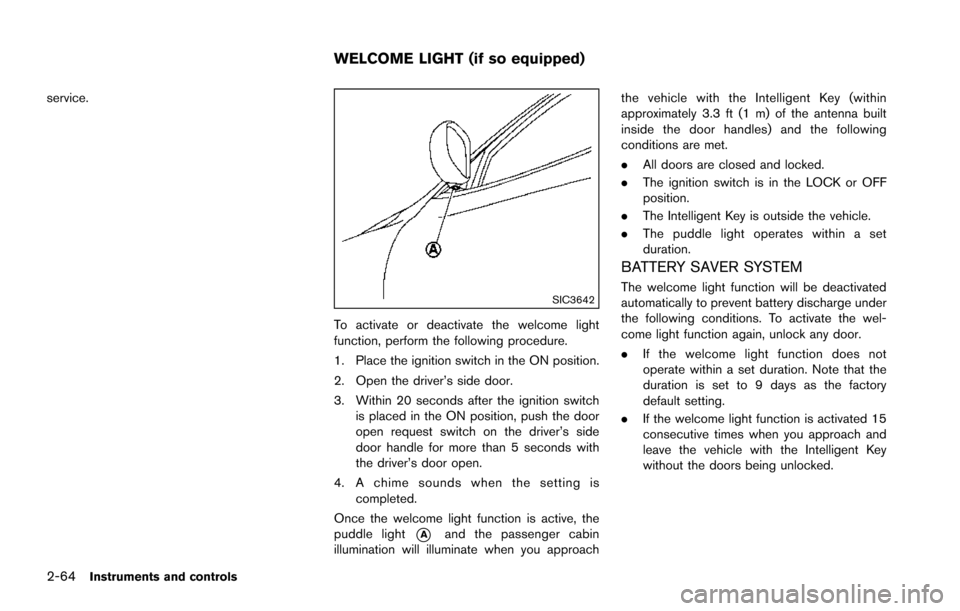
SIC3642
To activate or deactivate the welcome light
function, perform the following procedure.
1. Place the ignition switch in the ON position.
2. Open the driver’s side door.
3. Within 20 seconds after the ignition switchis placed in the ON position, push the door
open request switch on the driver’s side
door handle for more than 5 seconds with
the driver’s door open.
4. A chime sounds when the setting is completed.
Once the welcome light function is active, the
puddle light
*Aand the passenger cabin
illumination will illuminate when you approach the vehicle with the Intelligent Key (within
approximately 3.3 ft (1 m) of the antenna built
inside the door handles) and the following
conditions are met.
.
All doors are closed and locked.
. The ignition switch is in the LOCK or OFF
position.
. The Intelligent Key is outside the vehicle.
. The puddle light operates within a set
duration.
BATTERY SAVER SYSTEM
The welcome light function will be deactivated
automatically to prevent battery discharge under
the following conditions. To activate the wel-
come light function again, unlock any door.
.If the welcome light function does not
operate within a set duration. Note that the
duration is set to 9 days as the factory
default setting.
. If the welcome light function is activated 15
consecutive times when you approach and
leave the vehicle with the Intelligent Key
without the doors being unlocked.
WELCOME LIGHT (if so equipped)
Page 154 of 614
SIC3249
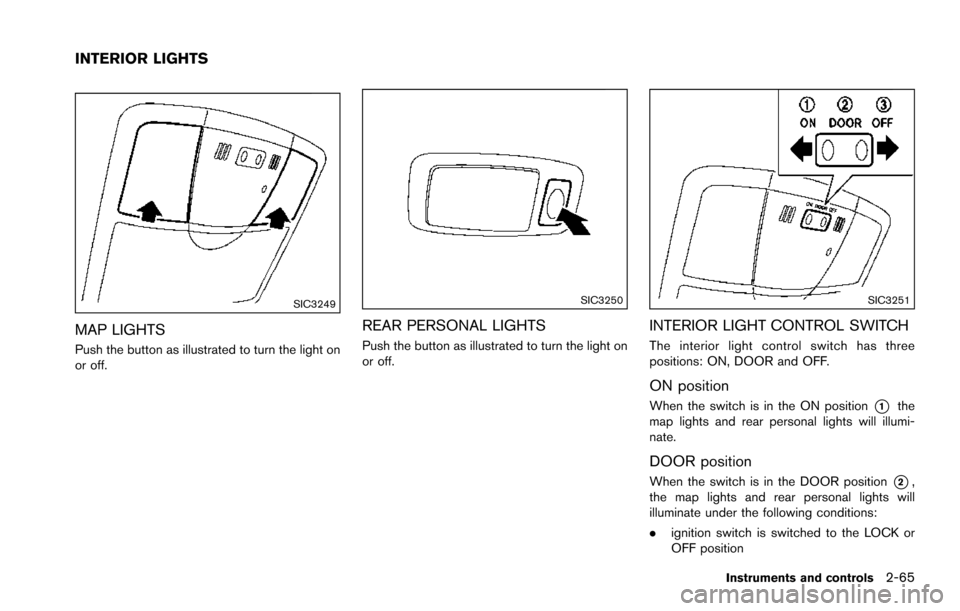
MAP LIGHTS
Push the button as illustrated to turn the light on
or off.
SIC3250
REAR PERSONAL LIGHTS
Push the button as illustrated to turn the light on
or off.
SIC3251
INTERIOR LIGHT CONTROL SWITCH
The interior light control switch has three
positions: ON, DOOR and OFF.
ON position
When the switch is in the ON position*1the
map lights and rear personal lights will illumi-
nate.
DOOR position
When the switch is in the DOOR position*2,
the map lights and rear personal lights will
illuminate under the following conditions:
. ignition switch is switched to the LOCK or
OFF position
Instruments and controls2-65
INTERIOR LIGHTS