2017 MERCEDES-BENZ SLC display
[x] Cancel search: displayPage 174 of 294

Service menu Depending on the equipment installed in the
vehicle, you have the following options in the
Serv. menu:R
Calling up display messages ( Y
page 178)R
Restarting the tire pressure loss warning sys-
tem ( Y
page 262)R
Checking the tire pressure electronically
( Y
page 262)R
Calling up the service due date
( Y
page 235)
Settings menu
Introduction Depending on the equipment installed in the
vehicle, in the Sett. menu you have the follow-
ing options: R
Changing the instrumen tc luster settings
( Y
page 172)R
Changing the light settings ( Y
page 172)R
Changing the vehicle settings ( Y
page 173)R
Changing the convenience settings
( Y
page 174)R
Restoring the factory settings ( Y
page 175)
Instrument cluster
Selecting the distance unit The Display Unit Speed-/Odometer: func-
tion allow sy ou to choose whether certain dis-
play sa ppear in kilometers or miles in the mul-
tifunction display. X
Press the Y or e button on the steering
wheel to select the Sett. menu.X
Press the d or c button to select the
Instrument Cluster submenu.X
Press v to confirm.X
Press the d or c button to select the
Display Unit Speed-/Odometer function.
The current setting km or miles appears.X
Press the v button to save the setting.
The selected unit of measurement for distance
applie st o:R
the digital speedometer in the Trip menuR
the odometer and trip odometer R
the trip computer R
the current consumption and the range R
navigation instructions in the Navi menuR
cruise control R
Distanc eP ilot DISTRONIC R
ASSYST PLUS service interval display
Selecting permanent display The Permanent Display: function allow sy ou
to choose whether the multifunction display
always shows the outside temperature or the
speed.
The speed display is inverse to the speedome-
ter. X
Press the Y or e button on the steering
wheel to select the Sett. menu.X
Press the d or c button to select the
Instrument Cluster submenu.X
Press v to confirm. X
Press the d or c button to select the
Permanent Display: function.
The current setting, Outside Temperature
or Speedometer [km/h] or Speedometer
[mph] ,a ppears. X
To change the setting: press v again.
Lights
Setting the daytime running lights This function is not available in Canada. X
Press the Y or e button on the steering
wheel to select the Sett. menu.X
Press the d or c button to select the
Light submenu. X
Press v to confirm. X
Press the d or c button to select the
Daytime Running Lights function.
If the Daytime Running Lights function has
been switched on, the cone of light and the
Page 175 of 294

X
Press v to confirm.X
Press the d or c button to select the
Amb. Light +/- function.
The curren ts etting appears.X
Press v to confirm.X
Press the d or c button to adjust the
brightness to any level from Off to Level 5
(bright). X
Press the v or 8 button to save the
setting.
Setting the ambient lighting color X
Press the Y or e button on the steering
wheel to select the Sett. menu.X
Press the d or c button to select the
Light submenu.X
Press v to confirm.X
Press the d or c button to select the
Amb. Light Col. function.X
Press v to confirm.X
Press the d or c button to set the color
to SOLAR , SOLAR Orange or SOLAR Red .X
Press the v or 8 button to save the
setting.
Activating/deactivating surround light-
ing and exterior lighting delayed switch-
off X
Press the Y or e button on the steering
wheel to select the Sett. menu.X
Press the d or c button to select the
Light submenu.X
Press v to confirm.X
Press d or c to select the Surround
Lighting function.
If the Surround Lighting function is activa-
ted, the multifunction display shows the light
cone and the area around the vehicle in
orange. X
Press the v button to save the setting.
Deactivating delayed switch-off of the exterior
lighting temporarily: X
Before leaving the vehicle, turn the SmartKey
to position 0 in the ignition lock.X
Turn the SmartKey to position 2 in the ignition
lock.
The exterior lighting delayed switch-off is
deactivated.
Delayed switch-off of the exterior lighting is
reactivated the next time you start the engine. If you have activated the Surround lighting
function and you turn the light switch to X ,
the following functions are activated when it is
dark: R
surround lighting: the exterior lighting
remains lit for 40 seconds after unlocking
with the SmartKey. If you start the engine, the
surround lighting is switched off and auto-
matic headlamp mode is activated
( Y
page 93). R
exterior lighting delayed switch-off: the
exterior lighting remains lit for 60 seconds
after the engine is switched off. If you close all
the doors and the trunk lid, the exterior light-
ing goes off after 15 seconds.
Dependin gony our vehicle's equipment, when
the surround lighting and delayed switch-off
exterior lighting are on, the following light up: R
Parking lamps R
Low-beam headlamps R
Daytime runnin gl amps R
Side marker lamps R
Surround lighting in the exterior mirrors
Activating/deactivating the interior light-
ing delayed switch-off If you activat et he Interior Lighting Delay
function, the interior lighting remains on for
20 seconds after you remove the SmartKey from
the ignition lock. X
Press the Y or e button on the steering
wheel to select the Sett. menu.X
Press the d or c button to select the
Light submenu. X
Press v to confirm. X
Press the d or c button to select the
Interior Lighting Delay function.
When the Interior Lighting Delay func-
tion is activated, the vehicle interior is dis-
played in orange in the multifunction display. X
Press the v button to save the setting.
Vehicle
Activating/deactivating the automatic
door locking mechanism
If you activat et he Automatic Door Lock func-
tion, the vehicle is centrally locked above a
speed of approximately 9m ph (15 km/h).Menus and submenus 173
On-board computer and displays Z
Page 176 of 294

X
Press the Y or e button on the steering
wheel to select the Sett. menu.X
Press the d or c button to select the
Vehicle submenu.X
Press v to confirm.X
Press the d or c button to select the
Automatic Door Lock function.
When the Automatic Door Lock function is
activated, the multifunction display shows the
left-hand vehicle door in orange. X
Press the v button to save the setting.
For further information on the automatic locking
feature, see ( Y
page 69).
Activating/deactivating the acoustic
locking verification signal If you switch on the Acoustic Lock function, an
acoustic signal sounds when you lock the vehi-
cle. X
Press the Y or e button on the steering
wheel to select the Sett. menu.X
Press the d or c button to select the
Vehicle submenu.X
Press v to confirm.X
Press the d or c button to select the
Acoustic Lock function.
If the Acoustic Lock function is activated,
the 7 symbol in the multifunction display
lights up orange. X
Press the v button to save the setting.
Convenience
Activating/deactivating the EASY-
ENTRY/EXI Tf eature
G WARNING
When the EASY-ENTRY/EXIT feature adjusts
the steerin gw heel, you and other vehicle
occupant s–p articularly children –c ould
become trapped. There is ar isk of injury.
While the EASY-ENTRY/EXIT feature is mak-
ing adjustments, make sure that no one has
any body parts in the sweep of the steering
wheel. If somebody becomes trapped: R
press one of the memory function position
buttons, or R
move the switch for steerin gw heel adjust-
ment in the opposite direction to that in
which the steerin gw heel is moving.
The adjustmen tp rocess is stopped. X
Press the Y or e button on the steering
wheel to select the Sett. menu.X
Press the d or c button to select the
Convenience submenu. X
Press v to confirm. X
Using d or c ,s elect the Easy Entry/
Exit function.
If the Easy Entry/Exit function is activated,
the multifunction display shows the steering
wheel in orange. X
Press the v button to save the setting.
Further information on the EASY-ENTRY/EXIT
feature ( Y
page 87).
Switching the belt adjustment on/off X
Press the Y or e button on the steering
wheel to select the Sett. menu.X
Press the d or c button to select the
Convenience submenu. X
Press v to confirm. X
Press the d or c button to select the
Belt Adjustment function.
When the Belt Adjustment function is acti-
vated, the seat belt is displayed in orange in
the multifunction display. X
Press the v button to save the setting.
For further information on belt adjustment, see
( Y
page 41).
Switching the fold-in mirrors when lock-
ing feature on/off
This function is only availabl ew hen the vehicle is
equipped with the electrical fold-in function.
This function is only availabl einC anada.
When you activat et he Auto. Mirror Folding
function, the exterior mirrors are folded in when
the vehicle is locked.
If you have switched on the Auto. Mirror
Folding function and you fold in the exterior
mirrors using the button on the door
( Y
page 89), they will not fold out automatically.174
Menus and submenus
On-board computer and displays
Page 177 of 294
The exterior mirrors can then only be folded out
using the button on the door. X
Press the Y or e button on the steering
wheel to select the Sett. menu.X
Press the d or c button to select the
Convenience submenu.X
Press v to confirm.X
Press the d or c button to select the
Auto. Mirror Folding function.
If the Auto. Mirror Folding function is
switched on, the multifunction display shows
the exterior mirror in orange. X
Press the v button to save the setting.
Restoring the factor ys ettingsX
Press the Y or e button on the steering
wheel to select the Sett. menu.X
Press the d or c button to select the
Factory Setting submenu.X
Press v to confirm.
The Reset All Settings? function
appears. X
Press the d or c button to select No or
Yes .X
Press the v button to confirm the selec-
tion.
If you have selected Yes
and confirmed, the
multifunction display shows ac onfirmation
message.
For safety reasons, the Daytime Running
Lights function in the Light submenu is only
reset if the vehicle is stationary.
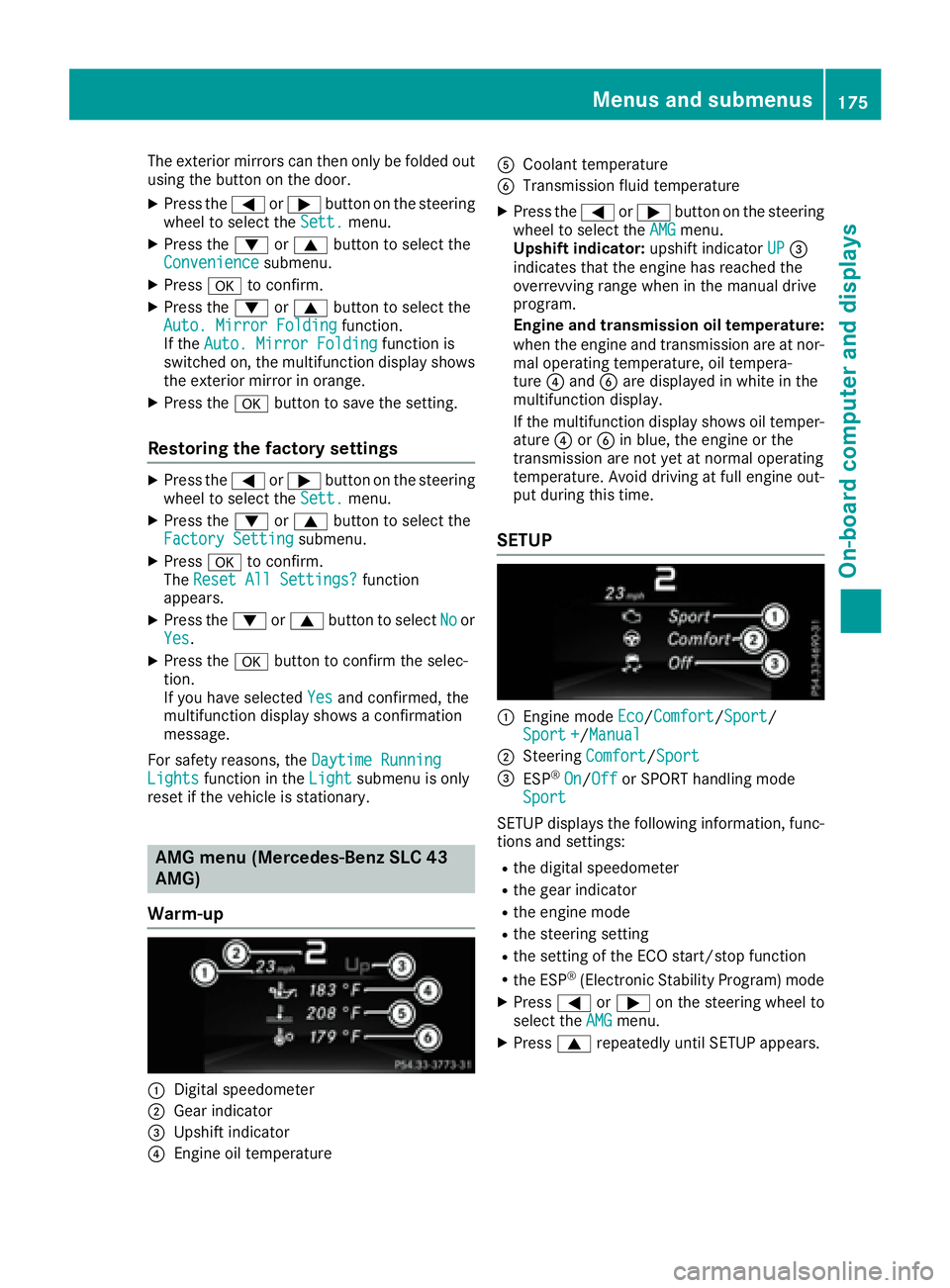
AMG menu (Mercedes-Benz SLC 43
AMG)
Warm-up
C
Digital speedometer
D
Gear indicator
Page 178 of 294
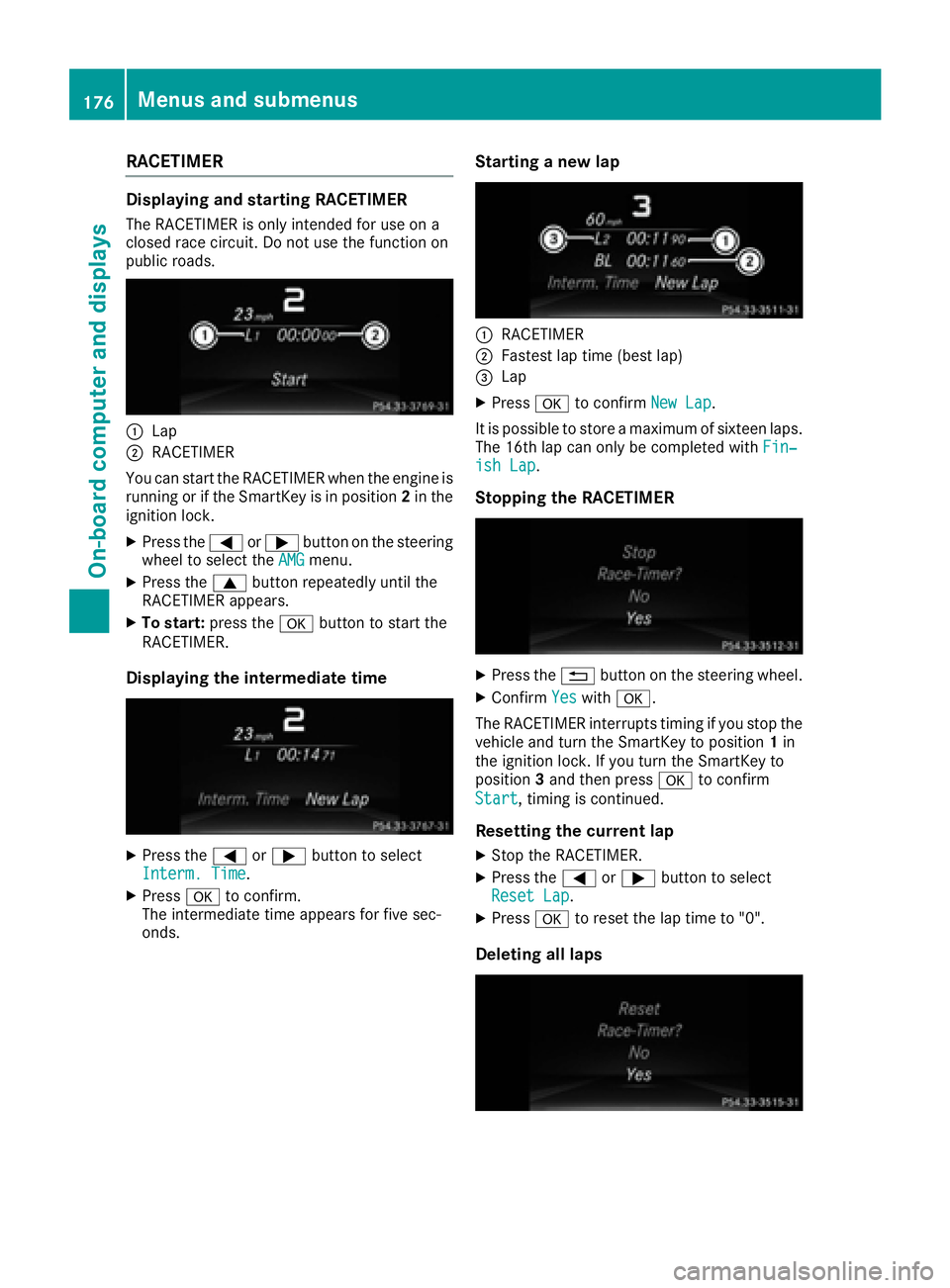
RACETIMER Displaying and startin gR ACETIMERThe RACETIMER is only intended for us eona
closed race circuit. Do not us et he function on
public roads.
C
LapD
RACETIMER
Yo uc an star tt he RACETIMER when the engine is
running or if the SmartKey is in position 2 in the
ignition lock. X
Press the Y or e button on the steering
wheel to select the AMG menu.X
Press the c button repeatedl yu nti lt he
RACETIMER appears. X
To start: press the v button to star tt he
RACETIMER.
Displaying the intermediate time
X
Press the Y or e button to select
Interm. Time .X
Press v to confirm.
The intermediate time appears for five sec-
onds. Startin gan ew lap
C
RACETIMER D
Fastest la pt ime (best lap)
Page 179 of 294
If you switch off the engine, the RACETIMER is
reset to "0" after 30 seconds. All lap sa re
deleted.
You cannot delete individual stored laps. If you
have stopped 16 laps, the current lap does not
have to be reset. X
Rese tt he current lap.X
Press v to confirm Reset .
Reset Race-Timer? appears in the multi-
function display. X
Press the d button to select Yes and press
the v button to confirm.
All lap sa re deleted.
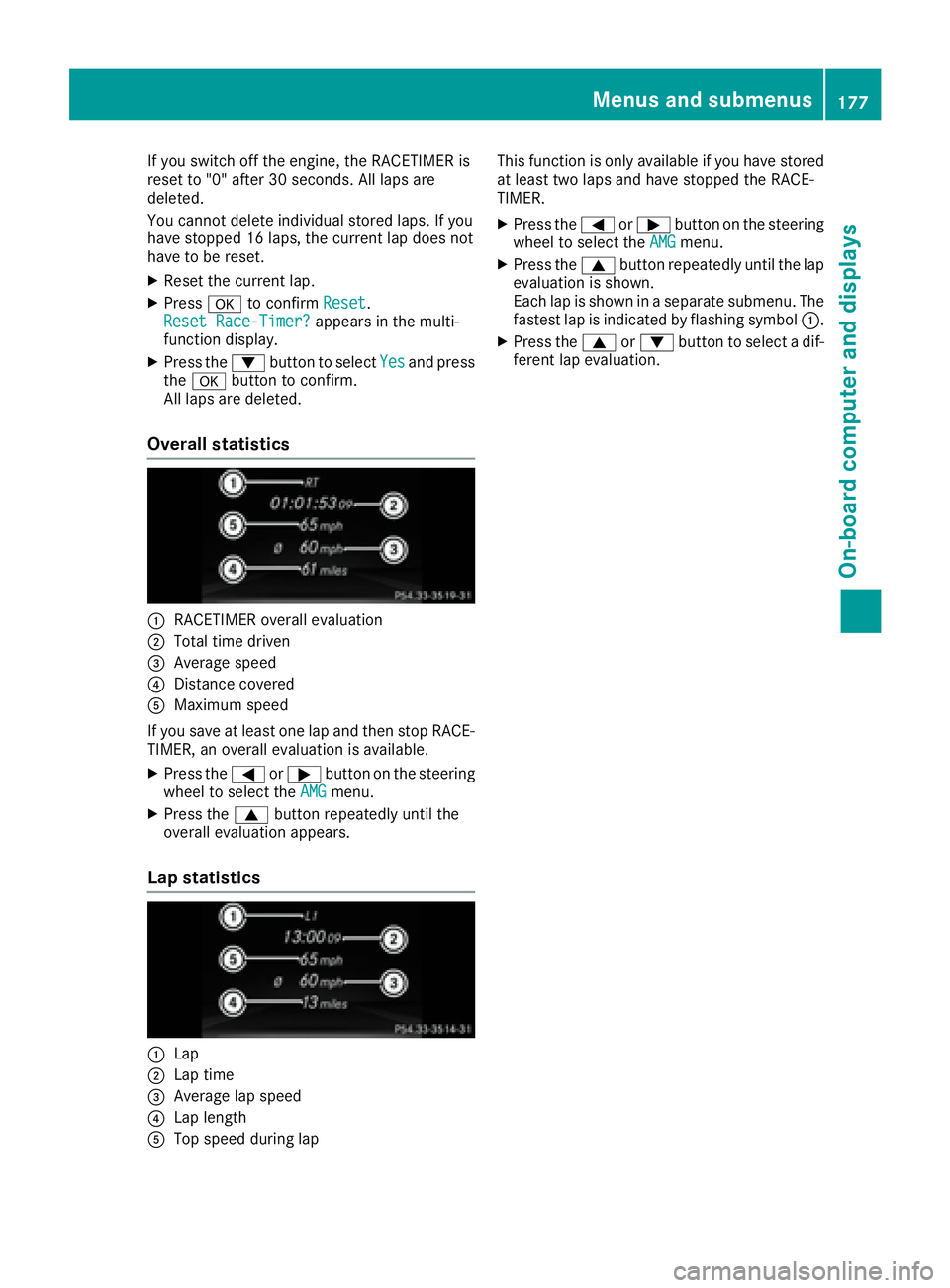
Overall statistics
C
RACETIMER overal le valuationD
Total time driven
Page 180 of 294
Display messages
Introduction
General notes Display messages appear in th em ultifunction display.
Display messages wit hg ra phi cd isplays may be shown in simplified form in th eO perator's Manual
and may therefore diffe rf ro mt he multifunction display.
Please respon dina ccordance wit ht he display messages and follow th ea dditional note sint hi s
Operator's Manual.
Certain display messages are accompanied by an audible warnin gt on eora continuous tone .
Whe ny ou stop and par kt he vehicle, please observ et he note so n:R
HOLD function ( Y
page 148)R
Parking ( Y
page 131)
Hiding display messages X
Press th e v or 8 butto nont he steerin gw heel.
The multifunction display hide st he display message.
High-priorit yd isplay messages are shown in red in th em ultifunction display. Some high-priorit y
display messages canno tbeh idden .
The multifunction display shows these messages continuously until th ec auses fo rt he messages
hav eb ee nr emedied.
Message memory The on-boar dc om pute rs aves certain display messages in th e message memory .Y ou can cal lu p
th ed isplay messages: X
Press th e Y or e butto nont he steerin gw hee lt os elec tt he Serv. menu.
If there are display messages, th em ultifunction display shows 2M essages ,f or example.X
Press th e c or d butto ntos elec tt he entry, e.g. 2M essages .X
Press v to confirm .X
Press th e c or d butto ntos crol lt hrou gh th ed isplay messages.
Whe nt he ignition is switched off, all display messages are deleted, apar tf ro ms om eh igh-priorit y
display messages. Once th ec auses of th eh igh-priorit yd isplay messages hav eb ee nr ectified, th e
correspondin gd isplay messages are also deleted.178
Display messages
On-boar dc omputer an dd isplays
Page 181 of 294
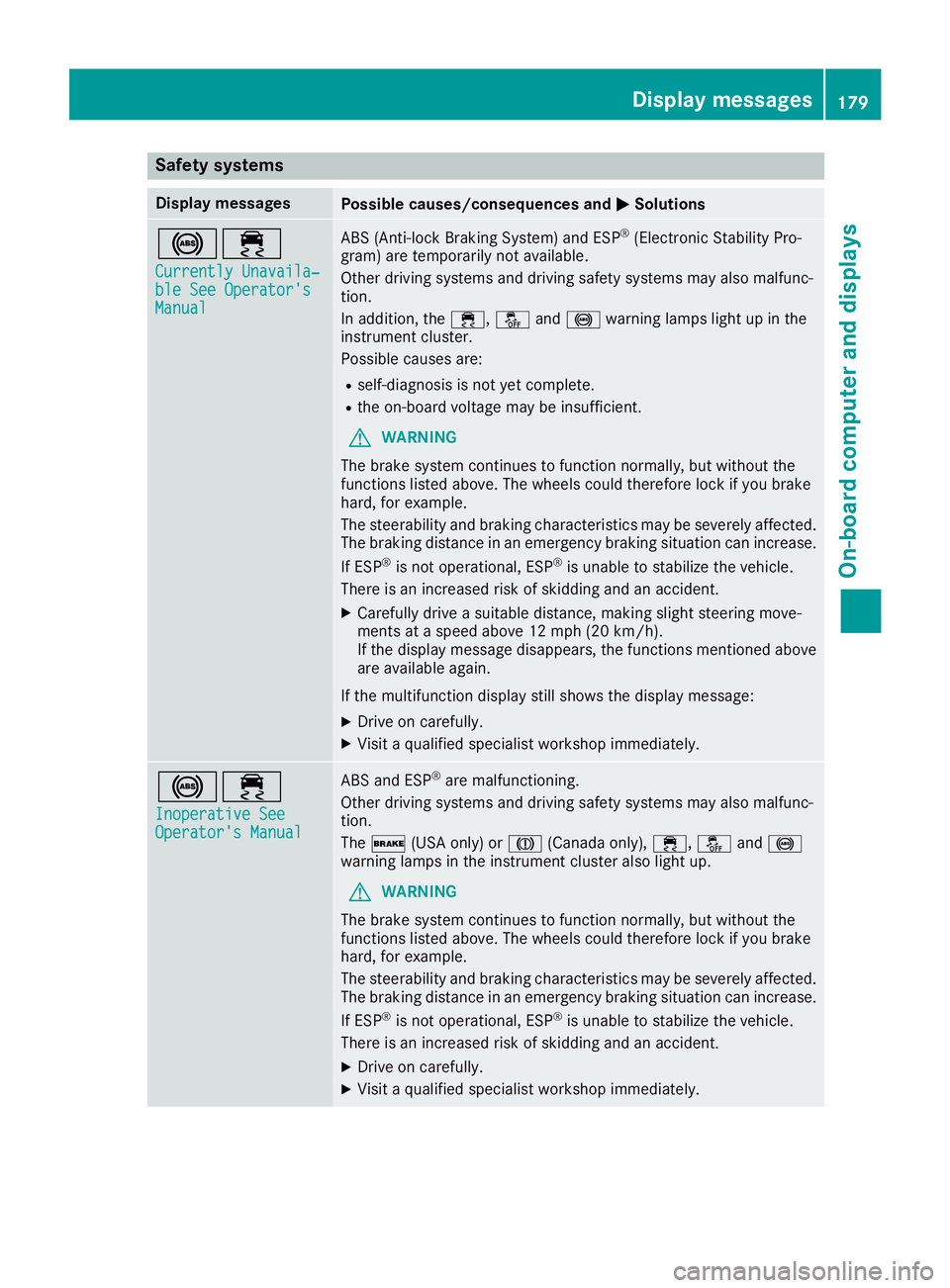
Safety systems Display messages
Possible causes/consequences and P Solutions
%