2017 MERCEDES-BENZ S-Class COUPE ad blue
[x] Cancel search: ad bluePage 8 of 338

Battery (vehicle)Charging ........................................ 294
Display message ............................ 217
Important safety notes .................. 292
Jump starting ................................. 295
Belt
see Seat belts
Blind Spot Assist
see Active Blind Spot Assist
Blootooth
®
Connecting a different mobile
phone ............................................ 251
Bluetooth
®
Searching for a mobile phone ........ 250
see also Digital Operator's Man-
ual .................................................. 242
Telephony ...................................... 250
Brake Assist
see BAS (Brake Assist System)
Brake fluid
Display message ............................ 209
Notes ............................................. 333
Brake force distribution
see EBD (electronic brake force
distribution)
Brakes
ABS .................................................. 62
Adaptive Brake Assist ...................... 66
BAS .................................................. 62
BAS PLUS with Cross-Traffic
Assist ............................................... 62
Brake fluid (notes) ......................... 333
Display message ............................ 204
EBD .................................................. 68
High-performance brake system .... 144
Hill start assist ............................... 124
HOLD function ............................... 154
Important safety notes .................. 142
Maintenance .................................. 143
Parking brake ................................ 139
Riding tips ...................................... 142
Warning lamp ................................. 233
Breakdown
Where will I find...? ........................ 288
see Flat tire
see Towing away Brightness control (instrument
cluster lighting)
................................... 35
Buttons on the steering wheel ......... 187
C
California
Important notice for retail cus-
tomers and lessees .......................... 26
Calling up a malfunction
see Display messages
Calling up the climate control bar
Multimedia system ........................ 247
Calling up the climate control
menu
Multimedia system ........................ 247
Camera
see Rear view camera
Car
see Vehicle
Care
360° camera ................................. 284
Car wash ........................................ 280
Carpets .......................................... 287
Display ........................................... 285
Exhaust pipe .................................. 284
Exterior lights ................................ 283
General notes ................................ 280
Interior ........................................... 285
Matte finish ................................... 282
Night View Assist Plus ................... 285
Paint .............................................. 282
Plastic trim .................................... 285
Power washer ................................ 281
Rear view camera .......................... 284
Roof lining ...................................... 287
Seat belt ........................................ 286
Seat cover ..................................... 286
Selector lever ................................ 286
Sensors ......................................... 284
Steering wheel ............................... 286
Trim pieces .................................... 286
Washing by hand ........................... 281
Wheels ........................................... 282
Windows ........................................ 283
Wiper blades .................................. 283
Wooden trim .................................. 286
6Index
Page 16 of 338
Crosswind Assist (vehicles with
MAGIC BODY CONTROL) .............. .156
Crosswind Assist (vehicles with-
out MAGIC BODY CONTROL) ........... 68
DISTRONIC PLUS ........................... 147
DISTRONIC PLUS with Steering
Assist and Stop&Go Pilot ...............1 53
ESP
®(Electronic Stability Pro-
gram) ............................................... 66
General notes ................................ 145
MAGIC BODY CONTROL ................ 156
Night View Assist Plus ................... 177
PARKTRONIC ................................. 160
PRE-SAFE
®(anticipatory occu-
pant protection) ............................... 55
PRE-SAFE
®Brake .............................6 8
PRE-SAFE®PLUS (anticipatory
occupant protection PLUS) .............. 56
Rear view camera .......................... 167
ROAD SURFACE SCAN .................. 158
Traffic Sign Assist .......................... 176
Message memory (on-board com-
puter) .................................................. 203
Messages
see Display messages
see Warning and indicator lamps
Mirror turn signal
Cleaning ......................................... 283
Mirrors
see Exterior mirrors
see Vanity mirror (in the sun visor)
Mobile phone
Connecting (Bluetooth
®inter-
face) ..............................................2 50
Connecting another mobile
phone ............................................ 251
Frequencies ................................... 328
Installation ..................................... 328
Menu (on-board computer) ............ 195
Transmission output (maximum) .... 328
Modifying the programming
(SmartKey) ...........................................7 4
MOExtended tires .............................. 289
Mounting wheels
Lowering the vehicle ...................... 326
Mounting a new wheel ................... 325
Preparing the vehicle .....................3 22Raising
the vehicl
e ......................... 323
Removing a wheel .......................... 325
Securing the vehicle against roll-
ing away ........................................ 322
MP3
Operation ....................................... 194
see also Digital Operator's Man-
ual ..................................................2 42
Multifunction display
Function/notes .............................1 88
Multifunction steering wheel
Operating the on-board computer .. 187
Overview .......................................... 35
Multimedia system
Switching on and off ......................2 43
Music files
see also Digital Operator's Man-
ual ..................................................2 42
N
Navigation
Menu (on-board computer) ............ 191
see also Digital Operator's Man-
ual ..................................................2 42
Night View Assist Plus
Activating/deactivating ................. 179
Cleaning ......................................... 285
Display message ............................ 222
Function/notes .............................1 77
Pedestrian and animal recogni-
tion ................................................ 178
Problem (malfunction) ................... 180
Switching automatic activation
on/off ............................................ 198
Notes on breaking-in a new vehi-
cle ....................................................... 120
O
Occupant Classification System
(OCS)
Conditions ....................................... 49
Faults ............................................... 53
Operation ......................................... 49
System self-test ............................... 52
Occupant safety
Air bags ...........................................4 6
14Index
Page 98 of 338
Switching the seat heating on/off
Switching on/off
GWARNING
Repeatedly switching on the seat heating can
cause the seat cushion and backrest pads to
become very hot. The health of persons with
limited temperature sensitivity or a limited
ability to react to excessively high tempera-
tures may be affected or they may even suffer
burn-like injuries. There is a risk of injury.
Therefore, do not switch the seat heating on
repeatedly.
For vehicles equipped with the Warmth Comfort
package: the armrest in the door and the center
console can also be heated when you switch on
the seat heating of one of the front seats. You
can set this via the multimedia system; see the
Digital Operator's Manual.
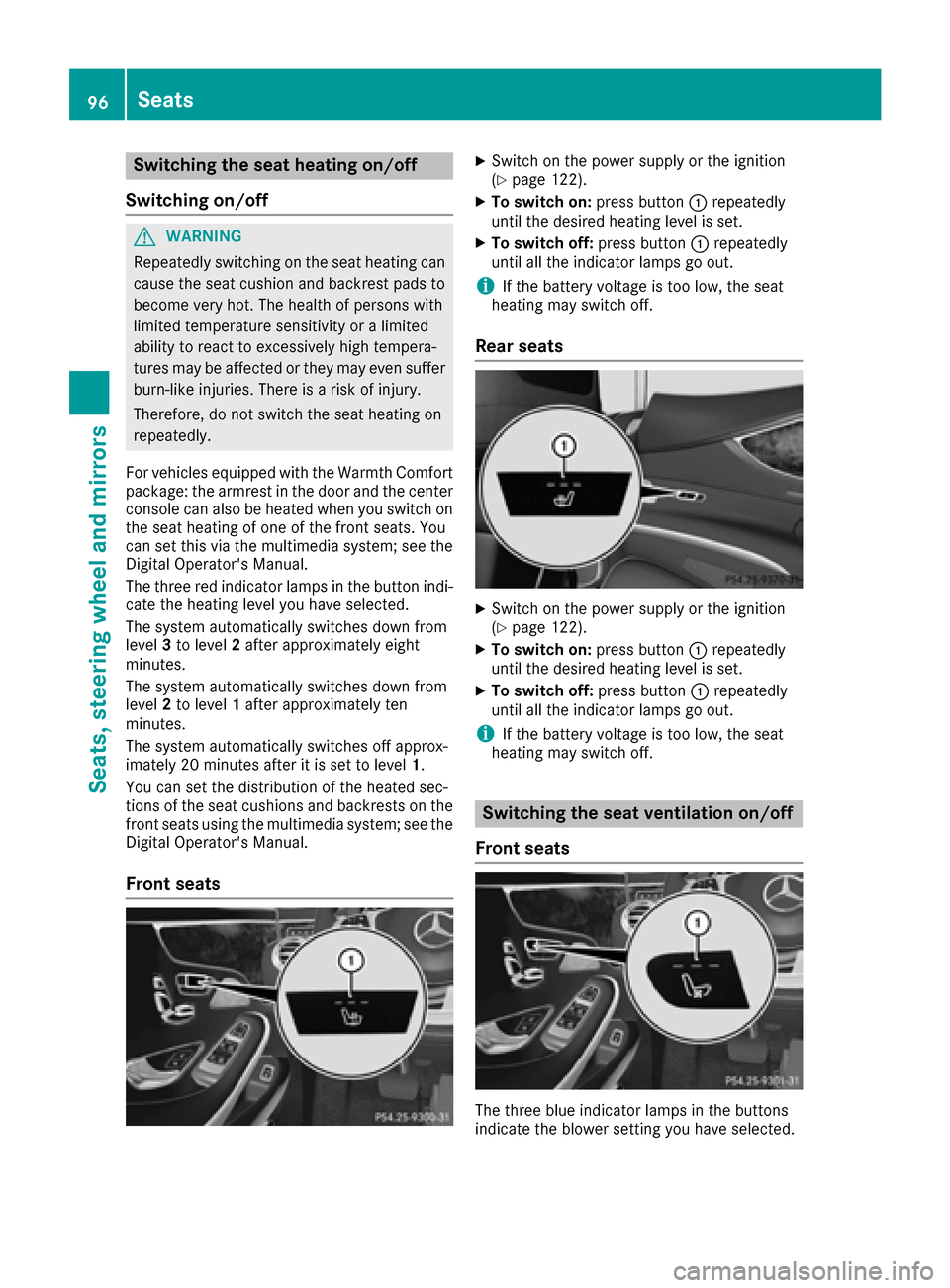
The three red indicator lamps in the button indi-
cate the heating level you have selected.
The system automatically switches down from
level 3to level 2after approximately eight
minutes.
The system automatically switches down from
level 2to level 1after approximately ten
minutes.
The system automatically switches off approx-
imately 20 minutes after it is set to level 1.
You can set the distribution of the heated sec-
tions of the seat cushions and backrests on the
front seats using the multimedia system; see the
Digital Operator's Manual.
Front seats
XSwitch on the power supply or the ignition
(Ypage 122).
XTo switch on: press button0043repeatedly
until the desired heating level is set.
XTo switch off: press button0043repeatedly
until all the indicator lamps go out.
iIf the battery voltage is too low, the seat
heating may switch off.
Rear seats
XSwitch on the power supply or the ignition
(Ypage 122).
XTo switch on: press button0043repeatedly
until the desired heating level is set.
XTo switch off: press button0043repeatedly
until all the indicator lamps go out.
iIf the battery voltage is too low, the seat
heating may switch off.
Switching the seat ventilation on/off
Front seats
The three blue indicator lamps in the buttons
indicate the blower setting you have selected.
96Seats
Seats, steering wheel and mirrors
Page 108 of 338

0087High-beam flasher
0085Turn signal, left
XTo indicate briefly:press the combination
switch briefly to the pressure point in direc-
tion of arrow 0044or0085.
The corresponding turn signal flashes three
times.
XTo indicate: press the combination switch
beyond the pressure point in direction of
arrow 0044or0085.
XTo switch on the high-beam headlamps:
turn the light switch to the 0058or0058
position.
XPress the combination switch beyond the
pressure point in the direction of arrow 0043.
In the 0058position, the high-beam head-
lamps are switched on only when it is dark and
the engine is running.
The blue 0057indicator lamp on the instru-
ment cluster lights up when the high-beam
headlamps are switched on.
XTo switch off the high-beam headlamps:
move the combination switch back to its nor-
mal position.
The blue 0057indicator lamp on the instru-
ment cluster goes out.
Vehicles with Adaptive Highbeam Assist
Plus:
If Adaptive Highbeam Assist Plus is activated, it
automatically controls activation and deactiva-
tion of the high-beam headlamps (
Ypage 106).
XHigh-beam flasher: pull the combination
switch in the direction of arrow 0087.
Hazard warning lamps
XTo switch the hazard warning lamps on or
off: press button 0043.
The turn signal lamps flash when the hazard
warning lamps are switched on. If you now
switch on a turn signal lamp using the com-
bination switch, only the turn signal lamp on
the corresponding side of the vehicle will
flash.
The hazard warning lamps switch on automati-
cally if an air bag is deployed.
The hazard warning lamps still operate if the
ignition is switched off.
Cornering light function
The cornering light function improves the illu-
mination of the road over a wide angle in the
direction you are turning, enabling better visi-
bility in tight bends, for example. It can only be
activated when the low-beam headlamps are
switched on.
Active:
Rif you are driving at speeds below 25 mph
(40 km/h) and switch on the turn signal or
turn the steering wheel
Rif you are driving at speeds between 25 mph
(40 km/h) and 45 mph (70 km/h) and turn
the steering wheel
The cornering lamp may remain lit for a short
time, but is automatically switched off after no
more than three minutes.
Adaptive Highbeam Assist Plus
General notes
With Adaptive Highbeam Assist Plus, you can
automatically switch between low-beam, partial
high-beam and high-beam headlamps.
Partial high-beam is a form of illumination
whereby the high-beam is directed past other
road users. Other road users are kept out of the
high-beam. This prevents glare. When there is a
vehicle in front, for example, the high-beam
headlamps illuminate the areas to its right and
left. The vehicle in front is illuminated by the low-
beam headlamps.
The system automatically adapts the low-beam
headlamp range depending on the distance to
the other vehicle. Once the system no longer
106Exterior lighting
Lights and windshield wipers
Page 196 of 338
The multifunction display shows station0044with
station frequency or station name. The preset
position is only displayed along with station 0044if
this has been stored. You can store radio sta-
tions in the multimedia system.
XSwitch on the multimedia system.
XPress the 00E2button on the steering wheel
to open the menu list.
XPress 0064or0063 on the steering wheel to
select the Radiomenu.
XConfirm by pressing 0076on the steering
wheel.
Currently set station 0044appears in the multi-
function display.
XTo open the station list: press the0064or
0063 button briefly.
XTo select a station in the station list:
press 0064or0063 briefly.
XTo select a station in the station list using
rapid scrolling: press and hold0064or
0063.
XTo select the waveband or station mem-
ory: press 0076briefly.
XPress 0064or0063 to select the waveband or
station memory.
XPress 0076to confirm the selection.
iSIRIUS XM satellite radio functions like a
normal radio.
Further information about radio operation can
be found in the multimedia system in the Dig-
ital Operator's Manual.
Media menu
Changing the media source
You can change the media source and playback
mode (audio, video or TV) at any time in the
Media
menu.
XSwitch on the multimedia system.
XPress the 00E2button on the steering wheel
to open the menu list.
XPress 0064or0063 on the steering wheel to
select the Mediamenu.
XConfirm by pressing 0076on the steering
wheel.
XTo open/close the media sources
list: press 0076briefly.
The list shows the following media sources,
for example:
RCD or DVD
RSD card
RMedia Register
RUSB storage device
RBluetooth®capable audio device
Please observe further information on media
support and media operation in the multimedia
system (see separate operating instructions).
Operating an audio player or audio
media
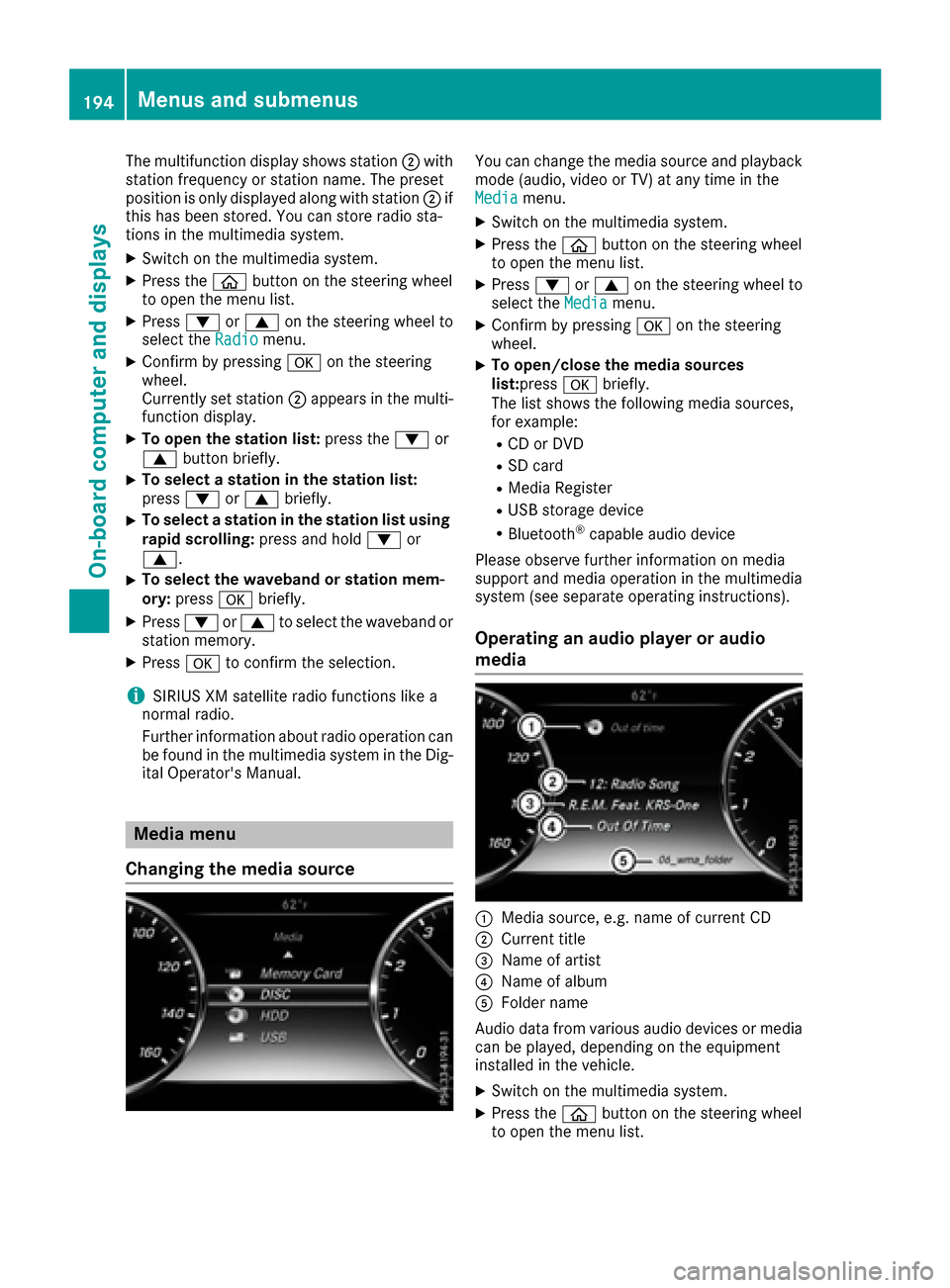
0043Media source, e.g. name of current CD
0044Current title
0087Name of artist
0085Name of album
0083Folder name
Audio data from various audio devices or media
can be played, depending on the equipment
installed in the vehicle.
XSwitch on the multimedia system.
XPress the 00E2button on the steering wheel
to open the menu list.
194Menus and submenus
On-board computer and displays
Page 197 of 338
XPress0064or0063 on the steering wheel to
select the Mediamenu.
XConfirm by pressing 0076on the steering
wheel.
XTo select an audio player or media: press
0076 briefly.
The list containing the media sources
appears.
XPress 0064or0063 to select the correspond-
ing audio player or media.
XPress 0076to confirm the selection.
XTo open the track list:press the 0064or
0063 button briefly.
XTo select the next or previous track from
the track list:press the 0064or0063 button
briefly.
XTo select a track from the track list using
rapid scrolling: press and hold0064or0063
until the desired track is reached.
If you press and hold the button, the speed of
rapid scroll increases after a short time. Not
all audio drives or data carriers support this
function.
If the corresponding track information is stored
on the audio player or media, the multifunction
display shows the following:
Rtrack number
Rtrack name
Rartist
Ralbum
The track information does not appear in audio
AUX mode (Auxiliary audio mode: external
audio source connected).
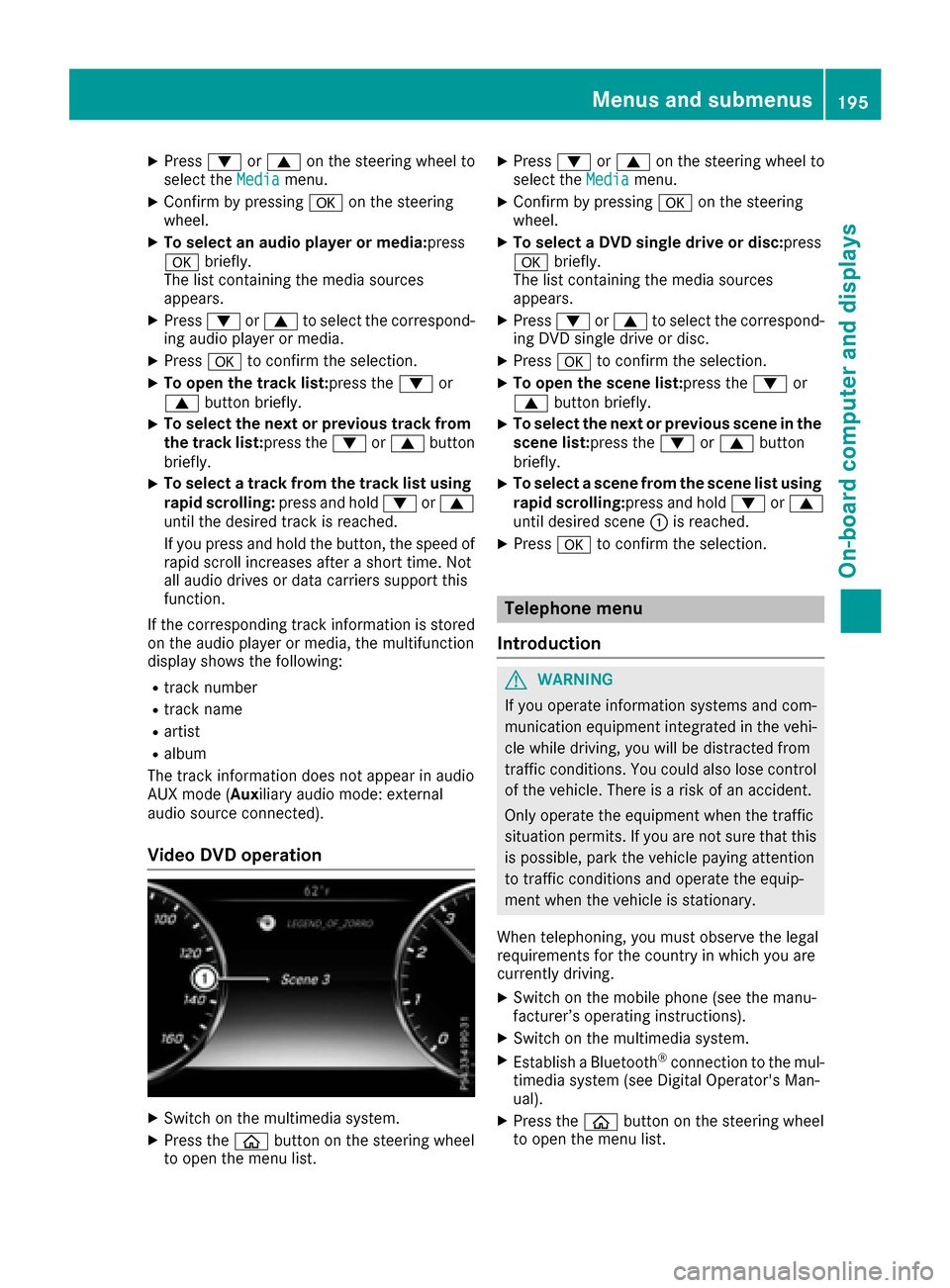
Video DVD operation
XSwitch on the multimedia system.
XPress the 00E2button on the steering wheel
to open the menu list.
XPress 0064or0063 on the steering wheel to
select the Mediamenu.
XConfirm by pressing 0076on the steering
wheel.
XTo select a DVD single drive or disc: press
0076 briefly.
The list containing the media sources
appears.
XPress 0064or0063 to select the correspond-
ing DVD single drive or disc.
XPress 0076to confirm the selection.
XTo open the scene list: press the0064or
0063 button briefly.
XTo select the next or previous scene in the
scene list: press the0064or0063 button
briefly.
XTo select a scene from the scene list using
rapid scrolling: press and hold0064or0063
until desired scene 0043is reached.
XPress 0076to confirm the selection.
Telephone menu
Introduction
GWARNING
If you operate information systems and com-
munication equipment integrated in the vehi-
cle while driving, you will be distracted from
traffic conditions. You could also lose control
of the vehicle. There is a risk of an accident.
Only operate the equipment when the traffic
situation permits. If you are not sure that this
is possible, park the vehicle paying attention
to traffic conditions and operate the equip-
ment when the vehicle is stationary.
When telephoning, you must observe the legal
requirements for the country in which you are
currently driving.
XSwitch on the mobile phone (see the manu-
facturer’s operating instructions).
XSwitch on the multimedia system.
XEstablish a Bluetooth®connection to the mul-
timedia system (see Digital Operator's Man-
ual).
XPress the 00E2button on the steering wheel
to open the menu list.
Menus and submenus195
On-board computer and displays
Z
Page 203 of 338
Light submenu
Switching the spotlight function on/off
XPress00E2on the steering wheel to open the
menu list.
XPress 0064or0063 on the steering wheel to
select the Settingsmenu.
XConfirm by pressing 0076on the steering
wheel.
XPress 0064or0063 to select the Lightssubmenu.
XPress0076to confirm.
XPress the 0064or0063 button to select the
Spotlightfunction.
XPress the 0076button to save the setting.
When the spotlight function is activated, the
assistance graphic shows the pedestrian
symbol.
Further information on the spotlight function
(
Ypage 179).
Switching the daytime running lamps on/ off
This function is not available in Canada.
XPress the 00E2button on the steering wheel
to open the menu list.
XPress 0064or0063 on the steering wheel to
select the Settingsmenu.
XConfirm by pressing 0076on the steering
wheel.
XUse 0064 or0063 to select the Lightssub-
menu.
XPress 0076to confirm.
XUsing 0064or0063, select the DaytimeRunning Lightsfunction.
If the DaytimeRunningLightsfunction has
been switched on, the cone of light in the
multifunction display is shown in white and
blue.
XPress the 0076button to save the setting.
Further information on daytime running lamps
Daytime Running Lights
(Ypage 104).
Instrument cluster submenu
Selecting the distance unit
The DisplayUnitSpeed-/Odometerfunction
allows you to choose whether certain displays
appear in kilometers or miles in the multifunc-
tion display.
XPress the 00E2button on the steering wheel
to open the menu list.
XPress the 0064or0063 button on the steering
wheel to select the Settingsmenu.
XConfirm by pressing 0076on the steering
wheel.
XPress 0064or0063 to select the Instru‐ment Clustersubmenu.
XPress0076to confirm.
XPress the 0064or0063 button to select the
Display Unit Speed-/Odometerfunction.
The current setting kmorMilesappears.
XPress the 0076button to save the setting.
The selected unit of measurement for distance
applies to:
Rspeedometer
Rdigital speedometer in the Tripmenu
Radditional speedometer in the status area on
the multifunction display
The unit in the additional speedometer is dis-
played inversely to the selected distance unit.
Rthe odometer and trip odometer
Rthe trip computer
Rthe current consumption and the range
Rnavigation instructions in the Navimenu
Rcruise control
RSPEEDTRONIC
RDISTRONIC PLUS
RDISTRONIC PLUS with Steering Assist and
Stop&Go Pilot
RASSYST PLUS service interval display
Switching the additional speedometer
on/off
TheAdditional Speedometer [km/h]func-
tion allows you to choose whether the status
area in the multifunction display shows the
speed digitally. The unit in the additional speed-
ometer is always inverse to the speedometer
unit.
XPress 00E2on the steering wheel to open the
menu list.
XPress 0064or0063 on the steering wheel to
select the Settingsmenu.
XConfirm by pressing 0076on the steering
wheel.
XPress 0064or0063 to select the Instru‐ment Clustersubmenu.
XPress0076to confirm your selection.
Menus and submenus201
On-board computer and displays
Z
Page 204 of 338
![MERCEDES-BENZ S-Class COUPE 2017 C217 Owners Manual XUsing0064or0063, select the AdditionalSpeedometer [km/h]function.
The current selection appears.
XTo activate/deactivate: press0076again.
Restoring the factory settings
XPress 00E2on the steering whe](/manual-img/4/3653/w960_3653-203.png "MERCEDES-BENZ S-Class COUPE 2017 C217 Owners Manual XUsing0064or0063, select the AdditionalSpeedometer [km/h]function.
The current selection appears.
XTo activate/deactivate: press0076again.
Restoring the factory settings
XPress 00E2on the steering whe")
XUsing0064or0063, select the AdditionalSpeedometer [km/h]function.
The current selection appears.
XTo activate/deactivate: press0076again.
Restoring the factory settings
XPress 00E2on the steering wheel to open the
menu list.
XPress 0064or0063 on the steering wheel to
select the Settingsmenu.
XConfirm by pressing 0076on the steering
wheel.
XPress 0064or0063 to select the FactorySettingssubmenu.
XPress0076to confirm.
The Reset All Settings?function
appears.
XPress the 0064or0063 button to select Noor
Yes.
XPress the 0076button to confirm the selec-
tion.
If you have selected and confirmed Yes
, the
multifunction display shows a confirmation
message.
For safety reasons, the Daytime Running
Lightsfunction in theLightssubmenu is only
reset when the vehicle is stationary.
AMG menu (Mercedes-AMG vehicles)
Warm-up
0043Digital speedometer
0044Gear indicator
0087Upshift indicator
0085Transmission fluid temperature
0083Engine oil temperature
XPress the 00E2button on the steering wheel
to open the menu list.
XPress 0064or0063 on the steering wheel to
select the AMGmenu.
XConfirm by pressing 0076on the steering
wheel.
Upshift indicator: upshift indicatorUP
0087
indicates that the engine has reached the
overrevving range when in the manual drive
program.
Engine/transmission oil temperature:
when the engine and transmission are at nor-
mal operating temperature, oil tempera-
ture 0085and 0083are displayed in white in the
multifunction display.
If the multifunction display shows oil temper-
ature 0085or0083 in blue, the engine or the
transmission are not yet at normal operating
temperature. Avoid driving at full engine out-
put during this time.
SETUP
0043Drive program C,Sor M
0044ESP®mode (ON/OFF)
0087Suspension setting SPORTorCOMFORT
XPress the 00E2button on the steering wheel
to open the menu list.
XPress the 0064or0063 button on the steering
wheel to select the AMGmenu.
XConfirm by pressing 0076on the steering
wheel.
XPress the 0064or0063 button until the
SETUP display appears.
202Menus and submenus
On-board computer and displays