2017 MERCEDES-BENZ S-CLASS CABRIOLET service
[x] Cancel search: servicePage 156 of 521
This dischar
gesa ny electros tatic charge that
ma yhave built up. *
NO
TEDama gecaused bythew rong fuel Ve
hicles wit hapetro le ngine:
ev en small amounts of thew rong fuel could
re sult in damag etothe fuel sy stem, the
engine and thee mission control sy stem. #
Onlyrefuel using unleaded fuel that
con form stoEN2 28, or an equivalent
speci fication. #
The RONr equirement is located in the
fuel filler flap.
Fu el of this specification ma ycontain up to
10 %e thanol. Your vehicle is suitable foru se
wit hE 10 fuel.
Do no trefuel using:
R diesel
R E85, E100 R
petrol containing me thano l(M15, M30,
M85 ,M100)
R petrol wit hadditives con tainin gm etal
If yo ua cciden tally refuel wit hthe wrong fuel: #
do no tswitc hthe ignition on. #
consult aqualified specialis tworks hop. *
NO
TEDo no tuse diese ltorefuel vehi‐
cles wit hapetro le ngine. If
yo ua cciden tally refuel wit hthe wrong fuel:
R Do no tswitc hont he ignition. Otherwise
fuel can enter thee ngine.
Even small amounts of thew rong fuel
could result in damag etothe fuel sy stem
and thee ngine. The repair costs ar ehigh. #
Contact aqualified specialis tworks hop. #
Have thef uel tank and fue llin es
drained compl etely. *
NO
TEDama getothef uel sy stem caused
by ove rfilled fuel tanks. #
Only fill th ef uel tank unti lthe pump
nozzle switches off. *
NO
TEFuel ma yspray out when you
re mo vethef uel pum pnozzle. #
Onlyfillthef uel tank unti lthe pump
nozzle switches off. Re
quirements:
R unloc kthe vehicle.
% Do no tget intot he vehicle again during the
re fuelling process. Otherwise, electros tatic
ch arge could buil dupagain.
Please also obser vethen otes on service prod‐
ucts and fuels (→ page411). Driving and parking
15 3
Page 165 of 521
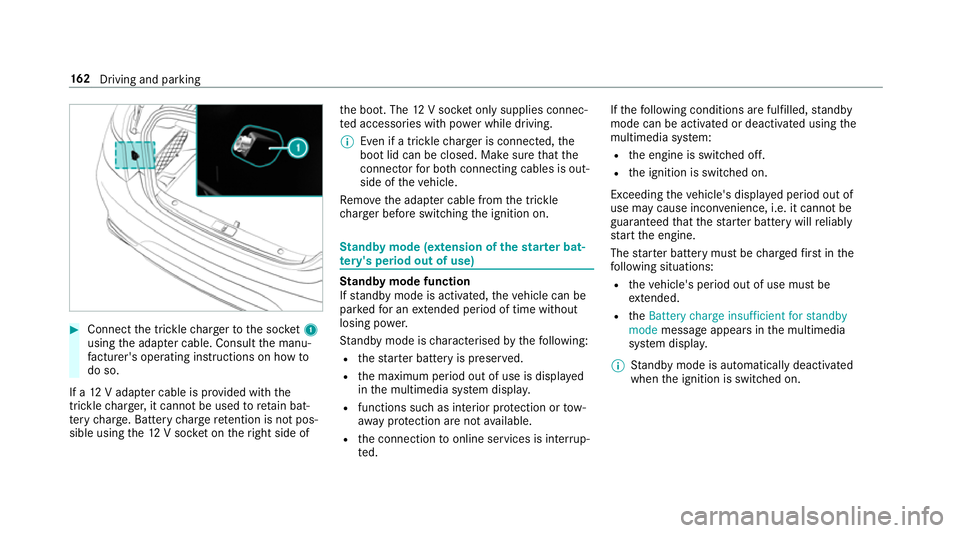
#
Connect thet rick le ch arge rtot he soc ket1
using thea dap terc able. Consult them anu‐
fa cturer's ope rating instructions on ho wto
do so.
If a12Va dapte rcableisp rovide dwitht he
trickle charge r,it canno tbeusedtoretain bat‐
te ry charge .B atter ycharg eretention is no tpos‐
sibl eusing the12Vs ocketont heright side of th
eb oot. The 12Vsocketo nly supplies connec‐
te da ccessories wit hpower while driving.
% Even if atrick le ch arge risc onnected, the
boo tlid can be closed. Mak esuret hat the
connector forb othc onnecting cable sisout‐
sid eoft hevehicle.
Re mo vethea dap terc ablef romt he trickle
ch arge rb efor eswitching thei gnition on. St
andb ymode (extension of the star terb at‐
te ry 's period out of use) St
andb ymode function
If standb ymode is activated, thev ehicle can be
par kedf or an extende dperio doft ime without
losing po wer.
St andb ymode is characterised bythef ollowing:
R thes tarter batter yispreser ved.
R them aximum period out of use is displa yed
in them ultimedia sy stem displa y.
R functions suc hasinterior pr otection or tow-
aw ay protection ar enotavailable.
R thec onnection toonline services is inter rup‐
te d. If
th ef ollowing condition sarefulfilled, standby
mode can be activated or deactivated usin gthe
multimedia sy stem:
R thee ngine is switched off.
R thei gnition is switched on.
Exceeding thev ehicle's displa yedp eriod out of
use ma ycause incon venience, i.e .itcanno tbe
guarantee dthat thes tarter batter ywillr eliably
st ar tt he engine.
The star terb atter ymustbec hargedf irst inthe
fo llowing situations:
R thev ehicle's period out of use mus tbe
ex tended.
R the Battery charge insufficient for standby
mode messag eappear sinthe multimedia
sy stem displa y.
% Standb ymode is automaticall ydeactivated
when thei gnition is switched on. 16 2
Driving and pa rking
Page 222 of 521
&
WARNING Danger of bu rnsw hen open‐
ing theb onnet
If yo uo pen thee ngine bonn etwhen the
engine has overheated or during afireint he
engine compartment, youc ould come into
contact wit hhotgases or other escaping
operating fluids. #
Befor eopening theb onnet ,allowt he
engine tocool down. #
Inthee vent of afireint he engine com‐
partment, keep thee ngine bonn et
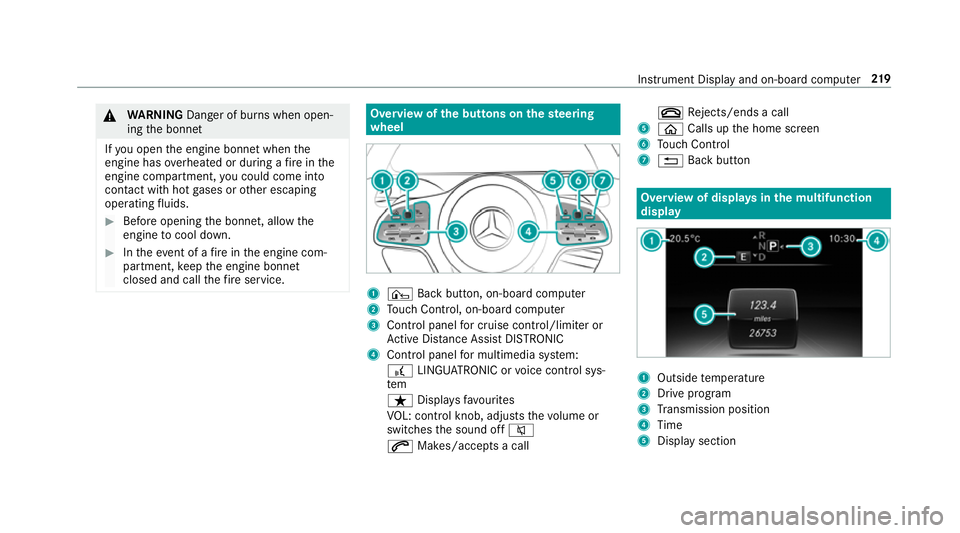
closed and cal lthe fire service. Overvie
wofthe buttons on thes teering
wheel 1
¤ Backbutton, on-boar dcomputer
2 Touc hC ontrol, on-boar dcompu ter
3 Control panel forc ruisec ontrol/limiter or
Ac tiveD ista nce Assi stDISTRONIC
4 Control panel form ultimedia sy stem:
£ LINGU ATRO NIC or voice control sys‐
tem
ß Displaysf avo urites
VO L: control knob, adjusts thev olume or
switches thes ound off 8
6 Makes/accepts acall ~
Rejects/end sacall
5 ò Callsupt he home screen
6 Touc hC ontrol
7 % Backbutton Overvie
wofdisplaysinthem ultifunction
display 1
Outside temp erature
2 Driv eprogram
3 Transmission position
4 Time
5 Displa ysection Instrument Displa
yand on-boar dcomputer 219
Page 223 of 521
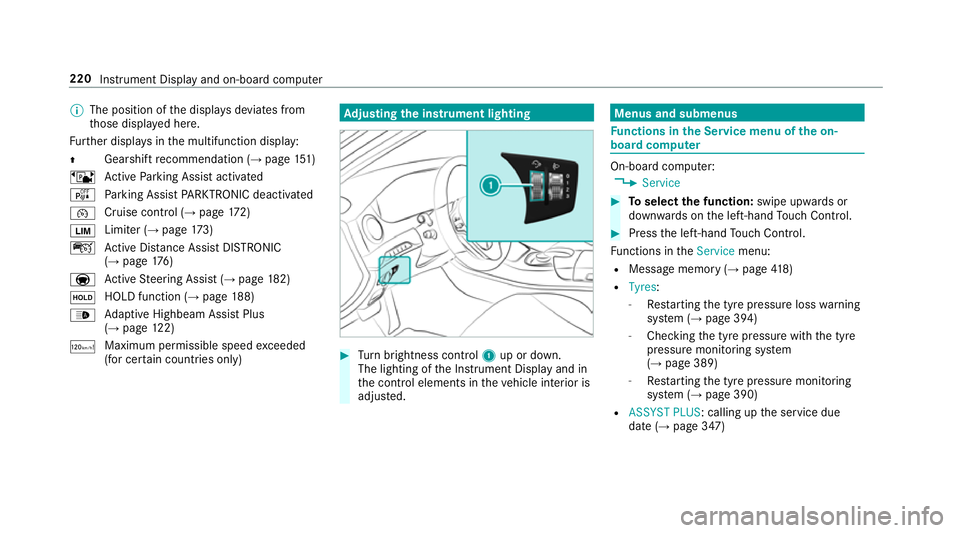
%
The position of thed ispla ysdeviates from
th ose displa yedh ere.
Fu rther displa ysinthem ultifunction display:
Z Gearshif
trecommendatio n(→pa ge151)
ë ActiveP arking Assis tactivated
é Parking Assis tPARKTRONIC deactivated
¯ Cruise control (→
page 172)
È Limi
ter( →pag e173)
ç ActiveD ista nce Assi stDISTRONIC
(→ page 176)
a Ac
tiveS teering Assis t(→ pag e182)
ë HOL
Dfunctio n(→pag e188)
_ Ad
aptiv eHighbeam Assis tPlus
(→ pag e122)
ð Maximu
mpermissible speed exceeded
(for cer tain countries only) Ad
justin gthe in stru men tlighting #
Turn brightness control 1up or down.
The lightin gofthe Instrument Displa yand in
th ec ontrol element sinthevehicle interior is
adjus ted. Menus and submenus
Fu
nctions in theS ervice menu of theo n-
boar dcompu ter On-boar
dcomputer:
, Service #
Toselect thef unction: swipe upwards or
down wardsont he left-hand Touc hC ontrol. #
Press thel eft-hand Touc hC ontrol.
Fu nctions in theService menu:
R Messag ememor y(→pag e418)
R Tyres :
- Restartin gthe tyr epressur eloss warning
sy stem (→ page394)
- Checking thet yrep ressur ewitht he tyre
pressur emonitoring sy stem
(→ pag e389)
- Restartin gthe tyr epressur emonitoring
sy stem (→ page390)
R ASSYST PLUS:c alling upthes ervice due
dat e(→pag e347) 220
Instrument Displa yand on-boar dcomputer
Page 239 of 521
Overvie
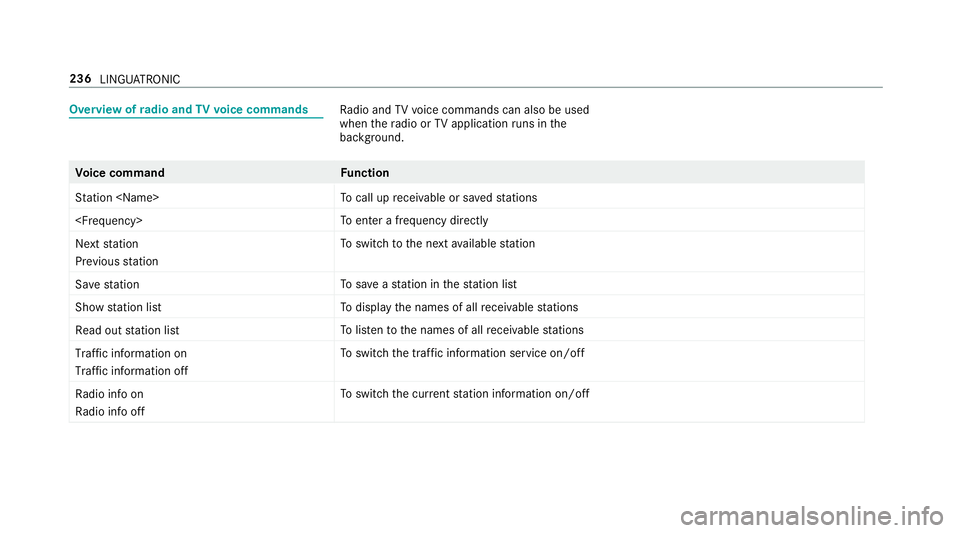
wofradio and TVvoice commands Ra
dio and TVvoice command scan also be used
when ther adio or TVapplicatio nruns in the
bac kground. Vo
ice command Function
Station
cal lupr eceivable or sa veds tations
enter afrequ ency directly
Next station
Previouss tation To
switc htot he next available station
Sav estation To
save as tatio nint hestatio nlist
Show statio nlist To
displa ythe names of all recei vable stations
Read out statio nlist To
listentot he names of all recei vable stations
Traffic informatio non
Traffic informatio noff To
switc hthe traf fici nformation service on/off
Radi oinfo on
Radi oinfo off To
switc hthe cur rent statio ninformation on/off 236
LINGU ATRO NIC
Page 260 of 521
Ac
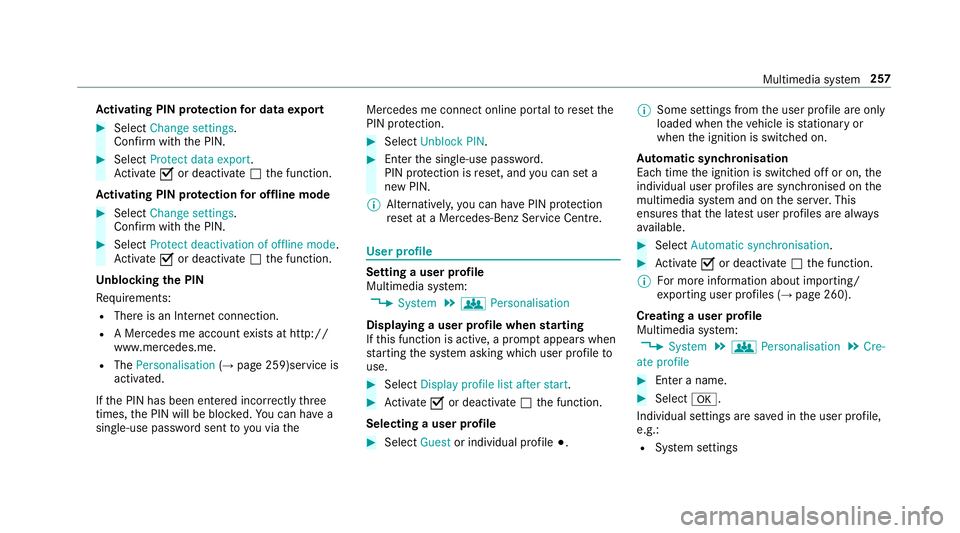
tivatin gPINprotection ford atae xport #
Select Change settings .
Confir mwitht he PIN. #
Select Protect data export.
Ac tivate Oor deacti vate ª thef unction.
Ac tivatin gPINprotection foro ffline mode #
Select Changesettings .
Confir mwitht he PIN. #
Select Protect deactivation of offline mode.
Ac tivate Oor deacti vate ª thef unction.
Un blocking theP IN
Re quirements:
R Ther eisanI nternetconnection.
R AM ercedes me account exists at http://
www.me rcedes.me.
R The Personalisation (→pag e259)service is
activated.
If th eP IN has been entered incor rectly three
times ,the PIN will be bloc ked. Youc an ha ve a
single-use passwor dsent to yo uviathe Mercedes me connect online por
taltor esetthe
PIN pr otection. #
Select Unbloc kPIN. #
Ente rthe single-use password.
PIN pr otection is reset, and youc an se ta
ne wP IN.
% Alternativel y,yo uc an ha vePIN pr otection
re se tata Mercedes-Benz Service Centre. User profile
Setting
auser profile
Multimedia sy stem:
, System .
g Personalisation
Displaying auser profile when starting
If th is function is active, apromp tappear swhen
st artin gthe sy stem asking whic huser profile to
use. #
Select Display profile list after start . #
Activate Oor deacti vate ª thef unction.
Selecting auser profile #
Select Guestor individual profile #.%
Some settings from theu ser profile ar eonly
loaded when thev ehicle is stationar yor
when thei gnition is switched on.
Au tomatic syn chronisation
Eac htime thei gnition is switched of foron,the
individual user profiles ar esynchronised on the
multimedia sy stem and on thes erve r.This
ensures that thel ates tuser profiles ar ealways
av ailable. #
Select Automatic synchronisation. #
Activate Oor deacti vate ª thef unction.
% Form orei nformation about importing/
ex portin guser profiles (→ page260).
Creating auser profile
Multimedia sy stem:
, System .
g Personalisation .
Cre-
ate profile #
Ente ran ame. #
Select a.
Individuals ettings ar esave dint he user profile,
e.g.:
R System settings Multimedia sy
stem 257
Page 261 of 521
R
settings in theTVt uner's channel list
R Navigation and traf fici nformation
The settings di ffer depending on thev ehicle
equipment.
Importing/exporting user profiles
Requ irements:
R Ther eisanI nternetconnection .
R AM ercedes me account exists at http://
www.me rcedes.me.
R The Personalisation service is active.
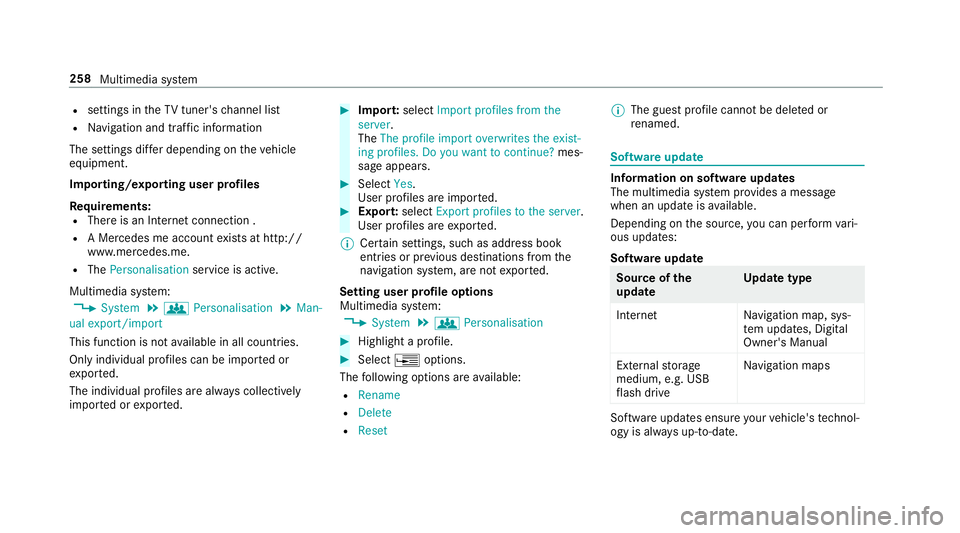
Multimedia sy stem:
, System .
g Personalisation .
Man-
ual export/import
This function is no tavailable in all countries.
On lyindividual profiles can be impor tedor
ex por ted.
The individual profiles ar ealway sc ollectively
impor tedore xported. #
Impor t:select Import profiles from the
server.
The The profile import overwrites the exist-
ing profiles. Do you want to continue? mes‐
sag eappears. #
Select Yes.
Use rprofile sa reimpor ted. #
Expor t:select Export profiles to the server.
User profiles ar eexpo rted.
% Certain settings ,suc hasa ddress book
ent ries or pr evious destination sfromt he
navigation sy stem, ar enot ex ported.
Setting user profile options
Multimedia sy stem:
, System .
g Personalisation #
Highlight aprofile. #
Select ¥options.
The following option sareavailable:
R Rename
R Delete
R Reset %
The gues tprofile canno tbedeletedor
re named. So
ftwa reupdate Information on softwar
eupdates
The multimedi asystemp rovide sam essage
when an updat eisavailable.
Dependin gonthe source, youc an per form vari‐
ous updates:
Softwar eupdate Source of
the
update Up
dat etype
Interne tN avigation map, sys‐
te mu pdates, Digital
Owner's Manual
External storage
medium, e.g. USB
fl ash drive Na
vigation maps Softwar
eupdates ensur eyour vehicle's tech nol‐
ogy is al ways up-to-date. 258
Multimedia sy stem
Page 262 of 521
In order
tocons tantl yimpr ove theq ualit yofo ur
services youw illrecei vefutur eupdates fory our
multimedia sy stem, theM ercedes me connect
services and your vehicle's communication mod‐
ule. These will con veniently be sent to youvia
th em obile phone connection in your vehicle
and, in man ycases, ins talled automaticall y.Yo u
can moni tort he status of your updates at any
tim eont he Mercedes me por tala nd find infor‐
matio nabout potentia linno vations.
Yo ur advantages at aglance:
R con veniently recei vesoftwar eupdate svia
th em obile phone network
R thel ong-te rmqualit yand availabilit yof
Mercedes me connec tisguaranteed
R keep your multimedia sy stem and communi‐
cation module up-to-date
Fu rther information about softwar eupdates can
be found at http://me.mercedes-benz.com
Pe rformin gasoftwar eupdate
Re quirements:
R An Interne tconnection is requiredfor
updates whic hareobtaine donlin e. Multimedia sy
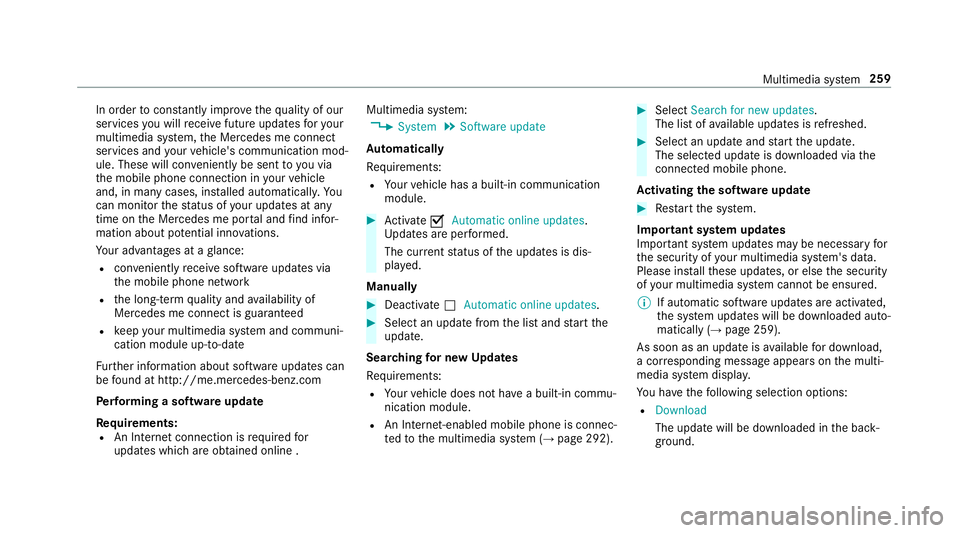
stem:
, System .
Software update
Au tomatically
Re quirements:
R Your vehicle has abuilt-in communication
module. #
Activate OAutomatic online updates.
Up dates ar eperform ed.
The cur rent status of theu pdates is dis‐
pla yed.
Manually #
Deactivate ªAutomatic online updates. #
Select an updat efromt he lis tand star tt he
update.
Sear ching forn ew Up dates
Re quirements:
R Your vehicle does no thave abuilt-in commu‐
nicatio nmodule.
R An In tern et-enabled mobil ephone is connec‐
te dtot he multimedia sy stem (→ page292). #
Select Search for new updates.
The lis tofavailable updates is refreshed. #
Select an updat eand star tt he update.
The selected updat eisdownloaded via the
connected mobil ephone.
Ac tivatin gthe so ftwa reupdate #
Restar tt he sy stem.
Important sy stem upda tes
Impor tant sy stem updates ma ybenecessar yfor
th es ecurity of your multimedia sy stem's data.
Please ins tallth ese updates, or else thes ecurity
of your multimedia sy stem cann otbe ensured.
% If automatic softwar eupdates ar eactivated,
th es ystemu pdates will be downloaded auto‐
maticall y(→ pag e259).
As soon as an updat eisavailable ford ow nload,
ac orresponding messag eappears onthem ulti‐
media sy stem displa y.
Yo uh ave thef ollowing selection options:
R Download
The updat ewill be downloaded in theb ack‐
ground. Multimedia sy
stem 259