2017 MERCEDES-BENZ METRIS reset
[x] Cancel search: resetPage 85 of 318

XConvenience opening:point the tip of the
key at the driver's door handle.
XPress and hold the %button until the side
windows are in the desired position.
XTo interrupt convenience opening: release
the % button.
Convenience closing feature
GWARNING
When using the convenience closing feature,
parts of the body could be trapped in the clos-
ing area when a side window is being closed.
There is a risk of injury.
Observe the complete closing procedure
when the convenience closing feature is oper-
ating. Make sure that no body parts are in
close proximity during the closing procedure.
When you lock the vehicle, you can close the
side windows at the same time.
The SmartKey must be close to the driver's door
handle.
Observe the notes on the automatic reversing
feature for the side windows (
Ypage 82).
XConvenience closing feature: point the tip
of the SmartKey at the driver's door handle.
XKeep the &button pressed until all side
windows are fully closed.
XMake sure that all side windows are closed.
XTo interrupt convenience closing feature:
release the &button.
Resetting the side windows
You must reset the side windows if there has
been a malfunction or an interruption in the volt-
age supply.
XTurn the SmartKey to position 2in the ignition
lock.
XPull the two power window switches and hold
for approximately one second after closing
the side window.
XIf the side windows remain closed after the
button has been released, they have been
reset correctly. If this is not the case, repeat
the steps above for the open window.
Problems with the side windows
GWARNING
If you close a side window again immediately
after it has been blocked or reset, the side
window closes with increased or maximum
force. The reversing feature is then not active. Parts of the body could be trapped in the clos-
ing area in the process. This poses an
increased risk of injury or even fatal injury.
Make sure that no parts of the body are in the
closing area. To stop the closing process,
release the switch or push the switch again to
reopen the side window.
If you cannot completely open or close a side
window:
If there are no objects or leaves in the window
guide that prevent the sliding sunroof from clos-
ing, there has been a malfunction or the on-
board voltage has been interrupted.
XReset the side window (Ypage 83).
Side windows83
Opening and closing
Z
Page 152 of 318
ready for use, the lane markings in the symbol
are shown as solid lines;.
Setting the sensitivity of Lane Keeping
Assist
XIn theAssist.menu on the on-board com-
puter, select the Lane Keeping Assist:
function (Ypage 185).
XSelectStandardorAdaptive.
In the setting Standard
, no warning vibration
occurs if:
Ryou operate the turn signal in the correspond-
ing direction. In this event, the warnings are
suppressed for a certain period of time.
Ra driving safety system, such as ABS, BAS or
ESP®, intervenes or performs a control
action.
When Adaptive
is selected, there is also no
warning vibration when:
Ryou accelerate hard, e.g. kickdown.
Rbrake sharply.
Ryou steer actively, e.g. swerve to avoid an
obstacle or change lanes quickly.
Ryou cut the corner on a sharp bend.
In order that you are warned only when neces-
sary and in good time if you cross the lane mark-
ing, the system differentiates between various
conditions and warns you accordingly.
The warning vibration occurs earlier if:
Ryou approach the outer lane marking on a
bend.
Rthe road has very wide lanes, such as a high-
way.
Rthe system detects solid lane markings.
The warning vibration occurs later if:
Rthe road has narrow lanes.
Ryou cut the corner on a bend.
Alertness Assistant ATTENTION
ASSIST
General notes
ATTENTION ASSIST helps you during long,
monotonous journeys such as on freeways and
interstate highways. It is active in the 40 mph
(60 km/h) to 125 mph (200 km/h) range. If
ATTENTION ASSIST detects typical indicators of fatigue or increasing lapses in concentration on
the part of the driver, it suggests taking a break.
Important safety notes
ATTENTION ASSIST is only an aid. The system
may not always detect fatigue or lapses in con-
centration until too late, or may not detect them
at all. ATTENTION ASSIST is not a substitute for
a well-rested and attentive driver.
The functionality of ATTENTION ASSIST is
restricted, and warnings may be delayed or not
occur at all:
Rif the length of the journey is less than approx-
imately 30 minutes
Rif the road condition is poor, e.g. if the surface
is uneven or if there are potholes
Rif there is a strong side wind
Rif you have adopted a sporty driving style with
high cornering speeds or high rates of accel-
eration
Rif you are predominantly driving at a speed
below 40 mph (60 km/h) or above 125 mph
(200 km/h)
Rif the time has been set incorrectly
Rin active driving situations, such as when you
change lanes or change your speed
ATTENTION ASSIST is reset and starts assessing
your attention again when you continue your
journey if:
Ryou switch off the engine
Ryou take off your seat belt and open the driv-
er's door, e.g. for a change of drivers or to
take a break
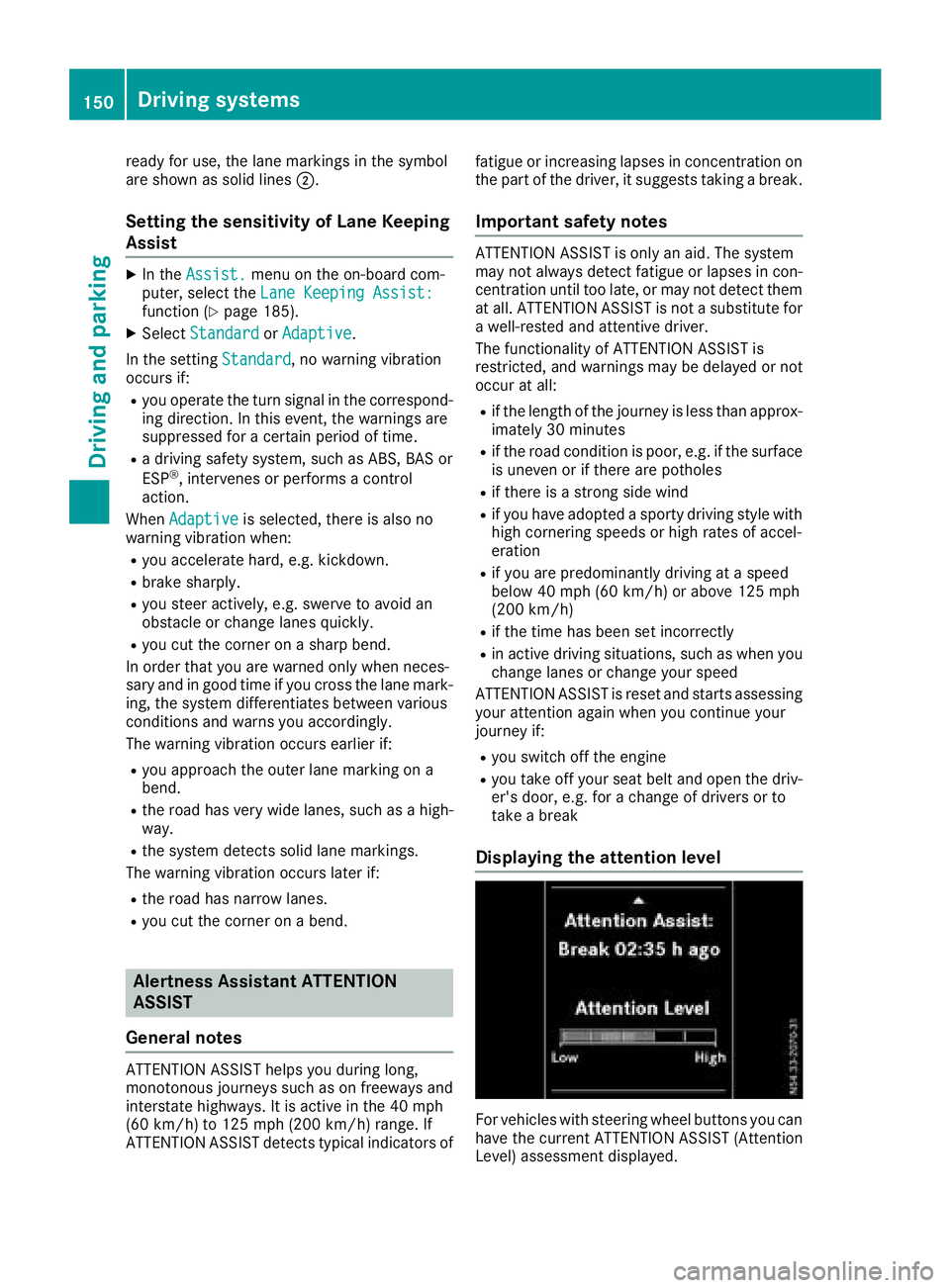
Displaying the attention level
For vehicles with steering wheel buttons you can
have the current ATTENTION ASSIST (Attention
Level) assessment displayed.
150Driving systems
Driving and parking
Page 173 of 318

On-board computer (vehicles without
steering wheel buttons)
Operating the on-board computer
Overview
:È and 3buttons
;Display
=f and gbuttons
XTo activate the on-board computer: turn
the SmartKey to position 1in the ignition lock.
If you remove the SmartKey, then quickly re-
insert it and turn to position 1, the on-board
computer and instrument cluster are not acti-
vated.
You can control the display and the settings in
the on-board computer with buttons :and =
on the instrument cluster.
Buttons on the instrument cluster
GWARNING
If you are driving and reach through the steer- ing wheel to operate the adjustment knob,
you could lose control of the vehicle. There is
a risk of an accident and injury.
Only operate the adjustment knobs when thevehicle is stationary. Do not reach through the
steering wheel when driving.
ÈPress briefly:
RSelects the menu or display
RIn the Settingsmenu: exits the
submenu without adopting the last
setting and returns to the menu's
start screen
ÈPress and hold:
RReturns to the standard display or the Distance menu without adopt-
ing the last setting
3Press briefly:
RSelects a submenu or function
RConfirms the selected entry in the
list or the display, or confirms the
setting
3Press and hold:
RResets the trip odometer and trip
computer values
RIn the start screen of the Settingsmenu: resets settings to the fac-
tory settings
RIn theSettingsmenu: resets val-
ues and returns to the menu's start
screen
f
gRSets the instrument cluster light-
ing (not in the Settingsmenu)
RScrolls through lists
RChanges values or settings
Display
Instrument cluster display
:
Clock (Ypage 187)
V Cruise control (
Ypage 142)
;Permanent display: outside temperature or
speed (Ypage 175)
On-board computer (vehicles without steering wheel buttons)171
On-board computer and displays
Z
Page 174 of 318

120km/h!(only for certain countries) max-
imum permissible speed exceeded
=Display panel for display messages, menus
and menu bar
?Transmission position (Ypage 127)
AFuel level
Bè ECO start/stop function
(Ypage 123)
Cè Rear window wiper (Ypage 104)
Display panel =shows the selected menu or
submenu and display messages.
Menu overview
The Settingsmenu is only displayed when the
vehicle is stationary. You can think of the order
of the menus and functions as a circle. Press È
on the instrument cluster to scroll through the
menus.
If you scroll forward in the Settings
menu using
3, the setting from the previous submenu or
function is adopted.
If you press Èin a submenu, the submenu or
function is exited without adopting the setting.
The display then shows the start screen of the
Settings
menu.
Operation information can be found under
"Operating the on-board computer"
(
Ypage 171).
Depending on the vehicle equipment, you can
call up the following menus, displays or func-
tions:
Rtrip odometer and odometer display
(Ypage 172)
Rtrip computer display (Ypage 172)
Rcurrent range display (Ypage 173)
Rcurrent fuel consumption display
(Ypage 173)
Rdigital speedometer (Ypage 173)
Rcoolant temperature gage (Ypage 173)
Rdisplay messages in the message memory
(Ypage 189)
The following menus, displays and functions are only displayed when the vehicle is stationary:
Rnext service due date display (Ypage 258)
Rtire pressure monitor restart (Ypage 284)
RSettingsmenu for setting or activating/
deactivating driving and driver assistance systems as well as display options
(
Ypage 174)
Distance menu
Odometer
If the display shows the speed in the header, the
display beside trip odometer
:also shows the
outside temperature.
You can switch the permanent display in the
header (
Ypage 175).
Use the buttons in the instrument cluster.
XTo display: press and hold Èuntil the dis-
play shows trip odometer :and odome-
ter ;.
XTo reset: press and hold 3until the trip
odometer is reset to 0.0
.
You can set the unit of measurement for the trip odometer in the Distance Unit:
submenu
(Ypage 175).
Trip computer menu
Trip computer
:
Distance
;Length of journey
=Average fuel consumption
?Average speed
172On-board computer (vehicles without steering wheel buttons)
On-board computer and displays
Page 175 of 318

Use the buttons in the instrument cluster.
XTo display:pressÈto select the trip com-
puter display.
The values displayed relate to those meas-
ured since the trip computer was last reset.
XTo reset values: press and hold3until all
values are reset.
The trip computer is automatically reset if the
value exceeds 9,999 hours or 99,999 miles.
You can set the unit of measurement for con-
sumption and distance in the Distance Unit:
submenu (Ypage 175).
Range menu
Use the buttons in the instrument cluster.
XPressÈto select the Rangedisplay.
The approximate range that can be covered is calculated according to your current driving
style and the amount of fuel in the tank. If
there is only a small amount of fuel left in the
fuel tank, the display shows a vehicle being
refueled Ïinstead of the approximate
range.
You can set the unit of measurement for dis-
tance in the Distance Unit:
submenu
(Ypage 175).
Current fuel consumption menu
:Recuperation display
;Range Use the buttons in the instrument cluster.
XPress
Èto select the fuel consumption bar
display.
Recuperation display :shows whether, and, if
so, how much kinetic energy is being trans-
formed into electric current whilst the vehicle is
coasting. The recuperated energy is then stored in the starter battery. Recuperation display :is
dependent on the engine installed and is there-
fore not available in all vehicles.
You can set the unit of measurement for con-
sumption in the Distance Unit:
submenu
(Ypage 175).
Digital speedometer menu
Use the buttons in the instrument cluster.
XPress Èto select the speed display.
You can set the unit for the digital speedometer
in the Distance
Unit:submenu (Ypage 175).
Coolant temperature menu
GWARNING
Opening the hood when the engine is over-
heated or when there is a fire in the engine
compartment could expose you to hot gases
or other service products. There is a risk of
injury.
Let an overheated engine cool down before
opening the hood. If there is a fire in the
engine compartment, keep the hood closed
and contact the fire department.
Use the buttons in the instrument cluster.
XPress Èto select the ?coolant temper-
ature bar display.
Under normal operating conditions and with the
specified coolant level, the gauge may rise to
248 ‡ (120 †).
On-board computer (vehicles without steering wheel buttons)173
On-board computer and displays
Z
Page 176 of 318

Settings menu
Introduction
Settings menu start screen
The vehicle must be stationary. Use the buttons
in the instrument cluster.
XTo display: pressÈto select the Settingsmenu.
The Settings
menu is only displayed when the
vehicle is stationary. You can think of the order
of the submenus and functions as a circle. Press
3 on the instrument cluster to scroll through
the menu, starting with its start screen and
select its submenus or functions successively.
If you scroll forward using 3, the setting from
the previous submenu or function is adopted.
If you press Èin a submenu, the submenu or
function is exited without adopting the setting.
The display then shows the start screen of the
Settings
menu.
Depending on the vehicle’s equipment, you have the following options in the Settings
menu:
RSetting the language for the display messages
and displays (Ypage 174)
RDeactivating and activating ESP®
(Ypage 174)
RSetting the sensitivity of the rain sensor
(Ypage 175)
RActivating and deactivating ATTENTION
ASSIST (Ypage 175)
RSelecting the permanent display in the header
of the display (Ypage 175)
RSetting the unit for distance, consumption
and speed displays (Ypage 175)
RSetting the time and date (Ypage 176)
XTo reset settings to the factory settings:
turn the SmartKey to position 1in the ignition
lock and press and hold 3in the Settings
menu for at least five seconds.
For safety reasons, not all functions are reset.
Setting the display language
The vehicle must be stationary. Use the buttons
in the instrument cluster.
XPress Èto select the Settingsmenu.
XPress3to select the Languagesubmenu.
The display shows the current language selec- tion.
XPress forg to set the language for all dis-
play messages.
XPress 3to confirm.
The next submenu is shown in the display.
Deactivating/activating ESP®
This menu is only available on vehicles without
the å button on the center console.
Please observe the important safety notes
under "ESP
®(Electronic Stability Program)"
(Ypage 66).
GWARNING
If you deactivate ESP
®, ESP®no longer sta-
bilizes the vehicle. There is an increased risk
of skidding and an accident.
Only deactivate ESP
®in the situations descri-
bed in the following.
It may be best to deactivate ESP
®in the follow-
ing situations:
Rwhen using snow chains
Rin deep snow
Ron sand or gravel
Further information can be found under "ESP®
(Electronic Stability Program)" (Ypage 66).
The vehicle must be stationary and the engine
must be running. Use the buttons in the instru-
ment cluster.
XPress Èto select the Settingsmenu.
XPress3to select the ESPsubmenu.
The display shows the current status.
If the display shows the Oper.
OnlyPoss.WithEngineOnmessage, confirm the mes-
sage with 3and start the engine. The display
then shows the ESP
submenu and the ESP®
status.
If theESP
Inoperativemessage is shown in
the display, ESP is not available due to a mal-
function and is deactivated. If you confirm the
174On-board computer (vehicles without steering wheel buttons)
On-board computer and displays
Page 181 of 318

Trip computer "From Start" or "From
Reset"
:Distance
;Length of journey
=Average fuel consumption
?Average speed
Using the steering wheel buttons
XPress =or; to select the Tripmenu.
XPress:or9 to select the FromStartorFrom Resetsubmenu.
The values in the From
Startsubmenu are cal-
culated from the start of a journey whilst the
values in the From Reset
submenu are calcu-
lated from the last time the submenu was reset
(
Ypage 179).
The From
Starttrip computer function is auto-
matically reset in the following situations:
Rthe ignition has been switched off for more
than four hours.
R999 hours have been exceeded.
R9,999 miles have been exceeded.
The From Reset
trip computer is automatically
reset if the value exceeds 9,999 hours or
99,999 miles.
Digital speedometer
:Gearshift recommendation
Automatic transmission (
Ypage 131)
;Digital speedometer
Use the steering wheel buttons.
XPress =or; to select the Tripmenu.
XSelect the digital speedometer by press-
ing: or9.
Resetting values
Resetting values (example: "From start" trip com-
puter)
Using the steering wheel buttons
XPress =or; to select the Tripmenu.
XPress:or9 to select the function you
would like to reset.
XPress ato confirm.
XPress :to select Yesand press ato
confirm.
You can reset the values of the following func-
tions:
RTrip odometer
R"From start" trip computer
R"From reset" trip computer
On-board computer (vehicles withsteering whee lbu ttons)179
On-board computer and displays
Z
Page 183 of 318

Change of direction announced without
lane recommendation
:Road to which the change of direction leads
;Distance to the change of direction and dis-
tance graphic
=Change-of-direction symbol
If a change of direction is required, a dynamic
bar is shown as a distance graphic above the
distance to the change of direction ;. The bar
shortens towards the top of the display as you
approach the point of the announced change of
direction. The change of direction starts once
the distance graphic no longer shows a bar.
Other navigation system status indica-
tors
RNew Route...or Calculating Route
A new route is calculated.
ROff Mapor a compass needle pointing in the
direction of the destination
The vehicle position is outside the area of the
digital map (off-map position) or the road is
not recognized, e.g. unpaved roads (off-road).
RNo Route
No route could be calculated to the selected
destination.
RO
You have reached the destination or an inter-
mediate destination.
Audio menu
Selecting a radio station
:Waveband with station preset
;Station
Station ;is displayed with the station fre-
quency or station name. The station preset is
only displayed along with waveband :if the
station has been stored.
Using the steering wheel buttons
XSwitch on the audio system and select the
radio function (see separate operating
instructions).
XPress =or; to select the Audiomenu.
The display shows currently selected sta-
tion;.
XTo select a stored station: press9
or : briefly.
XTo select a station from the station list:
press and hold 9or:.
If a station list is not received:
XTo select a station using the station
search: press and hold 9or:.
On-board computer (vehicles with steering wheel buttons)181
On-board computer and displays
Z