2017 MERCEDES-BENZ G-Class technical
[x] Cancel search: technicalPage 3 of 286
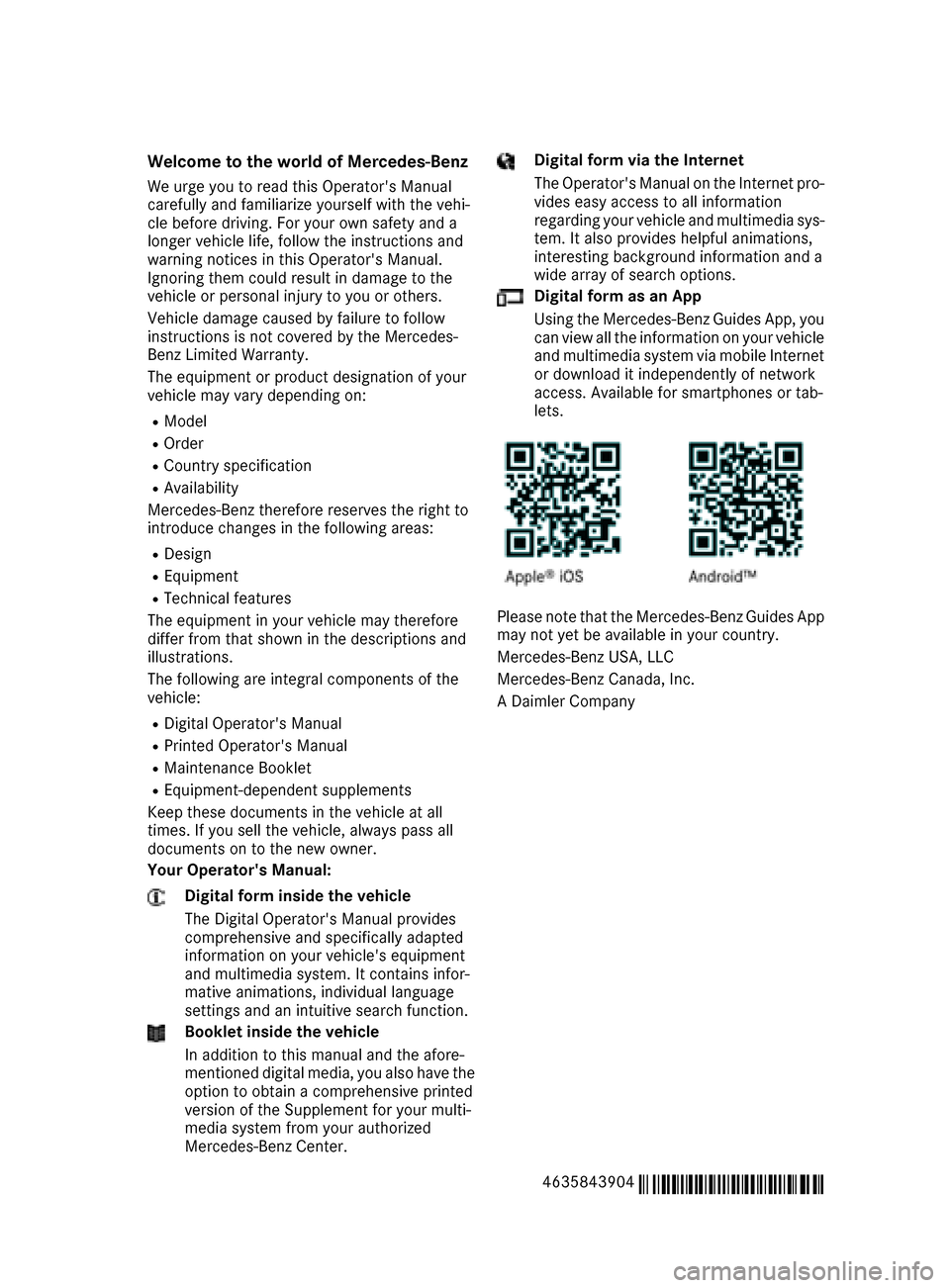
Welcome to the world of Mercedes-Benz
We urge you to read this Operator's Manual
carefully and familiarize yourself with the vehi-
cle before driving. For yourown safety and a
longer vehiclel ife,follow the instructions and
warning notices in this Operator's Manual.
Ignoring them coul dresult in damage to the
vehicleorp ersonal injury to you or others.
Vehicle damage caused by failure to follow
instructions is not covered by the Mercedes-
Benz Limited Warranty.
The equipment or product designation of your
vehiclem ay vary depending on:
RModel
ROrder
RCountry specification
RAvailability
Mercedes-Benz therefore reservest he right to
introduce changes in the following areas:
RDesign
REquipment
RTechnicalf eatures
The equipment in you rvehiclem ay therefore
differf rom that shownint he descriptions and
illustrations.
The following are integralc omponents of the
vehicle:
RDigita lOperator's Manual
RPrinted Operator's Manual
RMaintenance Booklet
REquipment-dependent supplements
Keep these documents in the vehicleata ll
times. If you sell the vehicle, alway spassa ll
documents on to the new owner.
Your Operator's Manual:
Digital form inside the vehicle
The Digita lOperator's Manual provides
comprehensive and specifically adapted
information on you rvehicle's equipment
and multimedias ystem. It contains infor-
mative animations, individua llanguage
settings and an intuitive search function.
Booklet inside the vehicle
In addition to this manua land the afore-
mentioned digital media, you als ohave the
option to obtai nacomprehensive printed
versionoft he Supplement for you rmulti-
medias ystem from you rauthorized
Mercedes-Benz Center.
Digital form via the Internet
The Operator's Manual on the Internet pro-
videse asy access to all information
regarding you rvehiclea nd multimedias ys-
tem. It als oprovides helpful animations,
interesting background information and a
wid earrayofs earch options.
Digital form as an App
Using the Mercedes-Benz GuidesA pp, you
can view all the information on you rvehicle
and multimedias ystem via mobile Internet
or download it independently of network
access. Availabl efor smartphones or tab-
lets.
Please note that the Mercedes-Benz GuidesA pp
may not yet be available in you rcountry.
Mercedes-Benz USA, LLC
Mercedes-Benz Canada,I nc.
AD aimler Company
4635843904
É4635843904}ËÍ
Page 5 of 286

Maintenance and care......................225
Engine compartment ........................... 225
Maintenance ........................................ 230
Care ..................................................... 231
Breakdown assistance .....................238
Where wil lIfind...? .............................. 238
Flat tire ................................................ 240
Battery (vehicle) .................................. 241
Jump-starting ....................................... 243
Towing and tow-starting ...................... 246
Fuses ...................................................2 48
Wheels and tires............................... 251
Important safety notes ........................ 251
Operation ............................................ 251
Winter operatio n.................................. 252
Tire pressure ....................................... 254
Loading the vehicle .............................. 260
All about wheels and tires ................... 263
Changing awheel ................................ 269
Wheela nd tire combinations ...............2 73
Technical data................................... 274
Information regarding technical data ... 274
Vehicle electronics .............................. 274
Identification plates .............................2 75
Service products and filling capaci-
ties ...................................................... 276
Vehicle data ......................................... 281
Vehicle data for off-roadd riving .......... 283
Trailer tow hitch ................................... 284
Contents3
Page 9 of 286

Indicator lamp .................................. 97
Maximumcooling .............................9 9
Notes on using dual-zone auto-
matic climate control ....................... 96
Overview of systems ........................ 95
Problemw ith the rear window
defroster ........................................ 100
Problems with "cooling with air
dehumidification" .............................9 7
Refrigerant .................................... .280
Refrigerant filling capacity ............. 281
Setting the ai rdistribution ...............9 8
Setting the ai rvents ...................... 101
Setting the airflow ........................... 98
Setting the temperature .................. 98
Switching air-recirculation mode
on/off. ........................................... 101
Switching on/off. ............................. 97
Switching residua lheato n/off. ..... 101
Switching the rearw indow
defroster on/off. ........................... 100
Switching the ZONE function
on/off. ............................................. 99
Windshield defroster ........................ 99
Cockpit
Overview .......................................... 31
COMAND
Switching on/off. .......................... 199
see separate operating instructions
COMAND display
Cleaning ......................................... 236
Combination switch ............................ 87
Connecting aUSB device
see also Digital Operator's Man-
ua l.................................................. 198
Consumptions tatistics (on-board
computer) .......................................... 160
Controller ........................................... 199
Controllin gspeed
see DISTRONIC PLUS
Convenience closin gfeature .............. 70
Convenience opening feature ............ 70
Coolant (engine)
Checking the level ......................... 229
Displa ymessage ............................ 176
Filling capacity ............................... 280
Notes. ............................................ 279 Temperature (on-board com-
puter) ............................................. 167
Temperature gaug
e........................ 158
Warning la mp ................................. 194
C
ooling
see Climate control
Copyright ............................................. 29
Cruise control
Cruis econtrol lever ....................... 131
Deactivating ................................... 132
Driving system ............................... 131
Function/note s............................. 131
Generaln otes ................................ 131
Important safety notes .................. 131
Resuming the storeds peed ........... 132
Setting aspeed .............................. 132
Storing and maintaining current
speed ............................................. 131
Cup holder
Center console .............................. 210
Important safety notes .................. 210
Rear compartment ......................... 210
D
Datasee Technical data
Daytime runnin glamps
Displa ymessage ............................ 176
Switching on/off( on-board com-
puter) ............................................. 165
Switching on/off( switch) ................ 85
Delayed switch-off
Exterior lighting (on-board com-
puter) ............................................. 165
Interior lighting .............................. 166
Diagnostic sconnection ...................... 27
Differential locks
Disengaging ................................... 149
Engaging ........................................ 148
Front axl e...................................... 149
Genera lnotes ................................ 147
Rear axl e........................................ 149
Terrai n........................................... 147
Transferc ase. ................................ 149
Digital Operator's Manual
Help. ................................................ 22
Introduction ..................................... 22
Index7
Page 19 of 286

Convenience opening feature .......... 70
Display message ............................ 187
Door central locking/unlocking ...... .63
Important safety notes .................... 63
Loss .................................................6 6
Mechanical key ................................ 64
Overview .......................................... 63
Positions (ignition lock) ................. 104
Problem (malfunction) ..................... 66
Starting the engine ........................ 105
SMS
see also Digital Operator's Man-
ual .................................................. 198
Snow chains ...................................... 253
Socket (12 V)
Cargo compartment. ...................... 213
Front-passenger footwell ............... 212
General notes ................................ 212
Rear compartment. ........................213
Sound
Switching on/off ........................... 199
Spare fuses ........................................ 249
Spare wheel
Spare wheel bracket at the rear .... 239
Stainless-steel spare hub cap ........2 39
Special seat beltr etractor.................. 50
Specialist workshop ............................ 27
Speedometer
Digita l............................................ 160
In the Instrument cluster ................. 32
Segments ...................................... 157
Selecting the displayu nit ...............165
Standingl amps
Display message ............................ 176
Switching on/off .............................. 86
Starting the engine
Important safety notes .................. 104
Steering (display message) .............. 187
Steering wheel
Adjusting (electrically). .................... 80
Buttons (on-board computer) ......... 158
Cleaning ..................... .................... 236
Important sa
fety notes .................... 79
Paddle shifters ............................... 114
Steering wheel heating .................... 80
Storing settings (memory func-
tion) ................................................. 83 Steering wheel heating
Indicator lamp (malfunction) ............ 80
Steering wheel paddle shifters ........114
Stopwatch (RACETIMER) ................... 168
Stowage areas ................................... 205
Stowage compartment
Door stowage compartment .......... 206
Stowage compartments
Armrest (under) .............................2 06
Cu ph olders ................................... 210
Glove box ....................................... 205
Important safety information ......... 205
Stowag enet ................................... 206
Stowag epockets ........................... 206
Stowage net ....................................... 206
Summer opening
see Convenience opening feature
Summer tires
In winter ........................................ 253
Sun visor ............................................ 210
Surround lighting (on-board com-
puter) ..................................................1 65
SUV
(Sport Utility Vehicle) ....................... 26
Switchin gair-recirculation mode
on/off ................................................. 101
Switchin gonmedia mode
Via the device lis t.......................... 203
T
Tachometer ........................................ 157
Tail lamp
Replacing bulb s............................... 91
Tail lamps
Displa ymessage ............................ 176
Tank content
Fuelgauge ....................................... 32
Technical data
Capacities ...................................... 276
Drawba rloa d( maximum) ............... 284
Information .................................... 274
Trailer load s................................... 284
Vehicl edata. .................................. 281
Telephone
Accepting acall. ............................ 163
Authorizing amobilephone (con-
necting) ......................................... 202
Index17
Page 21 of 286

Summer tiresinwinter .................. 253
Temperature .................................. 263
TIN (Tire Identification Number)
(definition) ..................................... 269
Tire bead (definition) ...................... 269
Tire pressure (definition) ................ 269
Tire pressures (recommended )...... 268
Tire size (data )............................... 273
Tire size designation, load-bearing
capacity, speed rating .................... 264
Tire tread. ...................................... 252
Tire tread( definition) ..................... 269
Totall oadlim it (definition) ............. 269
Tractio n......................................... 263
Tractio n(definition) ....................... 269
Tread wear ..................................... 263
TWR (permissibl etraile rdrawbar
noseweight) (definition) ................. 269
Uniform Tire Quality Grading
Standard s...................................... 263
Uniform Tire Quality Grading
Standard s(de finition) .................... 267
Wea rindicator (definition) ............. 269
Wheel and tire combination ........... 273
Wheel rim (definition) .................... 268
see Fla ttire
Top Tether ............................................ 52
Tow-starting
Emergency engine starting ............ 248
Important safety notes .................. 246
Towin gatrailer
Axle load ,permissibl e.................... 284
Cleaning the traile rtow hitch ......... 235
Coupling up atraile r...................... 154
Decoupling atraile r....................... 155
Driving tip s.................................... 151
Important safety notes .................. 149
Installing the ball coupling ............. 152
Lights display message .................. 176
Pulling away with atraile r.............. 105
Shift rang e..................................... 113
Trailer load s................................... 284
Trailer tow hitch ............................. 284
Towin gaway
Important safety guideline s........... 246
In the event of malfunctions .......... 248
With both axle
s on the ground ....... 247 Towin
geye
Front .............................................. 247
Rear ............................................... 247
Trafficr eports
see also Digital Operator's Man-
ua l.................................................. 198
Trailer
7-pi nconnecto r............................. 156
Power supply ................................. 156
Trailer coupling
see Towing atrailer
Trailer loads
Technical data ............................... 284
Trailer loads and drawbar nose-
weights ............................................... 155
Trailer tow hitch
Ballposition ................................... 284
Trailer towing
ESP
®................................................ 60
PARKTRONIC ................................. 142
Permissibl etraile rloads and
drawbar noseweights ..................... 155
Transfer case
Generaln otes ................................ 145
Shift rang e..................................... 145
Shifting .......................................... 146
Shifting (general notes). ................. 146
Shifting (important safety notes). .. 146
Shifting to neutral .......................... 147
Switching off the off-road gear
rati o............................................... 146
Switching on the off-road gear
rati o............................................... 146
Transmission
see Automati ctransmission
Transmissio npositions .................... 112
Transporting the vehicle .................. 247
Traveling uphill
Brow of hill ..................................... 130
Trim piece s(clea ning instruc-
tions) .................................................. 236
Trip computer (on-board com-
puter) .................................................. 160
Trip odometer
Calling up ....................................... 160
Resetting (on-board computer) ...... 160
Index19
Page 27 of 286
vehicleoccupants while driving and this
defect has already been repaired at least
twice and Mercedes-Benz, LLC has been
informed in writing of the necessity of a
repair.
(2) the defect or malfunction, though less seri- ous than (1) above, has already been
repaired at least four times and Mercedes-
Benz has been informed in writing of the
necessity of arepair.
(3) the vehiclec annot be used for longer than
30 calendar day sbecause of repair work
resulting from this or other substantial
defects or malfunctions.
Please send you rwritten notice to:
Mercedes-Benz USA, LLC
Customer Assistance Center
3M ercedesD rive
Montvale ,NJ07645-0350
Maintenance
Always bring the Maintenance Booklet with you
when taking the vehicletoana uthorized
Mercedes-Benz Center. Yourc ustomer service
advisor wil lenter every service into you rMain-
tenance Booklet on you rbehalf.
Roadside Assistance
The Mercedes-Benz RoadsideA ssistance Pro-
gram offers technical help in the event of a
breakdown. Calls to the toll-free RoadsideA ssis-
tance Hotline are answered by our agents 24
hours aday,3 65 day sayear.
1-800-FOR-MERCedes(1-800-367-6372)
(USA)
1-800-387-0100(Canada)
For additiona linformation, refer to the
Mercedes-Benz RoadsideA ssistance Program
brochure (USA) or the "Roadside Assistance"
section in the Service and Warranty Booklet
(Canada). You willf ind both in the vehicled ocu-
ment wallet.
Changeofa ddress or changeofo wn-
ership
In the event of achange of address, please send
us the "Notification of Address Change" in the Service and Warranty Booklet or simplyc
all the
Mercedes-Benz Customer Assistance Center
(USA) at the hotline number
1-800-FOR-MERCedes (1-800-367-6372) or
Customer Service Center (Canada )at
1-800-387-0100 .This wil lassist us in contact-
ing you in atimely manner should the need arise.
If you sell you rMercedes, please leave all liter-
ature in the vehiclesot hat it is available to the
next owner.
If you have purchased aused car, please send us
the "Notification of Used Ca rPurchase" in the
Service and Warranty Booklet or simplyc all the
Mercedes-Benz Customer Assistance Center
(USA) at the hotline number
1-800-FOR-MERCedes (1-800-367-6372) or
Customer Service (Canada )at1 -800-387-0100.
Vehicle operation outside the USA
and Canada
When you are abroad with you rvehicle, observe
the following points:
RService facilities or replacement parts may
not be readily available.
RLead-free fuel for vehicles with acatalytic
converter may not be available. Leaded fuel
can caus edamage to the catalytic converter.
RThe fuel may have aconsiderably lower
octane number. Unsuitable fuel can cause
engine damage.
Some Mercedes-Benz modelsa re available for
delivery in Europe through our European Deliv-
ery Program. For details, consult an authorized
Mercedes-Benz Center or write to one of the
following addresses.
In the USA
Mercedes-Benz USA, LLC
European Delivery Department
One MercedesD rive
Montvale ,NJ07645-0350
In Canada
Mercedes-Benz Canada ,Inc.
European Delivery Department
98 Vanderhoof Avenue
Toronto, Ontario M4G 4C9
Servicea nd vehicleo peration25
Introduction
Z
Page 29 of 286

subject to the two following two conditions: 1)
These devices may not cause harmful interfer-
ence, and 2) These devices must accept any
interference received, including interference
that may cause undesired operation. Changes
or modifications not expressly approved by the
party responsible for compliance could void the
user’s authority to operate the equipment."
Canada:"The wireless devices of this vehicle
comply with Industry Canada license-exempt
RSS standard(s). Operation is subject to the fol-
lowing two conditions: (1) These devices may
not cause interference, and (2) These devices
must accept any interference, including inter-
ference that may cause undesired operation of
the device."
Diagnostics connection
The diagnostics connection is only intended for
the connection of diagnostic equipment at a
qualified specialist workshop.
GWARNING
If you connect equipment to adiagnostics
connection in the vehicle, it may affect the
operation of vehicle systems. As aresult, the
operating safety of the vehicle could be affec-
ted. There is arisk of an accident.
Only connect equipment to adiagnostics con-
nection in the vehicle, which is approved for
your vehicle by Mercedes-Benz.
GWARNING
Objects in the driver's footwell can restrict the pedal travel or obstruct adepressed pedal.
The operating and road safety of the vehicle is
jeopardized. There is arisk of an accident.
Make sure that all objects in the vehicle are
stowed correctly, and that they cannot enter
the driver's footwell. Install the floormats
securely and as specified in order to ensure
sufficient clearance for the pedals. Do not use
loose floormats and do not place floormats on
top of one another.
!If the engine is switched off and equipment
on the diagnostics connection is used, the
starter battery may discharge. Connectinge
quipment to the diagnostics con-
nection can lead to emissions monitoring infor-
mation being reset, for example. This may lead
to the vehicle failing to meet the requirements of
the next emissions test during the main inspec-
tion.
Qualified specialist workshop
An authorized Mercedes-Benz Center is aquali-
fied specialist workshop. It has the necessary
specialist knowledge, tools and qualifications to
correctly carry out the work required on your
vehicle. This is especially the case for work rel-
evant to safety.
Observe the notes in the Maintenance Booklet.
Always have the following work carried out at an
authorized Mercedes-Benz Center:
Rwork relevant to safety
Rservice and maintenance work
Rrepair work
Ralterations, installation work and modifica-
tions
Rwork on electronic components
Correct use
If you remove any warning stickers, you or oth-
ers could fail to recognize certain dangers.
Leave warning stickers in position.
Observe the following information when driving
your vehicle:
Rthe safety notes in this manual
Rtechnical data for the vehicle
Rtraffic rules and regulations
Rlaws and safety standards pertaining to motor vehicles
Reporting safety defects
USA only:
The following text is reproduced as required of
all manufacturers under Title 49, Code of U.S.
Federal Regulations, Part 575 pursuant to the
National Traffic and Motor Vehicle Safety Act of
1966.
If you believe that your vehicle has adefect
which could cause acrash or could cause injury
or death, you should immediately inform the
Operating safety27
Introduction
Z
Page 30 of 286

National HighwayTraffic Safety Administration
(NHTSA) in addition to notifying Mercedes-Benz
USA, LLC.
If NHTSA receives similarc omplaints, it may
open an investigation, and if it finds that asafety
defect exists in agroup of vehicles, it may order
ar ecall and remedy campaign. However, NHTSA
cannot become involved in individual problems
between you ,you rd ealer, or Mercedes-Benz
USA, LLC.
To contact NHTSA, you may call the Vehicle
Safety Hotline toll-free at 1-888-327-4236
(TTY: 1-800-424-9153) ;gotohttp://
www.safercar.gov;orw rite to: Administrator,
NHTSA, 400 Seventh Street, SW., Washington,
DC 20590.
You can also obtain other information about
motor vehicle safety from
http://www.safercar.gov
Limited Warranty
!
Follow the instructions in this manual about
the proper operationofy ourvehicle as well as
aboutp ossible vehicle damage. Damage to
you rvehicle that arises from culpable contra-
ventions against these instructions is not cov-
ered either by the Mercedes-Benz Limited
Warranty or by the New or Used-Vehicle War-
ranty.
QR codesf or rescue cards
The QR codes are secured in the fuel fillerf lap
and on the opposite side on the B-pillar. In the
event of an accident, rescue services can use
the QR code to quickly find the appropriate res- cue card for you rvehicle. The current rescue
card contains the most important information
abouty ourv ehicle in acompact form, e.g. the
routing of the electric cables.
You can find more information under
www.mercedes-benz.de/qr-code.
Data stored in the vehicle
Data storage
Aw ide range of electronic components in your
vehicle contain data memories. These data memories temporarilyorp
erma-
nently store technical information about:
Rthe vehicle's operating state
Rincidents
Rmalfunctions
In general, this technical information docu-
ments the state of acomponent, amodule, a
system or the surroundings.
These include, for example:
Roperating conditions of system components,
e.g. fluidl evels
Rthe vehicle's status messagesa nd those of its
individual components, e.g. number of wheel
revolutions/speed, deceleration in move-
ment, lateral acceleration, accelerator pedal
position
Rmalfunctions and defects in important system
components, e.g. lights, brakes
Rvehicle reactions and operating conditions in
speciald riving situations, e.g. air bag deploy-
ment, intervention of stability control sys-
tems
Rambient conditions, e.g. outside temperature
This data is of an exclusivelyt echnical nature
and can be used to:
Rassist in recognizing and rectifying malfunc-
tions and defects
Ranalyze vehicle functions, e.g. after an acci-
dent
Roptimize vehicle functions
The data cannot be used to trace the vehicle's
movements.
When you rvehicle is serviced, technical infor-
mation can be read from the event data memory and malfunction data memory.
Services include, for example:
Rrepairs ervices
Rservice processes
Rwarranties
Rquality assurance
The vehicle is read out by employees of the ser-
vice network (including the manufacturer) using speciald iagnostic testers. More detailed infor-
mation is obtained from it, if required.
After amalfunction has been rectified, the infor-
mation is deleted from the malfunction memory or is continually overwritten.
When operating the vehicle, situations are con-
ceivableinw hich this technical data, in connec-
28Data stored in the vehicle
Introduction