2017 MERCEDES-BENZ E-CLASS SALOON battery
[x] Cancel search: batteryPage 413 of 497
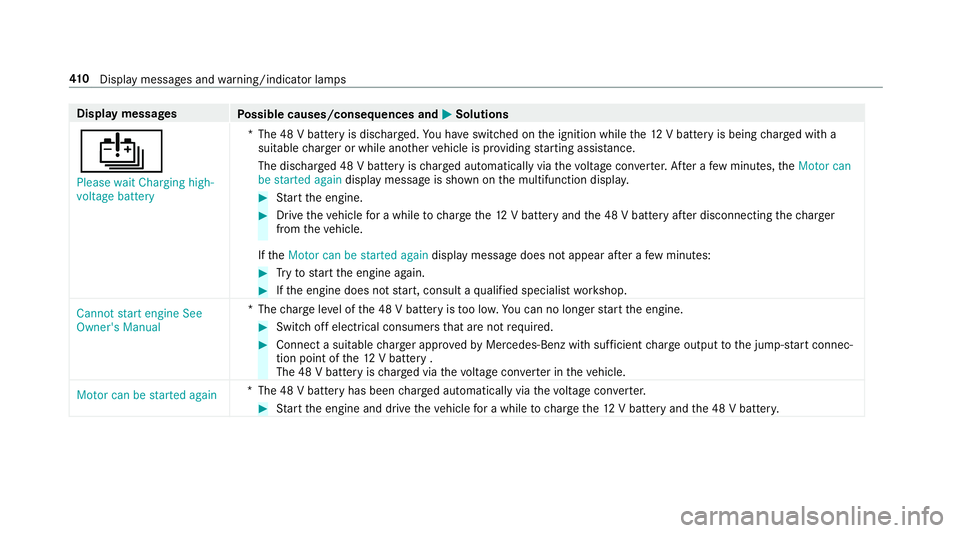
Display messages
Possible causes/consequences and M
MSolutions
Û Please wait Charging high-
voltage battery *T
he 48 V battery is dischar ged. You ha veswitched on the ignition while the12 V battery is being charge d with a
suitable charge r or while ano ther vehicle is pr oviding starting assis tance.
The discha rged 48 V battery is charge d automatically via thevo ltage con verter. Af ter a few minutes, theMotor can
be started again display message is shown on the multifunction displa y. #
Start the engine. #
Drive theve hicle for a while tocharge the12 V battery and the 48 V battery af ter disconnecting thech arger
from theve hicle.
If th eMotor can be started again display message does not appear af ter a few minutes: #
Tryto start the engine again. #
Ifth e engine does not start, consult a qualified specialist workshop.
Cannot start engine See
Owner's Manual *T
hecharge leve l of the 48 V battery is too lo w.You can no lon gerst art the engine. #
Switch off electrical consumers that are not required. #
Connect a suitable charge r appro vedby Mercedes-Benz with suf ficient charge output tothe jump-s tart connec‐
tion point of the12 V battery .
The 48 V battery is charge d via thevo ltage con verter in theve hicle.
Motor can be started again *T
he 48 V battery has been charge d automatically via thevo ltage con verter. #
Start the engine and drive theve hicle for a while tocharge the12 V battery and the 48 V batter y. 41 0
Displaymessa ges and warning/indicator lamps
Page 414 of 497
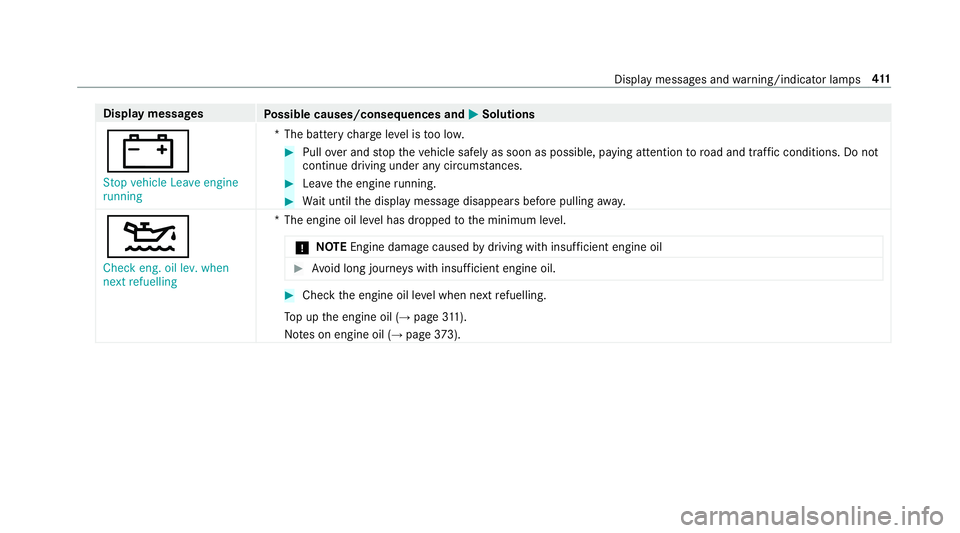
Display messages
Possible causes/consequences and M
MSolutions
# Stop vehicle Leave engine
running *T
he battery charge leve l is too lo w. #
Pull over and stop theve hicle safely as soon as possible, paying attention toroad and traf fic conditions. Do not
continue driving under any circums tances. #
Lea vethe engine running. #
Wait until the display message disappears before pulling away.
4 Check eng. oil lev. when
next refuelling *T
he engine oil le vel has dropped tothe minimum le vel.
* NO
TEEngine dama gecaused bydriving with insuf ficient engine oil #
Avoid long journe yswith insuf ficient engine oil. #
Check the engine oil le vel when next refuelling.
To p up the engine oil (→ page311).
No tes on engine oil (→ page373). Displ
aymessa ges and warning/indicator lamps 411
Page 425 of 497

Display messages
Possible causes/consequences and M
MSolutions
 Change key batteries *T
hekey bat tery is dischar ged. #
Replace the battery .
Â
Key not detected (white
display message) *T
hekey is cur rently und etected. #
Change the location of theke y in theve hicle. #
Ifth eke y is still not recognised, start the engine with theke y in thestow age compartment .
 Key not detected (red dis‐
play message) *T
hekey cannot be de tected and may no longer be in theve hicle.
The key is no lon ger in theve hicle and you swit choff the engine:
R you can no lon gerst art the engine.
R you cannot centrally lock theve hicle. #
Ensure that theke y is in theve hicle.
If th eke y de tection function has a malfunction due toast ro ng radio signal source: #
Pull over and stop theve hicle safely as soon as possible, paying attention toroad and traf fic conditions. #
Place theke y in thestow age compartment forst arting the engine with theke y . 422
Display messages and warning/indicator lamps
Page 429 of 497

Display messages
Possible causes/consequences and M
MSolutions
N permanently active Risk
of vehicle rolling *
While theve hicle is rolling or while you are driving, the transmission has been shif tedto position i. #
Depress the brake pedal tostop and, when theve hicle is stationar y,shift the transmission toposition j. #
Tocontinue your journe y,shift the transmission toposition hork.
Only select Park (P) when
vehicle is stationary *
The transmission can be shif tedto position jonly when theve hicle is stationar y.
Without changing gear,
consult workshop *T
he transmission is malfunctioning. The transmission position can no longer be shif ted. #
When the transmission is in position h, consult aqualified specialist workshop and do not shift the transmis‐
sion position. #
For all other transmission positions, park theve hicle safely. #
Consult a qualified specialist workshop.
d Vehicle is operational
Switch off the ignition
before exiting *Y
ou are leaving theve hicle when it is in a ready-to-drive state. #
When you lea vetheve hicle, switch off the ignition and take theke y with you. #
Ifyo u do not lea vetheve hicle, switch off the electrical consumers, e.g. the seat heater. Otherwise, the12 V
battery may dischar geand it will then be possible tostart theve hicle only using a donor battery (s tarting assis‐
ta nce). 426
Display messa ges and warning/indicator lamps
Page 430 of 497
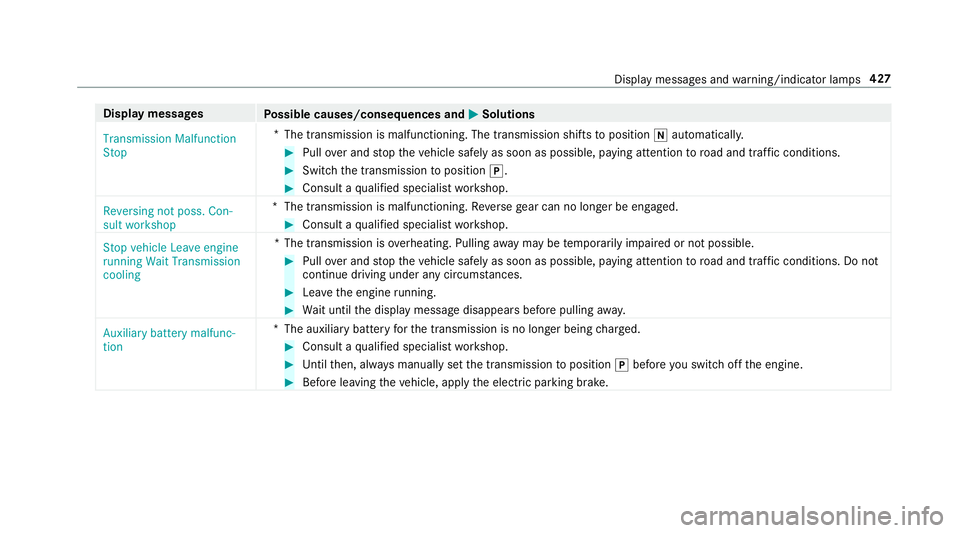
Display messages
Possible causes/consequences and M
MSolutions
Transmission Malfunction
Stop *
The transmission is malfunctioning. The transmission shifts toposition iautomaticall y. #
Pull over and stop theve hicle safely as soon as possible, paying attention toroad and traf fic conditions. #
Switch the transmission toposition j. #
Consult a qualified specialist workshop.
Reversing not poss. Con-
sult workshop *T
he transmission is malfunctioning. Reversege ar can no lon ger be engaged. #
Consult a qualified specialist workshop.
Stop vehicle Leave engine
running Wait Transmission
cooling *T
he transmission is overheating. Pulling away may be temp orarily impaired or not possible. #
Pull over and stop theve hicle safely as soon as possible, paying attention toroad and traf fic conditions. Do not
continue driving under any circums tances. #
Lea vethe engine running. #
Wait until the display message disappears before pulling away.
Auxiliary battery malfunc-
tion *T
he auxiliary batteryforth e transmission is no longer being charge d. #
Consult a qualified specialist workshop. #
Untilthen, alw ays manually set the transmission toposition jbefore you swit choff the engine. #
Before leaving theve hicle, apply the electric parking brake. Display messages and
warning/indicator lamps 427
Page 435 of 497
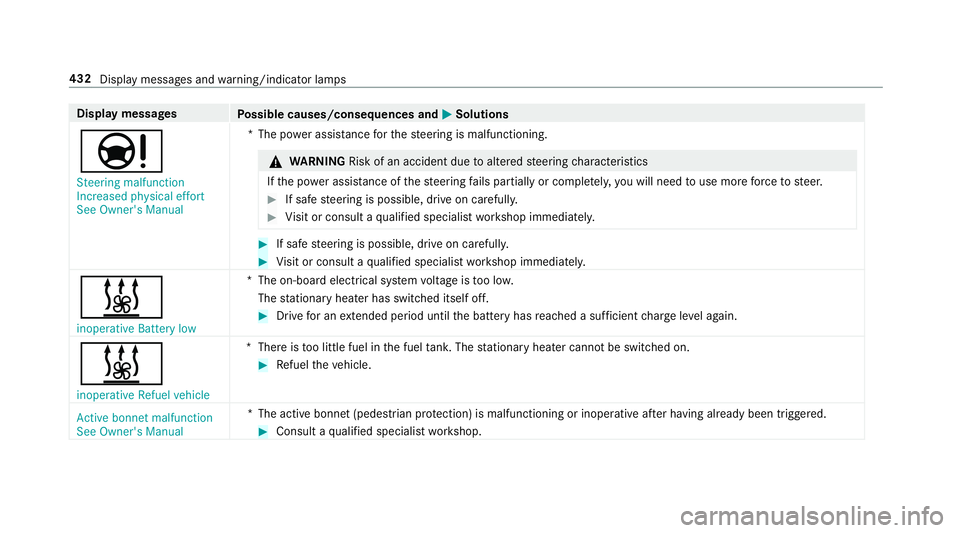
Display messages
Possible causes/consequences and M
MSolutions
Ð Steering malfunction
Increased physical effort
See Owner's Manual *T
he po wer assi stance forth esteering is malfunctioning. &
WARNING Risk of an accident due toaltered steering characteristics
If th e po wer assi stance of thesteering fails partially or comple tely, you will need touse more forc eto steer. #
If safe steering is possible, drive on carefully. #
Visit or consult a qualified specialist workshop immediatel y. #
If safe steering is possible, drive on carefully. #
Visit or consult a qualified specialist workshop immediatel y.
&
inoperative Battery low *T
he on-board electrical sy stem voltage is too lo w.
The stationary heater has swit ched itself off. #
Drive for an extended pe riod until the battery has reached a suf ficient charge leve l again.
&
inoperative Refuel vehicle *T
here is too little fuel in the fuel tank. The stationary heater cannot be swit ched on. #
Refuel theve hicle.
Active bonnet malfunction
See Owner's Manual *T
he active bonnet (pedestrian pr otection) is malfunctioning or inoperative af ter having already been triggered. #
Consult a qualified specialist workshop. 432
Display messages and warning/indicator lamps
Page 461 of 497

Alarm sy
stem
see ATA (anti-theft alarm sy stem)
Ambient lighting ...................................... 13 6
Animals Pets in theve hicle ................................. 65
Anti-lock braking sy stem
see ABS (Anti-lock Braking Sy stem)
Anti-skid chains
see Snow chains
Anti-theft ala rmsystem
see ATA (anti-theft alarm sy stem)
Anti-theft pr otection
Ad ditional door lock ...............................71
Immobiliser ............................................ 91
Anti-theft pr otection
see ATA (anti-theft alarm sy stem)
Anticipatory occupant pr otection
see PRE- SAFE®
(anticipatory occu‐
pant pr otection)
see PRE-SAFE ®
PLUS (anticipatory
occupant pr otection plus)
Ashtr ay
Fr ont centre console ........................... 12 0Re
ar passenger compartment .............. 121
Assistance graphic
Menu (on-boa rdcompu ter) .................. 256
Assistance sy stems
see Driving saf ety sy stem
ASS YST PLUS ........................................... 306
Battery disconnection pe riods .............3 07
Displ aying the service due date ........... 306
Fu nction/no tes ................................... 306
Re gular maintenance work .................. 306
Special service requirements .............. 306
ATA (anti-theft ala rmsystem) .................. .91
Deactivating the alarm .......................... 92
Fu nction ................................................ 91
Fu nction of interior pr otection ............... 93
To w- aw ay protection function ................92
AT TENTION ASSI ST.......................... 23 7, 238
Ac tivating/deactivating ...................... .238
Fu nction .............................................. 237
Sy stem limitations ...............................2 37
At tention assistant
see ATTENTION ASSIST Au
dio 20
see Multimedia sy stem
Au dio mode
Ac tivating media mode ........................ 296
Connecting USB devices ..................... 297
Co pyright ............................................. 296
Information .......................................... 295
Inserting/re moving SD memory card
............................................................ .296
Media sea rch ....................................... 298
Overview ............................................. 297
Pa use and playback function .............. .298
Selecting a track ................................. 297
Selecting playba ckoptions .................. 297
Tr ack list .............................................. 297
Au thorised workshop
see Qualified specialist workshop
Au tomatic distance control
see Active Dis tance Assi stDISTRONIC
Au tomatic driving lights .........................12 8
Au tomatic engine start (ECO start/
sto p function) .......................................... 16 6
Au tomatic engine stop (ECO start/
sto p function) .......................................... 16 6458
Index
Page 462 of 497
Au
tomatic front passen ger airbag
shu toff ........................................................ 41
Fu nction of the automatic front
passenger airbag shutoff ....................... 41
Au tomatic front passen ger front air‐
bag deacti vation sy stem .................... .41, 42
PA SSENGER AIR BAG indicator lamp .... .42
Au tomatic front passen ger front air‐
bag deacti vation sy stem
see Automatic front passenger front
airbag deactivation sy stem
Au tomatic mir rorfo lding function
Ac tivating/deactivating ...................... .145
Au tomatic transmission
DIRECT SELECT le ver ........................... 172
Drive program display .......................... 17 0
Drive programs .................................... 17 0
DY NA MIC SELECT switch .................... 17 0
Engaging drive position ........................ 173
Engaging reve rsege ar ........................ .173
Kickdown ............................................. 175
Manual gearshifting ............................ .174
Selecting pa rkposition ........................ 173
Shifting toneutral ................................ 173St
eering wheel gearshift paddles ........ .174
Tr ansmission position display .............. 172
Tr ansmission positions ........................ 172
Axle load Perm issible .......................................... 366
Tr ailer operation .................................. 380 B
Ball neck Extending/r etra cting ........................... 24 5
BA S (Brake Assist Sy stem) .................... .191
Battery Charging (Remo teOnline) .................... 16 3
Ke y ........................................................ 69
Re mo tecontrol (s tationary heater) ...... 15 6
Battery (vehicle) Charging .............................................. 332
Notes .................................................. 330
St arting assis tance .............................. 332
Belt see Seat belt
Belt airbag Activation .............................................. 32 Fu
nction/no tes .....................................36
Bic ycle rack
Tr ailer operation .................................. 24 8
Blind Spot Assi st..................................... 239
Ac tivating/deactivating ...................... .241
Fu nction .............................................. 239
Sy stem limitations ...............................2 39
Blo wer
see Climate control
BlueTEC see AdBlue ®
Blue tooth ®
Ac tivating/deactivating ...................... .275
Settings ............................................... 274
Blue tooth ®
Au dio
Ac tivating ............................................ 300
Ad justing thevo lume .......................... .300
Displ aying device de tails .................... .301
Information .......................................... 299
Overview ............................................. 299
Sear ching for and auth orisingthe
device .................................................. 299 Index
459