2017 MERCEDES-BENZ E-CLASS SALOON change time
[x] Cancel search: change timePage 246 of 497

R
The dis tance totheve hicle in front is too
small and the lane markings thus cannot be
de tected.
R The lane markings change quickl y,e.g. lanes
branch off, cross one ano ther or mer ge.
R The car riag ew ay isvery nar row and winding.
Ve hicles with Driving Assistance pac kage or
Driving Assistance Plus pa ckage: Active Lane
Ke eping Assist uses radar sensors tomonitor
se veral areas around theve hicle. If thera dar
sensors in there ar bumper are dirty or co vered
with sn ow,th e sy stem may be impaired or may
not function. If an obs tacle in the lane in which
yo u are driving has been de tected, no lane-cor‐
re cting brake application occu rs.
Ac tivating Active Lane Keeping Assist &
WARNING Risk of accident despi te
Ac tive Lane Keeping Assist warning
A lane-cor recting brake application cannot
al wa ys bring theve hicle back into the origi‐
nal lane. #
Alw aysst eer, brake or accelera teyour‐
self, especially if Active Lane Keeping
Assist warnsyo u or makes a lane-cor‐
re cting brake application. &
WARNING Risk of accident despi teinter‐
ve ntion of Active Lane Keeping Assist
Ac tive Lane Keeping Assist does not de tect
traf fic conditions or road users. In very rare
cases, the sy stem may make an inappropri‐
ate brake application, e.g. af ter intentional ly
driving over a solid lane marking.
The brake application can be inter rupte d at
any time if yousteer slightly in the opposite
direction. #
Alw ays make sure that there is suf fi‐
cient di stance tothe side forot her traf‐
fi c or obs tacles. &
WARNING Risk of accident despi teLane
Ke eping Assist
Lane Keeping Assist cann otalw ays clearly
de tect lane markings. In su
chcases, Lane Keeping Assist can:
R give an unnecessary warning
R not give a warning #
Alw ays pay particular attention tothe
traf fic situation and keep within the
lane, especially if Active Lane Keeping
Assist alerts you. Re
quirement:
The driving speed is at least 60 km/h. Driving and parking
243
Page 247 of 497
#
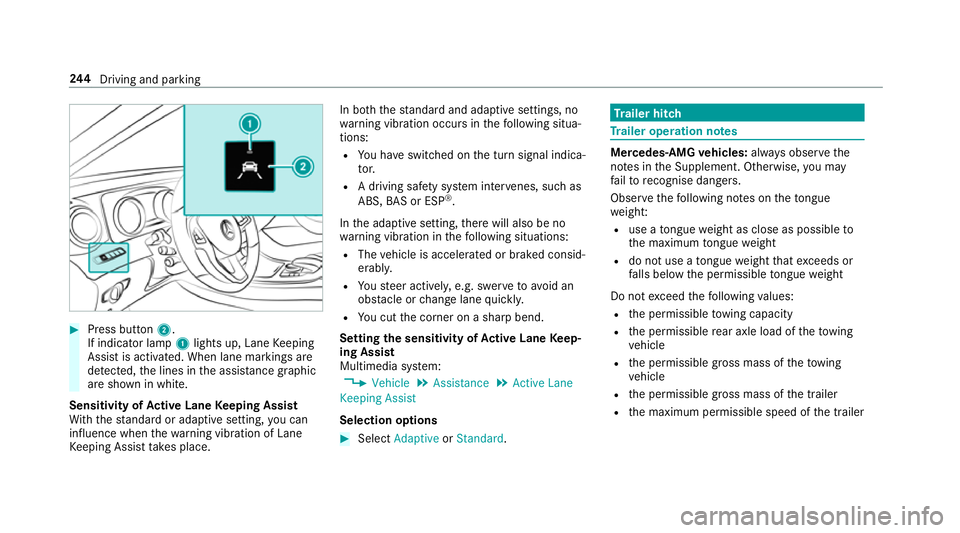
Press button 2.
If indicator lamp 1lights up, Lane Keeping
Assist is activated. When lane markings are
de tected, the lines in the assis tance graphic
are shown in white.
Sensitivity of Active Lane Keeping Assist
Wi th th est andard or adaptive setting, you can
influence when thewa rning vibration of Lane
Ke eping Assist take s place. In bo
th thest andard and adaptive settings, no
wa rning vibration occurs in thefo llowing situa‐
tions:
R You ha veswitched on the turn signal indica‐
to r.
R A driving sa fety sy stem inter venes, su chas
ABS, BAS or ESP ®
.
In the adaptive setting, there will also be no
wa rning vibration in thefo llowing situations:
R The vehicle is accelerated or braked consid‐
erably.
R Yousteer actively, e.g. swer vetoavo id an
obs tacle or change lane quickl y.
R You cut the corner on a sharp bend.
Setting the sensitivity of Active Lane Keep‐
ing Assist
Multimedia sy stem:
, Vehicle .
Assistance .
Active Lane
Keeping Assist
Selection options #
Select Adaptive orStandard. Tr
ailer hitch Tr
ailer operation no tes Mercedes‑AMG
vehicles: always obser vethe
no tes in the Supplement. Otherwise, you may
fa ilto recognise dangers.
Obser vethefo llowing no tes on theto ngue
we ight:
R use a tongue weight as close as possible to
th e maximum tongue weight
R do not use a tongue weight that exc eeds or
fa lls below the permissible tongue weight
Do not exceed thefo llowing values:
R the permissible towing capacity
R the permissible rear axle load of theto wing
ve hicle
R the permissible gross mass of theto wing
ve hicle
R the permissible gross mass of the trailer
R the maximum permissible speed of the trailer 244
Driving and pa rking
Page 261 of 497
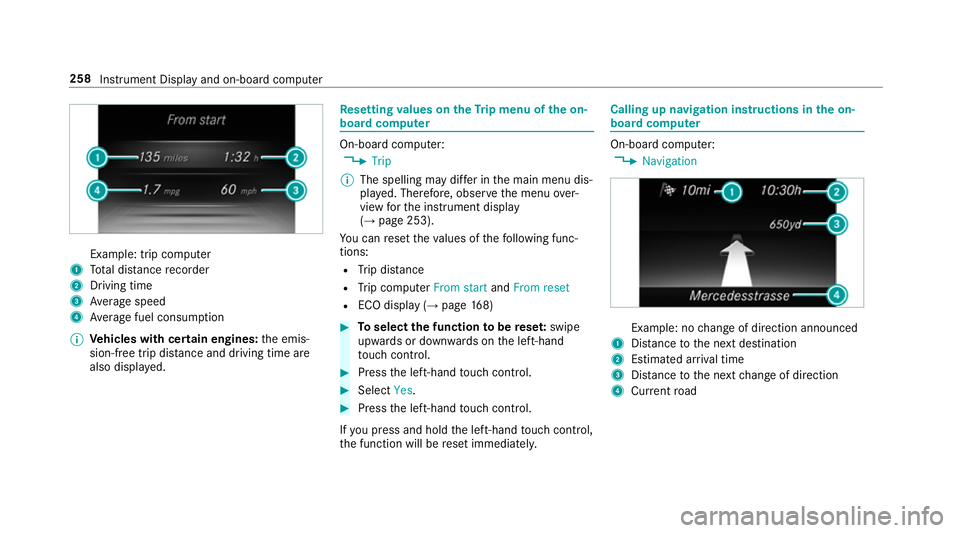
Example: trip computer
1 Total dis tance recorder
2 Driving time
3 Average speed
4 Average fuel consum ption
% Vehicles with cert ain engines:the emis‐
sion-free trip dis tance and driving time are
also displ ayed. Re
setting values on theTr ip menu of the on-
board compu ter On-board computer:
, Trip
% The spelling may dif fer in the main menu dis‐
pla yed. Therefore, obser vethe menu over‐
view forth e instrument display
(→ page 253).
Yo u can reset theva lues of thefo llowing func‐
tions:
R Trip dis tance
R Trip computer From startandFrom reset
R ECO display (→ page168) #
Toselect the function tobe rese t:swipe
upwards or down wards on the left-hand
to uch cont rol. #
Press the left-hand touch cont rol. #
Select Yes. #
Press the left-hand touch cont rol.
If yo u press and hold the left-hand touch cont rol,
th e function will be reset immediately. Calling up navigation instructions in
the on-
board compu ter On-board computer:
, Navigation Example: no
change of direction announced
1 Distance tothe next destination
2 Estimated ar riva l time
3 Distance tothe next change of direction
4 Current road 258
Instru ment Display and on-board computer
Page 268 of 497
-
calls up a li st
R slide 4 up or down
- highlights a preset in thest ation
- selects a sy stem language
R slide 2 diagonally
- movesth e crosshair across the map
R turn 3
- sound: sets the treble, mid-range and
bass
- Selecting a favo urite
- connects a mobile phone: selects a
mobile phone from the list of de tected
mobile phones
R press 7
- Storing radio stations
- con firm s a selection or entry
To uch Control and touchpad (sin gle-finger swipe)
R swipe left orright
- selects a radio station
- calls up a list R
swipe up or down
- highlights a preset in thest ation
- selects a sy stem language
R swipe diagonally
- movesth e crosshair across the map
R press
- Storing radio stations
- con firm s a selection or entry
To uchpad (t wo-finger swipe)
R turn right or left using two fingers
- tone settings: adjusts the treble, mid-
ra nge and bass
R movetwo fingers apart ortoge ther
- changes the map scale (zoom in or out) To
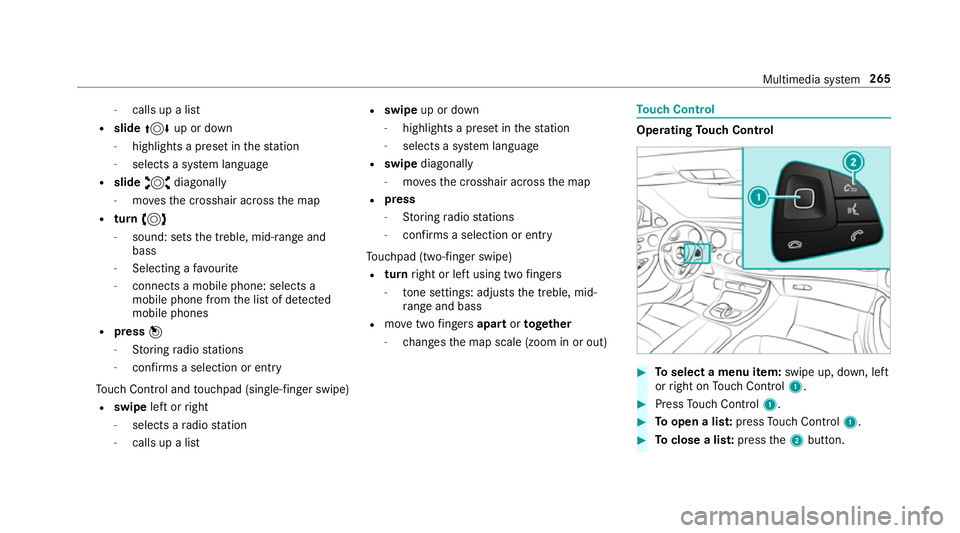
uch Control Operating
Touch Control #
Toselect a menu item: swipe up, down, left
or right on Touch Control 1. #
Press Touch Control 1. #
Toopen a lis t:press Touch Control 1. #
Toclose a lis t:press the2 button. Multimedia sy
stem 265
Page 274 of 497

Switching
the sound on/off #
Tomute: pressvolume control 1.
The 8 symbol appears in thest atus line.
Yo u will also hear traf fic announcements and
navigation announcements even when the
sound is muted. #
Toswitch on: change the media source or
adjust thevo lume. Ad
justing the volume #
Turn volume control 1.
The volume of the cur rent radio or media
source is set. You can set thevo lume of
ot her sound sources separatel y.
Ad just this in thefo llowing situations:
R during a traf fic announcement
R during a navigation announcement The
volume of the navigation announce‐
ment changes in accordance with thevo l‐
ume of the cur rent media sou rce.
R during a telephone call #
Alternativel y:select System. #
Select Audio. #
Select volume settings. #
Set thevo lume. Entering
characters Using
thech aracter input function
On Touch Control #
Select a character in thech aracter bar.
Depending on theta rget entry , either a full
set of characters is available or, alternativel y,
only those characters that are available on
th e basis of thech aracters that ha vealready
been entered. Multimedia sy
stem 271
Page 276 of 497
#
Press theto uchpad. #
Resume character input.
The following editing functions can be used:
R B
Tochange the language
R p
Selects the input line
Mo vesth e cursor within the input line
R &
Cancels character ent ry
Selecting the input line #
Select p. #
Swipe up or down.
Moving the cursor within the input line #
Select p. #
Swipe tothe left or right.
Deleting characters #
When an input line is selected, swipe left. Confirming an entry #
Press theto uchpad. Sy
stem settings Display
Configuring display settings
Multimedia sy
stem:
, Vehicle .
System settings .
Display
Display design #
Select Day design, Night design orAuto-
matic.
Display brightness #
Select Brightness. #
Select a brightness value.
Switching off the display
Multimedia sy stem:
, Vehicle #
Select Display off .
The display is switched off. Time
and date Setting
the time and da teautomatically
This function is only available in vehicles with
GPS reception.
Multimedia sy stem:
, Vehicle .
Time #
Switch Automatic time settings onO or off
ª.
Setting the time zone
Multimedia sy stem:
, Vehicle .
Time .
Time zone:
A list of count ries is displa yed. #
Select a count ry#.
Depending on the count ry, time zones are
displa yed. #
Set the time zone.
The time zone set is displa yed af terTime
zone:.
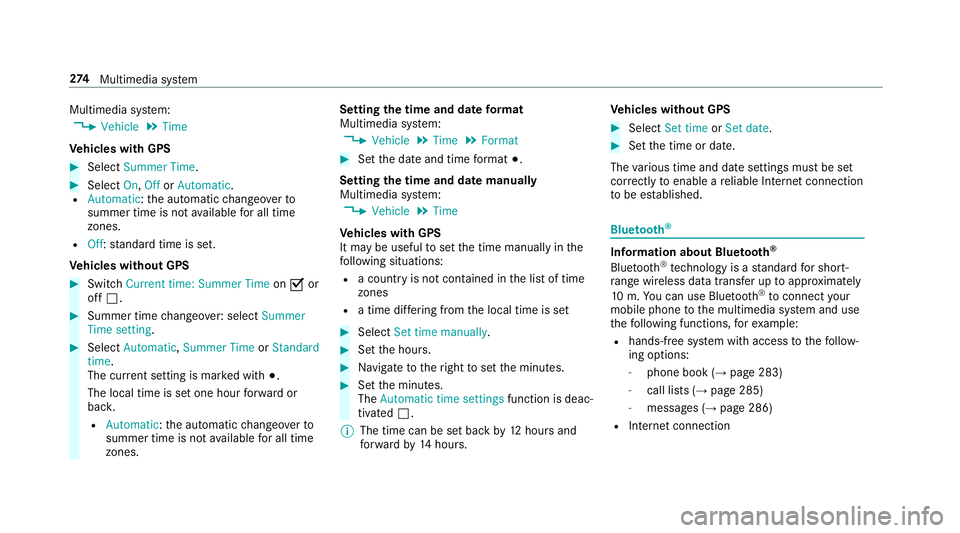
Setting summer time
The Summer Time andSummer Time setting
options cannot be selected in all countries. Multimedia sy
stem 273
Page 277 of 497
Multimedia sy
stem:
, Vehicle .
Time
Ve hicles with GPS #
Select Summer Time .#
Select On,OfforAutomatic.
R Automatic: the automatic changeo verto
summer time is not available for all time
zones.
R Off: standard time is set.
Ve hicles without GPS #
Switch Current time: Summer Time onO or
off ª. #
Summer time changeo ver:select Summer
Time setting. #
Select Automatic, Summer Time orStandard
time.
The cur rent setting is ma rked with #.
The local time is set one hour forw ard or
bac k.
R Automatic :th e automatic changeo verto
summer time is not available for all time
zones. Setting
the time and da teform at
Multimedia sy stem:
, Vehicle .
Time .
Format #
Set the date and time form at#.
Setting the time and da temanually
Multimedia sy stem:
, Vehicle .
Time
Ve hicles with GPS
It may be useful toset the time manually in the
fo llowing situations:
R a country is not con tained in the list of time
zones
R a time dif fering from the local time is set #
Select Set time manually. #
Set the hours. #
Navigate totheright toset the minutes. #
Set the minutes.
The Automatic time settings function is deac‐
tivated ª.
% The time can be set back by12 hours and
fo rw ard by14 hours. Ve
hicles without GPS #
Select Set time orSet date . #
Set the time or date.
The various time and date settings must be set
cor rectly toenable a reliable In tern et connection
to be es tablished. Blue
tooth ® Information about Blu
etoo th®
Bl ue tooth ®
tech nology is a standard for short-
ra nge wi reless data transfer up toappr oximately
10 m.You can use Blue tooth®
to connect your
mobile phone tothe multimedia sy stem and use
th efo llowing functions, forex ample:
R hands-free sy stem with access tothefo llow‐
ing options:
- phone book (→ page 283)
- call lists (→ page 285)
- messages (→ page 286)
R Internet connection 274
Multimedia sy stem
Page 297 of 497
tings
.
Search for Internet devices .
Start
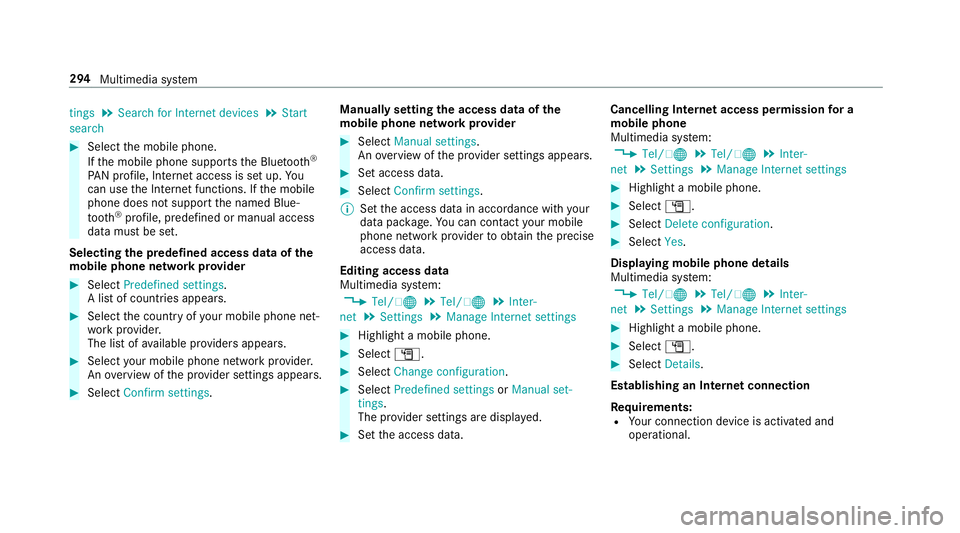
search #
Select the mobile phone.
If th e mobile phone supports the Blue tooth®
PA N profile, Internet access is set up. Yo u
can use the Internet functions. If the mobile
phone does not support the named Blue‐
tooth ®
profile, predefined or manual access
data must be set.
Selecting the predefined access data of the
mo bile phone network pr ovider #
Select Predefined settings.
A list of countries appears. #
Select the count ryofyour mobile phone net‐
wo rkprov ider.
The list of available pr oviders appears. #
Select your mobile phone network pr ovider.
An ove rview of the pr ovider settings appears. #
Select Confirm settings. Manually setting
the access data of the
mo bile phone network pr ovider #
Select Manual settings.
An ove rview of the pr ovider settings appears. #
Set access data. #
Select Confirm settings.
% Set the access data in accordance with your
data pac kage .Yo u can contact your mobile
phone network pr ovider toobtain the precise
access data.
Editing access data
Multimedia sy stem:
, Tel/ ®.
Tel/ ®.
Inter-
net .
Settings .
Manage Internet settings #
Highlight a mobile phone. #
Select G. #
Select Change configuration . #
Select Predefined settings orManual set-
tings.
The pr ovider settings are displa yed. #
Set the access data. Cancelling Internet access permission
for a
mobile phone
Multimedia sy stem:
, Tel/ ®.
Tel/ ®.
Inter-
net .
Settings .
Manage Internet settings #
Highlight a mobile phone. #
Select G. #
Select Delete configuration. #
Select Yes.
Displaying mobile phone details
Multimedia sy stem:
, Tel/ ®.
Tel/ ®.
Inter-
net .
Settings .
Manage Internet settings #
Highlight a mobile phone. #
Select G. #
Select Details.
Establishing an Internet connection
Re quirements:
R Your connection device is activated and
operational. 294
Multimedia sy stem