2017 LINCOLN MKZ ABS
[x] Cancel search: ABSPage 305 of 564
Note:
The oil consumption of new engines
reaches its normal level after approximately
3,100 mi (5,000 km).
Adding Engine Oil WARNING
Do not remove the filler cap when the
engine is running.
Do not use supplemental engine oil additives
because they are unnecessary and could
lead to engine damage that may not be
covered by the vehicle Warranty. Only use oils certified for gasoline engines
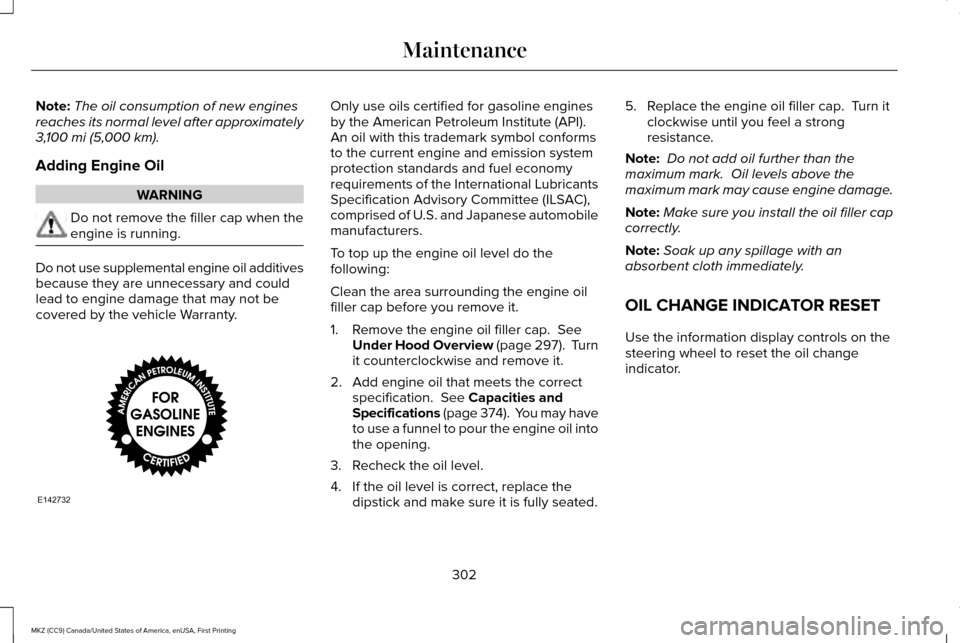
by the American Petroleum Institute (API).
An oil with this trademark symbol conforms
to the current engine and emission system
protection standards and fuel economy
requirements of the International Lubricants
Specification Advisory Committee (ILSAC),
comprised of U.S. and Japanese automobile
manufacturers.
To top up the engine oil level do the
following:
Clean the area surrounding the engine oil
filler cap before you remove it.
1. Remove the engine oil filler cap.
See
Under Hood Overview (page 297). Turn
it counterclockwise and remove it.
2. Add engine oil that meets the correct specification.
See Capacities and
Specifications (page 374). You may have
to use a funnel to pour the engine oil into
the opening.
3. Recheck the oil level.
4. If the oil level is correct, replace the dipstick and make sure it is fully seated. 5. Replace the engine oil filler cap. Turn it
clockwise until you feel a strong
resistance.
Note: Do not add oil further than the
maximum mark. Oil levels above the
maximum mark may cause engine damage.
Note: Make sure you install the oil filler cap
correctly.
Note: Soak up any spillage with an
absorbent cloth immediately.
OIL CHANGE INDICATOR RESET
Use the information display controls on the
steering wheel to reset the oil change
indicator.
302
MKZ (CC9) Canada/United States of America, enUSA, First Printing MaintenanceE142732
Page 409 of 564

download continues where it left off at the
next Wi-Fi connected opportunity. Upon
activation of an update, a banner displays
on the touchscreen indicating the system
update. Select the icon to see more detail.
This icon displays for two ignition cycles.
To switch this feature off:
Menu Item
Settings
General In this menu selection, you
can change the selection for
automatic updates to OFF.
Automatic
System
Updates
Support
The SYNC support team is available to help
you with any questions you are not able to
answer on your own.
Monday-Saturday, 8:30am-8:00pm EST. United States: 1-800-521-4140.
Canada: 1-800-387-9333.
Times are subject to change due to holidays.
Privacy Information
When you connect a cellular phone to SYNC
3, the system creates a profile within your
vehicle that links to that cellular phone. This
profile helps in offering you more cellular
features and operating more efficiently.
Among other things, this profile may contain
data about your cellular phone book, text
messages (read and unread), and call history,
including history of calls when your cell
phone was not connected to the system. In
addition, if you connect a media device, the
system creates and retains an index of
supported media content. The system also
records a short diagnostic log of
approximately 10 minutes of all recent system
activity. The log profile and other system data
may be used to improve the system and help
diagnose any problems that may occur.The cellular profile, media device index, and
diagnostic log remain in your vehicle unless
you delete them and are generally accessible
only in your vehicle when the cellular phone
or media player is connected.
If you no longer plan to use the system or
your vehicle, we recommend you perform a
Master Reset to erase all stored information.
You can find more information about the
Master Reset in General Settings. See
Settings (page 457). System data cannot be
accessed without special equipment and
access to your vehicle's SYNC 3 module. The
Lincoln Motor Company does not access the
system data for any purpose other than as
described absent consent, a court order, or
where required by law enforcement, other
government authorities, or other third parties
acting with lawful authority. Other parties
may seek to access the information
independently of The Lincoln Motor
Company.
406
MKZ (CC9) Canada/United States of America, enUSA, First Printing SYNC™ 3
Page 497 of 564
Less Cost to Properly Maintain Your Vehicle
Lincoln Protect also offers a Premium
Maintenance Plan that covers all scheduled
maintenance, and selected wear items. The
coverage is prepaid, so you never have to
worry about the cost of your vehicle
’s
maintenance.
Covered maintenance includes:
• Windshield wiper blades.
• Spark plugs.
• The clutch disc.
• Brake pads and linings.
• Shock absorbers and struts.
• Engine cooling hoses, clamps and
o-rings.
• Engine belts.
• Diesel exhaust fluid replenishment. Interest Free Finance Options
Just a 10% down payment will provide you
with an affordable, no interest, no fee
payment program allowing you all the
security and benefits Lincoln Protect has to
offer while paying over time. You are
pre-approved with no credit check or
hassles. To learn more, call our Lincoln
Protect Extended Service Plan specialists at
800-367-3377.
Complete the information below and mail to:
Lincoln Protect Extended Service Plan
P.O. Box 321067
Detroit, MI 48232
EXTENDED SERVICE PLANS (CANADA
ONLY)
You can get more protection for your vehicle
by purchasing a Lincoln Extended Service
Plan. Lincoln Extended Service Plan is the
only service contract backed by Lincoln
Motor Company of Canada, Limited.
Depending on the plan you purchase, Lincoln
Extended Service Plan provides benefits
such as: •
Rental reimbursement.
• Coverage for certain maintenance and
wear items.
• Protection against repair costs after your
New Vehicle Limited Warranty Coverage
expires.
• Roadside Assistance benefits.
There are several Lincoln Extended Service
Plans available in various time, distance and
deductible combinations. Each plan is
tailored to fit your own driving needs,
including reimbursement for towing and
rental. When you purchase Lincoln Extended
Service Plan, you receive added
peace-of-mind protection throughout
Canada, the United States and Mexico,
provided by a network of participating
authorized Lincoln Motor Company dealers.
Note: Repairs performed outside of Canada,
the United States and Mexico are not eligible
for Lincoln Extended Service Plan coverage.
This information is subject to change. For
more information, visit your local Lincoln of
Canada dealer or www.Lincoln.ca to find the
Lincoln Extended Service Plan that is right
for you.
494
MKZ (CC9) Canada/United States of America, enUSA, First Printing Lincoln Protect
Page 501 of 564

Check every six months
Safety belts and seat latches for wear and function.
Safety warning lamps (brake, ABS, airbag and safety belt) for operation.
Washer spray and wiper operation. Clean or replace blades as necessary.
Multi-Point Inspection
In order to keep your vehicle running right,
it is important to have the systems on your
vehicle checked regularly. This can help
identify potential issues and prevent major
problems. We recommend having the
following multi-point inspection performed
at every scheduled maintenance interval to
help make sure your vehicle keeps running
great. Multi-Point inspection
Hazard warning system operation
Accessory drive belt(s)
Horn operation
Battery performance
Radiator, cooler, heater and air conditioning hoses
Engine air filter
Suspension components for leaks or damage
Exhaust system
498
MKZ (CC9) Canada/United States of America, enUSA, First Printing Scheduled Maintenance
Page 554 of 564

A
A/C
See: Climate Control...........................................134
About This Manual............................................7
ABS See: Brakes...........................................................188
ABS driving hints See: Hints on Driving With Anti-Lock
Brakes................................................................188
Accessories....................................................491 Exterior Style........................................................491
Interior Style..........................................................491
Lifestyle..................................................................491
Peace of Mind......................................................491
Accessories See: Replacement Parts Recommendation.....13
ACC See: Using Adaptive Cruise Control..............216
Active Park Assist.........................................203 Deactivating the Active Park Assist
Feature.............................................................209
Parallel Parking, Perpendicular Parking, Parallel Park Out Assist................................203
Troubleshooting the System...........................209
Adaptive Headlamps.....................................89
Adjusting the Headlamps............................315 Horizontal Aim Adjustment...............................316 Vertical Aim Adjustment....................................315
Adjusting the Steering Wheel......................78 Power Tilt and Telescope Steering
Column................................................................78
AFS See: Adaptive Headlamps..................................89
Airbag Disposal
...............................................53
Air Conditioning See: Climate Control...........................................134
Air Filter See: Changing the Engine Air Filter...............319
Alarm See: Anti-Theft Alarm...........................................76
All-Wheel Drive
..............................................179
Ambient Lighting............................................92
Anti-Theft Alarm..............................................76
Arming the Alarm..................................................77
Disarming the Alarm.............................................77
Appendices....................................................527
Apps
.................................................................454
........................................................................\
.........454
SiriusXM Traffic and Travel Link.....................456
Audible Warnings and Indicators..............107 Headlamps On Warning Chime.......................
107
Key in Ignition Warning Chime.........................107
Keyless Warning Alert........................................107
Parking Brake On Warning Chime
..................107 Audio Control
...................................................79
Seek, Next or Previous........................................79
Audio System
................................................386
General Information...........................................386
Audio Unit - Vehicles With: Premium AM/ FM/CD...........................................................387
Auto Hold.........................................................191 Using Auto Hold..................................................193
Autolamps.........................................................85 Windshield Wiper Activated Headlamps........86
Automatic Climate Control..........................134 Automatic Fan Settings......................................136
Automatic High Beam Control
....................88
Activating the System..........................................89
Manually Overriding the System......................89
Automatic Transmission...............................173 Automatic Transmission Adaptive
Learning.............................................................177
Brake-Shift Interlock Override.........................176
If Your Vehicle Gets Stuck In Mud or Snow...................................................................177
Push Button Shift Transmission........................173
SelectShift Automatic ™ Transmission.............175
Automatic Transmission Fluid Check............................................................307
6F35/HF35 transmission..................................307
6F50/6F55 Transmission.................................308
Autowipers.......................................................82
551
MKZ (CC9) Canada/United States of America, enUSA, First Printing Index