2017 LINCOLN MKX instrument panel
[x] Cancel search: instrument panelPage 416 of 587

Note:
If your vehicle is not equipped with
navigation, compass appears in the display
instead of navigation. If you press the right
arrow to go into the compass menu, you can
see the compass graphic. The compass
displays the direction in which the vehicle is
traveling, not true direction (for example, if
the vehicle is traveling west, the middle of
the compass graphic displays west; north
displays to the left of west though its true
direction is to the right of west).
Using the Steering Wheel Controls
Depending on your vehicle and option
package, you can use different controls on
your steering wheel to interact with the
touchscreen system in different ways.
VOL: Control the volume of audio output.
Mute:
Mute the audio output.
Voice:
Press to start a voice session. Press
again to stop the voice prompt and
immediately begin speaking. Press and hold
to end a voice session. SEEK NEXT:
•
While in radio mode, press to seek
between memory presets.
• While in USB, Bluetooth Audio or CD
mode, press to seek between songs or
press and hold to fast seek.
SEEK PREVIOUS:
• While in radio mode, press to seek
between memory presets.
• While in USB, Bluetooth Audio or CD
mode, press to seek between songs or
press and hold to fast seek.
PHONE ACCEPT:
Press to answer a call or
switch between calls.
PHONE REJECT: Press to end a call or reject
an incoming call.
Note: On some models, SEEK NEXT may be
combined with
PHONE REJECT and SEEK
PREVIOUS may be combined with PHONE
ACCEPT.
M:
Touch the control repeatedly to switch
between media sources (modes).
See
Steering Wheel (page 84). Using Your Bezel Controls
Depending on your vehicle and option
package, you may also have these controls
on your instrument panel:
•
Power:
Switch the audio system on and
off.
• VOL:
Control the volume of playing
audio.
• Seek
and Tune: Use as you normally
would in audio modes.
• Eject:
Eject a CD from the audio system.
• SOURCE
or MEDIA: Press repeatedly to
advance through available media modes.
• SOUND:
Press to access the Sound
menu where you can adjust sound and
other audio settings.
• 1-6:
Press and hold to store or press to
select an AM, FM or SIRIUS memory
preset.
See Audio System (page 399).
413
MKX (CD9) Canada/United States of America, enUSA, First Printing SYNC™ 3
Page 449 of 587
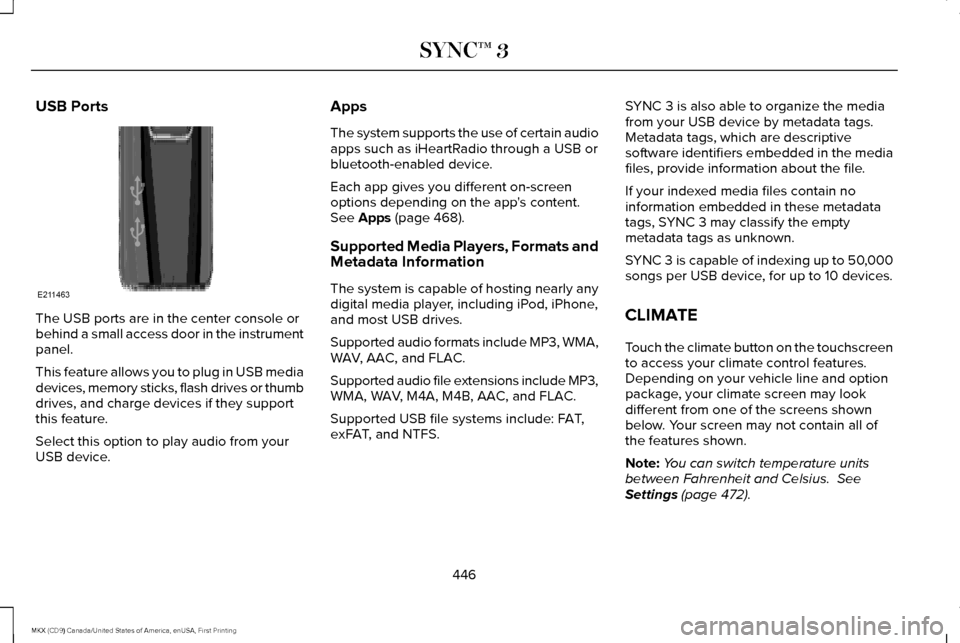
USB Ports
The USB ports are in the center console or
behind a small access door in the instrument
panel.
This feature allows you to plug in USB media
devices, memory sticks, flash drives or thumb
drives, and charge devices if they support
this feature.
Select this option to play audio from your
USB device. Apps
The system supports the use of certain audio
apps such as iHeartRadio through a USB or
bluetooth-enabled device.
Each app gives you different on-screen
options depending on the app's content.
See Apps (page 468).
Supported Media Players, Formats and
Metadata Information
The system is capable of hosting nearly any
digital media player, including iPod, iPhone,
and most USB drives.
Supported audio formats include MP3, WMA,
WAV, AAC, and FLAC.
Supported audio file extensions include MP3,
WMA, WAV, M4A, M4B, AAC, and FLAC.
Supported USB file systems include: FAT,
exFAT, and NTFS. SYNC 3 is also able to organize the media
from your USB device by metadata tags.
Metadata tags, which are descriptive
software identifiers embedded in the media
files, provide information about the file.
If your indexed media files contain no
information embedded in these metadata
tags, SYNC 3 may classify the empty
metadata tags as unknown.
SYNC 3 is capable of indexing up to 50,000
songs per USB device, for up to 10 devices.
CLIMATE
Touch the climate button on the touchscreen
to access your climate control features.
Depending on your vehicle line and option
package, your climate screen may look
different from one of the screens shown
below. Your screen may not contain all of
the features shown.
Note:
You can switch temperature units
between Fahrenheit and Celsius.
See
Settings (page 472).
446
MKX (CD9) Canada/United States of America, enUSA, First Printing SYNC™ 3E211463
Page 452 of 587

Fan speed: Touch up or down to increase or decrease the volume of air that circulate\
s in your vehicle.
H
Note:
You cannot adjust the fan speed when the system is set to AUTO, MAX A/C or MAX Defrost.
A/C:
A pop-up appears on the screen to display the air conditioning options.\
I
MAX A/C:
Touch the button to activate and maximize cooling. The driver and passeng\
er temperatures are set to LO, recirculated
air flows through the instrument panel vents, air conditioning automatic\
ally turns on and the fan automatically adjusts to the highest
speed.
A/C:
Touch to switch the air conditioning on or off. Use A/C with recirculated air to improve cooling performance and effic\
iency.
Note:
In certain conditions (for example, Max Defrost), the air conditioning compressor may continue to operate\
even when you
switch the air conditioning A/C button off.
Recirculated air:
Touch to switch the recirculated air on or off. When recirculated air is on, it may reduce the amount of time needed
to cool down the interior (when used with A/C) and help reduce odors f\
rom reaching the interior.
Note:
Recirculated air may turn off automatically (or the system may prevent i\
t from turning on) in all airflow modes except MAX
A/C to reduce risk of fogging. It may also turn on and off automatically\
in Panel or Panel/Floor airflow modes during hot weather in
order to improve cooling efficiency.
Manual airflow distribution controls:
Select these controls individually, together, or with Defrost to direct the air flow to the area
you desire.
J
Panel:
Distributes air through the instrument panel vents.
Floor:
Distributes air through the demister vents, floor vents and rear seat f\
loor vents.
449
MKX (CD9) Canada/United States of America, enUSA, First Printing SYNC™ 3
Page 578 of 587

Cleaning Products.........................................331
Materials................................................................331
Cleaning the Engine
....................................333
Cleaning the Exterior...................................332 Exterior Chrome Parts.......................................332
Exterior Plastic Parts..........................................333
Stripes or Graphics.............................................333
Underbody...........................................................333
Under Hood.........................................................333
Cleaning the Instrument Panel and Instrument Cluster Lens...........................336
Cleaning the Interior....................................334 Cleaning Black Label or Presidential
Interior ...............................................................335
Cleaning the Wheels...................................337
Cleaning the Windows and Wiper Blades...........................................................334
Clearing All MyKeys.......................................63
Climate............................................................446
Climate Control
...............................................141
Climate Controlled Seats............................156 Cooled Seats........................................................157
Coolant Check See: Engine Coolant Check..............................314
Crash Sensors and Airbag Indicator
..........53
Creating a MyKey...........................................62 Programming/Changing Configurable
Settings...............................................................62 Cross Traffic Alert.........................................242
False Alerts..........................................................245
Switching the System Off and On..................246
System Errors......................................................246
System Lights, Messages and Audible
Alerts.................................................................245
System Limitations.............................................245
Using the System...............................................242
Cruise Control
.................................................86
Principle of Operation.......................................224
Type 1.......................................................................86
Type 2......................................................................87
Cruise control See: Using Cruise Control................................224
Customer Assistance
..................................278
D
Data Recording
..................................................9
Event Data Recording...........................................10
Service Data Recording.........................................9
Daytime Running Lamps
...............................94
Type 1 - Conventional
(Non-Configurable)..........................................94
Type 2 - Configurable..........................................94
Direction Indicators
........................................97
Doors and Locks.............................................68 Drive Control
..................................................251
LINCOLN DRIVE CONTROL.............................251
Driver Alert.....................................................233 PRINCIPLE OF OPERATION............................233
USING DRIVER ALERT......................................233
Driver and Passenger Airbags....................46 Children and Airbags...........................................47
Proper Driver and Front Passenger Seating
Adjustment.........................................................47
Driver and Passenger Knee Airbags.........52
Driving Aids....................................................233
Driving Hints
..................................................268
Driving Through Water...............................269
DRL See: Daytime Running Lamps...........................94
E
Economical Driving......................................268
Electric Parking Brake..................................196 Applying the Electric Parking Brake...............
196
Battery With No Charge....................................198
Releasing the Electric Parking Brake.............197
Emission Control System............................180 On-Board Diagnostics (OBD-II).........................
181
Readiness for Inspection and Maintenance (I/M) Testing......................................................182
575
MKX (CD9) Canada/United States of America, enUSA, First Printing Index