Page 177 of 470
4107
Features of your vehicle
Air conditioning
All Kia Air Conditioning Systems are
filled with R-134a refrigerant.
1. Start the vehicle. Press the airconditioning button.
2. Set the mode to the position.
3. Set the air intake control to the outside air or recirculated air posi-
tion.
4. Adjust the fan speed control and temperature control to maintain
maximum comfort.
When maximum cooling is desired, set the temperature control to the
extreme left position, set the mode
control to the MAX A/C position,
then set the fan speed control to
the highest speed. Air conditioning system operation tips
If the vehicle has been parked in
direct sunlight during hot weather,
open the windows for a short time
to let the hot air inside the vehicle
escape.
To help reduce moisture inside of the windows on rainy or humid
days, decrease the humidity inside
the vehicle by operating the air
conditioning system.
During air conditioning system operation, you may occasionally
notice a slight change in vehicle
speed as the air conditioning com-
pressor cycles. This is a normal
system operation characteristic.
Use the air conditioning system every month only for a few minutes
to ensure maximum system per-
formance.CAUTION- Excessive A/C
When using the air condition- ing system, monitor thecoolant closely while drivingup hills or in heavy trafficwhen outside temperaturesare high. Air conditioning sys-tem operation may causeoverheating. Continue to usethe blower fan but turn the airconditioning system off if theengine coolant temperaturegauge indicates overheating.
When opening the windows in humid weather air condition-ing may create water dropletsinside the vehicle. Sinceexcessive water droplets maycause damage to electricalequipment, air conditioningshould only be used with thewindows closed.
Page 180 of 470
Features of your vehicle
110
4
For maximum defrosting, set the
temperature control to the extreme
right/hot position and the fan speed
control to the highest speed.
If warm air to the floor is desired while defrosting or defogging, set the
mode to the floor-defrost position.
Before driving, clear all snow and ice from the windshield, rear win-
dow, outside rear view mirrors, and
all side windows.
Clear all snow and ice from the hood and air inlet in the cowl grille
to improve heater and defroster
efficiency and to reduce the proba-
bility of fogging up inside of the
windshield.Automatic climate control
system
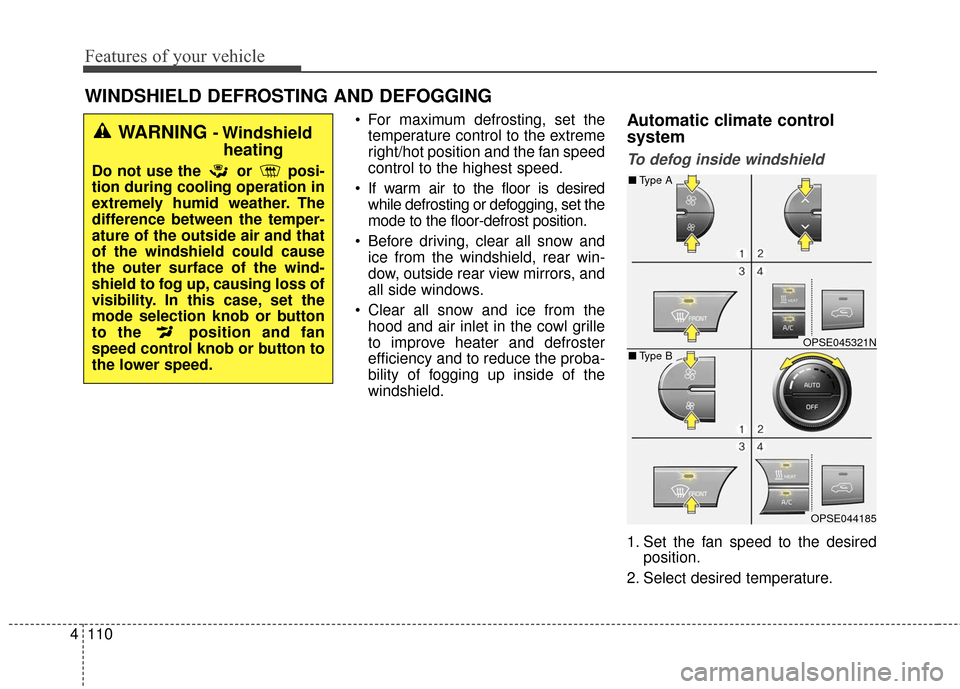
To defog inside windshield
1. Set the fan speed to the desired position.
2. Select desired temperature.
WINDSHIELD DEFROSTING AND DEFOGGING
WARNING - Windshield heating
Do not use the or posi-
tion during cooling operation in
extremely humid weather. The
difference between the temper-
ature of the outside air and that
of the windshield could cause
the outer surface of the wind-
shield to fog up, causing loss of
visibility. In this case, set the
mode selection knob or button
to the position and fan
speed control knob or button to
the lower speed.
OPSE045321N
OPSE044185
■ Type B
■Type A
Page 185 of 470
4115
Features of your vehicle
These compartments can be used to
store small items.
To avoid possible theft, do notleave valuables in the storage
compartment.
Always keep the storage compart- ment covers closed while driving.
Do not attempt to place so many
items in the storage compartment
that the storage compartment
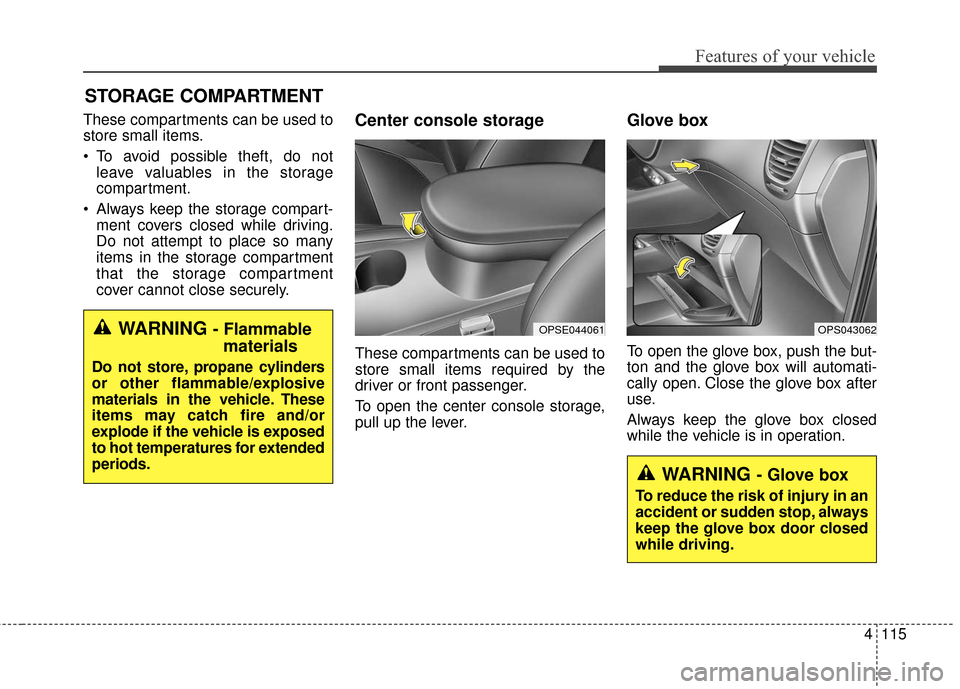
cover cannot close securely.Center console storage
These compartments can be used to
store small items required by the
driver or front passenger.
To open the center console storage,
pull up the lever.
Glove box
To open the glove box, push the but-
ton and the glove box will automati-
cally open. Close the glove box after
use.
Always keep the glove box closed
while the vehicle is in operation.
STORAGE COMPARTMENT
OPS043062WARNING - Flammablematerials
Do not store, propane cylinders
or other flammable/explosive
materials in the vehicle. These
items may catch fire and/or
explode if the vehicle is exposed
to hot temperatures for extended
periods.
OPSE044061
WARNING - Glove box
To reduce the risk of injury in an
accident or sudden stop, always
keep the glove box door closed
while driving.
Page 186 of 470
Features of your vehicle
116
4
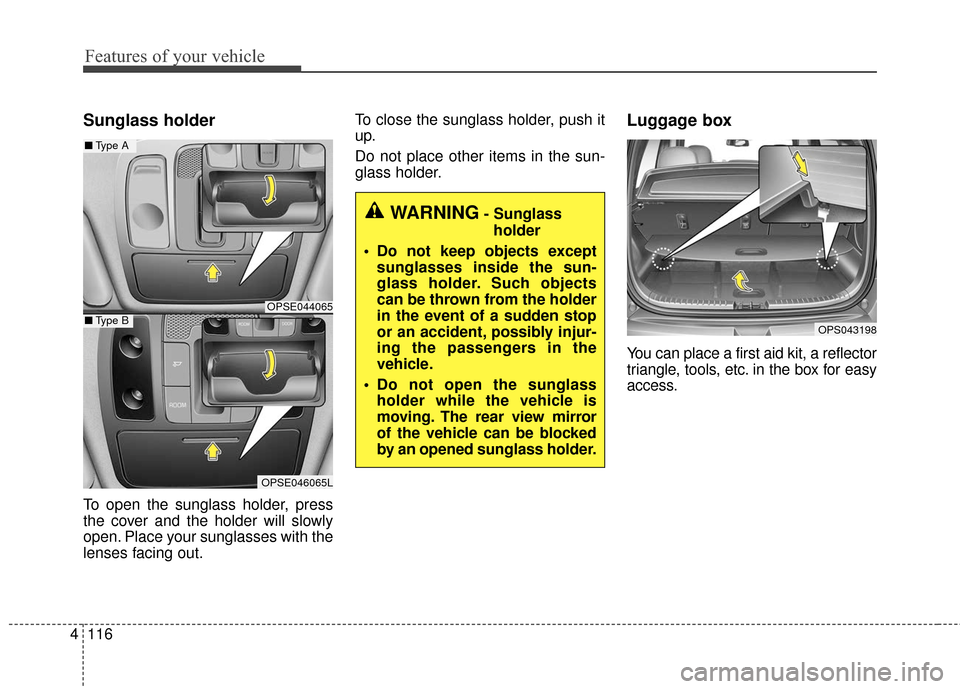
Sunglass holder
To open the sunglass holder, press
the cover and the holder will slowly
open. Place your sunglasses with the
lenses facing out. To close the sunglass holder, push it
up.
Do not place other items in the sun-
glass holder.
Luggage box
You can place a first aid kit, a reflector
triangle, tools, etc. in the box for easy
access.
OPS043198
WARNING- Sunglass
holder
Do not keep objects except sunglasses inside the sun-
glass holder. Such objects
can be thrown from the holder
in the event of a sudden stop
or an accident, possibly injur-
ing the passengers in the
vehicle.
Do not open the sunglass holder while the vehicle is
moving. The rear view mirror
of the vehicle can be blocked
by an opened sunglass holder.
OPSE044065
■ Type A
OPSE046065L
■Type B
Page 187 of 470
4117
Features of your vehicle
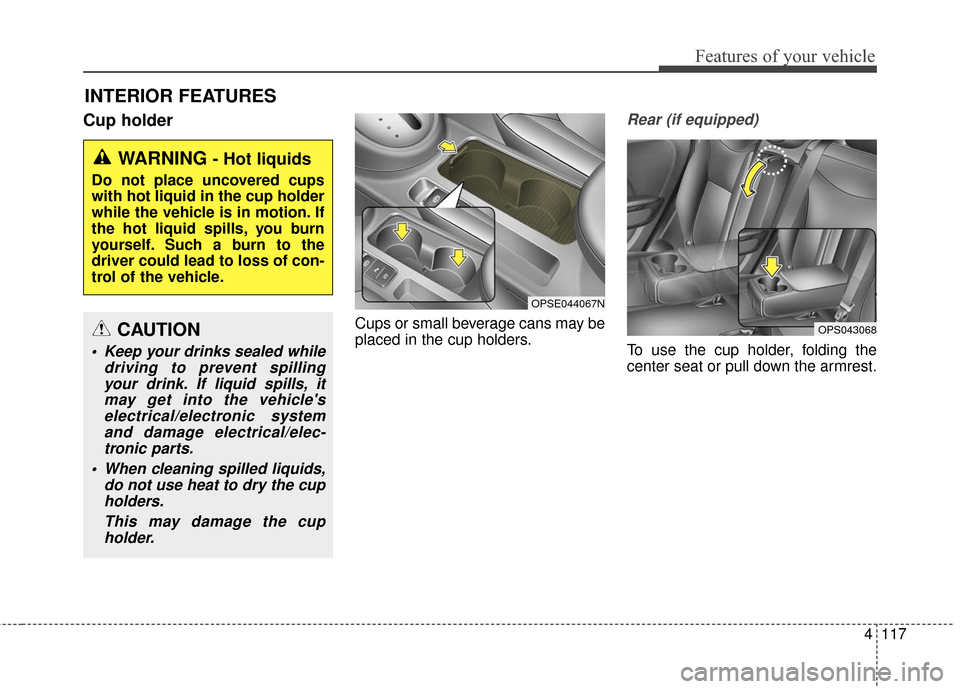
Cup holder
Cups or small beverage cans may be
placed in the cup holders.
Rear (if equipped)
To use the cup holder, folding the
center seat or pull down the armrest.
INTERIOR FEATURES
WARNING - Hot liquids
Do not place uncovered cups
with hot liquid in the cup holder
while the vehicle is in motion. If
the hot liquid spills, you burn
yourself. Such a burn to the
driver could lead to loss of con-
trol of the vehicle.
OPSE044067N
OPS043068CAUTION
Keep your drinks sealed whiledriving to prevent spillingyour drink. If liquid spills, itmay get into the vehicle'selectrical/electronic systemand damage electrical/elec-tronic parts.
When cleaning spilled liquids, do not use heat to dry the cupholders.
This may damage the cupholder.
Page 193 of 470
4123
Features of your vehicle
The following must be observed
when installing ANY floormat to the
vehicle.
Ensure that the floormats aresecurely attached to the vehicle's
floormat anchor(s) before driving
the vehicle.
Do not use ANY floormat that can- not be firmly attached to the vehi-
cle's floormat anchors.
Do not stack floormats on top of one another (e.g. all-weather rub-
ber mat on top of a carpeted floor-
mat). Only a single floormat should
be installed in each position.
IMPORTANT - Your vehicle was
manufactured with driver's side floor-
mat anchors that are designed to
securely hold the floormat in place.
To avoid any interference with pedal
operation, Kia recommends that only
the Kia floormat designed for use in
your vehicle be installed.Luggage net holder
(if equipped)
To keep items from shifting in the
cargo area, you can use the holders
located in the cargo area to attach
the luggage net.
If necessary, contact your authorized
Kia dealer to obtain a luggage net.
To prevent damage to the goods or
the vehicle, care should be taken
when carrying fragile or bulky objects
in the luggage compartment.
OPS043193
WARNING - Luggage net
Always keep your face and body out of the luggage net
recoil path and avoid using the
luggage net when the straps
have visible signs of wear or
damage. The luggage net can
snap and cause injuries.
All cargo should be evenly distributed, properly secured
and never piled higher than
the seatback.
Page 201 of 470
4131
Features of your vehicle
Using a cellular phone or a two-way radio
When a cellular phone is used inside
the vehicle, noise may be produced
from the audio system. This does not
mean that something is wrong with
the audio equipment. In such a case,
try to operate mobile devices as far
from the audio equipment as possi-
ble.
When using a communication sys-
tem such as a cellular phone or a
radio set inside the vehicle, a sepa-
rate external antenna must be fitted.
When a cellular phone or a radio set
is used with an internal antenna
alone, it may interfere with the vehi-
cle's electrical system and adversely
affect safe operation of the vehicle.
WARNING- Cell phone use
Do not use a cellular phone
while driving. Stop at a safe
location to use a cellular phone.
WARNING- Driver Distraction
• Do not stare at the screen while driving. Staring at the
screen for prolonged periods
of time could lead to traffic
accidents.
Using the phone while driving may lead to a lack of attention
of traffic conditions and
increase the likelihood of
accidents. Use the phone fea-
ture after parking the vehicle.
WARNING- Audio System
Do not disassemble, assemble,
or modify the audio system.
Such acts could result in fire or
electric shock.
WARNING- Antenna
Do not touch the antenna dur-
ing thunder or lightening as
such acts may lead to lightning
induced electric shock.
CAUTION
Refrain from use if the screen is blank or no sound can be hearas these signs may indicateproduct malfunction.
Page 202 of 470
Features of your vehicle
132
4
Adjust the volume to levels that
allow the driver to hear sounds from
outside of the vehicle. Driving in a
state where external sounds cannot
be heard may lead to accidents. Pay attention to the volume setting
when turning the device on. A sud-
den output of extreme volume
upon turning the device on could
lead to hearing impairment. (Adjust
the volume to a suitable levels
before turning off the device.)
Turn on the car ignition before using the audio system. Do not
operate the audio system for long
periods of time with the ignition
turned off as such operations may
lead to battery discharge.
In case of product malfunction, please contact your place of pur-
chase or After Service center.
Placing the audio system within an electromagnetic environment may
result in noise interference.
CAUTION- LCD Monitor
Do not subject the device tosevere shock or impact. Directpressure onto the front side ofthe monitor may cause damageto the LCD or touch screen.
CAUTION
When cleaning the device, make sure to turn off theaudio system and use a dryand smooth cloth.
Never use tough materials, chemical cloths, or solvents(alcohol, benzene, thinners,etc.) as such materials maydamage the device panel orcause color/quality deteriora-tion.
Prevent caustic solutions such as perfume and cosmetic oilfrom contacting the dashboardbecause they may cause dam-age or discoloration.
WARNING- Distracted
Driving
Driving while distracted can
result in a loss of vehicle control
that may lead to an accident,
severe personal injury, and
death. The driver’s primary
responsibility is in the safe and
legal operation of a vehicle, and
use of any handheld devices,
other equipment, or vehicle sys-
tems which take the driver’s
eyes, attention and focus away
from the safe operation of a vehi-
cle or which are not permissible
by law should never be used dur-
ing operation of the vehicle.