Page 220 of 723
Features of your vehicle
124
4
1. Turn on the park light.
2. Turn the light switch (1) to the front
fog light position.
3. To turn off the front fog light, turn the light switch to the front fog light posi-
tion again or turn off the park light. Rear fog light (if equipped)
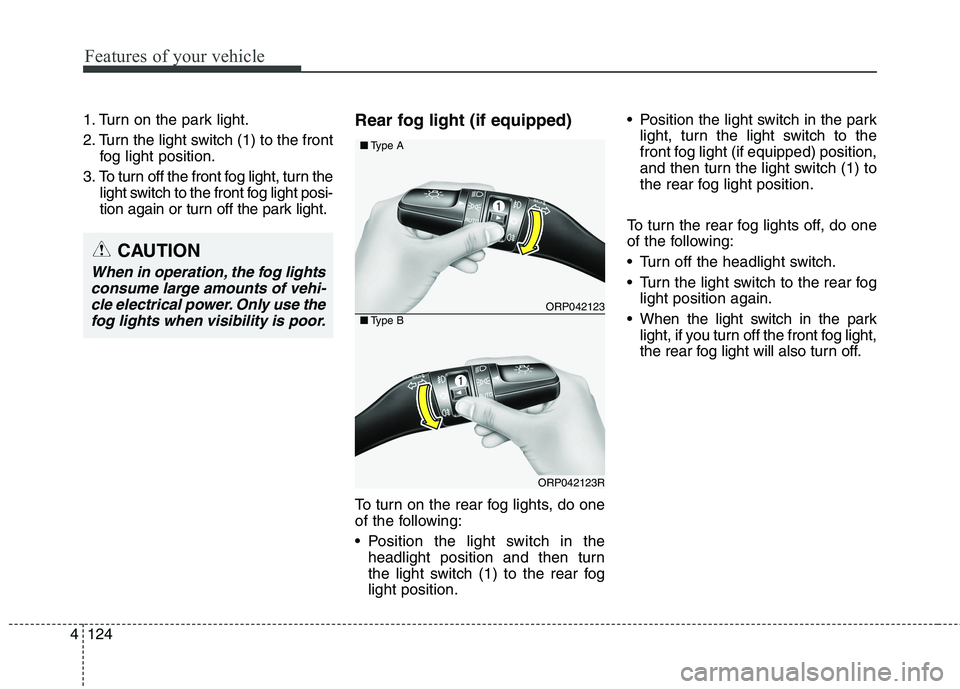
To turn on the rear fog lights, do one
of the following:
Position the light switch in the
headlight position and then turn
the light switch (1) to the rear foglight position. Position the light switch in the park
light, turn the light switch to the
front fog light (if equipped) position,
and then turn the light switch (1) to
the rear fog light position.
To turn the rear fog lights off, do one
of the following:
Turn off the headlight switch.
Turn the light switch to the rear fog light position again.
When the light switch in the park light, if you turn off the front fog light,
the rear fog light will also turn off.
ORP042123
ORP042123R
■Type A
■Type B
CAUTION
When in operation, the fog lights
consume large amounts of vehi-cle electrical power. Only use the fog lights when visibility is poor.
Page 221 of 723
4125
Features of your vehicle
Headlight levelling device (if equipped)
Manual type
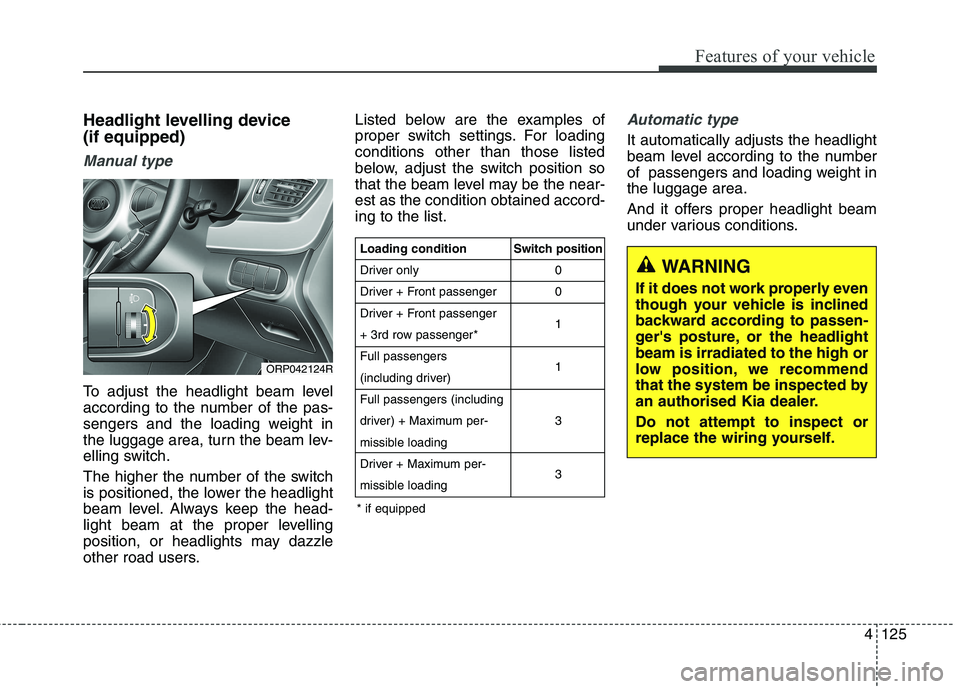
To adjust the headlight beam level
according to the number of the pas-
sengers and the loading weight in
the luggage area, turn the beam lev-
elling switch.
The higher the number of the switch
is positioned, the lower the headlight
beam level. Always keep the head-
light beam at the proper levelling
position, or headlights may dazzle
other road users.Listed below are the examples of
proper switch settings. For loadingconditions other than those listed
below, adjust the switch position so
that the beam level may be the near-est as the condition obtained accord-ing to the list.
Automatic type
It automatically adjusts the headlight
beam level according to the number
of passengers and loading weight inthe luggage area.
And it offers proper headlight beam
under various conditions.
ORP042124R
WARNING
If it does not work properly even
though your vehicle is inclined
backward according to passen-
ger's posture, or the headlightbeam is irradiated to the high or
low position, we recommend
that the system be inspected by
an authorised Kia dealer. Do not attempt to inspect or
replace the wiring yourself.
Loading condition
Driver only
Driver + Front passenger
Driver + Front passenger
+ 3rd row passenger*Full passengers
(including driver)Full passengers (including
driver) + Maximum per-
missible loading
Driver + Maximum per-
missible loading Switch position
00 1 1 3 3
* if equipped
Page 228 of 723

Features of your vehicle
132
4
Headlight washer (if equipped)
If your vehicle is equipped with the
headlight washer it will operate at the
same time when you operate the
windscreen washer. It will operate
when the headlight switch is in thefirst or second position and the igni-
tion switch or engine start/stop but-ton is in the ON position.
The washer fluid will be sprayed on
to the headlights.
✽✽
NOTICE
Check the headlight washers peri- odically to confirm that the wash-
er fluid is being sprayed properly
onto the headlight lenses.
The headlight washer can be oper- ated 15 minutes after being oper-
ated last time.
ORP046193L
WARNING
Do not use the washer in freez-
ing temperatures without firstwarming the windscreen with
the defrosters; the washer solu-
tion could freeze on the wind-
screen and obscure your vision.
CAUTION
To prevent possible damage to the wipers or windscreen,do not operate the wiperswhen the windscreen is dry.
To prevent damage to the wiper blades, do not use petrol,kerosene, paint thinner, or other solvents on or near them.
To prevent damage to the wiper arms and other compo-nents, do not attempt to movethe wipers manually.
To prevent possible damage to the wipers and washer sys-tem, use anti-freezing washerfluids in the winter season orcold weather.
Page 230 of 723
Features of your vehicle
134
4
Interior lamp AUTO cut
When all entrances are closed, if
you lock the vehicle by using the
transmitter or the smart key, all
interior lamp will be off after a few
seconds.
If you do not operate anything in the vehicle after turning off the
engine, the lights will turn off after
20 minutes. Map lamp
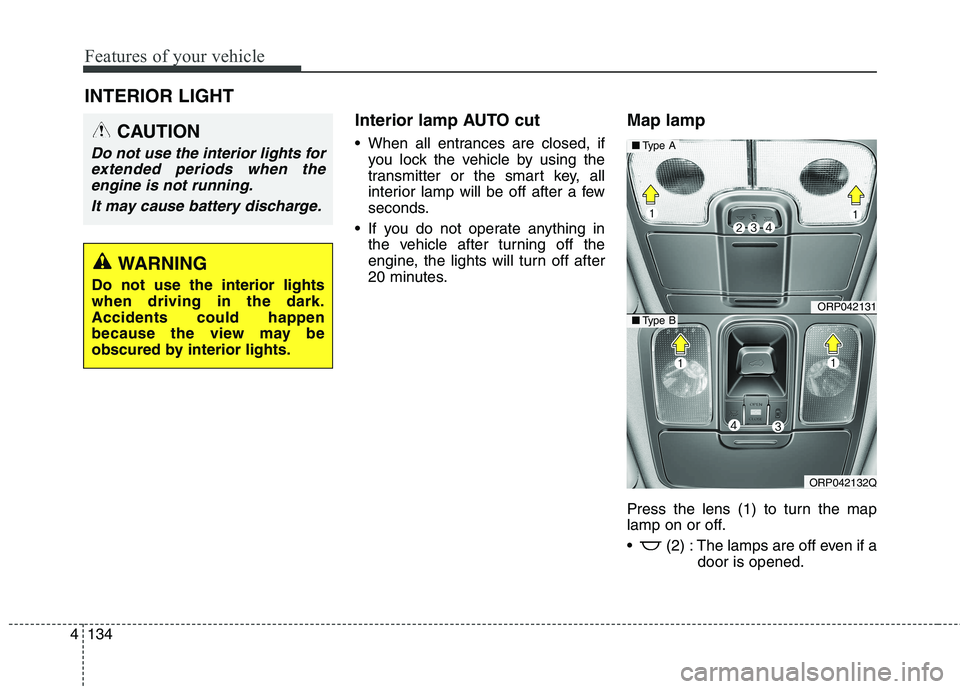
Press the lens (1) to turn the map
lamp on or off.
(2) : The lamps are off even if a
door is opened.
INTERIOR LIGHT
CAUTION
Do not use the interior lights for
extended periods when theengine is not running.
It may cause battery discharge.
WARNING
Do not use the interior lights when driving in the dark.Accidents could happen
because the view may be
obscured by interior lights.
ORP042131
ORP042132Q
■ Type A
■Type B
Page 233 of 723
4137
Features of your vehicle
Headlamp welcome
When the headlight(light switch in
the headlight or AUTO position) is onand all doors (and tailgate) are
locked and closed, the headlight,position light and tail light will come
on for 15 seconds if any of the below
is performed.
- When the door unlock button is pressed on the transmitter.
- When the door unlock button is pressed on the smart key.
At this time, if you press the door lock
button (on the transmitter or smart
key), the lights will turn off immedi-
ately. Interior light
When the interior light switch is in the DOOR position and all doors (and
tailgate) are locked and closed, the
room lamp will come on for 30 sec-
onds if any of the below is performed.
- When the door unlock button is pressed on the transmitter.
- When the door unlock button is pressed on the smart key.
- When the button of the outside door handle is pressed.
At this time, if you press the door lock
button, the lamps will turn off imme-
diately. Puddle lamp (if equipped)
When all doors are locked and closed, the puddle lamp will come on
for 15 seconds if any of the below is
performed.
- When the door unlock button is pressed on the transmitter.
- When the door unlock button is pressed on the smart key.
- When the button of the outside door handle is pressed.
- When the vehicle is approached with the smart key in possession.
At this time, if you press the door lock
button, the lamps will turn off imme-
diately.
WELCOME SYSTEM (IF EQUIPPED)
Page 439 of 723
Driving your vehicle
4
6
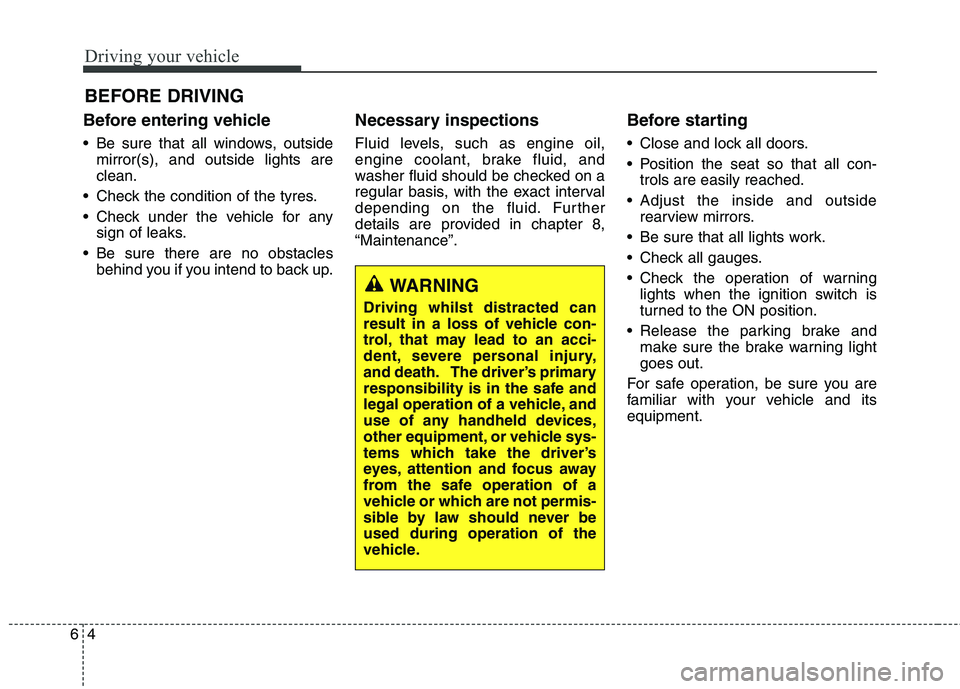
Before entering vehicle
• Be sure that all windows, outside
mirror(s), and outside lights are clean.
Check the condition of the tyres.
Check under the vehicle for any sign of leaks.
Be sure there are no obstacles behind you if you intend to back up. Necessary inspections
Fluid levels, such as engine oil,
engine coolant, brake fluid, and
washer fluid should be checked on a
regular basis, with the exact interval
depending on the fluid. Further
details are provided in chapter 8,“Maintenance”.
Before starting
Close and lock all doors.
Position the seat so that all con-
trols are easily reached.
Adjust the inside and outside rearview mirrors.
Be sure that all lights work.
Check all gauges.
Check the operation of warning lights when the ignition switch is
turned to the ON position.
Release the parking brake and make sure the brake warning lightgoes out.
For safe operation, be sure you are
familiar with your vehicle and itsequipment.
BEFORE DRIVING
WARNING
Driving whilst distracted can
result in a loss of vehicle con-
trol, that may lead to an acci-
dent, severe personal injury,
and death. The driver’s primary
responsibility is in the safe and
legal operation of a vehicle, and
use of any handheld devices,
other equipment, or vehicle sys-
tems which take the driver’s
eyes, attention and focus away
from the safe operation of a
vehicle or which are not permis-
sible by law should never beused during operation of the
vehicle.
Page 441 of 723
Driving your vehicle
6
6
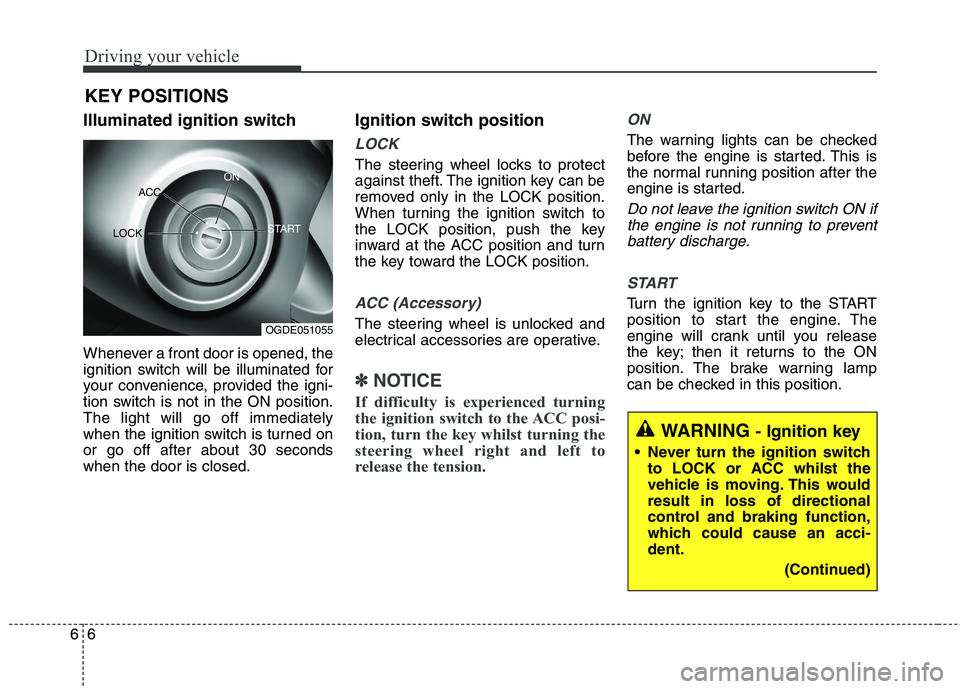
Illuminated ignition switch
Whenever a front door is opened, the
ignition switch will be illuminated for
your convenience, provided the igni-
tion switch is not in the ON position.The light will go off immediately
when the ignition switch is turned onor go off after about 30 secondswhen the door is closed. Ignition switch position
LOCK
The steering wheel locks to protect
against theft. The ignition key can be
removed only in the LOCK position.
When turning the ignition switch to
the LOCK position, push the key
inward at the ACC position and turn
the key toward the LOCK position.
ACC (Accessory)
The steering wheel is unlocked and
electrical accessories are operative.
✽✽
NOTICE
If difficulty is experienced turning
the ignition switch to the ACC posi-
tion, turn the key whilst turning the
steering wheel right and left to
release the tension.
ON
The warning lights can be checked
before the engine is started. This is
the normal running position after the
engine is started.
Do not leave the ignition switch ON if the engine is not running to preventbattery discharge.
START
Turn the ignition key to the START
position to start the engine. The
engine will crank until you release
the key; then it returns to the ON
position. The brake warning lamp
can be checked in this position.
KEY POSITIONS
WARNING
- Ignition key
Never turn the ignition switch to LOCK or ACC whilst the
vehicle is moving. This wouldresult in loss of directional
control and braking function,
which could cause an acci-dent.
(Continued)
OGDE051055
ACC
ON
START
LOCK
Page 446 of 723

611
Driving your vehicle
✽✽
NOTICE
If the steering wheel doesn't unlock
properly, the engine start/stop but-
ton will not work. Press the engine
start/stop button whilst turning the
steering wheel right and left to
release the tension. ACC(Accessory)
With manual transaxle
Press the engine start/stop button
when the button is in the OFF posi-tion without depressing the clutchpedal.
With automatic transaxle /
Dual clutch transmission
Press the engine start/stop button whilst it is in the OFF position without
depressing the brake pedal.
The steering wheel unlocks (if
equipped with anti-theft steering col-
umn lock) and electrical accessories
are operational.
If the engine start/stop button is in the
ACC position for more than 1 hour,
the button is turned off automatically
to prevent battery discharge.
ON
With manual transaxle
Press the engine start/stop button
when the button is in the ACC posi-tion without depressing the clutchpedal.
With automatic transaxle /
Dual clutch transmission
Press the engine start/stop button
whilst it is in the ACC position without
depressing the brake pedal.
The warning lights can be checked
before the engine is started. Do not
leave the engine start/stop button in
the ON position for a long time. The
battery may discharge, because the
engine is not running.
CAUTION
You are able to turn off the engine (START/RUN) or vehiclepower (ON), only when the vehi- cle is not in motion. In an emer-gency situation whilst the vehi-cle is in motion, you are able to turn the engine off and to theACC position by pressing theengine start/stop button for more than 2 seconds or 3 timessuccessively within 3 seconds.If the vehicle is still moving, youcan restart the engine without depressing the brake pedal bypressing the engine start/stopbutton with the shift lever in the N (Neutral) position.
OrangeRed