Page 247 of 569
Features of your vehicle
144
4
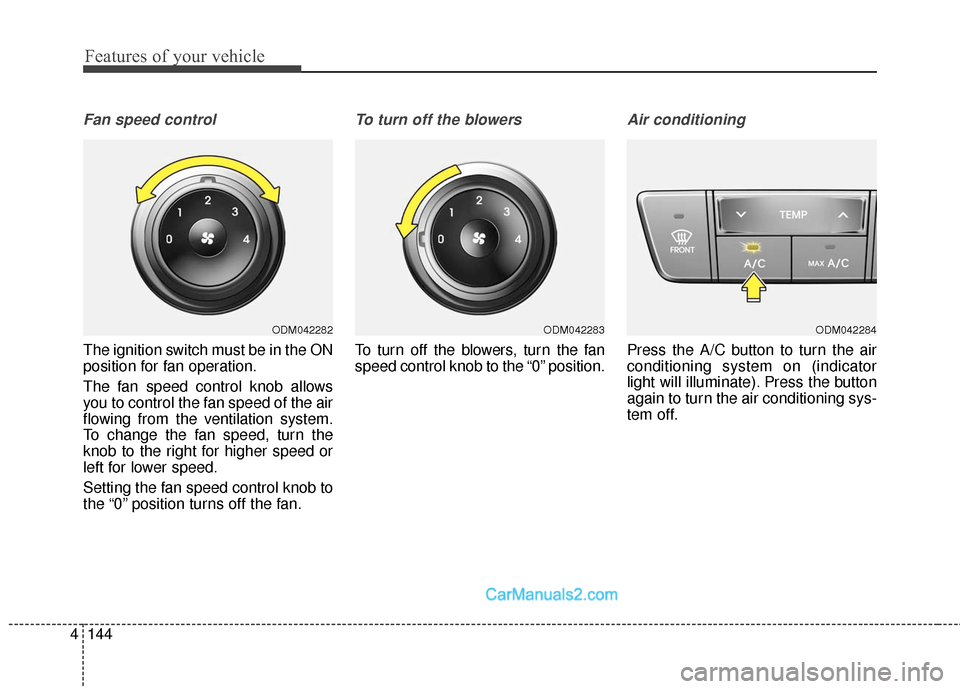
Fan speed control
The ignition switch must be in the ON
position for fan operation.
The fan speed control knob allows
you to control the fan speed of the air
flowing from the ventilation system.
To change the fan speed, turn the
knob to the right for higher speed or
left for lower speed.
Setting the fan speed control knob to
the “0” position turns off the fan.
To turn off the blowers
To turn off the blowers, turn the fan
speed control knob to the “0” position.
Air conditioning
Press the A/C button to turn the air
conditioning system on (indicator
light will illuminate). Press the button
again to turn the air conditioning sys-
tem off.
ODM042282ODM042283ODM042284
Page 250 of 569
4147
Features of your vehicle
Air conditioning system operation tips
If the vehicle has been parked indirect sunlight during hot weather,
open the windows for a short time
to let the hot air inside the vehicle
escape.
To help reduce moisture inside of the windows on rainy or humid
days, decrease the humidity inside
the vehicle by operating the air
conditioning system.
During air conditioning system operation, you may occasionally
notice a slight change in engine
speed as the air conditioning com-
pressor cycles. This is a normal
system operation characteristic.
During the winter months, use the air conditioning system every
month for a few minutes to ensure
maximum system performance.
When using the air conditioning system, you may notice clear water
dripping (or even puddling) on the
ground under the passenger side
of the vehicle. This condensation is
a normal system operation charac-
teristic. Operating the air conditioning sys-
tem in the recirculated air position
provides maximum cooling, how-
ever, continual operation in this
mode may cause the air inside the
vehicle to become stale.
During cooling operation, you may occasionally notice a misty air flow
because of rapid cooling and
humid air intake. This is a normal
system operation characteristic.
If you operate air conditioner excessively, the difference
between the temperature of the
outside air and that of the wind-
shield could cause the outer sur-
face of the windshield to fog up,
causing loss of visibility. In this
case, set the mode selection knob
or button to the position and
fan speed control to the lower
speed.Climate control air filter
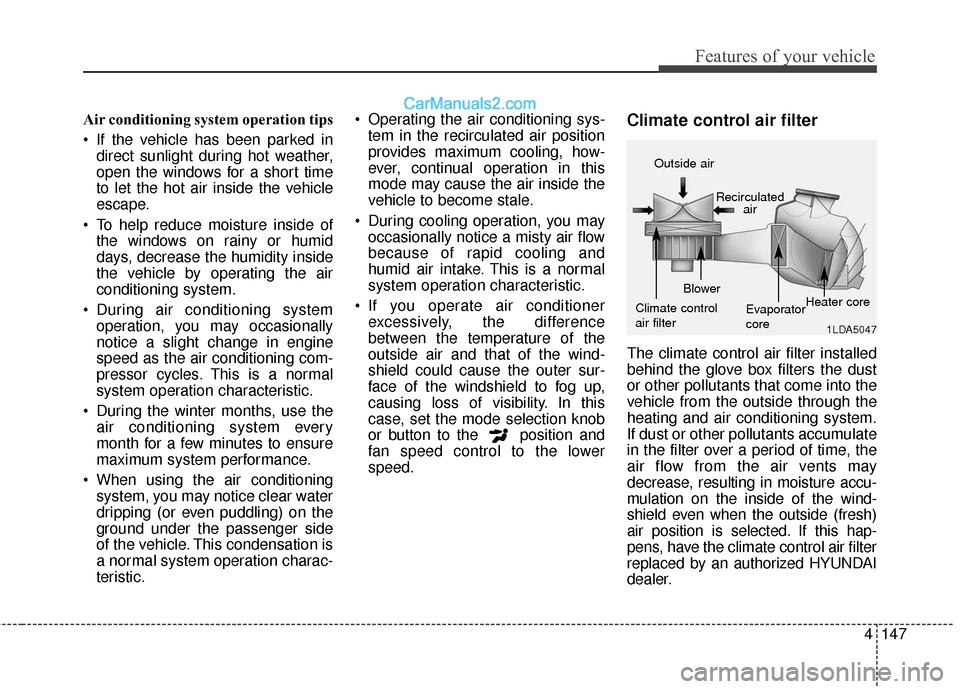
The climate control air filter installed
behind the glove box filters the dust
or other pollutants that come into the
vehicle from the outside through the
heating and air conditioning system.
If dust or other pollutants accumulate
in the filter over a period of time, the
air flow from the air vents may
decrease, resulting in moisture accu-
mulation on the inside of the wind-
shield even when the outside (fresh)
air position is selected. If this hap-
pens, have the climate control air filter
replaced by an authorized HYUNDAI
dealer.
1LDA5047
Outside air
Recirculatedair
Climate control
air filter Blower
Evaporator
coreHeater core
Page 252 of 569
4149
Features of your vehicle
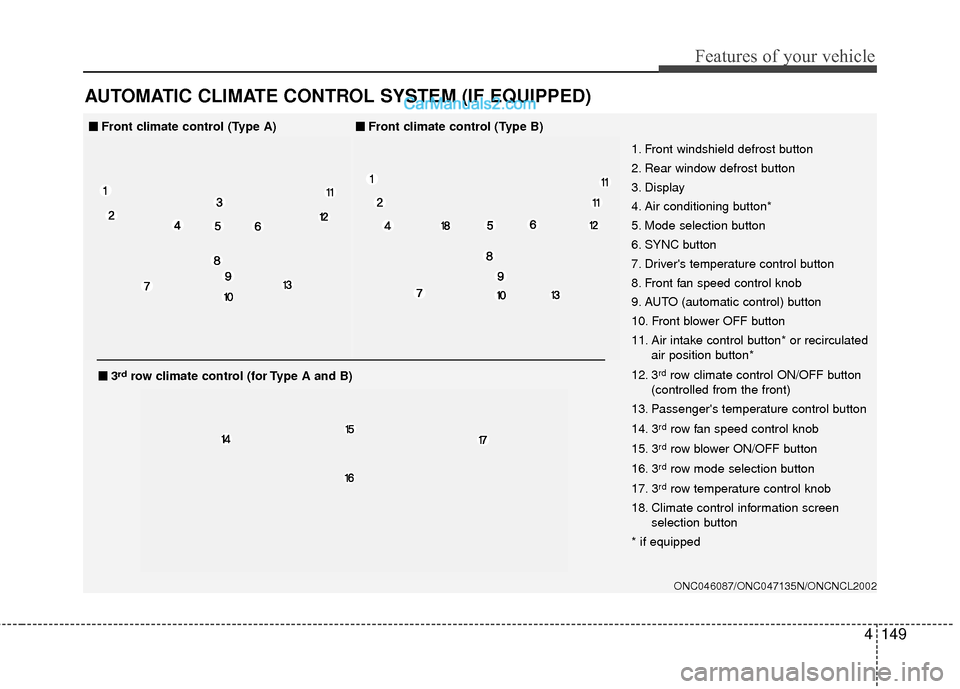
AUTOMATIC CLIMATE CONTROL SYSTEM (IF EQUIPPED)
ONC046087/ONC047135N/ONCNCL2002
1. Front windshield defrost button
2. Rear window defrost button
3. Display
4. Air conditioning button*
5. Mode selection button
6. SYNC button
7. Driver's temperature control button
8. Front fan speed control knob
9. AUTO (automatic control) button
10. Front blower OFF button
11. Air intake control button* or recirculatedair position button*
12. 3
rdrow climate control ON/OFF button
(controlled from the front)
13. Passenger's temperature control button
14. 3
rdrow fan speed control knob
15. 3
rdrow blower ON/OFF button
16. 3
rdrow mode selection button
17. 3
rdrow temperature control knob
18. Climate control information screen selection button
* if equipped
■
■ Front climate control (Type A)■
■Front climate control (Type B)
■
■3rdrow climate control (for Type A and B)
Page 253 of 569
Features of your vehicle
150
4
ONC047087N/ONC047088N
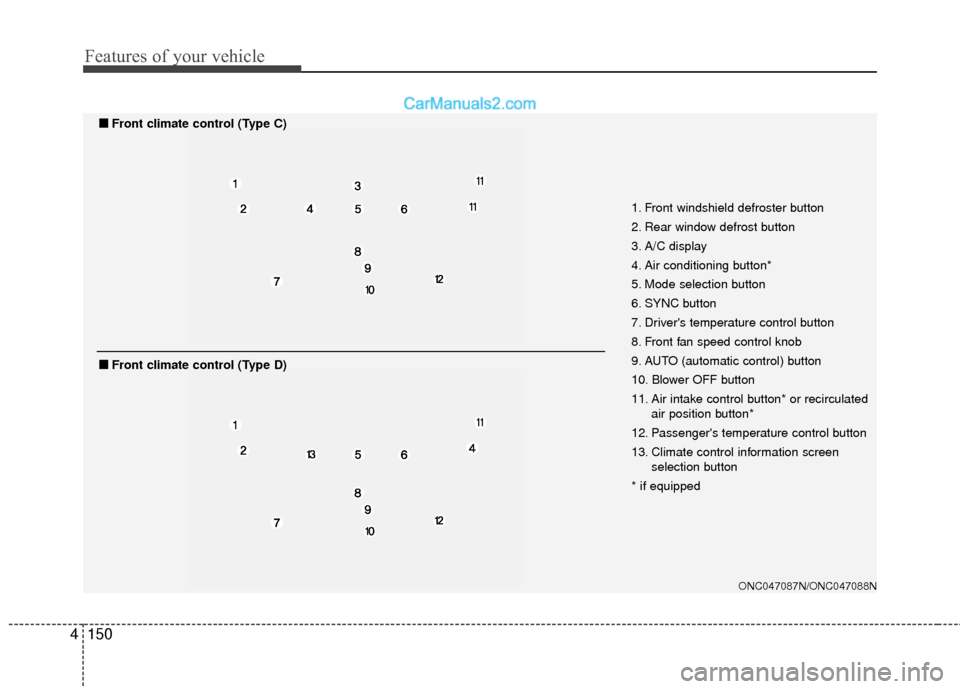
1. Front windshield defroster button
2. Rear window defrost button
3. A/C display
4. Air conditioning button*
5. Mode selection button
6. SYNC button
7. Driver's temperature control button
8. Front fan speed control knob
9. AUTO (automatic control) button
10. Blower OFF button
11. Air intake control button* or recirculated
air position button*
12. Passenger's temperature control button
13. Climate control information screen selection button
* if equipped
■
■ Front climate control (Type C)
■
■Front climate control (Type D)
Page 262 of 569
4159
Features of your vehicle
WINDSHIELD DEFROSTING AND DEFOGGING
For maximum defrosting, set thetemperature control to the extreme
right/hot position and the fan speed
control to the highest speed.
If warm air to the floor is desired while defrosting or defogging, set
the mode to the floor-defrost posi-
tion.
Before driving, clear all snow and ice from the windshield, rear win-
dow, outside rear view mirrors, and
all side windows.
Clear all snow and ice from the hood and air inlet in the cowl grill to
improve heater and defroster effi-
ciency and to reduce the probabili-
ty of fogging up the inside of the
windshield.
✽ ✽ NOTICE
Be sure to keep the interior surface
of the windshield clean by wiping it
with a clean cloth and glass cleaner.
This will help reduce the tendency of
the glass fogging and also improve
visibility.
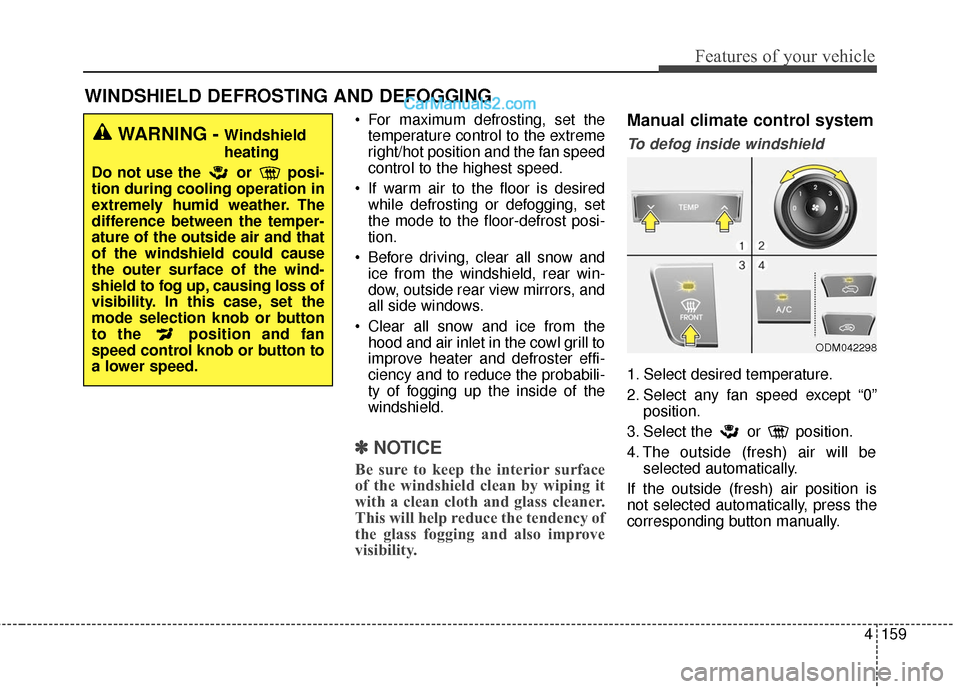
Manual climate control system
To defog inside windshield
1. Select desired temperature.
2. Select any fan speed except “0”
position.
3. Select the or position.
4. The outside (fresh) air will be selected automatically.
If the outside (fresh) air position is
not selected automatically, press the
corresponding button manually.
ODM042298
WARNING - Windshield
heating
Do not use the or posi-
tion during cooling operation in
extremely humid weather. The
difference between the temper-
ature of the outside air and that
of the windshield could cause
the outer surface of the wind-
shield to fog up, causing loss of
visibility. In this case, set the
mode selection knob or button
to the position and fan
speed control knob or button to
a lower speed.
Page 263 of 569
Features of your vehicle
160
4
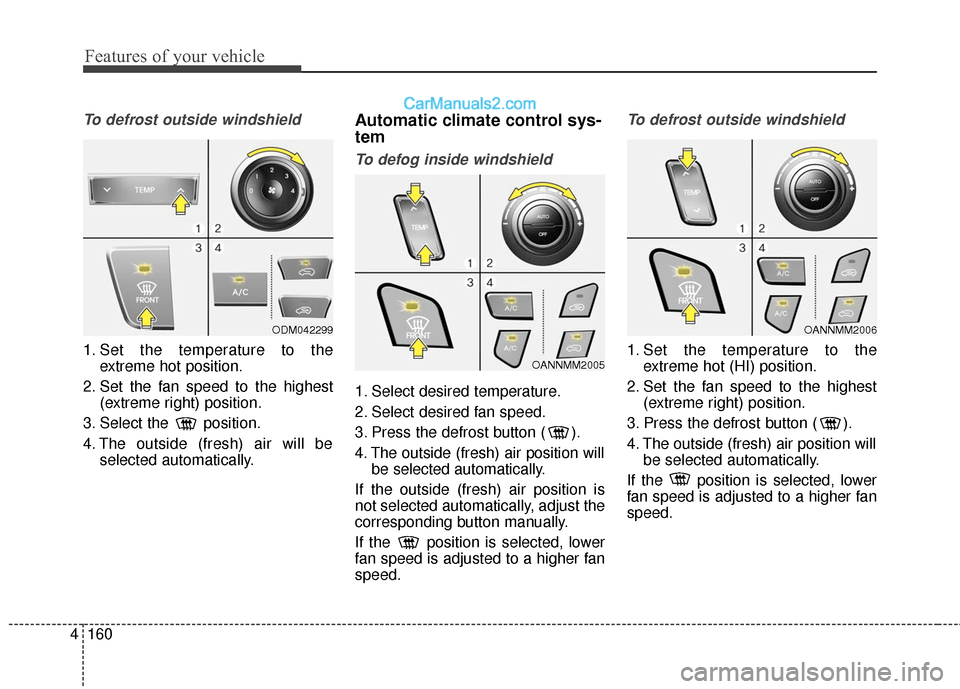
To defrost outside windshield
1. Set the temperature to the
extreme hot position.
2. Set the fan speed to the highest (extreme right) position.
3. Select the position.
4. The outside (fresh) air will be selected automatically.
Automatic climate control sys-
tem
To defog inside windshield
1. Select desired temperature.
2. Select desired fan speed.
3. Press the defrost button ( ).
4. The outside (fresh) air position willbe selected automatically.
If the outside (fresh) air position is
not selected automatically, adjust the
corresponding button manually.
If the position is selected, lower
fan speed is adjusted to a higher fan
speed.
To defrost outside windshield
1. Set the temperature to the extreme hot (HI) position.
2. Set the fan speed to the highest (extreme right) position.
3. Press the defrost button ( ).
4. The outside (fresh) air position will be selected automatically.
If the position is selected, lower
fan speed is adjusted to a higher fan
speed.
OANNMM2006
OANNMM2005
ODM042299
Page 273 of 569
Features of your vehicle
170
4
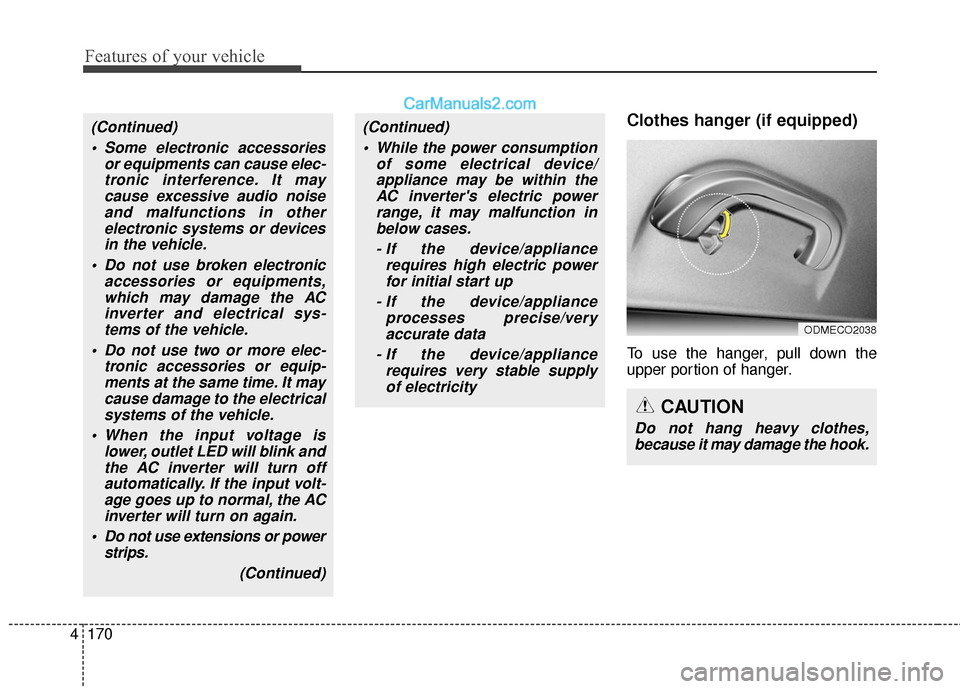
Clothes hanger (if equipped)
To use the hanger, pull down the
upper portion of hanger.
ODMECO2038
CAUTION
Do not hang heavy clothes,
because it may damage the hook.
(Continued)
Some electronic accessories or equipments can cause elec-tronic interference. It maycause excessive audio noiseand malfunctions in otherelectronic systems or devicesin the vehicle.
Do not use broken electronic accessories or equipments,which may damage the ACinverter and electrical sys-tems of the vehicle.
Do not use two or more elec- tronic accessories or equip-ments at the same time. It maycause damage to the electricalsystems of the vehicle.
When the input voltage is lower, outlet LED will blink andthe AC inverter will turn offautomatically. If the input volt-age goes up to normal, the ACinverter will turn on again.
Do not use extensions or power strips.
(Continued)(Continued) While the power consumption of some electrical device/appliance may be within theAC inverter's electric powerrange, it may malfunction inbelow cases.
- If the device/appliance requires high electric powerfor initial start up
- If the device/appliance processes precise/veryaccurate data
- If the device/appliance requires very stable supplyof electricity
Page 288 of 569
4185
Features of your vehicle
(Continued)
• If you disconnect the externalUSB device during playback in
USB mode, the external USB
device can be damaged or may
malfunction. Therefore, discon-
nect the external USB device
when the audio is turned off or
in another mode. (e.g, Radio,
CD)
• Depending on the type and capacity of the external USB
device or the type of the files
stored in the device, there is a
difference in the time taken for
recognition of the device.
• Do not use the USB device for purposes other than playing
music files.
• Playing videos through the USB is not supported.
• Use of USB accessories such as rechargers or heaters using USB
I/F may lower performance or
cause trouble. (Continued) (Continued)
• Some USB flash memory read-
ers (such as CF, SD, micro SD,
etc.) or external-HDD type
devices can be unrecognizable.
• Music files protected by DRM (DIGITAL RIGHTS MANAGE-
MENT) are not recognizable.
• The data in the USB memory may be lost while using this
audio. Always back up impor-
tant data on a personal storage
device.
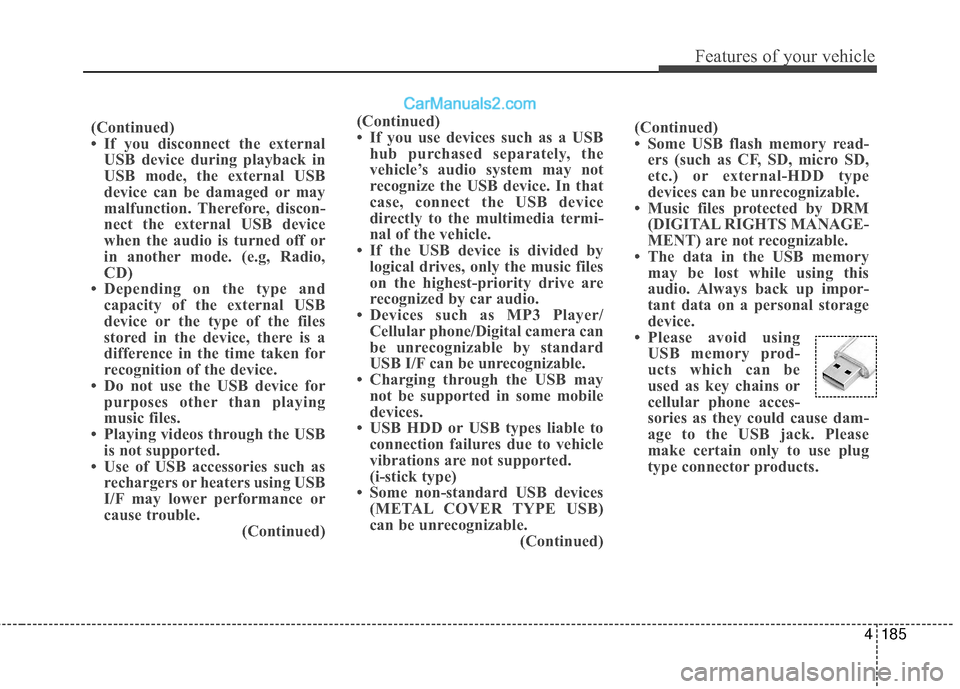
• Please avoid using USB memory prod-
ucts which can be
used as key chains or
cellular phone acces-
sories as they could cause dam-
age to the USB jack. Please
make certain only to use plug
type connector products.
(Continued)
• If you use devices such as a USB
hub purchased separately, the
vehicle’s audio system may not
recognize the USB device. In that
case, connect the USB device
directly to the multimedia termi-
nal of the vehicle.
• If the USB device is divided by logical drives, only the music files
on the highest-priority drive are
recognized by car audio.
• Devices such as MP3 Player/ Cellular phone/Digital camera can
be unrecognizable by standard
USB I/F can be unrecognizable.
• Charging through the USB may not be supported in some mobile
devices.
• USB HDD or USB types liable to connection failures due to vehicle
vibrations are not supported.
(i-stick type)
• Some non-standard USB devices (METAL COVER TYPE USB)
can be unrecognizable. (Continued)