Page 154 of 569
451
Features of your vehicle
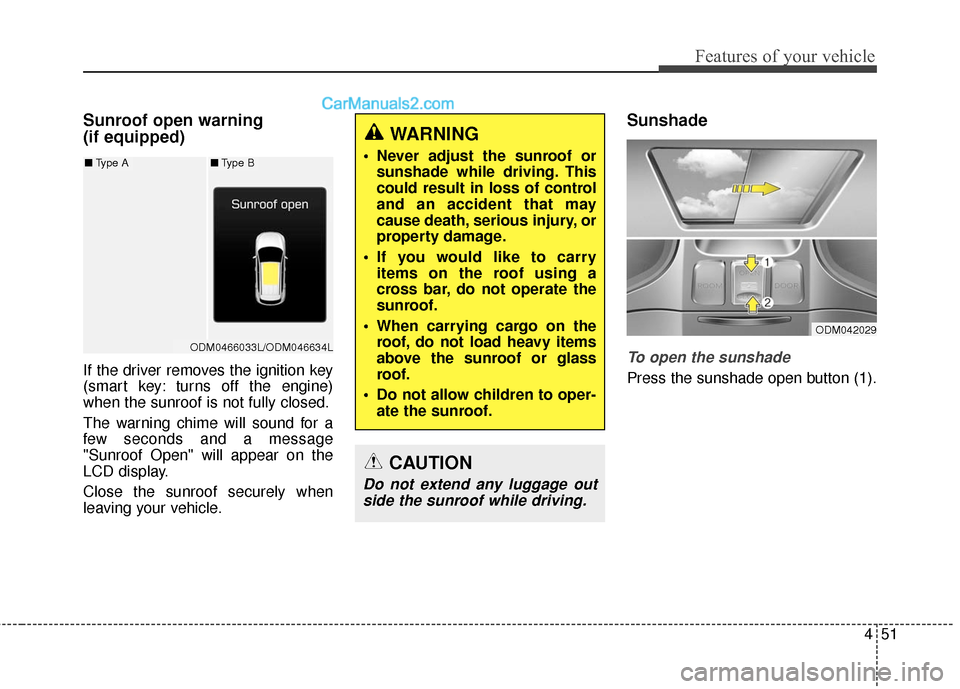
Sunroof open warning
(if equipped)
If the driver removes the ignition key
(smart key: turns off the engine)
when the sunroof is not fully closed.
The warning chime will sound for a
few seconds and a message
"Sunroof Open" will appear on the
LCD display.
Close the sunroof securely when
leaving your vehicle.
Sunshade
To open the sunshade
Press the sunshade open button (1).
WARNING
Never adjust the sunroof orsunshade while driving. This
could result in loss of control
and an accident that may
cause death, serious injury, or
property damage.
If you would like to carry items on the roof using a
cross bar, do not operate the
sunroof.
When carrying cargo on the roof, do not load heavy items
above the sunroof or glass
roof.
Do not allow children to oper- ate the sunroof.
CAUTION
Do not extend any luggage outside the sunroof while driving.
ODM042029
ODM0466033L/ODM046634L
■ Type A■Type B
Page 167 of 569
Features of your vehicle
64
4
Retain the original transmitter of the
RF device you are programming for
use in other vehicles as well as for
future HomeLink
®programming. It is
also suggested that upon the sale of
the vehicle, the programmed
HomeLink
®buttons be erased for
security purposes. Programming HomeLink
®
✽ ✽
NOTICE
• When programming a garage
door opener, it is advised to park
the vehicle outside of the garage.
• It is recommended that a new bat- tery be placed in the hand-held
transmitter of the device being
programmed to HomeLink
®for
quicker training and accurate
transmission of the radio-frequen-
cy signal.
• Some vehicles may require the ignition switch to be turned to the
second (or "accessories") position
for programming and/or opera-
tion of HomeLink.
• In the event that there are still pro- gramming difficulties or questions
after following the programming
steps listed below, contact
HomeLink
®at: www.homelink.com
or 1-800-355-3515.
WARNING
Before programming
HomeLink®to a garage door
opener or gate operator, make
sure that people and objects are
out of the way of the device to
prevent potential harm or dam-
age. Do not use HomeLink
®with
any garage door opener that
lacks the safety stop and
reverse features required by
U.S. federal safety standards
(this includes any garage door
opener model manufactured
before April 1, 1982). A garage
door that cannot detect an
object - signaling the door to
stop and reverse - does not
meet current U.S. federal safety
standards. Using a garage door
opener without these features
increases the risk of serious
injury or death.
Page 172 of 569
469
Features of your vehicle
Remote control
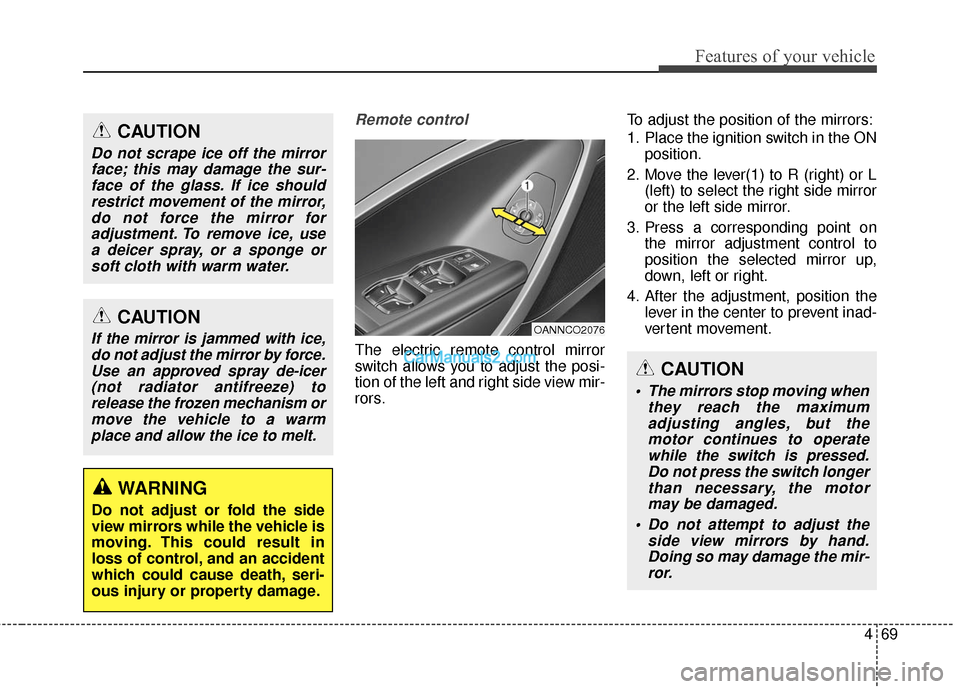
The electric remote control mirror
switch allows you to adjust the posi-
tion of the left and right side view mir-
rors.To adjust the position of the mirrors:
1. Place the ignition switch in the ON
position.
2. Move the lever(1) to R (right) or L (left) to select the right side mirror
or the left side mirror.
3. Press a corresponding point on the mirror adjustment control to
position the selected mirror up,
down, left or right.
4. After the adjustment, position the lever in the center to prevent inad-
vertent movement.
CAUTION
If the mirror is jammed with ice,do not adjust the mirror by force.Use an approved spray de-icer(not radiator antifreeze) torelease the frozen mechanism ormove the vehicle to a warmplace and allow the ice to melt.
WARNING
Do not adjust or fold the side
view mirrors while the vehicle is
moving. This could result in
loss of control, and an accident
which could cause death, seri-
ous injury or property damage.
CAUTION
Do not scrape ice off the mirrorface; this may damage the sur-face of the glass. If ice shouldrestrict movement of the mirror,do not force the mirror foradjustment. To remove ice, usea deicer spray, or a sponge orsoft cloth with warm water.
OANNCO2076
CAUTION
The mirrors stop moving when they reach the maximumadjusting angles, but themotor continues to operatewhile the switch is pressed.Do not press the switch longerthan necessary, the motormay be damaged.
Do not attempt to adjust the side view mirrors by hand.Doing so may damage the mir-ror.
Page 173 of 569
Features of your vehicle
70
4
Reverse parking aid function
(if equipped)
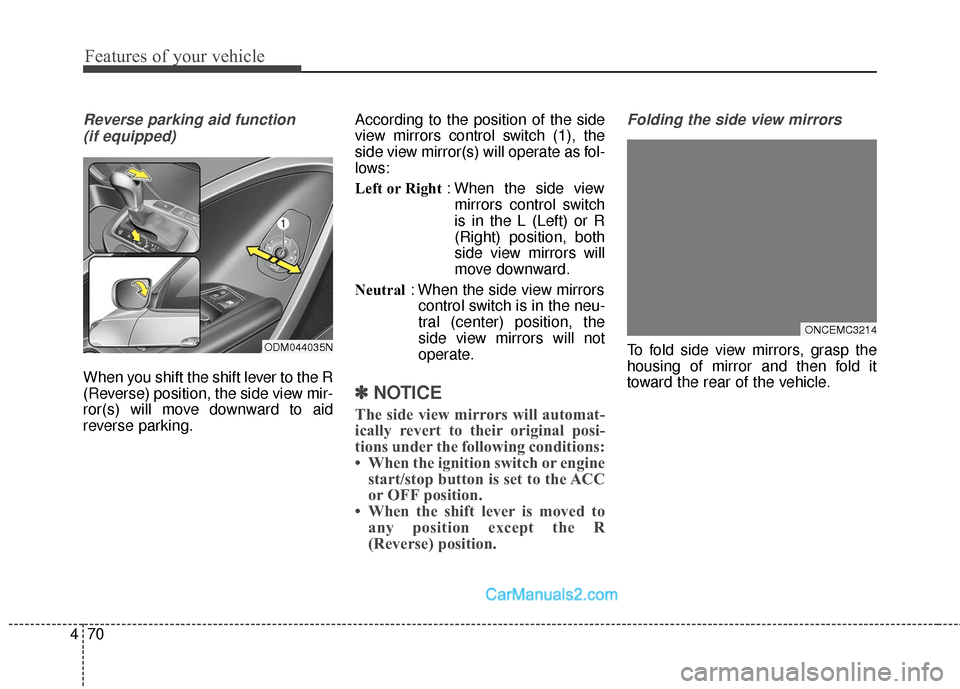
When you shift the shift lever to the R
(Reverse) position, the side view mir-
ror(s) will move downward to aid
reverse parking. According to the position of the side
view mirrors control switch (1), the
side view mirror(s) will operate as fol-
lows:
Left or Right
: When the side view
mirrors control switch
is in the L (Left) or R
(Right) position, both
side view mirrors will
move downward.
Neutral : When the side view mirrors
control switch is in the neu-
tral (center) position, the
side view mirrors will not
operate.
✽ ✽ NOTICE
The side view mirrors will automat-
ically revert to their original posi-
tions under the following conditions:
• When the ignition switch or engine
start/stop button is set to the ACC
or OFF position.
• When the shift lever is moved to any position except the R
(Reverse) position.
Folding the side view mirrors
To fold side view mirrors, grasp the
housing of mirror and then fold it
toward the rear of the vehicle.
ONCEMC3214
ODM044035N
Page 182 of 569
479
Features of your vehicle
A/V Mode
This mode displays the state of the
A/V system.
Service Mode
Service Interval
Service in
It calculates and displays when you
need a scheduled maintenance
service (mileage or days).
If the remaining mileage or time
reaches 900 mi. (1,500 km) or 30
days, "Service in" message is dis-
played for several seconds each time
you set the ignition switch or Engine
Start/Stop Button to the ON position.Service required
If you do not have your vehicle serv-
iced according to the pre-selected
service interval, "Service required"
message is displayed for several
seconds each time you set the igni-
tion switch or Engine Start/Stop
Button to the ON position (The
mileage and time changes to "---").
To reset the service interval to the
mileage and days you inputted before:
- Press the SELECT/RESET button
for more than 1 second.
OTLA045181/OTLA045182
■
Type A
■Type B
ODM046128N/ODM046166N
■
Type A
■Type B
ODM046613/ODM046612
■Type A ■Type B
Page 210 of 569
4107
Features of your vehicle
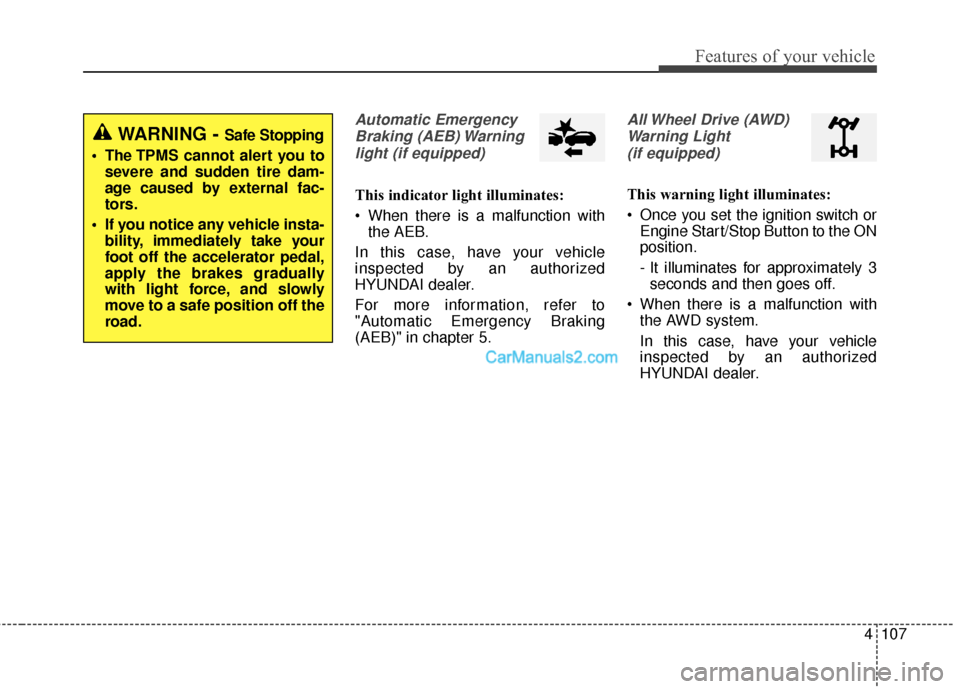
Automatic EmergencyBraking (AEB) Warninglight (if equipped)
This indicator light illuminates:
When there is a malfunction with the AEB.
In this case, have your vehicle
inspected by an authorized
HYUNDAI dealer.
For more information, refer to
"Automatic Emergency Braking
(AEB)" in chapter 5.
All Wheel Drive (AWD) Warning Light (if equipped)
This warning light illuminates:
Once you set the ignition switch or Engine Start/Stop Button to the ON
position.
- It illuminates for approximately 3seconds and then goes off.
When there is a malfunction with the AWD system.
In this case, have your vehicle
inspected by an authorized
HYUNDAI dealer.
WARNING - Safe Stopping
The TPMS cannot alert you to severe and sudden tire dam-
age caused by external fac-
tors.
If you notice any vehicle insta- bility, immediately take your
foot off the accelerator pedal,
apply the brakes gradually
with light force, and slowly
move to a safe position off the
road.
Page 212 of 569
4109
Features of your vehicle
ECO Indicator Light (if equipped)
This indicator light illuminates:
When you activate the Active ECO system by pressing the Active
ECO button.
For more details, refer to "Active
ECO System" in chapter 5.
SPORT Mode Indicator Light (if equipped)
This indicator light illuminates
When you select SPORT mode as drive mode.
For more details, refer to "Drive
Mode Integrated Control System" in
chapter 5.
Immobilizer Indicator Light (Without Smart Key)(if equipped)
This indicator light illuminates:
When the vehicle detects the immobilizer in your key properly
while the ignition switch is ON.
- At this time, you can start theengine.
- The indicator light goes off after starting the engine.
This indicator light blinks:
When there is a malfunction with the immobilizer system.
In this case, have your vehicle
inspected by an authorized
HYUNDAI dealer.
Immobilizer Indicator
Light (With Smart Key) (if equipped)
This indicator light illuminates for up
to 30 seconds:
When the vehicle detects the smart key in the vehicle properly
while the Engine Start/Stop Button
is ACC or ON.
- At this time, you can start theengine.
- The indicator light goes off after starting the engine.
This indicator light blinks for a few
seconds:
When the smart key is not in the vehicle.
- At this time, you can not start theengine.
Page 223 of 569
Features of your vehicle
120
4
Battery saver function
• The purpose of this feature is to
prevent the battery from being dis-
charged. The system automatically
turns off the parking lights when
the driver removes the ignition key
(smart key : turns off the engine)
and opens the driver-side door.
With this feature, the parking lights will be turned off automatically if
the driver parks on the side of the
road at night.
If necessary, to keep the lights on
when the ignition key is removed
(smart key : turns off the engine),
perform the following:
1) Open the driver-side door.
2) Turn the parking lights OFF and ON again using the light switch
on the steering column.
Headlamp delay (if equipped)
If you turn the ignition switch to the
ACC or OFF position with the head-
lights ON, the headlights remain on
for about 5 minutes. However, if the
driver’s door is opened and closed,
the headlights are turned off after 15
seconds.
The headlights can be turned off by
pressing the lock button on the trans-
mitter (or smart key) twice or turning
the light switch to the OFF or Auto
position.
However, if you turn the light switch
to the Auto position when it is dark
outside, the headlights will not be
turned off.
You can activate or deactivate this
feature. Refer to "User Settings" in
this section.
LIGHTING
CAUTION
If the driver gets out of the vehi-cle through other doors (otherthan the driver's door), the bat-tery saver function does notoperate and the headlamp delaydoes not turn off automatically.This will cause the battery to bedischarged. In this case, makesure to turn off the lamp beforegetting out of the vehicle.