2017 Hyundai Ioniq Hybrid charging
[x] Cancel search: chargingPage 17 of 553
H2
HHEEVV (( HH YY BBRRIIDD EE LLEE CCTT RR IICC VV EEHH IICC LLEE )) SS YY SSTT EEMM
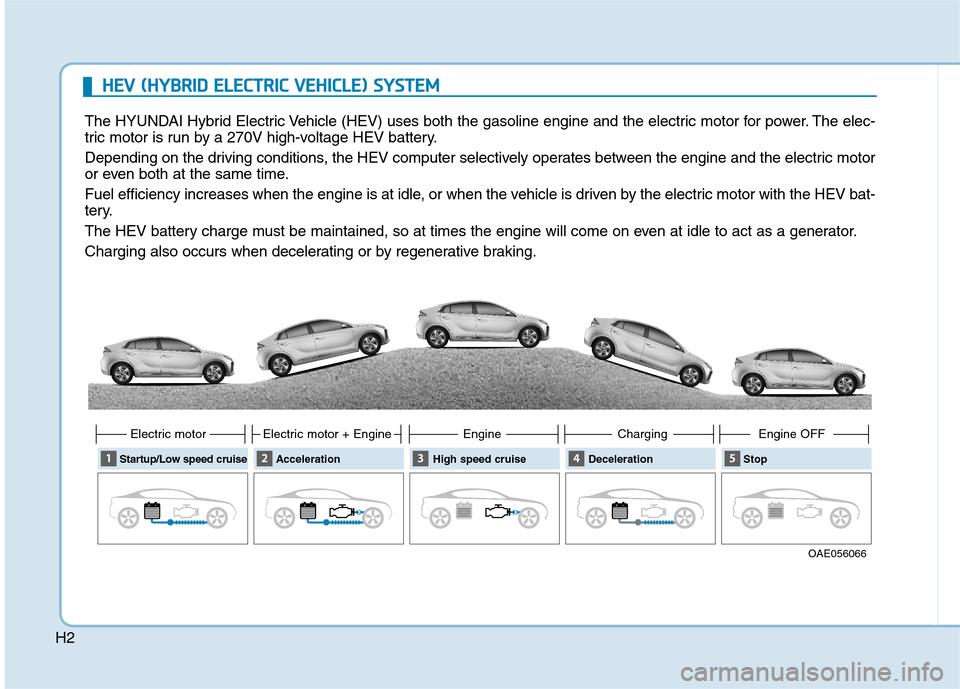
The HYUNDAI Hybrid Electric Vehicle (HEV) uses both the gasoline engine and the electric motor for power. The elec-
tric motor is run by a 270V high-voltage HEV battery.
Depending on the driving conditions, the HEV computer selectively operates between the engine and the electric motor
or even both at the same time.
Fuel efficiency increases when the engine is at idle, or when the vehicle is driven by the electric motor with the HEV bat-
tery.
The HEV battery charge must be maintained, so at times the engine will come on even at idle to act as a generator.
Charging also occurs when decelerating or by regenerative braking.
OAE056066
Startup/Low speed cruise
Electric motor
AccelerationElectric motor + Engine High speed cruiseEngineDecelerationCharging Stop Engine OFF
Page 105 of 553
Convenient features of your vehicle
3
Interior features ..............................................3-132Ashtray ...........................................................................3-132
Cup holder.......................................................................3-132
Sunvisor ...........................................................................3-133
Power outlet .................................................................3-134
USB charger ...................................................................3-135
Wireless cellular phone charging system ..............3-135
Cigarette lighter ...........................................................3-137
Clock .................................................................................3-137
Clothes hanger .............................................................3-138
Floor mat anchor(s) ....................................................3-138
Luggage net (holder) ...................................................3-139
3
Page 156 of 553
3-54
Convenient features of your vehicle
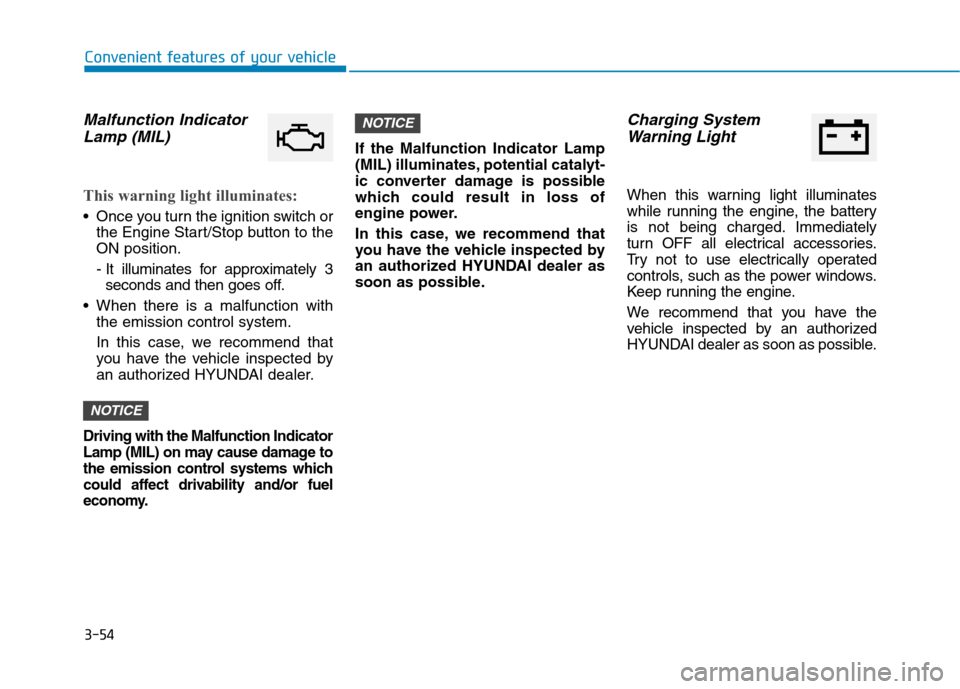
Malfunction IndicatorLamp (MIL)
This warning light illuminates:
Once you turn the ignition switch or the Engine Start/Stop button to the ON position.
- It illuminates for approximately 3seconds and then goes off.
When there is a malfunction with the emission control system.
In this case, we recommend that
you have the vehicle inspected by
an authorized HYUNDAI dealer.
Driving with the Malfunction Indicator
Lamp (MIL) on may cause damage to
the emission control systems which
could affect drivability and/or fuel
economy.
If the Malfunction Indicator Lamp
(MIL) illuminates, potential catalyt-
ic converter damage is possible
which could result in loss of
engine power.
In this case, we recommend that
you have the vehicle inspected by
an authorized HYUNDAI dealer as
soon as possible.
Charging System
Warning Light
When this warning light illuminates
while running the engine, the battery
is not being charged. Immediately
turn OFF all electrical accessories.
Try not to use electrically operated
controls, such as the power windows.
Keep running the engine.
We recommend that you have the
vehicle inspected by an authorized
HYUNDAI dealer as soon as possible.
NOTICE
NOTICE
Page 179 of 553
3-77
Convenient features of your vehicle
3
- On Shift to P: All doors will be auto-matically unlocked if the automatic
transmission shift lever is shifted to
the P (Park) position.
To activate or deactivate the horn
feedback.
If the horn feedback is activated,
after locking the door by pressing the
lock button on the remote key, and
pressing it again within 4 seconds,
the horn feedback sound will operateonce to indicate that all doors are
locked.
3. Lights
- Off: The one touch turn signal func- tion will be deactivated.
- 3, 5, 7 Flashes: The turn signal indi- cator will blink 3, 5, or 7 times when
the turn signal lever is moved slightly.
For more information, refer to
"Light" in this chapter.
To activate or deactivate the head-
lamp delay function.
For more information, refer to
"Light" in this chapter
4. Sound
- Level 1~3
To adjust the Park Assist System
volume.
5. Convenience
- Off: The seat easy access function is deactivated.
- Normal/Extended: When you turn off the engine, the driver's seat will
automatically move rearward short
(Normal) or long (Extended) for you
to enter or exit the vehicle more
comfortably.
For more information, refer to
"Driver Position Memory System"
in this chapter.
To activate or deactivate the wireless charging system in the front seat.
For more information, refer to
"Wireless Charging System" in
this chapter.
To activate or deactivate the Wiper/
Light mode.
When activated, the LCD display
shows the selected Wiper/Light
mode whenever you change the
mode.
To activate or deactivate the gear
position pop-up.
When activated, the gear position
will be displayed on the LCD display.
6. Service Interval
To activate or deactivate the service
interval function.
Page 186 of 553
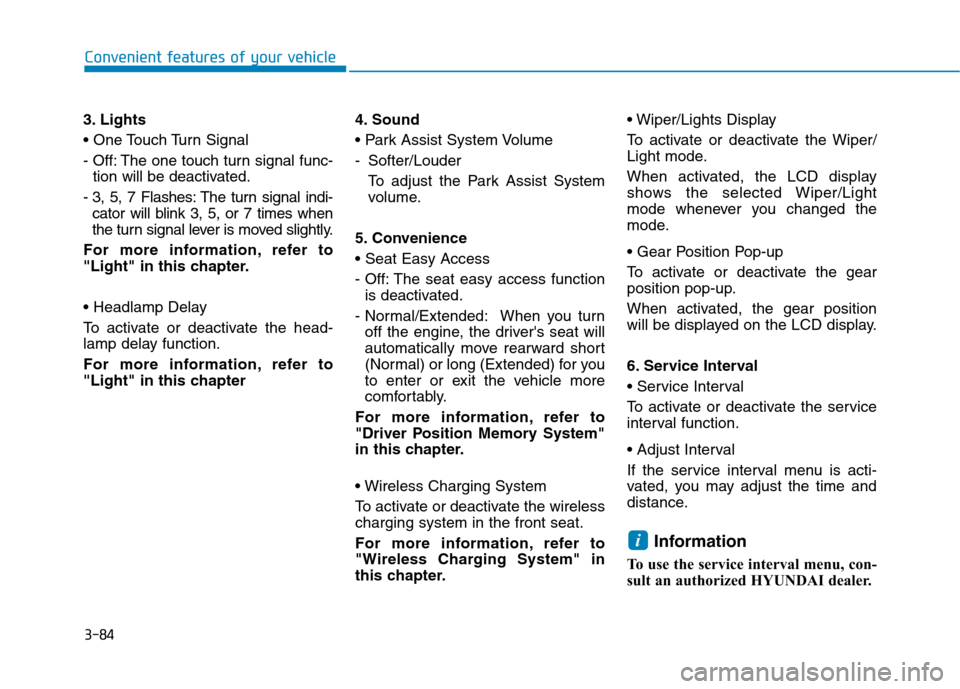
3-84
Convenient features of your vehicle
3. Lights
- Off: The one touch turn signal func-tion will be deactivated.
- 3, 5, 7 Flashes: The turn signal indi- cator will blink 3, 5, or 7 times when
the turn signal lever is moved slightly.
For more information, refer to
"Light" in this chapter.
To activate or deactivate the head-
lamp delay function.
For more information, refer to
"Light" in this chapter 4. Sound
- Softer/Louder
To adjust the Park Assist System
volume.
5. Convenience
- Off: The seat easy access function is deactivated.
- Normal/Extended: When you turn off the engine, the driver's seat will
automatically move rearward short
(Normal) or long (Extended) for you
to enter or exit the vehicle more
comfortably.
For more information, refer to
"Driver Position Memory System"
in this chapter.
To activate or deactivate the wireless charging system in the front seat.
For more information, refer to
"Wireless Charging System" in
this chapter.
To activate or deactivate the Wiper/
Light mode.
When activated, the LCD display
shows the selected Wiper/Light
mode whenever you changed the
mode.
To activate or deactivate the gear
position pop-up.
When activated, the gear position
will be displayed on the LCD display.
6. Service Interval
To activate or deactivate the service
interval function.
If the service interval menu is acti-
vated, you may adjust the time and
distance.
Information
To use the service interval menu, con-
sult an authorized HYUNDAI dealer.
i
Page 201 of 553

3-99
Convenient features of your vehicle
3
Front Door Lamp ( ):
The front or rear room lamps come on when the front or rear doors are
opened if the engine is running or not.
When doors are unlocked by the
remote key or smart key, the front and
rear lamps come on for approximate-
ly 30 seconds as long as any door is
not opened. The front and rear room
lamps go out gradually after approxi-mately 30 seconds if the door is
closed. However, if the ignition switchis in the ON position or all doors are
locked, the front and rear lamps will
turn off. If a door is opened with the
ignition switch in the ACC position orthe OFF position, the front and rear
lamps stay on for about 20 minutes.
Front room lamp
Press the button to turn ON the
room lamp for the front/rear seats.
Re-press the button to turn OFF
the room lamp.
Press the button to turn OFF the
room lamp for the front/rear seats.
Rear lamps
Rear Room Lamp Switch ( ):
Press this button to turn the room
lamp on and off.
Do not leave the lamp switches on
for an extended period of time
when the engine is turned off.
Tailgate room lamp
The tailgate room lamp comes onwhen the tailgate is opened. The tailgate lamp comes on as
long as the tailgate lid is open. To
prevent unnecessary charging
system drain, close the tailgate lid
securely after using the tailgate.
NOTICE
NOTICE
OAE046418
■Type A
■Type BOAE046445
OAEE046421
Page 237 of 553
3-135
Convenient features of your vehicle
3
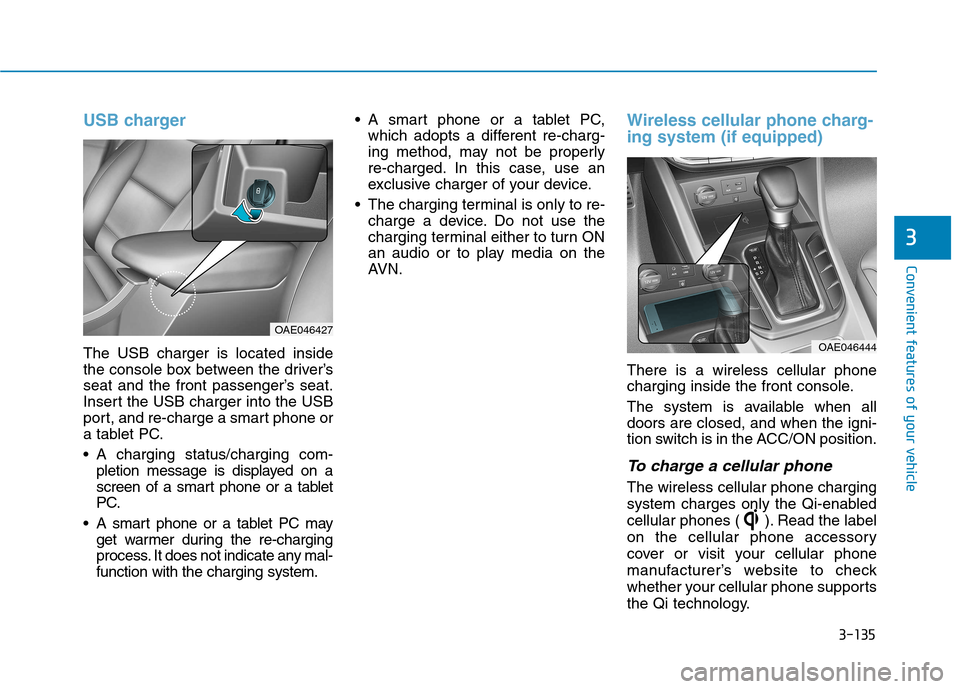
USB charger
The USB charger is located inside
the console box between the driver’s
seat and the front passenger’s seat.
Insert the USB charger into the USB
port, and re-charge a smart phone or
a tablet PC.
A charging status/charging com-pletion message is displayed on a
screen of a smart phone or a tablet
PC.
A smart phone or a tablet PC may get warmer during the re-charging
process. It does not indicate any mal-function with the charging system. A smart phone or a tablet PC,
which adopts a different re-charg-
ing method, may not be properly
re-charged. In this case, use an
exclusive charger of your device.
The charging terminal is only to re- charge a device. Do not use the
charging terminal either to turn ON
an audio or to play media on the
AVN.
Wireless cellular phone charg- ing system (if equipped)
There is a wireless cellular phone
charging inside the front console.
The system is available when all doors are closed, and when the igni-
tion switch is in the ACC/ON position.
To charge a cellular phone
The wireless cellular phone charging
system charges only the Qi-enabled
cellular phones ( ). Read the label
on the cellular phone accessory
cover or visit your cellular phone
manufacturer’s website to check
whether your cellular phone supports
the Qi technology.
OAE046444
OAE046427
Page 238 of 553

3-136
Convenient features of your vehicle
The wireless charging process starts
when you put a Qi-enabled cellularphone on the wireless charging unit.
1. Remove other items, including thesmart key, from the wireless charg-
ing unit. If not, the wireless charg-
ing process may be interrupted.
2. The indicator illuminates in orange during the charging process. The
indicator color changes to green,when the charging process iscompleted.
3. You can turn ON or OFF the wire- less charging function in the user
settings mode on the instrument
cluster. (For further information,
refer to the “LCD Modes” in this
chapter.)
Slightly change the cellular phoneposition, when the cellular phone is
not being charged. Make sure that
the indicator illuminates in orange.
The indicator color may not change
to green in accordance with the cel-
lular phone type, even though the
charging process is completed. The
indicator blinks in orange for 10 sec-onds when there is a malfunctionwith the wireless charging system. In this case, temporarily stop the
charging process, and re-attempt to
wirelessly charge your cellular phoneagain.
The system warns you with a mes-
sage on the LCD display when you do
not take out the cellular phone fromthe wireless charging unit with thefront door open and the Engine
Start/Stop button in the OFF position.
The wireless cellular phone
charging system may not sup-
port certain cellular phones,
which are not verified for the Qi
specification ( ).
Locate your cell phone well in the middle of the wireless cellular
phone charging system. Even
when your cell phone locates
slightly to one side, the charging
speed may decrease.
The wireless charging process may temporarily stop, when a
smart key function operates (i.e.
starting the engine, opening the
doors, closing the doors). For certain cell phones, the indi-
cator color may not change to
green, even when the wireless
charging process is properlycompleted.
The wireless charging process may temporarily stop, when tempera-
ture abnormally increases inside
the wireless cellular phone charg-
ing system. The wireless charging
process restarts, when tempera-
ture falls to a proper level.
The wireless charging process may temporarily stop when there
is any metallic item, such as a
coin, between the wireless cellu-
lar phone charging system and a
cellular phone.
NOTICE