Page 190 of 553
3-88
Convenient features of your vehicle
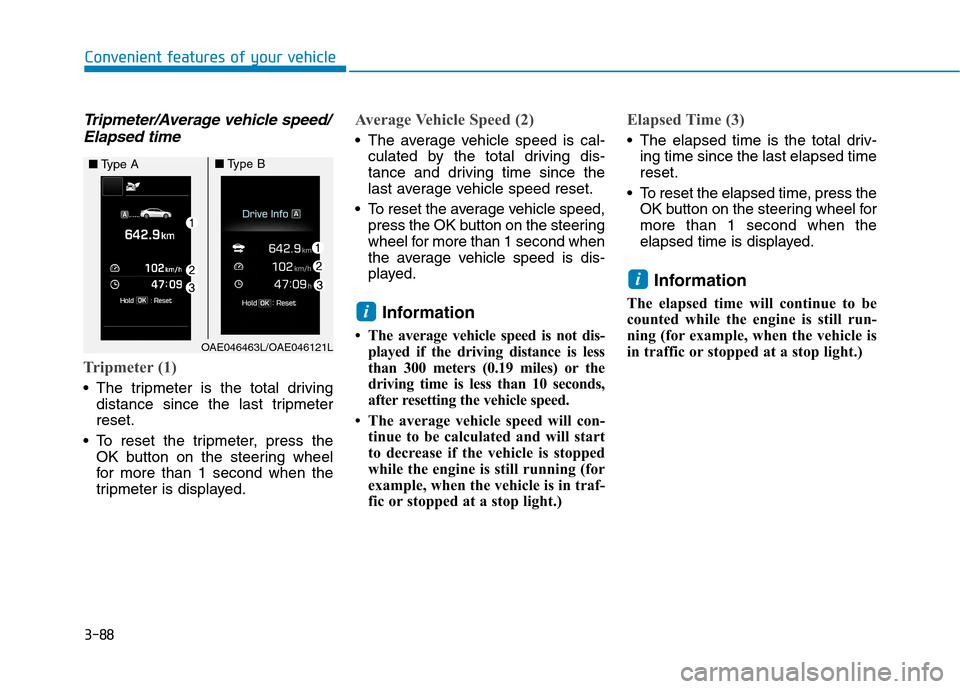
Tripmeter/Average vehicle speed/Elapsed time
Tripmeter (1)
The tripmeter is the total driving distance since the last tripmeter reset.
To reset the tripmeter, press the OK button on the steering wheel
for more than 1 second when the
tripmeter is displayed.
Average Vehicle Speed (2)
The average vehicle speed is cal-culated by the total driving dis-
tance and driving time since the
last average vehicle speed reset.
To reset the average vehicle speed, press the OK button on the steering
wheel for more than 1 second when
the average vehicle speed is dis-
played.
Information
The average vehicle speed is not dis- played if the driving distance is less
than 300 meters (0.19 miles) or the
driving time is less than 10 seconds,
after resetting the vehicle speed.
The average vehicle speed will con- tinue to be calculated and will start
to decrease if the vehicle is stopped
while the engine is still running (for
example, when the vehicle is in traf-
fic or stopped at a stop light.)
Elapsed Time (3)
The elapsed time is the total driv-ing time since the last elapsed time reset.
To reset the elapsed time, press the OK button on the steering wheel formore than 1 second when the
elapsed time is displayed.
Information
The elapsed time will continue to be
counted while the engine is still run-
ning (for example, when the vehicle is
in traffic or stopped at a stop light.)
i
i
OAE046463L/OAE046121L
■ Type A■Type B
Page 191 of 553
3-89
Convenient features of your vehicle
3
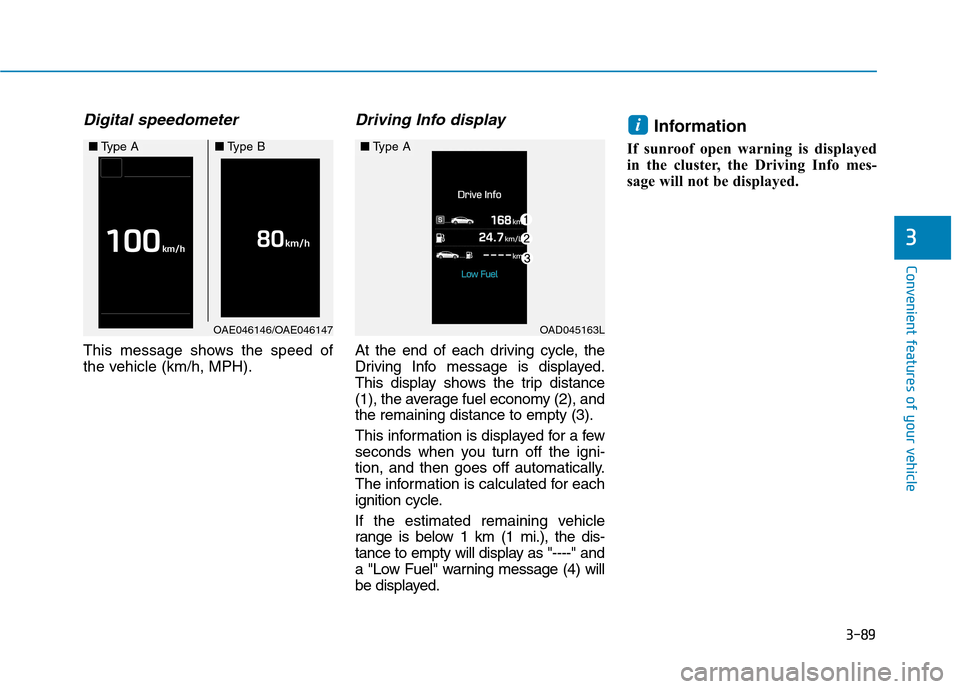
Digital speedometer
This message shows the speed of
the vehicle (km/h, MPH).
Driving Info display
At the end of each driving cycle, the
Driving Info message is displayed.
This display shows the trip distance
(1), the average fuel economy (2), andthe remaining distance to empty (3).
This information is displayed for a few
seconds when you turn off the igni-
tion, and then goes off automatically.
The information is calculated for each
ignition cycle.
If the estimated remaining vehicle
range is below 1 km (1 mi.), the dis-
tance to empty will display as "----" and
a "Low Fuel" warning message (4) will
be displayed.Information
If sunroof open warning is displayed
in the cluster, the Driving Info mes-
sage will not be displayed.
i
OAE046146/OAE046147
■ Type A■Type B
OAD045163L
■Type A
Page 192 of 553
3-90
Convenient features of your vehicle
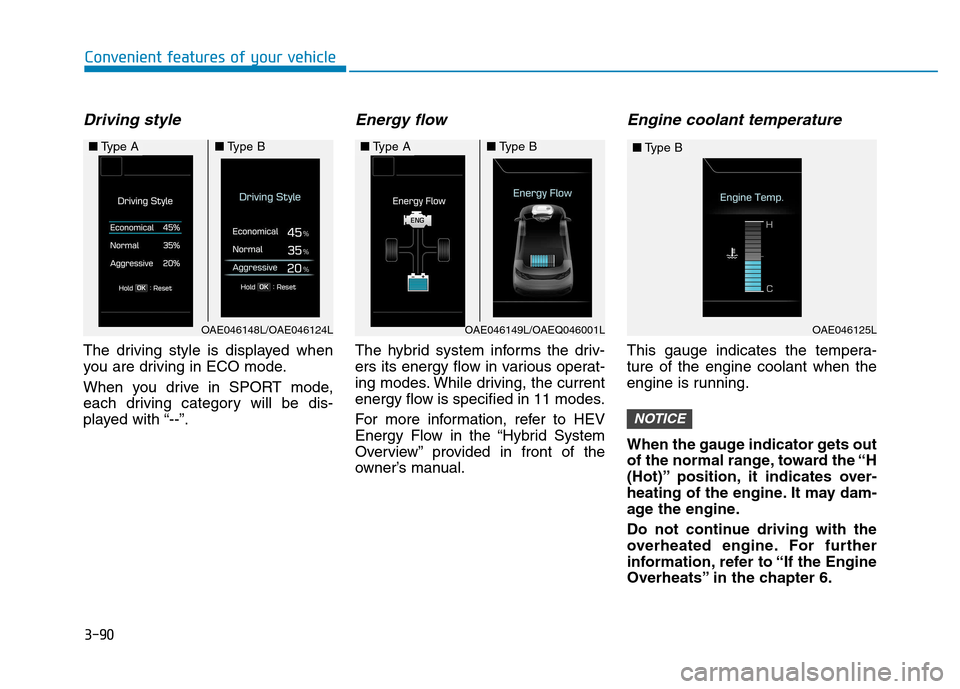
Driving style
The driving style is displayed when
you are driving in ECO mode.
When you drive in SPORT mode,
each driving category will be dis-
played with “--”.
Energy flow
The hybrid system informs the driv-
ers its energy flow in various operat-
ing modes. While driving, the current
energy flow is specified in 11 modes.
For more information, refer to HEV
Energy Flow in the “Hybrid System
Overview” provided in front of the
owner’s manual.
Engine coolant temperature
This gauge indicates the tempera-ture of the engine coolant when the
engine is running.
When the gauge indicator gets out
of the normal range, toward the “H
(Hot)” position, it indicates over-
heating of the engine. It may dam-
age the engine.
Do not continue driving with the
overheated engine. For further
information, refer to “If the Engine
Overheats” in the chapter 6.
NOTICE
OAE046148L/OAE046124L
■Type A■Type B■Type A■Type B
OAE046125L
■Type B
OAE046149L/OAEQ046001L
Page 193 of 553

3-91
Convenient features of your vehicle
3
Exterior lights
Lighting control
To operate the lights, turn the knob at
the end of the control lever to one of
the following positions: (1) OFF (O) position
(2) AUTO light position
(3) Position lamp position(4) Headlamp position
AUTO light position
When the light switch is in the AUTO position, the position lamp and head-
lamp will be turned ON or OFF auto-matically depending on the amount
of light outside the vehicle.Even with the AUTO light feature in
operation, it is recommended to
manually turn ON the lamps when
driving at night or in a fog, or when
you enter dark areas, such as tun-
nels and parking facilities.
• Do not cover or spill anything on
the sensor (1) located on the instrument panel.
Do not clean the sensor using a window cleaner, the cleanser
may leave a light film which
could interfere with sensor oper-ation.
If your vehicle has window tint or other types of metallic coat-
ing on the front windshield, the
AUTO light system may not work
properly.
NOTICE
LLIIGG HH TT
OAE046448L
OAE046449L
■Type A
■Type B
OAE046450L
OAE046451L
■
Type A
■ Type B
Page 194 of 553
3-92
Convenient features of your vehicle
Position lamp position ( )
The position lamp, license plate lamp
and instrument panel lamp are turnedON.
Headlamp position ( )
The headlamp, position lamp, license
plate lamp and instrument panel
lamp are turned ON.
Information
The ignition switch must be in the ON
position to turn on the headlamp.
High beam operation
To turn on the high beam headlamp,
push the lever away from you. The
lever will return to its original position. The high beam indicator will light when the headlamp high beams are
switched on.
i
OAE046468L
OAE046469L
■ Type A
■Type BOAE046466L
OAE046467L
■Type A
■Type BOAE046452L
OAE046453L
■Type A
■Type B
Page 195 of 553
3-93
Convenient features of your vehicle
3
To turn off the high beam headlamp,
pull the lever towards you. The low
beams will turn on.To flash the high beam headlamp,
pull the lever towards you, then
release the lever. The high beams
will remain ON as long as you hold
the lever towards you.Turn signals and lane changesignals
To signal a turn, push down on the
lever for a left turn or up for a right
turn in position (A). To signal a lane
change, move the turn signal leverslightly and hold it in position (B).
Do not use high beam when there
are other vehicles approaching
you. Using high beam couldobstruct the other driver's vision.
WARNING
OAE046454L
OAE046455L
■
Type A
■Type B
OAE046456L
OAE046457L
■
Type A
■ Type B
Page 196 of 553
3-94
Convenient features of your vehicle
The lever will return to the OFF posi-
tion when released or when the turnis completed.
If an indicator stays on and does not
flash or if it flashes abnormally, one of
the turn signal bulbs may be burnedout and will require replacement.
One-touch turn signal function
To activate an one-touch turn signal
function, move the turn signal lever
slightly and then release it. The lane
change signals will blink 3, 5 or 7
times.
You can activate/deactivate the One
Touch Turn Signal function or choose
the number of blinking (3, 5, or 7)from the User Settings Mode on the
LCD display.For more details, refer
to "LCD Display" in this chapter.
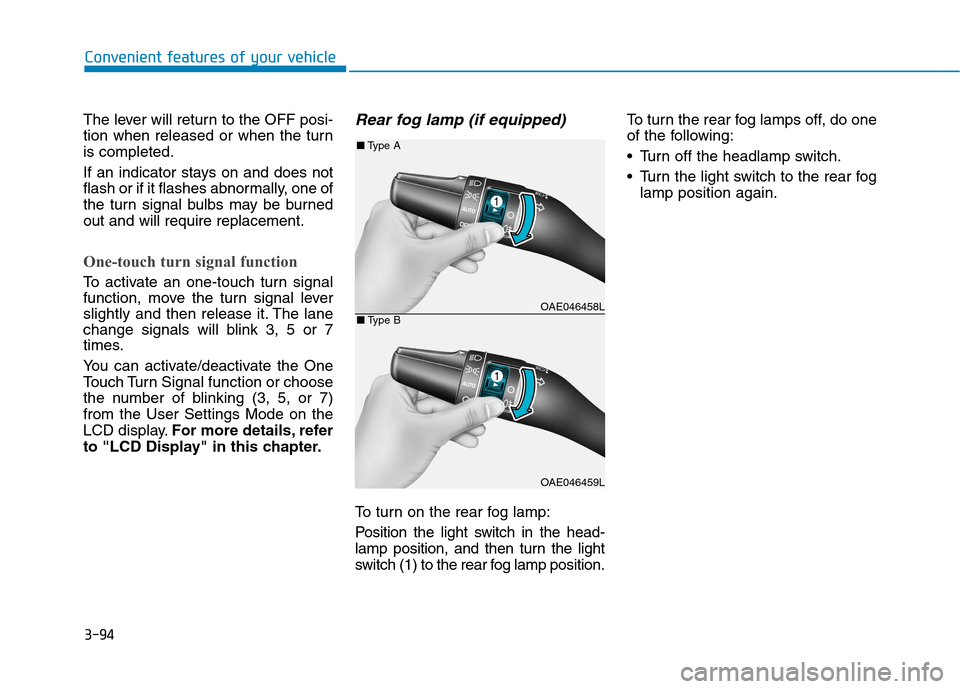
Rear fog lamp (if equipped)
To turn on the rear fog lamp:
Position the light switch in the head-
lamp position, and then turn the light
switch (1) to the rear fog lamp position. To turn the rear fog lamps off, do one
of the following:
• Turn off the headlamp switch.
Turn the light switch to the rear fog
lamp position again.
OAE046458L
OAE046459L
■Type A
■Type B
Page 198 of 553
3-96
Convenient features of your vehicle
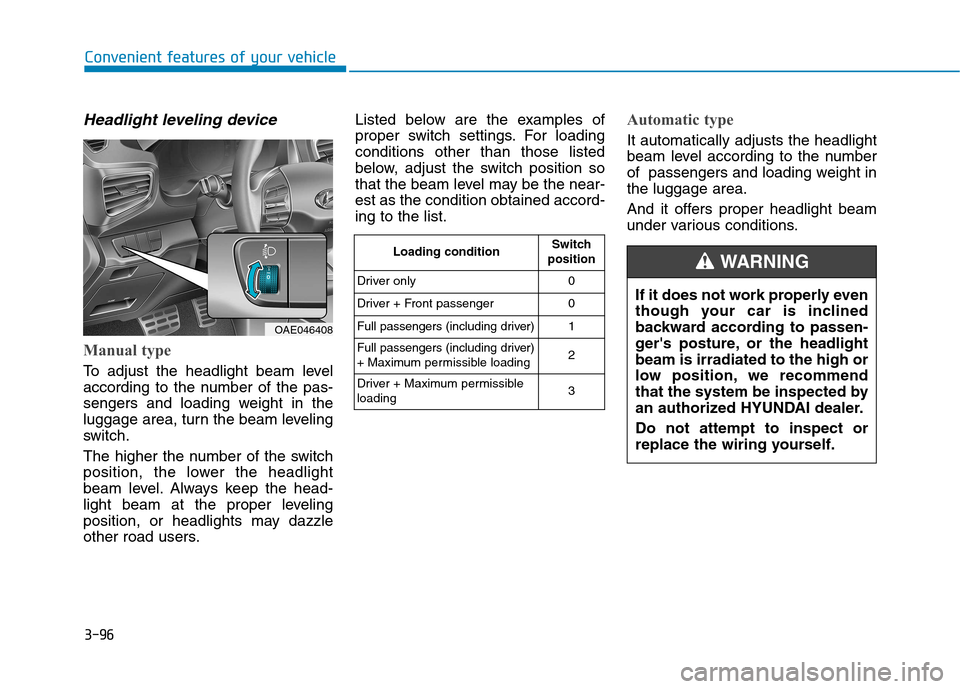
Headlight leveling device
Manual type
To adjust the headlight beam level
according to the number of the pas-
sengers and loading weight in the
luggage area, turn the beam leveling
switch.
The higher the number of the switch
position, the lower the headlight
beam level. Always keep the head-
light beam at the proper leveling
position, or headlights may dazzle
other road users.Listed below are the examples of
proper switch settings. For loadingconditions other than those listed
below, adjust the switch position so
that the beam level may be the near-est as the condition obtained accord-ing to the list.
Automatic type
It automatically adjusts the headlight
beam level according to the number
of passengers and loading weight inthe luggage area.
And it offers proper headlight beam
under various conditions.
OAE046408
Loading condition
Switch
position
Driver only 0
Driver + Front passenger 0
Full passengers (including driver) 1
Full passengers (including driver)
+ Maximum permissible loading 2
Driver + Maximum permissibleloading 3
If it does not work properly even
though your car is inclined
backward according to passen-
ger's posture, or the headlightbeam is irradiated to the high or
low position, we recommend
that the system be inspected by
an authorized HYUNDAI dealer. Do not attempt to inspect or
replace the wiring yourself.
WARNING