Page 156 of 586
3-62
Convenient features of your vehicle
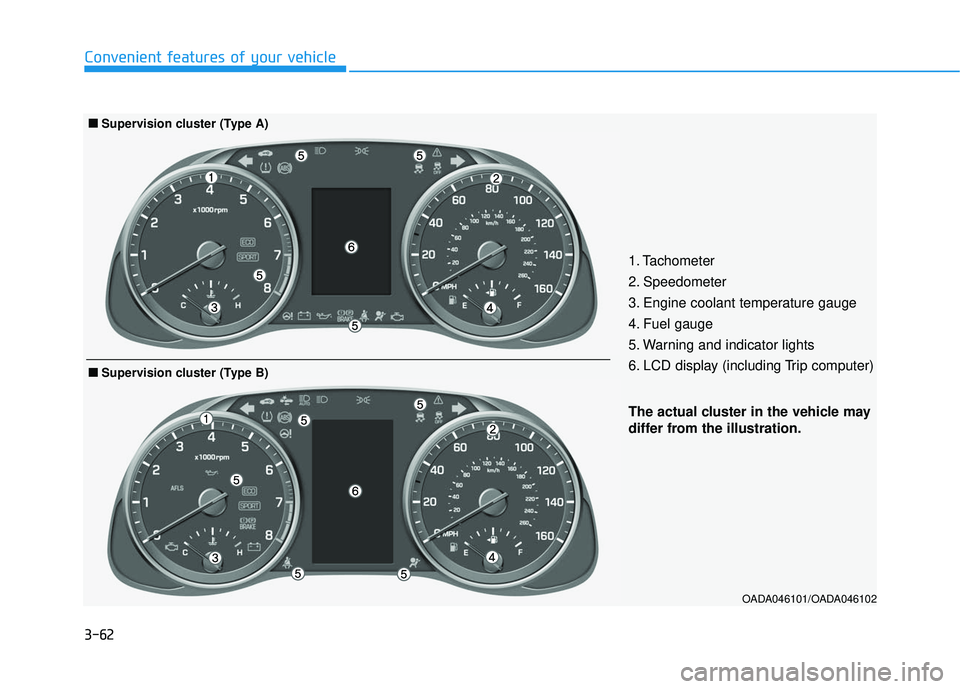
OADA046101/OADA046102
The actual cluster in the vehicle may
differ from the illustration.
■
■Supervision cluster (Type B)
1. Tachometer
2. Speedometer
3. Engine coolant temperature gauge
4. Fuel gauge
5. Warning and indicator lights
6. LCD display (including Trip computer)
■ ■Supervision cluster (Type A)
Page 160 of 586
3-66
Convenient features of your vehicle
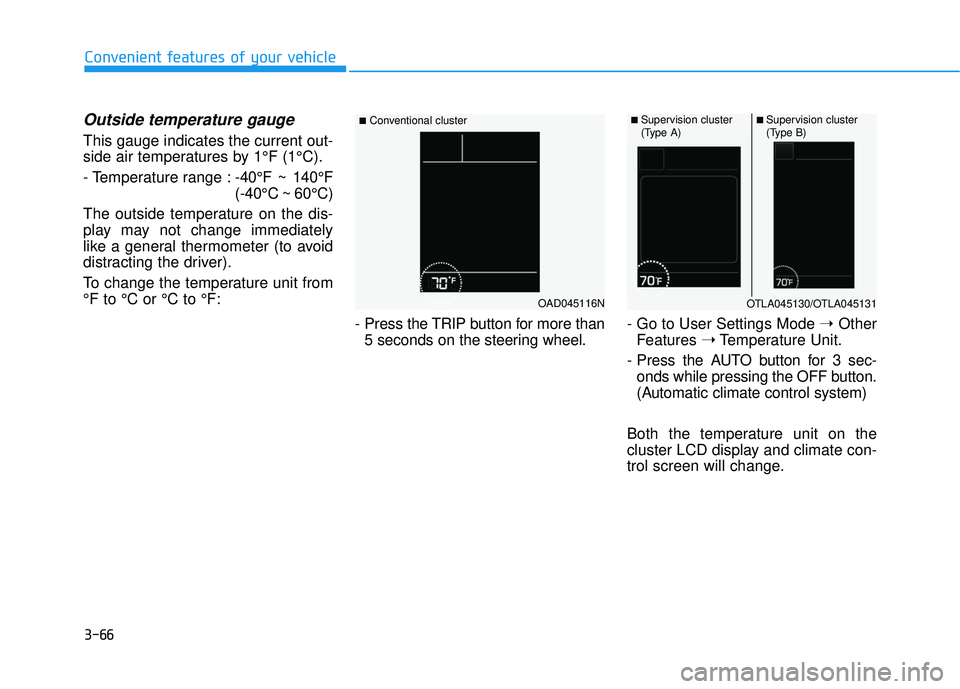
Outside temperature gauge
This gauge indicates the current out-
side air temperatures by 1°F (1°C).
- Temperature range :-40°F ~ 140°F
(-40°C ~ 60°C)
The outside temperature on the dis-
play may not change immediately
like a general thermometer (to avoid
distracting the driver).
To change the temperature unit from
°F to °C or °C to °F:
- Press the TRIP button for more than5 seconds on the steering wheel. - Go to User Settings Mode
➝Other
Features ➝Temperature Unit.
- Press the AUTO button for 3 sec- onds while pressing the OFF button.
(Automatic climate control system)
Both the temperature unit on the
cluster LCD display and climate con-
trol screen will change.
OAD045116N
■Conventional cluster■ Supervision cluster
(Type A)■ Supervision cluster
(Type B)
OTLA045130/OTLA045131
Page 168 of 586
3-74
Convenient features of your vehicle
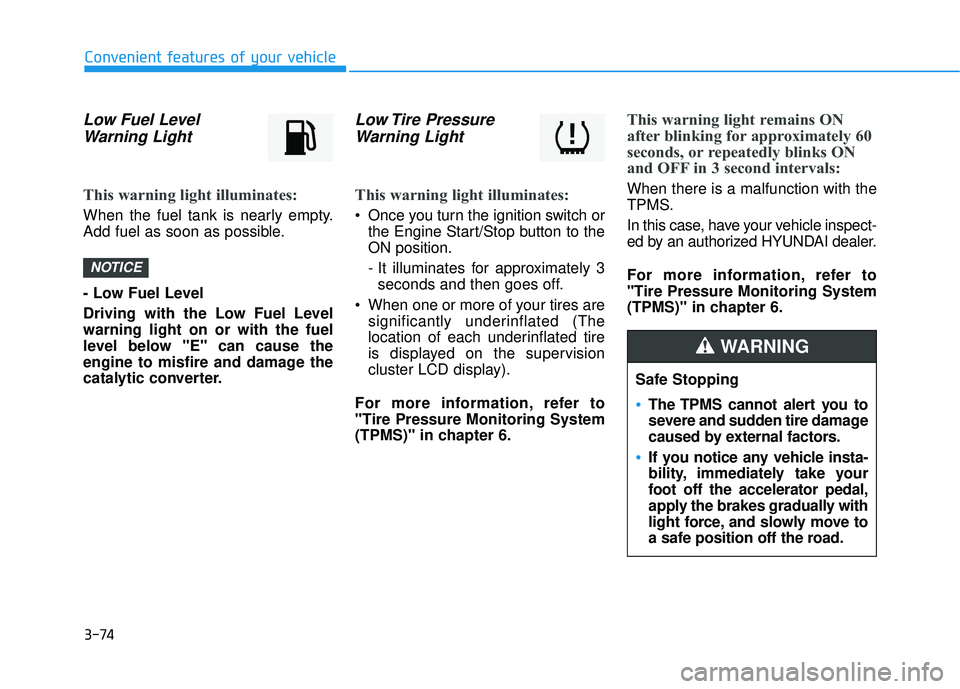
Low Fuel LevelWarning Light
This warning light illuminates:
When the fuel tank is nearly empty.
Add fuel as soon as possible.
- Low Fuel Level
Driving with the Low Fuel Level
warning light on or with the fuel
level below "E" can cause the
engine to misfire and damage the
catalytic converter.
Low Tire PressureWarning Light
This warning light illuminates:
Once you turn the ignition switch or
the Engine Start/Stop button to the
ON position.
- It illuminates for approximately 3seconds and then goes off.
When one or more of your tires are significantly underinflated (The
location of each underinflated tire
is displayed on the supervision
cluster LCD display).
For more information, refer to
"Tire Pressure Monitoring System
(TPMS)" in chapter 6.
This warning light remains ON
after blinking for approximately 60
seconds, or repeatedly blinks ON
and OFF in 3 second intervals:
When there is a malfunction with the
TPMS.
In this case, have your vehicle inspect-
ed by an authorized HYUNDAI dealer.
For more information, refer to
"Tire Pressure Monitoring System
(TPMS)" in chapter 6.
NOTICE
Safe Stopping
The TPMS cannot alert you to
severe and sudden tire damage
caused by external factors.
If you notice any vehicle insta-
bility, immediately take your
foot off the accelerator pedal,
apply the brakes gradually with
light force, and slowly move to
a safe position off the road.
WARNING
Page 170 of 586
3-76
Convenient features of your vehicle
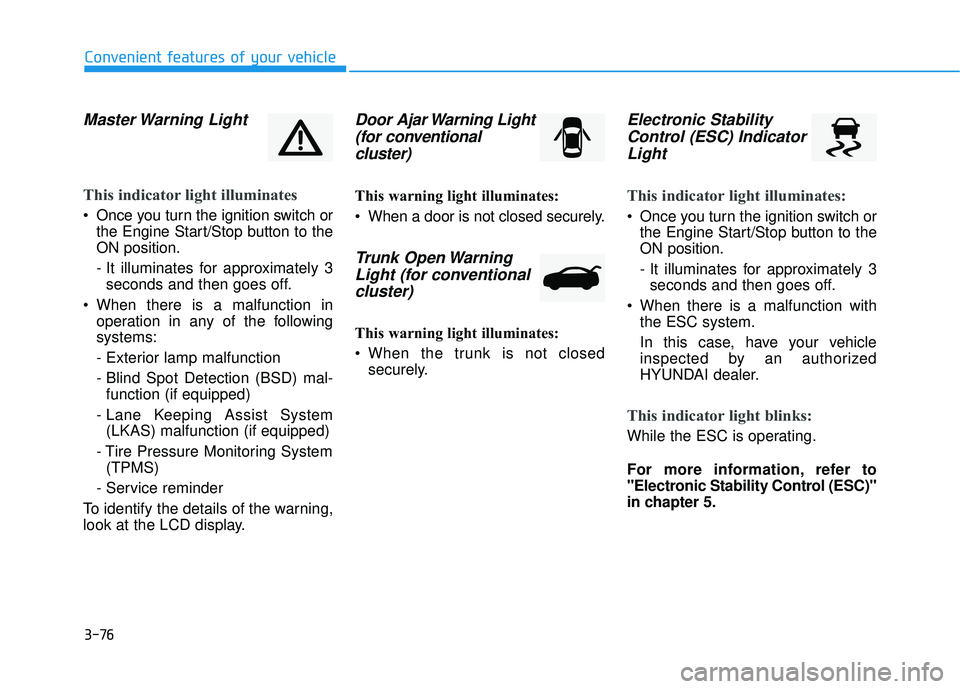
Master Warning Light
This indicator light illuminates
Once you turn the ignition switch orthe Engine Start/Stop button to the
ON position.
- It illuminates for approximately 3seconds and then goes off.
When there is a malfunction in operation in any of the following
systems:
- Exterior lamp malfunction
- Blind Spot Detection (BSD) mal-function (if equipped)
- Lane Keeping Assist System (LKAS) malfunction (if equipped)
- Tire Pressure Monitoring System (TPMS)
- Service reminder
To identify the details of the warning,
look at the LCD display.
Door Ajar Warning Light (for conventional cluster)
This warning light illuminates:
When a door is not closed securely.
Trunk Open WarningLight (for conventional cluster)
This warning light illuminates:
When the trunk is not closed
securely.
Electronic StabilityControl (ESC) IndicatorLight
This indicator light illuminates:
Once you turn the ignition switch or
the Engine Start/Stop button to the
ON position.
- It illuminates for approximately 3seconds and then goes off.
When there is a malfunction with the ESC system.
In this case, have your vehicle
inspected by an authorized
HYUNDAI dealer.
This indicator light blinks:
While the ESC is operating.
For more information, refer to
"Electronic Stability Control (ESC)"
in chapter 5.
Page 174 of 586
3-80
Convenient features of your vehicle
LCD Display Messages
(if equipped)
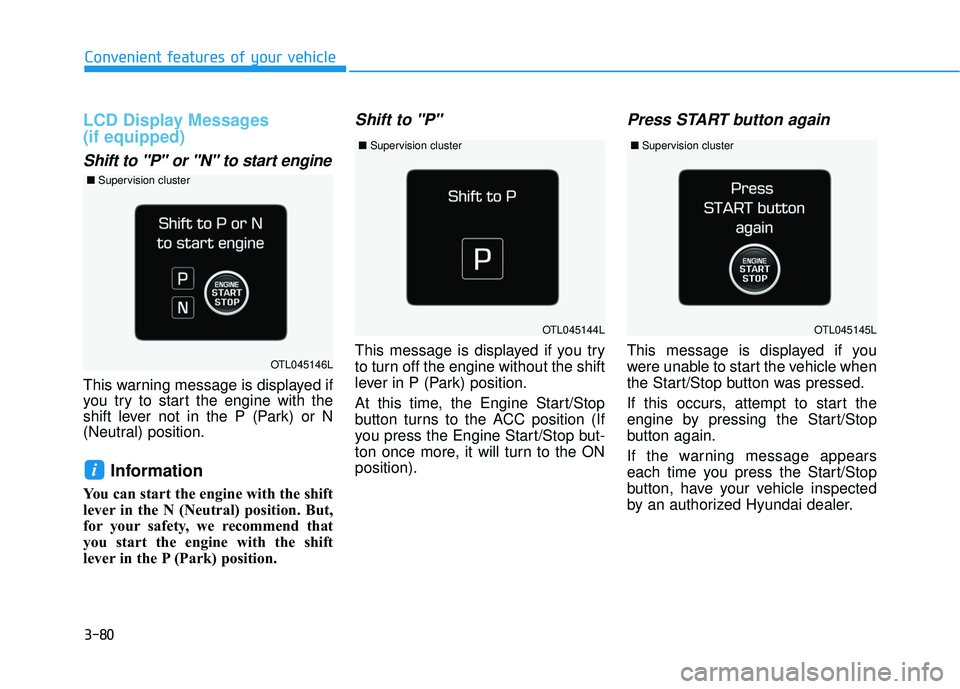
Shift to "P" or "N" to start engine
This warning message is displayed if
you try to start the engine with the
shift lever not in the P (Park) or N
(Neutral) position.
Information
You can start the engine with the shift
lever in the N (Neutral) position. But,
for your safety, we recommend that
you start the engine with the shift
lever in the P (Park) position.
Shift to "P"
This message is displayed if you try
to turn off the engine without the shift
lever in P (Park) position.
At this time, the Engine Start/Stop
button turns to the ACC position (If
you press the Engine Start/Stop but-
ton once more, it will turn to the ON
position).
Press START button again
This message is displayed if you
were unable to start the vehicle when
the Start/Stop button was pressed.
If this occurs, attempt to start the
engine by pressing the Start/Stop
button again.
If the warning message appears
each time you press the Start/Stop
button, have your vehicle inspected
by an authorized Hyundai dealer.
i
OTL045144L
OTL045146L
OTL045145L
■Supervision cluster
■Supervision cluster ■Supervision cluster
Page 177 of 586
3-83
Convenient features of your vehicle
3
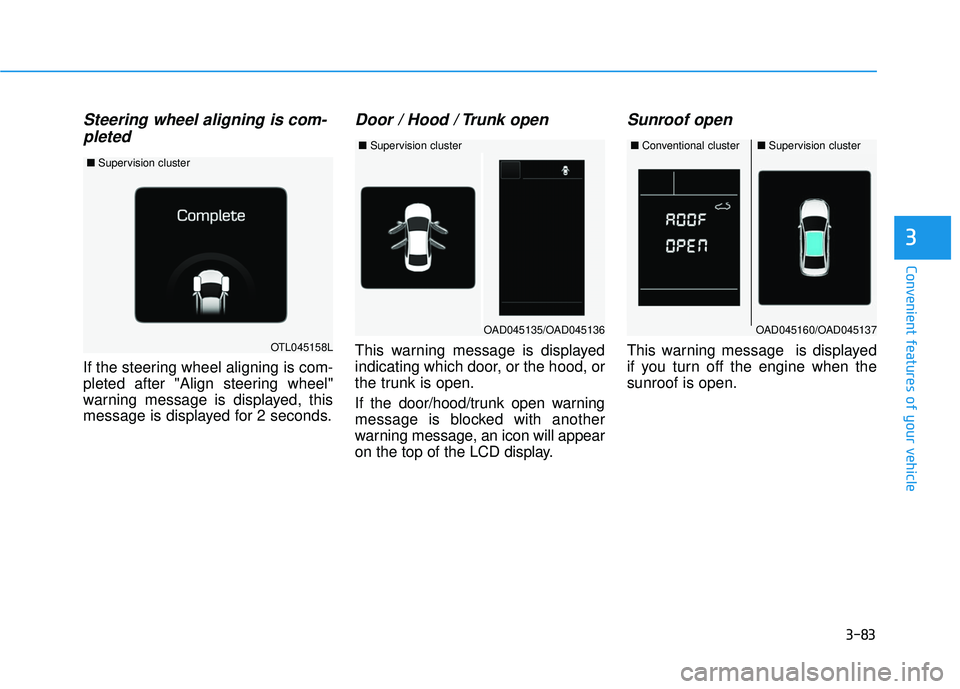
Steering wheel aligning is com-pleted
If the steering wheel aligning is com-
pleted after "Align steering wheel"
warning message is displayed, this
message is displayed for 2 seconds.
Door / Hood / Trunk open
This warning message is displayed
indicating which door, or the hood, or
the trunk is open.
If the door/hood/trunk open warning
message is blocked with another
warning message, an icon will appear
on the top of the LCD display.
Sunroof open
This warning message is displayed
if you turn off the engine when the
sunroof is open.OTL045158L
■ Supervision cluster
OAD045160/OAD045137
■Conventional cluster■Supervision cluster
OAD045135/OAD045136
■Supervision cluster
Page 182 of 586
3-88
Convenient features of your vehicle
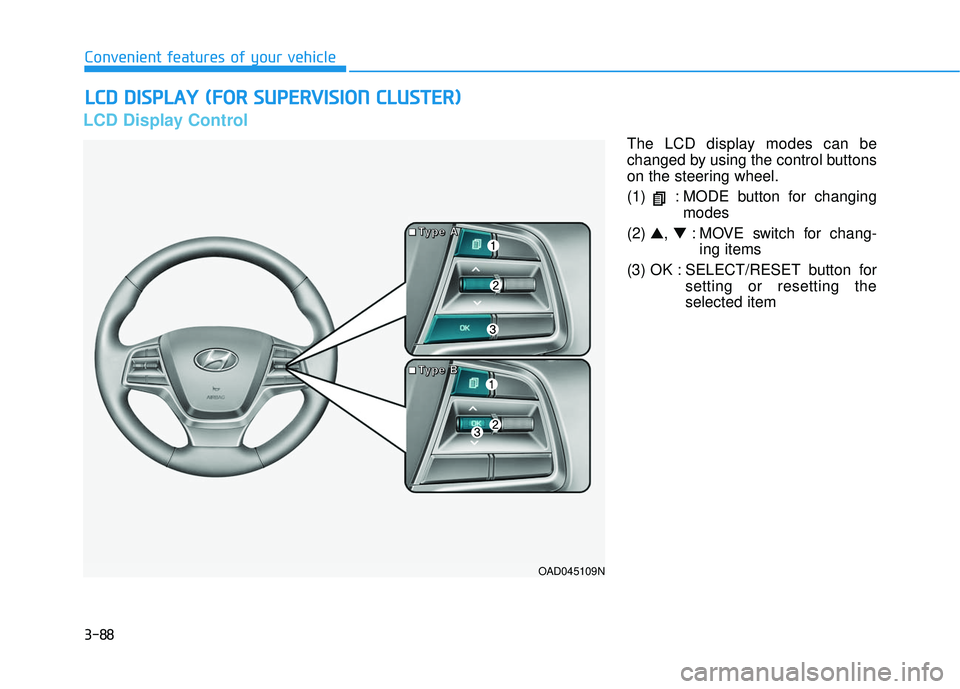
LCD Display Control
The LCD display modes can be
changed by using the control buttons
on the steering wheel.
(1) : MODE button for changingmodes
(2) ▲, ▼: MOVE switch for chang-
ing items
(3) OK : SELECT/RESET button for setting or resetting the
selected item
L
LC
C D
D
D
D I
IS
S P
P L
LA
A Y
Y
(
( F
F O
O R
R
S
S U
U P
PE
ER
R V
V I
IS
S I
IO
O N
N
C
C L
LU
U S
ST
T E
ER
R )
)
OAD045109N
■
■
■
■
T
T
T
T
y
y
y
y
p
p
p
p
e
e
e
e
A
A
A
A
■
■
■
■
T
T
T
T
y
y
y
y
p
p
p
p
e
e
e
e
B
B
B
B
Page 183 of 586
3-89
Convenient features of your vehicle
3
LCD Modes
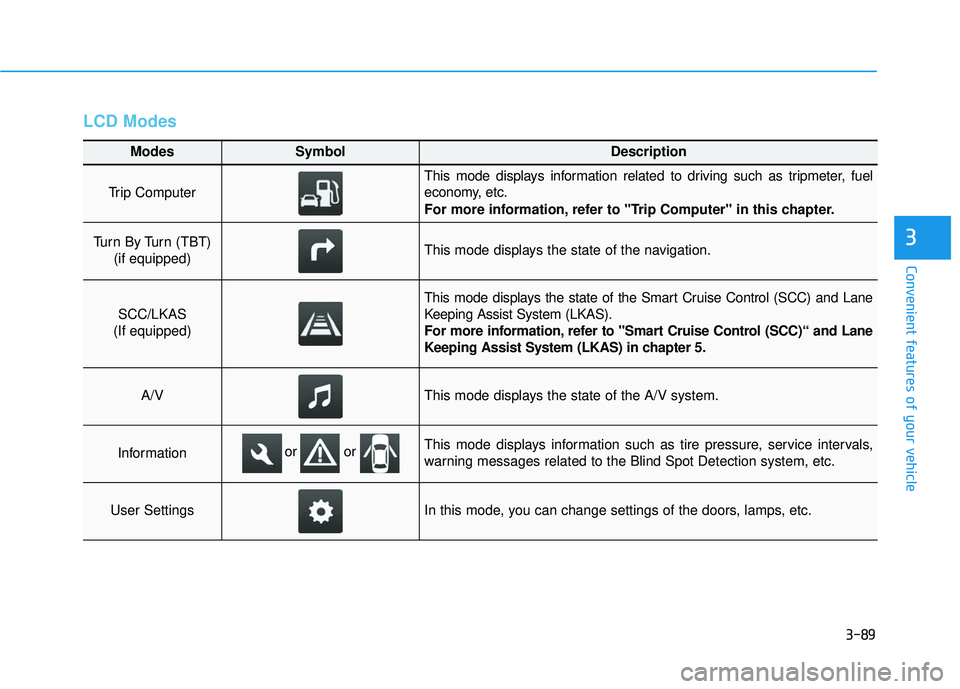
Modes SymbolDescription
Trip Computer
This mode displays information related to driving such as tripmeter, fuel
economy, etc.
For more information, refer to "Trip Computer" in this chapter.
Turn By Turn (TBT) (if equipped)This mode displays the state of the navigation.
SCC/LKAS
(If equipped)
This mode displays the state of the Smart Cruise Control (SCC) and Lane
Keeping Assist System (LKAS).
For more information, refer to "Smart Cruise Control (SCC)“ and Lane
Keeping Assist System (LKAS) in chapter 5.
A/VThis mode displays the state of the A/V system.
InformationThis mode displays information such as tire pressure, service intervals,
warning messages related to the Blind Spot Detection system, etc.
User SettingsIn this mode, you can change settings of the doors, lamps, etc.
or or