Page 185 of 586
3-91
Convenient features of your vehicle
3
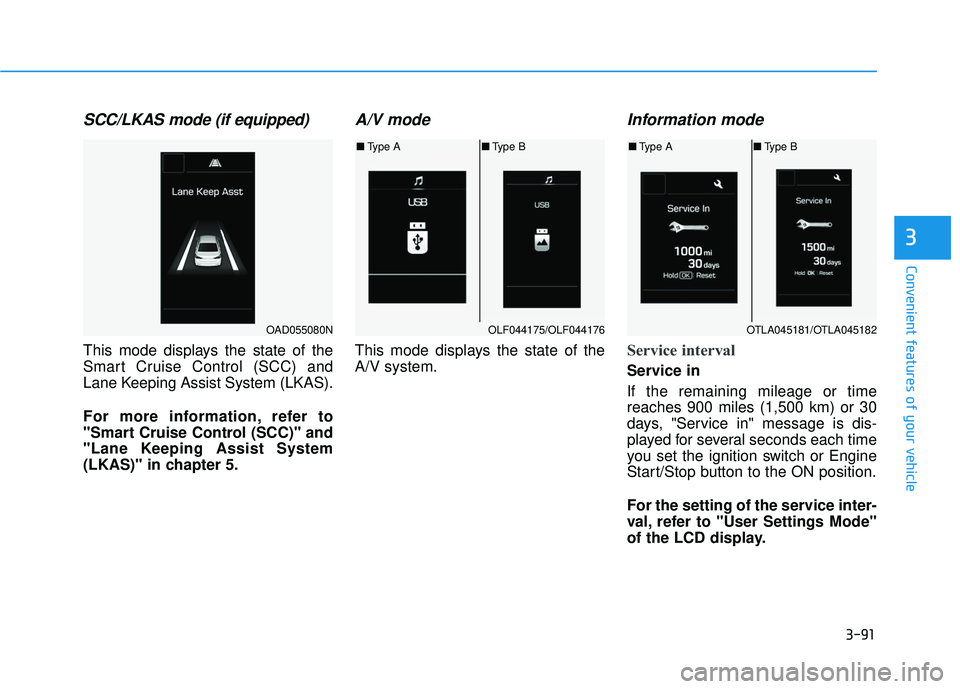
SCC/LKAS mode (if equipped)
This mode displays the state of the
Smart Cruise Control (SCC) and
Lane Keeping Assist System (LKAS).
For more information, refer to
"Smart Cruise Control (SCC)" and
"Lane Keeping Assist System
(LKAS)" in chapter 5.
A/V mode
This mode displays the state of the
A/V system.
Information mode
Service interval
Service in
If the remaining mileage or time
reaches 900 miles (1,500 km) or 30
days, "Service in" message is dis-
played for several seconds each time
you set the ignition switch or Engine
Start/Stop button to the ON position.
For the setting of the service inter-
val, refer to "User Settings Mode"
of the LCD display.
OAD055080NOLF044175/OLF044176
■Type A ■Type B
OTLA045181/OTLA045182
■Type A ■Type B
Page 190 of 586
3-96
Convenient features of your vehicle
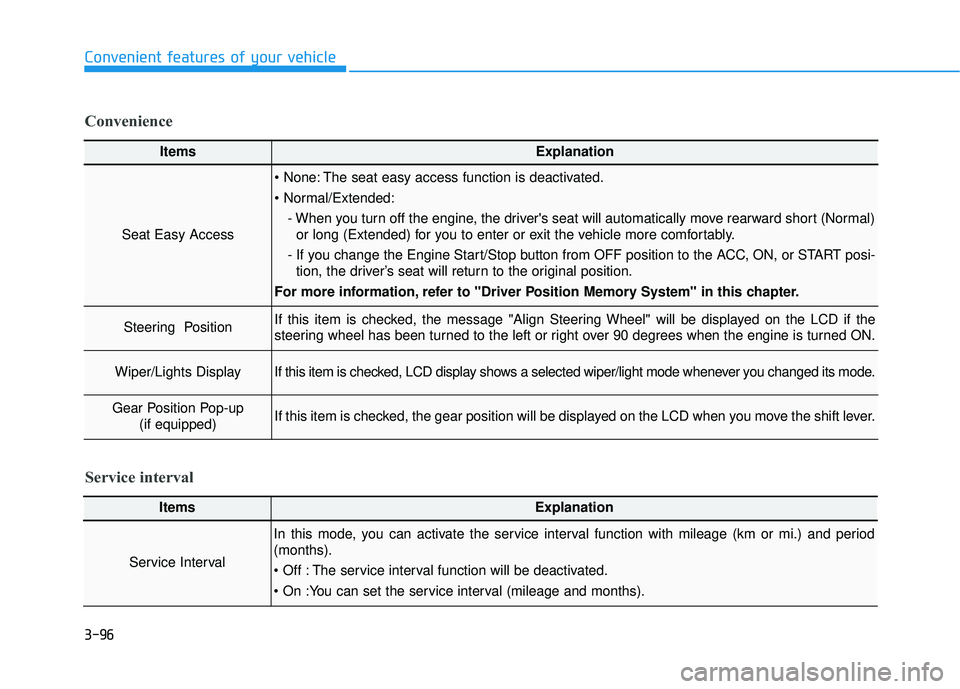
ItemsExplanation
Seat Easy Access
The seat easy access function is deactivated.
- When you turn off the engine, the driver's seat will automatically move rearward short (Normal)or long (Extended) for you to enter or exit the vehicle more comfortably.
- If you change the Engine Start/Stop button from OFF position to the ACC, ON, or START posi- tion, the driver’s seat will return to the original position.
For more information, refer to "Driver Position Memory System" in this chapter.
Steering Position If this item is checked, the message "Align Steering Wheel" will be displayed on the LCD if the
steering wheel has been turned to the left or right over 90 degrees when the engine is turned ON.
Wiper/Lights DisplayIf this item is checked, LCD display shows a selected wiper/light mode whenever you changed its mode.
Gear Position Pop-up (if equipped)If this item is checked, the gear position will be displayed on the LCD when you move the shift lever.
Convenience
ItemsExplanation
Service Interval
In this mode, you can activate the service interval function with mileage (km or mi.) and period
(months).
The service interval function will be deactivated.
Service interval
Page 197 of 586
3-103
Convenient features of your vehicle
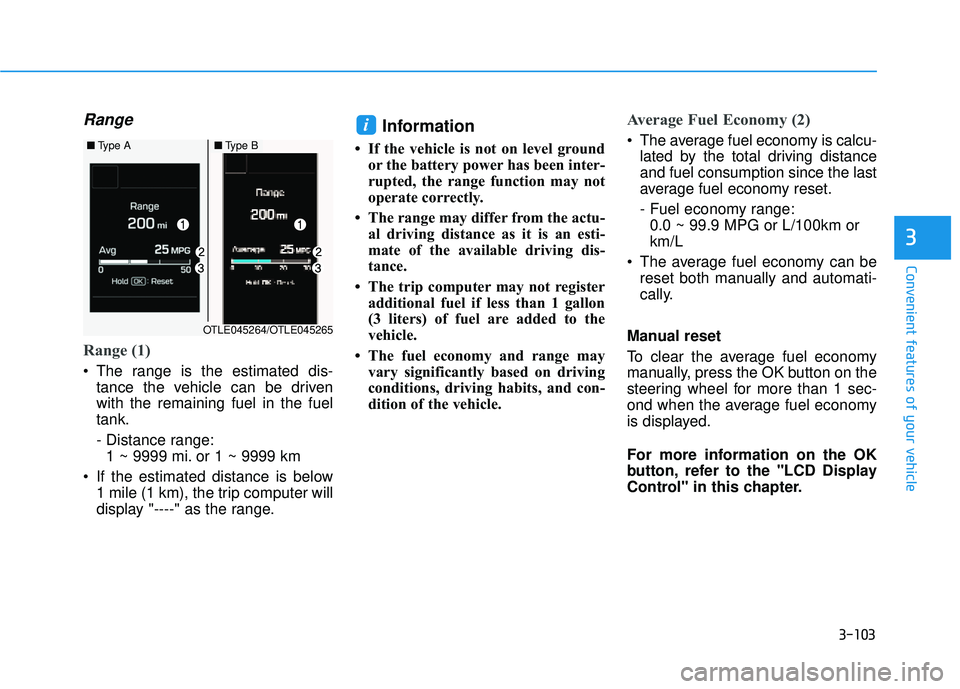
Range
Range (1)
The range is the estimated dis-tance the vehicle can be driven
with the remaining fuel in the fuel
tank.
- Distance range:1 ~ 9999 mi. or 1 ~ 9999 km
If the estimated distance is below 1 mile (1 km), the trip computer will
display "----" as the range.
Information
• If the vehicle is not on level groundor the battery power has been inter-
rupted, the range function may not
operate correctly.
• The range may differ from the actu- al driving distance as it is an esti-
mate of the available driving dis-
tance.
• The trip computer may not register additional fuel if less than 1 gallon
(3 liters) of fuel are added to the
vehicle.
• The fuel economy and range may vary significantly based on driving
conditions, driving habits, and con-
dition of the vehicle.
Average Fuel Economy (2)
The average fuel economy is calcu-lated by the total driving distance
and fuel consumption since the last
average fuel economy reset.
- Fuel economy range:0.0 ~ 99.9 MPG or L/100km or
km/L
The average fuel economy can be reset both manually and automati-
cally.
Manual reset
To clear the average fuel economy
manually, press the OK button on the
steering wheel for more than 1 sec-
ond when the average fuel economy
is displayed.
For more information on the OK
button, refer to the "LCD Display
Control" in this chapter.i
3
■ Type A■Type B
OTLE045264/OTLE045265
Page 198 of 586
3-104
Automatic reset
To reset the average fuel economy
automatically whenever refueling,
select the "After refueling" mode in
User Setting menu of the LCD display
(Refer to "LCD Display" ).
Under "After refueling" mode, the
average fuel economy will be cleared
to zero (----) when the vehicle speed
exceeds 1 mph (1 km/h) after refuel-
ing more than 1~2 gallons (3~6
liters).
Information
The vehicle must be driven for a min-
imum of 0.19 mile (0.3 km) since the
last ignition key cycle before the aver-
age fuel economy will be recalculated.
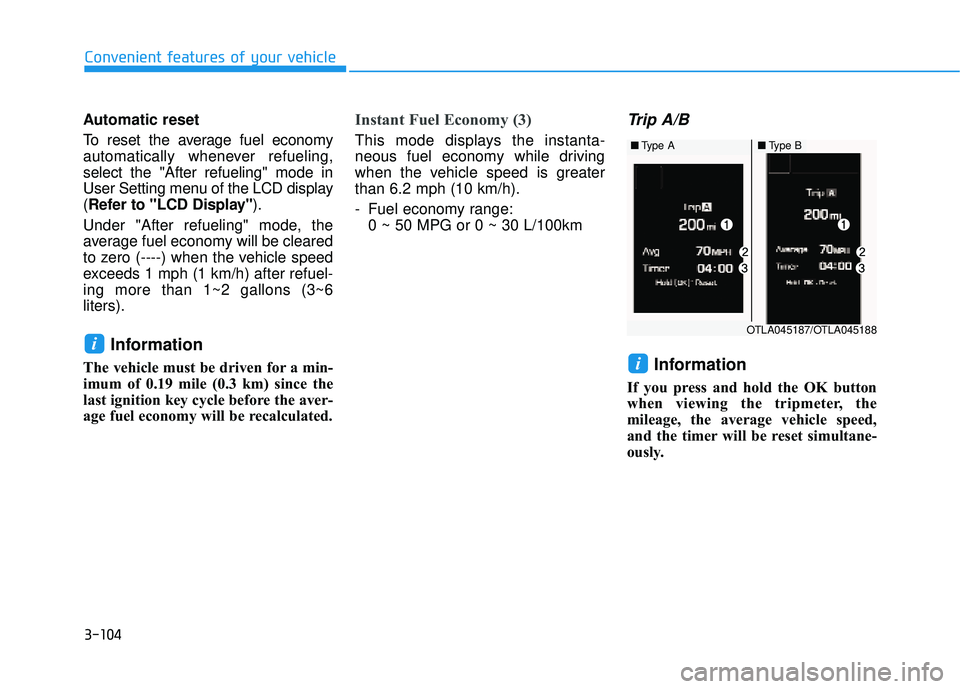
Instant Fuel Economy (3)
This mode displays the instanta-
neous fuel economy while driving
when the vehicle speed is greater
than 6.2 mph (10 km/h).
- Fuel economy range: 0 ~ 50 MPG or 0 ~ 30 L/100km
Trip A/B
Information
If you press and hold the OK button
when viewing the tripmeter, the
mileage, the average vehicle speed,
and the timer will be reset simultane-
ously.
i
i
Convenient features of your vehicle
OTLA045187/OTLA045188
■ Type A■Type B
Page 207 of 586
3-113
Convenient features of your vehicle
3
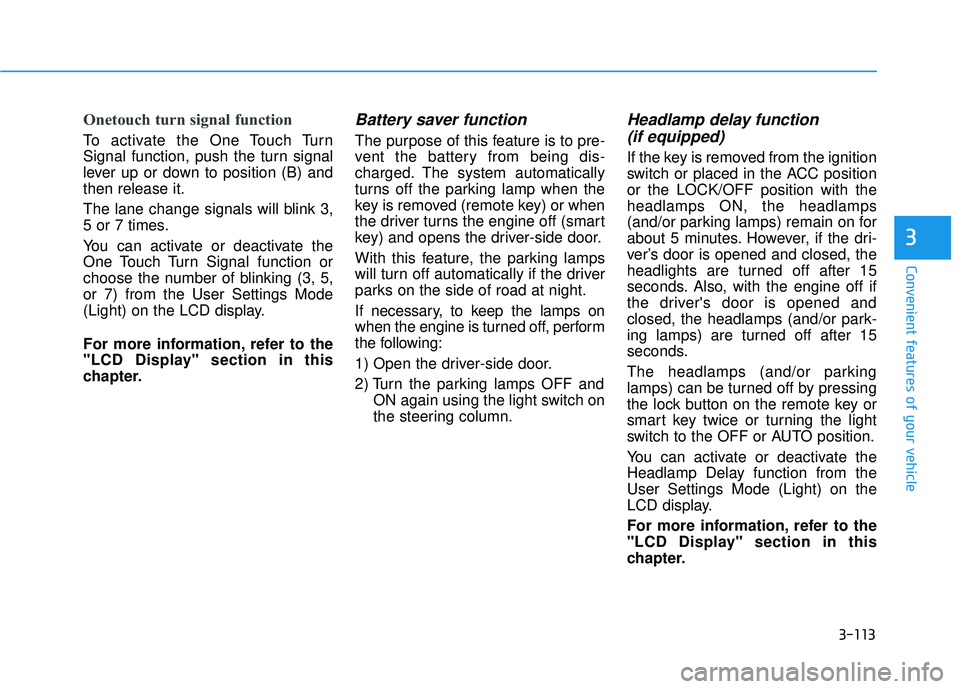
Onetouch turn signal function
To activate the One Touch Turn
Signal function, push the turn signal
lever up or down to position (B) and
then release it.
The lane change signals will blink 3,
5 or 7 times.
You can activate or deactivate the
One Touch Turn Signal function or
choose the number of blinking (3, 5,
or 7) from the User Settings Mode
(Light) on the LCD display.
For more information, refer to the
"LCD Display" section in this
chapter.
Battery saver function
The purpose of this feature is to pre-
vent the battery from being dis-
charged. The system automatically
turns off the parking lamp when the
key is removed (remote key) or when
the driver turns the engine off (smart
key) and opens the driver-side door.
With this feature, the parking lamps
will turn off automatically if the driver
parks on the side of road at night.
If necessary, to keep the lamps on
when the engine is turned off, perform
the following:
1) Open the driver-side door.
2) Turn the parking lamps OFF andON again using the light switch on
the steering column.
Headlamp delay function (if equipped)
If the key is removed from the ignition
switch or placed in the ACC position
or the LOCK/OFF position with the
headlamps ON, the headlamps
(and/or parking lamps) remain on for
about 5 minutes. However, if the dri-
ver’s door is opened and closed, the
headlights are turned off after 15
seconds. Also, with the engine off if
the driver's door is opened and
closed, the headlamps (and/or park-
ing lamps) are turned off after 15
seconds.
The headlamps (and/or parking
lamps) can be turned off by pressing
the lock button on the remote key or
smart key twice or turning the light
switch to the OFF or AUTO position.
You can activate or deactivate the
Headlamp Delay function from the
User Settings Mode (Light) on the
LCD display.
For more information, refer to the
"LCD Display" section in this
chapter.
Page 211 of 586
3-117
Convenient features of your vehicle
3
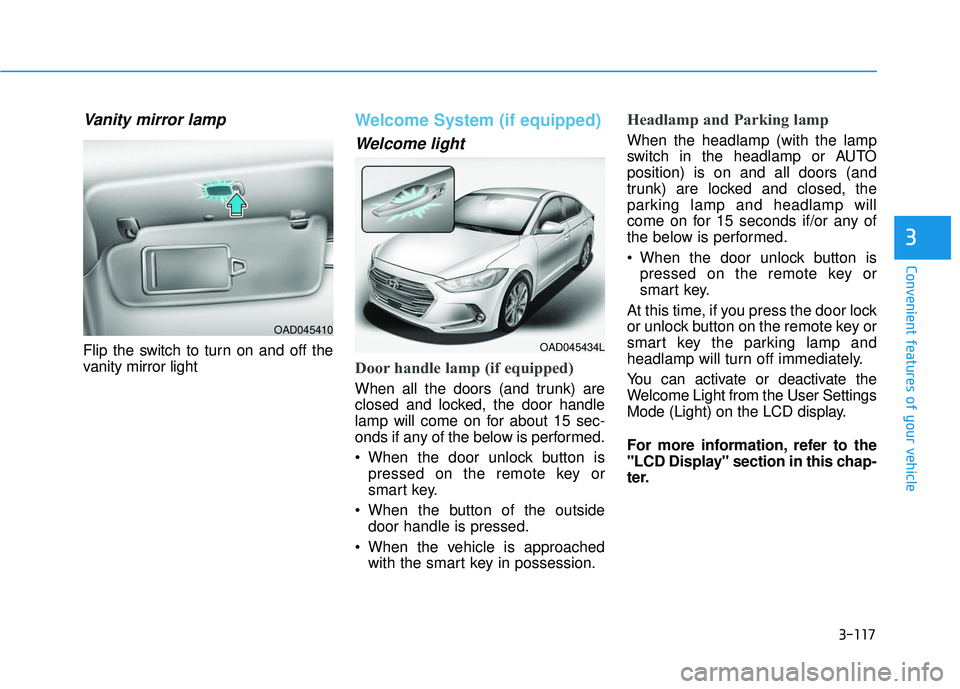
Vanity mirror lamp
Flip the switch to turn on and off the
vanity mirror light
Welcome System (if equipped)
Welcome light
Door handle lamp (if equipped)
When all the doors (and trunk) are
closed and locked, the door handle
lamp will come on for about 15 sec-
onds if any of the below is performed.
When the door unlock button ispressed on the remote key or
smart key.
When the button of the outside door handle is pressed.
When the vehicle is approached with the smart key in possession.
Headlamp and Parking lamp
When the headlamp (with the lamp
switch in the headlamp or AUTO
position) is on and all doors (and
trunk) are locked and closed, the
parking lamp and headlamp will
come on for 15 seconds if/or any of
the below is performed.
When the door unlock button ispressed on the remote key or
smart key.
At this time, if you press the door lock
or unlock button on the remote key or
smart key the parking lamp and
headlamp will turn off immediately.
You can activate or deactivate the
Welcome Light from the User Settings
Mode (Light) on the LCD display.
For more information, refer to the
"LCD Display" section in this chap-
ter.
OAD045410
OAD045434L
Page 233 of 586
3-139
Convenient features of your vehicle
3
Adjusting the driver and passen-
ger side temperature individually
Press the "SYNC" button again to
operate the driver and passenger
side temperature individually. The
button indicator will turn off.
Temperature conversion
If the battery has been discharged or
disconnected, the temperature mode
display will reset to Fahrenheit.
To change the temperature unit from
°F to °C or °C to °F:
- On the instrument cluster, go toUser Settings Mode ➝ Other
Features ➝Temperature Unit.
- Press the AUTO button for 3 sec- onds while pressing the OFF button.
(Automatic climate control system)
Both the temperature unit on the
cluster LCD display and climate con-
trol screen will change.
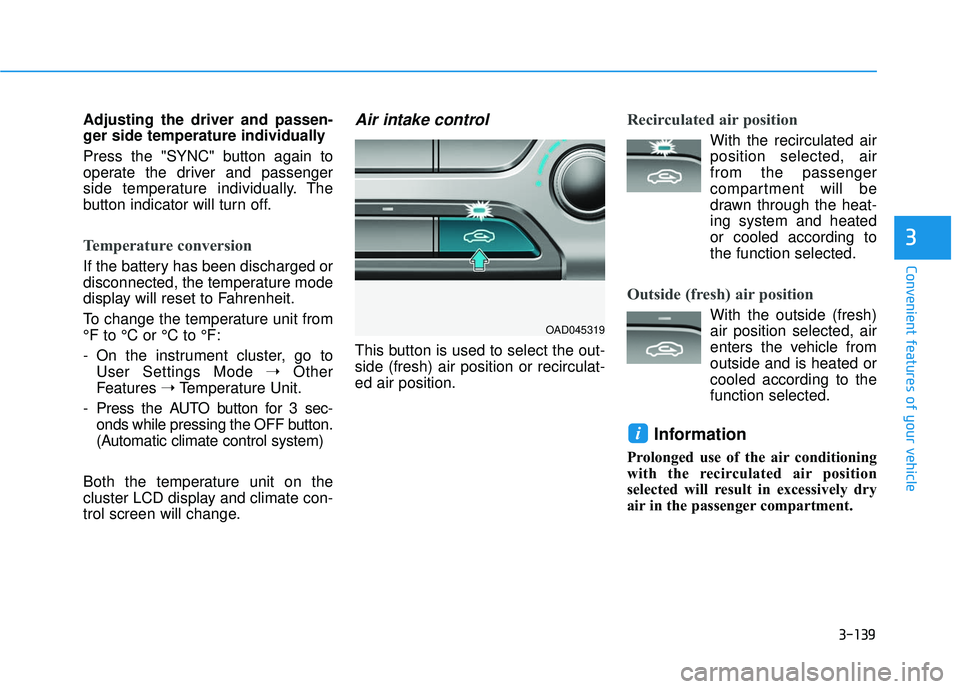
Air intake control
This button is used to select the out-
side (fresh) air position or recirculat-
ed air position.
Recirculated air position
With the recirculated air position selected, air
from the passenger
compartment will be
drawn through the heat-
ing system and heated
or cooled according to
the function selected.
Outside (fresh) air position
With the outside (fresh) air position selected, air
enters the vehicle from
outside and is heated or
cooled according to the
function selected.
Information
Prolonged use of the air conditioning
with the recirculated air position
selected will result in excessively dry
air in the passenger compartment.
i
OAD045319
Page 279 of 586
4-27
Multimedia System
4
Information
Turn on the car ignition before using
this device. Do not operate the audio
system for long periods of time with
the ignition turned off as such opera-
tions may lead to battery discharge. Do not subject the device to
severe shock or impact. Direct
pressure onto the front side of
the monitor may cause damage
to the LCD or touch screen.
When cleaning the device, make sure to turn off the device and
use a dry and smooth cloth.
Never use rough materials,
chemical cloths, or solvents
(alcohol, benzene, thinners, etc.)
as such materials may damage
the device panel or cause
color/quality deterioration.
Do not place beverages close to the audio system. Spilling bever-
ages may lead to system mal-
function.
Placing the audio system within an electromagnetic environment
may result in noise interference.
Information
In case of product malfunction, please
contact your dealer or vehicle service
center.
Information
- Using the USB Devices
• To use an external USB device, make sure the device is not connect-
ed when starting up the vehicle.
Connect the device after starting up.
• If you start the engine when the USB device is connected, it may
damage the USB device. (USB flash-
drives are very sensitive to electric
shock.)
• If the engine is started up or turned off while the external USB device is
connected, the external USB device
may not work.
• The System may not play unauthen- ticated MP3 or WMA files.
1) It can only play MP3 files with the compression rate between 8Kbps ~
320Kbps.
2) It can only play WMA music files with the compression rate between
8Kbps ~ 320Kbps.
• Take precautions for static electricity when connecting or disconnecting
the external USB device.
(Continued)
i
i
NOTICEi