2017 HONDA ODYSSEY Res
[x] Cancel search: ResPage 142 of 565
141
Controls
Opening and Closing the Moonroof*
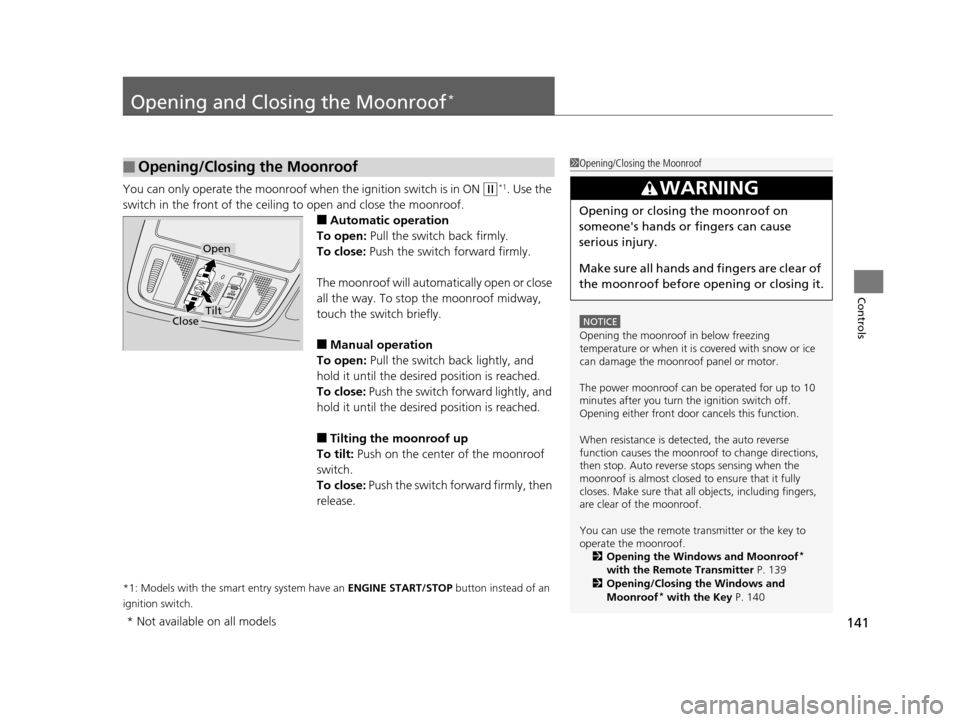
You can only operate the moonroof when the ignition switch is in ON (w*1. Use the
switch in the front of the ceiling to open and close the moonroof.
■Automatic operation
To open: Pull the switch back firmly.
To close: Push the switch forward firmly.
The moonroof will automatically open or close
all the way. To stop the moonroof midway,
touch the switch briefly.
■Manual operation
To open: Pull the switch back lightly, and
hold it until the desired position is reached.
To close: Push the switch forward lightly, and
hold it until the desired position is reached.
■Tilting the moonroof up
To tilt: Push on the center of the moonroof
switch.
To close: Push the switch forward firmly, then
release.
*1: Models with the smart entry system have an ENGINE START/STOP button instead of an
ignition switch.
■Opening/Closing the Moonroof1 Opening/Closing the Moonroof
NOTICE
Opening the moonroof in below freezing
temperature or when it is covered with snow or ice
can damage the moonr oof panel or motor.
The power moonroof can be operated for up to 10
minutes after you turn the ignition switch off.
Opening either front door cancels this function.
When resistance is detected, the auto reverse
function causes the moonroof to change directions,
then stop. Auto reverse stops sensing when the
moonroof is almost closed to ensure that it fully
closes. Make sure that al l objects, including fingers,
are clear of the moonroof.
You can use the remote transmitter or the key to
operate the moonroof. 2 Opening the Windows and Moonroof
*
with the Remote Transmitter P. 139
2 Opening/Closing the Windows and
Moonroof
* with the Key P. 140
3WARNING
Opening or closing the moonroof on
someone's hands or fingers can cause
serious injury.
Make sure all hands and fingers are clear of
the moonroof before opening or closing it.
Open
CloseTilt
* Not available on all models
17 US ODYSSEY (KA KC)-31TK86600.book 141 ページ 2016年10月24日 月曜日 午後4時2分
Page 144 of 565

143
uuOperating the Switches Around the Steering Wheel uENGINE START/STOP Button*
Continued
Controls
ENGINE START/STOP Button*
■Changing the Power Mode1ENGINE START/STOP Button*
ENGINE START/STOP Button Operating Range
You can start the engine when the smart entry
remote is inside the vehicle.
The engine may also run if the smart entry remote is
close to the door or window, ev en if it is outside the
vehicle.
ON mode:
Indicator in the button is of f, if the engine is running.
If the smart entry remote battery is weak, the beeper
sounds and the TO START, HOLD REMOTE NEAR
START BUTTON message appears on the multi-
information display
*.
2 If the Smart Entry Remote Battery is Weak
P. 521
Do not leave the power mode in ACCESSORY or ON
when you get out.
Operating RangeVEHICLE OFF (LOCK)
Indicator in th e button is off.
The steering wheel is locked. The power to all electrical
components is turned off.
Press the button withou t the shift lever in
(P.
Shift to
( P then press the button.
Press the button.
Without pressing
the brake pedal ACCESSORY
Indicator in the button is on.
Indicator in the bu
tton blinks (from ON to ACCESSORY).
Operate the audio system and other accessories in this
position.
ON
Indicator in the button is on.
All electrical components can be used.
Indicator
* Not available on all models
17 US ODYSSEY (KA KC)-31TK86600.book 143 ページ 2016年10月24日 月曜日
午後4時2分
Page 145 of 565
144
uuOperating the Switches Around the Steering Wheel uENGINE START/STOP Button*
Controls
If you leave the vehicle for 30 to 60 minutes with the shift lever in (P and the power
mode in ACCESSORY, the vehicle automati cally goes into the mode similar to
VEHICLE OFF (LOCK) to avoid the battery drain.
When in this mode:
The steering wheel does not lock.
You cannot lock or unlock doors with th e remote transmitter or the smart entry
system.
Press the ENGINE START/STOP button twice to switch the mode to VEHICLE OFF
(LOCK).
■Automatic Power Off
17 US ODYSSEY (KA KC)-31TK86600.book 144 ページ 2016年10月24日 月曜日 午後4時2分
Page 146 of 565
145
uuOperating the Switches Around the Steering Wheel uENGINE START/STOP Button*
Controls
If you open the driver’s door when the power mode is set to ACCESSORY, a warning
buzzer sounds.
Warning buzzers may sound from inside or/
and outside the vehicle to remind you that the
smart entry remote is out of the vehicle. If the
buzzer continues even after the remote is put
back inside, place it to be within its
operational range.
■When the power mode is in ON
If the smart entry remote is taken out of the
vehicle, and the driver’s door is closed,
warning buzzers sound from both inside and
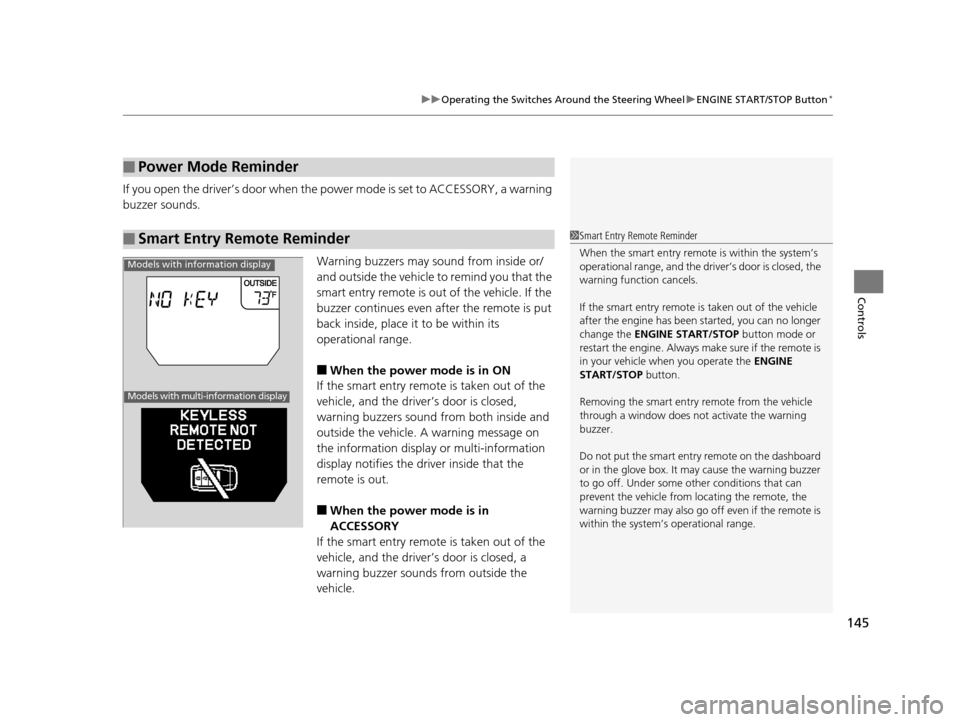
outside the vehicle. A warning message on
the information display or multi-information
display notifies the driver inside that the
remote is out.
■When the power mode is in
ACCESSORY
If the smart entry remote is taken out of the
vehicle, and the driver’s door is closed, a
warning buzzer sounds from outside the
vehicle.
■Power Mode Reminder
■Smart Entry Remote Reminder1 Smart Entry Remote Reminder
When the smart entry remote is within the system’s
operational range, and the driv er’s door is closed, the
warning function cancels.
If the smart entry remote is taken out of the vehicle
after the engine has been started, you can no longer
change the ENGINE START/STOP button mode or
restart the engine. Always make sure if the remote is
in your vehicle when you operate the ENGINE
START/STOP button.
Removing the smart entry remote from the vehicle
through a window does not activate the warning
buzzer.
Do not put the smart entr y remote on the dashboard
or in the glove box. It may cause the warning buzzer
to go off. Under some other conditions that can
prevent the vehicle from locating the remote, the
warning buzzer may al so go off even if the remote is
within the system’s operational range.
Models with information display
Models with multi-information display
17 US ODYSSEY (KA KC)-31TK86600.book 145 ページ 2016年10月24日 月曜日 午後4時2分
Page 149 of 565

uuOperating the Switches Around the Steering Wheel uLight Switches
148
Controls
Automatic lighting control can be used when
the ignition switch is in ON
(w*1.
When you turn the light switch to AUTO, the
headlights and other exterior lights will switch
on and off automatica lly depending on the
ambient brightness. u You can change the au to light sensitivity
setting.
2 Customized Features P. 99, 295
*1: Models with the smart entry system have an ENGINE START/STOP button instead of an
ignition switch.
■Automatic Lighting Control*1 Automatic Lighting Control*
We recommend that you tu rn on the lights manually
when driving at night, in a dense fog, or in dark areas
such as long tunnels or parking facilities.
The light sensor is in the location shown below.
Do not cover this light sensor with anything;
otherwise, the automatic lighting system may not
work properly.
Adjust the auto light sensitivity as follows:
SettingThe exterior lights come on
when the ambient light is at
MAX
HIGH
MID
LOW
MIN
Light Sensor
Bright
Dark
* Not available on all models
17 US ODYSSEY (KA KC)-31TK86600.book 148 ページ 2016年10月24日 月曜日 午後4時2分
Page 150 of 565
149
uuOperating the Switches Around the Steering Wheel uLight Switches
Controls
The headlights automatically come on when the wipers are used several times within
a certain intervals with the headlight switch in AUTO.
The headlights automatically go off a few minutes later if the wipers are stopped.
The headlights, all other exterior lights, a nd the instrument panel lights turn off 15
seconds after you remove the key or set the power mode to VEHICLE OFF (LOCK),
take the remote with you, and close the driver's door.
u You can change the headlight auto off timer setting.
2Customized Features P. 99, 295
If you turn the igniti on switch to LOCK (0*1 with the headlight switch on, but do
not open the door, the lights turn off afte r 10 minutes (three minutes, if the switch
is in the AUTO position).
The lights turn on again when you unlock or open the driver's door. If you unlock
the door, but do not open it within 15 seconds, the lights go off. If you open the
driver's door, you will hear a lights on reminder chime.
*1: Models with the smart entry system have an ENGINE START/STOP button instead of an
ignition switch.
■Headlight Integration with Wiper*
■Automatic Lighting Off Feature
1 Headlight Integration with Wiper*
This feature activates during the headlights are off in
AUTO .
The instrument panel br ightness does not change
when the headlights come on.
At dark ambient light levels, the automatic lighting
control feature turns on the headlights, regardless of
the number of wiper sweeps.
* Not available on all models
17 US ODYSSEY (KA KC)-31TK86600.book 149 ページ 2016年10月24日 月曜日 午後4時2分
Page 154 of 565
153
uuOperating the Switches Around the Steering Wheel uBrightness Control
Controls
Brightness Control
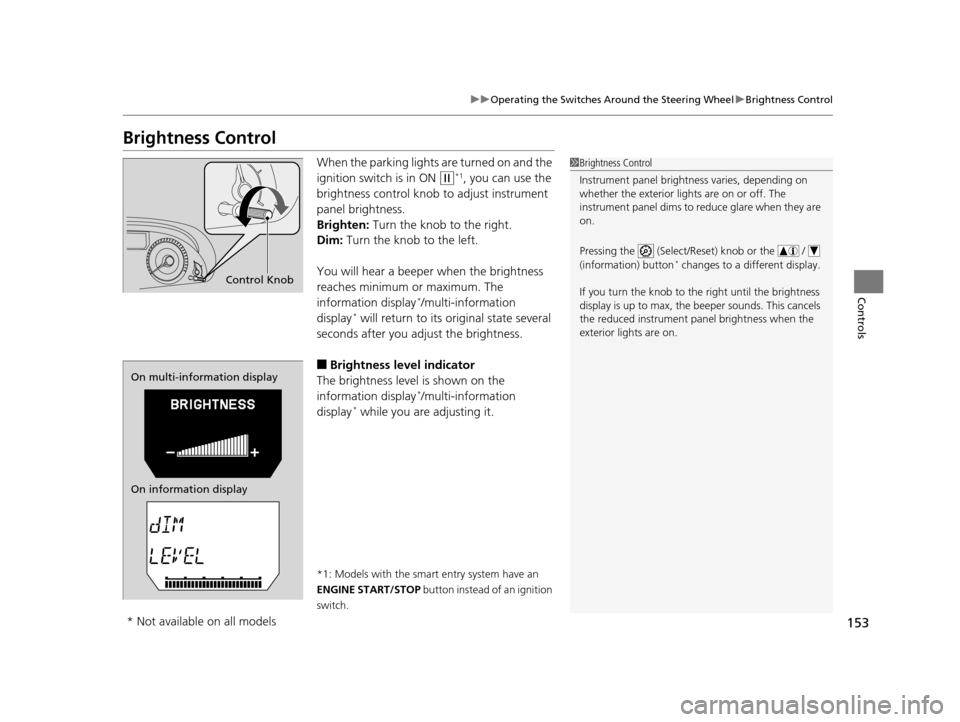
When the parking lights are turned on and the
ignition switch is in ON
(w*1, you can use the
brightness control knob to adjust instrument
panel brightness.
Brighten: Turn the knob to the right.
Dim: Turn the knob to the left.
You will hear a beeper when the brightness
reaches minimum or maximum. The
information display
*/multi-information
display* will return to its original state several
seconds after you adjust the brightness.
■Brightness level indicator
The brightness level is shown on the
information display
*/multi-information
display* while you are adjusting it.
*1: Models with the smart entry system have an
ENGINE START/STOP button instead of an ignition
switch.
1 Brightness Control
Instrument panel brightne ss varies, depending on
whether the exterior lights are on or off. The
instrument panel dims to reduce glare when they are
on.
Pressing the (Select/Reset) knob or the /
(information) button
* changes to a different display.
If you turn the knob to the right until the brightness
display is up to max, the beeper sounds. This cancels
the reduced instrument panel brightness when the
exterior lights are on.
Control Knob
On multi-information display
On information display
* Not available on all models
17 US ODYSSEY (KA KC)-31TK86600.book 153 ページ 2016年10月24日 月曜日 午後4時2分
Page 155 of 565
154
uuOperating the Switches Around the Steering Wheel uRear Defogger/Heated Door Mirror* Button
Controls
Rear Defogger/Heated Door Mirror* Button
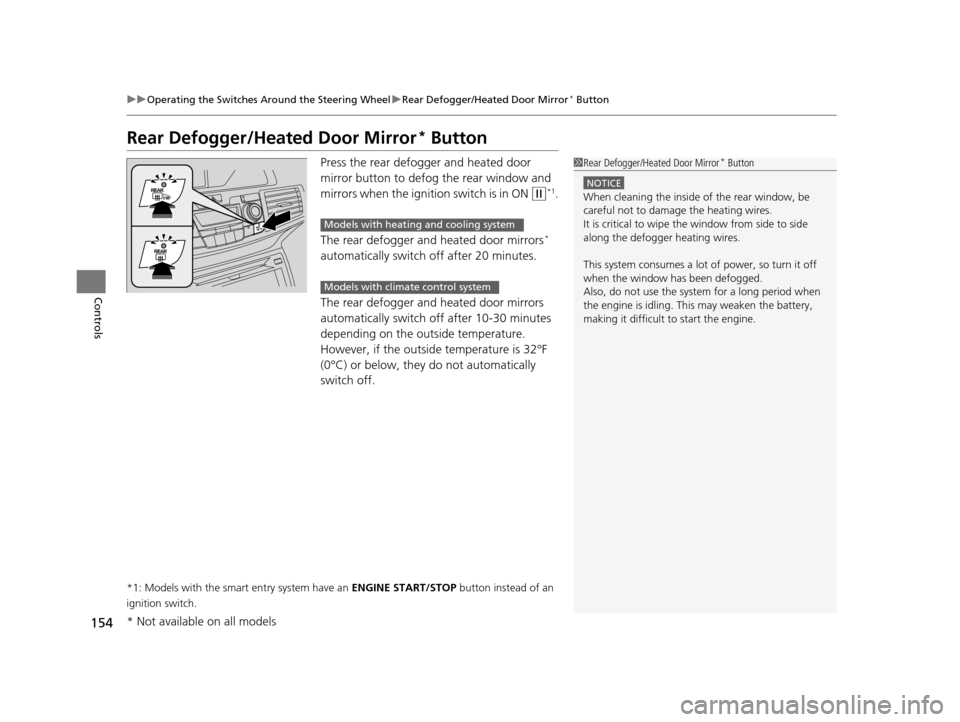
Press the rear defogger and heated door
mirror button to defog the rear window and
mirrors when the igniti on switch is in ON
(w*1.
The rear defogger and heated door mirrors
*
automatically switch off after 20 minutes.
The rear defogger and heated door mirrors
automatically switch off after 10-30 minutes
depending on the outside temperature.
However, if the outside temperature is 32°F
(0°C) or below, they do not automatically
switch off.
*1: Models with the smart entry system have an ENGINE START/STOP button instead of an
ignition switch.
1 Rear Defogger/Heated Door Mirror* Button
NOTICE
When cleaning the inside of the rear window, be
careful not to damage the heating wires.
It is critical to wipe the window from side to side
along the defogger heating wires.
This system consumes a lot of power, so turn it off
when the window has been defogged.
Also, do not use the system for a long period when
the engine is idling. This may weaken the battery,
making it difficult to start the engine.
Models with heating and cooling system
Models with climate control system
* Not available on all models
17 US ODYSSEY (KA KC)-31TK86600.book 154 ページ 2016年10月24日 月曜日 午後4時2分