Page 353 of 601
uuBluetooth ® HandsFreeLink ®*uHFL Menus
352
Features
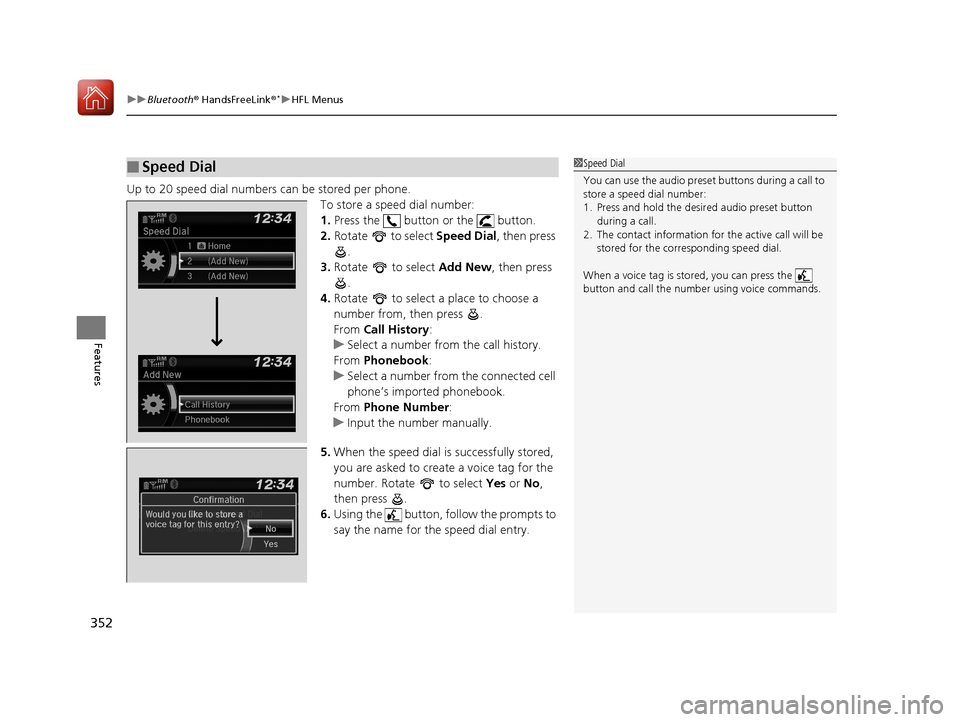
Up to 20 speed dial numbers can be stored per phone.
To store a speed dial number:
1.Press the button or the button.
2. Rotate to select Speed Dial, then press
.
3. Rotate to select Add New, then press
.
4. Rotate to select a place to choose a
number from, then press .
From Call History :
u Select a number from the call history.
From Phonebook :
u Select a number from the connected cell
phone’s imported phonebook.
From Phone Number :
u Input the number manually.
5. When the speed dial is successfully stored,
you are asked to create a voice tag for the
number. Rotate to select Yes or No ,
then press .
6. Using the button, follow the prompts to
say the name for the speed dial entry.
■Speed Dial1Speed Dial
You can use the audio preset buttons during a call to
store a speed dial number:
1. Press and hold the desired audio preset button
during a call.
2. The contact information for the active call will be
stored for the corresponding speed dial.
When a voice tag is stored, you can press the
button and call the numbe r using voice commands.
Change Speed Dial
Delete Speed DialChaChaChaChahaChangengengengegenge Sp SpSpSpSpSpeedeedeedeedeedeed Dial
DelDelDelDleteeteetet SpSpSpSeedeedeedd DiDiDiDiDiDiDiDiDiDiiDiDiiDiilalaaaaalaa
17 CIVIC 4D HCM (KA KC KL)-31TBA6100.book 352 ページ 2016年8月31日 水曜日 午後6時5分
Page 354 of 601
353
uuBluetooth ® HandsFreeLink ®*uHFL Menus
Continued
Features
■To edit a speed dial
1. Press the button or the button.
2. Rotate to select Phone Setup, then
press .
3. Rotate to select Speed Dial, then press
.
4. Select an existing speed dial entry.
5. Rotate to select Change Speed Dial,
then press .
6. Select a new speed dial number, then press
.
17 CIVIC 4D HCM (KA KC KL)-31TBA6100.book 353 ページ 2016年8月31日 水曜日 午後6時5分
Page 355 of 601

uuBluetooth ® HandsFreeLink ®*uHFL Menus
354
Features
■To add a voice tag to a stored speed
dial number
1. Press the button or the button.
2. Rotate to select Phone Setup, then
press .
3. Rotate to select Speed Dial, then press
.
4. Select an existing speed dial entry.
5. Rotate to select Store Voice Tag , then
press .
6. Using the button, follow the prompts to
complete the voice tag.
■To change a voice tag
1. Press the button or the button.
2. Rotate to select Phone Setup, then
press .
3. Rotate to select Speed Dial, then press
.
4. Select an existing speed dial entry.
5. Rotate to select Change Voice Tag,
then press .
6. Using the button, follow the prompts to
complete the voice tag.
1Speed Dial
Avoid using duplicate voice tags.
Avoid using “home ” as a voice tag.
It is easier for HFL to re cognize a longer name. For
example, use “ John Smith” instead of “ John.”
Change Speed Dial
Delete Speed Dial
Store Voice Tag
Change Speed Dial
Delete Speed DialChaChaChaChaChangengengeee SpSpSpSppeedeedeedeeeeDiDi DiDiDialalalalal
DelDelDelDelDeleteeteeteeteete SpSpSpSppeedeedeedeedee Di Di DiDialalalalal
17 CIVIC 4D HCM (KA KC KL)-31TBA6100.book 354 ページ 2016年8月31日 水曜日 午後6時5分
Page 356 of 601
355
uuBluetooth ® HandsFreeLink ®*uHFL Menus
Continued
Features
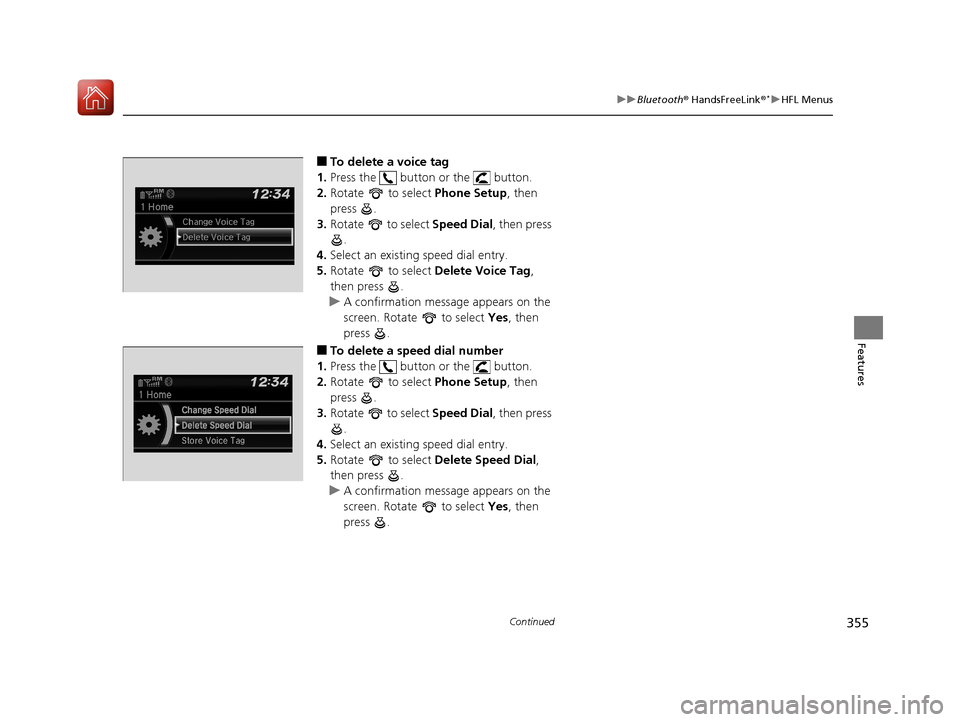
■To delete a voice tag
1. Press the button or the button.
2. Rotate to select Phone Setup, then
press .
3. Rotate to select Speed Dial, then press
.
4. Select an existing speed dial entry.
5. Rotate to select Delete Voice Tag,
then press .
u A confirmation message appears on the
screen. Rotate to select Yes, then
press .
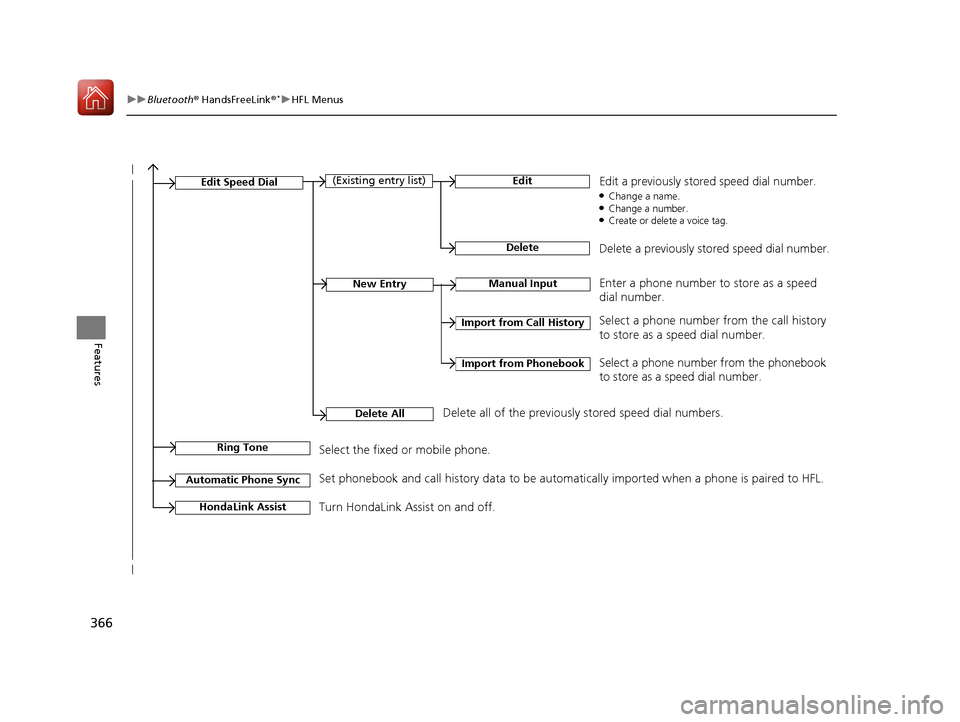
■To delete a speed dial number
1. Press the button or the button.
2. Rotate to select Phone Setup, then
press .
3. Rotate to select Speed Dial, then press
.
4. Select an existing speed dial entry.
5. Rotate to select Delete Speed Dial,
then press .
u A confirmation message appears on the
screen. Rotate to select Yes, then
press .
Change Speed Dial
Delete Speed Dial
Store Voice Tag
17 CIVIC 4D HCM (KA KC KL)-31TBA6100.book 355 ページ 2016年8月31日 水曜日 午後6時5分
Page 363 of 601
362
Features
Bluetooth® HandsFreeLink ®*
Bluetooth® HandsFreeLink ® (HFL) allows you to place and receive phone calls using
your vehicle’s audio system, without handling your cell phone.
Using HFL
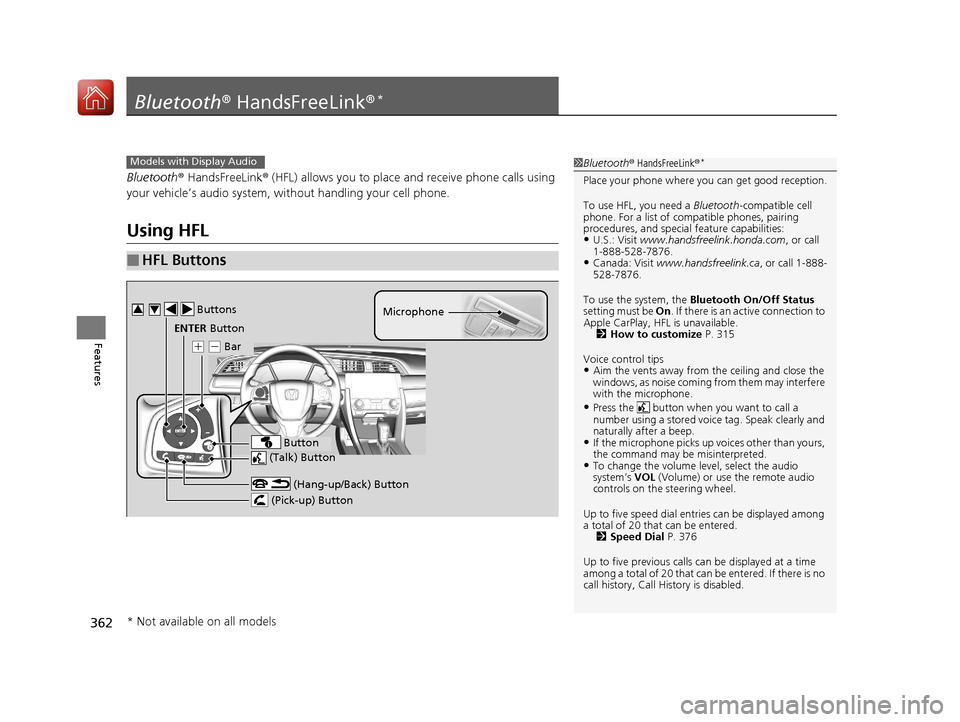
■HFL Buttons
1 Bluetooth ® HandsFreeLink ®*
Place your phone where y ou can get good reception.
To use HFL, you need a Bluetooth-compatible cell
phone. For a list of compatible phones, pairing
procedures, and special feature capabilities:
•U.S.: Visit www.handsfreelink.honda.com , or call
1-888-528-7876.
•Canada: Visit www.handsfreelink.ca , or call 1-888-
528-7876.
To use the system, the Bluetooth On/Off Status
setting must be On . If there is an active connection to
Apple CarPlay, H FL is unavailable.
2 How to customize P. 315
Voice control tips
•Aim the vents away from the ceiling and close the
windows, as noise coming fr om them may interfere
with the microphone.
•Press the button when you want to call a
number using a stored voic e tag. Speak clearly and
naturally after a beep.
•If the microphone picks up vo ices other than yours,
the command may be misinterpreted.
•To change the volume level, select the audio
system’s VOL (Volume) or use the remote audio
controls on the steering wheel.
Up to five speed dial entries can be displayed among
a total of 20 that can be entered. 2 Speed Dial P. 376
Up to five previous calls can be displayed at a time
among a total of 20 that can be entered. If there is no
call history, Call History is disabled.
Models with Display Audio
(Talk) Button
( + (- Bar Microphone
(Hang-up/Back) Button
(Pick-up) Button
ENTER Button
Button
Buttons34
* Not available on all models
17 CIVIC 4D HCM (KA KC KL)-31TBA6100.book 362 ページ 2016年8月31日 水曜日 午後6時5分
Page 365 of 601
uuBluetooth ® HandsFreeLink ®*uUsing HFL
364
Features
The audio/information screen notifies you when there is an incoming call.
Certain manual functions are disabled or i noperable while the vehicle is in motion.
You cannot select a grayed-out option until the vehicle is stopped.
Only previously stored speed dial entries with voice tags, phonebook names, or
numbers can be called using voice commands while the vehicle is in motion.
2 Speed Dial P. 376
■HFL Status Display1HFL Status Display
The information that appears on the audio/
information screen vari es between phone models.
You can change the system language. 2 How to customize P. 315
■Limitations for Manual Operation
Bluetooth Indicator
Appears when your phone is
connected to HFL.
Signal Strength
HFL Mode Battery Level Status
Caller’s Name
Caller’s Number
17 CIVIC 4D HCM (KA KC KL)-31TBA6100.book 364 ページ 2016年8月31日 水曜日 午後6時5分
Page 367 of 601
366
uuBluetooth ® HandsFreeLink ®*uHFL Menus
Features
Manual InputNew Entry
Import from Call History
Import from Phonebook
Edit
Delete
(Existing entry list)Edit Speed Dial
Delete All
Enter a phone number to store as a speed
dial number.
Select a phone number from the call history
to store as a speed dial number.
Delete all of the previously stored speed dial numbers. Select a phone number from the phonebook
to store as a speed dial number. Edit a previously stored speed dial number.
●Change a name.●Change a number.●Create or delete a voice tag.
Delete a previously stored speed dial number.
Ring ToneSelect the fixed or mobile phone.
Automatic Phone SyncSet phonebook and call history data to be automa
tically imported when a phone is paired to HFL.
Turn HondaLink Assist on and off.HondaLink Assist
17 CIVIC 4D HCM (KA KC KL)-31TBA6100.book 366 ページ 2016年8月31日 水曜日 午後6時5分
Page 372 of 601
Continued371
uuBluetooth ® HandsFreeLink ®*uHFL Menus
Features
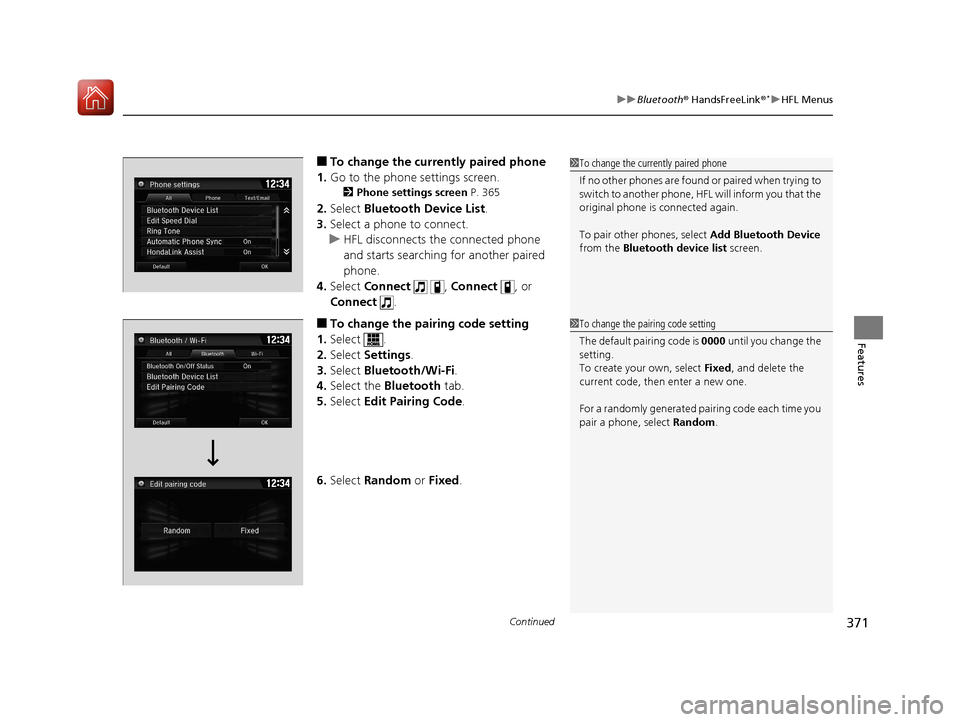
■To change the currently paired phone
1. Go to the phone settings screen.
2 Phone settings screen P. 365
2.Select Bluetooth Device List .
3. Select a phone to connect.
u HFL disconnects the connected phone
and starts searching for another paired
phone.
4. Select Connect , Connect , or
Connect .
■To change the pairing code setting
1. Select .
2. Select Settings .
3. Select Bluetooth/Wi-Fi .
4. Select the Bluetooth tab.
5. Select Edit Pairing Code .
6. Select Random or Fixed .
1To change the currently paired phone
If no other phones are found or paired when trying to
switch to another phone, HFL will inform you that the
original phone is connected again.
To pair other phones, select Add Bluetooth Device
from the Bluetooth device list screen.
1To change the pairing code setting
The default pair ing code is 0000 until you change the
setting.
To create your own, select Fixed, and delete the
current code, then enter a new one.
For a randomly generated pa iring code each time you
pair a phone , select Random .
17 CIVIC 4D HCM (KA KC KL)-31TBA6100.book 371 ページ 2016年8月31日 水曜日 午後6時5分