Page 334 of 524

5-73
05
LKAS Operation
To activate the LKAS:
With the Engine Start/Stop button in
the ON position, press the LKAS but-
ton located on the instrument panel
on the lower left hand side of the
driver. The indicator in the cluster dis-
play will initially illuminate white. This
indicates the LKAS is in the READY
but NOT ENABLED state.
(Continued)
If the camera has been
removed for various reasons,
such as changing the front
windshield, you should visit
an authorized Dealer of
Genesis Brand Products for
camera re-adjustment.
Do not place any accessories near the rearview mirror.
The operation of the LKAS may be affected by several
factors including environmen-
tal conditions that affect the
ability of the camera to detect
the lanes in front of you. It is
the responsibility of the driver
to pay careful attention to the
roadway and to maintain the
vehicle in its intended lane at
all times.
Always have your hands on the steering wheel while the
LKAS system is activated. If
you continue to drive with
your hands off the steering
wheel after the "Keep hands
on steering wheel" warning
message appears, the system
will stop controlling the steer-
ing wheel.
Always be cautious when using the system.
OHI056075
Page 335 of 524

5-74
Driving your vehicle
LKAS activation
The LKAS screen will appear onthe SCC/LKAS screen of the LCD
display if the system is activated.
When both lane lines are detected and all the conditions to activate
the LKAS are satisfied, a green
steering wheel indicator will illumi-
nate and the LKAS indicator light
will change from white to green.
This indicates that the LKAS sys-
tem is in the ENABLED state and
the steering wheel will be able to
be controlled. If the system detects a lane line,
the color changes from gray to
white.
If the system detects the left lane line, the left lane line color will
change from gray to white.
If the system detects the right lane line, the right lane line color will
change from gray to white.
Both lane lines must be detected for the system to fully activate.
OHI056101L
The Lane Keeping Assist
System is a system to prevent
the driver from leaving the lane.
However, the driver should not
solely rely on the system but
always check the road condi-
tions when driving.
WARNING
OHI056104L
OHI056105L
■ Lane line undetected
■Lane line detected
Page 336 of 524
5-75
05
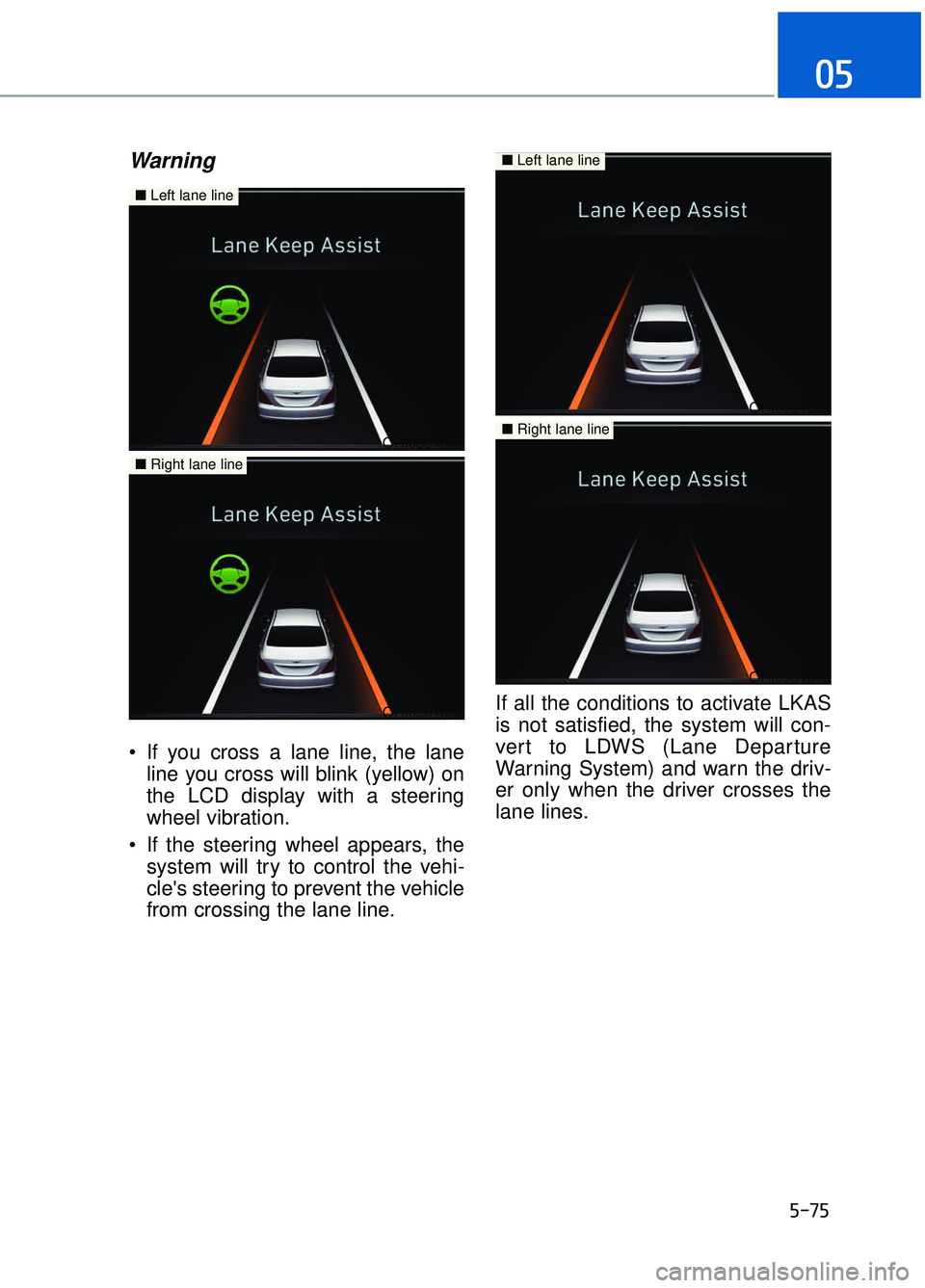
Warning
If you cross a lane line, the laneline you cross will blink (yellow) on
the LCD display with a steering
wheel vibration.
If the steering wheel appears, the system will try to control the vehi-
cle's steering to prevent the vehicle
from crossing the lane line. If all the conditions to activate LKAS
is not satisfied, the system will con-
vert to LDWS (Lane Departure
Warning System) and warn the driv-
er only when the driver crosses the
lane lines.
OHI056108L
OHI056109L
■
Left lane line
■Right lane line
OHI056106L
OHI056107L
■Left lane line
■Right lane line
Page 337 of 524
5-76
Driving your vehicle
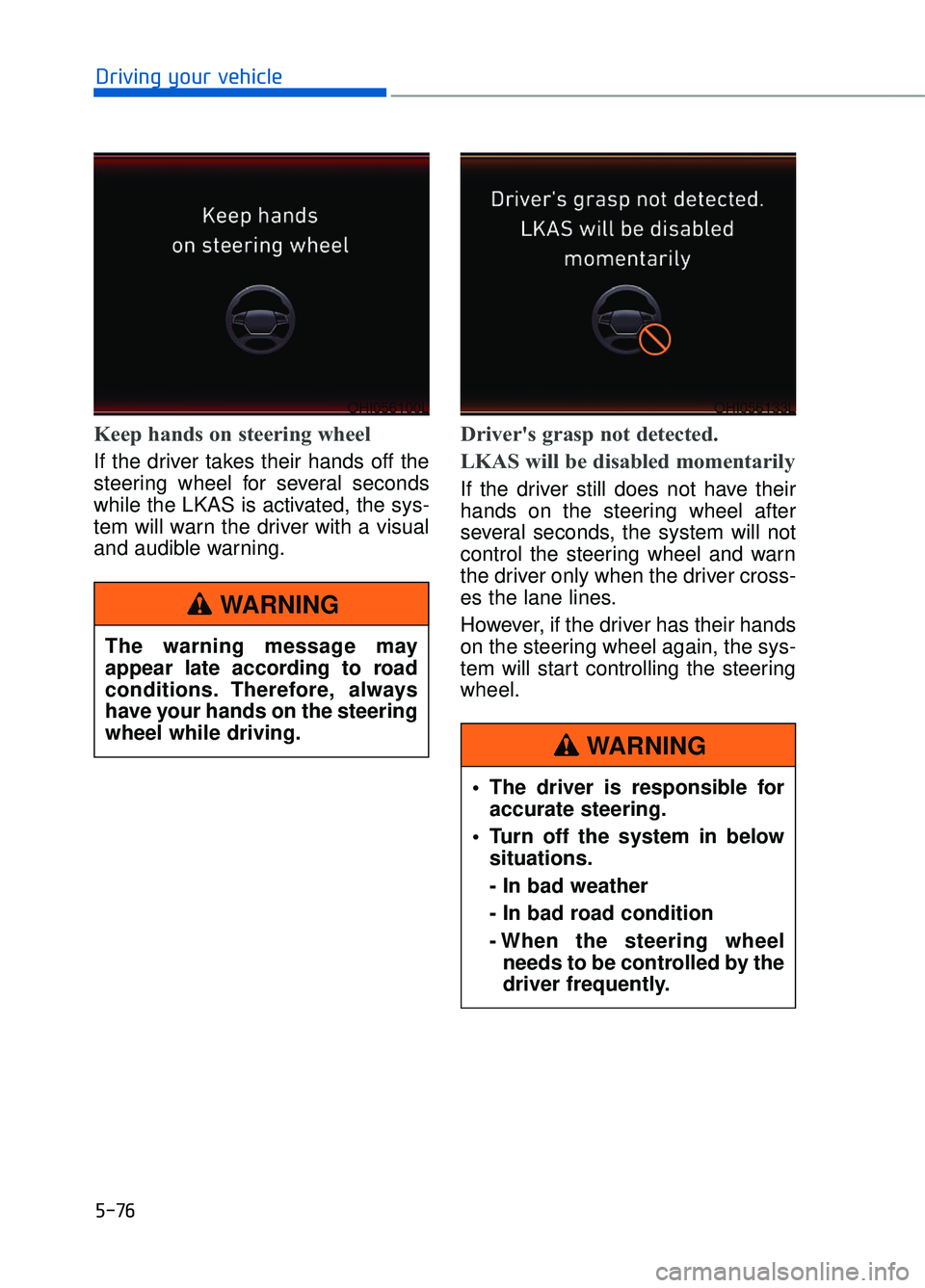
Keep hands on steering wheel
If the driver takes their hands off the
steering wheel for several seconds
while the LKAS is activated, the sys-
tem will warn the driver with a visual
and audible warning.
Driver's grasp not detected.
LKAS will be disabled momentarily
If the driver still does not have their
hands on the steering wheel after
several seconds, the system will not
control the steering wheel and warn
the driver only when the driver cross-
es the lane lines.
However, if the driver has their hands
on the steering wheel again, the sys-
tem will start controlling the steering
wheel.
OHI056100LOHI056133L
The warning message may
appear late according to road
conditions. Therefore, always
have your hands on the steering
wheel while driving.
WARNING
The driver is responsible foraccurate steering.
Turn off the system in below situations.
- In bad weather
- In bad road condition
- When the steering wheelneeds to be controlled by the
driver frequently.
WARNING
Page 338 of 524
5-77
05
Information
• Even though the steering is assistedby the system, the driver can still
steer to control the steering wheel.
• The steering wheel may feel heavier when the steering wheel is assisted
by the system than when it is not.
The LKAS system will not be in the
ENABLED state and the steering
wheel will not be assisted when:
Vehicle speed is below 40 mph (64 km/h) and over 110 mph (177
km/h).
Only one lane line is detected.
The turn signal is turned on before changing a lane. If you change
lanes without the turn signal on, the
steering wheel might be controlled.
The hazard warning flasher is on.
The width of the lane is below 10 feet (3.1 m) and over 15 feet
(4.5 m).
ESC (Electronic Stability Control) or VSM (Vehicle Stability Management)
is activated.
The vehicle is driven on a sharp curve.
The vehicle brakes suddenly.
The vehicle makes sharp lane changes.
There are more than two lane lines on the road. (e.g. construction area)
The vehicle is driven on a steep incline.
Information
When the system is turned on or right
after changing a lane, drive in the
middle of the lane. If not, the system
will not provide steering assist func-
tion.
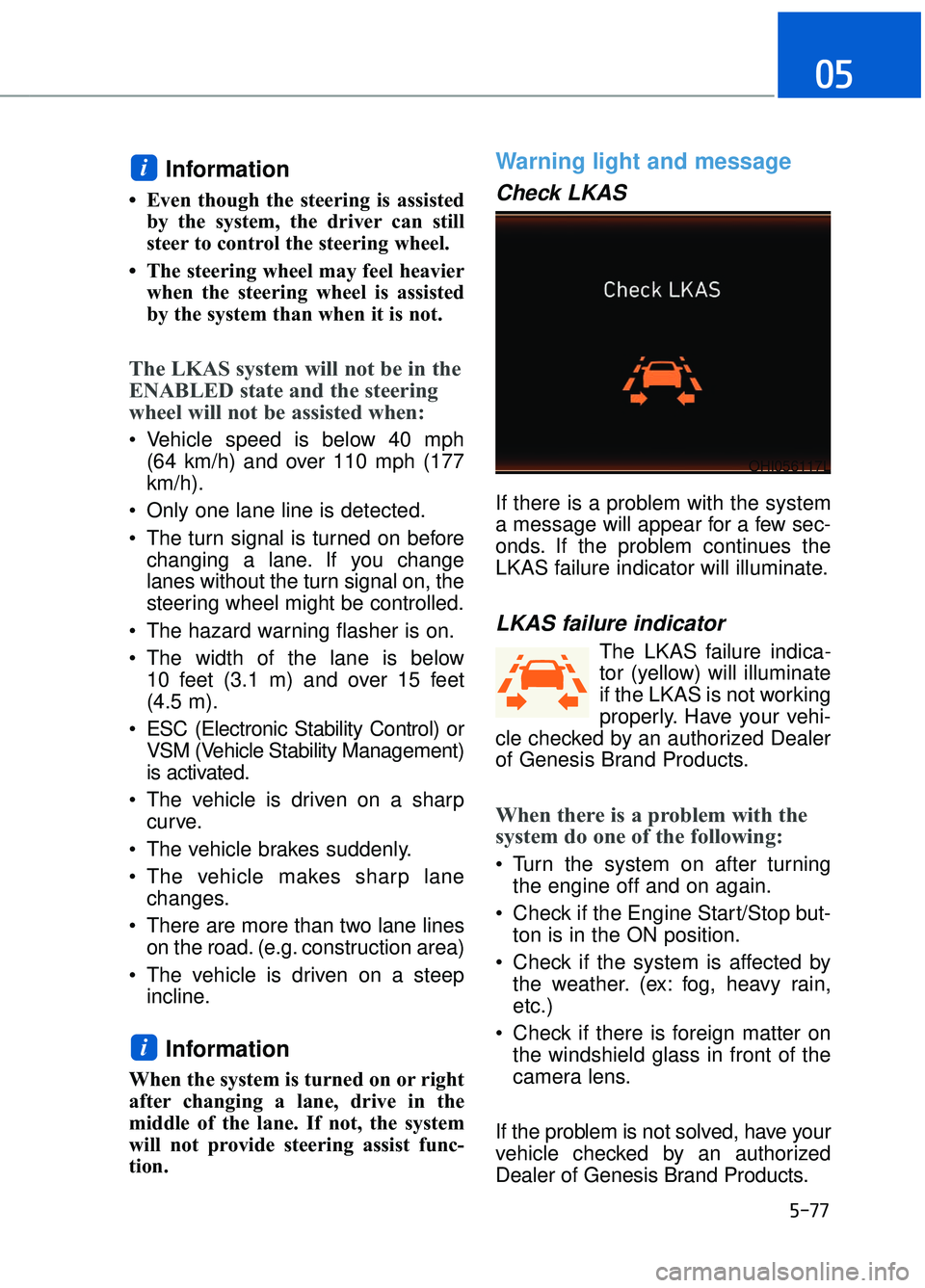
Warning light and message
Check LKAS
If there is a problem with the system
a message will appear for a few sec-
onds. If the problem continues the
LKAS failure indicator will illuminate.
LKAS failure indicator
The LKAS failure indica-
tor (yellow) will illuminate
if the LKAS is not working
properly. Have your vehi-
cle checked by an authorized Dealer
of Genesis Brand Products.
When there is a problem with the
system do one of the following:
Turn the system on after turning the engine off and on again.
Check if the Engine Start/Stop but- ton is in the ON position.
Check if the system is affected by the weather. (ex: fog, heavy rain,
etc.)
Check if there is foreign matter on the windshield glass in front of the
camera lens.
If the problem is not solved, have your
vehicle checked by an authorized
Dealer of Genesis Brand Products.
i
i
OHI056117L
Page 339 of 524
5-78
Driving your vehicle
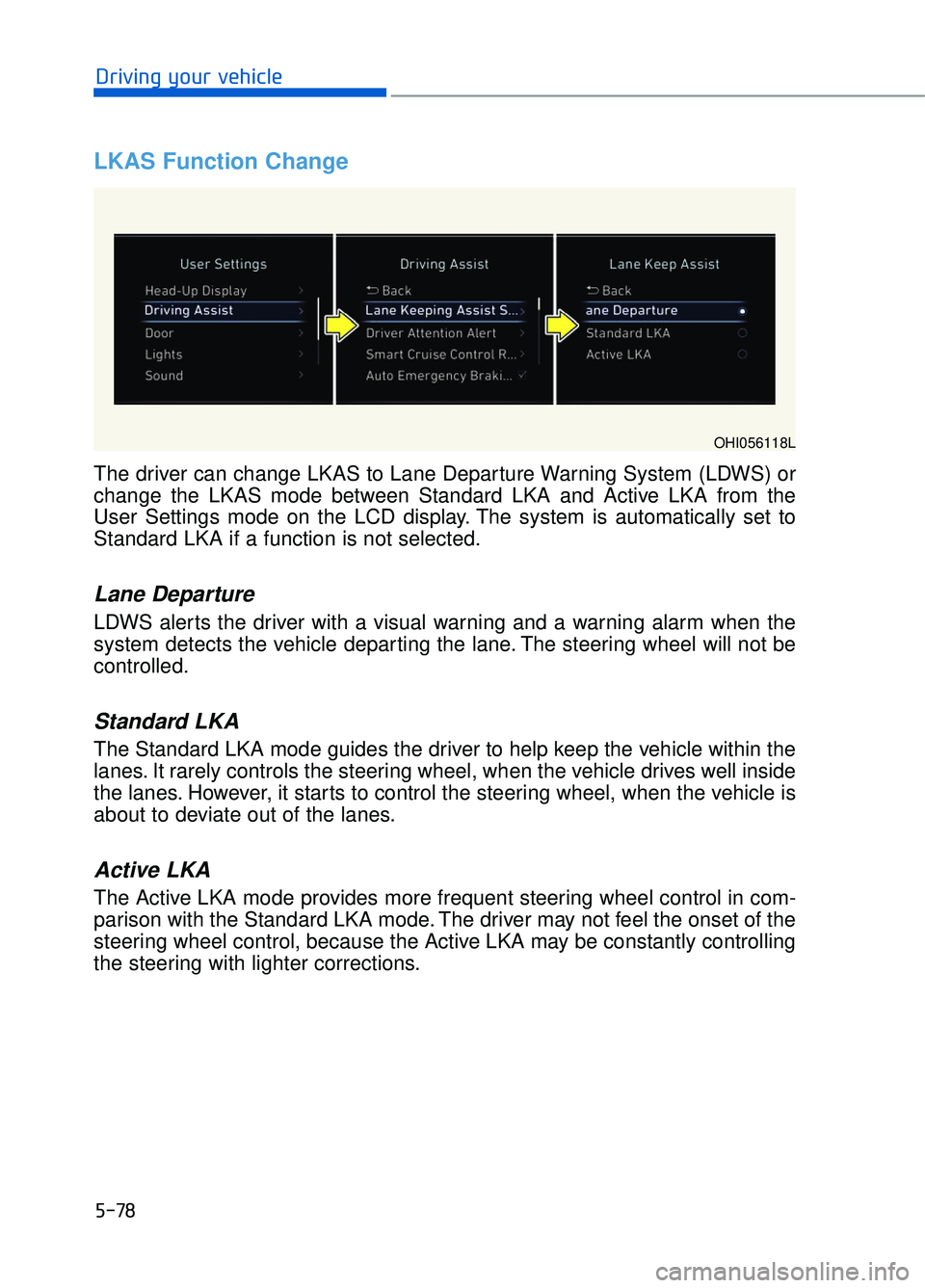
LKAS Function Change
OHI056118L
The driver can change LKAS to Lane Departure Warning System (LDWS) or
change the LKAS mode between Standard LKA and Active LKA from the
User Settings mode on the LCD display. The system is automatically set to
Standard LKA if a function is not selected.
Lane Departure
LDWS alerts the driver with a visual warning and a warning alarm when the
system detects the vehicle departing the lane. The steering wheel will not be
controlled.
Standard LKA
The Standard LKA mode guides the driver to help keep the vehicle within the
lanes. It rarely controls the steering wheel, when the vehicle drives well inside
the lanes. However, it starts to control the steering wheel, when the vehicle is
about to deviate out of the lanes.
Active LKA
The Active LKA mode provides more frequent steering wheel control in com-
parison with the Standard LKA mode. The driver may not feel the onset of the
steering wheel control, because the Active LKA may be constantly controlling
the steering with lighter corrections.
Page 341 of 524
5-80
Driving your vehicle
(
(I
IF
F
E
E Q
Q U
UI
IP
P P
PE
ED
D )
)
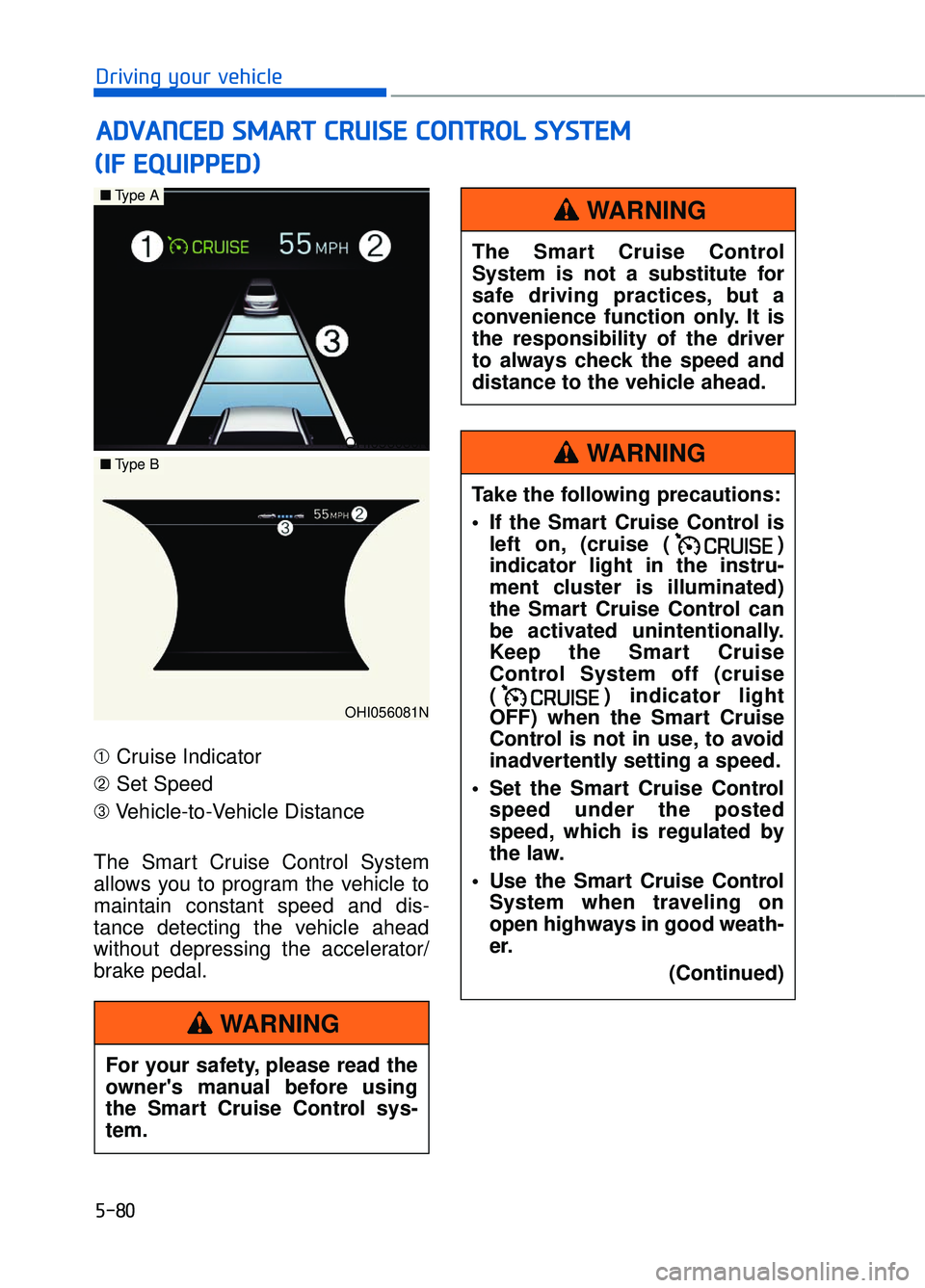
➀ Cruise Indicator
➁ Set Speed
➂ Vehicle-to-Vehicle Distance
The Smart Cruise Control System
allows you to program the vehicle to
maintain constant speed and dis-
tance detecting the vehicle ahead
without depressing the accelerator/
brake pedal.
A A D
DV
VA
A N
N C
CE
E D
D
S
S M
M A
AR
RT
T
C
C R
R U
U I
IS
S E
E
C
C O
O N
NT
TR
R O
O L
L
S
S Y
Y S
ST
T E
EM
M
OHI056080N
OHI056081N
■ Type A
■Type B
For your safety, please read the
owner's manual before using
the Smart Cruise Control sys-
tem.
WARNING
The Smart Cruise Control
System is not a substitute for
safe driving practices, but a
convenience function only. It is
the responsibility of the driver
to always check the speed and
distance to the vehicle ahead.
WARNING
Take the following precautions:
If the Smart Cruise Control is
left on, (cruise ( )
indicator light in the instru-
ment cluster is illuminated)
the Smart Cruise Control can
be activated unintentionally.
Keep the Smart Cruise
Control System off (cruise
( ) indicator light
OFF) when the Smart Cruise
Control is not in use, to avoid
inadvertently setting a speed.
Set the Smart Cruise Control speed under the posted
speed, which is regulated by
the law.
Use the Smart Cruise Control System when traveling on
open highways in good weath-
er.
(Continued)
WARNING
Page 343 of 524
5-82
Driving your vehicle
To Convert to Cruise Control
Mode
The driver may choose to only use
the Cruise Control Mode (speed con-
trol function) by doing as follows:
1. Turn the Smart Cruise ControlSystem on (the cruise indicator
will be on but the system will not
be activated).
2. Press and hold the Vehicle-to- Vehicle Distance button for more
than 2 seconds.
3. Choose between "Smart Cruise Control" mode and "Cruise
Control" mode. When the system is canceled using
the CRUISE button or the CRUISE
button is used after the engine is
turned on, the Smart Cruise Control
mode will turn on.
OHI056092L
OHI056093L
When using the Cruise Control
mode, you must manually
adjust the distance to other
vehicles by depressing the
accelerator or brake pedal. The
system does not automatically
adjust the distance to vehicles
in front of you.
WARNING