2017 FORD TAURUS ESP
[x] Cancel search: ESPPage 54 of 504
PRINCIPLE OF OPERATION
MyKey allows you to program keys withrestricted driving modes to promote gooddriving habits. All but one of the keysprogrammed to the vehicle can beactivated with these restricted modes.
Any keys that have not been programmedare referred to as administrator keys oradmin keys. They can be used to:
•Create a MyKey.
•Program configurable MyKey settings.
•Clear all MyKey features.
When you have programmed a MyKey, youcan access the following information usingthe information display:
•How many admin keys and MyKeys areprogrammed to your vehicle.
•The total distance your vehicle hastraveled using a MyKey.
Note:All MyKeys are programmed to thesame settings. You cannot program themindividually.
Note:For vehicles equipped with apush-button start switch: When both aMyKey and an admin key are present whenyou start your vehicle, the system recognizesthe admin key only.
Non-configurable Settings
The following settings cannot be changedby an admin key user:
•Belt-Minder or safety belt reminder.You cannot disable this feature. Theaudio system will mute when the frontseat occupants’ safety belts are notfastened.
•Early low fuel. The low fuel warning isactivated earlier, giving the MyKey usermore time to refuel.
•Driver assist features, if equipped onyour vehicle, are forced on: parking aid,blind spot information system (BLIS),cross traffic alert, lane departurewarning and forward collision warningsystem.
•Satellite radio adult contentrestrictions (available only in somemarkets).
Note:When you switch lane departurewarning off temporarily, it turns on at thenext ignition cycle.
Configurable Settings
With an admin key, you can configurecertain MyKey settings when you firstcreate a MyKey and before you recycle thekey or restart the vehicle. You can alsochange the settings afterward with anadmin key:
•A vehicle speed limit can be set.Warnings will be shown in the display,followed by an audible tone when yourvehicle reaches the set speed. Youcannot override the set speed by fullydepressing the accelerator pedal or bysetting cruise control.
WARNING
Do not set MyKey maximum speedlimit to a limit that will prevent thedriver from maintaining a safe speedconsidering posted speed limits andprevailing road conditions. The driver isalways responsible to drive in accordancewith local laws and prevailing conditions.Failure to do so could result in accident orinjury.
51
Taurus (CPH) Canada/United States of America, enUSA, First Printing
MyKey™
Page 55 of 504
•Various vehicle speed reminders so youknow when your vehicle approachesthe limits. Warnings appear in theinformation display and an audiblewarning sounds when you exceed thelimit.
•Audio system maximum volume of45%. A message will be shown in thedisplay when you attempt to exceedthe limited volume. Also, thespeed-sensitive or compensatedautomatic volume control will bedisabled.
•Always on setting. When this isselected, you will not be able to turnoff Advance Trac or traction control,911 Assist or Emergency Assistance, orDo Not Disturb (if your vehicle is
equipped with these features).
CREATING A MYKEY
Use the information display to create aMyKey:
1. Insert the key you want to program intothe ignition. If your vehicle is equipped witha push-button start, place the key fob intothe backup slot. The location of yourbackup slot is in another chapter. SeeKeyless Starting (page 137).
2. Switch the ignition on.
3. Access the main menu on theinformation display controls. Use the arrowkeys to get to the following menuselections:
Action and DescriptionMessage
Press the OK button or the right arrow key.Settings
Press the OK button or the right arrow key.MyKey
Press the OK button or the right arrow key.Create MyKey
When prompted, hold the OK button untilyou see a message informing you to labelthis key as a MyKey. The key will berestricted at the next start.
MyKey is successfully created. Make sureyou label it so you can distinguish it fromthe admin keys.
You can also program configurablesettings for the key(s). SeeProgramming/Changing ConfigurableSettings.
Programming/ChangingConfigurable Settings
Use the information display to access yourconfigurable MyKey settings.
1. Switch the ignition on using an adminkey or fob.
2. Access the main menu on theinformation display controls. Use thearrow keys to get to the following menuselections:
Action and DescriptionMessage
Press the OK button or the right arrow key.Settings
Press the OK button or the right arrow key.MyKey
52
Taurus (CPH) Canada/United States of America, enUSA, First Printing
MyKey™
Page 78 of 504
The daytime running lamps turn on when:
1. The ignition is switched to the onposition.
2. The lighting control is in the offposition, parking lamps position or theautolamps position, and the sensordetects daylight.
3. Your vehicle is in drive (D).
AUTOMATIC HIGH BEAM
CONTROL (If Equipped)
The system will automatically turn on yourhigh beams if it is dark enough and no othertraffic is present. When it detects theheadlights of an approaching vehicle, thetail lamps of the preceding vehicle or streetlighting, the system will turn off the highbeams. The low beams remain on.
Note:If it appears that automatic controlof the high beams is not functioningproperly, check the windshield in front ofthe camera for a blockage. A clear view ofthe road is required for proper systemoperation. Have any windshield damage inthe area of the camera’s field-of-viewrepaired.
Note:If the system detects a blockage suchas bird droppings, bug splatter, snow or ice,and you do not observe changes, the systemwill go into low beam mode until you clearthe blockage. A message may also appearin the instrument cluster display noting thefront camera is blocked.
Note:In cold or inclement weatherconditions, you will notice a decrease in theavailability of the high beam system,especially at start up. If you want to changethe beam state independently of theautomatic control, you may switch the highbeams on or off using the lever. Automaticcontrol will resume when conditions arecorrect.
Note:Modification of the vehicle ride heightsuch as using much larger tires, maydegrade feature performance.
A camera sensor, centrally mountedbehind the windshield of your vehicle,continuously monitors conditions to decidewhen to turn the high beams off and on.
Once the system is active, the high beamswill turn on if:
•The ambient light level is low enough.
•There is no traffic in front of the vehicle.
•The vehicle speed is greater than32 mph (52 km/h).
The high beams will turn off if:
•The system detects the headlamps ofan approaching vehicle or the taillamps of a preceding vehicle.
•Vehicle speed falls below 27 mph(44 km/h).
•The ambient light level is high enoughthat high beams are not required.
•The system detects severe rain, snowor fog.
•The camera is blocked.
Activating the System
Switch on the system using the informationdisplay and autolamps. See InformationDisplays (page 89).
Switch the lighting control to theautolamps position. See Autolamps(page 73).
75
Taurus (CPH) Canada/United States of America, enUSA, First Printing
Lighting
Page 88 of 504
•It may take a short time for the needleto reach full after leaving the gasstation. This is normal and dependsupon the slope of pavement at the gasstation.
•The fuel amount dispensed into thetank is a little less or more than thegauge indicated. This is normal anddepends upon the slope of pavementat the gas station.
•If the gas station nozzle shuts offbefore the tank is full, try a differentgas pump nozzle.
•There is a small reserve left in the tankwhen the fuel gauge reaches empty.
Low Fuel Reminder
A low fuel reminder triggers when thedistance to empty reaches 75 miles (120km), 50 miles (80 km), 25 miles (40 km),10 miles (20 km) and 0 miles (0 km) .
Variations:
Note:The low fuel warning anddistance-to-empty warning can appear atdifferent fuel gauge positions depending onfuel economy conditions. This variation isnormal.
WARNING LAMPS AND
INDICATORS
The following warning lamps andindicators alert you to a vehicle conditionthat may become serious. Some lampsilluminate when you start your vehicle tomake sure they work. If any lamps remainon after starting your vehicle, refer to therespective system warning lamp for furtherinformation.
Note:Some warning indicators appear inthe information display and function thesame as a warning lamp, but do not displaywhen you start your vehicle.
Adaptive Cruise Control (If Equipped)
The speed control systemindicator light changes color toindicate what mode the systemis in. See Using Adaptive Cruise Control(page 179).
On (white light): Illuminates when youswitch on the adaptive cruise controlsystem. Turns off when the speed controlsystem is turned off.
Engaged (green light): Illuminates whenyou engage the adaptive cruise controlsystem. Turns off when you disengage thespeed control system.
Anti-Lock Braking System
If it illuminates when you aredriving, this indicates amalfunction. You continue tohave the normal braking system (withoutABS) unless the brake system warninglamp is also illuminated. Have the systemchecked by an authorized dealer.
Automatic High Beam Control
It will illuminate when thisfeature is on. See AutomaticHigh Beam Control (page 75).
Battery
If it illuminates while driving, itindicates a malfunction. Switchoff all unnecessary electricalequipment and have the system checkedby an authorized dealer immediately.
Blind Spot Monitor (If Equipped)
It illuminates when you switchthis feature off or in conjunctionwith a message. See Blind SpotInformation System (page 191).
85
Taurus (CPH) Canada/United States of America, enUSA, First Printing
Instrument ClusterE144524 E151262
Page 89 of 504

Brake System
It illuminates when you engagethe parking brake with theignition on.
If it illuminates when you are driving, checkthat the parking brake is not engaged. Ifthe parking brake is not engaged, thisindicates low brake fluid level or a brakesystem malfunction. Have the systemchecked immediately by an authorizeddealer.
WARNING
Driving your vehicle with the warninglamp on is dangerous. A significantdecrease in braking performancemay occur. It will take you longer to stopyour vehicle. Have your vehicle checked byyour authorized dealer immediately. Drivingextended distances with the parking brakeengaged can cause brake failure and therisk of personal injury.
Cruise Control (If Equipped)
It illuminates when you switchthis feature on.
Direction Indicator
Illuminates when you switch onthe left or right directionindicator or the hazard warningflasher. If the indicators stay on or flashfaster, check for a burned out bulb. SeeChanging a Bulb (page 256).
Door Ajar
Displays when the ignition is onand any door is not completelyclosed.
Engine Coolant Temperature
Illuminates when the enginecoolant temperature is high.Stop the vehicle as soon aspossible, switch off the engine and let cool.See Engine Oil Check (page 241).
Engine Oil
If it illuminates with the enginerunning or when you are driving,this indicates a malfunction.Stop your vehicle as soon as it is safe todo so and switch the engine off. Check theengine oil level. See Engine Oil Check(page 241).
Note:Do not resume your journey if itilluminates despite the level being correct.Have the system checked by an authorizeddealer immediately.
Fasten Seatbelt
It illuminates and a chimesounds to remind you to fastenyour seatbelt. See SeatbeltReminder (page 34).
Front Airbag
If it fails to illuminate when youstart your vehicle, continues toflash or remains on, it indicatesa malfunction. Have the system checkedby an authorized dealer.
Front Fog Lamps (If Equipped)
Lights when you switch the frontfog lamps on.
86
Taurus (CPH) Canada/United States of America, enUSA, First Printing
Instrument ClusterE144522 E71340 E71880 E67017
Page 92 of 504
GENERAL INFORMATION
WARNING
Driving while distracted can result inloss of vehicle control, crash andinjury. We strongly recommend thatyou use extreme caution when using anydevice that may take your focus off theroad. Your primary responsibility is the safeoperation of your vehicle. We recommendagainst the use of any hand-held devicewhile driving and encourage the use ofvoice-operated systems when possible.Make sure you are aware of all applicablelocal laws that may affect the use ofelectronic devices while driving.
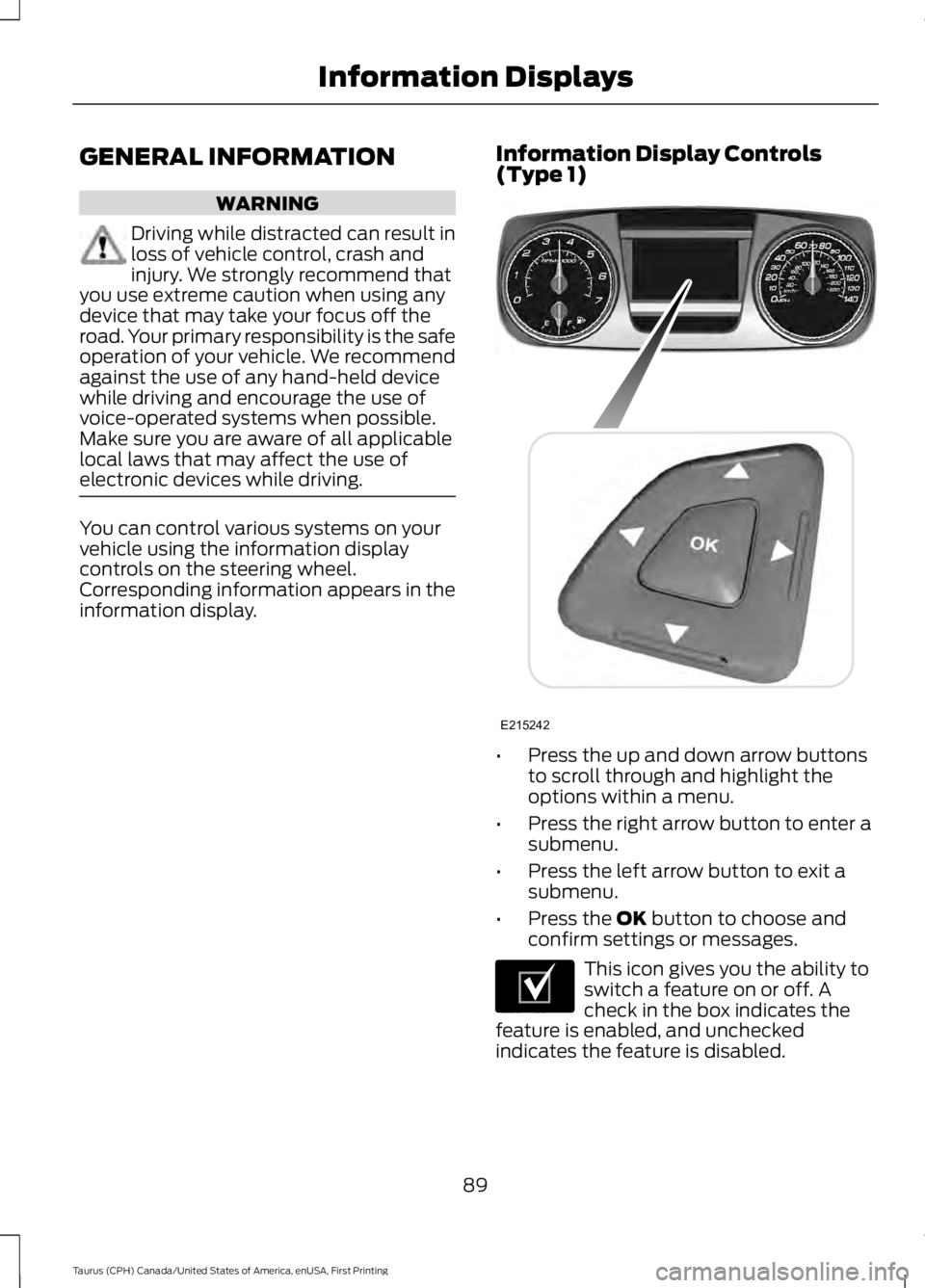
You can control various systems on yourvehicle using the information displaycontrols on the steering wheel.Corresponding information appears in theinformation display.
Information Display Controls(Type 1)
•Press the up and down arrow buttonsto scroll through and highlight theoptions within a menu.
•Press the right arrow button to enter asubmenu.
•Press the left arrow button to exit asubmenu.
•Press the OK button to choose andconfirm settings or messages.
This icon gives you the ability toswitch a feature on or off. Acheck in the box indicates thefeature is enabled, and uncheckedindicates the feature is disabled.
89
Taurus (CPH) Canada/United States of America, enUSA, First Printing
Information DisplaysE215242 E204495
Page 93 of 504
Trip 1 & 2
You can access the menu using theinformation display control.
Note:Some options may appear slightlydifferent or not at all if the items areoptional.
Trip 1 & 2
Digital Speedometer
Hold OK to ResetTrip Odometer
Trip Timer
Average Fuel
•Digital Speedometer - Shows a digitaldisplay of your vehicle speed.
•Trip Odometer — Registers thedistance of individual journeys.
•Trip Timer — The timer stops when youturn your vehicle off and restarts whenyou restart your vehicle.
•Average Fuel — Shows the average fueleconomy for a given trip.
Note:Press and hold OK on the currentscreen to reset the respective trip, distance,time and fuel information.
Fuel Economy
Fuel Economy
Dist to empty
Inst Fuel Econ
Average Fuel
•Distance to Empty - Shows theapproximate distance your vehicle cantravel before running out of fuel.
•Instantaneous Fuel Economy - Showsa visual graph of your instantaneousfuel economy along with your Avg MPGsince the function was last reset.
•Average MPG — Shows the averagefuel economy since last reset.
Note:You can reset your average fueleconomy by pressing and holding the OKbutton on the left hand steering wheelcontrols.
90
Taurus (CPH) Canada/United States of America, enUSA, First Printing
Information Displays
Page 130 of 504
HEATED SEATS (If Equipped)
WARNING
People who are unable to feel painto their skin because of advancedage, chronic illness, diabetes, spinalcord injury, medication, alcohol use,exhaustion or other physical conditions,must use caution when using the heatedseat. The heated seat may cause burnseven at low temperatures, especially ifused for long periods of time. Do not placeanything on the seat that may block theheat, such as a blanket or cushion. This cancause the heated seat to overheat. Do notpuncture the seat with pins, needles orother pointed objects. This damages theheating element and can cause the heatedseat to overheat. An overheated seat maycause serious personal injury.
Do not do the following:
•Place heavy objects on the seat.
•Operate the heated seat if water or anyother liquid spills on the seat. Allow theseat to dry thoroughly.
Note:You must switch the ignition on touse this feature.
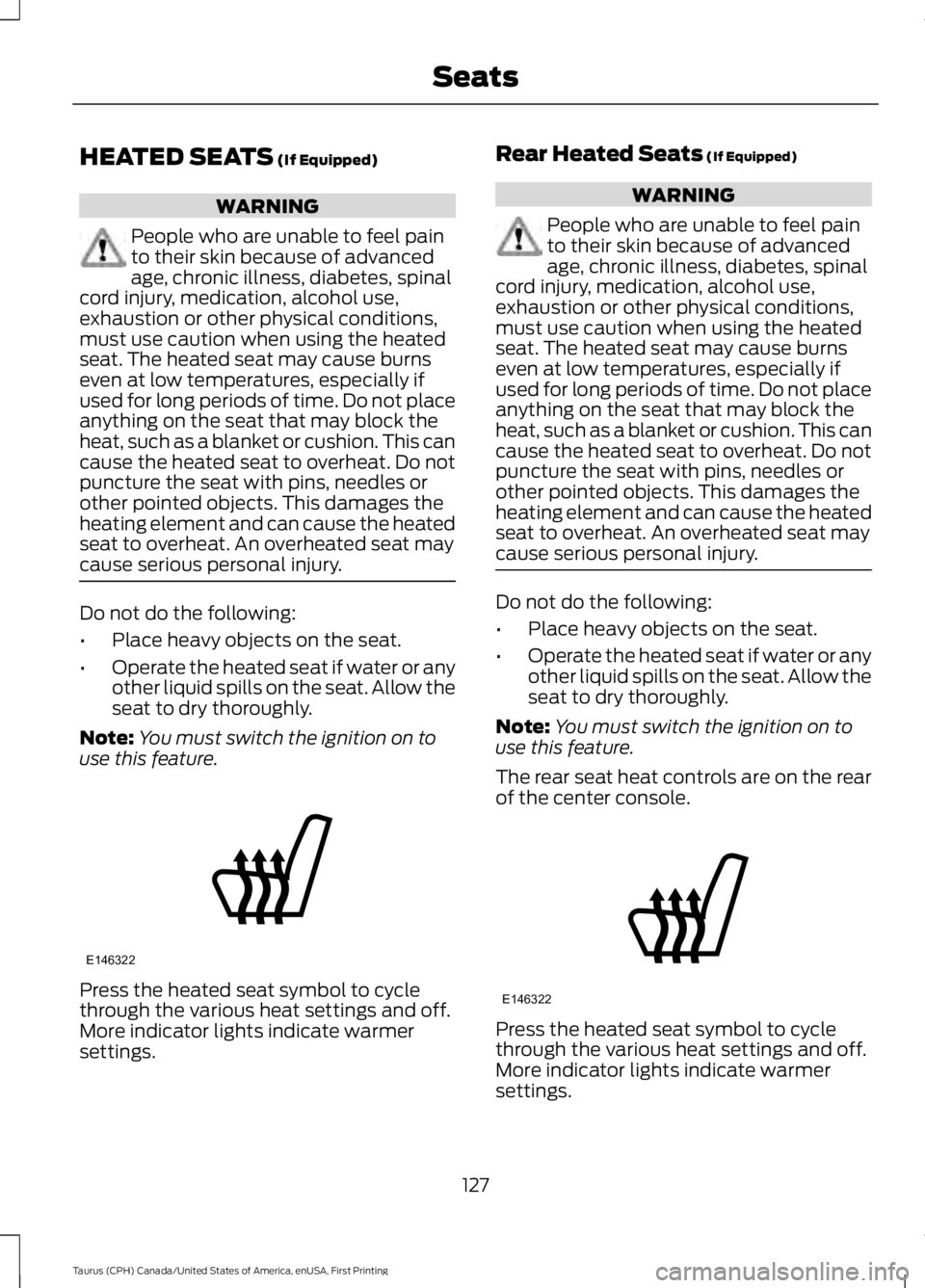
Press the heated seat symbol to cyclethrough the various heat settings and off.More indicator lights indicate warmersettings.
Rear Heated Seats (If Equipped)
WARNING
People who are unable to feel painto their skin because of advancedage, chronic illness, diabetes, spinalcord injury, medication, alcohol use,exhaustion or other physical conditions,must use caution when using the heatedseat. The heated seat may cause burnseven at low temperatures, especially ifused for long periods of time. Do not placeanything on the seat that may block theheat, such as a blanket or cushion. This cancause the heated seat to overheat. Do notpuncture the seat with pins, needles orother pointed objects. This damages theheating element and can cause the heatedseat to overheat. An overheated seat maycause serious personal injury.
Do not do the following:
•Place heavy objects on the seat.
•Operate the heated seat if water or anyother liquid spills on the seat. Allow theseat to dry thoroughly.
Note:You must switch the ignition on touse this feature.
The rear seat heat controls are on the rearof the center console.
Press the heated seat symbol to cyclethrough the various heat settings and off.More indicator lights indicate warmersettings.
127
Taurus (CPH) Canada/United States of America, enUSA, First Printing
SeatsE146322 E146322