2017 FORD F150 glove box
[x] Cancel search: glove boxPage 70 of 599
You can use the keypad to:
•
Lock or unlock the doors and liftgate.
• Program and erase user codes.
• Arm and disarm the anti-theft alarm.
You can operate the keypad with the
factory-set five-digit entry code. The code
is located on the owner ’s wallet card in the
glove box and is available from an
authorized dealer. You can also create up
to five of your own five-digit personal entry
codes.
Programming a Personal Entry Code
To create your own personal entry code:
1. Enter the factory-set code.
2. Press 1·2 on the keypad within five
seconds.
3. Enter your personal five-digit code. You
must enter each number within five
seconds of each other.
4. Press
1·2 on the keypad to save
personal code one.
The doors will lock then unlock to confirm
that programming was successful.
To program additional personal entry
codes, repeat Steps 1-3, then for Step 4:
• Press
3·4 to save personal code two.
• Press
5·6 to save personal code three.
• Press
7·8 to save personal code four.
• Press
9·0 to save personal code five.
Tips:
• Do not set a code that uses five of the
same number.
• Do not use five numbers in sequential
order.
• The factory-set code will work even if
you have set your own personal code.
Erasing a Personal Code
1. Enter the factory-set five-digit code. 2. Press and release
1·2 on the keypad
within five seconds.
3. Press and hold
1·2 for two seconds.
This must be done within five seconds
of completing Step 2.
All personal codes erase and only the
factory-set five-digit code will work.
Recalling Memory Positions (If
Equipped)
The programmed entry codes will recall
driver memory positions as follows:
• Entry code one will recall driver 1
memory positions.
• Entry code two will recall driver 2
memory positions.
• Entry code three will recall driver 3
memory positions.
Note: Personal entry codes four and five
will not recall memory positions
Anti-Scan Feature
The keypad will go into an anti-scan mode
if you enter the wrong code seven times
(35 consecutive button presses). This
mode disables the keypad for one minute
and the keypad lamp will flash.
The anti-scan feature will turn off after:
• One minute of keypad inactivity.
• Pressing the unlock button on the
remote control.
• Switching the ignition on.
• Unlocking the vehicle using intelligent
access.
Unlocking and Locking the Doors
To Unlock the Driver Door
Enter the factory-set five-digit code or your
personal code. You must press each
number within five seconds of each other.
The interior lamps illuminate.
67
F-150 (TFC) Canada/United States of America, enUSA, First Printing Doors and Locks
Page 73 of 599
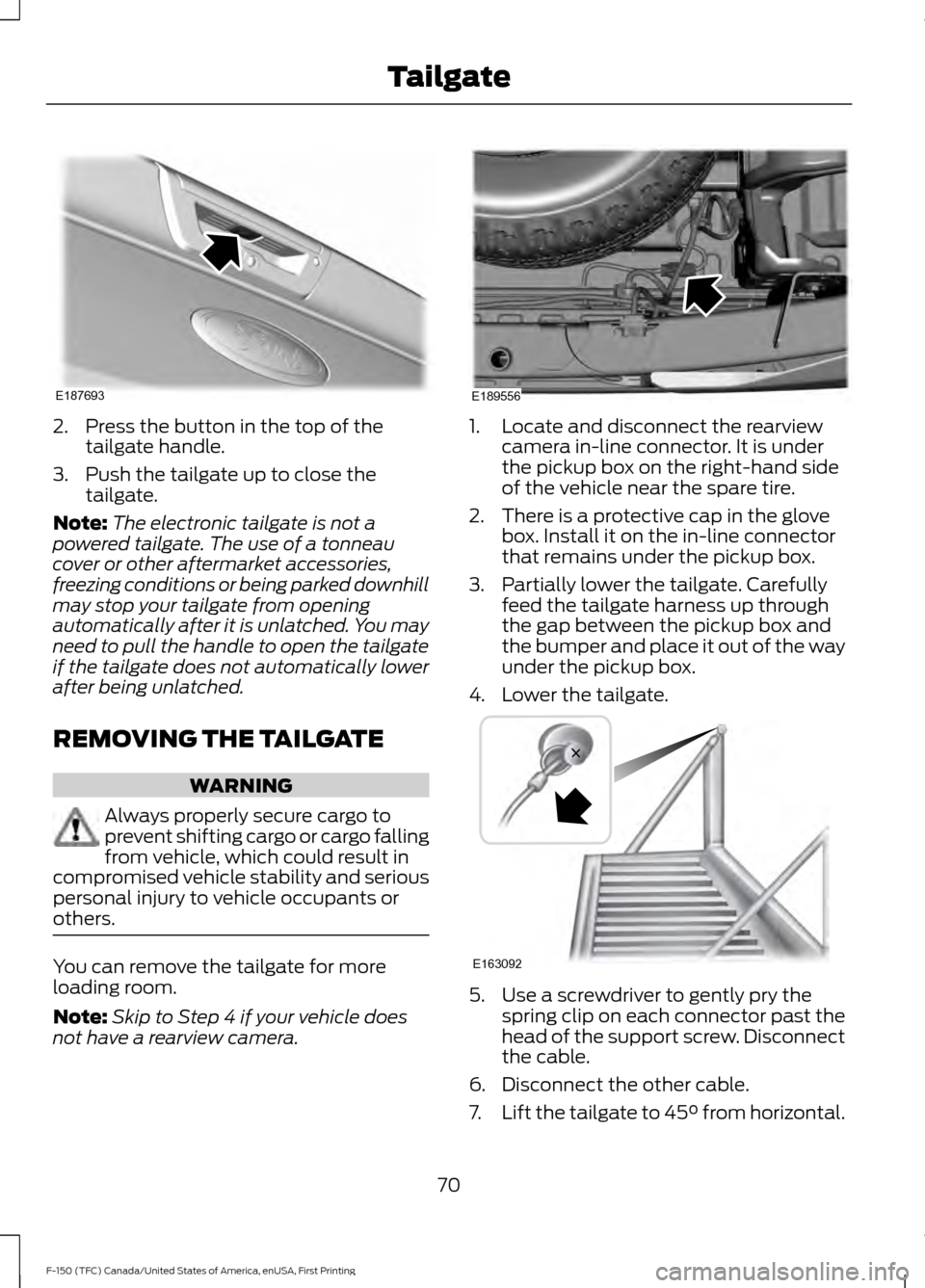
2. Press the button in the top of the
tailgate handle.
3. Push the tailgate up to close the tailgate.
Note: The electronic tailgate is not a
powered tailgate. The use of a tonneau
cover or other aftermarket accessories,
freezing conditions or being parked downhill
may stop your tailgate from opening
automatically after it is unlatched. You may
need to pull the handle to open the tailgate
if the tailgate does not automatically lower
after being unlatched.
REMOVING THE TAILGATE WARNING
Always properly secure cargo to
prevent shifting cargo or cargo falling
from vehicle, which could result in
compromised vehicle stability and serious
personal injury to vehicle occupants or
others. You can remove the tailgate for more
loading room.
Note:
Skip to Step 4 if your vehicle does
not have a rearview camera. 1. Locate and disconnect the rearview
camera in-line connector. It is under
the pickup box on the right-hand side
of the vehicle near the spare tire.
2. There is a protective cap in the glove box. Install it on the in-line connector
that remains under the pickup box.
3. Partially lower the tailgate. Carefully feed the tailgate harness up through
the gap between the pickup box and
the bumper and place it out of the way
under the pickup box.
4. Lower the tailgate. 5. Use a screwdriver to gently pry the
spring clip on each connector past the
head of the support screw. Disconnect
the cable.
6. Disconnect the other cable.
7. Lift the tailgate to 45° from horizontal.
70
F-150 (TFC) Canada/United States of America, enUSA, First Printing TailgateE187693 E189556 E163092
Page 150 of 599
Side Window Defogging in Cold Weather
Vehicle with automatic climate control
Vehicle with manual climate control
Press the defrost button.
Select the windshield air vents using the
air distribution buttons.
1
Adjust the temperature control to the
desired setting. Use 72°F (22°C) as a
starting point, then adjust the setting as
necessary.
Press the A/C button if the indicator is
off.
2
Adjust the temperature control to the
desired setting.
3
Adjust the fan speed to a high speed
setting.
4
HEATED WINDOWS AND
MIRRORS
(If Equipped)
Heated Rear Window
Note: Make sure the engine is running
before operating the heated windows. Press the button to clear the
heated rear window of thin ice
and fog. The heated rear window
will automatically turn off after a short
period of time. Start the engine before you
switch the heated rear window on.
Note: Do not use razor blades or other
sharp objects to clean or remove decals
from the inside of the heated rear window.
The vehicle warranty does not cover
damage caused to the heated rear window
grid lines.
Heated Exterior Mirror
(If Equipped)
When you switch the heated rear window
on, the heated exterior mirrors will
automatically turn on.
Note: Do not remove ice from the mirrors
with a scraper or adjust the mirror glass
when it is frozen in place. Note:
Do not clean the mirror housing or
glass with harsh abrasives, fuel or other
petroleum-based cleaning products.
CABIN AIR FILTER
Your vehicle is equipped with a cabin air
filter, which gives you and your passengers
the following benefits:
• It improves your driving comfort by
reducing particle concentration.
• It improves the interior compartment
cleanliness.
• It protects the climate control
components from particle deposits.
You can locate the cabin air filter behind
the glove box.
Note: Make sure you have a cabin air filter
installed at all times. This prevents foreign
objects from entering the system. Running
the system without a filter in place could
result in degradation or damage to the
system.
Replace the filter at regular intervals. See
Scheduled Maintenance
(page 539).
147
F-150 (TFC) Canada/United States of America, enUSA, First Printing Climate ControlE184884
Page 316 of 599

Protected components
Fuse amp rating
Fuse or relay number
Demand lamp relay.
10A
1
Power seats relay.
Glove box.
Vanity lamps.
Overhead console.
Dome.
Courtesy.
Map lamps.
Memory module logic.
7.5A
2
Memory seat switches.
Lumbar motor.
Driver door lock motor.
20A
3
Trailer brake control.
5A
4
Not used.
20A
5
Not used.
10A
6
Not used.
10A
7
Not used.
10A
8
Not used (spare).
10A
9
313
F-150 (TFC) Canada/United States of America, enUSA, First Printing FusesE145984
Page 341 of 599
Exterior Lamps
Power (Watt)
Specification
Lamp
21/5W
7444NA
Front direction indicator and parking lamps.
LED
LED
Daytime running lamps.
65W
9005
Headlamp high beam.
55W
H11
Headlamp low beam.
55W
9140
Front fog lamps.
5W
W5W
Front side marker lamps.
LED
LED
Side direction indicator.
LED
LED
Puddle lamp.
27/8W
3157
Rear lamps, brake lamps, rear direction indicator
and rear side marker lamps. *
16W
921
Central high mounted brake lamp. *
LED
LED
Central high mounted brake lamp. Vehicles with
cargo box.
27W
3156K
Reversing lamps.
5W
168
License plate lamp.
* May have optional LED lamps.
Note: LED lamps are not serviceable. See an authorized dealer if they fail.
Interior Lamps Power (Watt)
Specification
Lamp
LED
LED
Glove compartment lamp.
LED
LED
Map lamp.
LED
LED
Rear dome and courtesy lamps.
LED
LED
Rear cargo box lamps.
Note: LED lamps are not serviceable. See an authorized dealer if they fail.
338
F-150 (TFC) Canada/United States of America, enUSA, First Printing Maintenance
Page 523 of 599
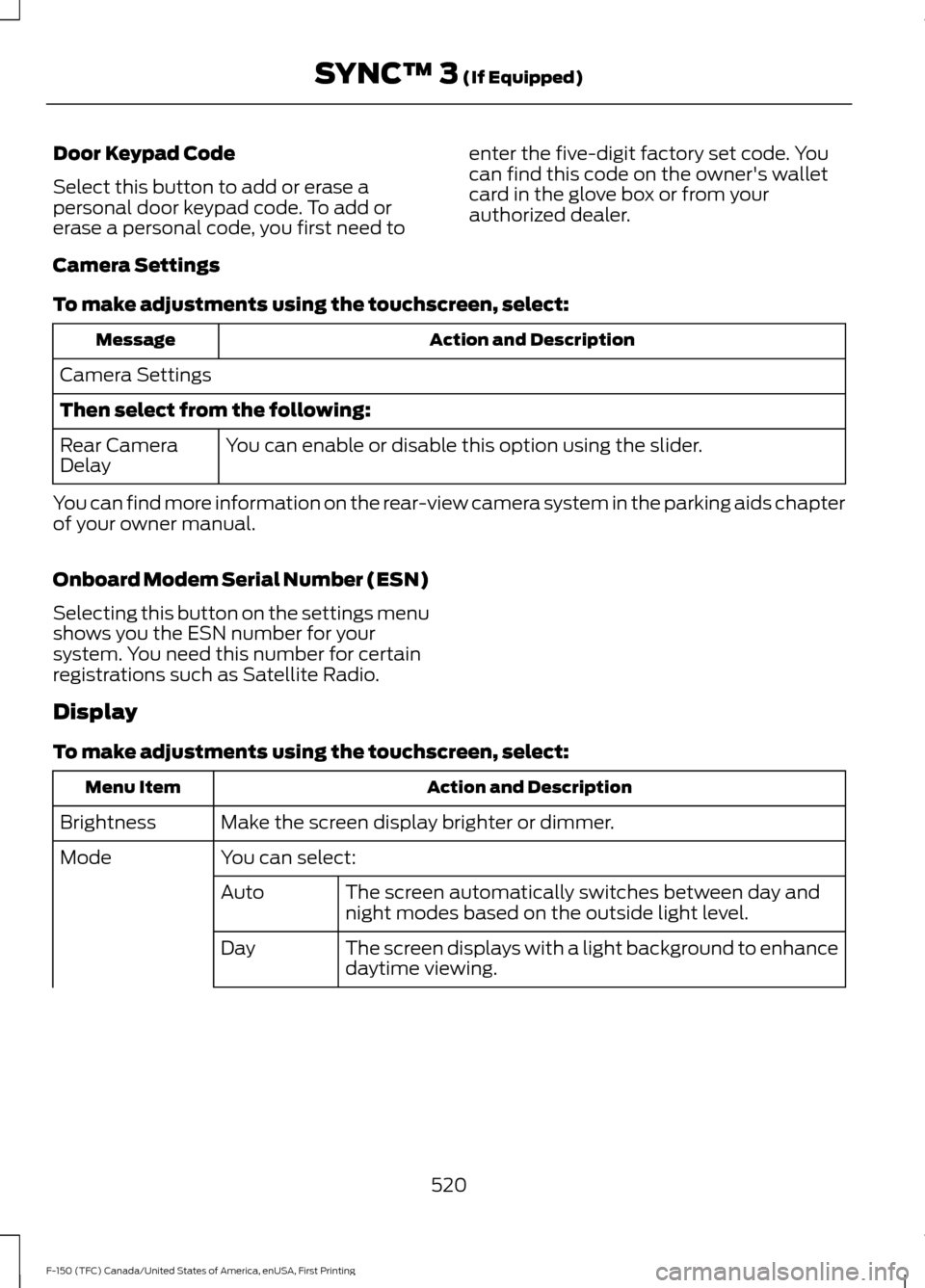
Door Keypad Code
Select this button to add or erase a
personal door keypad code. To add or
erase a personal code, you first need to
enter the five-digit factory set code. You
can find this code on the owner's wallet
card in the glove box or from your
authorized dealer.
Camera Settings
To make adjustments using the touchscreen, select: Action and Description
Message
Camera Settings
Then select from the following: You can enable or disable this option using the slider.
Rear Camera
Delay
You can find more information on the rear-view camera system in the parking aids chapter
of your owner manual.
Onboard Modem Serial Number (ESN)
Selecting this button on the settings menu
shows you the ESN number for your
system. You need this number for certain
registrations such as Satellite Radio.
Display
To make adjustments using the touchscreen, select: Action and Description
Menu Item
Make the screen display brighter or dimmer.
Brightness
You can select:
Mode
The screen automatically switches between day and
night modes based on the outside light level.
Auto
The screen displays with a light background to enhance
daytime viewing.
Day
520
F-150 (TFC) Canada/United States of America, enUSA, First Printing SYNC™ 3 (If Equipped)