2017 FORD EXPEDITION EL USB
[x] Cancel search: USBPage 8 of 500
Vehicle Identification Number...............306
Vehicle Certification Label.......................307
Transmission Code Designation............307
Capacities and Specifications...............308
Audio System
General Information....................................313
Audio Unit - Vehicles With: AM/FM/CD/SYNC/Satellite Radio.............................314
Audio Unit - Vehicles With: Sony AM/FM/CD...................................................................316
Digital Radio...................................................318
Satellite Radio..............................................320
USB Port..........................................................323
Media Hub......................................................323
SYNC™
General Information...................................324
Using Voice Recognition...........................326
Using SYNC™ With Your Phone............328
SYNC™ Applications and Services......340
Using SYNC™ With Your MediaPlayer...........................................................348
SYNC™ Troubleshooting.........................356
SYNC™ 3
General Information...................................365
Home Screen.................................................378
Using Voice Recognition...........................379
Entertainment..............................................386
Climate............................................................396
Phone..............................................................399
Navigation.....................................................404
Apps...................................................................412
Settings............................................................414
SYNC™ 3 Troubleshooting......................426
Accessories
Accessories....................................................439
Ford Protect
Ford Protect....................................................441
Scheduled Maintenance
General Maintenance Information.......443
Normal Scheduled Maintenance..........446
Special Operating Conditions ScheduledMaintenance.............................................449
Scheduled Maintenance Record...........452
Appendices
End User License Agreement.................462
5
Expedition (TB7) Canada/United States of America, enUSA, Edition date: 03/2016, First Printing
Table of Contents
Page 146 of 500
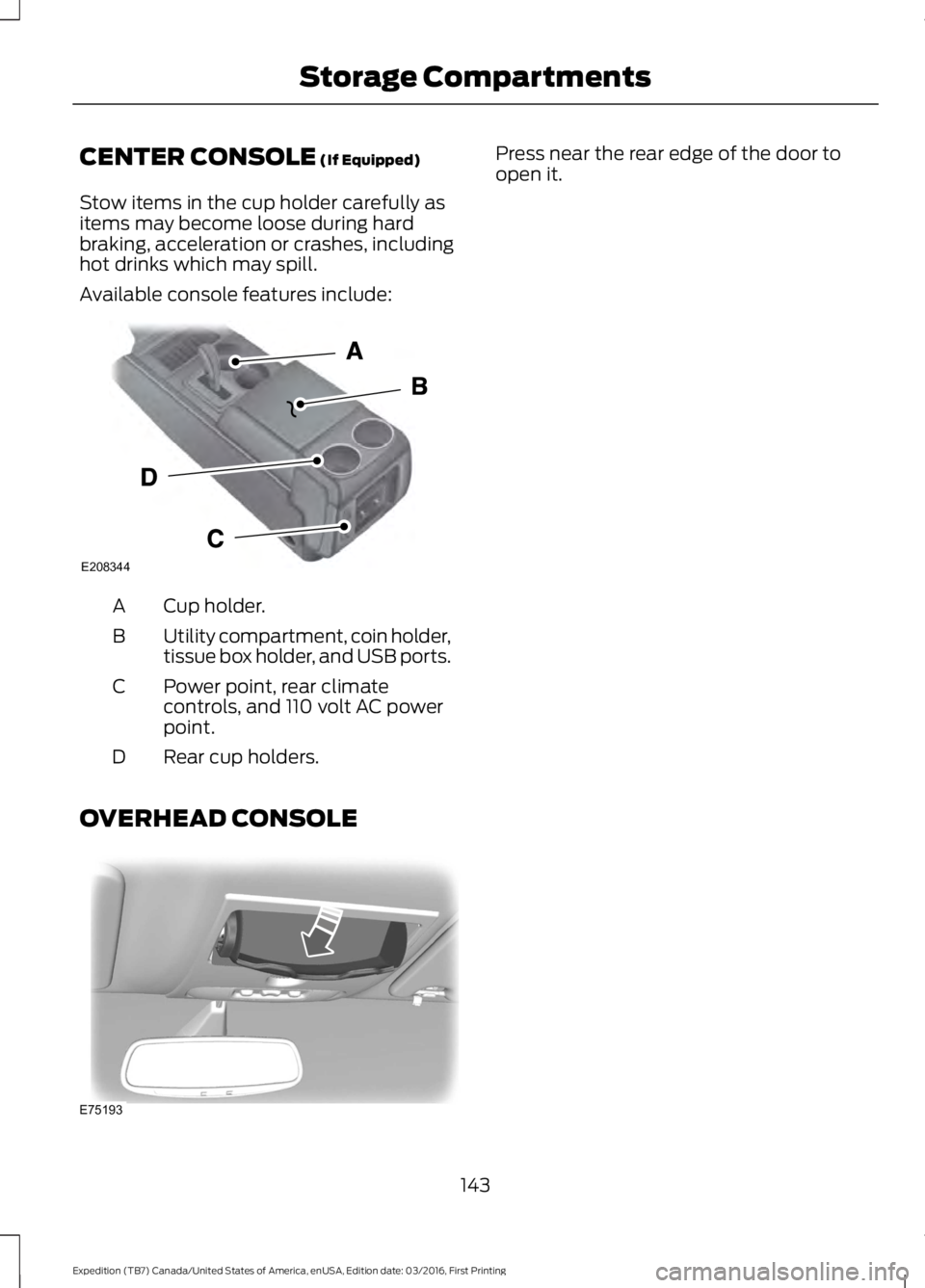
CENTER CONSOLE (If Equipped)
Stow items in the cup holder carefully asitems may become loose during hardbraking, acceleration or crashes, includinghot drinks which may spill.
Available console features include:
Cup holder.A
Utility compartment, coin holder,tissue box holder, and USB ports.B
Power point, rear climatecontrols, and 110 volt AC powerpoint.
C
Rear cup holders.D
OVERHEAD CONSOLE
Press near the rear edge of the door toopen it.
143
Expedition (TB7) Canada/United States of America, enUSA, Edition date: 03/2016, First Printing
Storage CompartmentsE208344 E75193
Page 319 of 500
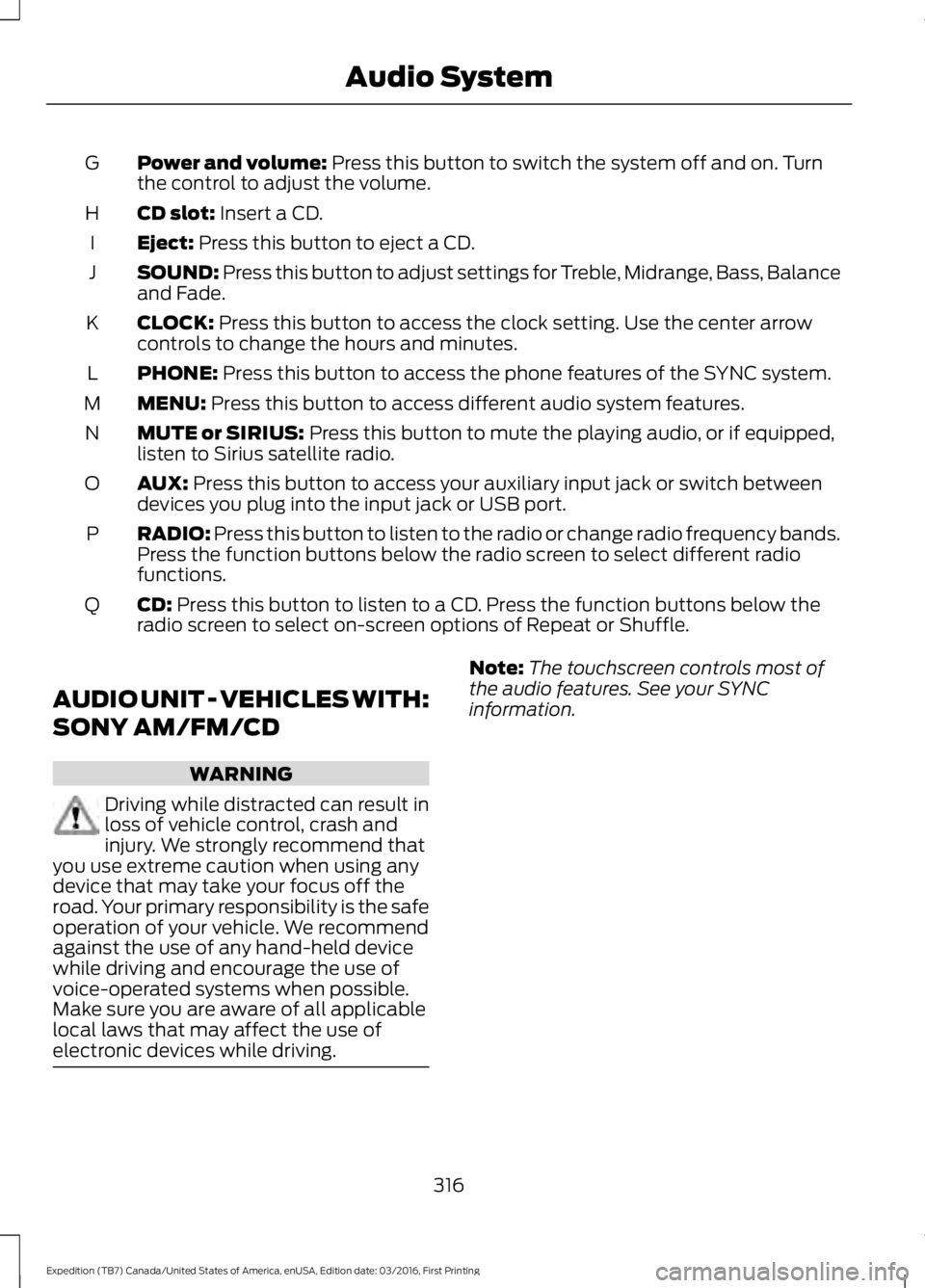
Power and volume: Press this button to switch the system off and on. Turnthe control to adjust the volume.G
CD slot: Insert a CD.H
Eject: Press this button to eject a CD.I
SOUND: Press this button to adjust settings for Treble, Midrange, Bass, Balanceand Fade.J
CLOCK: Press this button to access the clock setting. Use the center arrowcontrols to change the hours and minutes.K
PHONE: Press this button to access the phone features of the SYNC system.L
MENU: Press this button to access different audio system features.M
MUTE or SIRIUS: Press this button to mute the playing audio, or if equipped,listen to Sirius satellite radio.N
AUX: Press this button to access your auxiliary input jack or switch betweendevices you plug into the input jack or USB port.O
RADIO: Press this button to listen to the radio or change radio frequency bands.Press the function buttons below the radio screen to select different radiofunctions.
P
CD: Press this button to listen to a CD. Press the function buttons below theradio screen to select on-screen options of Repeat or Shuffle.Q
AUDIO UNIT - VEHICLES WITH:
SONY AM/FM/CD
WARNING
Driving while distracted can result inloss of vehicle control, crash andinjury. We strongly recommend thatyou use extreme caution when using anydevice that may take your focus off theroad. Your primary responsibility is the safeoperation of your vehicle. We recommendagainst the use of any hand-held devicewhile driving and encourage the use ofvoice-operated systems when possible.Make sure you are aware of all applicablelocal laws that may affect the use ofelectronic devices while driving.
Note:The touchscreen controls most ofthe audio features. See your SYNCinformation.
316
Expedition (TB7) Canada/United States of America, enUSA, Edition date: 03/2016, First Printing
Audio System
Page 326 of 500
USB PORT (If Equipped)
WARNING
Driving while distracted can result inloss of vehicle control, crash andinjury. We strongly recommend thatyou use extreme caution when using anydevice that may take your focus off theroad. Your primary responsibility is the safeoperation of your vehicle. We recommendagainst the use of any hand-held devicewhile driving and encourage the use ofvoice-operated systems when possible.Make sure you are aware of all applicablelocal laws that may affect the use ofelectronic devices while driving.
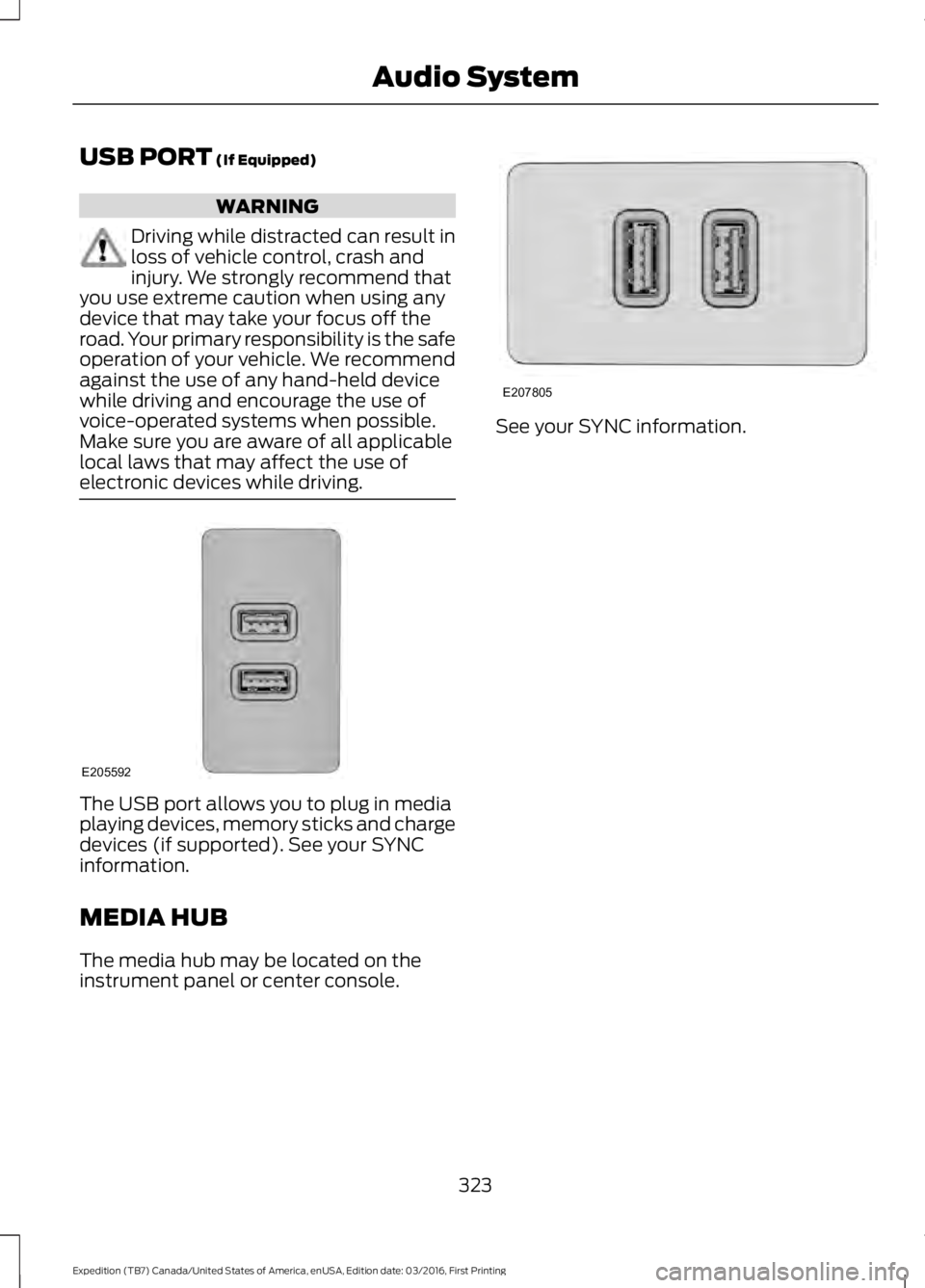
The USB port allows you to plug in mediaplaying devices, memory sticks and chargedevices (if supported). See your SYNCinformation.
MEDIA HUB
The media hub may be located on theinstrument panel or center console.
See your SYNC information.
323
Expedition (TB7) Canada/United States of America, enUSA, Edition date: 03/2016, First Printing
Audio SystemE205592 E207805
Page 327 of 500
GENERAL INFORMATION
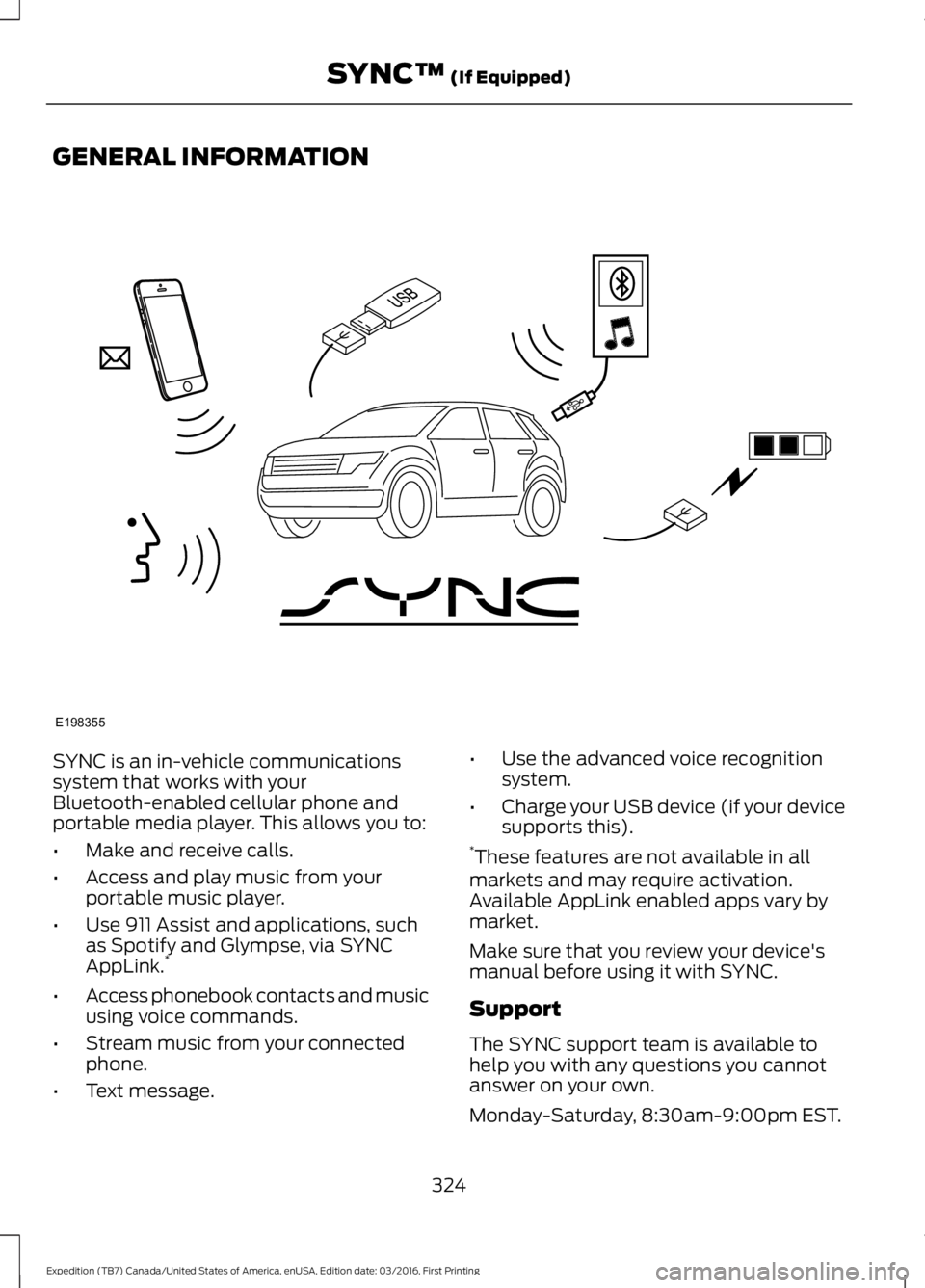
SYNC is an in-vehicle communicationssystem that works with yourBluetooth-enabled cellular phone andportable media player. This allows you to:
•Make and receive calls.
•Access and play music from yourportable music player.
•Use 911 Assist and applications, suchas Spotify and Glympse, via SYNCAppLink.*
•Access phonebook contacts and musicusing voice commands.
•Stream music from your connectedphone.
•Text message.
•Use the advanced voice recognitionsystem.
•Charge your USB device (if your devicesupports this).*These features are not available in allmarkets and may require activation.Available AppLink enabled apps vary bymarket.
Make sure that you review your device'smanual before using it with SYNC.
Support
The SYNC support team is available tohelp you with any questions you cannotanswer on your own.
Monday-Saturday, 8:30am-9:00pm EST.
324
Expedition (TB7) Canada/United States of America, enUSA, Edition date: 03/2016, First Printing
SYNC™ (If Equipped)E198355
Page 334 of 500
![FORD EXPEDITION EL 2017 Owners Manual Voice Command
3[text] (messages | message)
help
___ is a dynamic listing that should be thename of a contact in your phonebook. Forexample you could say "Call Home".1 See Dial table below.2 Th](/manual-img/11/58755/w960_58755-333.png "FORD EXPEDITION EL 2017 Owners Manual Voice Command
3[text] (messages | message)
help
___ is a dynamic listing that should be thename of a contact in your phonebook. Forexample you could say \"Call Home\".1 See Dial table below.2 Th")
Voice Command
3[text] (messages | message)
help
___ is a dynamic listing that should be thename of a contact in your phonebook. Forexample you could say "Call Home".1 See Dial table below.2 These commands are only valid while ina phone call.3 See the text message table below.
Dial Commands
Press the voice button and when promptedsay any of the following commands:
Voice Commands
411 (four-one-one), 911 (nine-one-one)
700 (seven hundred)
800 (eight hundred)
900 (nine hundred)
Clear (deletes all entered digits)
Delete (deletes last set of digits entered)
Number <0-9>
Plus
Pound (#)
Star (*)
Note:To exit dial mode, press and hold thephone button or press any button on theaudio system.
To access text messages say:
Voice Command
[text] (messages | message)
Then say any of the following:
(listen to | read) ([text] message)
forward (text | [text] message)
reply to (text | [text] message)
call [sender]
Phonebook Hints
To hear how the SYNC system speaks aname browse phonebook, select a contactand press:
Menu Item
Hear it
Changing Devices Using VoiceCommands
Using SYNC, you can easily access multiplephones, ipods, or USB devices. to switchdevices say:
331
Expedition (TB7) Canada/United States of America, enUSA, Edition date: 03/2016, First Printing
SYNC™ (If Equipped)
Page 335 of 500
Voice Command
You can state the name ofthe desired device, such as“My iPhone”,“My Galaxy”or“My iPod”. SYNC mayask you to confirm the typeof device (Phone, USB, orBluetooth Audio).
(connect |device) ___
Making Calls
Press the voice button. Whenprompted, say:
Voice Command
call [[a] name]
SYNC prompts you to saythe numbers that you wishto dial. After you say thenumbers, the systemconfirms it. You can thensay:
dial [[a]number]
When the system has stated thenumber, you say any of the following:
Voice Command
This initiates the call.(dial | send)
This erases the spokendigits.(delete |correct)
To end the call, press the end call button
on the steering wheel or select the end calloption in the audio display.
Receiving Calls
Accepting calls
When receiving a call, you can answer thecall by pressing the accept call button onthe steering wheel or use the screen.
To use the screen to accept a callselect:
Menu Item
Accept
Rejecting Calls
When receiving a call, you can reject thecall by pressing the reject call button onthe steering wheel or use the screen.
To use the screen to reject a call select:
Menu Item
Reject
Ignore the call by doing nothing.
Phone Options during an ActiveCall
During an active call, you have more menufeatures that become available, such asputting a call on hold or joining calls.
To access this menu, choose one of theoptions available at the bottom of theaudio display or select More to choosefrom the following options:
332
Expedition (TB7) Canada/United States of America, enUSA, Edition date: 03/2016, First Printing
SYNC™ (If Equipped)E142599
Page 342 of 500
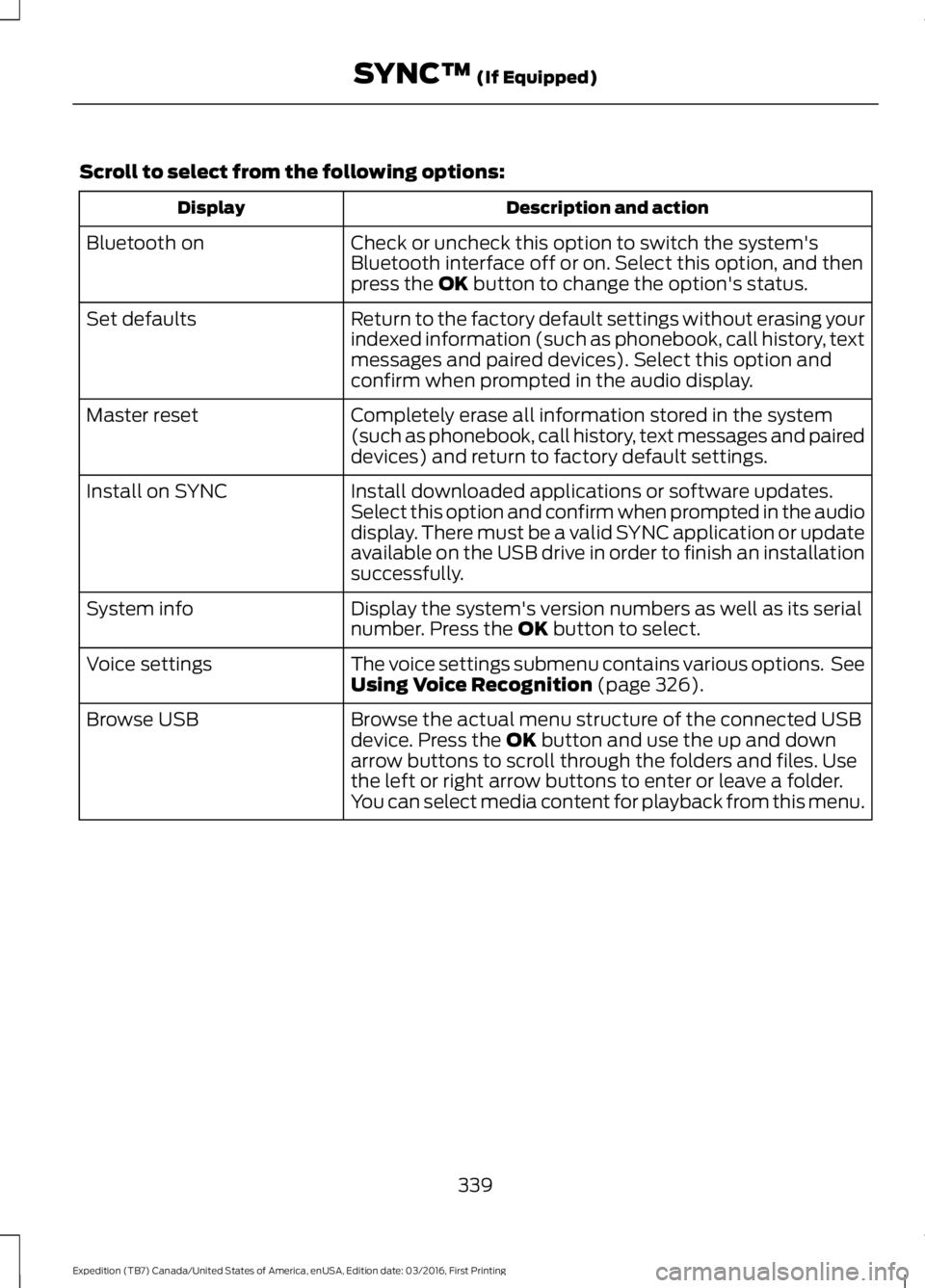
Scroll to select from the following options:
Description and actionDisplay
Check or uncheck this option to switch the system'sBluetooth interface off or on. Select this option, and thenpress the OK button to change the option's status.
Bluetooth on
Return to the factory default settings without erasing yourindexed information (such as phonebook, call history, textmessages and paired devices). Select this option andconfirm when prompted in the audio display.
Set defaults
Completely erase all information stored in the system(such as phonebook, call history, text messages and paireddevices) and return to factory default settings.
Master reset
Install downloaded applications or software updates.Select this option and confirm when prompted in the audiodisplay. There must be a valid SYNC application or updateavailable on the USB drive in order to finish an installationsuccessfully.
Install on SYNC
Display the system's version numbers as well as its serialnumber. Press the OK button to select.System info
The voice settings submenu contains various options. SeeUsing Voice Recognition (page 326).Voice settings
Browse the actual menu structure of the connected USBdevice. Press the OK button and use the up and downarrow buttons to scroll through the folders and files. Usethe left or right arrow buttons to enter or leave a folder.You can select media content for playback from this menu.
Browse USB
339
Expedition (TB7) Canada/United States of America, enUSA, Edition date: 03/2016, First Printing
SYNC™ (If Equipped)