2017 FIAT 124 SPIDER ignition
[x] Cancel search: ignitionPage 158 of 300

Depending on the road and driving
conditions/vehicle operations, gear
shifting could be delayed or not occur,
however, this does not indicate a
problem because the AAS mode will
maintain the optimum gear position.
Shift-Lock System
The shift-lock system prevents shifting
out of PARK (P) unless the brake pedal
is depressed.
To shift from PARK (P):
1. Depress and hold the brake pedal.
2. Start the engine.
3. Press and hold the lock-release
button.
4. Move the gear selector.
When the ignition is placed in the ACC
mode or in the OFF mode, the gear
selector cannot be shifted from PARK
(P).
The ignition cannot be placed in the
OFF mode if the gear selector is not in
PARK (P).
Shift — Lock Override
If the gear selector will not move from
Park (P) using the proper shift
procedure, continue to press the brake
pedal.Proceed as follows:
1. Remove the shift — lock override
cover using a cloth-wrapped flat head
screwdriver.
2. Insert a screwdriver and push it
down.
3. Push and hold the lock-release
button and move the gear selector.
4. Take the vehicle to an Authorized
Dealer.
For some models
Proceed as follows:
1. Push the lock-release button while
also pushing down on the Shift - Lock
Override button.
2. Move the gear selector.3. Take the vehicle to an Authorized
Dealer.
Manual Shift Mode
The manual shift mode gives you the
feel of driving a manual transmission
vehicle by allowing you to operate the
gear selector manually.
This allows you to control engine rpm
and torque to the drive wheels much
like a manual transmission when more
control is desired.
To change to MANUAL (M) shift mode,
shift the gear selector from DRIVE (D) to
MANUAL (M). To return to automatic
shift mode, shift the gear selector from
MANUAL (M) to DRIVE (D).05210206-12A-002Shift - Lock Override Access Hole
005210206-122-001Shift - Lock Override
156
STARTING AND OPERATING
Page 161 of 300
Activation / Deactivation
Note:When the ignition is placed in
the off position, the system status
before it was turned off is stored. For
example, if the ignition is placed in the
off position while the cruise control is
operating, the system will be operable
when the ignition is placed in the ON
position the next time.
Activating Electronic Speed Control
With Speed limiter : push the MODE
button. The
warning light (amber)
turns on.
Note:When the speed limiter is
operating after pushing the MODE
button, push the MODE button again to
switch to the cruise control.
Without Speed limiter : push the ON
button. The warning light (amber) turns
on.
Warning!
Leaving the Speed Control system on
when not in use is dangerous. You could
accidentally set the system or cause it to
go faster than you want. You could lose
control and have an accident. Always leave
the system OFF when you are not using it.
Deactivating Electronic Speed
Control
Note: When the MODE button is
pushed during cruise control system
operation, the system switches to the
adjustable speed limiter.
Push the OFF/CANCEL button. The
warning light (amber) turns off.
When a cruising speed has been
set:the
warning light (green) turns
on, push and hold the OFF/CANCEL
button or push the OFF/CANCEL
button 2 times.
When a cruising speed has not
been set:the
warning light (amber)
turns on push the OFF/CANCEL
button.
05100101-121-003Electronic Speed Control Buttons
159
Page 166 of 300
A antenna for a radio transmitter is
installed to the vehicle.
The vehicle is moving towards a tall
or square curbstone.
An obstruction is too close to the
sensor.
The following types of obstructions
may not be detected:
Thin objects such as wire or rope.
Things which absorb sonic waves
easily such as rain or snow.
Angular shaped objects.
Very tall objects, and those which
arewideatthetop.
Small, short objects.
Obstructions under the bumper
may not be detected. Obstructions
that are lower than the bumper or thin
which may have been initially detected
but are no longer detected as the
vehicle approaches more closely.
Always have the system inspected
by an Authorized Dealer if any shock is
applied to the bumpers, even in a
minor accident. If the sensors are
deviated, they cannot detect
obstructions.
The system may have a malfunction
if the audible signal does not operate.
Contact an Authorized Dealer.
The beeper which indicates a
system malfunction may not be heard
if the ambient temperature is extremely
cold, or mud, ice, or snow adheres to
the sensor area. Remove any foreign
material from the sensor area.
When installing a trailer hitch,
contact an Authorized Dealer.
Caution!
Only have repairs on the bumper in the
area of the sensors carried out by a
Authorized Dealer. Repairs on the bumper
that are not carried out properly may
compromise the operation of the parking
sensors.
Only have the bumpers repainted or any
retouches to the paint work in the area of
the sensors carried out by a Authorized
Dealer. Incorrect paint application could
affect the operation of the parking sensors.
Sensor Detection Range
The sensors detect obstructions within
the following range:
Lateral Detection Range :
19 inches (50 cm)
Rear Detection Range :59inches
(150 cm)
System Operation
The system is operational when the
ignition is switched ON and the gear
selector is shifted to the Reverse (R)
position. When the audible signal
activates the system is enabled for use.
164
STARTING AND OPERATING
Page 169 of 300

PARKVIEW REAR
BACKUP CAMERA —
IF EQUIPPED
Operation
The camera is located on the trunk.
Switching the display to rear-view
monitor mode
Put the gear selector in the Reverse (R)
position when the ignition is switched to
ON to switch the display to rear-view
camera mode.
Note:
When the gear selector is moved
from the Reverse (R) position and put
in any other position, the screen
returns to the previous display mode.
When parking, take the utmost care
over obstacles that may be above or
under the camera’s display range.
When the display is cold, the
images could scroll on the monitor or
the screen and could be more blurred
than usual, making it difficult to check
the conditions of the area around the
vehicle. Always use extreme caution
and verify the real conditions of the
area behind the vehicle with you own
eyes.
If water, snow or mud is deposited
on the camera lens, clean it with a soft
cloth. If this does not clean it, use a
mild detergent.
If the camera is subjected to abrupt
temperature changes (from hot to cold
or vice versa), the rear-view monitor
may not work properly.
When replacing tires, contact an
Authorized Dealer. Replacing the tires
can cause the guide lines that appear
on the display to be diverted.
Warning!
Always use extreme caution and verify
the real conditions of the area behind the
vehicle. Backing up while looking only at
the screen is dangerous and can lead to an
accident or collision with an object. The
rear-view monitor is simply a system to aid
reversing. The view on the display can
show a situation that differs from the real
one.
Do not use the rear-view monitor under
the following conditions:
Roads covered in ice or snow.
When snow chains are mounted or the
temporary space saver spare wheel is
fitted.
The rear trunk is not completely closed.
The vehicle is on a sloping road.
Using the rear-view monitor under the
conditions listed above is dangerous and
can cause damage to persons and/or the
vehicle.
07040110-124-008Rear Camera Location
167
Page 176 of 300
E-85 Usage In Non-Flex
Fuel Vehicles
Non-Flex Fuel Vehicles (FFV) are
compatible with gasoline containing up
to 15% ethanol (E-15). Gasoline with
higher ethanol content may void the
New Vehicle Limited Warranty.
If a Non-FFV vehicle is inadvertently
fueled with E-85 fuel, the engine will
have some or all of these symptoms:
Operate in a lean mode.
OBD II “Malfunction Indicator Light”
on.
Poor engine performance.
Poor cold start and cold drivability.
Increased risk for fuel system
component corrosion.
MMT In Gasoline
Methylcyclopentadienyl Manganese
Tricarbonyl (MMT) is a manganese-
containing metallic additive that is
blended into some gasoline to increase
octane. Gasoline blended with MMT
provides no performance advantage
beyond gasoline of the same octane
number without MMT. Gasoline blended
with MMT reduces spark plug life and
reduces emissions system performance
in some vehicles. The manufacturer
recommends that gasoline without
MMT be used in your vehicle. The MMT
content of gasoline may not be
indicated on the gasoline pump, therefore, you should ask your gasoline
retailer whether the gasoline contains
MMT. MMT is prohibited in Federal and
California reformulated gasoline.
Materials Added To Fuel
Besides using unleaded gasoline with
the proper octane rating, gasolines that
contain detergents, corrosion and
stability additives are recommended.
Using gasolines that have these
additives will help improve fuel
economy, reduce emissions, and
maintain vehicle performance.
Designated TOP TIER
Detergent Gasoline
contains a higher level
of detergents to further
aide in minimizing
engine and fuel system
deposits. When
available, the usage of Top Tier
Detergent gasoline is recommended.
Visit www.toptiergas.com for a list of
TOP TIER Detergent Gasoline Retailers.
Indiscriminate use of fuel system
cleaning agents should be avoided.
Many of these materials intended for
gum and varnish removal may contain
active solvents or similar ingredients.
These can harm fuel system gasket and
diaphragm materials.
Fuel System Cautions
Caution!
Follow these guidelines to maintain your
vehicle’s performance:
The use of leaded gasoline is prohibited
by Federal law. Using leaded gasoline can
impair engine performance and damage
the emissions control system.
An out-of-tune engine or certain fuel
or ignition malfunctions can cause the
catalytic converter to overheat. If you
notice a pungent burning odor or some
light smoke, your engine may be out of
tune or malfunctioning and may require
immediate service. Contact your
Authorized Dealer for service assistance.
The use of fuel additives, which are now
being sold as octane enhancers, is not
recommended. Most of these products
contain high concentrations of methanol.
Fuel system damage or vehicle
performance problems resulting from the
use of such fuels or additives is not the
responsibility of the manufacturer and may
void or not be covered under the New
Vehicle Limited Warranty.
Note:
Intentional tampering with the
emissions control system can result in
civil penalties being assessed against
you.
174
STARTING AND OPERATING
Page 182 of 300

ONLY use the driver’s side floor mat on
the driver’s side floor area. To check for
interference, with the vehicle properly
parked with the engine off, fully depress the
accelerator, the brake, and the clutch pedal
(if present) to check for interference. If your
floor mat interferes with the operation of
any pedal, or is not secure to the floor,
remove the floor mat from the vehicle and
place the floor mat in your trunk.
ONLY use the passenger’s side floor
mat on the passenger’s side floor area.
ALWAYS make sure objects cannot fall
or slide into the driver’s side floor area
when the vehicle is moving. Objects can
become trapped under accelerator, brake,
or clutch pedals and could cause a loss of
vehicle control.
NEVER place any objects under the
floor mat (e.g., towels, keys, etc.). These
objects could change the position of the
floor mat and may cause interference with
the accelerator, brake, or clutch pedals.
If the vehicle carpet has been removed
and re-installed, always properly attach
carpet to the floor and check the floor mat
fasteners are secure to the vehicle carpet.
Fully depress each pedal to check for
interference with the accelerator, brake, or
clutch pedals then re-install the floor mats.
It is recommended to only use mild soap
and water to clean your floor mats. After
cleaning, always check your floor mat has
been properly installed and is secured to
your vehicle using the floor mat fasteners
by lightly pulling mat.
Rocking The Vehicle
Note: Too much rocking may cause
engine overheating, transmission failure,
and tire damage.
If you must rock the vehicle to free it
from snow, sand or mud, depress the
accelerator slightly and slowly move the
gear selector from 1 (D) to R.
Warning!
Fast spinning tires can be dangerous.
Forces generated by excessive wheel
speeds may cause damage, or even
failure, of the axle and tires. A tire could
explode and injure someone. Do not spin
your vehicle's wheels faster than 30 mph
(48 km/h) or for longer than 30 seconds
continuously without stopping when you
are stuck and do not let anyone near a
spinning wheel, no matter what the speed.
Caution!
When “rocking” a stuck vehicle by
shifting between DRIVE and REVERSE, do
not spin the wheels faster than 15 mph
(24 km/h), or drivetrain damage may result.
Revving the engine or spinning the
wheels too fast may lead to transmission
overheating and failure. It can also damage
the tires. Do not spin the wheels above
30 mph (48 km/h) while in gear (no
transmission shifting occurring).
Winter Driving
Carry emergency gear, including tire
chains, window scraper, flares, a small
shovel, jumper leads, and a small bag
of sand or salt.
Contact an Authorized Dealer to check
the following:
Have the proper ratio of antifreeze in
the radiator.
Inspect the battery and its leads.
Cold reduces battery capacity.
Use an engine oil appropriate for the
lowest ambient temperatures that the
vehicle will be driven in.
Inspect the ignition system for
damage and loose connections.
Use winter windshield washer fluid
that will not freeze.
180
STARTING AND OPERATING
Page 190 of 300
Light Bulbs
Front Lights
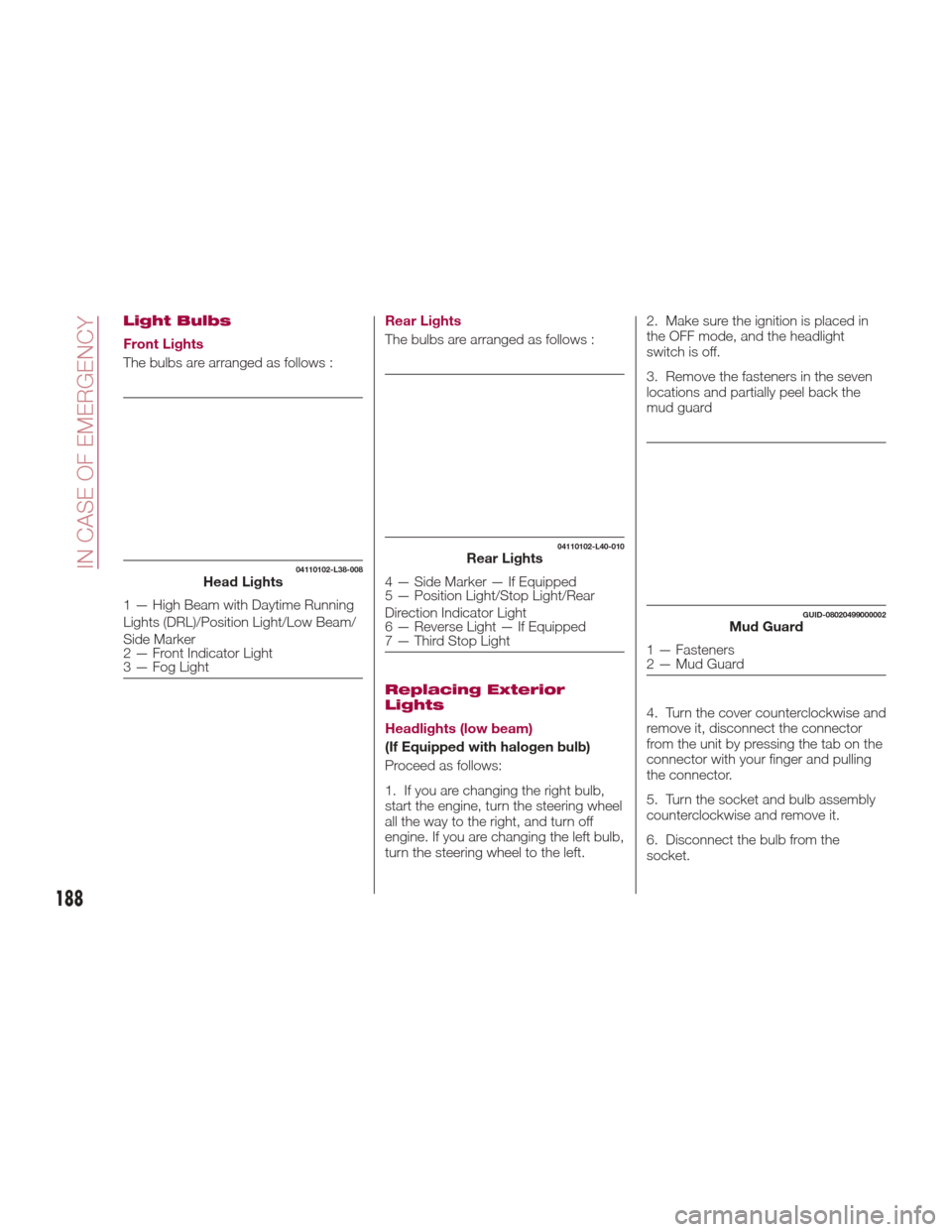
The bulbs are arranged as follows :Rear Lights
The bulbs are arranged as follows :
Replacing Exterior
Lights
Headlights (low beam)
(If Equipped with halogen bulb)
Proceed as follows:
1. If you are changing the right bulb,
start the engine, turn the steering wheel
all the way to the right, and turn off
engine. If you are changing the left bulb,
turn the steering wheel to the left.2. Make sure the ignition is placed in
the OFF mode, and the headlight
switch is off.
3. Remove the fasteners in the seven
locations and partially peel back the
mud guard
4. Turn the cover counterclockwise and
remove it, disconnect the connector
from the unit by pressing the tab on the
connector with your finger and pulling
the connector.
5. Turn the socket and bulb assembly
counterclockwise and remove it.
6. Disconnect the bulb from the
socket.
04110102-L38-008Head Lights
1 — High Beam with Daytime Running
Lights (DRL)/Position Light/Low Beam/
Side Marker
2 — Front Indicator Light
3 — Fog Light
04110102-L40-010Rear Lights
4 — Side Marker — If Equipped
5 — Position Light/Stop Light/Rear
Direction Indicator Light
6 — Reverse Light — If Equipped
7 — Third Stop Light
GUID-08020499000002Mud Guard
1 — Fasteners
2 — Mud Guard
188
IN CASE OF EMERGENCY
Page 191 of 300
7. Install the new bulb in the reverse
order of the removal procedure.
Headlights (high beam) with
Daytime Running Lights
(If Equipped with LED Lamps)
Proceed as follows:
1. If you are changing the right bulb,
start the engine, turn the steering wheel
all the way to the right, and turn off
engine. If you are changing the left bulb,
turn the steering wheel to the left.
2. Make sure the ignition is placed in
the OFF mode, and the headlight
switch is off.
3. Remove the fasteners in the seven
locations and partially peel back the
mud guard.
4. Turn the socket and bulb assembly
counterclockwise and remove it.
5. Turn the cover counterclockwise and
remove it, disconnect the connector
from the unit by pressing the tab on the
connector with your finger and pulling
the connector.
6. Turn the socket and bulb assembly
counterclockwise and remove it.
7. Disconnect the bulb from the
socket.
8. Install the new bulb in the reverse
order of the removal procedure.Front Direction Indicator Lights
Proceed as follows:
1. If you are changing the right bulb,
start the engine, turn the steering wheel
all the way to the right, and turn off
engine. If you are changing the left bulb,
turn the steering wheel to the left.
2. Make sure the ignition is switched
off, and the headlight switch is off.
3. Remove the fasteners in the five
locations and partially peel back the
mud guard.
4. Disconnect the connector from the
unit by pressing the tab on the
connector with your finger and pulling
the connector rearward.
GUID-08020499000010Head Lamp Assembly
1 — High Beam Lamp
2 — Position Lamp
3 — Daytime Running Lamp
GUID-07031501206002Mud Guard
189