Page 250 of 530
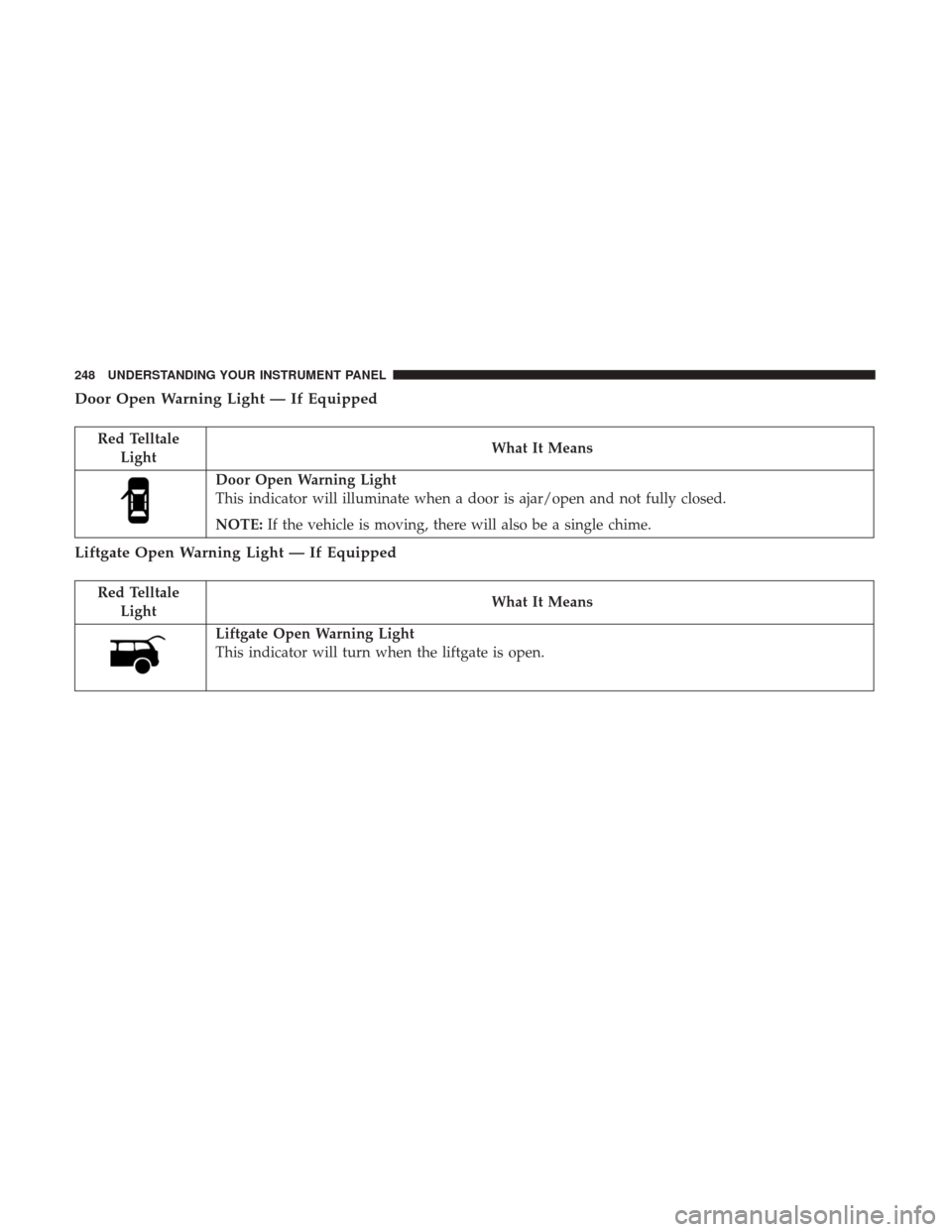
Door Open Warning Light — If Equipped
Red TelltaleLight What It Means
Door Open Warning Light
This indicator will illuminate when a door is ajar/open and not fully closed.
NOTE:
If the vehicle is moving, there will also be a single chime.
Liftgate Open Warning Light — If Equipped
Red Telltale
Light What It Means
Liftgate Open Warning Light
This indicator will turn when the liftgate is open.
248 UNDERSTANDING YOUR INSTRUMENT PANEL
Page 251 of 530
Yellow Telltale Indicator Lights
Anti-Lock Brake (ABS) Indicator Light
Yellow TelltaleLight What It Means
Anti-Lock Brake (ABS) Indicator Light
This light monitors the Anti-Lock Brake System (ABS). The light will turn on when the ignition is
placed in the ON/RUN position and may stay on for as long as four seconds.
If the ABS light remains on or turns on while driving, then the Anti-Lock portion of the brake
system is not functioning and service is required. However, the conventional brake system will
continue to operate normally if the brake warning light is not on.
If the ABS light is on, the brake system should be serviced as soon as possible to restore the ben-
efits of Anti-Lock Brakes. If the ABS light does not turn on when the ignition is placed in the
ON/RUN position, have the light inspected by an authorized dealer.4
UNDERSTANDING YOUR INSTRUMENT PANEL 249
Page 255 of 530
WARNING!
A malfunctioning catalytic converter, as referenced
above, can reach higher temperatures than in normal
operating conditions. This can cause a fire if you drive
slowly or park over flammable substances such as dry
plants, wood, cardboard, etc. This could result in death
or serious injury to the driver, occupants or others.
CAUTION!
Prolonged driving with the Malfunction Indicator
Light (MIL) on could cause damage to the engine
control system. It also could affect fuel economy and
driveability. If the MIL is flashing, severe catalytic
converter damage and power loss will soon occur.
Immediate service is required.
4
UNDERSTANDING YOUR INSTRUMENT PANEL 253
Page 256 of 530
Tire Pressure Monitoring Indicator Light
Yellow TelltaleLight What It Means
Tire Pressure Monitoring Indicator Light
The warning light switches on and a message is displayed to indicate that the tire pressure is
lower than the recommended value and/or that slow pressure loss is occurring. In these cases,
optimal tire duration and fuel consumption may not be guaranteed.
Should one or more tires be in the condition mentioned above, the display will show the indica-
tions corresponding to each tire in sequence.
IMPORTANT: Do not continue driving with one or more
flat tires as handling may be compromised. Stop the
vehicle, avoiding sharp braking and steering. Repair im-
mediately using the dedicated tire repair kit and contact
your authorized dealership as soon as possible.
Each tire, including the spare (if provided), should be
checked monthly when cold and inflated to the inflation
pressure recommended by the vehicle manufacturer on the
vehicle placard or tire inflation pressure label. If your
vehicle has tires of a different size than the size indicated
on the vehicle placard or tire inflation pressure label, you
should determine the proper tire inflation pressure for
those tires. As an added safety feature, your vehicle has been
equipped with a Tire Pressure Monitoring System (TPMS)
that illuminates a low tire pressure telltale when one or
more of your tires is significantly under-inflated. Accord-
ingly, when the low tire pressure telltale illuminates, you
should stop and check your tires as soon as possible and
inflate them to the proper pressure. Driving on a signifi-
cantly under-inflated tire causes the tire to overheat and
can lead to tire failure. Under-inflation also reduces fuel
efficiency and tire tread life, and may affect the vehicle’s
handling and stopping ability.
254 UNDERSTANDING YOUR INSTRUMENT PANEL
Page 268 of 530

To Reset A Trip Function
Reset will only occur while a resettable function is selected
(highlighted). Push and hold the RIGHT button to clear the
resettable function being displayed.
Tire Pressure
Push and release theUPorDOWNarrow button
until “Tire PSI:” displays highlighted in the Instrument
Cluster Display. Push and release the RIGHT
arrow
button to view a graphic of the vehicle with a tire
pressure value at each corner of the graphic.
Units
Push and release the UPorDOWNarrow button
until “Units” displays highlighted in the Instrument
Cluster Display and push the RIGHT
arrow button.
The Instrument Cluster Display, odometer, and naviga-
tion system (if equipped) can be changed between
English and Metric units of measure. To make your
selection, scroll up or down until the preferred setting is
highlighted, then push and release the RIGHT
arrow
button until a check-mark appears next to the setting,
showing that the setting has been selected. Vehicle Info (Customer Information Features)
Push and release the
UPorDOWNarrow button
until “Vehicle Info” displays in the Instrument Cluster
Display. Then, push and release the RIGHT
arrow
button. Push and release the UP
orDOWNarrow
button to scroll through the available information dis-
plays, then push and release RIGHT
arrow button to
display any one of the following choices.
• Coolant Temp
Displays the actual coolant temperature.
• Oil Temp
Displays the actual oil temperature.
• Oil Pressure
Displays the actual oil pressure.
• Engine Hours
Displays the number of hours of engine operation.
Messages #
Select from Main Menu using the UPorDOWN
arrow button. This feature shows the number of
stored warning messages (in the # place holder). Push-
ing the RIGHT
arrow button will allow you to see
266 UNDERSTANDING YOUR INSTRUMENT PANEL
Page 271 of 530

5. Push and release the RETURN button to exit.
Turn Menu Off
Push and release theRIGHTarrow button to turn the
menu off.
Customer-Programmable Features (System Setup)
Personal Settings allows you to set and recall features
when the transmission is in PARK. If the transmission is
out of PARK or the vehicle begins moving, a warning
message SYSTEM SETUP NOT AVAILABLE VEHICLE
NOT IN PARK displays when you try to select “System
Setup” from the main menu.
Push and release the UP
orDOWNarrow button
until �System Setup� is highlighted in the main menu of
the Instrument Cluster Display. Then, push and release
the RIGHT
arrow button to enter the System Setup
sub-menu. Push and release the UP
orDOWN
arrow button to select a feature form the following
choices.
Language
When in this display you may select one of three languages
for all display screens, including the trip functions and the
navigation system (if equipped). Push and release the UP
orDOWNarrow buttonn while in this display
and scroll through the language choices. Push and
release the RIGHT
arrow button to select English,
Spanish (Español), or French (Français). Then, as you
continue, the information will display in the selected
language.
Nav–Turn By Turn
When this feature is selected, the navigation system utilizes
voice commands, guiding you through the drive route mile
by mile, turn-by-turn, until the final destination is reached.
To make your selection, push and release the RIGHT
arrow button until a check-mark appears next to the
feature showing the system has been activated, or the
check-mark is removed showing the system has been
deactivated.
Enable/Disable The Rear Park Assist System — If
Equipped
The Rear Park Assist system will scan for objects behind
the vehicle when the transmission is in the REVERSE
position and the vehicle speed is less than 11 mph
(18 km/h). The system can be enabled with Sound Only,
Sound and Display, or turned OFF through the Instrument
Cluster Display. To make your selection, push and release
the RIGHT
arrow button until a check-mark appears 4
UNDERSTANDING YOUR INSTRUMENT PANEL 269
Page 341 of 530

STARTING AND OPERATING
CONTENTS
�STARTING PROCEDURES .................342
▫ Automatic Transmission ..................342
▫ Normal Starting ........................342
▫ Extreme Cold Weather (Below –22°F Or 30°C) .343
▫ If The Engine Fails To Start ...............343
▫ After Starting ..........................343
� ENGINE BLOCK HEATER — IF EQUIPPED . . . .344
� AUTOMATIC TRANSMISSION ..............344
▫ Key Ignition Park Interlock ................345
▫ Brake/Transmission Shift Interlock System . . . .346
▫ Fuel Economy (ECON) Mode ..............346
▫ Six-Speed Automatic Transmission ...........347
▫ Gear Ranges ..........................348
� DRIVING ON SLIPPERY SURFACES ..........353▫
Acceleration .......................... .353
▫ Traction ............................ .354
� DRIVING THROUGH WATER ..............354
▫ Flowing/Rising Water ...................354
▫ Shallow Standing Water ..................355
� POWER STEERING ..................... .356
▫ Power Steering Fluid Check ...............356
� PARKING BRAKE .......................357
� BRAKE SYSTEM ........................359
� ELECTRONIC BRAKE CONTROL SYSTEM .....359
▫ Electronic Brake Force Distribution (EBD) ......359
▫ Brake System Warning Light ...............359
▫ Anti-Lock Brake System (ABS) .............360
▫ Anti-Lock Brake
Warning Light.............361
5
Page 357 of 530

Shallow Standing Water
Although your vehicle is capable of driving through shal-
low standing water, consider the following Cautions and
Warnings before doing so.
WARNING!
•Driving through standing water limits your vehicle’s
traction capabilities. Do not exceed 5 mph (8 km/h)
when driving through standing water.
• Driving through standing water limits your vehicle’s
braking capabilities, which increases stopping dis-
tances. Therefore, after driving through standing
water, drive slowly and lightly press on the brake
pedal several times to dry the brakes.
• Failure to follow these warnings may result in inju-
ries that are serious or fatal to you, your passengers,
and others around you.
CAUTION!
•Always check the depth of the standing water before
driving through it. Never drive through standing
(Continued)
CAUTION! (Continued)
water that is deeper than the bottom of the tire rims
mounted on the vehicle.
• Determine the condition of the road or the path that
is under water and if there are any obstacles in the
way before driving through the standing water.
• Do not exceed 5 mph (8 km/h) when driving through
standing water. This will minimize wave effects.
• Driving through standing water may cause damage
to your vehicle’s drivetrain components. Always in-
spect your vehicle’s fluids (i.e., engine oil, transmis-
sion, axle, etc.) for signs of contamination (i.e., fluid
that is milky or foamy in appearance) after driving
through standing water. Do not continue to operate
the vehicle if any fluid appears contaminated, as this
may result in further damage. Such damage is not
covered by the New Vehicle Limited Warranty.
• Getting water inside your vehicle’s engine can cause
it to lock up and stall out, and cause serious internal
damage to the engine. Such damage is not covered by
the New Vehicle Limited Warranty.
5
STARTING AND OPERATING 355