Page 463 of 828

second pop-up duration. The car graphic will remain
displayed for as long as the vehicle is in REVERSE. Refer
to “Display” in “Getting To Know Your Instrument
Panel” for further information.
If�PARKSENSE UNAVAILABLE WIPE REAR SENSORS�
or �PARKSENSE UNAVAILABLE WIPE FRONT SEN-
SORS� appears in the Electronic Vehicle Information
Center (EVIC) or Driver Information Display (DID) make
sure the outer surface and the underside of the rear
fascia/bumper and/or front fascia/bumper is clean and
clear of snow, ice, mud, dirt or other obstruction and then
cycle the ignition. If the message continues to appear see
an authorized dealer.
If the �PARKSENSE UNAVAILABLE SERVICE RE-
QUIRED� message appears in the EVIC/DID, see an
authorized dealer.Cleaning The ParkSense System
Clean the ParkSense sensors with water, car wash soap
and a soft cloth. Do not use rough or hard cloths. Do not
scratch or poke the sensors. Otherwise, you could dam-
age the sensors.
ParkSense System Usage Precautions
NOTE:
• Ensure that the front and rear bumper are free of snow,
ice, mud, dirt and debris to keep the ParkSense system
operating properly.
• Construction equipment, large trucks, and other vibra-
tions could affect the performance of ParkSense.
• When you turn ParkSense off, the instrument cluster
will display “PARKSENSE OFF.” Furthermore, once
you turn ParkSense off, it remains off until you turn it
on again, even if you cycle the ignition key.
6
STARTING AND OPERATING 461
Page 501 of 828
Modes of Operation
Additional camera modes can be selected when the
vehicle is in any gear and the surround view camera
system is activated by pressing the soft key located in the
“Controls” screen or the “Apps” screen in the Uconnect
system.
Top View
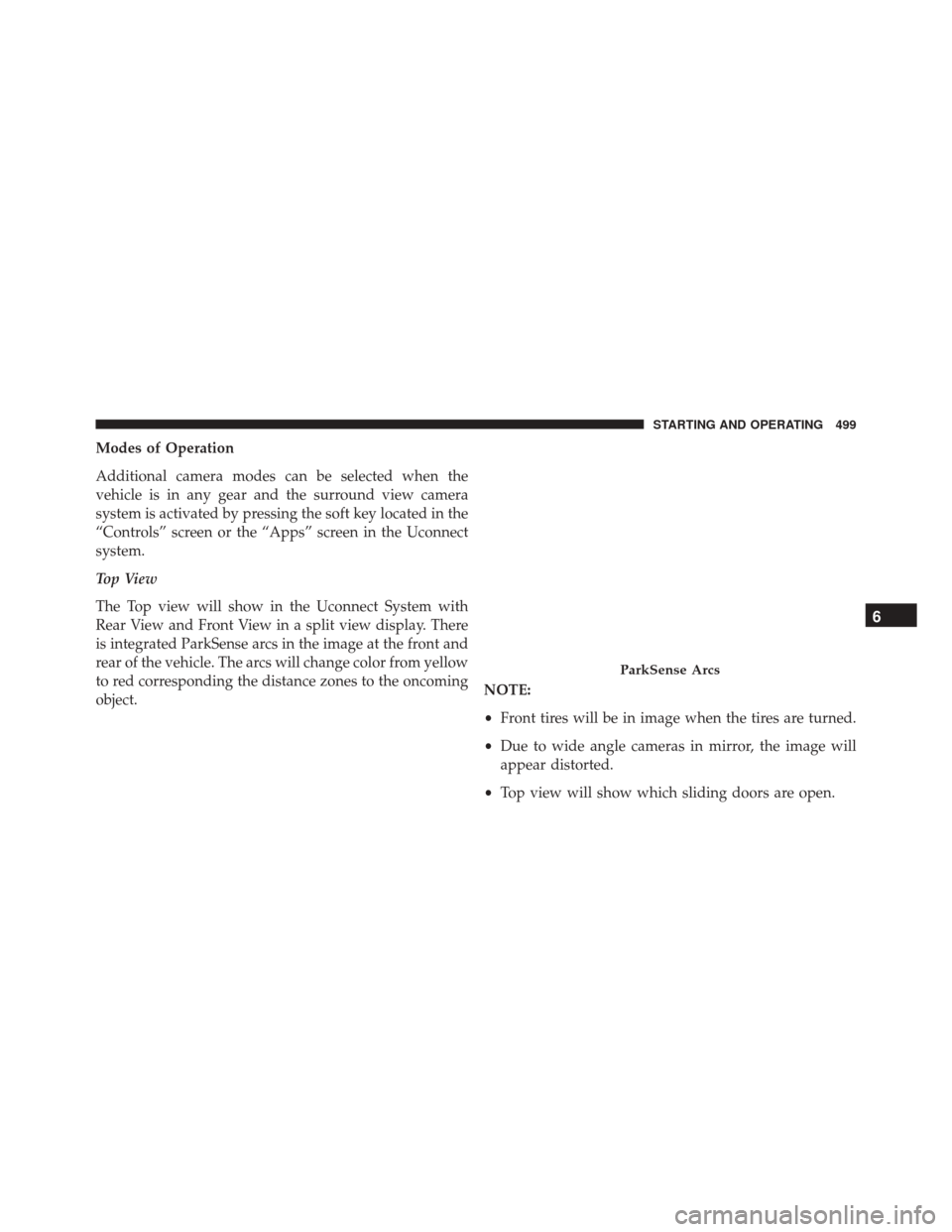
The Top view will show in the Uconnect System with
Rear View and Front View in a split view display. There
is integrated ParkSense arcs in the image at the front and
rear of the vehicle. The arcs will change color from yellow
to red corresponding the distance zones to the oncoming
object.NOTE:
•
Front tires will be in image when the tires are turned.
• Due to wide angle cameras in mirror, the image will
appear distorted.
• Top view will show which sliding doors are open.
ParkSense Arcs
6
STARTING AND OPERATING 499
Page 502 of 828
•Open Front doors will remove outside image.
Rear View
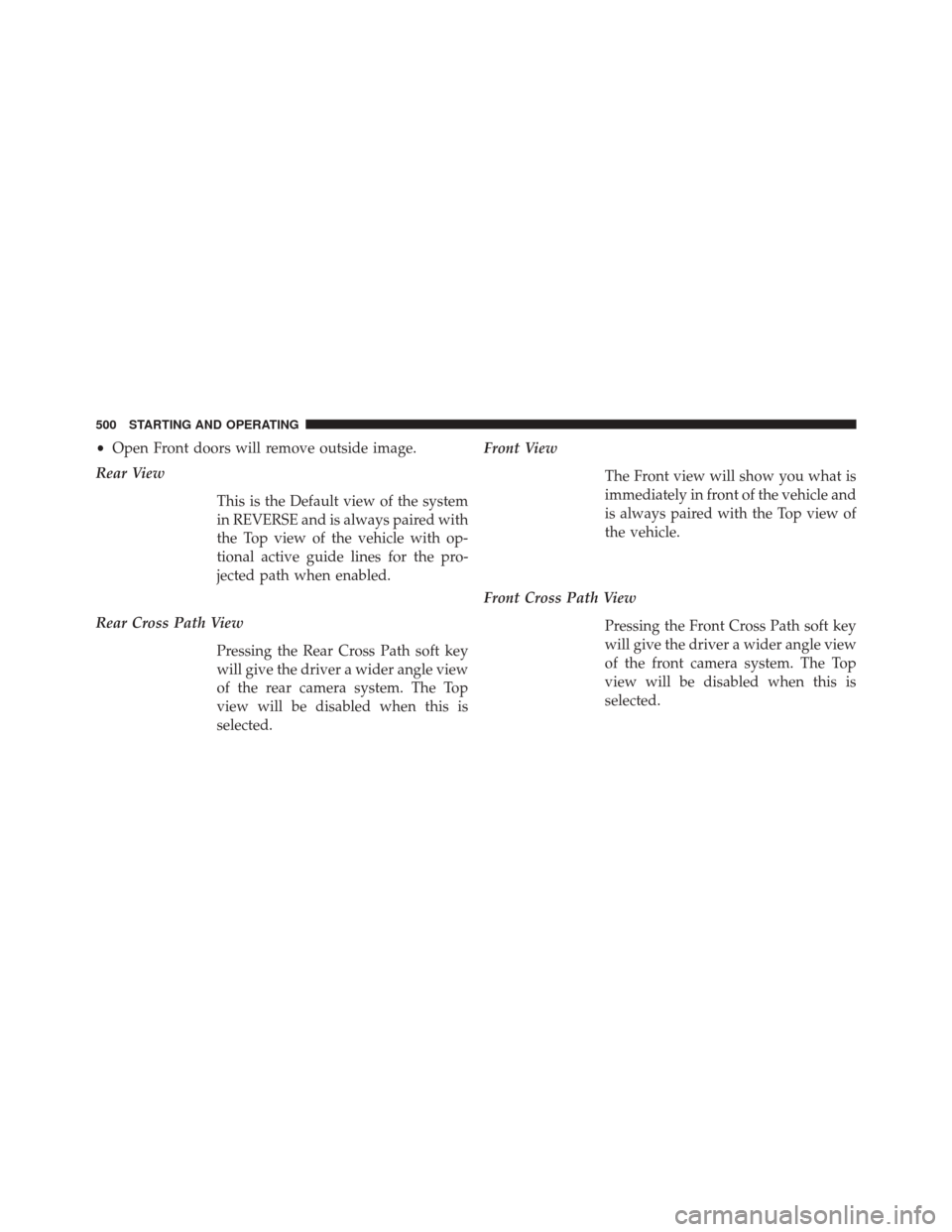
This is the Default view of the system
in REVERSE and is always paired with
the Top view of the vehicle with op-
tional active guide lines for the pro-
jected path when enabled.
Rear Cross Path View Pressing the Rear Cross Path soft key
will give the driver a wider angle view
of the rear camera system. The Top
view will be disabled when this is
selected. Front View
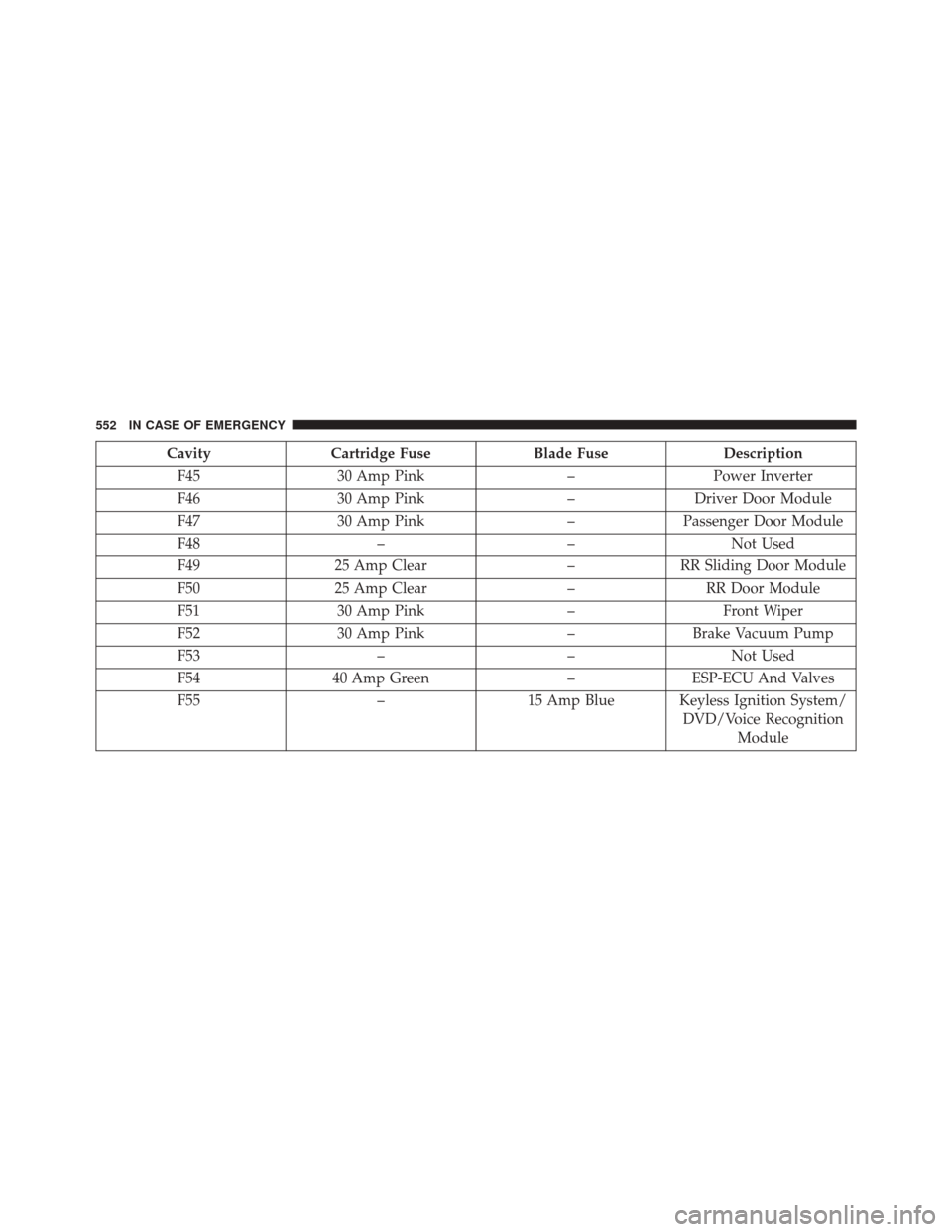
The Front view will show you what is
immediately in front of the vehicle and
is always paired with the Top view of
the vehicle.
Front Cross Path View Pressing the Front Cross Path soft key
will give the driver a wider angle view
of the front camera system. The Top
view will be disabled when this is
selected.
500 STARTING AND OPERATING
Page 554 of 828
CavityCartridge Fuse Blade FuseDescription
F45 30 Amp Pink –Power Inverter
F46 30 Amp Pink –Driver Door Module
F47 30 Amp Pink –Passenger Door Module
F48 ––Not Used
F49 25 Amp Clear –RR Sliding Door Module
F50 25 Amp Clear –RR Door Module
F51 30 Amp Pink –Front Wiper
F52 30 Amp Pink –Brake Vacuum Pump
F53 ––Not Used
F54 40 Amp Green –ESP-ECU And Valves
F55 –15 Amp Blue Keyless Ignition System/
DVD/Voice RecognitionModule
552 IN CASE OF EMERGENCY
Page 610 of 828
NOTE:The Safehold feature will engage the Electric Park
Brake whenever the driver’s door is opened (if the
ignition is ON, transmission is not in PARK, and brake
pedal is released). If you are towing this vehicle with the
ignition in the ON/RUN position, you must manually
disable the Electric Park Brake each time the driver’s
door is opened, by pressing the brake pedal and then
pushing the EPB switch down.
If the key fob is unavailable, or the vehicle’s battery is
discharged, refer to “Manual Park Release” in this section
for instructions on shifting the transmission out of PARK
in order to move the vehicle.
CAUTION!
• Do not use sling-type equipment when towing.
Vehicle damage may occur.
(Continued)
CAUTION! (Continued)
•When securing the vehicle to a flatbed truck, do not
attach to front or rear suspension components.
Damage to your vehicle may result from improper
towing.
• Ensure that the Electric Park Brake is released, and
remains released, while being towed.
ENHANCED ACCIDENT RESPONSE SYSTEM
(EARS)
This vehicle is equipped with an Enhanced Accident
Response System.
Please refer to “Occupant Restraint Systems” in “Safety”
in this guide for further information on the Enhanced
Accident Response System (EARS) function.
608 IN CASE OF EMERGENCY
Page 700 of 828

Push the MOREbutton on the faceplate, then press
the “Settings
” button on the touchscreen to display
the settings menu screen. In this mode the Uconnect
system allows you to access all of the available pro-
grammable features.
NOTE: Only one touchscreen area may be selected at a
time.
When making a selection, press the button on the touch-
screen to enter the desired mode. Once in the desired
mode, press and release the preferred setting and make
your selection. Once the setting is complete, either press
the Back arrow/Done button on the touchscreen or the
Back button on the faceplate to return to the previous
menu. Pressing the Up or Down Arrow buttons on the
right side of the screen will allow you to toggle up or
down through the available settings.
NOTE: All settings should be changed with the ignition
in the “ON/RUN” position.
KeySense
The vehicle’s KeySense settings are protected by a unique
4-digit PIN, which the vehicle owner creates when ac-
cessing the specific settings for the first time. This 4-digit
PIN can only be rest by an authorized dealer.
After pressing the “KeySense” button on the touchscreen,
and entering the KeySense PIN, the following settings
will be available:
• Forward Collision Warning
The Front Collision Warning (FCW) feature provides an
audible and/or visual warning to potential forward
collisions. The feature can be can be set to Near, Medium,
or Far.
• Forward Collision Sensitivity
The Forward Collision Warning (FCW) system will warn
you of a possible collision with the vehicle in front of you.
The feature can be set to Near, Medium, or Far.
698 MULTIMEDIA
Page 701 of 828

•Forward Collision Warning Active Braking
The FCW system includes Advanced Brake Assist (ABA).
When this feature is selected, the ABA applies additional
brake pressure when the driver requests insufficient
brake pressure to avoid a potential frontal collision. The
ABA system becomes active at 5 mph (8 km/h). The
system can be enabled or disabled by pressing “Forward
Collision Warning Active Braking” button on the touch-
screen.
• ParkSense — If Equipped
The ParkSense system will scan for objects behind the
vehicle when the transmission gear selector is in RE-
VERSE and the vehicle speed is less than 7 mph
(11 km/h). The system can be enabled with Sound Only,
or Sound and Display. •
Front ParkSense Volume
The chime volume settings include LOW, MEDIUM, and
HIGH. The KeySense default volume setting is ME-
DIUM. To make your selection, press the “Front
ParkSense Vol.” button on the touchscreen, until a check-
mark appears next to setting, indicating that the setting
has been selected. ParkSense will retain its last known
configuration state through ignition cycles.
• Rear ParkSense Volume
The chime volume settings include LOW, MEDIUM, and
HIGH. The KeySense default volume setting is ME-
DIUM. To make your selection, press the “Rear
ParkSense Vol.” button on the touchscreen, until a check-
mark appears next to setting, indicating that the setting
had been selected. ParkSense will retain its last known
configuration state through ignition cycles.
10
MULTIMEDIA 699
Page 702 of 828

•Rear ParkSense Braking Assist
When this feature is selected, the ParkSense system will
detect objects located behind the vehicle and utilize
autonomous braking to help stop the vehicle (only en-
abled when ParkSense is also on). The system can be
enabled or disabled by pressing the “Rear ParkSense
Braking Assist” button on the touchscreen, until a check-
mark appears next to setting, indicating that the setting
had been selected.
• Blind Spot Alert — If Equipped
When this feature is selected, the Blind Spot Alert feature
provides alerts, visual and/or audible, to indicate objects
in your blind spot. The Blind Spot Alert feature can be
activated in “Lights” mode. When this mode is selected,
the Blind Spot Monitor (BSM) system is activated and
will only show a visual alert in the exterior mirrors.
When “Lights & Chime” mode is activated, the Blind
Spot Monitor (BSM) will show a visual alert in the exterior mirrors as well as an audible alert when the turn
signal is on. The KeySense default is “Light & Chime”.
Press the “Lights” or “Lights & Chime” button on the
touchscreen to change the Blind Spot Alert status.
NOTE:
If your vehicle has experienced any damage in
the area where the sensor is located, even if the fascia is
not damaged, the sensor may have become misaligned.
Take your vehicle to an authorized dealer to verify sensor
alignment. Having a sensor that is misaligned will result
in the BSM not operating to specification.
• Maximum Vehicle Speed
To set the maximum vehicle speed, press the “+” or “-”
button to select from 65/70/75/80/85 MPH (90/95/100/
105/110 km/h).
700 MULTIMEDIA