Page 145 of 828
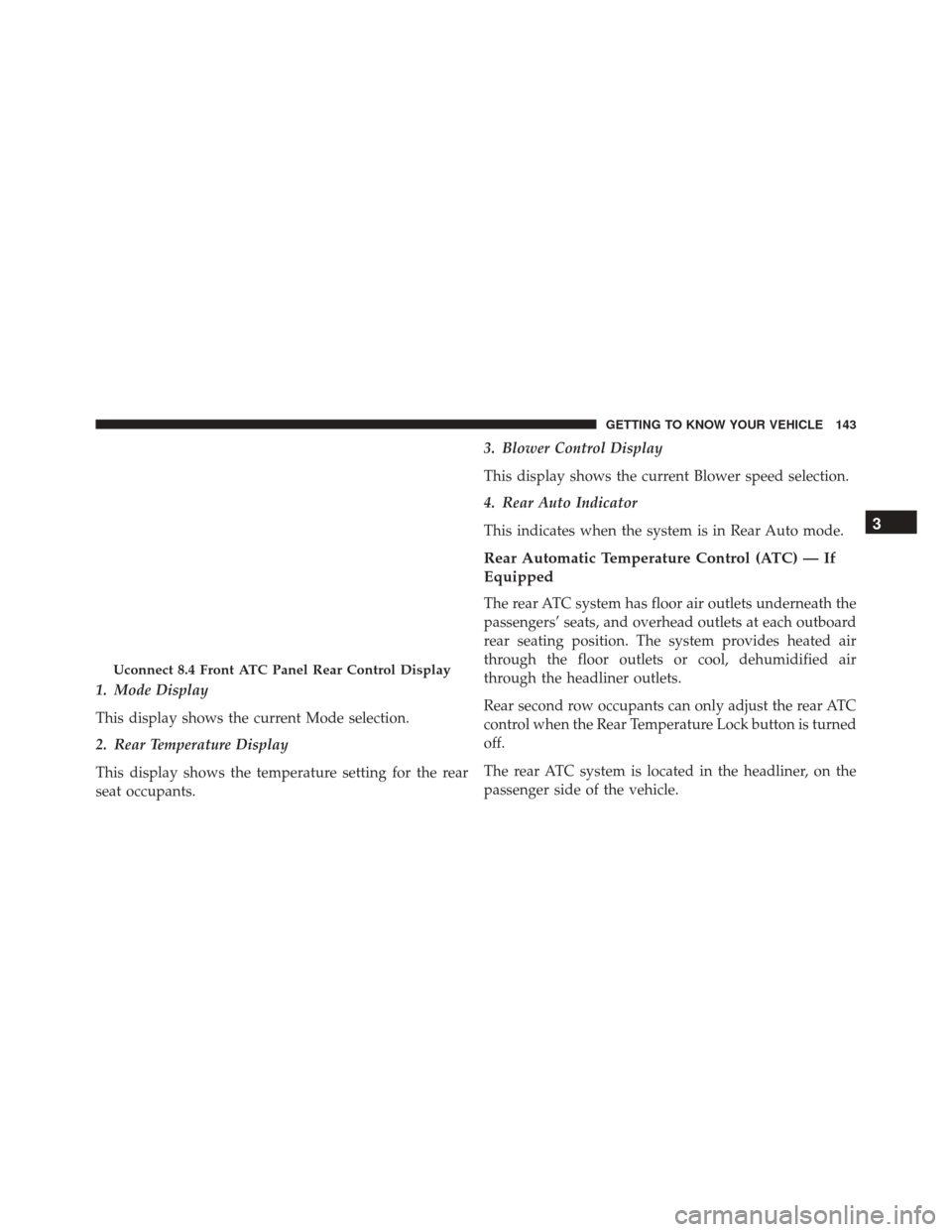
1. Mode Display
This display shows the current Mode selection.
2. Rear Temperature Display
This display shows the temperature setting for the rear
seat occupants.3. Blower Control Display
This display shows the current Blower speed selection.
4. Rear Auto Indicator
This indicates when the system is in Rear Auto mode.
Rear Automatic Temperature Control (ATC) — If
Equipped
The rear ATC system has floor air outlets underneath the
passengers’ seats, and overhead outlets at each outboard
rear seating position. The system provides heated air
through the floor outlets or cool, dehumidified air
through the headliner outlets.
Rear second row occupants can only adjust the rear ATC
control when the Rear Temperature Lock button is turned
off.
The rear ATC system is located in the headliner, on the
passenger side of the vehicle.
Uconnect 8.4 Front ATC Panel Rear Control Display
3
GETTING TO KNOW YOUR VEHICLE 143
Page 146 of 828
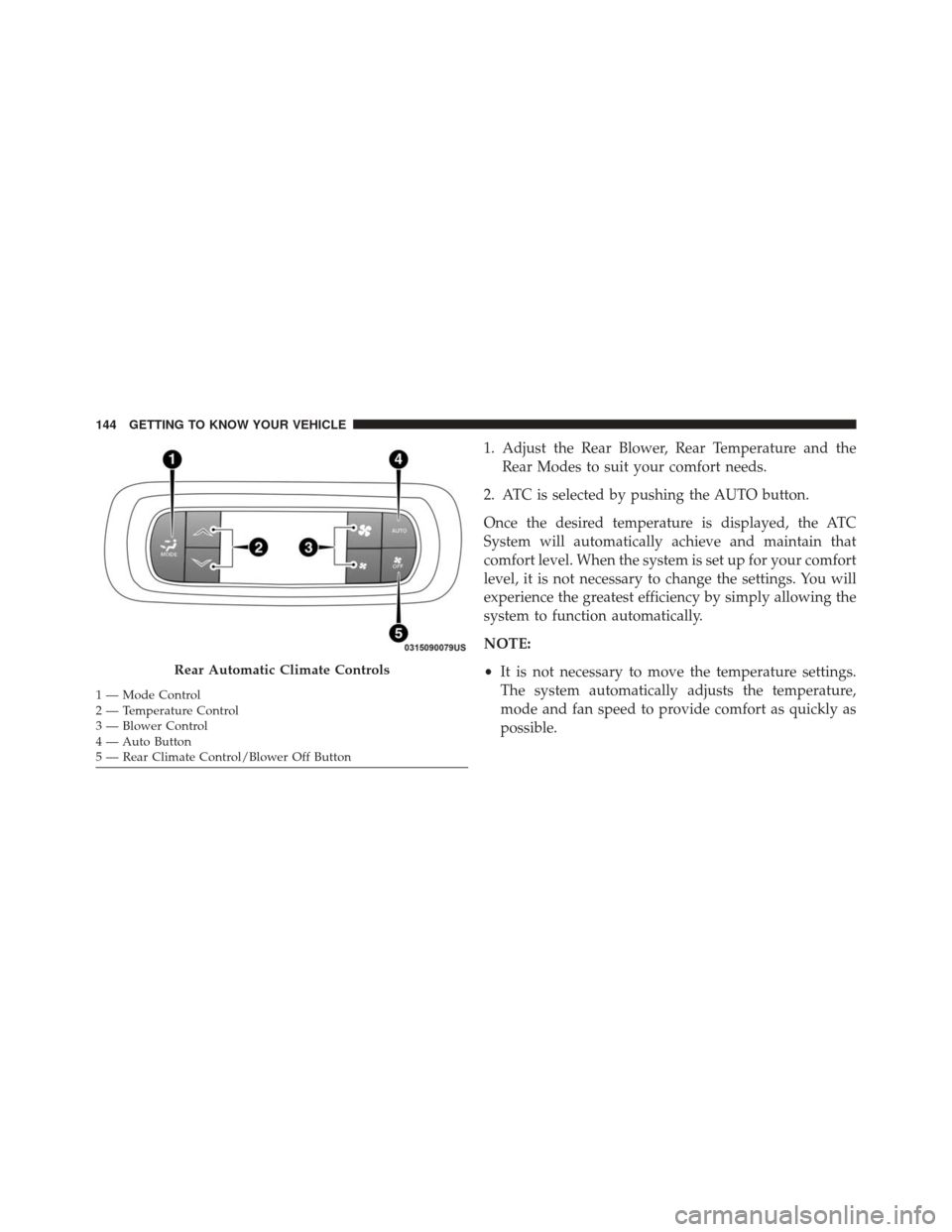
1. Adjust the Rear Blower, Rear Temperature and theRear Modes to suit your comfort needs.
2. ATC is selected by pushing the AUTO button.
Once the desired temperature is displayed, the ATC
System will automatically achieve and maintain that
comfort level. When the system is set up for your comfort
level, it is not necessary to change the settings. You will
experience the greatest efficiency by simply allowing the
system to function automatically.
NOTE:
• It is not necessary to move the temperature settings.
The system automatically adjusts the temperature,
mode and fan speed to provide comfort as quickly as
possible.
Rear Automatic Climate Controls
1 — Mode Control
2 — Temperature Control
3 — Blower Control
4 — Auto Button
5 — Rear Climate Control/Blower Off Button 144 GETTING TO KNOW YOUR VEHICLE
Page 147 of 828
Rear Blower Control
The rear blower control head can be manually set to off,
or any fixed blower speed, by pushing the blower control
buttons. This allows the rear seat occupants to control the
volume of air circulated in the rear of the vehicle.
CAUTION!
Interior air enters the Rear Automatic Temperature
Control System through an intake grille, located in
floor under the passengers’ seats. Do not block or
place objects directly in front of the inlet grille or
heater outlets. The electrical system could overload
causing damage to the blower motor.
Rear Temperature Control
To change the temperature in the rear of the vehicle, push
the temperature buttons. The rear temperature settings
are displayed in the rear ATC panel.When rear controls are locked by the front system, the
Rear Temperature Lock symbol on the ATC panel is
illuminated and any rear overhead adjustments are ig-
nored.
When the Sync feature is active, the rear temperature is
synchronized to the driver ’s temperature setting. If the
rear temperature is changed, the Sync feature will deac-
tivate.
Rear Mode Control
Auto Mode
The rear system automatically maintains the correct
mode and comfort level desired by the rear seat occu-
pants.
3
GETTING TO KNOW YOUR VEHICLE 145
Page 213 of 828
GETTING TO KNOW YOUR INSTRUMENT PANEL
CONTENTS
�INSTRUMENT CLUSTER .................212
▫ Instrument Cluster Descriptions ...........214
� DISPLAY ............................ .215
▫ Instrument Cluster Display Location and
Controls ........................... .215
▫ Oil Change Reset .....................217
▫ KeySense Cluster Messages — If Equipped . . .218
▫ EVIC/DID Display Menu Items ...........219
▫ Battery Saver On/Battery Saver Mode Message —
Electrical Load Reduction Actions — If
Equipped .......................... .226�
TRIP COMPUTER ..................... .229
�
WARNING/INDICATOR LIGHTS AND MESSAGES . .230
▫ Red Telltale Lights ....................231
▫ Yellow Telltale Lights ...................243
▫ Green Telltale Lights ...................254
▫ Blue Telltale Lights ....................258
▫ White Telltale Lights ...................259
� ONBOARD DIAGNOSTIC SYSTEM — OBD II . .261
▫ Onboard Diagnostic System (OBD II)
Cybersecurity ....................... .262
4
Page 216 of 828

Instrument Cluster Descriptions
For 3.5” EVIC Cluster and 7” DID Cluster
1. Tachometer•Indicates the engine speed in revolutions per minute
(RPM x 1000).
2. 3.5” EVIC / 7” DID Information Display •When the appropriate conditions exist, this display
shows the 3.5” EVIC OR 7” DID messages. Refer to
“Display” located in “Getting To Know Your Instru-
ment Panel” for further information.
3. Speedometer •Indicates vehicle speed.
4. Fuel Gauge •The gauge shows the level of fuel in the fuel tank
when the ignition switch is in the ON/RUN position. •
The fuel pump symbol points to the side of the
vehicle where the fuel door is located.
5. Temperature Gauge
•The temperature gauge shows engine coolant tem-
perature. Any reading within the normal range indi-
cates that the engine cooling system is operating
satisfactorily.
• The gauge can indicate a higher temperature when
driving in hot weather or up mountain grades. It
should not be allowed to exceed the upper limits of
the normal operating range.
WARNING!
Driving with a hot engine cooling system could
damage your vehicle. If the temperature gauge
reaches “H” pull over and stop the vehicle. Idle the
vehicle with the air conditioner turned off until the
(Continued)
214 GETTING TO KNOW YOUR INSTRUMENT PANEL
Page 217 of 828

WARNING!(Continued)
gauge drops back into the normal range and is no
longer red. If the gauge remains on the “H”, turn the
engine off immediately and call an authorized dealer
for service.
WARNING!
A hot engine cooling system is dangerous. You or
others could be badly burned by steam or boiling
coolant. You may want to call an authorized dealer
for service if your vehicle overheats. If you decide to
look under the hood yourself, see “Maintaining And
Caring For Your Vehicle”.
DISPLAY
The vehicle can be equipped with a Electronic Vehicle
Information Center (EVIC), or a Driver Information Dis-
play (DID), which offers useful information to the driver.
With the ignition in the STOP/OFF position, opening/
closing of a door will activate the display for viewing,
and display the total miles or kilometers in the odometer.
Instrument Cluster Display Location and Controls
The 3.5” EVIC and 7” DID feature a driver-interactive
display that is located in the center of the instrument
cluster.
The EVIC/DID Main Menu items consists of the follow-
ing:
•Speedometer
• Vehicle Info
• Driver Assist — 7” DID
4
GETTING TO KNOW YOUR INSTRUMENT PANEL 215
Page 218 of 828
•Fuel Economy Info
• Trip (Trip A/Trip B)
• Audio
• Navigation
• Messages
• Screen Setup
• Speed Warning — 7” DID
The system allows the driver to select information by
pushing the following buttons mounted on the steering
wheel: •UP Arrow Button
Push and release the UParrow button to scroll
upward through the Main Menu items.
Instrument Cluster Display (EVIC/DID) Control Buttons
216 GETTING TO KNOW YOUR INSTRUMENT PANEL
Page 219 of 828

•DOWN Arrow Button
Push and release the DOWNarrow button to
scroll downward through the Main Menu
items.
• RIGHT Arrow Button
Push and release the RIGHTarrow button to
access the information screens or submenu
screens of a main menu item.
• BACK/LEFT Arrow Button
Push and release the LEFTarrow button to
access the information screens or submenu
screens of a main menu item.
• OK Button
Push the OKbutton to access/select the information
screens or submenu screens of a Main Menu item. Push and hold the
OKarrow button for one second to reset
displayed/selected features that can be reset.
Oil Change Reset
• Your vehicle is equipped with an engine oil change
indicator system. The “Oil Change Due” message will
flash in the instrument cluster display for approxi-
mately 10 seconds after a single chime has sounded, to
indicate the next scheduled oil change interval. The
engine oil change indicator system is duty cycle based,
which means the engine oil change interval may
fluctuate, dependent upon your personal driving style.
• Unless reset, this message will continue to display
each time the ignition is cycled to the ON/RUN
position. To reset the oil change indicator system (after
performing the scheduled maintenance) refer to the
following procedure.
4
GETTING TO KNOW YOUR INSTRUMENT PANEL 217