Page 739 of 828
•Sliding Door Alert
When this feature is selected, a chime plays when the
sliding door reverses or an obstacle is sensed. To make
your selection, press the “Sliding Door Alert” button on
the touchscreen, until a check-mark appears next to the
setting, showing that the setting has been selected.
• Flash Lights With Sliding Door
When this feature is selected, the headlights flash when
the sliding door is opening. To make your selection, press
the “Flash Lights With Sliding Door” button on the
touchscreen, until a check-mark appears next to the
setting, showing that the setting has been selected.
• Hands Free Power Sliding Door
When this feature is selected, hands free technology
automatically opens or closes the power sliding door. To make your selection, press the “Hands Free Power Slid-
ing Door” button on the touchscreen, until a check-mark
appears next to the setting, showing that the setting has
been selected.
Auto Comfort Systems — If Equipped
After pressing the “Auto-On Comfort” button on the
touchscreen the following settings will be available:
•
Auto-On Driver Heated/Ventilated Seat & Steering
Wheel With Vehicle Start — If Equipped
When this feature is selected the driver’s heated seat and
heated steering wheel will automatically turn ON when
temperatures are below 40° F (4.4° C). When tempera-
tures are above 80° F (26.7° C) the driver vented seat will
turn ON. To make your selection, press the “Auto-On
Driver Heated/Ventilated Seat & Steering Wheel With
Vehicle Start” button to select from “Off,” “Remote Start”
or “All Starts” until a check-mark appears next to setting,
showing that setting has been selected.
10
MULTIMEDIA 737
Page 740 of 828

Engine Off Options
After pressing the “Engine Off Options” button on the
touchscreen the following settings will be available:
•Easy Exit Seat — If Equipped
When this feature is selected, the Driver ’s seat will
automatically move rearward once the engine is shut off.
To make your selection, press the “Easy Exit Seat” button
on the touchscreen, until a check-mark appears next to
setting, showing that setting has been selected.
• Engine Off Power Delay
When this feature is selected, the power window
switches, radio, Uconnect Phone system (if equipped),
DVD video system (if equipped), power sunroof (if
equipped), and power outlets will remain active for up to
10 minutes after the ignition is cycled to OFF. Opening
either front door will cancel this feature. To change the
Engine Off Power Delay setting, press the “+” or “-” button on the touchscreen to select your desired time
interval, and choose from “0 seconds,” “45 seconds,” “5
minutes” or “10 minutes.”
•
Headlight Off Delay
When this feature is selected, the driver can choose to
have the headlights remain on for 0, 30, 60, or 90 seconds
when exiting the vehicle. To change the Headlight Off
Delay status press the “+” or “–” button on the touch-
screen to select your desired time interval.
Audio
After pressing the “Audio” button on the touchscreen the
following settings will be available.
• Balance/Fade
This feature allows you to adjust the Balance and Fade
settings. Press and drag the speaker icon, use the arrows
to adjust, or tap the ‘C’ icon to readjust to the center.
738 MULTIMEDIA
Page 746 of 828
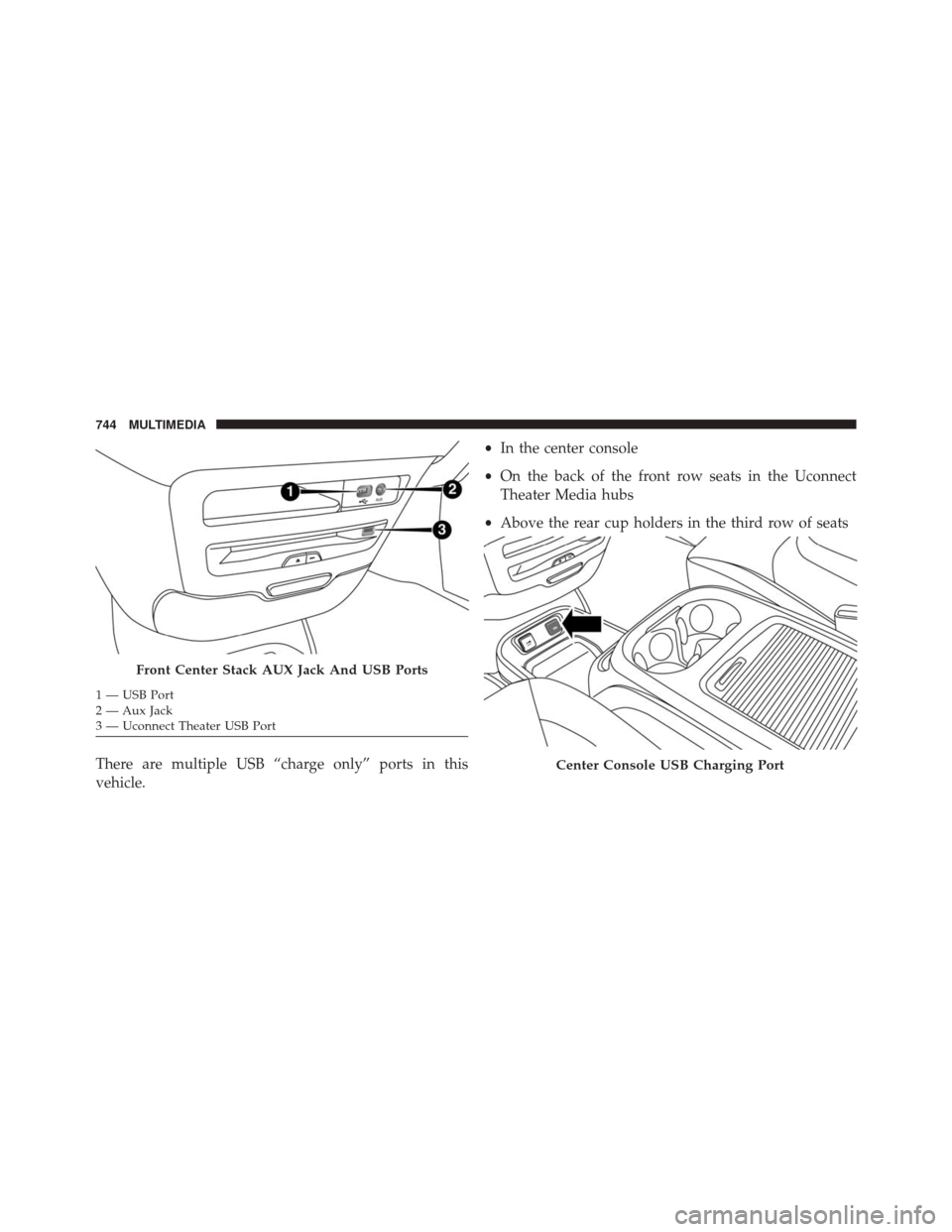
There are multiple USB “charge only” ports in this
vehicle.•
In the center console
• On the back of the front row seats in the Uconnect
Theater Media hubs
• Above the rear cup holders in the third row of seats
Front Center Stack AUX Jack And USB Ports
1 — USB Port
2 — Aux Jack
3 — Uconnect Theater USB Port
Center Console USB Charging Port
744 MULTIMEDIA
Page 763 of 828
Select the Apps source card to play pre-loaded games.
Pressing the “Help” button teaches users how to play
each game. Pick from games:
•Back Seat Bingo
• Checkers •
Hanging Fruit
• License Plate Game
• Math Flash Cards
• Solitaire
• Sudoku
• Tic Tac Toe
NOTE: To exit a game, push “Exit Button” than “Back
Arrow,” or “Home Button” on the touchscreen.
Home Screen
10
MULTIMEDIA 761
Page 766 of 828
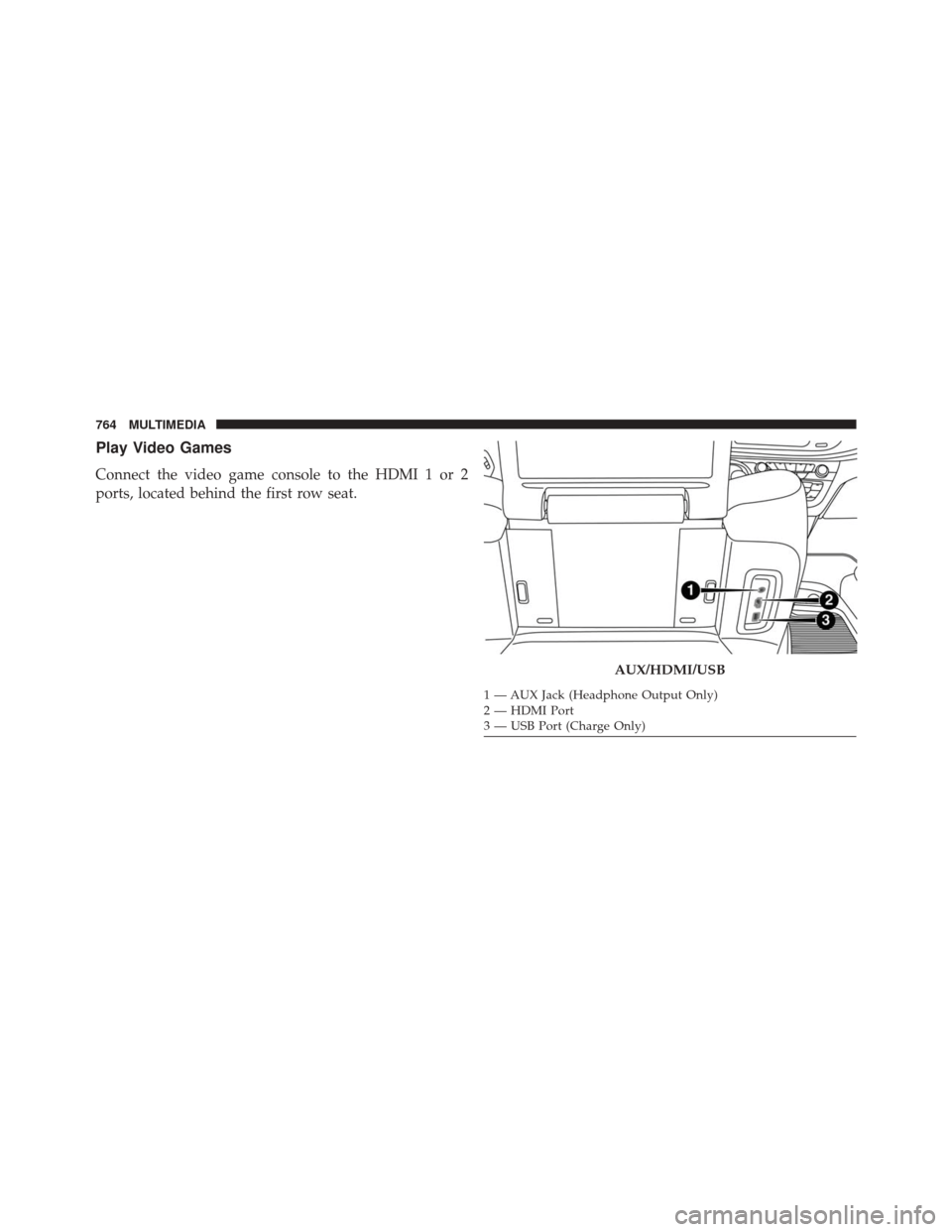
Play Video Games
Connect the video game console to the HDMI 1 or 2
ports, located behind the first row seat.
AUX/HDMI/USB
1 — AUX Jack (Headphone Output Only)
2 — HDMI Port
3 — USB Port (Charge Only)
764 MULTIMEDIA
Page 785 of 828
TIP:Voice Text Reply is not compatible with iPhone, but
if your vehicle is equipped with Siri Eyes Free, you can
use your voice to send a text message.
Climate
Too hot? Too cold? Adjust vehicle temperatures hands-
free and keep everyone comfortable while you keep
moving ahead. (If vehicle is equipped with climate
control.)
Push the VR button
. After the beep, say one of the
following commands:
• Set driver temperature to 70degrees
• Set passenger temperature to 70degrees TIP:
Voice Command for Climate may only be used to
adjust the interior temperature of your vehicle. Voice
Command will not work to adjust the heated seats or
steering wheel if equipped.
Uconnect 8.4 Climate
10
MULTIMEDIA 783
Page 809 of 828

Antifreeze (Engine Coolant)...............631, 686
Disposal ............................. .634
Anti-Lock Brake System (ABS) ................266
Anti-Lock Warning Light ....................243
Ashtray ............................... .199
Assist, Hill Start ......................... .275
Audio Systems (Radio) .....................694
Automatic Dimming Mirror ..................105
Automatic Headlights ......................111
Automatic Temperature Control (ATC) ..........132
Automatic Transaxle ...................... .394
Automatic Transmission .................396, 639
Adding Fluid ...................... .639, 689
Fluid And Filter Changes ..................639
Fluid Change ......................... .639
Fluid Level Check ...................637, 638
Fluid Type ........................ .637, 689
Special Additives ...................... .638
Auxiliary Electrical Outlet (Power Outlet) ........194Auxiliary Power Outlet
.....................194
Axle Lubrication ......................... .689
Battery ............................ .235, 620
Charging System Light ...................235
Jump Starting ......................... .595
Keyless Transmitter Replacement (RKE) ........26
Remote Battery Replacement ................26
Saving Feature (Protection) ................116
Transmitter Battery Replacement .............26
Belts, Seat .............................. .375
Blind Spot Monitoring ..................... .278
Body Mechanism Lubrication .................627
B-Pillar Location ......................... .644
Brake Assist System ...................... .268
Brake Control System, Electronic ..............268
Brake Fluid ............................ .689
Brake System ........................... .636
Fluid
Check ....................... .636, 689
12
INDEX 807
Page 810 of 828

Master Cylinder....................... .636
Parking ............................. .389
Warning Light ........................ .233
Brake/Transmission Interlock .................396
Brightness, Interior Lights ...................118
Bulb Replacement ........................ .543
Bulbs, Light ...................... .377, 537, 543
Camera, Rear ........................ .494, 497
Capacities, Fluid ......................... .686
Caps, Filler Fuel ............................ .502, 599
Radiator (Coolant Pressure) ................633
Carbon Monoxide Warning ...............374, 681
Cargo Compartment Luggage Carrier ....................... .201
Cargo (Vehicle Loading) ....................168
Car Washes ............................ .669
Cellular Phone .......................... .770Center High Mounted Stop Light
..............546
Certification Label ........................ .504
Chains, Tire ............................ .661
Changing A Flat Tire ....................559, 639
Checking Your Vehicle For Safety ..............373
Checks, Safety .......................... .373
Child Restraint .......................... .346
Child Restraints Booster Seats ......................... .351
Center Seat LATCH ..................... .361
Child Restraints ....................... .346
Child Seat Installation .................365, 367
How To Stow An Unused ALR Seat Belt .......363
Infants And Child Restraints ...............349
Installing Child Restraints Using The Vehicle Seat
Belt ................................ .364
Lower Anchors And Tethers For Children ......354
Older Children And Child Restraints .........350
Seating Positions ....................... .353
808 INDEX