Page 738 of 828
touchscreen, until a check-mark appears next to the
setting, showing that the setting has been selected.
•Personal Settings Linked to Key Fob — If Equipped
This feature provides automatic recall of all settings
stored to a memory location (driver ’s seat, exterior
mirrors, steering column position and radio station pre-
sets) to enhance driver mobility when entering and
exiting the vehicle. To make your selection, press the
“Personal Settings Linked to Key Fob” button on the
touchscreen, until a check-mark appears next to the
setting, showing that the setting has been selected.
NOTE: The seat will return to the memorized seat
location (if Personal Settings Linked to Key Fob is set to
ON) when the Remote Keyless Entry (RKE) Key Fob is
used to unlock the door. •
Power Liftgate Alert
When this feature is selected, an alert plays when the
power liftgate is raising or lowering. To make your
selection, press the “Power Liftgate Alert” button on the
touchscreen, until a check-mark appears next to the
setting, showing that the setting has been selected.
• Hands Free Power Liftgate
When this feature is selected, hands free technology
automatically opens or closes the power liftgate. To make
your selection, press the “Hands Free Power Liftgate”
button on the touchscreen, until a check-mark appears
next to the setting, showing that the setting has been
selected.
736 MULTIMEDIA
Page 739 of 828
•Sliding Door Alert
When this feature is selected, a chime plays when the
sliding door reverses or an obstacle is sensed. To make
your selection, press the “Sliding Door Alert” button on
the touchscreen, until a check-mark appears next to the
setting, showing that the setting has been selected.
• Flash Lights With Sliding Door
When this feature is selected, the headlights flash when
the sliding door is opening. To make your selection, press
the “Flash Lights With Sliding Door” button on the
touchscreen, until a check-mark appears next to the
setting, showing that the setting has been selected.
• Hands Free Power Sliding Door
When this feature is selected, hands free technology
automatically opens or closes the power sliding door. To make your selection, press the “Hands Free Power Slid-
ing Door” button on the touchscreen, until a check-mark
appears next to the setting, showing that the setting has
been selected.
Auto Comfort Systems — If Equipped
After pressing the “Auto-On Comfort” button on the
touchscreen the following settings will be available:
•
Auto-On Driver Heated/Ventilated Seat & Steering
Wheel With Vehicle Start — If Equipped
When this feature is selected the driver’s heated seat and
heated steering wheel will automatically turn ON when
temperatures are below 40° F (4.4° C). When tempera-
tures are above 80° F (26.7° C) the driver vented seat will
turn ON. To make your selection, press the “Auto-On
Driver Heated/Ventilated Seat & Steering Wheel With
Vehicle Start” button to select from “Off,” “Remote Start”
or “All Starts” until a check-mark appears next to setting,
showing that setting has been selected.
10
MULTIMEDIA 737
Page 744 of 828
System Information
After pressing the “System Information” button on the
touchscreen the following information will be available:
•System Information
When System Information is selected, a System Informa-
tion screen will appear displaying the system software
version.
STEERING WHEEL AUDIO CONTROLS
The remote sound system controls are located on the rear
surface of the steering wheel at the three and nine o’clock
positions. The right-hand control is a rocker-type switch with a
push-button in the center and controls the volume and
mode of the sound system. Pushing the top of the rocker
switch will increase the volume, and pushing the bottom
of the rocker switch will decrease the volume.
Steering Wheel Audio Controls (Back View Of SteeringWheel)
742 MULTIMEDIA
Page 775 of 828
If you see theicon on your touchscreen, you have
the Uconnect 8.4 NAV system. If not, you have a
Uconnect 8.4 system. Get Started
All you need to control your Uconnect system with your
voice are the buttons on your steering wheel.
1. Visit UconnectPhone.com to check mobile device and
feature compatibility and to find phone pairing in-
structions.
2. Reduce background noise. Wind and passenger con- versations are examples of noise that may impact
recognition.
Uconnect 8.4 NAV
10
MULTIMEDIA 773
Page 785 of 828
TIP:Voice Text Reply is not compatible with iPhone, but
if your vehicle is equipped with Siri Eyes Free, you can
use your voice to send a text message.
Climate
Too hot? Too cold? Adjust vehicle temperatures hands-
free and keep everyone comfortable while you keep
moving ahead. (If vehicle is equipped with climate
control.)
Push the VR button
. After the beep, say one of the
following commands:
• Set driver temperature to 70degrees
• Set passenger temperature to 70degrees TIP:
Voice Command for Climate may only be used to
adjust the interior temperature of your vehicle. Voice
Command will not work to adjust the heated seats or
steering wheel if equipped.
Uconnect 8.4 Climate
10
MULTIMEDIA 783
Page 794 of 828
Siri Eyes Free — If Equipped
Siri lets you use your voice to send text messages, select
media, place phone calls and much more. Siri uses your
natural language to understand what you mean and will
respond back to confirm your requests. The system is
designed to keep your eyes on the road and your hands
on the wheel by letting Siri help you perform useful
tasks.
To enable Siri push and hold, then release the Uconnect
Voice Recognition (VR) button on the steering wheel.
After you hear a double beep you can ask Siri to play
podcasts and music, get directions, read text messages
and many other useful requests.
Do Not Disturb
With Do Not Disturb, you can disable notifications from
incoming calls and texts, allowing you to keep your eyes
Siri Eyes Free Available
792 MULTIMEDIA
Page 823 of 828
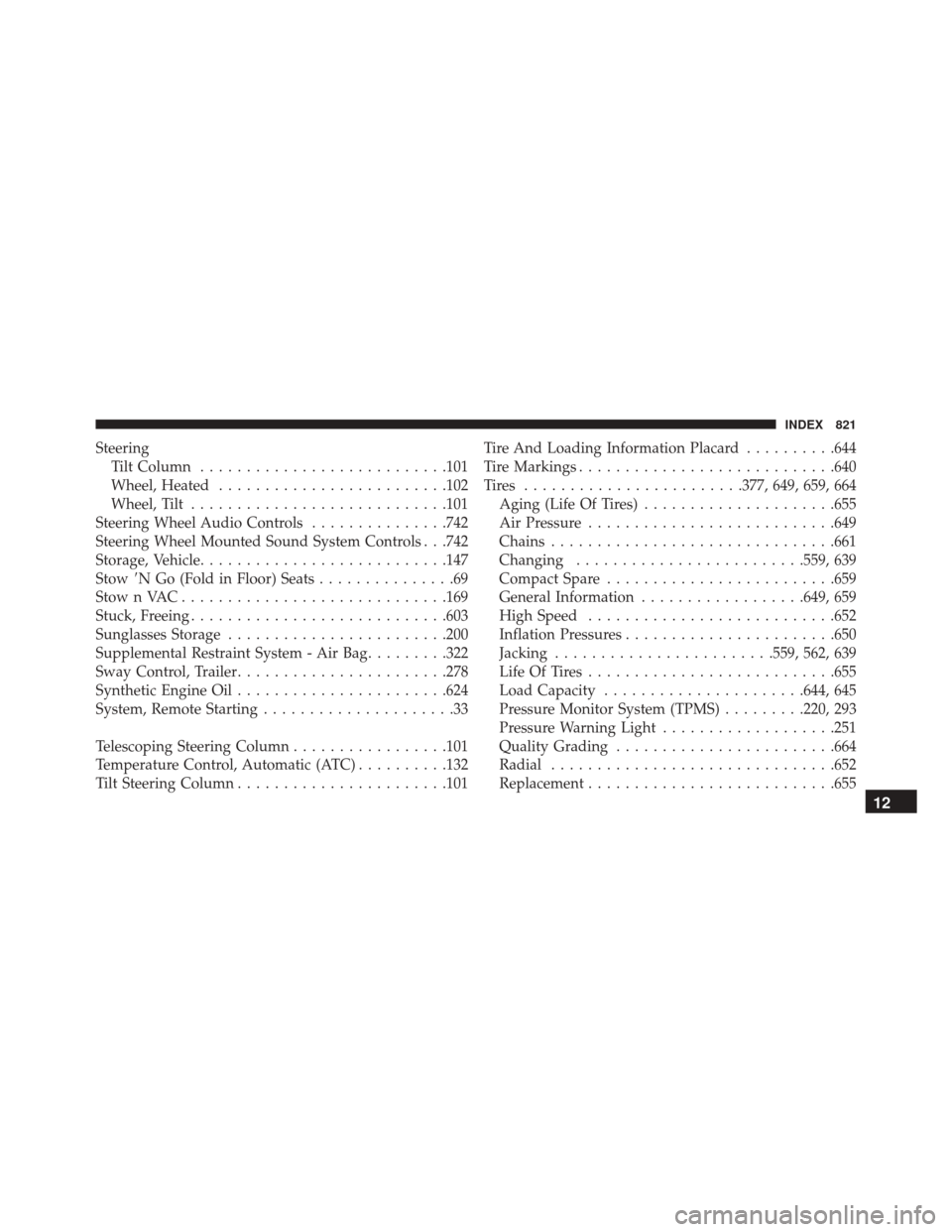
SteeringTilt Column .......................... .101
Wheel, Heated ........................ .102
Wheel, Tilt ........................... .101
Steering Wheel Audio Controls ...............742
Steering Wheel Mounted Sound System Controls . . .742
Storage, Vehicle .......................... .147
Stow \bN Go (Fold in Floor) Seats ...............69
StownVAC............................ .169
Stuck, Freeing ........................... .603
Sunglasses Storage ....................... .200
Supplemental Restraint System - Air Bag .........322
Sway Control, Trailer ...................... .278
Synthetic Engine Oil ...................... .624
System, Remote Starting .....................33
Telescoping Steering Column .................101
Temperature Control, Automatic (ATC) ..........132
Tilt Steering Column ...................... .101Tire And Loading Information Placard
..........644
Tire Markings ........................... .640
Tires ....................... .377, 649, 659, 664
Aging (Life Of Tires) .....................655
Air Pressure .......................... .649
Chains .............................. .661
Changing ........................ .559, 639
Compact Spare ........................ .659
General Information ..................649, 659
High Speed .......................... .652
Inflation Pressures ...................... .650
Jacking ....................... .559, 562, 639
Life Of Tires .......................... .655
Load Capacity ..................... .644, 645
Pressure Monitor System (TPMS) .........220, 293
Pressure Warning Light ...................251
Quality Grading ....................... .664
Radial .............................. .652
Replacement .......................... .655
12
INDEX 821